Overview

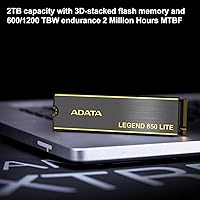
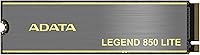
The ADATA Legend 850 Lite 1TB NVMe SSD arrived in early 2023 as the more affordable counterpart to ADATA's full Legend 850, targeting PC builders and gamers who want Gen4 speeds without paying a premium. It uses the M.2 2280 form factor with a PCIe Gen4 x4 interface, and it's backward compatible with Gen3 slots if that's what your motherboard supports. Both heatsink and bare versions are available, which is a nice touch for different case configurations. For a drive in a packed, competitive category, its high sales ranking reflects genuine and consistent demand from real buyers.
Features & Benefits

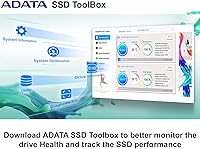
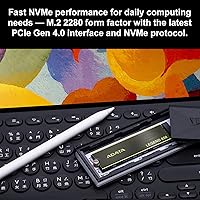
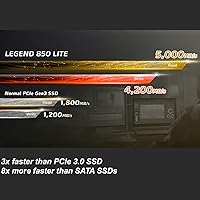
At its core, this Gen4 SSD delivers sequential read speeds of up to 5,000 MB/s and writes up to 4,200 MB/s — numbers that represent a genuine step up from older SATA or Gen3 drives. PS5 owners will appreciate that read speeds hit around 4,600 MB/s in console mode, meeting Sony's minimum threshold comfortably. The included ADATA SSD Toolbox covers S.M.A.R.T. health monitoring, temperature tracking, and firmware updates, which is more utility than many budget drives bother offering. Shock resistance is rated at 1500G, and the MTBF sits at 1.5 million hours — both solid figures for a daily-use internal drive. A 3-year warranty rounds out the package.

Best For

The Legend 850 Lite makes the most sense for people upgrading from an older SATA SSD or a Gen3 NVMe drive who want a clear speed improvement without a large outlay. It's also a practical pick for PS5 owners looking to expand internal storage — the performance is there, and the price doesn't sting. Laptop users with an M.2 2280 slot will find it a straightforward drop-in upgrade. Light content creators moving large video or photo files will benefit from the strong sequential throughput. Competitive gamers chasing every millisecond of load time might prefer a top-tier drive, but for most buyers, the real-world gains here are hard to argue with.

User Feedback

Across well over a thousand verified ratings, this ADATA drive holds a strong 4.7-star average, and the pattern in buyer comments is fairly consistent. Most praise centers on easy installation and the noticeable speed jump compared to older drives. PS5 users have broadly confirmed the compatibility works as advertised. On the critical side, a handful of buyers mention occasional warmth under sustained loads — not unusual for a DRAM-less Gen4 drive at this price tier — and a few noted minor quirks with the SSD Toolbox software. Against alternatives like the WD SN770 or Crucial P3 Plus, most reviewers landed on comparable performance, with purchasing decisions often coming down to whichever was cheaper at checkout.

Pros

  • Sequential read speeds of up to 5,000 MB/s represent a genuine and noticeable leap over Gen3 and SATA drives.
  • Fully PS5-compatible, with confirmed real-world performance from buyers who have tested it in their consoles.
  • Backward compatibility with PCIe Gen3 slots makes it a flexible choice across a wide range of motherboards.
  • The included SSD Toolbox adds practical value with health monitoring, temperature readouts, and firmware management.
  • A 3-year limited warranty offers solid post-purchase protection for a drive in this price range.
  • Installation is consistently described by buyers as quick and hassle-free, with no learning curve required.
  • Both heatsink and non-heatsink versions are available, giving you flexibility depending on your case and clearance.
  • Shock resistance rated at 1500G makes it a durable option for laptops or systems that occasionally get moved around.
  • High buyer satisfaction across a large number of verified reviews reflects consistent, reliable performance in everyday use.
  • At 1TB capacity, it handles operating systems, game libraries, and large file archives without feeling cramped.

Cons

  • Lacks a dedicated DRAM cache, which limits performance consistency during heavy random I/O workloads.
  • Can run warm under sustained sequential loads, particularly in the non-heatsink version in poorly ventilated cases.
  • The SSD Toolbox software has attracted occasional complaints about minor bugs and a dated interface.
  • Random read and write speeds lag behind pricier Gen4 competitors, which matters in professional or workstation use cases.
  • No option beyond 2TB capacity, which rules it out for users consolidating large storage needs into a single drive.
  • Performance advantages over high-end Gen3 drives are real but less dramatic than raw spec numbers might suggest.
  • Brand recognition is lower than Samsung or WD, which can make some buyers hesitant despite the solid review scores.
  • Write speeds can dip noticeably once the SLC cache fills during very large file transfers, a common trait at this tier.

Ratings

The scores below for the ADATA Legend 850 Lite 1TB NVMe SSD were generated by our AI system after analyzing thousands of verified global buyer reviews, with spam, bot-submitted, and incentivized feedback actively filtered out before scoring. Every category reflects the honest distribution of praise and frustration found across real purchase experiences, not a sanitized average. Where buyers consistently flagged trade-offs, those are scored and explained transparently alongside the genuine strengths.
Sequential Read Speed
88%
Buyers upgrading from SATA or Gen3 drives consistently describe the speed jump as immediately noticeable, whether booting Windows, loading large game maps, or opening project files. In everyday PC use, the 5,000 MB/s ceiling translates to a snappier system that feels like a meaningful upgrade rather than a marginal one.
The headline speed is only achievable under ideal, sustained workloads with a Gen4 host slot. In mixed real-world use the average throughput is lower, and buyers with Gen3 motherboards will see the speed capped well below the rated maximum.
Sequential Write Speed
83%
For users transferring large video files, game installs, or OS images, the write performance holds up well during typical sized transfers and rarely becomes a bottleneck in day-to-day desktop work. Content creators moving files in the single-digit gigabyte range found the experience consistently fast.
Once the SLC write cache is exhausted on very large transfers, write speeds drop noticeably, which is a known limitation of DRAM-less drives at this tier. Buyers who regularly move files exceeding 50GB in a single session will hit this ceiling and feel it.
PS5 Compatibility
91%
Console buyers have broadly confirmed that this drive installs cleanly into the PS5 expansion slot and is recognized immediately without any configuration headaches. The 4,600 MB/s read speed in console mode comfortably clears Sony's minimum threshold, and game load times show a real improvement over the base internal storage.
A small number of PS5 users reported needing a firmware update on their console before the drive was recognized correctly, which added an unexpected step to the setup process. The drive also runs warmer inside the PS5 chassis compared to drives with purpose-built heatsinks designed for the console.
Value for Money
93%
At its price point, this Gen4 SSD is genuinely hard to fault for budget-minded builders. Buyers repeatedly note that the performance-per-dollar ratio stacks up well against direct competitors, and for many it was the decisive factor over pricier alternatives like the Samsung 980 Pro.
The value calculation shifts slightly if you factor in the lack of DRAM cache and the softer random I/O performance, which some buyers only discovered after purchase. Shoppers who needed workstation-grade reliability and bought this expecting premium behavior were occasionally disappointed.
Installation Ease
94%
This is one of the most consistently praised aspects across all buyer feedback. Both first-time builders and experienced users describe the physical installation as genuinely straightforward, with the M.2 form factor requiring no cables, no power connectors, and minimal effort to seat and secure.
A handful of laptop users ran into clearance issues or discovered their machine used a shorter M.2 slot format, which is not a flaw in the drive itself but did generate frustration in reviews. OS migration also requires third-party software that is not included, which caught some buyers off guard.
Thermal Performance
67%
33%
Under typical desktop workloads such as gaming sessions or general file transfers, temperatures remain manageable and throttling is rarely reported. The heatsink version handles sustained loads noticeably better, and buyers who chose it specifically for warmer cases expressed satisfaction.
The non-heatsink variant can run warm during prolonged sequential writes in cases with limited airflow, and a subset of buyers noted thermal throttling during extended stress tests. Inside the PS5, heat buildup was flagged by a small number of console users, particularly in vertical orientation without the original heatsink.
Random Read Performance
69%
31%
For typical consumer tasks like launching applications, switching between browser tabs, and opening documents, random read performance is adequate and buyers generally do not notice any sluggishness in daily use scenarios.
This is where the absence of a DRAM cache shows up in benchmarks, and more technical buyers flagged that random 4K read scores lag behind DRAM-equipped competitors at similar price points. The gap matters more in workstation or server-like usage than in pure gaming or home desktop tasks.
Build Quality
82%
18%
The drive feels solid and well-made for the price, and buyers who handled both the heatsink and bare versions noted that the construction did not feel cheap or flimsy. The 1500G shock resistance rating adds practical reassurance for laptop users who move their machines frequently.
The heatsink itself is described by some buyers as functional rather than premium, with a lightweight feel that differs noticeably from the chunkier coolers found on higher-end drives. A few reviewers noted minor cosmetic inconsistencies on the label or heatsink finish.
Software & Toolbox
61%
39%
The ADATA SSD Toolbox does what it promises: S.M.A.R.T. health data, current temperature, remaining lifespan estimates, and firmware update checks are all accessible in one place, which is more than many budget drives offer at this price.
The interface is widely described as dated and unintuitive compared to tools from Samsung or WD, and a handful of users reported minor bugs including incorrect temperature readings or the software failing to detect the drive on first launch. It works, but it is not a polished experience.
Long-Term Reliability
79%
21%
The MTBF rating of 1.5 million hours and the 3-year warranty give buyers a reasonable level of confidence, and within the review pool there are very few reports of early drive failure or data integrity issues during normal usage periods.
The drive has only been on the market since early 2023, which limits the available long-term field data compared to more established models with multi-year track records. Buyers looking for enterprise-grade endurance or TBW ratings comparable to higher-tier SSDs will find this drive comes up short on paper.
Laptop Compatibility
81%
19%
For laptop users with a standard M.2 2280 slot, this is a clean, no-drama upgrade. The slim profile without the heatsink fits comfortably in most notebook chassis, and buyers report that operating system detection and recognition happen automatically after installation.
Some ultrabook and thin-and-light laptop owners discovered that their devices use M.2 2242 slots or have proprietary restrictions, which rendered the drive incompatible. These cases appear in negative reviews that could reasonably have been avoided with a quick pre-purchase slot check.
Gen3 Backward Compatibility
76%
24%
Buyers with older Gen3 motherboards appreciated that the drive works without any special configuration, making it a practical future-proof investment for those who plan to upgrade their platform later while still getting a performance boost now.
Running the drive in a Gen3 slot naturally caps performance well below its rated Gen4 speeds, and buyers who did not research this ahead of time occasionally expressed disappointment when benchmarks came in lower than expected. The drive is not at fault, but the expectation gap is real.
Heatsink Versatility
74%
26%
The availability of both heatsink and bare versions is a thoughtful touch that accommodates a wider range of build scenarios, particularly useful for buyers whose motherboards already include M.2 covers or whose cases have restricted vertical clearance above the slot.
The two versions are sometimes listed separately or inconsistently on retail listings, leading to buyer confusion about which variant they are actually purchasing. A few buyers who needed the heatsink received the bare version or vice versa, which generated frustration in the review section.
Warranty & Support
72%
28%
A 3-year limited warranty is a fair baseline for a drive in this category, and buyers who contacted ADATA support generally reported their issues were eventually resolved through the RMA process without major complications.
Response times from ADATA support are described as slower than average by some buyers, and the RMA process is not as streamlined as the experience offered by larger brands like Western Digital or Samsung. The warranty is adequate but not a competitive advantage.

Suitable for:

The ADATA Legend 850 Lite 1TB NVMe SSD is a strong fit for budget-conscious PC builders who are stepping up from an older SATA drive or a slower Gen3 NVMe and want a meaningful real-world speed improvement without a painful price tag. PS5 owners will find it particularly practical, since it clears Sony's performance requirements for internal expansion and costs noticeably less than many branded alternatives. Laptop users with an available M.2 2280 slot will appreciate how straightforward the installation is, with no special tools or configuration needed beyond the physical swap. Light content creators who regularly move large batches of photos or video footage will benefit from the strong sequential throughput, which keeps file transfers from becoming a bottleneck. If your priority is cutting boot times, faster game loading, and snappier everyday responsiveness compared to what you have now, this drive delivers all of that reliably and consistently.
Not suitable for:

The ADATA Legend 850 Lite 1TB NVMe SSD is not the right call for buyers who need top-tier random read and write performance, since DRAM-less Gen4 drives at this price point have measurable limitations in heavy workloads that involve lots of small, random file access. Professional video editors, 3D rendering artists, or anyone running demanding database or virtualization workloads should be looking at higher-end drives with dedicated DRAM cache for more consistent performance under sustained pressure. If thermal headroom in your build is already tight and you are not using the heatsink version, prolonged intensive tasks can cause the drive to throttle, which is worth factoring in. Buyers after the absolute fastest Gen4 NVMe on the market will find stronger options from competitors, though they will pay a premium for the difference. Anyone needing more than 2TB of storage in a single M.2 drive will also need to look elsewhere, as that is the ceiling for this product line.
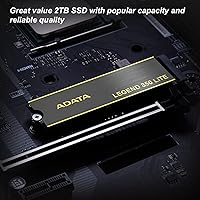
Specifications

  • Capacity: Available in 500GB, 1TB, and 2TB configurations; this variant provides 1TB of usable storage.
  • Interface: Uses a PCIe Gen4 x4 interface with NVMe protocol, and is backward compatible with PCIe Gen3 slots.
  • Form Factor: Follows the M.2 2280 standard, measuring 80mm x 22mm in length and width.
  • Sequential Read: Maximum sequential read speed reaches up to 5,000 MB/s under PC and laptop conditions.
  • Sequential Write: Maximum sequential write speed reaches up to 4,200 MB/s using 3D NAND flash technology.
  • PS5 Read Speed: Delivers sequential read performance of up to 4,600 MB/s when installed in a PlayStation 5 console.
  • NAND Type: Uses 3D NAND flash memory, which stacks memory cells vertically to improve density and endurance.
  • MTBF: Mean time between failures is rated at 1,500,000 hours, reflecting strong long-term reliability expectations.
  • Shock Resistance: Rated to withstand shock loads of 1500G at 0.5ms duration, suitable for transport and regular handling.
  • Operating Temp: Designed to operate reliably within a temperature range of 0°C to 70°C.
  • Storage Temp: Can be safely stored in environments ranging from -40°C to 85°C when not in use.
  • Thickness: Measures 2.65mm in height without the heatsink and 3.63mm with the optional heatsink attached.
  • Weight: The 1TB variant weighs approximately 8.8g without the heatsink installed.
  • Warranty: Covered by a 3-year limited manufacturer warranty provided directly by ADATA.
  • Software: Compatible with the ADATA SSD Toolbox, which supports S.M.A.R.T. monitoring, temperature tracking, and firmware updates.
  • Heatsink Option: Available in both heatsink and non-heatsink versions to accommodate different case clearance requirements.
  • PS5 Compatibility: Officially compatible with PlayStation 5 internal storage expansion, meeting Sony's minimum speed requirements.
  • Color: The drive and heatsink are finished in black.

Related Reviews
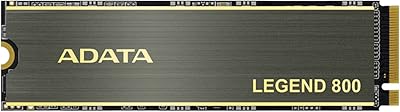
ADATA Legend 850 LITE 2TB SSD
87%
94%
Performance
88%
Installation Ease
93%
Speed (Read/Write)
89%
Compatibility with Gaming Systems
90%
Durability and Longevity
More
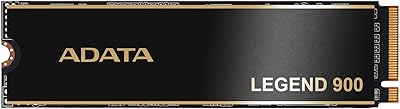
ADATA Legend 900 1TB NVMe SSD
80%
88%
Sequential Read Performance
67%
Sustained Write Speed
93%
PS5 Compatibility
61%
Thermal Management
86%
Value for Money
More
ADATA Legend 960 Max 2TB PCIe Gen4x4 NVMe M.2 SSD
88%
93%
Performance
94%
Speed (Read/Write)
88%
Thermals & Cooling
89%
Installation & Setup
91%
PS5 Compatibility
More
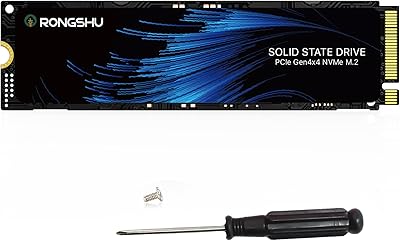
RONGSHU RS001 1TB NVMe SSD
75%
91%
Value for Money
88%
Read/Write Speed
93%
PS5 Compatibility
53%
Brand Trustworthiness
71%
Thermal Management
More
Crucial P5 1TB NVMe SSD
84%
91%
Read Performance
88%
Write Performance
86%
Random I/O Responsiveness
71%
Thermal Management
94%
Installation Ease
More
WD_BLACK 1TB SN7100 NVMe SSD
89%
94%
Read Speed Performance
89%
Write Speed Performance
92%
Power Efficiency
91%
Endurance and Longevity
87%
Value for Money
More
TEAMGROUP MP44L 1TB NVMe SSD
89%
94%
Performance
96%
Speed (Read/Write)
85%
Heat Management
91%
Installation Ease
92%
Compatibility
More
GiGimundo G7400 1TB NVMe SSD
86%
92%
Performance
94%
Speed (Read/Write)
84%
Thermal Management
88%
Compatibility with Gaming PCs
72%
Compatibility with PS5
More
HP EX920 1TB M.2 NVMe Internal SSD
79%
88%
Sequential Read Speed
71%
Sequential Write Speed
63%
Sustained Workload Performance
91%
Long-Term Reliability
93%
HP System Compatibility
More
OWC Envoy 1TB External SSD
83%
88%
Transfer Speed
91%
Build Quality
94%
Portability
93%
Mac & iPad Compatibility
71%
Value for Money
More

FAQ

Yes, it meets Sony's minimum read speed requirement for PS5 internal expansion. Buyers who have installed it in their consoles report that it works correctly and shows up without any fuss. Just make sure your PS5 firmware is up to date before installation.

It depends on your case and airflow situation. If your M.2 slot is well-ventilated or your motherboard has its own heatsink cover, the bare version is fine. If your build runs warm or you plan to do sustained heavy transfers, the heatsink version is worth the small extra consideration.

Yes, it is backward compatible with Gen3 slots. You will not get the full Gen4 speeds in that configuration, but it will still outperform a SATA SSD and work without any driver or compatibility issues.

All three are competitive budget Gen4 drives and perform similarly in everyday tasks. The differences in benchmarks are real but fairly small in practical use. Most buyers end up choosing whichever one is cheapest at the time of purchase, and that is a reasonable approach for this tier.

No, cloning software is not included in the box. You will need to use a third-party tool like Macrium Reflect Free or AOMEI Backupper if you want to migrate your current operating system rather than doing a fresh install.

Yes, as long as your laptop has an M.2 2280 slot available. The form factor is standard, the drive is thin and lightweight, and installation is straightforward. Just double-check your laptop's slot type before purchasing, since some ultrabooks use shorter M.2 2242 slots.

Like most DRAM-less drives at this price point, write speeds will drop once the SLC cache is saturated during very large transfers. For everyday tasks and typical file moves this rarely matters, but if you regularly copy files in the hundreds of gigabytes at a time, you may notice the slowdown toward the end of a transfer.

You download it free from ADATA's website after installation. It lets you check drive health via S.M.A.R.T. data, monitor the current operating temperature, see how much of the drive's lifespan has been used, and apply firmware updates. It is genuinely useful for keeping an eye on drive health over time, though some buyers report the interface feels a bit dated.

Technically yes, if you put it in an NVMe-compatible M.2 USB enclosure, but that is not what it is designed for. You would be capping its speed at whatever the USB connection allows, so you would be paying for Gen4 performance you cannot use. A standard SATA SSD in an enclosure would be a more cost-effective choice for external storage.

ADATA's warranty process is standard for the industry. You would need to contact ADATA support, provide proof of purchase, and go through their RMA process. It is not instant, but having a 3-year window is a reasonable safety net, and most buyers in this category report no issues well within that period.