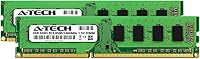
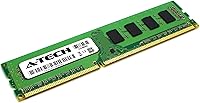
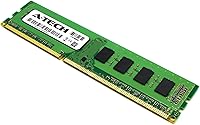
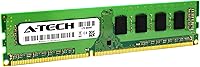
Overview

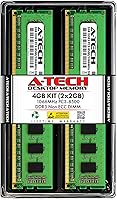
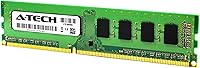
The A-Tech 4GB DDR3 1066MHz Desktop RAM Kit is a no-frills memory upgrade built specifically for older desktop systems still running DDR3 platforms. It ships as two 2GB sticks rated at PC3-8500 speeds — which tells you right away this is about compatibility and reliability, not raw performance. That focus is not a flaw; it is the whole point. Machines from the late 2000s through the early 2010s need exactly this kind of spec-matched hardware, and demand has held steady for over a decade. The fact that A-Tech backs even a budget kit with a lifetime warranty is genuinely worth noting.

Features & Benefits

Both sticks run at the 240-pin DIMM spec, which means they slot into the vast majority of DDR3 desktop motherboards without any adapter or modification. The non-ECC unbuffered (UDIMM) configuration is exactly what consumer-grade desktops call for — server-style ECC memory would not work here anyway. Operating at the JEDEC-standard 1.5V keeps things stable and predictable across different boards. Installing these as a matched pair gives the system a chance to run in dual-channel mode, which squeezes a bit more bandwidth out of the memory controller. Nothing dramatic, but every bit counts on aging hardware. US-based technical support rounds out the package for buyers who are not comfortable working inside a PC on their own.

Best For

This DDR3 memory kit makes the most sense for legacy desktop owners — think systems built between roughly 2008 and 2014 that came with minimal RAM and have started to struggle with basic multitasking. If your desktop is stuck on a DDR3 platform, you cannot just swap in faster DDR4 modules; the slot types are physically incompatible. Before buying, confirm your motherboard supports DDR3 at 1066MHz by checking the manufacturer spec sheet. IT refurbishers and small office managers who maintain older fleets will likely find these 1066MHz memory sticks useful for stretching machine lifespans. For anyone building a new system today, this is not the right choice — but that was never the intended audience.

User Feedback

With a 4.5-star average from 86 ratings, this desktop RAM upgrade earns its score not through flashy specs but through consistent, reliable performance in the machines it was built for. Buyers frequently mention that installation was straightforward — no BIOS tweaks required, recognized immediately on boot. Several reviewers specifically called out successful use in older HP, Dell, and Lenovo desktops, which matters when you are buying memory for a machine without a clear upgrade path. The main criticism, when it appears, is fair: 1066MHz is a modest speed tier, and a few buyers noted it did not noticeably transform heavier workloads. That is an accurate expectation to set. Verify compatibility before purchasing — that point comes up more than once in the reviews, and it is good advice.

Pros

  • Plug-and-play installation — most buyers report the system recognized the sticks immediately with no BIOS changes needed.
  • Non-ECC UDIMM spec matches what the vast majority of consumer DDR3 desktop motherboards require out of the box.
  • Dual-channel kit configuration can deliver a modest bandwidth boost compared to running a single stick alone.
  • The 1.5V JEDEC-standard voltage minimizes the risk of instability or incompatibility across different DDR3 boards.
  • Lifetime warranty is genuinely rare for a budget memory kit and provides real peace of mind.
  • US-based technical support is available for buyers who need help with installation or troubleshooting.
  • Long product history since 2013 suggests consistent quality control and reliable sourcing over many years.
  • Ships as a matched pair, removing the guesswork of pairing sticks pulled from different production runs.
  • Compact, lightweight modules fit easily into tight desktop cases without any clearance concerns.
  • Strong 4.5-star average across real buyer ratings confirms this DDR3 memory kit delivers on its core promise.

Cons

  • 1066MHz is among the slowest DDR3 speed grades available — faster 1333MHz or 1600MHz kits exist at similar prices.
  • 4GB total capacity hits a practical ceiling fast for anyone juggling more than light multitasking or basic browsing.
  • Compatibility must be verified manually before buying; DDR3 and DDR4 slots are physically different and cannot be interchanged.
  • No XMP or performance profiles — these 1066MHz memory sticks run at base JEDEC spec only, with no overclocking headroom.
  • The 86-rating sample size is relatively small, making it harder to judge long-term reliability with high confidence.
  • Not a fix for systems where the CPU, GPU, or mechanical storage is the real performance bottleneck.
  • Buyers with a DDR3 board that supports 1600MHz may find this kit leaves their motherboard's full potential untapped.
  • Limited impact if the desktop also needs a storage or CPU upgrade — RAM alone will not rescue a deeply aging system.

Ratings

The scores below reflect an AI-driven analysis of verified global buyer feedback for the A-Tech 4GB DDR3 1066MHz Desktop RAM Kit, processed after actively filtering out suspected spam, bot-generated reviews, and incentivized submissions to ensure only authentic voices are counted. Both the genuine strengths and the real-world limitations of this desktop RAM upgrade are transparently reflected in every category score. Whether this DDR3 memory kit is the right call for your machine depends heavily on your specific setup, and these ratings are designed to help you reach that conclusion with clear, honest data.

Value for Money
88%
For a legacy DDR3 upgrade, the price-to-value calculation works well, particularly when you factor in the lifetime warranty that most budget kits at this tier simply do not include. Buyers in refurbishing scenarios consistently report getting exactly what they needed without overpaying or encountering unexpected costs.
Shoppers willing to compare prices may find that faster DDR3 options — 1333MHz or 1600MHz — are occasionally priced similarly, which slightly weakens the value argument for this specific speed grade. It pays to check alternatives before committing if your board supports faster modules.
Compatibility
84%
The 240-pin UDIMM form factor and JEDEC-standard 1.5V voltage mean this kit slots into the vast majority of consumer DDR3 desktop motherboards without any workarounds. Buyers targeting older Intel and AMD platforms — think Core 2 Duo, early Core i-series, or Phenom II machines — report a high success rate on first install.
Compatibility is not guaranteed without verification, and a handful of buyers have run into mismatches when they assumed their board was DDR3 without confirming the spec sheet first. DDR3 and DDR4 slots are physically incompatible, so skipping that confirmation step is the most common source of return purchases in this category.
Installation Ease
91%
This is the most consistently praised aspect across buyer feedback — the sticks seat firmly, the system recognizes them on the first boot in most cases, and no BIOS adjustments are required. Even buyers with little hardware experience describe the process as straightforward, often completed in under ten minutes with just a screwdriver.
A small number of buyers report that their system did not recognize the modules immediately and required a BIOS reset to defaults before booting correctly. This is not specific to this kit — it is a common DDR3 installation quirk — but it can be confusing for first-time builders or less experienced users.
Performance Impact
67%
33%
On systems that were genuinely starved of memory — running on 1GB or 2GB of original RAM — adding these sticks brings a tangible improvement to everyday responsiveness, particularly for web browsing, document editing, and basic multitasking. For that specific use case, the difference is real and felt immediately after boot.
For systems already running 4GB or more, or for users hoping to handle demanding applications, the improvement is minimal at best. The 1066MHz speed ceiling means there is no headroom for performance-sensitive workloads, and buyers who expected a more dramatic transformation from the upgrade typically came away underwhelmed.
Legacy System Fit
92%
For its intended audience — people reviving desktops built between roughly 2008 and 2014 — this kit fits the job description precisely. IT refurbishers and home users dealing with aging machines that cannot accept DDR4 find these 1066MHz memory sticks to be a spec-accurate, drop-in solution that just works.
Outside of its legacy niche, this kit has almost no relevant use case, and buyers who purchase it for a system that supports faster DDR3 or a more modern platform are essentially leaving performance on the table. The product serves its audience well, but that audience is specifically and narrowly defined.
Speed Tier
58%
42%
Running at the JEDEC-standard 1066MHz keeps things stable and predictable across a wide range of older boards, and for machines that never needed high-speed memory to function well, the speed grade is perfectly adequate for daily tasks like email, light web browsing, and document work.
1066MHz sits at the lower end of the DDR3 speed range, and this is a real limitation that informed buyers notice. Faster DDR3 kits at 1333MHz or 1600MHz can offer meaningfully better bandwidth on boards that support them, and this desktop RAM upgrade provides no overclocking support or XMP profiles beyond its rated spec.
Warranty & Support
86%
A lifetime warranty from A-Tech is a genuine differentiator at this price point — most no-name budget memory ships with no coverage at all or a limited one-year guarantee. The inclusion of US-based technical support gives less experienced buyers a real safety net if installation does not go as planned.
Some buyers note that warranty claims and support interactions, while available, are not always the fastest experience. For a product that is essentially plug-and-play in most scenarios, needing to navigate a support process can feel like more friction than expected at this price tier.
System Stability
83%
Once installed correctly, buyers consistently report stable, trouble-free operation over extended periods of daily use. On older platforms prone to compatibility issues with off-brand memory, this kit's adherence to JEDEC standards keeps it well-behaved across a wide range of chipsets and BIOS versions.
A small percentage of buyers have reported occasional boot failures or system instability after installation, usually attributed to mixing these sticks with existing non-matched memory. Running a clean, matched set avoids most of these issues, but mixed-memory instability is a real risk worth flagging for anyone planning to combine modules.
Build Quality
79%
21%
The PCB feels solid and the modules handle standard desktop installation without any flex or fragility concerns. For a budget-tier memory kit, the construction is consistent with what you would expect from modules designed for reliable consumer use rather than enthusiast builds.
There is no heat spreader or premium finishing on these modules, which is standard for JEDEC-rated consumer DDR3 memory but can feel underwhelming compared to branded gaming RAM. Buyers looking for aesthetics or premium materials will need to look at a different product category entirely.
Packaging & Delivery
74%
26%
The modules arrive in adequate protective packaging that keeps them safe during shipping, with anti-static precautions that are standard for memory products. Most buyers report receiving the sticks in good condition without any obvious handling damage or missing components.
The packaging is purely functional — there is no premium unboxing experience, and printed documentation is minimal at best. For buyers who expect a more polished presentation or detailed installation guides in the box, the no-frills approach can feel sparse, though it rarely impacts actual product performance.
Documentation
62%
38%
The basic installation guidance provided is enough for most buyers who have a general sense of how desktop hardware works, and A-Tech's US-based support line fills in the gaps for those who need extra help. For straightforward DDR3 installs, the process rarely requires more than what is included.
The documentation bundled with these 1066MHz memory sticks is sparse, offering little in the way of step-by-step guidance or compatibility troubleshooting advice. Buyers who are new to PC hardware and unfamiliar with verifying motherboard specs before purchasing may find themselves searching for answers online independently.
Brand Reliability
81%
19%
A-Tech has maintained a consistent presence in the memory market since at least 2013, and the brand's long track record with DDR3 products gives buyers reasonable confidence that they are not purchasing from an unknown vendor with no accountability. The product line has accumulated real buyer reviews over a meaningful span of time.
A-Tech is not a tier-one memory brand in the way that Kingston, Crucial, or G.Skill are, and some buyers with strong brand loyalty preferences may feel less confident in long-term reliability compared to more established names. The lifetime warranty helps mitigate this concern, but brand perception remains a factor for cautious shoppers.
Dual-Channel Functionality
73%
27%
Using both sticks together in the correct paired slots allows the memory controller to run in dual-channel mode, which provides a modest but measurable improvement in bandwidth over a single-stick setup. For systems with integrated graphics that draw from shared system memory, this configuration benefit is especially relevant.
The dual-channel bandwidth advantage at 1066MHz is modest enough that most users will not notice the difference in everyday tasks without running benchmarks. And if one slot is already occupied with a non-matching stick, the dual-channel benefit is lost entirely — a pairing requirement that buyers sometimes overlook.
Longevity & Durability
82%
18%
DDR3 SDRAM has been a mature, stable technology for well over a decade, and modules operating at standard voltage and speed grades tend to have excellent longevity when installed in a compatible system. The lifetime warranty reflects A-Tech's own confidence in the durability of these modules over extended use.
As with any aging hardware ecosystem, the longevity of the product is partly constrained by the longevity of the platforms it serves — DDR3 desktops themselves have a finite useful life, and the practical lifespan of this kit is tied to how long the host system remains in service.

Suitable for:

The A-Tech 4GB DDR3 1066MHz Desktop RAM Kit was built for one specific job: breathing usable life back into aging desktops that were never designed to handle today's workloads. If you have a machine from the late 2000s or early 2010s running on a DDR3 platform with only 1GB or 2GB of RAM, this kit addresses the most common bottleneck those systems face — memory starvation. It is a strong fit for home users who just need a family computer to load browser tabs without freezing, for small offices keeping older workstations in rotation, and for IT staff or refurbishers who need a reliable, spec-matched module they can order without worrying about compatibility surprises. The dual-channel configuration is a practical bonus for anyone whose motherboard supports it, and the lifetime warranty means you are not gambling on a no-name module with no recourse if something goes wrong.

Not suitable for:

The A-Tech 4GB DDR3 1066MHz Desktop RAM Kit is the wrong purchase for anyone building or upgrading a system made in the last several years, since virtually all modern desktop platforms have moved to DDR4 or DDR5, and these sticks simply will not fit or function in those boards. Even within the DDR3 era, buyers chasing real performance gains should look elsewhere — 1066MHz sits at the low end of the DDR3 speed range, and faster kits running at 1333MHz or 1600MHz are available at comparable prices for systems that support them. Gamers, video editors, or anyone running memory-intensive software should also be realistic: 4GB total is a tight ceiling by current standards, and this desktop RAM upgrade is a stopgap for a legacy machine, not a long-term performance investment. If your system's primary bottleneck is a slow mechanical hard drive or an underpowered CPU, adding RAM will not deliver a meaningful improvement regardless of which kit you choose.

Specifications

  • Total Capacity: This kit provides 4GB of total memory, delivered as two individual 2GB DDR3 modules.
  • Kit Configuration: Ships as a matched pair of two 2GB sticks designed to work together for potential dual-channel operation.
  • Memory Type: Modules use DDR3 SDRAM technology, the standard found in desktop platforms manufactured roughly between 2007 and 2014.
  • Speed Rating: Rated at 1066MHz, also designated as PC3-8500 or PC3-8500U under the JEDEC DDR3 specification.
  • Form Factor: Standard 240-pin DIMM format compatible with DDR3 desktop motherboard memory slots.
  • ECC Type: Non-ECC Unbuffered (UDIMM) design, which is the correct type for the vast majority of consumer-grade desktop boards.
  • Voltage: Operates at 1.5V in compliance with the JEDEC DDR3 standard, ensuring broad compatibility across DDR3 motherboards.
  • Compatible Platform: Designed exclusively for DDR3-based desktop PCs and is not compatible with laptops, servers, or systems requiring DDR4 or DDR5 memory.
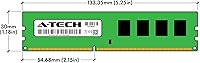
  • Module Dimensions: Each individual module measures 5.25 x 1.18 x 0.15 inches, fitting standard full-size desktop DIMM slots.
  • Module Weight: Each module weighs approximately 0.32 ounces, consistent with standard DDR3 DIMM construction.
  • Warranty: Covered by A-Tech Components lifetime warranty against defects in materials and workmanship for the life of the product.
  • Technical Support: Includes access to US-based technical support for installation guidance and post-purchase troubleshooting at no additional cost.
  • Brand: Manufactured and sold by A-Tech Components, a memory specialist with a long-standing product presence dating back to at least 2013.
  • Model Number: Official A-Tech part number is AT2G2D3D1066NA0N15V, which can be cross-referenced against system specification sheets to verify compatibility.
  • Channel Support: When both sticks are seated in the correct paired slots, the memory controller can operate in dual-channel mode for modest bandwidth improvement.

Related Reviews
A-Tech 16GB DDR3 1600MHz Desktop RAM
79%
93%
Value for Money
88%
Compatibility
91%
Installation Ease
86%
System Stability
82%
Performance Uplift
More
A-Tech 32GB DDR3 1866MHz RAM Kit (4x8GB)
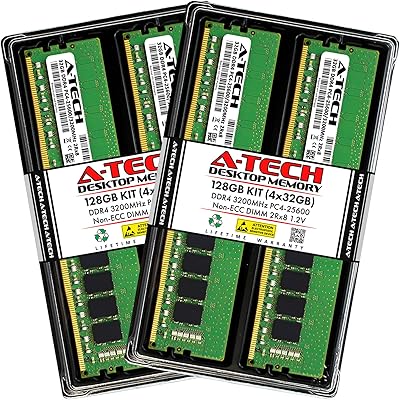
86%
89%
Performance Boost
92%
Installation Ease
91%
Value for Money
75%
Compatibility
85%
Reliability
More
A-Tech 128GB DDR4 3200MHz Desktop RAM Kit
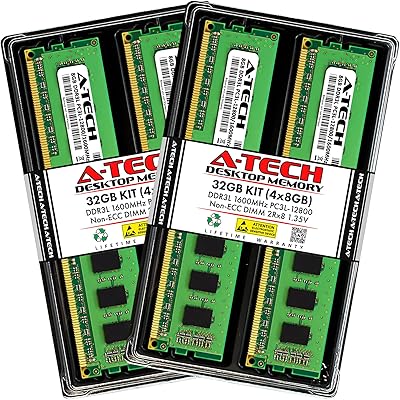
87%
92%
Performance
88%
Installation Ease
81%
Compatibility with Systems
90%
Reliability and Stability
85%
Build Quality
More
A-Tech 32GB DDR3 1600MHz Desktop RAM
78%
91%
Value for Money
74%
Compatibility Range
88%
Installation Experience
89%
System Stability
86%
Thermal Performance
More
Yongxinsheng DDR3 32GB Kit (8GBx4) Desktop RAM 1600MHz
85%
88%
Performance
92%
Ease of Installation
90%
Value for Money
83%
Heat Dissipation
75%
Compatibility with Motherboards
More
Gigastone 64GB Kit (16x4GB) DDR3 1600MHz Desktop RAM
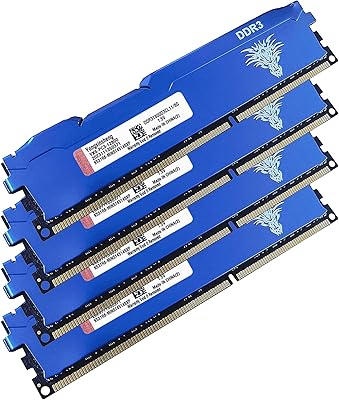
84%
88%
Performance
91%
Installation Ease
85%
Compatibility
82%
Energy Efficiency
87%
Build Quality
More
A-Tech 64GB Kit DDR3 1600MHz ECC Registered RAM
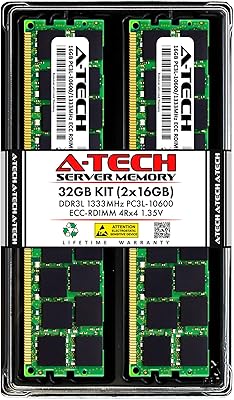
88%
92%
Performance in Server Environments
89%
Compatibility with DDR3 Servers
94%
Stability and Reliability (ECC Features)
87%
Energy Efficiency (Low Voltage)
90%
Ease of Installation
More
A-Tech 16GB DDR3 1600MHz ECC Server RAM
79%
71%
Compatibility
88%
ECC Reliability
84%
Value for Money
73%
Installation Ease
83%
Build Quality
More
A-Tech 32GB DDR3 1333MHz Desktop RAM Kit
77%
91%
Value for Money
71%
Compatibility
88%
Installation Ease
74%
Module Reliability
83%
Warranty & Support
More
A-Tech 32GB DDR3 1333MHz ECC Registered Server RAM Kit
87%
88%
Performance
91%
Ease of Installation
85%
Reliability
93%
Data Integrity (ECC)
89%
Stability Under Load
More

FAQ

Many buyers have reported successful installs in older HP, Dell, and Lenovo desktops. The key step is confirming your specific machine uses DDR3 memory — you can check this on the manufacturer's support page using your model number, or by running a free tool like CPU-Z. As long as the board accepts DDR3 UDIMM at 1066MHz or higher, you should be fine.

In most cases, no. The majority of buyers report that the system recognizes the memory automatically after a normal power-on. If the machine does not boot on the first try, resetting the BIOS to default settings typically resolves it without any manual configuration.

Yes, each module functions independently, so installing a single 2GB stick is perfectly valid. That said, using both sticks together in the correct paired slots allows the system to run in dual-channel mode, which provides a modest performance advantage over a single-stick setup — so if you have the slots free, it is worth using both.

The most reliable method is to look up your motherboard or system model number on the manufacturer's website, where memory specifications are always listed. You can also use a free utility like CPU-Z to see exactly what type of memory is currently installed. This step matters because DDR3 and DDR4 modules are physically different and will not fit in the wrong slot type.

If your machine currently has 1GB or 2GB of RAM and struggles with everyday tasks like browsing or opening documents, stepping up to 4GB will make a real difference for light use. However, 4GB is a modest ceiling by current standards, so this desktop RAM upgrade is best understood as restoring usability to an older machine rather than transforming it into a high-performance system.

These sticks are rated and tested at 1066MHz and do not carry XMP profiles or any manufacturer support for running beyond spec. Some motherboards allow manual frequency adjustments, but A-Tech does not warrant the memory for operation above the rated speed, so stability would not be guaranteed and is entirely at your own risk.

A-Tech's lifetime warranty covers defects in materials and workmanship for as long as you own the product. It does not typically cover physical damage from improper handling, electrostatic discharge, or installation errors. If you do run into an issue, their US-based support team is available to help work through the warranty process.

It can work, but mixing RAM from different manufacturers, speeds, or timings often forces all installed modules to run at the speed of the slowest stick and can introduce stability issues. For the most predictable results, it is better to either replace all existing memory with a matched set or confirm that your current sticks are also DDR3 running at the same speed before mixing.

Yes, as long as the motherboard uses standard DDR3 UDIMM slots, this kit is compatible with both Intel and AMD desktop platforms from that era. The important check is simply confirming that your specific board supports DDR3 at 1066MHz — most consumer DDR3 motherboards from both manufacturers do.

For everyday tasks on an older desktop — web browsing, office applications, basic media — the real-world gap between 1066MHz and 1600MHz DDR3 is small enough that most users would not feel it without running benchmark software. The speed difference matters more in specific scenarios like systems with integrated graphics that pull from shared system memory, but for general use on a legacy machine, the speed tier rarely makes or breaks the experience.