Overview

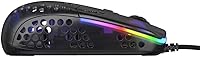
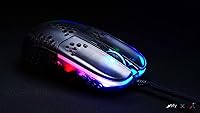
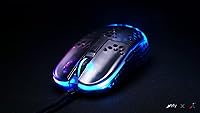
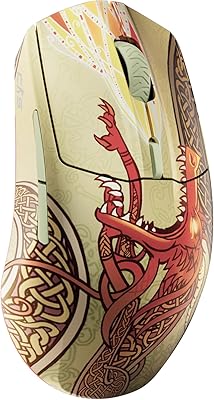
The Xtrfy MZ1 Zy's Rail Edition Gaming Mouse was born from a genuine collaboration between Xtrfy and FPS content creator Zy Rykoa, widely known online as Rocket Jump Ninja, who brings over two decades of hands-on mouse testing to the design table. The result is a 56g wired mouse built with competitive intent rather than broad appeal. The Rail Edition colorway sets it apart visually, but the real substance is in the form — narrow, high-backed, and clearly shaped for claw and fingertip grip players. At this price tier, you're investing in deliberate, community-informed engineering rather than feature bloat.
Features & Benefits

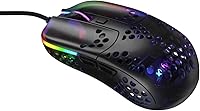
The Pixart 3389 sensor inside this ultra-light gaming mouse is the kind of hardware serious players still actively seek out — zero smoothing, reliable tracking at high speeds, and CPI adjustable from 400 all the way to 16,000 without leaving the mouse. The patented shell is narrow at 52.5mm grip width with a noticeably high rear hump, which naturally guides your fingers into a position that supports micro-adjustments during play. Kailh GM 8.0 switches deliver a clean, tactile click that holds up well over time. The EZcord Pro cable drapes like a paracord, causing almost no resistance during fast wrist or arm movements. Best of all, CPI, polling rate, and debounce are all adjustable without software — a real advantage for players who bounce between systems.

Best For

Xtrfy's Rocket Jump Ninja collab mouse is best suited to players who use a claw or fingertip grip, where the narrow width and low button height actually pay off in control. It's particularly strong for FPS and tactical shooter players where fast, precise movement matters more than extended comfort sessions. Gamers with small to medium hands will likely find the dimensions a natural match. It also appeals to the type of player who hates installing peripheral drivers — everything you need is onboard. If you're a palm grip user or someone with larger hands, the shape will likely feel cramped, and that's worth knowing before you buy.

User Feedback

The MZ1 Rail Edition has earned a strong reception overall, sitting at 4.3 stars across more than 400 ratings. The pattern in positive reviews centers on immediate usability — buyers note that the mouse feels polished right out of the box, with feet that glide well from day one and clicks that feel deliberate rather than mushy. The no-driver setup is consistently praised by people who want to plug in and play without configuration headaches. Criticism, when it appears, tends to focus on fit: the shape has a real learning curve, and palm grip players often find it genuinely uncomfortable rather than just unfamiliar. A handful of long-term users have flagged cable wear over time, though it doesn't appear to be a widespread pattern.

Pros

  • The Pixart 3389 sensor tracks cleanly at competitive speeds with no smoothing or acceleration to fight against.
  • At 56g, the mouse is light enough that wrist fatigue stops being a meaningful factor over long sessions.
  • PTFE glides feel smooth and ready to use straight out of the box on most common surfaces.
  • Kailh GM 8.0 switches deliver a crisp, tactile click that holds up reliably over extended use.
  • The EZcord Pro cable barely registers during play — it drapes and moves like a proper paracord should.
  • CPI, polling rate, and debounce are all adjustable onboard without any software installation needed.
  • The high rear hump naturally supports claw grip positioning without requiring you to consciously rethink your hold.
  • A 4.3-star average across more than 400 ratings reflects consistent satisfaction among the intended audience.

Cons

  • The narrow grip width is a genuine dealbreaker for palm grip users and gamers with larger hands.
  • No companion software means profile storage and per-application customization are simply not available options.
  • The shape has a real learning curve — settling into the intended hold takes time and is not intuitive for everyone.
  • Some long-term owners have reported cable wear, so durability under months of heavy daily use is not guaranteed.
  • The RGB system is onboard-only and limited in scope compared to what software-driven competitors typically offer.
  • Buyers coming from a more traditional ergonomic mouse may need significant adjustment time before feeling comfortable.
  • Players who have moved to newer sensor generations may feel the 3389, capable as it is, no longer justifies the premium.

Ratings

The scores below for the Xtrfy MZ1 Zy's Rail Edition Gaming Mouse were generated by our AI review engine after analyzing verified buyer feedback from global retail platforms, actively filtering out suspected spam, bot activity, and incentivized submissions. Ratings draw on hundreds of real-world accounts spanning competitive FPS players, peripheral enthusiasts, and everyday gamers to surface both genuine strengths and honest frustrations. Every score reflects the full picture — where this ultra-light gaming mouse excels for its intended audience and where it genuinely falls short for buyers outside that profile.
Sensor Performance
91%
The Pixart 3389 delivers tracking that competitive players genuinely trust — no smoothing to fight against, no interpolation adding false data to your aim. Users report that the cursor behaves exactly as expected even during fast flick shots, and the wide CPI range from 400 to 16,000 covers virtually every playstyle without compromise.
A subset of experienced players migrating from more recent sensor generations note that the 3389 is no longer at the absolute cutting edge of optical tracking technology. For most buyers this gap is imperceptible during actual play, but it is a consideration worth weighing at this price tier.
Weight & Balance
93%
At 56g the mouse effectively disappears in hand during extended sessions, and the reduction in wrist fatigue becomes obvious when switching back from a heavier peripheral mid-tournament or after a long ranked grind. The weight distribution is well-balanced front to back, so the lightness never translates into an unstable or floaty feel during precise tracking movements.
A small number of users who prefer a more grounded feel report that the 56g build feels too light for confident micro-adjustments, particularly on low sensitivity settings where fine motor control matters most. This is clearly a personal preference issue rather than a design flaw, but it is a genuine dividing point among buyers.
Ergonomics & Shape
74%
26%
For claw and fingertip grip players, the narrow 52.5mm width and pronounced rear hump work together to guide fingers into a naturally stable aim position without any conscious adjustment. Gamers with small to medium hands consistently describe the shape as intuitive for FPS play from the very first session.
Palm grip players report genuine discomfort after even moderate sessions, and users with larger hands find the narrow profile forces an awkward, fatiguing hold that does not improve with time. The shape is unapologetically designed for a specific audience, and buyers outside that profile will likely regret the purchase.
Click Feel & Switches
86%
The Kailh GM 8.0 switches offer a well-defined, tactile actuation that registers cleanly without mushy pre-travel — something competitive players notice immediately when making rapid click sequences during fast-paced FPS engagements. Buyers consistently praise the deliberate, confident feel of each click compared to the softer switches found on budget alternatives.
A minority of users find the actuation force slightly heavier than what they prefer, which can contribute to finger fatigue during very long sessions. Minor button wobble has also been flagged by detail-oriented buyers who compare the tolerances directly against tighter-fitting mice at similar price points.
Value for Money
76%
24%
For the specific player this mouse targets, the price buys a competition-grade sensor, a shape developed with direct FPS community input, and a no-software configuration system that adds real convenience across multiple setups. Buyers who fall within the intended claw or fingertip grip profile consistently feel the price is justified.
For buyers outside that narrow ergonomic window, the price is difficult to defend given how significantly the shape limits its audience. Competing mice at similar price points often include companion software with profile storage and macro support, which the MZ1 Rail Edition entirely lacks.
Build Quality
83%
The shell feels solid with no flex, creak, or structural give even during aggressive grip adjustments mid-game, and the perforated casing reduces weight without compromising rigidity. Buyers frequently note that the overall construction feels more substantial than the weight figure alone would suggest.
The surface finish shows contact smudges and light wear marks around the button area over months of daily use, and the absence of any rubberized coating can make the shell feel slightly slippery during intense sweat-inducing sessions. The finish holds up, but it does not age particularly gracefully.
Glide Performance
89%
The pre-installed PTFE glides with rounded edges perform smoothly from the very first session without any break-in period, which buyers consistently call out as a genuine out-of-box advantage. Performance is consistent across both cloth and hard surface pads under normal competitive use.
On rougher abrasive hard pads the feet show wear earlier than expected, and the relatively modest surface area of the glides means that wear accumulates faster than on mice with larger foot prints. Replacement feet are available but represent an ongoing cost buyers should factor in over time.
Cable Quality
78%
22%
The EZcord Pro paracord cable drapes naturally from the first use and introduces noticeably less drag than a standard rubber cable during wide arm sweeps, a difference that becomes particularly apparent during low-sensitivity play on large pads. Most users describe it as close to a wireless experience in terms of resistance.
A recurring theme among long-term users is cable wear near the mouse-end connector after several months of heavy daily use, suggesting the junction point could be more robust. The cable performs well initially but its longevity relative to the mid-premium price raises questions that buyer feedback has not fully resolved.
Software & Customization
67%
33%
The onboard-only approach is a real advantage for players who move between PCs at LAN events or use multiple machines at home — every setting travels with the mouse and requires no reconfiguration. Accessing CPI, polling rate, debounce, and RGB adjustments directly via hardware buttons takes seconds once you learn the combinations.
The complete absence of desktop software rules out macro support, per-game profile switching, and any form of cloud-stored configuration, which competing mice at this price routinely offer. Buyers who rely on software-driven customization across their broader peripheral setup will find this mouse frustratingly limiting by comparison.
Out-of-Box Experience
87%
Plug-in and immediate usability is something buyers highlight unprompted — no driver installation, no account creation, and glides that perform well from the first swipe. The mouse is genuinely ready for competitive use within minutes of unboxing, which is rarer than it should be at this price tier.
There is no printed guide covering the onboard button combinations for changing settings, which means new users often need to search online before they can configure their preferred CPI or polling rate. The packaging, while functional, is not particularly premium for a mouse positioned at this price point.
RGB Lighting
63%
37%
The onboard RGB is adjustable in color and brightness without any app dependency, and the Rail Edition colorway gives the lighting a visually distinctive character that stands apart from generic all-black gaming mice. Basic effect cycling satisfies buyers who want some visual personality without requiring software.
The lighting is noticeably limited compared to software-driven competitors, with no per-zone control and a small selection of preset effects that cannot be expanded or deeply customized. Buyers invested in a synchronized RGB ecosystem across their desk setup will find the MZ1 Rail Edition a weak link in that chain.
Scroll Wheel
72%
28%
The scroll wheel has enough tactile step definition to be reliable for weapon switching in FPS games, and the click resistance is consistent without being stiff. Most competitive players consider it functional and appropriately unobtrusive during active gameplay.
Users migrating from mice with premium encoder scroll wheels find this one noticeably less refined, with some reporting minor side-to-side wobble during scrolling. It performs adequately for gaming but does not match the feel that buyers at this price tier might reasonably expect.
Button Accessibility
81%
19%
The low primary button height and lightly grooved surface allow fingers to settle into position naturally without hunting for the actuation point, which pays off during reactive gameplay where hesitation costs real time. The clean, uncluttered layout suits players who find extra buttons a distraction rather than an asset.
The absence of programmable side buttons is a genuine limitation for players who use them for push-to-talk, ability binds, or weapon switching across titles beyond pure FPS games. Buyers accustomed to a five- or six-button layout will notice the omission quickly and may find the mouse incompatible with their broader keybind setup.
Durability & Longevity
77%
23%
The Kailh GM 8.0 switches are rated for a high actuation count, and the shell construction shows no flex or structural degradation under regular competitive use even after extended ownership. The mouse holds together well for buyers who subject it to the kind of daily intensity competitive gaming demands.
Cable wear at the connector junction over several months of heavy use is the most consistent long-term complaint, and surface finish degradation around high-contact areas appears in a meaningful share of longer-term buyer accounts. Neither issue is catastrophic, but both suggest the overall package is not built to the same standard as its best individual components.

Suitable for:

The Xtrfy MZ1 Zy's Rail Edition Gaming Mouse is purpose-built for competitive FPS and tactical shooter players who use a claw or fingertip grip and want a mouse that stays out of the way during play. At 56g, the weight disappears in hand, which matters in fast-paced games where fatigue over long sessions can quietly affect aim consistency. Players with small to medium hands will find the 52.5mm grip width and high rear hump work naturally with a claw hold, providing a stable anchor point for precise micro-adjustments. It is also a strong pick for gamers who want zero reliance on companion software — all CPI, polling rate, and debounce adjustments happen directly on the mouse, making it a practical choice for LAN setups or multi-machine use. Buyers who follow the competitive peripherals community and care about the reasoning behind design decisions will appreciate that the shape came from someone with a long track record of evaluating gaming mice, not a marketing brief.
Not suitable for:

The Xtrfy MZ1 Zy's Rail Edition Gaming Mouse is a poor fit for palm grip players — the narrow 52.5mm width and compact footprint simply do not offer the surface area or side support that a palm hold requires, and forcing the grip tends to cause hand fatigue fairly quickly. Gamers with large hands face a similar problem; the shape is not designed to fill the palm, and extended sessions can feel awkward regardless of how you try to adjust. If you rely on peripheral software for macro configuration, profile switching, or deeper RGB customization, the onboard-only approach will frustrate you — there is no desktop app to fall back on. Players who prioritize all-day comfort over aim precision, or who switch between multiple game genres regularly, will likely find the narrow focus of this mouse a limitation rather than a feature. At its price, buyers expecting broad ergonomic compatibility or a versatile do-everything peripheral will almost certainly feel underserved.
Specifications

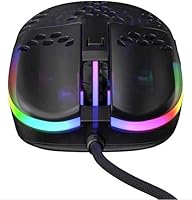
  • Weight: The mouse weighs 56g excluding the cable, placing it firmly in the ultra-light category for competitive gaming peripherals.
  • Sensor: Tracking is handled by a Pixart 3389 optical sensor, a well-established optical gaming sensor with no built-in smoothing or hardware acceleration.
  • CPI Range: CPI is adjustable from 400 to 16,000, configurable in increments directly via an onboard button without any software dependency.
  • Polling Rate: The polling rate can be set to 125, 500, or 1000 Hz using onboard controls, determining how frequently position data is reported to the host system.
  • Main Switches: Primary left and right click buttons use Kailh GM 8.0 switches, rated for a high actuation count and known for a clean, tactile response.
  • Cable: The included Xtrfy EZcord Pro is a detachable, paracord-style USB cable engineered to minimize drag and resistance during fast mouse movements.
  • Grip Width: The shell measures 52.5mm at its widest grip point, a narrow profile best suited to small-to-medium hands using a claw or fingertip hold.
  • Length: The mouse body is 111mm from front to back, a compact footprint that accommodates wide-arc, low-sensitivity movement styles comfortably.
  • Height: At 36.5mm tall, the high rear hump provides a natural resting point for the ring and pinky fingers in a claw grip position.
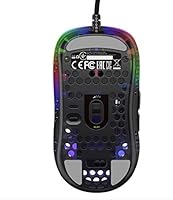
  • Glides: The mouse ships with pre-installed PTFE glides featuring rounded edges, which reduce surface friction and deliver consistent glide performance across most mousepad materials.
  • Debounce: Click debounce is user-selectable at 2, 4, 8, or 12ms via onboard controls, with Xtrfy recommending 4ms or higher for reliable daily use.
  • Connectivity: The mouse uses a wired USB connection with no wireless option, ensuring a stable and latency-free signal during competitive play.
  • RGB Lighting: RGB lighting effects, color, and brightness are fully adjustable onboard without requiring any software or driver installation on the host system.
  • Microcontroller: An ARM 32-bit microcontroller handles all input processing, providing consistent response speed and stable polling performance across CPI and polling rate settings.
  • OS Support: The mouse is compatible with Windows XP and later as well as Mac OSX 10.1 and later, functioning as a plug-and-play device without dedicated driver installation.
  • Max Acceleration: The Pixart 3389 sensor handles up to 50G of acceleration before tracking fidelity degrades, covering virtually all realistic in-game movement speeds.
  • Max IPS: The sensor supports a maximum tracking speed of 400 IPS, which comfortably accommodates even fast, broad wrist and arm movements across large surfaces.

Related Reviews

Xtrfy M4 Wireless Ultralight Gaming Mouse
82%
93%
Sensor Performance
91%
Wireless Performance
88%
Battery Life
86%
Weight & Form Factor
73%
Ergonomics & Fit
More
SteelSeries Wireless Gaming Mouse CS2 Dragon Lore Edition
83%
94%
Performance and Accuracy
92%
Battery Life
78%
Comfort and Ergonomics
88%
Design and Aesthetics
91%
Connectivity and Versatility
More
Pulsar X3 Mini Wireless Gaming Mouse
80%
91%
Sensor Performance
88%
Click Feel & Switches
93%
Weight & Build
79%
Ergonomics & Grip Fit
89%
Wireless Latency
More
Pulsar X2F Wireless Fingertip Gaming Mouse
80%
94%
Weight & Form Factor
89%
Sensor Performance
91%
Polling Rate (8K Wireless)
88%
Switch Feel & Click Quality
78%
Grip & Ergonomics
More
Trust Gaming GXT 144 Rexx Vertical Ergonomic Gaming Mouse
85%
89%
Ergonomics & Comfort
92%
Precision & Performance
85%
RGB Customization
78%
Software & Configuration
84%
Build Quality & Durability
More
Pulsar Gaming Gears Xlite v3 Medium Wireless Gaming Mouse
88%
93%
Ergonomics & Comfort
91%
Wireless Performance
89%
Battery Life
86%
Build Quality
94%
Precision & Sensor Accuracy
More
IFYOO G59 Tri-Mode Wireless Gaming Mouse
76%
88%
Value for Money
82%
Wireless Performance
91%
Weight & Ergonomics
63%
Build Quality
79%
Battery Life
More
Alienware Pro Wireless Gaming Mouse
83%
91%
Precision and Performance
74%
Battery Life
88%
Ergonomics and Comfort
84%
Customization Options
90%
Build Quality
More
SteelSeries Aerox 3 Gaming Mouse
81%
93%
Lightweight Feel
88%
Sensor Accuracy
79%
Build Quality
91%
Click Feel & Switches
84%
Water & Dust Resistance
More
Redragon M915WL Wireless Gaming Mouse
86%
88%
Performance
91%
Build Quality
94%
Battery Life
85%
Ergonomics/Comfort
89%
Precision & DPI Control
More

FAQ

Yes, completely. The MZ1 Rail Edition is fully plug-and-play — connect it via USB and it works immediately on both Windows and Mac. Every setting, including CPI, polling rate, debounce, and RGB, is adjusted using physical buttons on the mouse itself. There is no companion app, and none is needed.

Honestly, probably not. The Xtrfy MZ1 Zy's Rail Edition Gaming Mouse was designed specifically for claw and fingertip grip styles, and the narrow 52.5mm width reflects that intent throughout. Palm grip players consistently find the shape cramped, and the lack of any side flare means your hand has little to rest against naturally. If palm grip is your default, a wider, more contoured mouse will serve you significantly better.
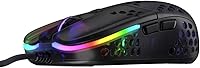
There is a dedicated CPI button on the mouse body that cycles through your configured sensitivity levels in real time, with no software interaction required. The range spans from 400 up to 16,000 CPI, and you can step through those levels mid-session without interrupting gameplay. It is one of the more practical benefits of the onboard-only design.

Small to medium hands are the intended sweet spot. The grip width sits at 52.5mm and the body length is 111mm, which suits hands measuring roughly 17 to 19cm long and 8 to 9.5cm wide. Larger hands will likely feel like they are gripping something undersized, especially noticeable during long sessions.

Yes — the EZcord Pro cable is detachable, so replacement is straightforward if it degrades or gets damaged. Xtrfy sells replacement cables directly, and the connector is compatible with other standard paracord-style mouse cables from third-party suppliers as well.

This ultra-light gaming mouse sits in a competitive field alongside options like the Logitech G Pro X Superlight and Razer Viper Mini. What distinguishes it is the fully onboard configuration — no cloud profiles, no software to install — and a shell shape developed with direct input from a competitive FPS community rather than a broad consumer audience. If you want a versatile general-purpose mouse, some competitors offer more adaptable ergonomics. If you want something tuned precisely for claw grip FPS use, it holds its own at this price tier.

No. The lighting runs independently of the sensor and input processing systems. Turning it off does not improve responsiveness, and keeping it on introduces no measurable latency. The ARM 32-bit microcontroller handles input separately from the lighting effects, so the two do not compete for resources.

It will work in any game, but the design priorities are clearly oriented toward FPS play. The precise sensor and low weight are genuinely useful across genres that reward accurate cursor control. That said, if you primarily play MOBAs or strategy games where extended session comfort matters more than raw aim precision, the narrow ergonomics may work against you compared to a more traditionally shaped mouse.

Wear rate depends heavily on your mousepad surface — harder pads like glass or plastic will wear the feet faster than cloth. Most users report the stock glides staying smooth for many months under regular use on fabric surfaces. When they do eventually wear down, replacement PTFE feet cut to fit the mouse shell are widely available and inexpensive to swap.

All settings — CPI, polling rate, debounce, and RGB preferences — are stored in onboard memory on the mouse itself. Your configuration travels with the device, so plugging it into a different computer or monitor requires no reconfiguration at all. That persistent onboard storage is one of the main reasons players who use multiple setups or attend LAN events tend to appreciate this mouse.