

Overview

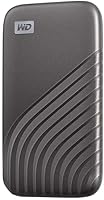
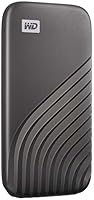
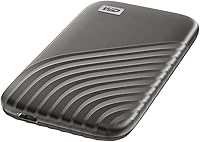
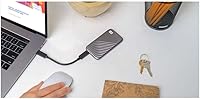
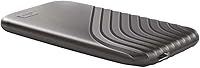
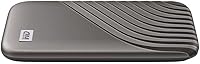
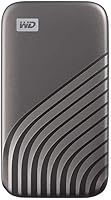
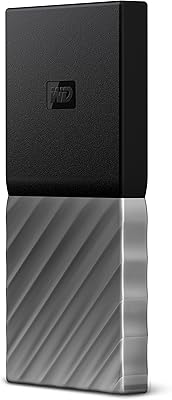
The WD My Passport SSD 500GB Portable SSD has been a consistent presence in the mid-range portable storage market since 2020, and the sales numbers back that up — nearly 9,000 ratings don't accumulate by accident. At just 1.62 oz, this pocket-sized drive barely registers in a bag or jacket pocket, yet it feels solid rather than cheap in hand. The gray finish is understated, which suits the professional crowd this drive tends to attract. It connects via USB 3.2 Gen-2 with a USB-C cable included, and a USB-A adapter means older laptops aren't left out of the equation.

Features & Benefits

What sets this portable SSD apart from older passport-style hard drives is raw speed. Pulling files at up to 1050MB/s read and pushing them at close to 1000MB/s write is the kind of performance that makes large RAW photo dumps or video project transfers feel almost instant. The built-in hardware encryption is worth pausing on — it means your files are protected at the drive level, not just by a software password that can sometimes be bypassed. Drop it on a concrete floor from up to 6.5 feet and it should survive. And since it draws power directly from the USB port, there are no extra cables or adapters to carry.

Best For

The My Passport SSD finds its sweet spot with creative professionals and travelers who regularly move large files between machines. A photographer offloading a day's worth of RAW shots, a freelance video editor working from different offices, a student shuttling between a home desktop and a library laptop — all of these users get genuine value here. The Mac and PC compatibility out of the box is also a quiet win; there's no reformatting ritual required if you switch ecosystems. If you're currently running an older spinning-disk drive and feeling the wait on every transfer, the speed difference will feel like a genuine upgrade.

User Feedback

Across close to 9,000 ratings, this pocket-sized drive holds a 4.5-star average — and reading through actual buyer comments, the consistency is notable. People repeatedly praise fast transfer speeds and the fact that it's noticeably more responsive than the HDD-based Passport drives many are upgrading from. Durability gets positive mentions too; a handful of buyers describe accidental drops with no data loss. The honest caveats: some users report the drive runs warm during transfers, and real-world speeds can land below the advertised ceiling depending on your laptop's USB controller. Not a deal-breaker, but worth knowing going in.

Pros

  • Transfer speeds reaching up to 1050MB/s make moving large files dramatically faster than any portable HDD.
  • Hardware-level 256-bit AES encryption secures sensitive files without requiring third-party software or extra setup steps.
  • At just 1.62 oz, this portable SSD is light enough to carry daily without noticing it.
  • Drop resistance rated to 6.5 feet adds genuine peace of mind for travel, fieldwork, or commuting.
  • Works with Mac and PC straight out of the box — no reformatting or driver installation needed.
  • Bus-powered via USB means no extra cables, wall adapters, or power bricks are required on the road.
  • Nearly 9,000 verified ratings and a 4.5-star average signal consistent satisfaction across a wide range of buyers.
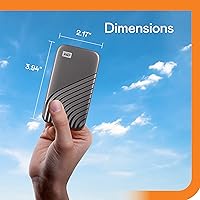
  • The compact 3.54 x 1.77 x 0.39-inch body fits easily into a jeans pocket or small accessory pouch.
  • A USB-A adapter is included, ensuring immediate compatibility with older laptops and legacy ports.
  • NVMe technology gives this pocket-sized drive a meaningful speed edge over SATA-based portable SSDs in the same class.

Cons

  • 500GB of capacity fills up quickly for users archiving 4K video projects or large application libraries.
  • Real-world transfer speeds can fall noticeably short of advertised peaks depending on the host device's USB controller.
  • The drive runs warm during sustained heavy transfers, which can be uncomfortable in stationary or enclosed setups.
  • Full NVMe performance is only accessible over USB 3.2 Gen-2; older ports create a significant speed bottleneck.
  • No carrying pouch or protective case is included, which feels like an oversight for a travel-oriented drive.
  • Bundled backup software is considered basic by many users who expect richer scheduling or versioning features.
  • Buyers with primarily stationary workflows will pay a premium for portability and speed they may rarely use.
  • The smooth finish attracts fingerprints and shows light surface scuffs with regular pocket or bag carry over time.

Ratings

The WD My Passport SSD 500GB Portable SSD scores below were generated by AI after analyzing thousands of verified global buyer reviews, with spam, incentivized responses, and bot-generated feedback actively filtered out. Every category reflects what real users actually experienced — the genuine strengths and the honest friction points — so you can make a fully informed decision. From peak transfer speeds to how the drive behaves during long sessions, nothing here is softened to make the product look better than it is.

Transfer Speed
87%
Buyers upgrading from portable HDDs consistently describe the speed jump as immediately noticeable — large RAW photo sets that used to take minutes now move in seconds. Even users who don't hit the 1050MB/s ceiling report transfers fast enough to feel genuinely different in their daily workflow.
Real-world speeds depend heavily on the host device's USB controller, and users with USB 3.0 laptops often land well below the advertised peak. A number of reviewers found the gap between spec-sheet promises and actual measured performance disappointing, particularly when connecting through a hub or dock.
Build Quality
91%
The enclosure feels noticeably more substantial than competitors at the same price — users frequently describe it as solid, dense, and confidence-inspiring to handle during travel or field use. There are no flex points or cheap-feeling seams, which stands out given how small and light the drive actually is.
The smooth exterior picks up light surface scuffs and fingerprints during regular pocket carry, which bothers aesthetically-minded buyers over time. A small number of users report the finish showing wear earlier than expected, though none tied this to any functional degradation.
Portability
93%
At just 1.62 oz and barely a third of an inch thick, this pocket-sized drive genuinely disappears in a bag or jacket pocket without adding meaningful bulk. Photographers and remote workers consistently highlight how convenient it is to carry a full backup solution that feels like little more than a thick business card.
The absence of an included protective pouch or case is a recurring complaint — at this size, the drive can easily shift to the bottom of a backpack pocket, and the scratch-prone smooth surface makes some form of external protection feel necessary rather than optional.
Value for Money
79%
21%
This portable SSD delivers NVMe speeds and hardware-level encryption that were once reserved for pricier drives, making the mid-range positioning feel genuinely competitive. Buyers who previously owned spinning-disk Passport models specifically call out the upgrade as worth the additional spend for the performance difference alone.
Some buyers feel 500GB is tight for the price and wish the entry capacity tier offered more headroom before the next model up. Shoppers cross-shopping against competing brands occasionally find marginally better storage-per-dollar ratios elsewhere, even while acknowledging WD's reliability reputation.
Encryption & Security
88%
Buyers storing client files, financial records, or sensitive personal data appreciate that the 256-bit AES encryption operates at the hardware level — if the drive is lost or stolen, the data is genuinely inaccessible without the correct password. No third-party software installation is required to activate it, which removes a common friction point.
A few users note that forgetting the password means permanent data loss with no recovery option, a stark caveat that catches some buyers off guard. The process for enabling encryption through WD's software utility could also be more intuitive for less technically confident users setting it up for the first time.
Drop & Shock Resistance
86%
The 6.5-foot drop rating earns real credibility in user reviews, with multiple buyers sharing specific accounts of the drive surviving falls onto hard floors without data corruption or visible casing damage. Frequent travelers and job-site workers cite this as one of their primary reasons for choosing this drive over thinner, less protected alternatives.
The drop rating applies to a single event under controlled test conditions, not repeated impacts — and a small number of users who experienced unusually rough drops noticed cosmetic casing damage even when the data remained intact. The rating is best understood as a reasonable safety net rather than a promise of extreme durability.
Cross-Platform Compatibility
92%
The exFAT formatting straight out of the box means Mac and Windows users can share the My Passport SSD without any setup friction — a practical benefit that multi-platform households and hybrid-office workers rely on daily. Buyers switching between a MacBook and a Windows work PC call this one of the most quietly useful features.
Linux compatibility is not officially supported, which is a genuine limitation for developers or technical users who work across all three operating systems. A segment of reviewers also note that WD's companion software behaves inconsistently on certain macOS versions, occasionally requiring manual workarounds to enable encryption successfully.
Thermal Management
63%
37%
Under normal everyday loads — backing up a folder, transferring a batch of photos, or moving a project file — the drive stays at a comfortable temperature that most users never notice. Short, typical-length transfers generate minimal heat, and the small form factor allows it to dissipate quickly between sessions.
During sustained heavy transfers lasting several minutes — large video file migrations, full folder copies over 50GB — the enclosure gets noticeably warm, sometimes to the point where users pull it away from their palm. Several reviews specifically flag this as a concern for desktop workflows involving continuous or large-batch file movement.
Bundled Software
57%
43%
The included WD utility covers the basics — activating password-protected encryption and running a simple backup routine — without requiring any technical knowledge to navigate. For users whose only goal is setting a password on the drive, it does that job adequately without any additional downloads.
Enthusiast and professional users consistently describe the bundled software as underpowered — lacking scheduling flexibility, version history, and a polished interface compared to third-party alternatives. Many buyers end up ignoring it entirely and pairing the drive with macOS Time Machine, Windows Backup, or their own preferred backup tool instead.
Ease of Setup
94%
Plug the cable in and the drive appears immediately on any modern Mac or Windows machine — no drivers, no mandatory account creation, no partitioning steps required. First-time external drive buyers and non-technical users specifically mention how frictionless the out-of-box experience feels compared to drives they have used before.
Enabling hardware encryption does require downloading and running WD's software utility, which adds a setup step that some buyers find less intuitive than expected. Users who prefer a fully self-contained setup experience without any software dependency may find this minor but worth factoring in before purchase.
Cable & Connector Quality
72%
28%
The included USB-C cable feels appropriately sturdy for a drive at this price point, and the bundled USB-A adapter adds flexibility without any reported reliability issues. Buyers appreciate that both connection types are covered out of the box rather than requiring a separate accessory purchase.
The included cable is notably short, which limits where the drive can rest relative to a laptop during active transfers and prompted complaints from desktop users working with tower PCs. Several buyers also wish a longer or braided cable were included given the drive's clear travel-oriented use case.
Long-Term Reliability
84%
Western Digital's storage reputation carries genuine weight with buyers, and long-term reviews written a year or more after purchase consistently report no failures or data integrity issues under normal use. The absence of moving parts in an NVMe design also reduces the mechanical failure risk that older portable HDDs carried.
Published write endurance figures (TBW) are not prominently listed in standard product documentation, which leaves technically savvy buyers uncertain about long-term durability under high-volume workloads. This is a minor concern for typical users but relevant for anyone planning sustained daily write cycles over several years.
Capacity for Price
71%
29%
For buyers whose priority is fast, portable access to an active project archive rather than mass storage, 500GB is a practical and right-sized option that avoids paying for capacity they would rarely use. Students and traveling professionals consistently describe it as more than sufficient for daily carry across most typical workloads.
Power users and videographers hit the ceiling sooner than expected — particularly when working with uncompressed RAW files or multi-camera footage — and end up needing a second drive or an upgrade. The 500GB tier works well for selective carry but falls short as a catch-all backup destination for large media libraries.

Suitable for:

The WD My Passport SSD 500GB Portable SSD is a strong fit for anyone who regularly moves files between locations and simply cannot afford to wait on slow transfers. Creative professionals — photographers offloading RAW images on location, video editors jumping between a studio and a client site — will notice an immediate practical difference over spinning-disk drives. Students and remote workers who carry their work across multiple machines benefit from the plug-and-play cross-compatibility with both Mac and PC, removing the usual reformatting headache entirely. Anyone storing sensitive files — client contracts, financial documents, personal records — gets a real advantage from the built-in hardware encryption, which secures data at the drive level without requiring any extra software. The compact footprint and drop resistance also make this a genuinely sensible travel companion rather than something fragile that needs to be babied in transit.

Not suitable for:

The WD My Passport SSD 500GB Portable SSD is not the right call for buyers who need serious long-term archival capacity — 500GB fills up fast when you are storing 4K footage libraries or large application backups, and a higher-capacity drive will likely serve those users better in the long run. Anyone connecting through older USB 2.0 or USB 3.0 ports will not come close to the advertised speeds; the performance ceiling only opens up over USB 3.2 Gen-2, meaning the host device matters as much as the drive itself. Users who run sustained, continuous heavy transfers — disk imaging, large render exports — should note that the drive runs noticeably warm under that kind of load, which may be a concern in enclosed or poorly ventilated setups. Desktop users who rarely move their storage and just want a high-capacity backup drive sitting quietly under a desk will likely find better value in a larger-capacity HDD at a lower price. Those expecting polished, full-featured bundled backup software may also come away underwhelmed by what is included out of the box.

Specifications

  • Capacity: The drive provides 500GB of NVMe solid-state storage, suitable for documents, photo libraries, moderate video collections, and general-purpose backups.
  • Read Speed: Sequential read speeds reach up to 1050MB/s under optimal conditions over a USB 3.2 Gen-2 connection.
  • Write Speed: Sequential write speeds reach up to 1000MB/s, making file transfers significantly faster than any portable HDD or SATA-based external SSD.
  • Interface: The drive uses a USB 3.2 Gen-2 interface, which provides the bandwidth required to approach its rated NVMe transfer speeds.
  • Connector Type: A USB-C cable is included in the box alongside a USB-A adapter, covering both modern and legacy port configurations.
  • Encryption: 256-bit AES hardware encryption is built directly into the drive and is activated via password using WD's companion software utility.
  • Drop Resistance: The enclosure is rated to survive drops of up to 6.5 ft (1.98m) onto hard surfaces under normal conditions.
  • Weight: The drive weighs just 1.62 oz (approximately 46g), placing it among the lightest options available in the portable SSD category.
  • Dimensions: Physical dimensions measure 3.54 x 1.77 x 0.39 inches, compact enough to fit comfortably in a jeans pocket or small accessory pouch.
  • Form Factor: The 2.5-inch form factor houses NVMe storage inside a self-contained external enclosure with no moving parts.
  • Power Source: The drive is fully bus-powered through its USB connection, requiring no wall adapter, external battery, or secondary cable during operation.
  • Compatibility: The drive ships formatted in exFAT, making it natively readable and writable on both macOS and Windows without reformatting.
  • Drive Type: Internal storage uses NVMe solid-state technology, which delivers faster access times and greater shock resistance than mechanical or SATA-based drives.
  • Color: The reviewed model is finished in gray with a smooth, understated exterior suited to professional and everyday carry environments.
  • Brand: Manufactured by Western Digital (WD), a company with decades of experience producing consumer, prosumer, and enterprise-grade storage solutions.

Related Reviews
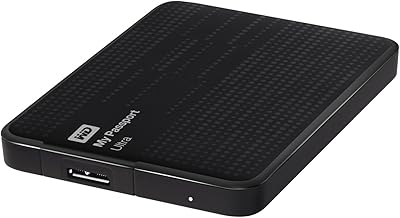
WD My Passport Ultra 500GB
88%
91%
Data Transfer Speed
88%
Build Quality
94%
Portability
89%
Ease of Setup
85%
Backup Software Reliability
More
WD My Passport 512GB SSD
87%
91%
Transfer Speed
95%
Portability & Size
89%
Security Features
86%
Build Quality
74%
Compatibility
More
fanxiang PS1002 500GB Portable SSD
74%
83%
Transfer Speed
74%
Magnetic Attachment
81%
Build Quality
92%
Portability
67%
Device Compatibility
More
SanDisk 500GB Extreme Portable SSD
86%
94%
Performance
91%
Build Quality & Durability
89%
Portability & Size
96%
Speed (Data Transfer)
87%
Ease of Use
More
Fikwot FP80 1TB Portable SSD
82%
83%
Transfer Speed
88%
Build Quality
91%
Value for Money
93%
Portability
79%
Compatibility
More
fanxiang PS2200 2TB Portable External SSD
76%
78%
Transfer Speed
83%
Magnetic Attachment
86%
Build Quality
81%
iPhone Compatibility
74%
Value for Money
More
WD My Passport Go 1TB Portable SSD
81%
94%
Portability
91%
Built-in Cable Design
88%
Durability & Drop Resistance
78%
Transfer Speed
86%
Storage Capacity
More
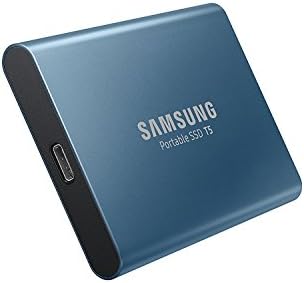
Samsung T1 Portable 500GB SSD
85%
91%
Performance
89%
Data Transfer Speed
88%
Build Quality & Durability
94%
Portability & Size
84%
Setup & Installation
More
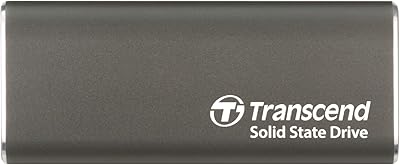
Transcend ESD265C 500GB Portable SSD
82%
88%
Transfer Speed
94%
Portability & Size
91%
Build Quality
83%
Multi-Device Compatibility
86%
Value for Money
More
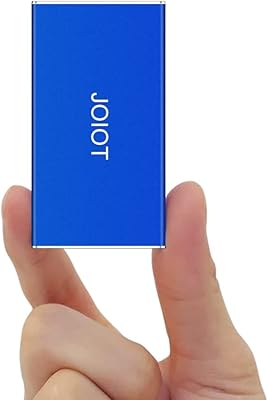
JOIOT X2mini 500GB Portable External SSD
73%
74%
Transfer Speed
82%
Build Quality
91%
Portability
78%
Value for Money
86%
Compatibility
More

FAQ

Yes, the My Passport SSD ships formatted in exFAT, which is natively supported on both macOS and Windows. You can plug it into a Mac, copy files over, then hand it to a Windows machine and access everything without any formatting steps. If you ever want to dedicate it to a single platform, you can reformat it, but for mixed use the factory setting works perfectly well.

Hardware encryption means the drive's onboard chip handles all the scrambling and unscrambling of data automatically, completely independent of your computer's software. When you set a password through WD's utility, everything stored on the drive becomes unreadable without that password — even if someone physically removes the storage chip from the casing. A software-only password can sometimes be worked around; hardware encryption at the drive level is significantly harder to bypass, which matters if you are storing genuinely sensitive files.

The honest answer is: it depends on your hardware. Those peak figures are real, but only achievable when the drive is connected to a port that fully supports USB 3.2 Gen-2. Many laptops — especially those a few years old — cap out at USB 3.0 or 3.1 Gen-1, which significantly limits throughput. Even at reduced speeds, this portable SSD will feel dramatically faster than any external HDD, but setting realistic expectations about peak numbers is fair.

For most everyday users — backing up a laptop, storing a photo library, carrying project files — 500GB is genuinely workable. Where it gets tight is if you shoot a lot of 4K video, work with large RAW image collections, or want to back up an entire computer that is already close to full. WD offers higher-capacity versions of the same drive if you anticipate needing more headroom.

No, a USB-A adapter ships in the box alongside the USB-C cable, so you are covered immediately without any additional purchase. One thing to keep in mind: if your USB-A port is USB 3.0 rather than USB 3.2 Gen-2, your transfer speeds will be lower than the advertised peak, but the drive will still function reliably and outperform any HDD by a wide margin.

It is a genuine spec, and real-world buyer accounts back it up — a noticeable number of reviews specifically mention surviving accidental drops onto hard floors without data loss. The caveat, as with any rated protection, is that the spec applies to a single drop onto a typical hard surface under controlled conditions. Repeated drops from greater heights or onto unusually hard materials push beyond what any drive can reliably promise, but for normal travel and commuting mishaps, the protection is meaningfully real.

Any USB port will power it, yes, but the speed you get depends heavily on which generation of USB your port supports. A USB 2.0 port will power the drive and allow file transfers, but at a fraction of the potential speed. To get the full performance benefit, you want a USB 3.2 Gen-2 port — check your laptop or desktop specs if you are unsure which version you have.

WD includes its own backup software, but buyer feedback on it tends to be lukewarm — many users describe it as functional but basic. A large portion of buyers simply skip it and use the drive as a drag-and-drop storage device, or pair it with macOS Time Machine or Windows Backup instead. If you need scheduled backups with version history or more granular control, a third-party backup application may serve you better.

Yes, and the NVMe speeds make this more viable than it would be with an HDD or a standard USB flash drive — load times for applications and even some games will be noticeably faster. That said, the drive is designed primarily as a portable storage and backup solution, not as a dedicated gaming drive. For occasional use it works well; for daily sustained gaming sessions, a drive purpose-built for that workload might hold up better over time.

Some users do report it running noticeably warm during extended, continuous transfers — think copying several gigabytes of video files in a single session. For typical everyday tasks like syncing documents or moving a batch of photos, it stays manageable. If you plan to run long, heavy transfers regularly, giving the drive a short rest between sessions is a sensible habit, particularly in enclosed or poorly ventilated spaces.

Where to Buy