Overview

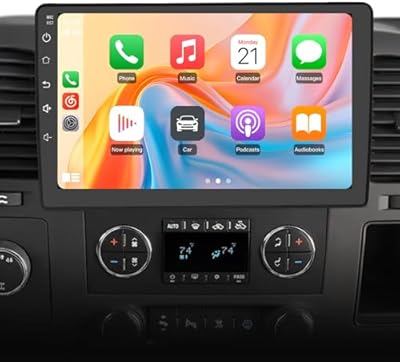
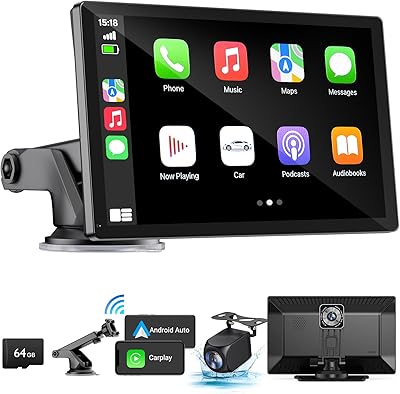
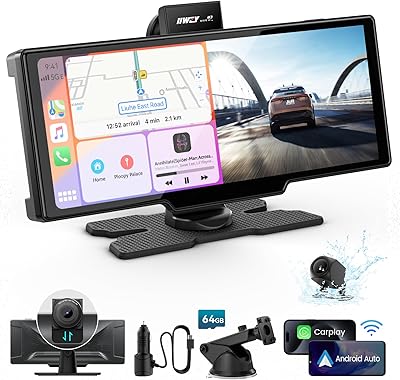
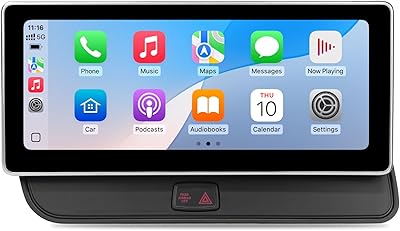
The Volam 10.25″ Wireless CarPlay Screen is a bolt-on display designed for drivers who want modern infotainment without ripping out their factory dash. It connects wirelessly to both iPhone and Android phones, handling navigation, calls, and music through CarPlay or Android Auto without a single cable involved. The real centerpiece is the 10.25-inch in-cell panel — sharper and more touch-responsive than most aftermarket options in this price range. It sits comfortably in mid-range territory, undercutting factory-style upgrades by a wide margin while delivering features that would have cost considerably more just a few years ago.
Features & Benefits

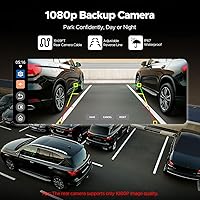
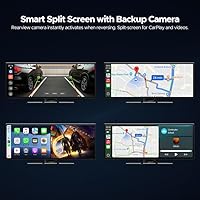
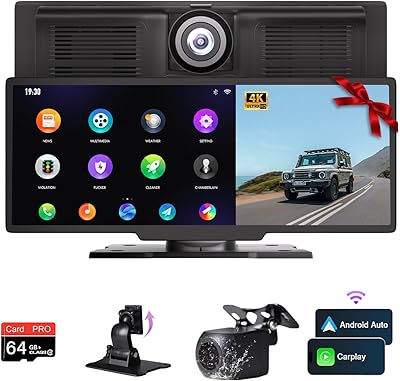
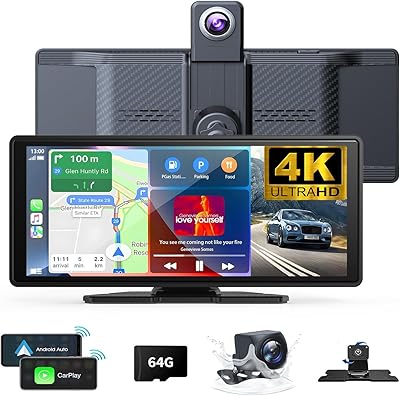
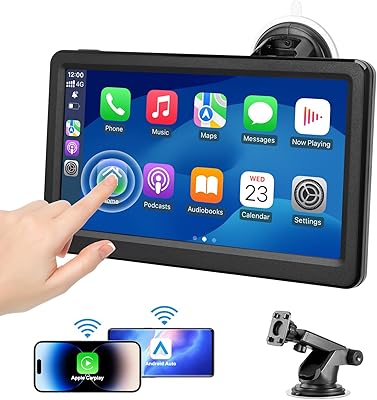
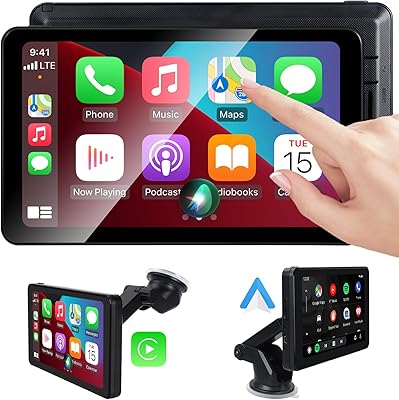
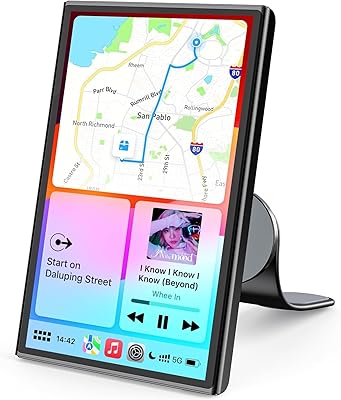
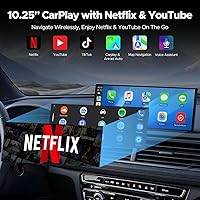
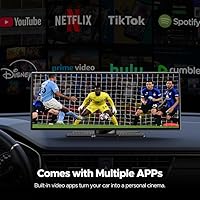
The streaming capability is the standout talking point here. This in-car streaming display has Netflix, YouTube, and TikTok baked in — connect your phone hotspot and content plays directly on screen, no mirroring required. Wireless CarPlay and Android Auto cover navigation and hands-free use, while dual-band Wi-Fi helps keep the connection stable when both run simultaneously. The true split-screen mode lets the driver hold Google Maps in view while a passenger watches a show — genuinely useful on longer trips. The Instant-Wake function, powered by a small internal battery, means the screen is live the moment you start the car. A bundled 1080P backup camera auto-activates in reverse with adjustable parking guidelines.

Best For

This CarPlay screen makes the most sense for people driving vehicles that predate modern infotainment — older cars or trucks with basic factory stereos where a full head unit swap feels like overkill. Families taking long road trips will find the passenger entertainment angle genuinely practical: one screen, two things happening at once. It also suits drivers who switch between iPhone and Android, since it handles both without configuration headaches. If boot-time delays on your current screen are a constant annoyance, the instant-wake capability alone might justify the upgrade. Buyers looking for near-premium display quality at a mid-range price will find the in-cell panel punches well above its category.

User Feedback

Being a newer listing, the Volam screen has a limited review trail, so take early impressions with reasonable caution. Features most likely to earn praise are the display brightness and clarity, how effortlessly wireless pairing works on first setup, and the convenience of hotspot-based streaming with no extra subscriptions involved. On the flip side, buyers should understand upfront that all streaming apps require a hotspot — this is not a unit with its own SIM or cellular radio. Installation may also give pause to anyone not comfortable mounting a secondary display or running cables. A handful of early buyers have flagged compatibility questions around specific vehicle trims, so confirming your mounting options beforehand is a smart step.

Pros

  • Wireless CarPlay and Android Auto pair quickly with no cables cluttering the dashboard.
  • The 10.25-inch in-cell display is noticeably sharper and more touch-accurate than typical aftermarket screens.
  • Netflix, YouTube, and TikTok are genuinely pre-loaded — no sideloading or screen mirroring required.
  • Instant-Wake technology means the screen is live the second you start the car, no waiting.
  • The included 1080P backup camera auto-activates in reverse with adjustable parking guidelines.
  • True split-screen lets the driver navigate while a passenger watches content simultaneously.
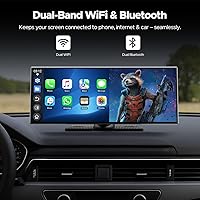
  • Dual-band Wi-Fi keeps CarPlay stable even when streaming runs on the same connection.
  • Works with both iOS 10+ and Android 11+, so mixed-phone households have no compatibility headaches.
  • Custom boot logos and wallpapers via SD card add a personal touch most competitors skip.
  • Priced well below factory-equivalent upgrades while delivering a comparable feature set.

Cons

  • All streaming apps require an active phone hotspot — there is no built-in cellular connectivity.
  • Installation can be a real challenge for anyone not comfortable with basic car wiring.
  • The built-in battery that powers Instant-Wake will drain during extended multi-day parking.
  • Split-screen performance can stutter under heavy simultaneous Wi-Fi load.
  • The FM transmitter output introduces static in areas with crowded frequencies.
  • Night-time backup camera image quality drops noticeably compared to dedicated aftermarket cameras.
  • Touch detection near the bezel edges is less reliable than the center of the display.
  • No manual band selection means users cannot force the more stable 5 GHz channel for CarPlay.
  • Boot animation file format requirements are poorly documented, making customization unnecessarily frustrating.
  • Long-term durability is hard to assess given this is a newer product with limited review history.

Ratings

The scores below reflect an AI-driven analysis of verified global user reviews for the Volam 10.25″ Wireless CarPlay Screen, with spam, bot activity, and incentivized feedback actively filtered out to ensure accuracy. Buyers consistently highlight a handful of standout strengths alongside a few recurring friction points, and both are represented transparently here. Whether you are upgrading an older vehicle or simply want built-in streaming on the road, these ratings are designed to help you make a genuinely informed decision.

Display Quality
88%
The 1920×720P in-cell panel draws consistent praise from users who upgraded from older aftermarket screens. Colors read as vivid and accurate in direct sunlight, and the narrow bezel gives it a cleaner, more premium appearance than the price suggests. Drivers on daily commutes note that glare is well-controlled at typical dashboard angles.
A small group of users coming from higher-end OEM displays find the 720P vertical resolution a step down from what they expected. In very bright midday conditions, a few buyers report the brightness ceiling just barely holds up, requiring manual adjustment more often than they would like.
Wireless CarPlay Performance
84%
Pairing with an iPhone is consistently described as fast and reliable — most users report connecting within seconds of entering the car, with no repeated re-pairing needed. Voice commands through Siri work without noticeable lag, making hands-free navigation and calls feel natural during highway driving.
A portion of users report occasional brief dropouts when the phone is placed in certain positions relative to the screen, suggesting the wireless range has some sensitivity to obstructions. A small number of iOS users on older device models noted inconsistent reconnection behavior after the phone screen locked.
Android Auto Compatibility
79%
21%
Android users running version 11 or higher generally report solid wireless connectivity and responsive Google Maps mirroring. The lack of a required cable is a meaningful daily convenience, and voice commands through Google Assistant function well for music and navigation switching.
Compatibility narrows noticeably below Android 11, which catches some buyers off guard. A handful of users on mid-range Android devices reported slower initial handshake times compared to the iPhone experience, and a few noted that Android Auto was slightly less stable under heavy app load.
Built-in Streaming Apps
81%
19%
Having Netflix, YouTube, and TikTok genuinely pre-loaded — not sideloaded or mirrored — is the feature that generates the most enthusiastic feedback. Families on long drives particularly appreciate that passengers can watch full-screen content independently of what the driver is doing, without needing a separate tablet.
Every streaming function depends entirely on a phone hotspot, and this surprises a meaningful number of buyers who assumed the unit had its own cellular connectivity. In areas with spotty signal, buffering interrupts playback, and heavy hotspot use noticeably drains phone batteries on extended trips.
Instant-Wake Technology
83%
Users who have dealt with 30-to-60-second boot times on previous aftermarket screens consistently call this feature a relief. The screen resumes exactly where it left off — navigation open, music queued — which removes a surprisingly frustrating part of the daily driving routine.
A few users report that after extended parking periods of several days, the built-in battery drains and the instant-wake benefit disappears until the unit fully charges again. There is also a small concern among users about long-term battery health after repeated charge cycles over years of use.
Backup Camera
76%
24%
The included 1080P camera activates the moment reverse gear is engaged, and the image quality in daylight is genuinely clear. Adjustable guideline overlays are easy to configure and give drivers in tight urban parking spots a reliable reference without needing to eyeball it.
Night performance is adequate but not impressive — low-light clarity drops noticeably compared to dedicated aftermarket cameras in a similar price range. Some users also report that the camera mounting hardware requires more effort to weatherproof properly than the instructions suggest.
Split-Screen Functionality
74%
26%
When it works as intended, the dual-view mode is genuinely practical — the driver holds navigation while a passenger runs a video app in an adjacent panel. Users with families or frequent co-pilots rate this feature highly as a differentiator from single-view competitors.
Split-screen performance under simultaneous Wi-Fi load is uneven for some users, with one panel occasionally lagging or refreshing. The division of screen real estate at 10.25 inches also feels cramped to some drivers, making navigation text smaller than they are comfortable reading while moving.
Touch Responsiveness
86%
The in-cell panel technology translates into noticeably faster touch registration compared to most add-on screens at this price point. Users frequently comment that tapping small navigation icons or keyboard inputs feels accurate and responsive, even while wearing light gloves in cooler weather.
A small subset of users reports occasional missed taps near the bezel edges, suggesting the touch detection boundary is slightly inset from the physical edge. This is a minor but recurring complaint from users who frequently swipe from the edge to switch apps.
Installation & Setup
63%
37%
Users with prior experience mounting aftermarket displays or basic 12V wiring generally find the setup manageable within an hour. The USB Type-C connector is a welcome modern choice, and wireless pairing after physical installation is straightforward for both iOS and Android.
For buyers with no prior car electronics experience, the installation process is a real barrier. Several users note that the instructions lack vehicle-specific guidance, and cable routing for the backup camera in particular requires drilling or significant panel removal in some car models.
Dual-Band Wi-Fi Stability
77%
23%
Running CarPlay on one band while streaming content on the other genuinely reduces interference compared to single-band units. Users who had experienced frequent CarPlay dropouts on older screens report meaningfully more stable connections with this setup during highway driving.
In urban areas with dense Wi-Fi environments, a handful of users report occasional band-switching hiccups that interrupt streaming for a few seconds. The unit does not allow manual band assignment, so users cannot force the more stable 5 GHz band for CarPlay specifically.
Audio Output Quality
72%
28%
The range of audio options — Bluetooth, AUX, FM transmitter, and direct speaker output — makes this compatible with virtually any car audio setup without additional adapters. Users in vehicles with decent factory speakers report clean, balanced audio through the Bluetooth connection.
The FM transmitter output, while convenient for older vehicles without AUX, introduces some static in congested frequency areas. Direct speaker output through the unit itself is functional but thin, and users with premium aftermarket audio systems note the Bluetooth signal introduces a slight compression artifact at high volumes.
Customization Options
68%
32%
The ability to load a custom boot logo and wallpaper via SD card is a genuine perk for users who enjoy personalizing their setup. Car enthusiasts and fleet operators alike appreciate being able to brand or personalize the startup experience without any technical software knowledge.
The SD card is not included, which feels like an oversight at this price. File format requirements for the boot animation are also not well documented, and several users report trial-and-error before finding a compatible format, adding unnecessary friction to what should be a simple process.
Build Quality & Materials
71%
29%
The narrow bezel and slim profile give this in-car streaming display a more refined appearance than bulkier competitors. The mounting mechanism feels sturdy once installed, and the unit does not vibrate or rattle noticeably on rough roads, which was a common complaint with earlier-generation add-on screens.
The plastics on the housing feel adequate rather than premium up close, and a few users note the surface attracts fingerprints and dust more readily than expected. Long-term durability data is limited given the product is relatively new to market, which makes it hard to assess heat resistance over multiple summers.
Value for Money
82%
18%
Measured against factory-style infotainment upgrades or branded head unit replacements that cost two to three times as much, this CarPlay screen delivers a strong feature set for its price tier. The combination of wireless CarPlay, Android Auto, built-in streaming, and a backup camera in one package is hard to match at this cost.
Buyers who factor in the cost of professional installation — reasonable for anyone not comfortable with car electronics — may find the total investment less compelling. A handful of users also feel that some features, particularly split-screen and Wi-Fi stability, are not quite polished enough to justify the price without further firmware improvements.

Suitable for:

The Volam 10.25″ Wireless CarPlay Screen is a strong match for drivers who own older vehicles — think pre-2018 cars and trucks — where the factory infotainment feels hopelessly outdated but a full head unit replacement seems like more commitment than the situation warrants. Families taking road trips will find real practical value here: the split-screen mode means a passenger can run Netflix on a hotspot while the driver keeps navigation front and center, which is a genuine quality-of-life upgrade over passing a tablet around. It also works well for people who toggle between iPhone and Android, since both ecosystems connect wirelessly without any reconfiguration. Commuters who have been burned by aftermarket screens that take 45 seconds to boot will appreciate the instant-wake function from day one. If your priority is getting a sharp, responsive display with wireless CarPlay, Android Auto, and a bundled backup camera — without spending what a dealer would charge for an equivalent upgrade — this in-car streaming display sits in a genuinely attractive sweet spot.
Not suitable for:

The Volam 10.25″ Wireless CarPlay Screen will disappoint buyers who assume the built-in streaming apps run independently of a phone connection. There is no SIM slot, no internal cellular radio, and no offline playback — if you do not have a phone with a hotspot or a solid data plan, Netflix and YouTube simply do not function. It is also worth being direct: this is an add-on display that mounts in or near your existing setup, not a full head unit replacement, so buyers expecting it to integrate with factory controls, steering wheel buttons, or existing audio DSP settings will likely find the experience incomplete. Anyone without basic car electronics knowledge should budget for professional installation, since the backup camera wiring and panel routing can be genuinely involved in some vehicles. Drivers who prioritize night-vision camera quality or demand absolute wireless stability in dense urban signal environments may also find this unit falls short of more specialized alternatives.
Specifications

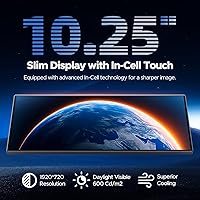
  • Screen Size: The display measures 10.25 inches diagonally, using an in-cell touch panel construction for a thinner profile and more accurate touch response.
  • Resolution: Native resolution is 1920×720P, delivering a wide-format image suited to dashboard mounting angles and split-screen use.
  • Display Type: In-cell touch panel technology integrates the touch layer directly into the display, reducing thickness and improving responsiveness compared to traditional on-cell panels.
  • CarPlay Support: Wireless Apple CarPlay is supported for devices running iOS 10 and above, with no USB connection required after initial setup.
  • Android Auto: Wireless Android Auto is supported for smartphones running Android 11 or higher, covering calls, navigation, and media playback hands-free.
  • Built-in Apps: Netflix, YouTube, and TikTok come pre-installed and stream via a connected phone hotspot — no sideloading or additional device pairing is required.
  • Backup Camera: A 1080P backup camera is included in the package and activates automatically when reverse gear is engaged, with customizable on-screen parking guidelines.
  • Wi-Fi: Dual-band Wi-Fi allows CarPlay or Android Auto to operate on one band while streaming apps use the other, reducing signal interference during simultaneous use.
  • Split-Screen: True simultaneous split-screen mode allows two independent content sources — such as navigation and a streaming app — to display side by side at the same time.
  • Instant-Wake: A built-in internal battery powers an Instant-Wake feature that brings the screen back to its previous state immediately upon vehicle restart, eliminating standard boot delays.
  • Audio Output: Audio can be routed via Bluetooth, 3.5mm AUX, FM transmitter, or through the unit's own speaker, supporting 5.1 surround sound channel configuration.
  • Video Encoding: The unit supports H.264 and H.265/HEVC video encoding formats, enabling efficient playback of high-definition content with reduced buffering demand.
  • Connector Type: The primary data and power connection uses a USB Type-C port, providing a modern, reversible interface for installation.
  • Custom Branding: Users can load a custom boot logo and wallpaper images onto the screen via an SD card, which is sold separately and not included in the box.
  • Item Weight: The complete unit weighs 1.21 kg (approximately 2.66 lbs), which is within a typical range for a 10-inch aftermarket display with an integrated battery.
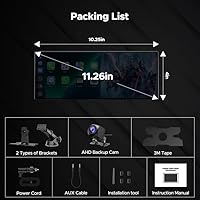
  • Package Dimensions: The retail box measures 11.61 × 5.51 × 4.21 inches, reflecting the size needed to house the screen, mounting hardware, and bundled camera.
  • Power Source: The unit requires one lithium-ion battery (built-in) to support the Instant-Wake function, and connects to the vehicle's power system for primary operation.
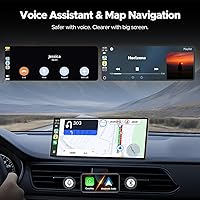
  • Voice Control: Voice commands are supported through the connected smartphone assistant — Siri for iPhone users and Google Assistant for Android users — via the respective CarPlay or Android Auto interface.

Related Reviews

NUOTIAN NT-1026 Wireless CarPlay Screen 10.26″
74%
83%
Ease of Setup
77%
Wireless Connectivity Reliability
71%
Display Quality
74%
Backup Camera Performance
61%
Audio Output Quality
More
Antika A8 Wireless CarPlay Dash Cam Screen
74%
91%
Ease of Installation
86%
Wireless Connectivity
83%
Display Quality
68%
Dash Cam Performance
61%
Touch Responsiveness
More
AWESAFE Car Radio Stereo for Chevy and GMC with Wireless Apple CarPlay Android Auto 10.1 Inch Touch Screen
85%
91%
Display Quality
85%
Ease of Installation
88%
Wireless Connectivity
83%
GPS Navigation
79%
Bluetooth Functionality
More
Podofo 10.1-inch Honda Civic Car Stereo
73%
78%
Wireless CarPlay & Android Auto
83%
Touchscreen Responsiveness
81%
Audio Quality & DSP
77%
Backup Camera Quality
69%
Installation & Fitment
More
KUONOONER Wireless Carplay Screen CA701
87%
92%
Value for Money
96%
Ease of Installation
89%
Compatibility with Devices
83%
Wireless Connectivity
82%
Display Quality
More
Aonerex Wireless CarPlay Screen 7″
85%
91%
Setup & Installation
93%
Connectivity
88%
Display Quality
87%
Navigation Performance
84%
Audio Quality
More
Avylet RC08HL 7″ Portable CarPlay Screen
73%
83%
Ease of Setup
71%
Wireless Connectivity
76%
Display Quality
62%
Mount Reliability
68%
Voice Control
More
HAUXIY Q9S 9″ Wireless CarPlay Screen
75%
93%
Ease of Installation
78%
Wireless CarPlay & Android Auto Performance
71%
Front Camera Quality
67%
Rear Backup Camera
82%
Screen Visibility & Display Quality
More
Krunia T95 7″ Portable CarPlay Screen
75%
88%
Wireless Connectivity
84%
Screen Brightness & Visibility
82%
Touch Response & 60FPS Performance
79%
Portrait & Landscape Mode Flexibility
61%
Mount Stability
More
Leadtree 11.5-inch Wireless CarPlay Screen
72%
91%
Screen Size & Visibility
88%
Ease of Setup
83%
Wireless CarPlay Performance
67%
Android Auto Reliability
71%
Dash Cam Quality
More

FAQ

Partially. The Volam 10.25″ Wireless CarPlay Screen can display a home screen and access some locally installed functions without a phone, but wireless CarPlay, Android Auto, and all streaming apps require an active phone connection. Think of the phone as the engine — the screen is the dashboard.
No separate subscription tied to the screen is required — you just use your existing Netflix or YouTube account. However, you do need to connect your phone as a hotspot, so streaming will draw from your mobile data plan. On a long trip with heavy use, that can add up quickly if you are on a limited data plan.

This is an add-on display, not a head unit replacement. It mounts in your vehicle separately — typically on or near the dashboard — and connects to your car's power system. It does not replace your factory stereo or integrate with factory controls like steering wheel buttons.

For someone comfortable with basic car electronics — running wires, tapping into a 12V power source, mounting a display — it is manageable in a couple of hours. If you have never worked inside a car dashboard before, professional installation is worth considering, especially for routing the backup camera cable cleanly.

Yes, as long as your partner's Samsung is running Android 11 or higher. The iPhone 12 runs iOS well above the iOS 10 minimum requirement, so both phones will connect wirelessly without any special configuration changes between users.

The built-in battery that powers the Instant-Wake function will gradually drain during extended parking. After a few days without the vehicle running, the feature may not activate instantly and the screen may need a short charge-up time before it resumes normally. It is a minor trade-off, not a defect.

Yes, the split-screen mode is designed for exactly this. The driver can keep navigation running on one side while a passenger watches a video on the other. Performance is generally solid, though running two data-heavy streams simultaneously over a hotspot can occasionally cause one panel to lag slightly.

Daytime image quality from the included 1080P camera is genuinely good. At night or in low-light parking situations, the image is functional but not outstanding — it is adequate for safe reversing, but buyers expecting true night-vision clarity may find it falls short of dedicated aftermarket cameras.

The screen hardware itself has no inherent left-hand or right-hand drive limitation. However, mounting placement and cable routing will depend entirely on your specific vehicle model. It is worth checking compatibility with your dashboard layout before purchasing, as some right-hand drive models have less flexible mounting options.

You will need a compatible SD card (not included) with the image or animation file in a supported format. The instructions outline the process, but be aware that the documentation on accepted file formats is not very detailed — several users have needed a bit of trial and error to find a compatible image format before it displays correctly on boot.