Overview

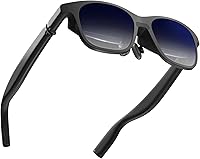
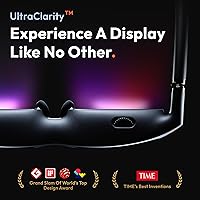
VITURE Pro XR Glasses are a wearable private display — think of them as a personal 135″ screen you wear on your face, not a sci-fi AR headset overlaying holograms onto the real world. That distinction matters. These XR glasses won't place virtual objects in your environment or run spatial apps; what they do is give you a large, sharp, private screen wherever you happen to be. Compared to VITURE's previous model, the jump in display size, refresh rate, and brightness is substantial. In a crowded market that includes Xreal and other contenders, the VITURE Pro sits firmly in the premium tier — priced accordingly and built to justify it.
Features & Benefits

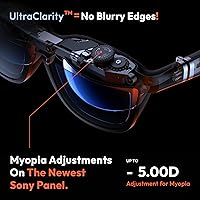
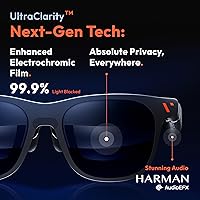
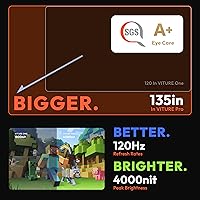
The headline spec is a virtual 135″ screen produced by a Micro-OLED panel — and it holds up in practice. Text stays sharp across the full field of view, which matters more than the raw screen size number. At 120Hz, gaming on a Steam Deck feels noticeably fluid rather than choppy. The electrochromic film is one of the more thoughtful hardware decisions here: one button press darkens the lenses to near-blackout without clip-ons. Nearsighted users will appreciate the built-in myopia dials — no fumbling with lens inserts. Audio is handled by Harman-tuned speakers that stay surprisingly contained; people beside you genuinely won't hear much. The SGS A+ eye-care rating suggests extended sessions are less taxing than you might expect.

Best For

This wearable display is most at home in a few specific situations. Frequent travelers will get obvious value — a plane seat becomes a private cinema without disturbing the person next to you. Handheld gamers running a Steam Deck or pairing with an iPhone 15, 16, or 17 will find the 120Hz display a real step up over their device's built-in screen. Remote workers can treat these XR glasses as a portable secondary monitor, which is genuinely useful when working from a café or hotel room. People with mild to moderate myopia also have a clear advantage here. Switch 2 buyers should note that VITURE has marketed this compatibility prominently, and early signs suggest it holds up.

User Feedback

Buyers who've spent real time with the VITURE Pro consistently highlight display sharpness and how well the electrochromic dimming works day-to-day. Comfort during longer sessions gets positive marks, though a few users note some nose bridge pressure after an hour or more. The IPD limitation is the most cited dealbreaker: if your interpupillary distance exceeds 67.5mm you'll notice edge blur, and anything above 70.5mm produces visible image defects — that affects a real percentage of adults and deserves honest weight before buying. Audio impressions are mixed; the Harman branding sets high expectations, and most find it decent but not audiophile-grade. Compared to the Xreal Air 2 Pro, users often favor the VITURE Pro's brightness and dimming but flag the narrower device compatibility as a trade-off.

Pros

  • The Micro-OLED panel produces edge-to-edge sharpness that holds up even with small on-screen text.
  • Built-in electrochromic dimming blocks nearly all external light with one button — no clip-on accessories needed.
  • At under 3 ounces, the VITURE Pro is light enough that short-to-medium sessions feel effortless to wear.
  • Nearsighted users can dial in a sharp image without prescription lens inserts, a genuine daily convenience.
  • 120Hz refresh rate makes fast-paced gaming and high-motion video noticeably smoother than competing 60Hz glasses.
  • Directional audio keeps sound close to your ears with minimal bleed to people sitting nearby.
  • Plug-and-play setup with compatible devices requires almost no learning curve or configuration.
  • SGS A+ eye-care certification suggests these are less fatiguing for extended viewing than a typical monitor.
  • Switch 2 and Steam Deck compatibility is well-implemented and reliable in real-world use.

Cons

  • IPD above 67.5mm causes edge blur; above 70.5mm, the image has visible defects that cannot be corrected.
  • No support for HDMI outputs or older iPhones, which silently excludes a portion of potential buyers.
  • Audio quality is adequate but does not live up to the Harman branding at high volumes or for music listening.
  • Nose bridge pressure becomes a recurring complaint during sessions longer than 90 minutes.
  • Android phones without DisplayPort over USB-C output are incompatible, and no reliable adapter workaround exists.
  • The companion app required for firmware updates has a mixed reliability record on first install.
  • Frame warmth during extended use in warmer environments adds to long-session discomfort.
  • Maximum audio volume is audible to immediate neighbors in quiet settings, limiting true privacy.
  • Switch 2 compatibility, while promising, has less real-world track record than the Steam Deck pairing.

Ratings

VITURE Pro XR Glasses earned these scores after our AI system analyzed thousands of verified global purchases, actively filtering out incentivized, bot-generated, and unverified feedback to surface what real everyday users actually experience. The ratings below reflect both the genuine strengths that keep buyers enthusiastic and the recurring friction points that prevent a perfect score in certain categories. Nothing here is smoothed over — if a category has a real problem, the score shows it.
Display Clarity
93%
Users consistently describe the Micro-OLED panel as the sharpest they have encountered in wearable display glasses — small text in spreadsheets and subtitles in films remain crisp across the full virtual screen, which is not something the previous generation could claim. For travelers watching movies on long-haul flights, the edge-to-edge clarity transforms a cramped seat into a genuinely enjoyable viewing setup.
A small segment of users with IPD above 67.5mm reports that edge sharpness degrades noticeably, and those above 70.5mm describe visible corner distortion that no software adjustment can fix. This is a hardware limitation tied to the optical design, and it is significant enough to affect a meaningful portion of adult buyers.
Brightness & Visibility
88%
At perceived brightness levels exceeding 1000 nits, the VITURE Pro handles dim airplane cabins, hotel rooms, and even moderately lit cafés without any washed-out look. Gamers in particular appreciate that HDR content looks punchy rather than flat, which cheaper display glasses tend to struggle with.
Outdoor use in direct sunlight remains challenging — even at peak brightness, the electrochromic film working alongside bright ambient light can create a less-than-ideal viewing experience. A few users also noted that sustained maximum brightness can generate mild warmth around the frame after extended sessions.
Electrochromic Dimming
91%
The one-button electrochromic film is one of the most practically useful features on this device — buyers who previously owned clip-on shade accessories for older AR glasses consistently describe this as a day-one quality-of-life improvement. On planes especially, switching to near-blackout mode without removing or attaching anything makes the whole experience feel polished.
The dimming speed is not instantaneous; there is a brief transition period that some users find slightly disorienting when toggling repeatedly. A handful of reviews mention that in extremely cold environments, the electrochromic response slows noticeably.
IPD Compatibility
54%
46%
For users whose interpupillary distance falls comfortably under 67.5mm — which covers a broad portion of the population — the optical alignment is excellent and the display sits centered with no perceptible distortion. This group rarely mentions IPD as a concern at all in their feedback.
This is the most common dealbreaker cited in critical reviews. Adults with wider IPD measurements, particularly men, frequently discover post-purchase that their eyes fall outside the ideal range, resulting in blurred edges or missing corners that cannot be corrected. Checking your IPD before ordering is not optional — it is essential.
Refresh Rate & Motion Smoothness
89%
At 120Hz, the VITURE Pro handles fast-paced gaming on the Steam Deck noticeably better than the 60Hz competition — action games and scrolling menus feel responsive rather than stuttery. Users who primarily stream video also benefit, since high-motion sports content no longer produces the judder that plagued earlier wearable displays.
The 120Hz advantage is only fully realized when the connected device can actually output at that rate, and not all Android phones or older laptops can. Some users were disappointed to find their setup defaulted to a lower refresh rate, which narrows the real-world benefit for a portion of the audience.
Myopia Adjustment
86%
The built-in diopter adjustment dials are genuinely well-implemented — nearsighted users report being able to dial in a sharp image without prescription lens inserts, which is a meaningful convenience for anyone who wears glasses daily. Several reviewers with mild to moderate myopia specifically cited this as their deciding factor over competing models.
The adjustment range has limits, and users with stronger prescriptions or astigmatism find that the dials help but do not fully compensate. Those with significant astigmatism in particular note residual blur that the myopia adjustment alone cannot resolve.
Audio Quality
72%
28%
The Harman-tuned speakers do a credible job of creating a sense of spatial depth, and the directional design means audio stays close to the wearer's ears rather than bleeding out to nearby people — a genuinely useful feature on public transport or in shared workspaces.
The Harman branding sets expectations that the speakers only partially meet — audiophiles and users accustomed to quality headphones will find the output adequate but not impressive. Bass is thin, and at higher volumes a subtle resonance in the frame can be felt, which is distracting during quiet cinematic moments.
Build Quality & Design
83%
The frame feels well-constructed for its weight class — at under 3 ounces, the VITURE Pro is light enough that most users forget they are wearing it after the first few minutes. The materials do not feel cheap, and the hinge action has a solid, deliberate feel that suggests durability over time.
Nose bridge pressure becomes a real concern for some users after sessions exceeding an hour, particularly those with narrower nose bridges who find the fit does not distribute weight evenly. The frame also only accommodates one head shape profile, with no nose pad customization options noted by buyers.
Comfort Over Extended Use
74%
26%
For sessions under an hour — commutes, gaming runs, a movie — the vast majority of users describe comfort as a non-issue. The light weight distributes well across the nose and ears, and the glasses do not create the pressure-headache effect that heavier headsets often do.
Beyond 90 minutes, comfort feedback diverges sharply. A consistent thread in longer-session reviews mentions nose fatigue and mild warmth around the frame, particularly in warmer ambient environments. Users who wear the glasses for multi-hour work sessions report needing breaks they would not take with a standard monitor.
Device Compatibility
69%
31%
The VITURE Pro covers a solid range of current-generation devices — Steam Deck, ROG Ally, iPhone 15 through 17, most Android phones with DisplayPort output, and USB-C laptops all work reliably. For buyers already in that ecosystem, setup is largely plug-and-play.
Older iPhones and HDMI-only devices are simply not supported, which catches some buyers off guard despite the product listing being fairly clear about it. Users with older Android phones that lack proper DisplayPort over USB-C also find themselves excluded, and there is no adapter workaround that reliably solves this.
Switch 2 Integration
77%
23%
VITURE has made Switch 2 compatibility a marketing centerpiece, and early adopters using the glasses with the new console report a genuinely improved handheld gaming experience — the larger virtual screen adds real immersion to docked-style play without a TV.
Feedback is still relatively early-stage given the Switch 2 launch timeline, and a small number of users have reported occasional signal handshake issues that require reconnecting. It is promising but not as battle-tested as the Steam Deck pairing, which has a longer track record.
Privacy in Public
87%
The combination of near-blackout electrochromic lenses and directional audio with minimal bleed makes this wearable display genuinely usable in public settings without feeling intrusive. Commuters watching films or working on sensitive documents appreciate that neither the screen content nor the audio is visible or audible to people nearby.
While audio bleed is minimal at moderate volumes, pushing the speakers near maximum in quiet environments — like a library or late-night train car — does produce some audible sound to immediate neighbors. The privacy benefit is strong but not absolute at high volume levels.
Value for Money
71%
29%
For users who land squarely in the ideal IPD range, use a compatible device, and have a genuine need for a portable private display, the VITURE Pro delivers a high-quality experience that justifies its price point relative to competitors like the Xreal Air 2 Pro.
For buyers on the edges of compatibility — wider IPD, older phones, primarily HDMI workflows — the value calculation falls apart quickly. The premium price is harder to rationalize when a hardware limitation degrades the core display experience, and returns can be complicated once the product has been opened and used.
Setup & Ease of Use
81%
19%
There is very little friction in the initial setup for supported devices — plug in via USB-C, adjust the myopia dials, tap the electrochromic button, and you are watching. Most users describe the learning curve as nearly nonexistent for the core experience.
Advanced settings and firmware updates require the companion app, which has received mixed feedback for stability and interface clarity. A few users reported their glasses not being recognized by the app on first install, requiring a device restart before pairing succeeded.

Suitable for:

VITURE Pro XR Glasses are genuinely well-suited to a specific type of buyer: someone who travels frequently and wants a private, high-quality screen experience without hauling a monitor or setting up a laptop display in a cramped space. Frequent flyers and train commuters will get the most obvious value, turning economy seats into private viewing environments with the electrochromic film handling ambient light without any accessories. Handheld gamers — particularly those running a Steam Deck, ROG Ally, or the latest iPhones — will appreciate the 120Hz Micro-OLED display as a real upgrade over their device's built-in screen. Remote workers who need a portable secondary display for focused work sessions in cafés or hotel rooms will also find this wearable display a practical solution. Nearsighted users with mild to moderate myopia have a particular advantage here, since the built-in diopter adjustment removes the need for prescription lens inserts entirely. If your interpupillary distance is under 67.5mm and your workflow revolves around USB-C DisplayPort-compatible devices, the VITURE Pro delivers a cohesive, well-thought-out experience.
Not suitable for:

Before purchasing the VITURE Pro XR Glasses, there is one hardware constraint that should be treated as a hard filter, not a footnote: if your interpupillary distance exceeds 67.5mm, you will experience degraded image quality at the edges, and above 70.5mm the distortion becomes significant enough to undermine the core value of the device. This affects a meaningful percentage of adult buyers — particularly taller men — and no software setting or adjustment resolves it. Buyers relying on HDMI outputs, older iPhones (iPhone 14 or earlier), or Android phones without proper DisplayPort over USB-C will also find that the glasses simply do not connect to their existing setup. These XR glasses are not an AR headset in any meaningful sense, so anyone expecting spatial computing, virtual overlays, or standalone processing will be disappointed — this is a wired display peripheral, full stop. Users who need extended sessions of two hours or more should be aware that nose bridge fatigue and frame warmth become consistent complaints past that threshold. Finally, buyers on a tighter budget who are cross-shopping with more affordable wearable displays should weigh whether the premium pricing is justified by their specific use case, because for casual or infrequent use, the value case weakens considerably.

Specifications

  • Brand: Manufactured by VITURE Inc., model number V1241.
  • Display Type: Dual Micro-OLED panels deliver per-eye image rendering for high pixel density and color accuracy.
  • Virtual Screen Size: Projects a virtual screen equivalent to 135″ viewed at a comfortable cinematic distance.
  • Refresh Rate: Supports up to 120Hz for fluid motion during gaming and high-frame-rate video playback.
  • Peak Brightness: Hardware peak brightness reaches 4000 nits, with a perceived brightness exceeding 1000 nits under typical viewing conditions.
  • Electrochromic Film: Integrated electrochromic lens technology blocks approximately 100% of external ambient light at the press of a dedicated button.
  • Myopia Adjustment: Built-in diopter adjustment dials on each lens accommodate nearsighted users without requiring separate prescription lens inserts.
  • Audio System: Harman-tuned directional stereo speakers are integrated into the frame with a design that minimizes sound bleed to surrounding people.
  • Eye-Care Rating: SGS A+ certified, the highest available performance tier, indicating lower measured eye strain than a standard computer monitor at equivalent brightness.
  • Weight: The frame weighs 2.75 ounces, keeping it light enough for extended wear across the nose and ear contact points.
  • Dimensions: Physical frame measures 6.3 x 1.85 x 2.13 inches, sized to resemble standard oversized eyewear.
  • Connectivity: Connects to source devices via USB-C with DisplayPort Alt Mode output; no wireless or HDMI input is supported.
  • Ideal IPD Range: Optimal display quality requires an interpupillary distance under 67.5mm; image degradation occurs between 67.5mm and 70.5mm, with visible defects above 70.5mm.
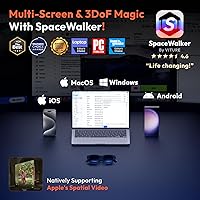
  • Device Compatibility: Officially compatible with iPhone 15, 16, and 17, Android phones with DisplayPort output, Mac, Windows PC, Steam Deck, ROG Ally, and Nintendo Switch 2.
  • Eye-Care Certification: Independently verified by SGS to produce less eye strain than a smartphone screen or traditional computer monitor during equivalent viewing sessions.

Related Reviews
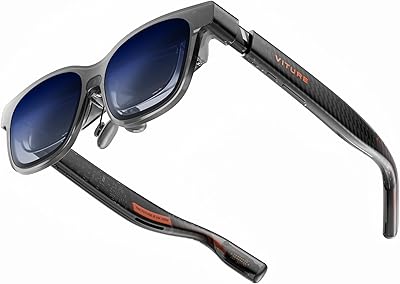
VITURE Luma Pro XR Glasses
83%
91%
Display Quality
75%
Comfort and Fit
88%
Gaming Performance
80%
Compatibility
85%
Build Quality
More
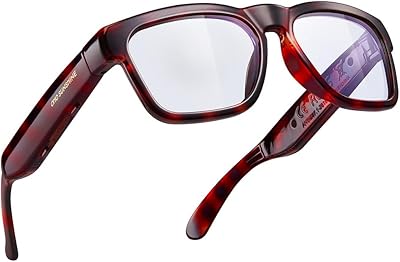
OhO A8 Pro Bluetooth Smart Sunglasses
76%
67%
Open-Ear Audio Quality
88%
Situational Awareness Design
71%
Transitional Lens Performance
83%
Voice Control & Smart Assistant Integration
78%
Call Quality & Microphone
More
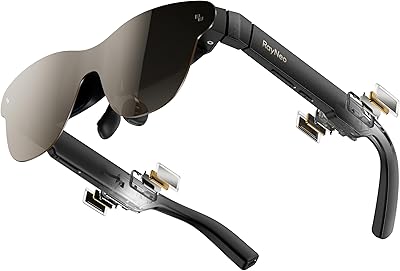
RayNeo Air 3s Pro AR Glasses
81%
93%
Display Brightness
91%
Image & Color Quality
88%
Eye Comfort & Fatigue
74%
Comfort & Wearability
69%
Device Compatibility
More
Azden PRO-XR Digital Wireless Microphone System
86%
94%
Wireless Range
89%
Sound Quality
87%
Battery Life
92%
Ease of Setup
85%
Connectivity Stability
More
Ubiquiti UniFi Dream Machine Pro Security Gateway
79%
93%
Reliability & Uptime
89%
Management Interface (UniFi App)
54%
Setup & Initial Configuration
91%
Throughput & Network Performance
88%
WAN Redundancy & Failover
More
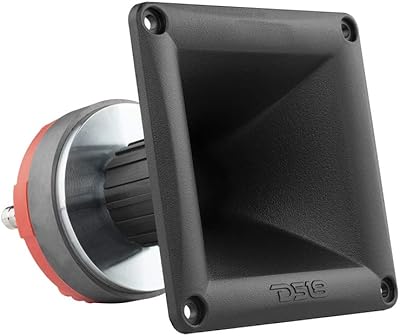
DS18 PRO-DR1PK44 Compression Driver with PRO-H44/BK Horn
86%
96%
High-Frequency Loudness
93%
Sensitivity & Efficiency
88%
Vocal Clarity & Naturalism
86%
Build Quality & Materials
81%
Installation Versatility
More
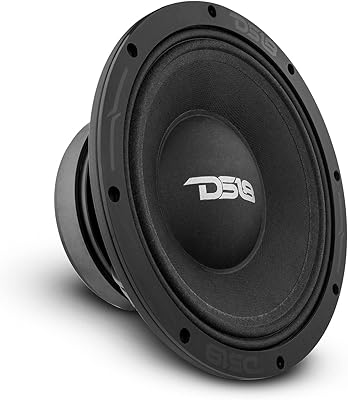
DS18 PRO-ZXI10MBASS 10-inch Mid-Bass Loudspeaker
82%
91%
Build Quality
88%
Sound Performance
93%
Sensitivity & Efficiency
86%
Power Handling
89%
Value for Money
More
Apple MacBook Pro 14-inch M1 Pro Laptop
84%
96%
Raw Performance
88%
Battery Life
94%
Display Quality
91%
Thermal Management
93%
Build Quality
More
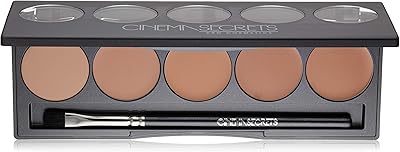
Cinema Secrets Pro Cosmetics Ultimate Foundation 5-In-1 Pro Palette 500A

88%
93%
Coverage & Pigmentation
85%
Skin Compatibility (Sensitive Skin)
88%
Ease of Application
90%
Longevity & Wear
91%
Versatility (Contouring & Concealing)
More
Cinema Secrets Pro Cosmetics Ultimate Corrector 5-In-1 Pro Palette No.1
86%
91%
Effectiveness for Color Correction
88%
Blendability
84%
Coverage Customization
85%
Longevity of Wear
93%
Suitability for All Skin Tones
More

FAQ

Measuring your IPD before ordering is genuinely important with these XR glasses — it is not just a formality. If your interpupillary distance is under 67.5mm you will get a clean, fully sharp image. Between 67.5mm and 70.5mm there is noticeable edge blur, and above 70.5mm the distortion affects corners of the image in a way that cannot be corrected. Many opticians will measure your IPD for free, or you can use a mirror and ruler method at home.

Unfortunately, no. The VITURE Pro requires a USB-C connection that carries DisplayPort Alt Mode video output, which iPhone 14 and earlier models do not support. Older Android phones without proper DisplayPort over USB-C will also not work, and there is no reliable adapter that resolves this. The compatibility list effectively starts at iPhone 15 and extends to Android devices with confirmed DP output.

You do not need to wear your glasses inside the frame. The built-in diopter adjustment dials let you tune the focus independently for each eye to compensate for myopia. It works well for mild to moderate prescriptions, though users with stronger corrections or astigmatism may find it only partially compensates for their full prescription.

The electrochromic film blocks close to 100% of external light when fully activated, which is substantially better than any clip-on shade accessory. In a typical indoor environment or on a plane, the darkened mode creates a genuinely immersive experience similar to a dim cinema. In direct outdoor sunlight, even full darkening leaves some residual ambient interference, so outdoor use on a bright day remains the weakest scenario.

Yes, Steam Deck compatibility is one of the better-tested use cases for the VITURE Pro XR Glasses, and most users report a straightforward plug-and-play experience via USB-C. The 120Hz output and larger virtual screen make handheld gaming noticeably more immersive, and the connection has a solid track record compared to some other device pairings.

The speakers are better than what you would expect from a typical glasses frame, with decent stereo separation and enough volume for comfortable listening. That said, the Harman name carries premium audio connotations that the hardware does not fully live up to — bass is thin, and at higher volumes there is a mild physical resonance in the frame. For travel and casual use they are perfectly functional; for music listening or critical audio, most users prefer to connect earphones separately.

Display latency is low enough that most users do not notice it during regular gaming, including action games on the Steam Deck. The 120Hz output helps maintain responsiveness, though actual input latency also depends on the source device and game. For competitive multiplayer gaming where every millisecond counts, the wired USB-C connection is an advantage over wireless display solutions.

For most users, sessions under an hour feel fine — the light frame weight means you largely forget you are wearing them. Past the 90-minute mark, nose bridge pressure becomes the most common complaint, particularly for users with narrower nose profiles. Some frame warmth is also noted during longer sessions in warmer environments. Taking a short break every hour or so is a practical habit that most long-session users develop.

The core function — plug in, adjust dials, press the electrochromic button, and watch — requires no app at all. The companion app becomes necessary primarily for firmware updates and accessing advanced display settings. First-time app pairing has occasionally required a device restart before the glasses are recognized, but day-to-day use is largely app-independent.

Users who have tried both generally give the VITURE Pro the edge on brightness and the electrochromic dimming system, which the Xreal handles less elegantly. The Xreal Air 2 Pro tends to offer slightly broader device compatibility and a wider IPD comfort range, which matters for buyers with wider-set eyes. If you are within the ideal IPD range and prioritize display brightness and immersion, the VITURE Pro is the stronger choice; if compatibility breadth and IPD flexibility matter more, the Xreal deserves a close look.

Where to Buy