Overview

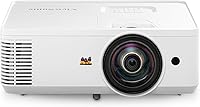
The ViewSonic PS502W Short Throw Projector entered the market in mid-2023 as a practical option for educators, meeting room managers, and casual home viewers who need a large image without rearranging the entire room. ViewSonic has a well-established track record in display technology, and this unit sits firmly in the mid-range tier — where buyers expect reliable brightness and useful features, but shouldn't anticipate cutting-edge resolution. With nearly 100 ratings and a 4.3-star average, there's a growing body of real-world experience to draw from, even if the sample is still building. Expect strong light output and genuine short-throw convenience; just approach it with honest expectations about its resolution ceiling.

Features & Benefits

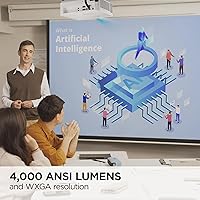
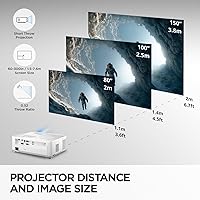
The headline number is 4,000 ANSI lumens, which translates to a readable image in a moderately lit classroom or office without needing to black out the windows. The 0.5 throw ratio is the real practical draw: the PS502W fills a 100-inch screen from roughly four and a half feet away, which eliminates a lot of room-layout headaches. On resolution, WXGA at 1280x800 handles slides, video, and standard presentation content comfortably — but detailed spreadsheets at large screen sizes will show the limits. Colors read as noticeably rich for a projector in this category, and the auto keystone combined with instant on/off makes daily deployment genuinely low-friction.

Best For

This short-throw projector is a natural match for teachers who can't afford lengthy setup rituals — plug it in, aim it at the board, and it's ready. It also suits conference rooms with tight wall clearance, since presenters can stand near the screen without throwing a shadow across the image. At 6.3 pounds with a compact body, moving this ViewSonic unit between rooms or buildings is manageable. Home viewers chasing a big-screen experience on a sensible budget will find it workable, as long as 1080p sharpness isn't the priority. It consistently rewards buyers who want simplicity over those who want granular picture control.

User Feedback

The PS502W holds a 4.3-star average across roughly 95 ratings, earning most of its goodwill through dependable brightness and a throw distance that performs as advertised. Buyers frequently note that setup goes faster than expected and that the image stays usable in rooms that aren't fully darkened. The most consistent complaint targets resolution — at larger screen sizes, text-heavy content like spreadsheets can look noticeably soft. Fan noise surfaces in a handful of reviews, which is fairly standard for lamp-based DLP units at this tier. Several users suggest routing audio to an external speaker rather than relying on the built-in one. No clear pattern of early lamp failure yet, though the review pool is still relatively modest.

Pros

  • 4,000 lumens keeps the image readable in normally lit rooms without requiring full blackout conditions.
  • The 0.5 throw ratio genuinely delivers large images from short distances, just as advertised.
  • Auto keystone correction means the picture straightens itself out even when placement isn't perfectly centered.
  • Instant on/off makes daily use in classrooms or recurring meetings far less tedious than traditional lamp warm-up units.
  • At 6.3 pounds, the PS502W is portable enough to move between rooms without it becoming a chore.
  • HDMI and USB Type-A inputs cover the most common device connections in education and office environments.
  • Colors look noticeably vibrant for this price tier, making presentation visuals and video content engaging.
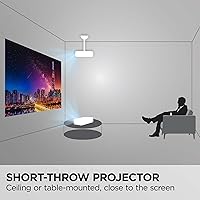
  • Ceiling and table installation are both supported, giving real flexibility in how and where it gets mounted.
  • Setup from unboxing to first image is straightforward, with minimal technical knowledge required.
  • ViewSonic's brand backing offers reasonable confidence in long-term support and parts availability.

Cons

  • WXGA resolution shows its limits clearly when projecting fine text or detailed data at large screen sizes.
  • The built-in speaker delivers weak audio output, making an external speaker effectively a required purchase.
  • No wireless connectivity of any kind — no Wi-Fi, Miracast, or Bluetooth — limits modern device pairing options.
  • Fan noise is present and noticeable in quieter environments, which some users find distracting during presentations.
  • Digital zoom only; no optical zoom means less flexibility for fine-tuning image size without physically repositioning the unit.
  • With around 95 ratings, the long-term reliability picture — especially lamp longevity — is still somewhat incomplete.
  • Picture calibration options are basic, leaving advanced users with fewer tools to fine-tune image quality.
  • Only one HDMI port limits simultaneous device connections without an external switch or splitter.
  • Lamp-based DLP technology means eventual lamp replacement costs that buyers should factor into total ownership cost.
  • Not suited for very bright or sunlit environments where even 4,000 lumens can struggle against direct ambient light.

Ratings

Our AI-generated scores for the ViewSonic PS502W Short Throw Projector were produced by analyzing verified global user reviews, with spam, bot-submitted, and incentivized feedback actively filtered out before scoring. The ratings below reflect both what buyers consistently praise and the real frustrations that surfaced across multiple markets and use cases. Nothing has been smoothed over — the trade-offs are as visible as the strengths.

Brightness Performance
88%
In typical classroom and office conditions — overhead lighting on, blinds partially closed — users report the image stays clear and usable without any special room prep. The 4,000-lumen output consistently meets expectations for daytime presentations, which is where most buyers actually need it to perform.
Direct sunlight or bright south-facing windows can noticeably degrade image quality, and a handful of users in sun-heavy environments found themselves needing to manage ambient light more carefully than anticipated. It handles ambient light well, but it is not daylight-immune.
Short-Throw Accuracy
91%
This is arguably the PS502W's most dependable quality — the 0.5 throw ratio behaves exactly as spec'd in real rooms. Buyers setting it up in tight conference rooms or classrooms with limited depth consistently report that the advertised distances translate accurately to usable screen sizes.
Because the projector sits so close to the screen, minor positioning errors get amplified — being even slightly off-center can require more keystone correction than expected. A few users also noted that ceiling mounting at such a short throw demands more precise bracket placement than a standard-throw unit would.
Image Resolution
63%
37%
For slide decks, instructional videos, and web content, WXGA resolution is genuinely sufficient — text in presentation titles and body copy reads cleanly at normal viewing distances. Casual home viewing of streaming content is comfortable and the image feels large and engaging at these screen sizes.
The resolution ceiling becomes a real issue with data-heavy content: spreadsheets, technical diagrams, and small-font documents projected at 100 inches or beyond can appear noticeably soft. Buyers coming from a Full HD projector will feel the step down, and this is the single most common source of disappointment in user reviews.
Color Accuracy
78%
22%
Colors are noticeably richer and more saturated than many projectors at this price tier, particularly for video content and image-heavy presentations. Users in creative and educational settings note that photos and instructional visuals look more lifelike than they expected from a business-oriented unit.
Color fidelity is not calibration-grade — out-of-box settings lean slightly warm for some users, and the adjustment options are limited enough that hitting a precise color profile takes effort. For professional color-sensitive work, it falls short of what a purpose-built display would offer.
Ease of Setup
93%
Auto keystone correction and instant power-on make daily setup genuinely quick — multiple users describe going from box to working image in under ten minutes on first use. For recurring classroom or meeting room deployments, the lack of warm-up delay alone saves meaningful time across a full week of use.
Some users report that auto keystone occasionally over-corrects in certain ceiling-mount angles, requiring a manual override to get the image perfectly squared. The onscreen menu system, while functional, is not the most intuitive and can slow down first-time configuration slightly.
Connectivity
67%
33%
HDMI and USB Type-A cover the most common connections teachers and presenters actually use day-to-day, and the 3.5mm audio jack adds flexibility for routing sound to a speaker. Most modern laptops and streaming sticks connect without any adapter fuss.
The absence of any wireless capability is a real inconvenience for users who need to switch presenters quickly or connect from across the room. A single HDMI port also means anyone juggling two input sources regularly will need an external HDMI switch, which adds cost and desk clutter.
Audio Quality
44%
56%
The built-in speaker is functional enough to get audio into a small, quiet room without any additional hardware, which matters in spontaneous or low-prep situations. For brief video clips or quick demonstrations, it does the minimum job.
Nearly every user who comments on audio points toward the same conclusion: the built-in speaker is undersized for real use. Volume tops out at a level that struggles to fill even a medium-sized classroom, and audio fidelity is thin — an external speaker via the 3.5mm jack is effectively a required purchase for anyone using this regularly with audio content.
Portability
82%
18%
At 6.3 pounds and a footprint that fits in most laptop bags with room to spare, this ViewSonic unit is practical to carry between classrooms, floors, or buildings. Users who share a projector across multiple rooms or take it between a school and home setting appreciate that it doesn't require a dedicated cart.
The power brick adds bulk and is worth factoring in when packing for transport. Without a dedicated carry case — which is not included — the projector requires some care during frequent moves to avoid scratching the lens or housing.
Build Quality
74%
26%
The housing feels solid and purposeful for a business-class unit, and the lens assembly shows no obvious weak points in typical use. Users who have deployed it in active classroom environments report it holds up well to the minor bumps and handling of daily school use.
The all-plastic construction doesn't inspire premium confidence, and a few users note that the input port area feels slightly less robust than the rest of the body. It's built for institutional durability, not for abuse — dropping it would be a concern.
Fan Noise
58%
42%
In an active room with normal ambient sound — talking, HVAC, keyboards — the fan noise blends into the background and most users stop noticing it after the first few minutes. For standard classroom or conference use, it rarely surfaces as a disruptive issue.
In quiet environments — a small office during focused work, a library, or a home setup during a quiet film — the fan hum is consistently audible and reported as a distraction. This is a structural limitation of DLP lamp technology at this brightness level, not a defect, but it's a real factor for noise-sensitive buyers.
Keystone & Image Adjustment
79%
21%
Auto keystone handles most real-world placement imperfections without any manual input, and the digital zoom range gives users some flexibility in fine-tuning the image without repositioning the unit. For daily-use environments where the projector lives in one spot, initial setup corrections hold reliably.
There is no horizontal keystone adjustment, which can be limiting when the projector can only be placed at an angle to the screen. Digital zoom also introduces some softening at the extremes of its range, which compounds the existing resolution limitations at large screen sizes.
Value for Money
76%
24%
For an educator or small business buyer who needs reliable brightness and short-throw convenience without a complex installation, the PS502W delivers a strong return on investment. The core use case — large, bright image in a limited space — is executed well enough to justify the outlay for most target buyers.
Buyers who later find they need wireless connectivity, Full HD resolution, or better audio will discover those upgrades require additional spending on adapters, speakers, or an eventual projector replacement. If those needs are known upfront, stretching the budget toward a more capable unit may prove better value in the long run.
Lamp Longevity
71%
29%
Users who run the projector in eco or normal mode report no early lamp failures in the current review pool, and ViewSonic's DLP lamp technology has a reasonable track record in this product category. Running in eco mode is a practical strategy that extends lamp life while keeping brightness adequate for smaller rooms.
The review pool is still modest enough that long-term lamp durability data is limited. Lamp replacement is an eventual cost of ownership that buyers should plan for, and sourcing replacement lamps for mid-range projectors can become harder as models age — worth checking availability before committing.
Installation Flexibility
81%
19%
Support for both table and ceiling installation, along with compatibility with named ViewSonic mount models, makes the PS502W straightforward to integrate into a semi-permanent room setup. IT staff and AV coordinators who have installed similar units report that the ceiling-mount process is well-documented and predictable.
Buyers looking for wall-mount or ultra-flexible positioning options will find the officially supported configurations fairly conventional. The short-throw ratio, while a strength for placement, also means ceiling-mount height and horizontal alignment need to be calculated more carefully than with a longer-throw unit.

Suitable for:

The ViewSonic PS502W Short Throw Projector is a strong fit for educators who need to walk into a classroom, set up quickly, and start teaching without wrestling with projection angles or room layouts. Because it throws a 100-inch image from just under five feet away, it works especially well in rooms where the projector has to sit close to the screen or wall — a common reality in K-12 classrooms and smaller meeting rooms. Conference room managers who deal with rotating presenters will appreciate the auto keystone and instant power cycle, which eliminate the need for constant manual tweaking. At 6.3 pounds with a compact footprint, it's also a reasonable choice for anyone who needs to move the unit between spaces regularly. Casual home viewers who care more about screen size than razor-sharp detail — movie nights, sports, video content — will find it a capable and relatively affordable large-format option.

Not suitable for:

The ViewSonic PS502W Short Throw Projector is not the right call for anyone whose primary use involves displaying dense, text-heavy content at large screen sizes — think detailed spreadsheets, financial dashboards, or technical drawings — where WXGA resolution will visibly struggle to keep fine text crisp. Buyers comparing it directly to Full HD alternatives should know they are giving up a meaningful step in sharpness, and that trade-off is most noticeable on screens above 100 inches. It is also a poor match for anyone expecting a plug-and-play home theater centerpiece with rich built-in audio; the onboard speaker is underwhelming, and an external sound system would almost certainly be needed for a satisfying experience. Those who require wireless connectivity — Miracast, Wi-Fi casting, or Bluetooth — will find nothing of the sort here, meaning an additional adapter or media player is necessary. Power users who want deep image calibration controls and fine-grained picture modes will likely find the adjustment options limited compared to higher-end alternatives.

Specifications

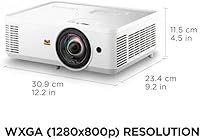
  • Resolution: Native WXGA resolution of 1280x800 pixels, suitable for standard presentation content, video, and web browsing at typical viewing distances.
  • Brightness: Rated at 4,000 ANSI lumens, delivering a visible and usable image in moderately lit rooms without requiring full blackout conditions.
  • Throw Ratio: A 0.5 short-throw ratio allows the projector to cast a 100″ image from approximately 4.5 feet away from the screen surface.
  • Screen Size: Supports projected image sizes ranging from 80″ to 150″ diagonal depending on the distance from the projection surface.
  • Throw Distance: Effective projection range spans 3.6 ft to 6.7 ft, giving users reasonable flexibility when positioning the unit in a room.
  • Digital Zoom: Offers 0.8x to 2.0x digital zoom, allowing some image size adjustment without physically repositioning the projector.
  • Keystone: Includes both manual vertical keystone correction and an automatic keystone function to straighten the image when placement is slightly off-axis.
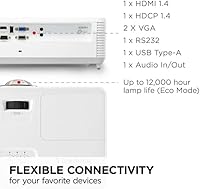
  • Connectivity: Equipped with one HDMI port, one USB Type-A port, and a 3.5mm audio jack; no wireless, Bluetooth, or optical audio connections are included.
  • Weight: The unit weighs 6.3 pounds, making it manageable for occasional transport between rooms or buildings without specialized equipment.
  • Dimensions: Physical footprint measures 12.2 x 9.2 x 4.5 inches, compact enough to sit on a standard desk or shelf without dominating the space.
  • Technology: Uses DLP lamp-based projection technology, which is standard in this price range and delivers reliable color consistency over the lamp's lifespan.
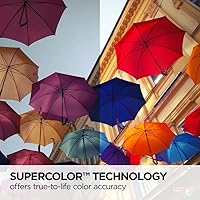
  • Color System: SuperColor technology expands the color gamut beyond standard projector output, producing richer, more saturated colors particularly noticeable in video and image content.
  • Power System: Features instant power on and off with an optional automatic power control setting, eliminating the warm-up and cool-down delays typical of older lamp projectors.
  • Installation: Supports both tabletop and ceiling-mount installation configurations, compatible with ViewSonic mounts PJ-WMK-305 and PJ-WMK-007.
  • Aspect Ratio: Native aspect ratio is 16:10, aligning with standard widescreen laptop and presentation displays for minimal letterboxing during typical use.

Related Reviews
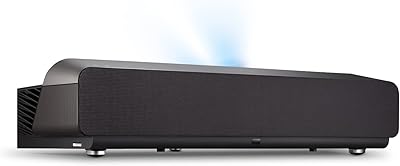
ViewSonic X1000-4K Ultra-Short Throw Projector
87%
92%
Image Quality
70%
Brightness in Well-Lit Rooms
85%
Sound Quality
95%
Space-Saving Design
88%
Ease of Setup
More
Magcubic HY450NTV Short Throw Projector
85%
88%
Image Quality
85%
Brightness Performance
92%
Ease of Setup
78%
Sound Quality
84%
Portability
More
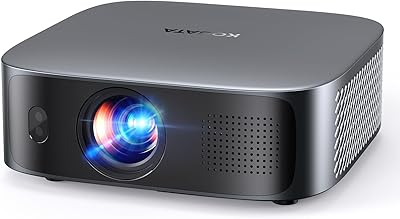
KOGATA GC355 Short Throw Smart Projector
77%
88%
Short-Throw Performance
84%
Auto-Focus & Keystone Correction
79%
Image Quality & Clarity
63%
Brightness & Ambient Light Handling
74%
Built-in Smart OS & App Ecosystem
More
Optoma GT1090HDR Short Throw Laser Projector
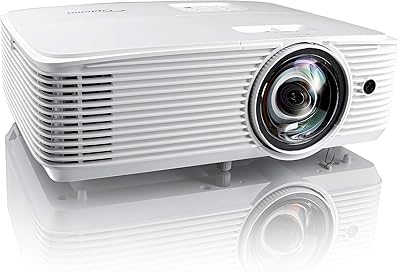
89%
94%
Picture Quality
92%
Brightness Performance
88%
Ease of Installation
90%
Gaming Performance
85%
Build Quality
More
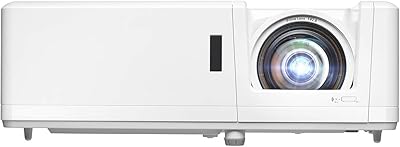
Optoma EH412ST Short Throw 1080P Projector
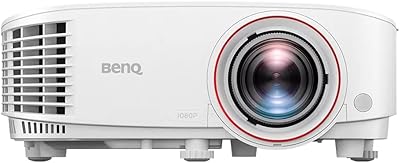
86%
88%
Brightness in Well-Lit Environments
91%
Setup and Installation Ease
84%
Image Quality and Clarity
89%
Portability and Weight
72%
Sound Quality (Built-In Speaker)
More
BenQ TH671ST 1080p Short Throw Gaming Projector
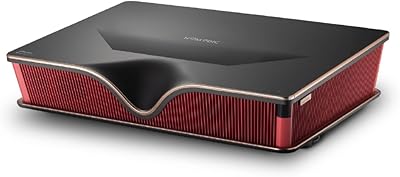
79%
88%
Image Quality
93%
Gaming Performance
91%
Short-Throw Capability
86%
Brightness & Ambient Light Performance
61%
Fan Noise
More
Optoma UHD35STX 4K UHD Short Throw Gaming Projector
80%
91%
Gaming Performance
87%
4K Image Quality
88%
Ease of Setup
71%
Brightness in Ambient Light
93%
Short Throw Projection
More
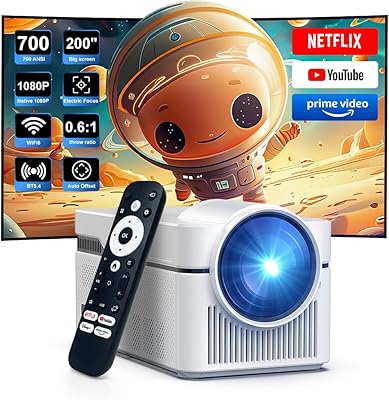
Alwtniet 700 ANSI Lumens Short Throw Smart Projector
84%
89%
Image Quality
93%
Ease of Setup
91%
Portability
85%
Connectivity
72%
Sound Quality
More
Formovie Theater Ultra Short Throw 4K Laser Projector
86%
94%
Picture Quality
88%
Ease of Setup
85%
Audio Performance
77%
Brightness
90%
Connectivity
More
NOMVDIC P2000 Ultra Short Throw 4K Laser Projector
85%
92%
Image Quality
89%
Ease of Setup
85%
Value for Money
88%
Connectivity Options
75%
Audio Quality
More

FAQ

Yes, within reason. At 4,000 lumens, the PS502W holds up well in a normally lit classroom or office — think overhead fluorescent lighting. That said, direct sunlight hitting the screen will wash the image out considerably, so rooms with large unshaded windows mid-afternoon can be a challenge. Closing blinds makes a meaningful difference.

That's actually one of its strongest points. To get a 100-inch image, you only need to place it about four and a half feet from the screen or wall. For a 150-inch image, around six and a half feet is enough. This makes it genuinely practical in rooms where there isn't much depth to work with.

It's workable for basic spreadsheets at moderate screen sizes, but if you're regularly projecting dense data with small fonts at 120 inches or larger, WXGA resolution will start to show its limits — text can look slightly soft. For slide decks, video, and general presentations, it's more than adequate. If fine text clarity is critical to your daily use, a Full HD projector is worth the extra consideration.

No, this ViewSonic unit has no built-in wireless capability. There's no Wi-Fi, Miracast, or Bluetooth for casting. You'll need to connect via HDMI for a laptop, or use a separate streaming stick or wireless HDMI adapter plugged into the HDMI port if wireless projection is important to you.

Fan noise is present and audible, which is fairly typical for a DLP lamp projector at this brightness level. In an active classroom or meeting room it blends into the background, but in a very quiet room — like a small home office or library setting — some users find it noticeable. It's not unusually loud for its class, but it's worth being aware of if silence is a priority.

The built-in speaker will get audio into the room, but it's not going to impress anyone. For a classroom or meeting where you just need people to hear a video clip, it'll do the job. For any situation where audio quality actually matters — presentations with music, home movie viewing, or larger rooms — connecting an external speaker via the 3.5mm jack is the better move.

Yes, it supports ceiling installation and is compatible with ViewSonic's own mounts, specifically the PJ-WMK-305 and PJ-WMK-007 models. The projector also works fine on a table or cart. Just keep in mind that ceiling mounting requires some planning around cable routing and the unit's short-throw positioning relative to the screen.

ViewSonic typically rates their DLP lamps in the range of 5,000 to 15,000 hours depending on the power mode used — eco mode significantly extends lamp life. Replacement lamp pricing varies, but for a projector in this tier, budgeting somewhere in the range of 60 to 120 dollars for an eventual lamp swap is realistic. It's worth checking lamp availability before purchasing if long-term cost of ownership is a key factor for you.

Most modern laptops, desktop computers, Blu-ray players, and streaming devices with HDMI output connect without any issues. The USB Type-A port can power a connected device or run compatible media directly, depending on the source. What it lacks is a second HDMI port, so if you regularly switch between two HDMI sources, a simple HDMI switch will save you a lot of cable-swapping.

It can work as a casual home theater option, particularly if you prioritize a big image at a reasonable price over pixel-perfect sharpness. Movies and streaming video look enjoyable on it. However, it's primarily designed for business and education use, so the audio experience, lack of dedicated home theater picture modes, and WXGA resolution cap mean that someone building a dedicated home theater space would likely want to look at a Full HD or 4K-capable alternative instead.

Where to Buy