Overview

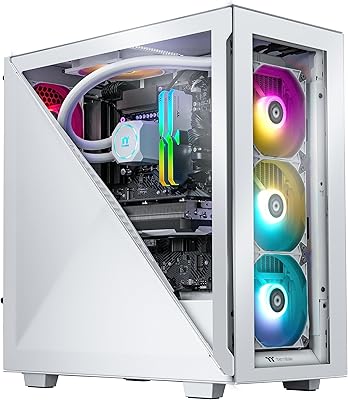
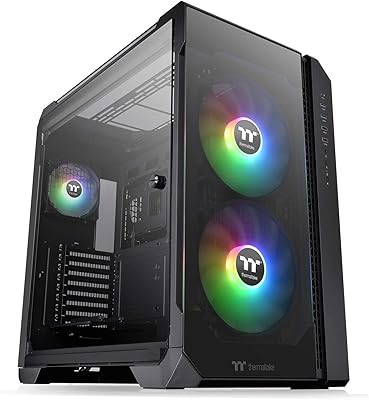
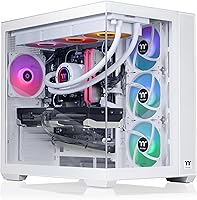
The Thermaltake View i1470S-380 Gaming Desktop sits firmly in premium prebuilt territory, targeting gamers who want high-end performance without hunting down individual components. The headline pairing here — Intel Core i9-14900KF with an RTX 5070 — delivers real muscle for demanding titles at 1440p and beyond. Aesthetically, the white chassis with tempered glass panels on the front and side looks sharp on any desk, giving it a presence that most prebuilts simply cannot match. A 360mm liquid cooler inside a factory build is also worth noting; it signals Thermaltake took thermals seriously rather than relying on a stock air cooler to handle an i9-class processor.
Features & Benefits

The RTX 5070 is genuinely the star here — with 12GB of VRAM and DLSS 4 support, it handles modern titles at 1440p with ease and holds its own at 4K, including in ray-traced scenes. The i9-14900KF, despite being last-gen Intel, remains a capable 24-core workhorse; for gaming it is essentially a non-issue, and for streaming or video editing it gives this gaming tower real versatility. Memory runs at DDR5-6000 — faster than many prebuilts bother with — and 32GB means you will not be swapping out RAM anytime soon. Storage is 1TB NVMe, fast for booting and loading, though heavy gamers will likely add a second drive. Front-panel USB-C access is a practical convenience that gets overlooked in specs but matters daily.

Best For

This Thermaltake prebuilt makes the most sense for a specific type of buyer: someone who wants a high-performance machine without the time, knowledge, or patience to source and assemble parts. If you are coming from a mid-range system and want a meaningful performance jump, the combination of hardware here delivers that without compromise. Content creators who need strong multi-core throughput alongside a capable GPU will find it pulls double duty well. The visible internals and RGB memory also cater to buyers who care about aesthetics — this is not a rig you would hide under a desk. For those who prefer warranty-backed peace of mind over a self-build, a factory-assembled system from an established brand carries real practical appeal.

User Feedback

Buyers tend to praise the View i1470S-380 for its out-of-box readiness and the visual impact of the chassis — the glass panels and white finish generate consistent compliments. Where opinions get more nuanced is storage: 1TB fills up fast for anyone juggling multiple large titles, and that is a recurring frustration in user comments. Thermal noise under sustained load is another point of contention — the 360mm cooler does its job, but it is not silent during heavy workloads. On value, GPU supply constraints in the current market make prebuilt pricing more justifiable than it once was, though price-conscious buyers still compare carefully. Thermaltake support generally earns decent marks, but some users report slower response times during peak periods.

Pros

  • The RTX 5070 handles demanding titles at 1440p with strong frame rates and supports DLSS 4 for additional headroom.
  • A 360mm liquid cooler in a prebuilt is genuinely unusual and keeps the i9-14900KF running cool under sustained load.
  • DDR5-6000 memory is faster than most prebuilts bother to configure, giving this gaming tower an edge in memory-sensitive tasks.
  • The panoramic tempered glass panels and white finish look polished — this is a chassis that earns compliments on a desk.
  • 32GB of RAM provides ample room for gaming, streaming, and light creative work simultaneously without upgrades.
  • Front-panel USB-C access is a practical convenience that many prebuilts at this tier still omit.
  • WiFi is included out of the box, so there is no need to route an ethernet cable or purchase a separate adapter.
  • The 24-core i9-14900KF makes this a credible dual-purpose machine for creators who also game heavily.
  • Out-of-box Windows 11 setup means most buyers are up and running within minutes of unboxing.

Cons

  • 1TB of NVMe storage fills up fast for anyone maintaining more than a handful of large modern titles.
  • The i9-14900KF is last-generation Intel hardware, which raises questions about platform longevity and future upgrade paths.
  • Internal cable management has drawn criticism from buyers who prefer a clean look through the glass panels.
  • Fan and pump noise under extended heavy loads can be noticeable, particularly in quieter room environments.
  • The prebuilt premium means experienced DIY builders can potentially assemble comparable performance for less.
  • Adding a second storage drive may require navigating a layout not optimized for easy user modification.
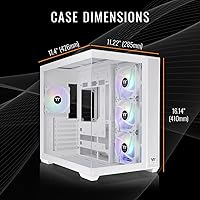
  • The tower footprint is substantial — buyers with limited desk or floor space should measure before purchasing.
  • Thermaltake customer support response times have reportedly been inconsistent during high-volume periods.
  • RGB software and system management utilities can feel redundant or bloated for users who prefer minimal background applications.

Ratings

The scores below for the Thermaltake View i1470S-380 Gaming Desktop were generated by our AI engine after analyzing verified purchase reviews from global buyers, with spam, bot-submitted, and incentivized feedback actively filtered out. Each category reflects the honest distribution of real user sentiment — strengths are credited where earned, and recurring pain points are weighted proportionally rather than buried.
Gaming Performance
93%
Buyers consistently report that the RTX 5070 and i9-14900KF combination handles demanding titles at 1440p without breaking a sweat, and most find 4K gaming with DLSS 4 enabled genuinely impressive for a prebuilt at this tier. Ray tracing in titles like Cyberpunk 2077 and Alan Wake 2 runs at settings most users have never been able to use before.
A small number of buyers doing GPU-intensive workloads at native 4K without upscaling note occasional dips below their target frame rate in the most demanding scenes. These cases are the exception rather than the rule, but they are worth knowing about if you are a resolution purist.
Thermal Management
84%
The 360mm AIO liquid cooler keeps the i9-14900KF running at temperatures that air cooling simply could not manage at this sustained performance level. Users gaming for three or four hours report stable CPU temperatures without thermal throttling, which is a genuine achievement for a factory-assembled system.
Under extended rendering or combined CPU-GPU stress, some buyers note the radiator fans spin up audibly and stay there. The cooling headroom is real, but the system does not prioritize silence over performance, which is a trade-off that catches some buyers off guard.
Build Quality
88%
The chassis itself draws consistent praise for feeling solid and well-constructed — the tempered glass panels are thick enough to handle without worry, and the white exterior holds up to fingerprints better than most expect. Buyers upgrading from budget prebuilts frequently comment on how much more premium this gaming tower feels in person.
A recurring complaint involves the internal factory build rather than the chassis itself — cable routing is functional but not particularly tidy, and the cables visible through the side glass panel can look messier than the exterior suggests. Users who care about interior aesthetics may want to spend time re-routing.
Aesthetics & Design
91%
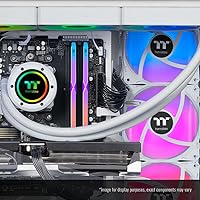
The panoramic tempered glass front and side panels combined with the white finish make this one of the better-looking prebuilts available at any price point. The ToughRam RGB memory adds color through the glass, and buyers consistently mention getting compliments on the setup from friends who would not ordinarily notice a PC.
The RGB ecosystem is controlled through software that some users find redundant or slightly clunky to configure. A minority of buyers also feel the white exterior shows smudges around frequently touched areas like the front panel over time.
Storage Capacity
57%
43%
The 1TB NVMe SSD is fast — boot times are quick and game load screens are noticeably shorter compared to SATA-based systems. For a buyer with a modest game library or someone migrating from an older HDD-based machine, the speed improvement alone feels like a significant upgrade.
One terabyte is the most consistent complaint across buyer feedback for this gaming tower. Heavy gamers with libraries that include multiple large open-world or battle royale titles will fill this drive within weeks, and the inconvenience of planning a secondary drive purchase immediately after spending this much is a genuine frustration.
CPU Longevity
72%
28%
The i9-14900KF remains a highly capable processor for gaming and creative work today, and buyers using it for video editing, streaming, and 3D rendering alongside gaming report it handles all of it without meaningful slowdown. For current workloads, it is not a weakness.
Informed buyers are aware that the LGA1700 platform is at end-of-life for Intel, meaning CPU upgrade paths within the same socket are limited. Those who plan to upgrade the processor in two or three years will need a new motherboard, which slightly undercuts the long-term value case for this prebuilt.
Value for Money
74%
26%
In the current GPU market where RTX 5070 cards are difficult to source independently at MSRP, the prebuilt pricing looks considerably more reasonable than it would have in a normal supply environment. Buyers who have tried to build their own system recently understand this and reflect it in their satisfaction scores.
Experienced DIY builders consistently note that an equivalent self-built system would cost less and offer better component selection flexibility. The prebuilt premium is real, and buyers who are comfortable building their own machine should price out alternatives before committing.
Noise Levels
68%
32%
At idle and during light gaming, the system is quiet enough that most users in typical living environments do not notice it. The liquid cooler avoids the high-pitched fan whine that a tower air cooler on an i9-class chip can produce, which is a tangible comfort improvement for everyday use.
Under sustained loads — long gaming sessions, video renders, or benchmark runs — the AIO fans and GPU cooler combine to produce a consistent hum that is clearly audible without headphones in a quiet room. Users who game in shared spaces or value near-silence will notice this.
Out-of-Box Experience
89%
The vast majority of buyers report a smooth unboxing and first-boot experience — Windows 11 is pre-installed, drivers are configured, and most users are in a game within an hour of opening the box. For buyers who have never built a PC, this frictionless setup is a major selling point.
Some buyers mention pre-installed Thermaltake software utilities running in the background on first boot that they did not request. It is minor, but a small number of users who prefer a clean Windows installation found the setup required more housekeeping than expected.
Connectivity & Ports
81%
19%
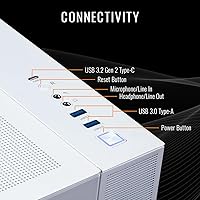
The front-panel USB-C port is a feature buyers specifically call out as genuinely useful day-to-day for charging phones, connecting modern peripherals, and transferring files quickly. Having both headphone and microphone jacks on the front panel separately — rather than a combined jack — earns consistent praise from users with dedicated audio setups.
The USB 3.0 port count on the front is limited to two, which can feel restrictive for users with multiple high-speed peripherals. Buyers relying on the rear panel for additional devices note that physical access behind a tower of this size on a desk can be inconvenient.
Upgrade Potential
66%
34%
The Z790 platform offers solid support for RAM upgrades and additional storage drives, and buyers who add a second NVMe or a larger SATA drive report the process is straightforward with basic PC knowledge. GPU replacement is also standard given the full-size PCIe slot.
The LGA1700 socket is a dead end for Intel CPU upgrades, and the chassis layout makes adding secondary drives slightly less intuitive than a purpose-built enthusiast case. Buyers who anticipate significant hardware changes in the near term will eventually outgrow the upgrade ceiling here.
Customer Support
63%
37%
Buyers who have contacted Thermaltake support for component replacements or technical issues generally report that the company does follow through on warranty claims. The brand's established reputation gives buyers more confidence than purchasing from a lesser-known system integrator.
Response time inconsistency is the most common support complaint — during high-volume periods, some users report waiting significantly longer than expected for replies. A few buyers describe initial contact as frustratingly slow, even when the eventual resolution was satisfactory.
WiFi Performance
77%
23%
For buyers without convenient ethernet access, the built-in WiFi performs reliably for online gaming at typical residential internet speeds. Users in the same room or adjacent to their router report stable connections with minimal latency impact during competitive play.
Buyers in larger homes or with more complex WiFi environments occasionally note that the integrated adapter is not on par with a high-end dedicated WiFi card or a wired connection for latency-sensitive competitive gaming. Serious competitive players will likely prefer running ethernet anyway.
Content Creation Performance
86%
Buyers who use this gaming tower for video editing, 3D rendering, and streaming simultaneously report that the 24-core i9-14900KF handles multi-threaded workloads impressively. Running OBS, a game, and a browser simultaneously shows virtually no performance degradation, which surprises users coming from 8-core systems.
The 1TB storage limitation hits content creators harder than it does pure gamers — large video project files and raw footage can consume drive space rapidly. Users doing serious creative work will almost certainly need to add external or secondary storage quickly after purchase.

Suitable for:

The Thermaltake View i1470S-380 Gaming Desktop is built for buyers who want a high-performance machine without the hassle of sourcing components, managing compatibility, or assembling a custom rig. Serious gamers who primarily play at 1440p — and want headroom to push 4K in less demanding titles — will find the RTX 5070 and i9-14900KF pairing genuinely capable rather than aspirational. Content creators who stream, edit video, or render alongside gaming will appreciate a CPU with 24 cores handling background workloads without throttling game performance. It also suits buyers who care about how their setup looks: the panoramic tempered glass, RGB memory, and white chassis make this a rig worth putting on display. Finally, anyone who values a warranty-backed system from a known brand — rather than piecing together individual component warranties — will find real practical comfort in a factory-assembled build from Thermaltake.

Not suitable for:

The Thermaltake View i1470S-380 Gaming Desktop is a poor fit for experienced builders who can source equivalent parts independently and prefer full control over component selection, cable routing, and long-term upgradability. Budget-conscious buyers will find the premium over a comparable DIY build difficult to justify if they are comfortable with the assembly process. Gamers with large libraries spanning multiple AAA titles will hit the 1TB storage ceiling quickly, and the internal layout may complicate adding a secondary drive without some effort. Buyers seeking a compact or space-efficient machine should also look elsewhere — this is a full-size tower that demands meaningful desk or floor space. Those prioritizing the absolute latest Intel CPU generation may also hesitate, since the i9-14900KF, while still highly capable, is not a current-generation chip and will not receive the same longevity on a platform roadmap.
Specifications

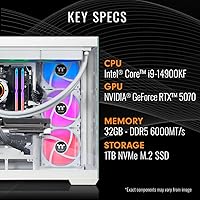
  • CPU: Intel Core i9-14900KF with 24 cores (8 Performance + 16 Efficient), a 3.2 GHz base clock, and up to 6.0 GHz boost via Intel Turbo Boost Max Technology 3.0.
  • GPU: NVIDIA GeForce RTX 5070 dedicated graphics card with 12GB of GDDR7 VRAM, supporting DisplayPort and HDMI output.
  • RAM: 32GB of Thermaltake ToughRam RGB DDR5 memory running at 6000 MT/s for above-baseline DDR5 throughput.
  • Storage: 1TB NVMe M.2 solid-state drive offering fast sequential read and write speeds for quick boot times and game loading.
  • Motherboard: Intel Z790 chipset motherboard providing support for DDR5 memory, PCIe 5.0, and broad connectivity options.
  • Cooling System: Closed-loop liquid cooling with a 360mm radiator designed to manage the thermal output of the i9-14900KF under sustained loads.
  • Operating System: Windows 11 Home comes pre-installed and activated, ready for use immediately after first-boot setup.
  • Front Ports: Front panel includes one USB-C port, two USB 3.0 ports, one dedicated headphone jack, and one dedicated microphone jack.
  • USB 2.0 Ports: The system provides 11 USB 2.0 ports in total, distributed across the chassis for peripheral connectivity.
  • Wireless: Built-in WiFi adapter is included, enabling wireless network connectivity without requiring a separate PCIe card or USB dongle.
  • Chassis Design: Full-tower form factor with panoramic front and side tempered glass panels finished in white for visibility of internal components.
  • Dimensions: Package dimensions measure 21 x 18.5 x 16 inches, so verify available space before delivery.
  • Weight: The unit weighs approximately 33.5 pounds, which is typical for a full-tower system with a 360mm radiator installed.
  • Display Output: GPU outputs include at least one DisplayPort and one HDMI port, supporting multi-monitor configurations at high refresh rates.
  • Power Delivery: The system ships with a manufacturer-selected PSU sized to support the power requirements of the RTX 5070 and i9-14900KF platform.
  • RGB Lighting: ToughRam RGB memory modules provide addressable lighting, controllable via compatible Thermaltake or third-party RGB software.
  • Availability Date: The product was first made available on Amazon on April 28, 2025.

Related Reviews
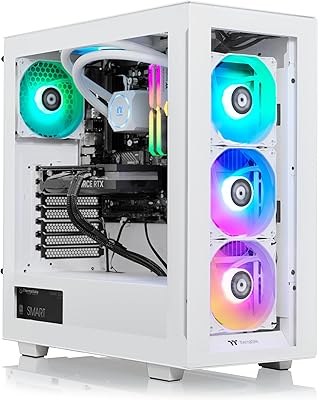
Thermaltake View 460 RTX 4060 Gaming Desktop
79%
88%
Gaming Performance
82%
Value for Money
91%
Thermal Management
79%
Noise Levels
93%
Out-of-Box Experience
More
Thermaltake View i560T-170 Gaming Desktop
78%
83%
Gaming Performance
78%
Value for Money
91%
Out-of-Box Experience
84%
Build Quality
71%
Thermal Management
More
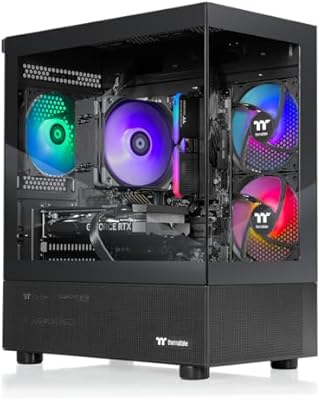
Thermaltake LCGS View 9580S-380XL Gaming Desktop
87%
94%
Gaming Performance
88%
Build Quality
90%
Cooling Efficiency
89%
Design & Aesthetics
85%
Setup and Installation
More
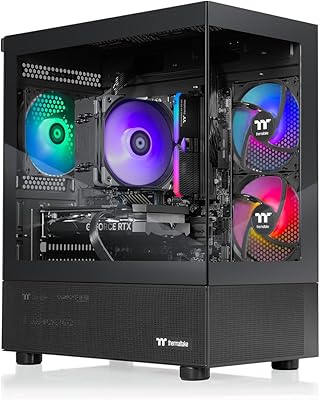
Thermaltake LCGS View i1460-170 Gaming Desktop
85%
91%
Performance for Gaming
88%
Build Quality
85%
Setup and Ease of Use
87%
Multitasking and Productivity
80%
Cooling Efficiency
More
Thermaltake Avalanche i476T Gaming Desktop
75%
84%
Gaming Performance
76%
Value for Money
88%
Thermal Management
73%
Build Quality
82%
Out-of-Box Experience
More
Thermaltake Quartz R66 Gaming Desktop
76%
83%
Gaming Performance
71%
Value for Money
86%
Build Quality
67%
Thermal Management
91%
Aesthetics & Design
More
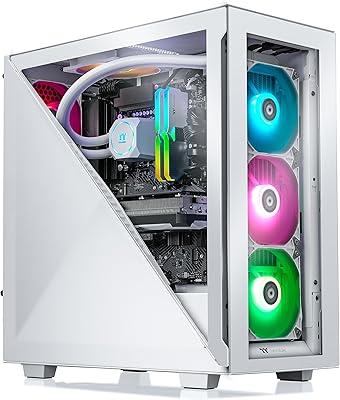
Thermaltake Avalanche i477T Gaming Desktop
80%
93%
Gaming Performance
84%
Thermal Management
71%
Noise Level
78%
Build Quality
67%
Value for Money
More
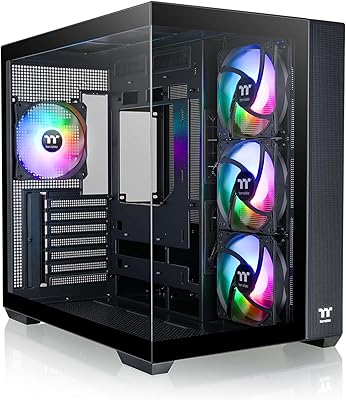
Thermaltake View 51 TG ARGB Full Tower Case
76%
93%
Visual Design
84%
Build Quality
72%
Cooling Performance
71%
Ease of Assembly
68%
Noise Levels
More
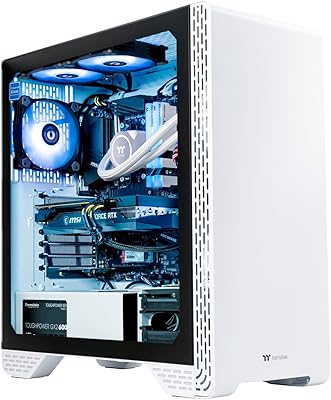
Thermaltake View 380 ARGB Mid Tower Case
83%
93%
Aesthetic Design
88%
Tempered Glass Quality
91%
Hidden-Connector Compatibility
89%
Included Fan Bundle
82%
Airflow Performance
More
Thermaltake Glacier 360 Gaming Desktop PC
75%
83%
Gaming Performance
78%
Thermal Management
74%
Value for Money
88%
Aesthetic Design
53%
GPU Consistency
More

FAQ

Honestly, for many buyers it will feel tight fairly quickly. Modern AAA titles regularly consume 100GB or more, so a library of ten demanding games can fill a 1TB drive before you know it. Adding a second NVMe or a 2.5-inch SATA drive later is the practical solution, and the Z790 platform supports expansion — just verify available slots and bays in the chassis before purchasing a secondary drive.

Not really, at least not for gaming. The i9-14900KF is still a genuinely fast chip with 24 cores and boost clocks pushing past 5.5 GHz, and no current game is bottlenecked by it paired with an RTX 5070. The longer-term consideration is the LGA1700 platform reaching end-of-life, which limits future CPU upgrades within the same socket. For most buyers, that is a concern years down the road rather than today.

It can handle 4K, but the experience depends heavily on the game. In titles with DLSS 4 support, the RTX 5070 delivers smooth 4K performance using AI upscaling, which most players find indistinguishable from native resolution. In graphically intensive titles without upscaling support, you may need to dial back some settings to maintain comfortable frame rates. For 1440p at high refresh rates, it is an excellent fit with minimal compromise.

The 360mm AIO keeps the CPU temperature well managed, but it is not silent. Under sustained gaming or rendering workloads, the radiator fans and pump produce an audible hum. In a typical gaming environment with headphones on, most users will not notice it. In a quiet room without audio, it is perceptible but not disruptive compared to what a high-performance air cooler on an i9 would produce.

The RTX 5070 outputs via DisplayPort and HDMI, so it is compatible with the vast majority of gaming monitors on the market. For high refresh rate 1440p or 4K gaming, a DisplayPort 1.4 or 2.1 connection is recommended to get the most out of monitors supporting 144Hz or above. HDMI 2.1 is also present on the card for TV-connected setups.

Yes. The Z790 motherboard supports DDR5 memory, and 32GB across two sticks is a typical dual-channel configuration, which likely leaves two additional DIMM slots free on most Z790 boards. Upgrading to 64GB is straightforward if your workload ever demands it, though for gaming 32GB is more than sufficient for the foreseeable future.

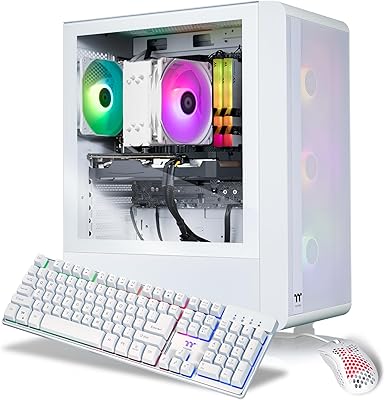
No, the system does not include peripherals in the box. You will need to provide your own keyboard, mouse, and monitor. This is standard for tower desktop systems at this tier, so budget accordingly if you are building out a new setup from scratch.

This is one area where user opinions are divided. Some buyers find the interior tidy enough given the complexity of a 360mm AIO and full-size GPU, while others report that the factory routing leaves visible cable clutter behind the glass panels. If you are comfortable with minor tidying, routing cables more neatly through available grommets is possible, but it is worth being aware that this is not a showroom-perfect build out of the box.

It handles content creation work quite well. The i9-14900KF with 24 cores provides strong multi-threaded performance for video encoding, 3D rendering, and photo editing, and the RTX 5070 accelerates GPU-heavy creative applications like DaVinci Resolve and Blender. The 32GB of DDR5-6000 memory also helps with memory-intensive creative workloads. Just keep the 1TB storage limitation in mind if you work with large project files regularly.

Thermaltake typically covers their LCGS prebuilt systems with a limited warranty covering parts and labor, though the exact terms and duration should be confirmed directly with Thermaltake at time of purchase, as warranty policies can vary by region. Community feedback on warranty service is generally reasonable, though some users have noted that response times can slow during high-demand periods. Registering the product on Thermaltake's website after unboxing is recommended to activate coverage.