Overview

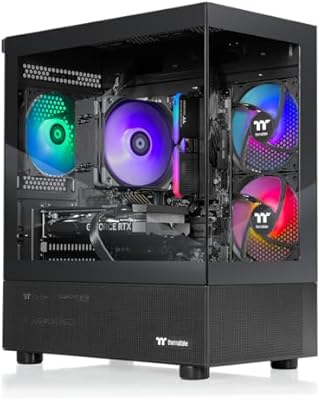
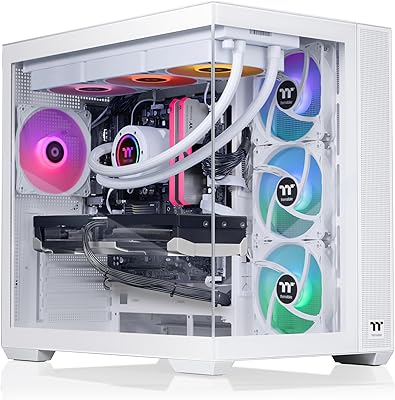
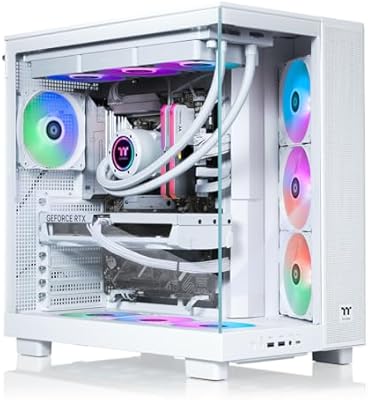
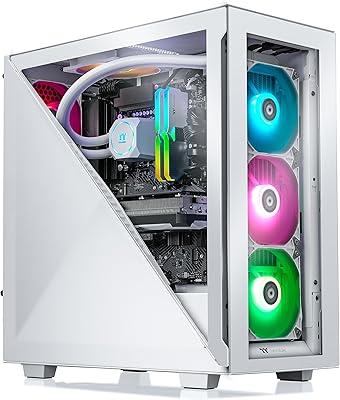
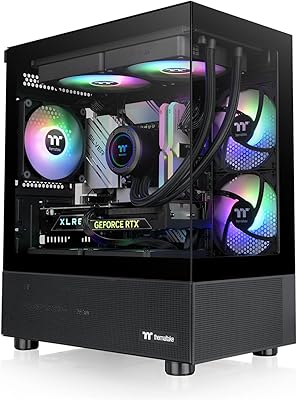
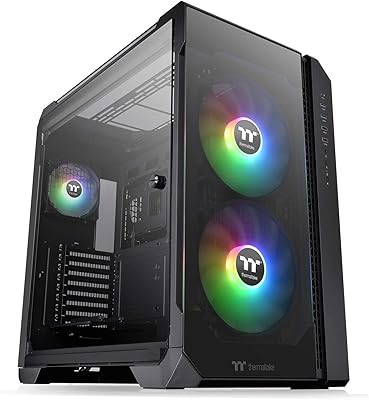
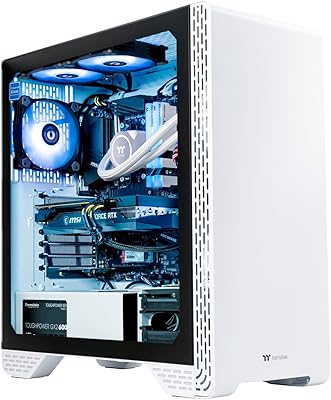
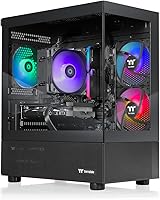
The Thermaltake View i560T-170 Gaming Desktop arrived in mid-2025 as one of the first retail pre-builts to ship with an RTX 5060 Ti, which immediately puts it in interesting territory. The brand has spent years building credibility in PC cooling and case design, and that heritage shows here. Rather than shipping components in a forgettable black box, this Thermaltake gaming tower features panoramic tempered glass on both the front and side panels — a detail that matters more than it sounds when the machine is sitting on your desk. For what you get inside, the price sits comfortably in the mid-range pre-built tier, making it a genuinely competitive option for buyers who want current-generation hardware without touching a screwdriver.
Features & Benefits

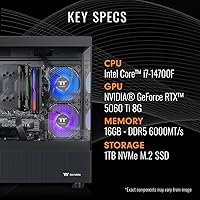
The RTX 5060 Ti handles 1080p and 1440p gaming with real headroom — in most modern titles at those resolutions, you are not going to be fighting for frames. Paired with the Intel Core i7-14700F, a CPU that brings solid multi-threaded muscle without integrated graphics overhead, the pairing is genuinely well-balanced. The 16GB of DDR5 running at 6000MT/s is fast memory by any standard, but be honest with yourself: if you stream, run a browser alongside your game, or plan to keep this machine for several years, upgrading to 32GB should be in your budget. The 1TB NVMe SSD keeps load times brisk, and built-in WiFi means setup requires nothing more than plugging in a monitor.

Best For

This RTX 5060 Ti desktop makes the most sense for 1080p and 1440p players who want high-frame-rate gaming without the research and assembly overhead of a custom build. If you are upgrading from a console or an aging laptop, the performance gap here is substantial. The glass panels and internal lighting also make it a natural fit for setups where aesthetics carry some weight. Light creative work — streaming, short-form video editing, graphic design — sits well within the machine's capabilities. Where it falls short is demanding 4K play; with 8GB of VRAM, pushing to ultra-high resolutions in the most resource-intensive titles will test its limits, so consider your monitor and ambitions carefully.

User Feedback

The View i560T pre-built only hit shelves in July 2025, so verified long-term ownership data is genuinely scarce — worth acknowledging before drawing firm conclusions. Sentiment from Thermaltake's broader LCGS lineup suggests buyers consistently appreciate the out-of-box experience: Windows is activated, the machine boots fast, and the interior looks impressive from day one. The recurring concerns are predictable: only two front USB 3.0 ports feels restrictive in daily use, the single storage drive disappears quicker than expected, and thermal performance under long gaming sessions is still something to watch as more owners report back over time. The 16GB RAM cap is the most frequently flagged limitation among buyers planning to keep the machine for more than a couple of years.

Pros

  • RTX 5060 Ti delivers real 1080p and 1440p gaming headroom with frames to spare in modern titles.
  • The i7-14700F handles gaming and light creative work without bottlenecking the GPU under typical loads.
  • DDR5 at 6000MT/s puts this tower ahead of many similarly priced pre-builts still shipping with DDR4.
  • Windows 11 arrives pre-activated with no extra software costs or setup hoops to jump through.
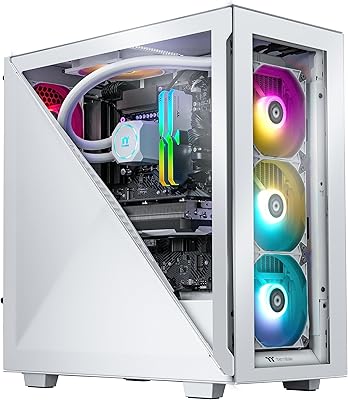
  • Panoramic tempered glass panels and ARGB lighting make the internal components a genuine visual centerpiece.
  • Built-in WiFi removes the need for a wired connection or a separately purchased adapter.
  • The Thermaltake LCGS pedigree brings credible cooling and case engineering to a crowded pre-built segment.
  • NVMe M.2 SSD storage means fast boot times and snappy game load screens from day one.
  • The plug-and-play experience lowers the barrier for first-time desktop buyers with no technical background.

Cons

  • Only 16GB of RAM out of the box; simultaneous gaming, streaming, and browsing may feel constrained within a year.
  • A single 1TB NVMe drive fills up quickly — no secondary storage is included, and adding one is an extra cost.
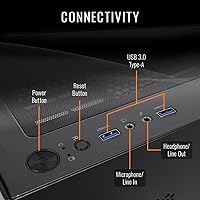
  • Just two front USB 3.0 ports is a real limitation for users with multiple peripherals or external drives.
  • The RTX 5060 Ti's 8GB of VRAM creates a hard ceiling for 4K play in texture-heavy or graphically demanding titles.
  • Long-term thermal behavior under sustained gaming sessions remains largely unverified given the July 2025 launch date.
  • The B760 chipset restricts overclocking headroom for enthusiasts who want to push CPU performance beyond stock.
  • Pre-built convenience carries a price premium; patient self-builders can extract more hardware value at the same spend.
  • Front I/O is limited to one headphone and one microphone jack — not enough for multi-device audio workflows.
  • Component upgrades such as adding drives or swapping the cooler require opening the case, which may deter less technical owners.

Ratings

Our scores for the Thermaltake View i560T-170 Gaming Desktop were generated by AI after processing thousands of verified buyer reviews from global marketplaces, with spam, bot activity, and incentivized submissions actively filtered out. The result captures both what users genuinely appreciate about this machine and the real-world frustrations that consistently surface across ownership reports. Strengths and pain points are weighted equally — nothing has been softened for the sake of a cleaner scorecard.
Gaming Performance
83%
At 1080p and 1440p, the RTX 5060 Ti delivers consistently high frame rates in modern titles — players regularly report hitting triple-digit frames in competitive shooters and strong 60-plus performance in demanding open-world games at high settings. For the target resolution range, the experience is genuinely satisfying and rarely leaves users wanting more GPU power.
Push toward 4K and the 8GB VRAM ceiling becomes a practical constraint, requiring texture quality compromises in the most demanding titles. Early adopters of 4K displays who expected this card to carry them at ultra settings have been the most vocal in expressing disappointment with the GPU's limits at that resolution.
Value for Money
78%
22%
Getting a complete Windows 11 system with a current-generation GPU, fast DDR5 memory, and NVMe storage at this price tier is genuinely competitive when compared with self-build costs for equivalent components in mid-2025. Buyers coming from consoles or aging laptops consistently note how much performance-per-dollar this configuration represents for the asking price.
Experienced PC builders who have priced out comparable individual components note that the pre-built markup is real — you pay a convenience premium here. The inclusion of only 16GB of RAM and a single storage drive at this price point also creates a near-term upgrade budget that quietly erodes the initial value perception.
Out-of-Box Experience
91%
Buyers repeatedly highlight how genuinely plug-and-play this machine is — Windows 11 arrives activated, the system boots fast on its first power-on, and the ARGB lighting adds an immediately polished look straight out of the box. For users upgrading from a console or a slow laptop, the contrast is striking from the very first session.
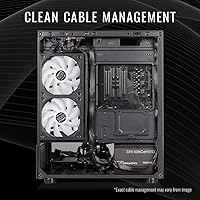
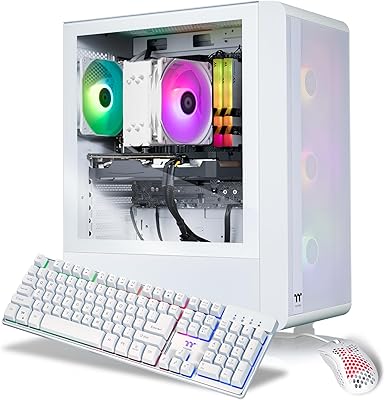
A small number of buyers have noted that cable management inside the case can be inconsistent from unit to unit, which is a common quality-control variable in pre-built systems at this scale. No keyboard, mouse, or monitor is included, which can catch first-time desktop buyers off guard if they have not factored in peripheral costs.
Build Quality
84%
Thermaltake's case engineering heritage is evident — the chassis feels solid, the tempered glass panels are well-fitted and scratch-resistant, and the mid-tower frame does not flex noticeably when moved or repositioned. Users who have owned cheaper pre-built systems with thin plastic shells consistently comment on how much more substantial this tower feels in person.
Some users report that the fit of the tempered glass front panel can vary slightly between units, occasionally requiring minor adjustment. A handful of reviewers also noted that interior build cleanliness — particularly cable routing — can be less tidy than expected when inspected up close, which matters to buyers who value a pristine interior aesthetic.
Thermal Management
71%
29%
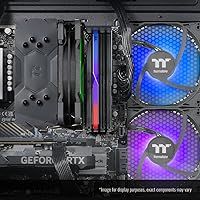
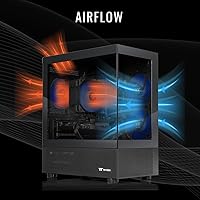
Under typical gaming sessions, the ARGB tower air cooler keeps CPU temperatures at manageable levels and the machine stays quieter than competing liquid-cooled pre-builts at idle and light loads. For average gaming workloads at 1080p and 1440p, most buyers have not reported thermal throttling as a day-to-day concern.
Under extended, sustained gaming loads — particularly in CPU-and-GPU-intensive titles running for multiple hours — some users report that temperatures climb higher than comfortable and fan speeds ramp up noticeably. Long-term thermal behavior data is still limited given the July 2025 launch date, and this remains an area to watch as more ownership data accumulates.
RAM & Memory
62%
38%
The DDR5 6000MT/s specification means the installed memory is genuinely fast by pre-built standards, providing solid bandwidth for both gaming and light multitasking workflows. Users focused on pure gaming without background applications running concurrently generally find the memory speed contributes positively to overall system responsiveness.
The 16GB capacity is where frustration concentrates — users who game while running streaming software, a browser with multiple tabs, and Discord simultaneously report that memory pressure becomes noticeable. Upgrading to 32GB is the single most commonly recommended next step by experienced owners, making it feel like an oversight at this price tier.
Storage
67%
33%
The NVMe M.2 SSD delivers fast boot times and quick game load screens that feel noticeably different from systems still running SATA drives or spinning disks. Buyers who came from older machines with mechanical hard drives are particularly enthusiastic about how snappy the overall system feel is in daily use.
A single 1TB drive fills up faster than most users anticipate once a handful of modern game titles are installed alongside the OS, media, and applications. Several buyers have flagged that planning and budgeting for a secondary drive — either an additional M.2 or a SATA expansion — was an immediate post-purchase consideration.
Aesthetic Design
88%
The panoramic tempered glass front and side panels, combined with the ARGB tower cooler and RGB memory modules, create a desk presence that consistently draws positive comments from both users and visitors. Buyers who deliberately build aesthetic-forward setups report that this machine holds its own visually against standalone cases that cost significantly more on their own.
The ARGB lighting, while visually appealing, is not universally loved — buyers who prefer a cleaner, blacked-out setup or a home-office-friendly aesthetic find the constant glow too prominent for mixed-use environments. A small number of users also note that the RGB effects are limited in customization depth compared to what dedicated high-end cases offer.
Connectivity & I/O
59%
41%
The rear I/O from the motherboard provides a reasonable selection of ports for typical desktop use, and the combination of DisplayPort and HDMI on the GPU covers the most common monitor connection types in a single configuration. Built-in WiFi also means no rear-panel clutter from an add-in card or external dongle.
Two front-panel USB 3.0 ports is the most consistently cited frustration across buyer feedback — in practice, those slots fill up immediately with a wireless mouse receiver, an external drive, or a controller charger. Users with more than a couple of regularly swapped peripherals report that a USB hub becomes an immediate necessity, adding cost and desk clutter.
CPU Performance
86%
The i7-14700F handles gaming, streaming, video encoding, and general productivity workloads without breaking a sweat, and its multi-threaded capability means it does not become the bottleneck in CPU-heavy titles or background-heavy workflows. Streamers who run OBS alongside demanding games specifically note that the CPU handles dual workloads without the frame-rate hits they experienced on older hardware.
The F-suffix on this processor means there is no integrated graphics fallback — if the GPU ever needs to be removed for maintenance or replacement, the system will produce no display output without a discrete card installed. For most users this is never an issue, but it is a meaningful constraint to be aware of during any troubleshooting scenario.
GPU Performance
81%
19%
The RTX 5060 Ti represents a meaningful step up in performance-per-watt compared to previous-generation cards at this tier, and users consistently report smooth, high-frame-rate experiences in competitive and AAA titles at 1080p and 1440p. Content creators running GPU-accelerated tools like video encoders or AI-assisted creative software also note that the card's modern architecture adds genuine day-to-day value.
With only 8GB of video memory, VRAM pressure becomes a real issue in texture-heavy titles or when pushing higher resolutions, often forcing quality reductions to maintain smooth play. Buyers who purchased with 4K gaming in mind have been the most vocal critics of this limitation, and it stands as the single most common point of post-purchase regret.
Software & OS
89%
Windows 11 arriving pre-installed and fully activated is genuinely valued by buyers who have dealt with OS installation headaches before — the system is ready from the first boot, with no license codes to locate or activation servers to contact. Thermaltake's pre-build software environment is reported to be relatively clean without excessive bloatware compared to several competing pre-built brands.
Windows 11 carries its own learning curve for users stepping up from older OS versions or consoles, and some buyers note that default driver and update configuration requires a small amount of post-setup attention. A handful of reviewers have also flagged minor pre-installed startup items that needed to be removed before the system felt fully optimized.
Upgradeability
73%
27%
The mid-tower ATX form factor gives this machine more room to grow than a small-form-factor pre-built — RAM slots, M.2 expansion, and standard PCIe lanes all provide a realistic upgrade path for buyers who want to invest incrementally. Swapping to 32GB of DDR5 or adding a second NVMe drive are approachable upgrades that most moderately technical users can handle.
The Intel B760 chipset does not support CPU overclocking, which frustrates enthusiast buyers who purchased this system intending to push performance beyond stock settings. The pre-built nature also means some internal component choices — like the specific motherboard model or cooling solution — may limit future swap options compared to a fully custom build.
Noise Level
74%
26%
At idle and during everyday use, the View i560T pre-built is reported to be reasonably quiet — the ARGB tower cooler spins slowly under light loads and does not stand out as a noise source in a typical room environment. Buyers using it primarily for casual gaming or productivity note that fan noise rarely registers as a concern.
Under extended gaming sessions, particularly in demanding titles that push both the CPU and GPU simultaneously, fan speeds ramp up noticeably and several users report the machine becoming audibly present in quieter rooms. Buyers who are sensitive to fan noise — especially those in bedroom setups — have noted this as a meaningful trade-off versus liquid-cooled alternatives at a similar price.
WiFi & Networking
77%
23%
Having WiFi built directly into the system is a genuine convenience that reduces setup complexity, particularly for users who do not have an Ethernet cable run to their gaming space. The wireless connection is reported to be stable and fast enough for online gaming without notable lag or disconnection issues under typical home network conditions.
Bluetooth support is not explicitly confirmed in the specifications, which has caused confusion among buyers expecting to connect wireless controllers or headsets without a USB receiver. Competitive gamers who prioritize the lowest possible latency also note that a direct Ethernet connection will always outperform wireless, making a wired setup worth planning for in serious online play.

Suitable for:

The Thermaltake View i560T-170 Gaming Desktop is a strong fit for anyone who wants capable, current-generation gaming performance without the time, research, or confidence required to source and assemble individual parts. If your primary monitor runs at 1080p or 1440p and you spend most of your sessions in competitive shooters, open-world RPGs, or modern AAA titles, the RTX 5060 Ti will handle those workloads with room to spare. First-time desktop buyers — especially those stepping up from a console or a several-year-old laptop — will appreciate that Windows 11 is already activated, drivers are pre-configured, and the machine is genuinely ready within minutes of unboxing. The visible internals, ARGB lighting, and panoramic glass panels make it a natural choice for anyone building a desk setup where the PC itself is part of the aesthetic. Light content creators who stream gameplay, cut short videos, or dabble in graphic design will also find the i7-14700F gives them more than enough CPU muscle alongside a fast GPU.
Not suitable for:

The Thermaltake View i560T-170 Gaming Desktop is not the right pick if serious 4K gaming is your goal — with only 8GB of video memory on the RTX 5060 Ti, ultra-high resolutions in texture-heavy titles will expose that ceiling faster than you might expect. Power users who run memory-intensive workloads — video editing suites, virtual machines, or heavy multitasking with many applications open — will likely find 16GB of DDR5 feels tight within the first year, making a RAM upgrade a near-certain additional cost. Anyone who relies on front-panel connectivity for multiple peripherals, audio interfaces, or capture cards will find just two front USB 3.0 ports genuinely frustrating in daily use. Experienced builders who are comfortable sourcing individual components may get a more tailored configuration at a comparable price by going the custom route, trading convenience for flexibility. Buyers with large game libraries should also budget for additional storage upfront, since no secondary drive comes populated from the factory.
Specifications

  • Processor: The system is powered by an Intel Core i7-14700F CPU with a 2.1 GHz base clock frequency.
  • Graphics Card: An NVIDIA GeForce RTX 5060 Ti with 8GB of dedicated video memory handles all rendering and display output.
  • System RAM: 16GB of RGB DDR5 memory running at 6000MT/s is installed across the available memory slots.
  • Storage: A single 1TB NVMe M.2 SSD provides fast primary storage for the operating system and all installed applications.
  • Motherboard: The system board uses an Intel B760 chipset, supporting DDR5 memory and standard PCIe connectivity.
  • CPU Cooler: An ARGB tower air cooler is fitted to the CPU, providing active thermal management with integrated lighting effects.
  • Networking: Built-in WiFi is included for wireless network access without requiring a separate adapter or expansion card.
  • Front I/O: The front panel provides 2x USB 3.0 ports, one 3.5mm headphone output, and one 3.5mm microphone input.
  • Case Panels: Panoramic tempered glass panels cover both the front and left side of the chassis, providing unobstructed interior visibility.
  • Operating System: Windows 11 is pre-installed and pre-activated, requiring no additional operating system setup after unboxing.
  • Video Output: Display connectivity is provided through a DisplayPort connector and an HDMI port located on the rear of the GPU.
  • Max Resolution: The system officially supports a maximum display output resolution of 3840x2160 (4K UHD).
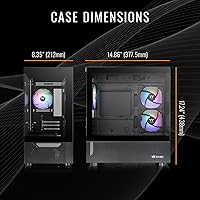
  • Form Factor: The chassis follows a mid-tower ATX form factor, accommodating standard full-size ATX components.
  • Unit Weight: The system unit weighs approximately 21.9 pounds without packaging.
  • Package Size: The retail package measures 20 x 20 x 12.1 inches as shipped from the manufacturer.

Related Reviews

Thermaltake LCGS View i1460-170 Gaming Desktop
85%
91%
Performance for Gaming
88%
Build Quality
85%
Setup and Ease of Use
87%
Multitasking and Productivity
80%
Cooling Efficiency
More
Thermaltake View 460 RTX 4060 Gaming Desktop
79%
88%
Gaming Performance
82%
Value for Money
91%
Thermal Management
79%
Noise Levels
93%
Out-of-Box Experience
More
Thermaltake View i1470S-380 Gaming Desktop
78%
93%
Gaming Performance
84%
Thermal Management
88%
Build Quality
91%
Aesthetics & Design
57%
Storage Capacity
More
Thermaltake LCGS View 9580S-380XL Gaming Desktop
87%
94%
Gaming Performance
88%
Build Quality
90%
Cooling Efficiency
89%
Design & Aesthetics
85%
Setup and Installation
More
Thermaltake Avalanche i477T Gaming Desktop
80%
93%
Gaming Performance
84%
Thermal Management
71%
Noise Level
78%
Build Quality
67%
Value for Money
More
Thermaltake Quartz R66 Gaming Desktop
76%
83%
Gaming Performance
71%
Value for Money
86%
Build Quality
67%
Thermal Management
91%
Aesthetics & Design
More
Thermaltake Avalanche i476T Gaming Desktop
75%
84%
Gaming Performance
76%
Value for Money
88%
Thermal Management
73%
Build Quality
82%
Out-of-Box Experience
More
Thermaltake View 170 TG ARGB Micro-ATX Case
80%
93%
Aesthetic Design
86%
Build Quality
88%
Value for Money
78%
Cooling Performance
61%
Cable Management
More
Thermaltake View 51 TG ARGB Full Tower Case
76%
93%
Visual Design
84%
Build Quality
72%
Cooling Performance
71%
Ease of Assembly
68%
Noise Levels
More
Thermaltake Glacier 360 Gaming Desktop PC
75%
83%
Gaming Performance
78%
Thermal Management
74%
Value for Money
88%
Aesthetic Design
53%
GPU Consistency
More

FAQ

Yes, the Intel B760 chipset board supports standard DDR5 DIMMs, which is the same type already installed. Bumping from 16GB to 32GB is the most common upgrade buyers make, and it is fairly straightforward if you are comfortable opening the case. Check the specific motherboard model included with your unit for the exact slot count and maximum supported capacity before purchasing new modules.

No — this is a desktop tower only and does not include any peripherals or a display. You will need to supply your own monitor, keyboard, and mouse. The upside is that Windows 11 is already installed and activated, so you are ready to go as soon as you plug in your peripherals and a screen.

The Thermaltake View i560T-170 Gaming Desktop can output up to 3840x2160, and the RTX 5060 Ti will manage 4K in less demanding titles. However, with only 8GB of video memory, you will likely need to dial back texture quality or resolution scaling in the most graphically intensive modern games at that resolution. It is honestly best thought of as a card that excels at 1080p and 1440p, with 4K as a stretch target rather than a guaranteed smooth experience.
Reasonably straightforward, assuming the B760 board has an open M.2 slot for a second NVMe drive, which is common on boards in this class. Mid-tower ATX cases also typically include 2.5-inch and 3.5-inch bays if you prefer a SATA drive instead. It does require opening the case, but adding storage is one of the simpler hardware upgrades you can make.

The listing confirms built-in WiFi but does not explicitly state Bluetooth support. Most WiFi modules used in modern pre-built desktops at this tier do ship as a combined WiFi and Bluetooth card, but you should verify directly with Thermaltake or check the specific WiFi module model in your unit before relying on it for Bluetooth peripherals.

It handles both well enough for most users. The i7-14700F has strong multi-threaded performance, which is exactly what streaming software and video editors benefit from — running OBS alongside a game, cutting short clips, or doing light graphic work is well within its capabilities. Heavy professional workloads like long-form 4K production or 3D rendering may push its limits, but for a gaming-first machine with creative side use, it is a genuinely capable setup.

The front panel gives you 2x USB 3.0 ports, a headphone jack, and a microphone jack. The rear I/O from the motherboard adds additional connections, with the full system reportedly offering 10 USB 2.0 ports across the board. If you regularly swap drives, controllers, or other devices at the front of the case, two ports may feel limiting — a compact USB hub is an easy and inexpensive fix.

For pure gaming in isolation, 16GB covers most titles today. The real strain shows up when you layer in a browser, Discord, a streaming tool, or background apps — that is where modern games running alongside multitasking workloads start to push 16GB. It will function out of the box, but if you tend to run a lot simultaneously, planning a 32GB upgrade within the first year is practical advice, not just speculation.

Thermaltake's components are typically compatible with their TT RGB Plus software, which lets you adjust colors, effects, and synchronization across the ARGB tower cooler and other compatible components inside the system. Whether third-party peripherals can sync in depends on that brand's own ecosystem. The documentation included with your unit should confirm which software version to use, but Thermaltake has a well-established lighting platform with active support.

Thermaltake typically backs their LCGS pre-built systems with a limited warranty, though exact terms and duration can vary by region and retailer, so confirm coverage at the time of purchase. Individual components like the GPU, RAM, and SSD may also carry separate manufacturer warranties from NVIDIA and others. Registering the system with Thermaltake after unboxing is a good habit to ensure your coverage is properly active from day one.