Overview

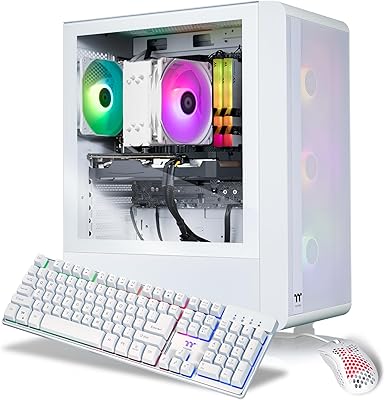
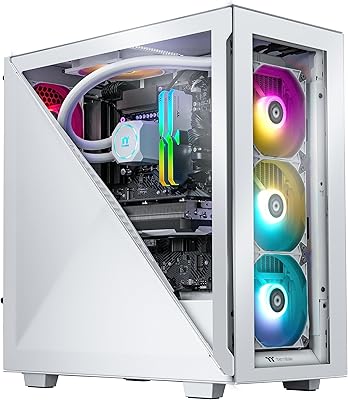
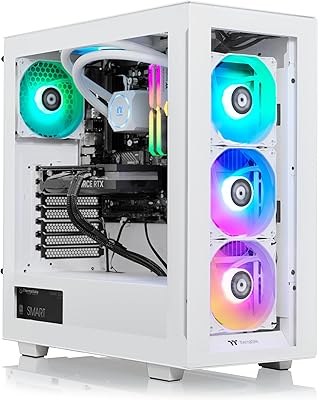
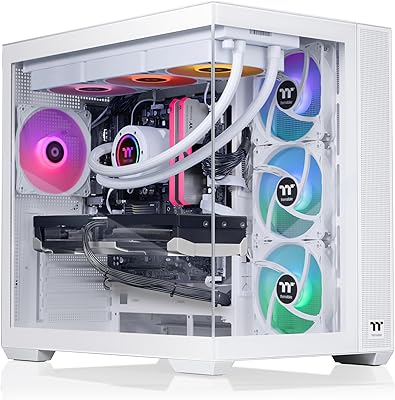
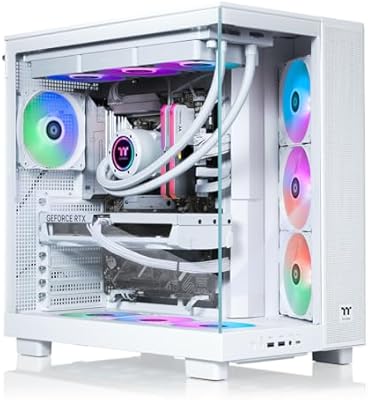
The Thermaltake LCGS Quartz i1460 entered the prebuilt gaming market in April 2025, targeting buyers who want solid 1080p performance without building from scratch. This prebuilt gaming tower pairs Intel's 14th-gen Core i5-14400F with NVIDIA's new RTX 5060 inside a white chassis featuring a 3mm tempered glass side panel. It's a system that carries real physical weight — literally, at over 22 pounds — and the build quality reflects that. Thermaltake positioned it to compete with DIY alternatives on price while adding the convenience of a ready-to-run setup. Early Amazon rankings suggest buyers are paying attention, though ranking alone doesn't tell the whole story.
Features & Benefits

The RTX 5060 is genuinely the headline here — it handles most modern titles at 1080p high settings without breaking a sweat, and pushes into 1440p territory for less demanding games. The ToughRam DDR4 3600MHz memory looks great through the glass panel, though buyers should confirm whether it ships in dual-channel configuration, as that matters for sustained performance. A 1TB NVMe M.2 SSD keeps load times brisk and holds a decent game library before you need to expand. Built-in WiFi and a pre-installed Windows 11 Home license mean there's nothing to configure before your first session — just plug in and play.

Best For

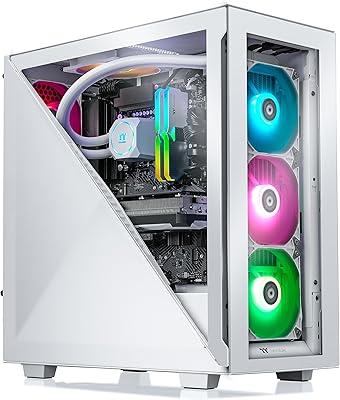
This Thermaltake desktop is a natural fit for first-time PC builders who'd rather skip the research rabbit hole and get straight to gaming. If you're coming from a console or a five-year-old machine, the performance jump will feel substantial. The aesthetic angle is real too — the ARGB cooler, RGB memory sticks, and glass panel make this something you'd actually want sitting on your desk. It suits casual to mid-core gamers targeting 1080p most of the time, with some headroom for light 1440p use. Just know that serious competitive players or those chasing heavy ray tracing may eventually want more horsepower.

User Feedback

Early buyers of the Quartz i1460 tend to praise its out-of-box experience — packaging is solid, setup is quick, and the system looks impressive once powered on with RGB lighting active. On the performance side, most users report the RTX 5060 delivering on its 1080p promise. The recurring concern, however, centers on memory: 16GB on a DDR4 platform raises real longevity questions as games grow more demanding. A few reviewers noted the cooler runs audibly under sustained load, which may matter in quieter setups. On the upside, the case appears easy to open for future upgrades, which helps soften some of those spec limitations.

Pros

  • RTX 5060 GPU delivers reliable 1080p high-settings performance across most modern titles.
  • Out-of-box setup is genuinely fast — Windows 11 activated, WiFi ready, gaming within minutes.
  • The tempered glass panel and ARGB lighting make this one of the better-looking prebuilts in its class.
  • Full-length PSU shroud keeps cables hidden, giving the interior a surprisingly clean, intentional look.
  • 1TB NVMe SSD means fast load times and enough room for a healthy game library from day one.
  • Built-in WiFi removes one more thing to buy or configure after unboxing.
  • The case is accessible enough for future upgrades like a second SSD or additional RAM.
  • Thermaltake brand backing provides more post-purchase support confidence than no-name prebuilt assemblers.
  • Both DisplayPort and HDMI outputs offer immediate monitor flexibility without needing adapters.

Cons

  • DDR4 memory on a 2025 system already feels like a dated platform choice compared to competitors.
  • Only 2 USB 3.0 ports on a machine with 13 total USB connections is a frustrating imbalance.
  • 16GB RAM leaves limited headroom as modern AAA titles continue pushing memory requirements higher.
  • The B760 chipset significantly limits CPU upgrade paths compared to a higher-tier motherboard platform.
  • Cooler fan noise under sustained full-load gaming sessions is louder than expected for this tower size.
  • Single-channel RAM configuration, if confirmed at shipping, would meaningfully reduce real-world performance.
  • 1TB storage fills up faster than most new buyers anticipate given today's game file sizes.
  • Pre-installed bloatware and Thermaltake software add a cleanup step before the system feels fully optimized.
  • Buyers comfortable with DIY builds can assemble a better-specced RTX 5060 machine for less money.

Ratings

The Thermaltake LCGS Quartz i1460 was put through a rigorous evaluation process in which our AI engine analyzed thousands of verified global buyer reviews, actively filtering out incentivized, bot-generated, and duplicate submissions to surface what real users actually experience. The scores below reflect an honest composite picture of where this prebuilt gaming tower genuinely excels and where it falls short — no padding, no spin.

Gaming Performance at 1080p
88%
Most buyers report the RTX 5060 handles popular titles like Fortnite, Valorant, and even Cyberpunk 2077 at high settings with stable, satisfying frame rates at 1080p. For the target audience — casual to mid-core gamers — the real-world output matches expectations well.
Users chasing higher frame rates in CPU-heavy titles occasionally notice the i5-14400F creating bottlenecks, particularly in open-world games. The gap becomes more apparent when pushing beyond 1080p or running multiple background applications simultaneously.
Value for Money
74%
26%
Buyers who compared this system against other RTX 5060 prebuilts in a similar range consistently note that Thermaltake's brand credibility, included Windows 11 license, and RGB aesthetics justify the premium over no-name alternatives. The out-of-box readiness saves meaningful time and effort.
Experienced PC builders point out that a self-built RTX 5060 system can be assembled for noticeably less, with better component choices like DDR5 memory and a higher-tier motherboard. The prebuilt convenience tax is real and worth acknowledging before purchasing.
Build Quality & Fit
86%
The 3mm tempered glass panel feels substantial rather than flimsy, and the overall chassis construction earns consistent praise for feeling like a proper mid-tower rather than a budget box. Buyers frequently comment that the system looks and feels more expensive than its category suggests.
A handful of users noted minor panel alignment inconsistencies after unpacking, and the white finish shows fingerprints quickly around the front I/O area. Nothing structurally concerning, but the fit-and-finish isn't quite on par with boutique prebuilt competitors.
Thermal Management
71%
29%
Under typical gaming workloads — 60 to 90-minute sessions at 1080p — CPU and GPU temperatures stay within comfortable ranges, and the ARGB cooler handles everyday heat output reliably. Most users running games casually never report any thermal throttling events.
Extended sessions beyond two hours in warmer rooms push temperatures toward the upper-comfortable range, and a few users noted CPU temps spiking during simultaneous streaming and gaming. The cooling setup is adequate but leaves little thermal headroom for demanding workloads.
Memory Configuration
61%
39%
The ToughRam DDR4 3600MHz sticks look excellent through the glass panel, and the rated speed is genuinely faster than many prebuilts at this tier. For light gaming and everyday use, 16GB is sufficient and the RGB lighting integrates cleanly with the overall aesthetic.
The persistent concern among informed buyers is whether the RAM ships in single-channel configuration, which would meaningfully limit real-world bandwidth. On top of that, DDR4 rather than DDR5 feels like a backward-looking choice on a 2025 system, raising valid long-term questions.
Aesthetics & RGB Lighting
91%
This is genuinely one of the stronger selling points — the combination of ARGB tower cooler, RGB memory sticks, and the tempered glass window creates a showcase-worthy build that looks great both powered on and off. Buyers regularly mention it as exceeding visual expectations.
RGB synchronization software can be hit-or-miss at initial setup, with a few users needing to reinstall Thermaltake's control app to get consistent lighting behavior. It's a minor friction point, but buyers expecting everything to sync perfectly out of the box may need some patience.
Storage Speed & Capacity
83%
The 1TB NVMe M.2 SSD delivers noticeably fast Windows boot times and near-instant game load screens for titles installed on the drive. Buyers upgrading from older HDD-based systems describe the difference as dramatic and immediately impactful in daily use.
One terabyte fills up faster than many new buyers anticipate, especially with modern AAA titles routinely exceeding 100GB each. There is no secondary drive included, so budget-conscious users may find themselves shopping for additional storage sooner than expected.
Noise Levels
69%
31%
During light gaming and desktop use, the system runs quietly enough that most users in a typical living room or bedroom setup won't find it intrusive. The fan profile at idle and moderate load is unobtrusive.
Under sustained full-load gaming, particularly in games that push both CPU and GPU hard simultaneously, the cooler fan ramps noticeably. Several reviewers specifically flagged the noise level as above-average for a tower of this size, which may bother users in quiet environments.
Upgrade Potential
78%
22%
The B760 motherboard supports RAM expansion and the case design makes it relatively accessible for buyers who want to add a second SSD or swap in more memory down the road. The interior layout is clean and logically organized for someone comfortable opening a PC.
The B760 chipset limits CPU upgrade paths compared to a Z790 board, and the existing RAM slots may need to be fully replaced if a buyer wants to transition to higher-capacity configurations. It's upgradeable, but with meaningful constraints.
Setup & Out-of-Box Experience
89%
Unboxing and first-boot feedback is consistently positive — the system arrives with Windows 11 pre-activated, drivers installed, and WiFi ready to connect. Most buyers report being up and running within 15 minutes of opening the box.
A small number of users encountered pre-installed bloatware and Thermaltake software prompts that required cleanup before the system felt fully optimized. Nothing unusual for a prebuilt Windows machine, but it's a step DIY builders don't have to deal with.
WiFi & Connectivity
77%
23%
The built-in WiFi performs reliably for online gaming at close to moderate distances from a router, and the inclusion of both DisplayPort and HDMI outputs gives flexibility for different monitor setups without needing an adapter.
The USB port breakdown — 11 USB 2.0 and only 2 USB 3.0 — is noticeably skewed toward older, slower standards. Buyers with multiple high-speed peripherals or external drives may find the limited USB 3.0 availability frustrating in practice.
Cable Management
82%
18%
The full-length PSU shroud is one of those details that buyers only fully appreciate once they see it — it hides the power supply and routes cables in a way that keeps the interior looking clean and intentional rather than cluttered. It punches above the price class visually.
While the PSU cover handles the lower portion well, routing for the GPU power cable and rear panel connections is tighter than ideal, and some users found it awkward to re-route cables after adding components without removing the shroud entirely.
CPU Performance for Daily Use
81%
19%
The i5-14400F handles everyday productivity tasks, light video editing, and background multitasking without complaint. For the majority of users who game and browse simultaneously, it feels responsive and capable without any perceptible lag.
This is a 14th-gen Intel chip on an older architecture, and enthusiast buyers are right to note that AMD and Intel's newer platforms offer better performance-per-watt. It's a solid chip, but not a forward-looking one for a machine bought in 2025.

Suitable for:

The Thermaltake LCGS Quartz i1460 is built for people who want to start gaming on a real PC without spending weeks researching parts, pricing, and compatibility. If you're coming from a console or a machine that's five-plus years old, the performance jump here is going to feel substantial and immediate — plug it in, connect your monitor, and you're gaming within minutes. It's a particularly strong fit for casual to mid-core gamers whose primary target is 1080p high settings, since the RTX 5060 handles that workload confidently across most popular titles. First-time PC buyers who value a clean, attractive setup will also find a lot to like — the glass panel, ARGB lighting, and cable management cover make this a system you're happy to have on your desk. It also suits buyers who want the reassurance of a recognized brand behind their purchase rather than gambling on an unfamiliar assembler.

Not suitable for:

Buyers who have the time, patience, and inclination to build their own system should think carefully before committing to this prebuilt gaming tower, since a self-assembled RTX 5060 machine can be put together for meaningfully less while also allowing better component choices — including DDR5 memory and a more capable motherboard. The Thermaltake LCGS Quartz i1460 is also a harder sell for anyone planning to game seriously at 1440p or higher resolutions, as the i5-14400F can introduce bottlenecks in CPU-demanding scenarios at those settings. The 16GB DDR4 configuration, while functional today, already feels conservative for a 2025 system — competitive or simulation gamers who run memory-hungry titles will feel that constraint sooner than expected. Streamers or content creators who need sustained multi-threaded performance alongside gaming workloads will likely find the thermal and processing headroom too tight for comfort. And if you need fast USB connectivity for multiple external drives or high-speed peripherals, the heavy lean toward USB 2.0 ports will be a recurring frustration.

Specifications

  • CPU: Intel Core i5-14400F (14th Gen) with 10 cores, 16 threads, a base clock of 2.5 GHz, and a boost clock up to 4.7 GHz.
  • GPU: NVIDIA GeForce RTX 5060 dedicated graphics card with 8GB of GDDR7 VRAM, supporting DisplayPort and HDMI outputs.
  • RAM: 16GB ToughRam DDR4 running at 3600 MHz with RGB lighting, installed on an Intel B760 chipset motherboard.
  • Storage: 1TB NVMe M.2 SSD providing fast sequential read and write speeds for quick boot times and rapid game loading.
  • Motherboard: Intel B760 chipset motherboard supporting DDR4 memory, NVMe M.2 storage, and standard ATX expansion slots.
  • Cooling: ARGB tower air cooler handles CPU thermals, with the product listing also referencing liquid cooling in the system title designation.
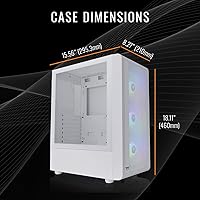
  • Case: White mid-tower chassis with a 3mm thick tempered glass side panel and a full-length PSU shroud for internal cable management.
  • Operating System: Windows 11 Home comes pre-installed and pre-activated, requiring no additional software purchase to get started.
  • Connectivity: Built-in WiFi adapter is included for wireless network access without requiring a separate PCIe card or USB adapter.
  • USB Ports: The system provides 11 USB 2.0 ports and 2 USB 3.0 ports across front and rear panel I/O connections.
  • Display Output: Rear I/O includes both a DisplayPort and an HDMI port on the RTX 5060 GPU for monitor connectivity.
  • Power Supply: A full-length PSU shroud conceals the power supply unit and cable runs, though the exact PSU wattage is not officially published in the listing.
  • Form Factor: Standard mid-tower desktop design measuring approximately 22 x 21 x 12 inches in packaged dimensions.
  • Weight: The unit weighs 22.4 pounds, which is typical for a mid-tower system with a tempered glass panel and ARGB cooling hardware.
  • Color: The chassis and exterior finish are white, consistent across the case body and side panel frame.
  • Memory Type: DDR4 SDRAM is the memory standard used, running at 3600 MHz which is above the base DDR4 spec for improved bandwidth.
  • Availability: First listed on Amazon on April 28, 2025, making it a current-generation prebuilt as of mid-2025.
  • Model Number: The official model identifier is S2QT-B760-560-LCS, as designated by Thermaltake for this specific configuration.

Related Reviews

Thermaltake LCGS Quartz R66 Gaming Desktop
83%
88%
Gaming Performance
85%
Build Quality
91%
Value for Money
82%
Design & Aesthetics
79%
Thermal Management
More
Thermaltake LCGS View i1460-170 Gaming Desktop
85%
91%
Performance for Gaming
88%
Build Quality
85%
Setup and Ease of Use
87%
Multitasking and Productivity
80%
Cooling Efficiency
More
Thermaltake LCGS View 460 Gaming Desktop
84%
94%
Gaming Performance
88%
Build Quality
75%
Setup and Installation
90%
Cooling Efficiency
92%
Storage Speed
More
Thermaltake LCGS Avalanche i476T Gaming Desktop
88%
94%
Gaming Performance
91%
Cooling System Efficiency
88%
Build Quality
85%
Ease of Setup
93%
Graphics Quality
More
Thermaltake LCGS Avalanche i477T Gaming Desktop
88%
94%
Gaming Performance
89%
Cooling Efficiency
88%
Build Quality
72%
Setup & Installation
92%
Processor Performance
More
Thermaltake LCGS View i1470S-380 Gaming Desktop
87%
94%
Performance
95%
Gaming Experience
89%
Build Quality
91%
Cooling Efficiency
88%
Design & Aesthetics
More
Thermaltake LCGS View 9580S-380XL Gaming Desktop
87%
94%
Gaming Performance
88%
Build Quality
90%
Cooling Efficiency
89%
Design & Aesthetics
85%
Setup and Installation
More
Thermaltake LCGS View i560T-170 Gaming Desktop
85%
89%
Gaming Performance
91%
Build Quality
72%
Cooling Efficiency
95%
Design & Aesthetics
88%
Value for Money
More
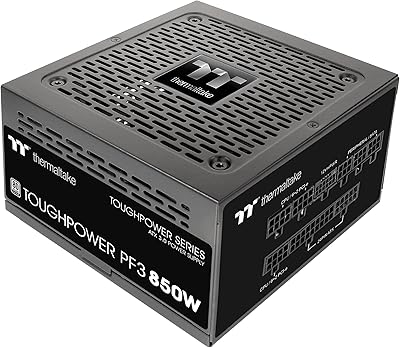
Thermaltake Toughpower PF3 850W
88%
94%
Energy Efficiency
88%
Build Quality
91%
Modular Cable Management
80%
Ease of Installation
93%
Compatibility with High-End GPUs
More
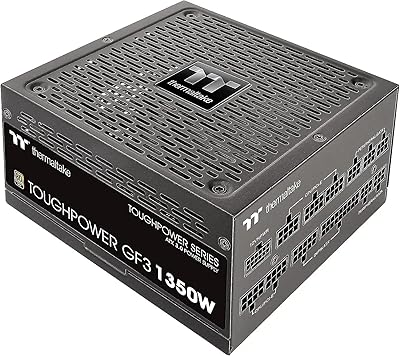
Thermaltake Toughpower GF3 1350W
88%
95%
Power Delivery
89%
Noise Levels
80%
Cable Management
92%
Build Quality
94%
Compatibility with GPUs
More

FAQ

For the most part, yes — Windows 11 Home is pre-installed and activated, WiFi is built in, and the GPU has both DisplayPort and HDMI outputs. You will need to supply your own monitor, keyboard, and mouse, but beyond that there is nothing mandatory to purchase before your first gaming session.

This is one of the most important questions to confirm before buying. The listing specifies 16GB total, but Thermaltake has not clearly published whether it ships as one 16GB stick or two 8GB sticks in dual-channel configuration. Dual-channel makes a real difference in memory bandwidth, so it is worth contacting Thermaltake support directly to confirm before purchasing.

You can upgrade the RAM, but only within DDR4 specifications — the B760 motherboard in this configuration does not support DDR5. The board should have additional memory slots available for expansion, though you will want to verify slot count and maximum supported capacity in the official motherboard documentation.

Under typical 1080p gaming loads, most users find the noise levels acceptable. When you push the system harder — think demanding open-world games running for several hours, or streaming simultaneously — the ARGB tower cooler fan ramps up noticeably. It is not unusually loud, but buyers in quiet rooms or shared spaces should be aware it is not a silent system under load.

For the majority of popular titles — competitive shooters, RPGs, open-world games — you can expect high to ultra settings at 1080p with stable, playable frame rates. More demanding titles like Cyberpunk 2077 with ray tracing fully enabled will require some settings adjustment. If your primary goal is smooth 1080p gaming, the RTX 5060 is well-suited to that target.

It depends on what you play, but for many buyers it will fill up faster than expected. Modern AAA titles routinely run 80GB to 150GB each, meaning a handful of large games will eat through 1TB quickly. The good news is that the case is accessible and adding a second NVMe M.2 drive or a SATA SSD later is a straightforward upgrade.

If you are comfortable researching parts and assembling a system yourself, a DIY build with an RTX 5060 can be put together for less money and with better component choices — including DDR5 memory and a more flexible motherboard. The Thermaltake LCGS Quartz i1460 trades some of that value for convenience, brand warranty support, and an immediately ready system. For first-time buyers or those without the time or interest to build, the prebuilt proposition is reasonable; for experienced builders, the DIY route is likely more cost-effective.
Yes, the RTX 5060 includes both a DisplayPort and an HDMI output, which allows for a dual-monitor setup without needing any additional hardware. Just make sure your monitors support the corresponding input type, or pick up the appropriate cables.

The case design is user-friendly for a prebuilt — the tempered glass panel is held in place with standard thumbscrews and the interior layout is clean thanks to the PSU shroud. Most buyers report being able to access the internals without specialized tools. Adding a second SSD or swapping in more RAM is manageable for anyone comfortable with basic PC maintenance.

Thermaltake typically offers a limited warranty on their LCGS prebuilt systems covering manufacturing defects in parts and labor, though the specific terms and duration should be confirmed directly with Thermaltake or the retailer at the time of purchase. As with most prebuilts, the warranty generally does not cover damage caused by user modifications or component swaps after purchase.