Overview

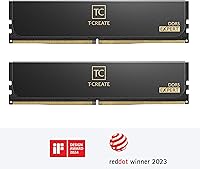
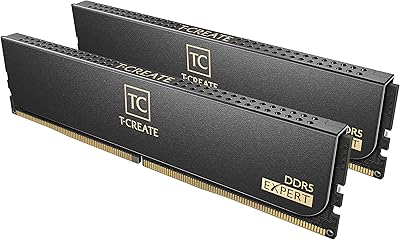
The TeamGroup T-Create Expert 96GB DDR5 RAM landed in late 2023 as one of the more serious high-capacity kits targeting creative professionals and power users rather than everyday PC builders. Two 48GB sticks give you a combined 96GB that genuinely changes what your workstation can handle — not in a marginal way, but meaningfully. Team Group has been quietly building credibility in the enthusiast memory space for years, and the T-Create Expert line represents their push into prosumer territory. This DDR5 kit sits firmly at the premium price tier, which means it makes the most sense for people who actually need that capacity headroom, not those chasing specs on paper.
Features & Benefits

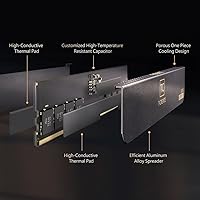
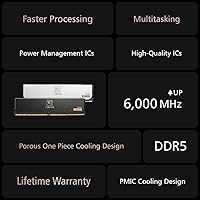
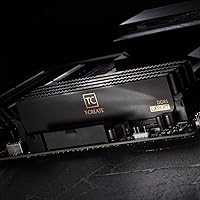
At 6400MHz with CL32 latency, this DDR5 kit runs faster than most kits you will find at comparable capacities — and in practice, that translates to snappier application load times, smoother multitasking under heavy workloads, and quicker data throughput during memory-intensive tasks like video encoding. The M-DIE chip configuration matters here too: it tends to offer better overclocking stability and cleaner XMP/EXPO profile behavior than some competing die types, though real-world results still depend heavily on your motherboard and BIOS version. Running at 1.4V, thermals stay reasonable on most mainstream platforms. The slim black heatspreader clears most large tower coolers without issue, and the lifetime warranty is a genuine differentiator — most DDR5 kits offer far less coverage.

Best For

If you are running 4K or 8K footage through DaVinci Resolve, editing multi-cam timelines in Premiere Pro, or rendering complex motion graphics, 96GB of working memory changes the workflow meaningfully — assets stay in RAM longer, swap files shrink, and your system stops bottlenecking the creative process. Software developers running multiple Docker containers or spinning up VMs will notice a real difference too. The T-Create Expert memory suits anyone building on a modern AMD Ryzen or Intel Core platform who wants reliable XMP/EXPO support without manual tuning. If you are primarily gaming or on a tight budget, though, 96GB is genuinely overkill — casual builders would be better served by a 32GB or 64GB kit.

User Feedback

With a 4.6-star average from over 1,700 ratings and a #12 Best Seller rank in Computer Memory, this 96GB overclocking module clearly has a solid user base behind it. Most positive reviews cluster around the same points: plug-and-play XMP detection on compatible boards and consistently stable boot behavior right out of the box. On the critical side, some users report BIOS version dependencies that require manual profile adjustments, and a few flag inconsistencies between kit batches in subtimings. Customer service response times have drawn occasional complaints as well. Still, for a high-capacity DDR5 kit at this speed tier, real-world satisfaction runs high among reviewers putting it through demanding daily workloads.

Pros

  • 96GB of capacity means heavy creative and development workloads rarely hit a memory ceiling during active work sessions.
  • The 6400MHz speed delivers noticeably faster data throughput compared to base-spec DDR5 kits at the same capacity tier.
  • XMP and EXPO profiles load reliably on most modern AMD and Intel platforms with minimal manual configuration needed.
  • M-DIE chips provide better overclocking stability headroom than some competing DDR5 die configurations at this speed range.
  • The lifetime warranty offers long-term peace of mind that most competing DDR5 kits at this tier simply do not match.
  • Low-profile heatspreader design clears large tower CPU coolers without requiring any physical workarounds during installation.
  • Over 1,700 ratings with a 4.6-star average reflects a genuinely broad, satisfied user base rather than a small sample.
  • Running at 1.4V keeps thermals manageable on mainstream DDR5 motherboards even during sustained heavy workloads.
  • Holding a top-15 Best Seller rank in Computer Memory suggests consistent real-world demand, not just spec-sheet appeal.

Cons

  • Some users report that achieving the rated 6400MHz speed requires a reasonably updated BIOS, which can catch buyers off guard.
  • Batch consistency has been flagged occasionally, with subtle timing differences noted between kits purchased at different times.
  • Customer service response times have drawn complaints from a subset of buyers dealing with warranty or compatibility issues.
  • At 96GB total capacity, this DDR5 kit is significantly overpriced for anyone whose workloads cap out well below that threshold.
  • Compatibility on certain budget or mid-range DDR5 motherboards can be inconsistent, particularly on boards with weaker memory training algorithms.
  • There is no RGB lighting option in this colorway, which may disappoint builders who want aesthetics to match illuminated systems.
  • The CL32 latency, while reasonable at this speed tier, is not the tightest available and may fall short for latency-sensitive benchmarking use cases.
  • Users upgrading from DDR4 systems will face a full platform migration cost on top of the kit price, raising the total investment significantly.

Ratings

Our AI rating system analyzed thousands of verified global purchases of the TeamGroup T-Create Expert 96GB DDR5 RAM, actively filtering out incentivized reviews, bot submissions, and outlier feedback to surface what real buyers consistently experience. The scores below reflect both the genuine strengths that keep this kit near the top of its category and the friction points that prevent a perfect verdict. Nothing has been softened or inflated — the numbers reflect the full picture.

Raw Performance
88%
Users running 8K timelines in DaVinci Resolve and large compilation jobs report that the 6400MHz speed makes a tangible difference in throughput compared to slower DDR5 kits at the same capacity. The sustained bandwidth headroom keeps demanding creative applications fluid rather than choppy under heavy simultaneous loads.
The performance gains are most visible in memory-bandwidth-sensitive workloads and less apparent in everyday desktop use or gaming, making the speed premium hard to feel for less demanding users. A few users also noted that achieving the full rated speed required a BIOS update, which caught first-time DDR5 builders off guard.
XMP/EXPO Reliability
84%
The majority of buyers on both Intel Raptor Lake and AMD Ryzen 7000 platforms report that enabling the XMP or EXPO profile in BIOS delivers the rated speed on the first boot without additional tuning. This plug-and-play behavior is a genuine time-saver for builders who do not want to spend hours in BIOS.
A consistent minority of users on older or budget-tier DDR5 motherboards report that the profile fails to train reliably without a BIOS update or manual intervention. The experience is clearly board-dependent rather than a kit flaw, but it adds friction for less experienced builders who assumed compatibility would be universal.
Capacity Value
79%
21%
For workloads that actually saturate memory — running six or more Docker containers, editing multi-layer 4K projects, or hosting several VMs simultaneously — having 96GB available changes the experience in ways that smaller kits simply cannot replicate. Users who made the jump from 64GB frequently describe it as the upgrade they wished they had made sooner.
At this price tier, the cost per gigabyte is noticeably higher than buying two separate 48GB kits or stepping down to a 64GB configuration. Users who cannot consistently push past 48GB of actual usage find the investment difficult to rationalize in hindsight.
Overclocking Headroom
74%
26%
The M-DIE chip selection gives enthusiasts meaningful room to push timings tighter or nudge frequencies beyond 6400MHz on receptive boards. Several users on high-end ASUS and MSI Z790 and X670E boards have reported stable runs at 6600MHz and above with careful tuning.
Overclocking results vary considerably depending on the motherboard memory controller and BIOS maturity, and Team Group does not guarantee stability beyond the rated XMP profile. Users expecting consistent overclocking headroom across all platforms will likely be disappointed — the silicon lottery applies here as much as anywhere else.
Build & Module Quality
86%
The heatspreader feels solid and uniformly finished, with no flex or rattle reported during installation. The low-profile design clears virtually all large tower coolers without requiring any repositioning, which builders with tight cases appreciate.
There is no RGB lighting option in this colorway, which is a real downside for builders investing in illuminated systems where memory visibility matters aesthetically. A small but recurring thread of reports mentions subtle cosmetic inconsistencies between sticks in the same kit, though none affecting functionality.
Thermal Management
83%
Operating at 1.4V keeps the modules running cooler than higher-voltage DDR5 kits, and users in well-ventilated cases report no thermal throttling even during extended sustained workloads like overnight renders or long compilation jobs.
In tighter mini-ITX builds with restricted airflow, some users noticed the sticks running warmer than expected without active case airflow directed at the memory slots. The passive heatspreader design handles typical loads well but offers no path to active cooling for extreme edge cases.
Kit Consistency
71%
29%
The majority of buyers receive matched sticks that behave identically under stress testing and long-term use, with both modules training to the same timings without discrepancy. Users who purchased multiple kits over time for workstation builds report consistent behavior across purchases.
A recurring thread across community forums involves subtle batch-to-batch variation in secondary and tertiary timings, which matters primarily to enthusiasts doing fine-grained manual tuning. While this rarely affects stock XMP performance, it is a legitimate concern for buyers expecting surgical timing consistency between kits purchased months apart.
Motherboard Compatibility
76%
24%
On mainstream high-end DDR5 boards from ASUS ROG, MSI MEG, and Gigabyte Aorus, this 96GB overclocking module trains quickly and boots without drama across both Intel and AMD platforms. The breadth of confirmed compatibility in community testing threads is encouraging for most target buyers.
Compatibility thins out noticeably on budget-tier DDR5 motherboards where the memory training algorithm is less refined, with some users reporting persistent boot loops until dropping to lower speeds manually. Buyers on non-flagship boards should verify compatibility in community QVLs before committing.
Installation Experience
89%
Physical installation is straightforward — the modules seat cleanly in standard DDR5 DIMM slots and the clear labeling makes dual-channel slot selection simple even for first-time builders. No special tools or adapters are needed, and the low mass means no motherboard flex during seating.
The only consistent complaint is the lack of printed slot-pairing guidance specific to this kit in the package, leaving some buyers to rely solely on their motherboard manual for dual-channel configuration advice. Not a significant issue for experienced builders, but a minor friction point for newcomers.
Warranty & Support
68%
32%
A lifetime warranty is a genuine differentiator at this tier — most competing DDR5 kits cap coverage at three to five years, so Team Group's unlimited duration policy gives long-term peace of mind for buyers building workstations intended to last a decade.
The actual warranty claim experience has drawn more complaints than the coverage terms would suggest, with multiple users reporting slow email response times and drawn-out RMA processes that undercut the confidence the policy is supposed to provide. The coverage is strong on paper; the execution needs improvement.
Value for Money
66%
34%
For professionals who genuinely need 96GB and want a high-speed rated kit with a lifetime warranty, the pricing sits competitively within a fairly thin field of options at this capacity and speed combination. The cost is defensible when you factor in what comparable-spec kits from other brands actually charge.
For anyone whose workloads do not routinely push past 48 or 64GB of actual usage, the premium over those configurations is difficult to recover in real-world benefit. The DDR5 platform entry cost compounds the per-kit cost for buyers still on DDR4 who would need a full platform upgrade to even use this memory.
Aesthetic Design
62%
38%
The all-black heatspreader has a clean, restrained look that pairs well with dark-themed builds and does not clash with RGB components elsewhere in the system. Users who prefer a professional workstation aesthetic over flashy lighting tend to actively prefer this low-key style.
Buyers coming from RGB-equipped DDR5 kits often find the complete absence of lighting a step backward for system aesthetics, and there is no variant of this specific kit that adds lighting without changing the product line entirely. For visibility-conscious builders, the design is simply too plain.
Out-of-Box Documentation
58%
42%
The kit includes basic installation guidance and the packaging clearly identifies each module, making the initial unboxing experience clean and professional for a component at this price tier.
The included documentation is minimal and stops short of providing platform-specific guidance for XMP versus EXPO activation, which is the most common setup question new DDR5 buyers have. Several users resorted to YouTube guides or forum posts to confirm steps that could have been addressed in a single printed insert.

Suitable for:

The TeamGroup T-Create Expert 96GB DDR5 RAM is built for people whose work genuinely pushes system memory to its limits. Video editors cutting 8K footage in DaVinci Resolve or running multiple 4K streams simultaneously will feel the difference immediately — assets cache in RAM rather than spilling onto slower storage, and the editing timeline stays responsive under load. Motion graphics artists rendering complex compositions, 3D artists working with large scene files, and photographers batch-processing high-resolution RAW files all fall squarely into the sweet spot this kit targets. Software developers running containerized environments, spinning up multiple virtual machines, or compiling large codebases will also appreciate having that headroom without watching their system crawl. It is equally well-suited for prosumer workstation builders on AMD Ryzen 7000-series or Intel Core 13th and 14th-gen platforms who want a high-speed DDR5 kit that loads its XMP profile reliably and stays stable without extensive manual tuning.
Not suitable for:

The TeamGroup T-Create Expert 96GB DDR5 RAM is a poor fit for anyone who does not have a concrete need for that much memory capacity. Casual PC gamers, even those playing the most demanding titles available today, will see virtually no performance difference between 96GB and a well-tuned 32GB kit — the premium paid here would be completely wasted. Budget-conscious builders or anyone assembling a first home or office PC should look elsewhere entirely, as the cost per gigabyte is steep compared to mainstream DDR5 options at lower capacities. Users on older DDR4 platforms cannot use this kit at all, and even on DDR5 boards, those with outdated BIOS versions may experience compatibility friction that requires troubleshooting before the XMP profile runs correctly. If your workload lives comfortably within 64GB today and you have no clear upgrade path on the horizon, the jump to 96GB is hard to justify financially.

Specifications

  • Capacity: This kit provides 96GB of total memory across two 48GB DDR5 DIMM modules designed for dual-channel desktop platforms.
  • Memory Type: Uses DDR5 SDRAM technology, which offers improved bandwidth and power efficiency compared to the previous DDR4 generation.
  • Speed: Rated at 6400MHz (PC5-51200), placing it in the upper-mid tier of consumer DDR5 speeds available as of its release.
  • Latency: Operates at a CL32 primary latency timing, which is competitive for DDR5 kits running at this frequency range.
  • Voltage: Runs at 1.4V under the rated XMP/EXPO profile, staying within safe operating limits for most modern DDR5 motherboards.
  • Die Type: Built with M-DIE DRAM chips, which are generally regarded for their overclocking stability and XMP profile reliability.
  • Form Factor: Standard unbuffered DIMM format sized at 5.24 x 0.28 x 1.26 inches, compatible with full-size desktop motherboards only.
  • Weight: Each module weighs approximately 3.84 ounces total for the kit, keeping physical installation straightforward.
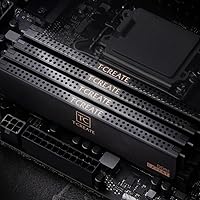
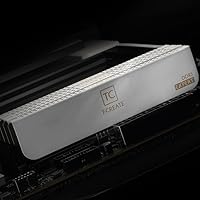
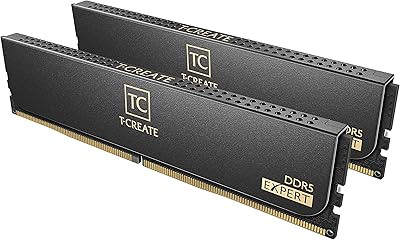
  • Color: Ships in a plain black heatspreader finish with no RGB lighting, suited for clean or understated build aesthetics.
  • Warranty: Covered by Team Group's lifetime warranty, which is notably longer than the limited 3- to 5-year coverage common among competing DDR5 brands.
  • Release Date: First made available in December 2023, positioning it within the second wave of high-capacity DDR5 consumer kits.
  • Brand: Manufactured by Team Group, a Taiwanese memory and storage company with an established presence in the enthusiast PC hardware market.
  • Series: Part of the T-Create Expert line, which Team Group positions toward creative professionals and overclocking-oriented power users.
  • Profile Support: Includes XMP and EXPO profiles for one-click speed activation on compatible Intel and AMD DDR5 platforms respectively.
  • Module Count: Sold as a two-module kit, configured for optimal dual-channel operation on supported desktop motherboards.

Related Reviews
TEAMGROUP T-Create Expert Overclocking 32GB DDR5 7200MHz RAM Kit
88%
94%
Performance
89%
Overclocking Support
91%
Stability Under Load
90%
Compatibility with Intel & AMD
75%
Temperature Management
More
TEAMGROUP T-Create Expert DDR5 48GB 6400MHz RAM
83%
88%
Performance
91%
Ease of Setup
76%
Compatibility
71%
Value for Money
89%
Stability & Reliability
More
TEAMGROUP T-Create Expert 64GB DDR5 RAM Kit
86%
91%
Out-of-Box Performance
88%
Memory Bandwidth
79%
Platform Compatibility
93%
Build Quality
84%
Thermal Management
More
TEAMGROUP T-Create Expert 16GB DDR4 Desktop RAM
83%
93%
XMP Stability
91%
Value for Money
89%
Long-Term Reliability
74%
Motherboard Compatibility
86%
Performance at Rated Speed
More
TEAMGROUP T-Create Expert 32GB DDR4 RAM Kit
85%
93%
XMP Compatibility
91%
Stability & Reliability
88%
Performance at 3600MHz
92%
Value for Money
89%
Ease of Installation
More
TEAMGROUP T-Create Expert DDR5 32GB (2x16GB) 6000MHz
83%
88%
Performance at Rated Speed
91%
XMP 3.0 & EXPO Compatibility
86%
Build Quality & PCB
84%
Value for Money
82%
Thermal Performance
More
TEAMGROUP T-Create Expert 32GB DDR4 Desktop RAM
81%
93%
Overall Stability
88%
XMP Compatibility
79%
Thermal Performance
91%
Build Quality
74%
Value for Money
More
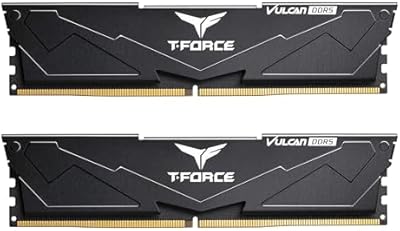
TEAMGROUP T-Force Vulcan 64GB DDR5 Desktop RAM
84%
88%
Value for Money
93%
XMP & EXPO Activation
91%
System Stability
72%
Motherboard Compatibility
86%
Build & Physical Quality
More
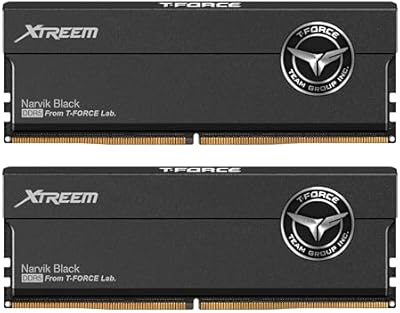
TEAMGROUP T-Force XTREEM 32GB DDR5 Desktop RAM
82%
71%
Out-of-Box Compatibility
88%
Rated Speed Performance
86%
System Stability
77%
Value for Money
89%
Platform Versatility
More
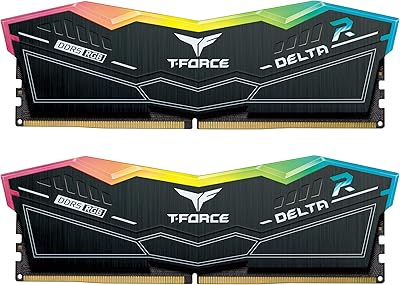
TEAMGROUP T-Force Delta RGB 32GB DDR5 RAM
80%
88%
XMP Setup Ease
89%
Speed & Bandwidth
86%
System Stability
91%
RGB Aesthetics
71%
Value for Money
More

FAQ

Yes, the T-Create Expert memory includes an EXPO profile specifically for AMD AM5 platforms. Most Ryzen 7000-series motherboards will detect and apply the profile automatically through BIOS. That said, it is worth checking that your BIOS is reasonably up to date before installing, since older firmware versions can sometimes cause boot issues at higher DDR5 speeds.

In most cases, you just enable XMP or EXPO in your BIOS after installation and the kit will run at its rated 6400MHz. No manual timing adjustments are needed for the stock profile. A small number of users have reported needing a BIOS update first, particularly on boards that launched before late 2023 DDR5 support matured.

For the vast majority of users, 96GB is overkill. Where it genuinely makes a difference is in workloads like 8K video editing, running multiple virtual machines simultaneously, or large-scale software compilation. If your daily workload sits comfortably within 32 or 64GB, the extra capacity will go largely unused and the premium is hard to justify.

Technically yes, but running a single stick puts you in single-channel mode, which significantly reduces memory bandwidth and overall system performance. For best results, both sticks should be installed in the correct dual-channel slots as specified in your motherboard manual.

The 1.4V operating voltage keeps thermals relatively modest. The black aluminum heatspreader helps dissipate heat adequately under typical heavy workloads. Unless you are pushing aggressive manual overclocks well beyond the rated profile, thermal throttling is unlikely to be a concern in a reasonably ventilated case.

The heatspreader is low-profile enough to clear most large tower coolers without issue. The 1.26-inch module height sits within the clearance range of virtually all popular aftermarket coolers, including the NH-D15 and similar dual-tower designs. That said, always verify clearance against your specific cooler's specifications before purchasing.

Team Group's lifetime warranty covers manufacturing defects for the original purchaser, so a failed stick would generally qualify for a replacement or exchange claim. The process involves contacting Team Group's support directly with proof of purchase. A handful of users have noted that response times can be slower than ideal, so patience may be needed if you do need to make a claim.

No. Intel's 12th-gen Alder Lake platform uses DDR5 in some configurations, but its memory controller tops out at lower speeds and may struggle to train reliably at 6400MHz. This kit is best matched to Intel 13th-gen Raptor Lake or newer, where DDR5 support and high-speed XMP compatibility are significantly more robust.

Most reports of compatibility friction involve budget-tier DDR5 boards with weaker memory training algorithms rather than any specific brand across the board. High-end boards from ASUS, MSI, Gigabyte, and ASRock generally handle this 96GB overclocking module without issues. If you are on a value-segment motherboard, it is worth checking community forums for confirmed compatibility before committing to the purchase.

At the 96GB DDR5 tier, the T-Create Expert memory competes primarily on its M-DIE chip selection and lifetime warranty, which most G.Skill and Corsair competitors at this speed do not offer as standard. Speed and latency figures are broadly comparable across brands at this tier. The choice often comes down to board compatibility history, aesthetic preference, and how much weight you put on the warranty coverage difference.