Overview
The TCL NXTPAPER 11 Gen 2 Android Tablet sits in an interesting middle ground — priced below the premium drawing tablet tier but offering more than a typical budget Android slate. Its biggest differentiator is the NXTPAPER 4.0 display, which genuinely looks and feels different from a standard LCD screen: softer, less glassy, and easier on the eyes during long sessions. The stylus and flip case are both bundled in, which matters when comparable accessories can add real cost elsewhere. Performance comes from the MediaTek Helio G80, a capable mid-tier chip that handles everyday tasks reliably but won't hold up against demanding workloads. Set the right expectations and this TCL tablet is a solid value.
Features & Benefits
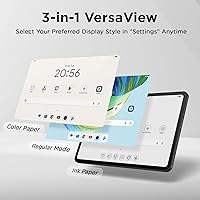
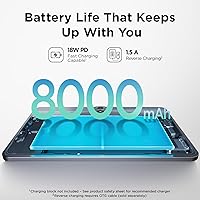
The paper-like display experience is what most buyers will come for, and it delivers. Three switchable VersaView modes let you toggle between a standard vibrant screen, an e-reader-style monochrome view, and a soft-color mode suited for digital art — useful flexibility depending on lighting and task. The T-PEN stylus offers 4096 pressure levels, which is genuinely impressive at this price; lines vary naturally with hand pressure, making it workable for sketching and handwriting alike. Battery life is generous at 8000mAh, and the reverse charging feature lets the NXTPAPER 11 Gen 2 top up a phone in a pinch. The AI writing and translation tools are practical additions, not just marketing checkboxes.
Best For
This drawing tablet makes the most sense for a fairly specific group of people. Students who spend long hours reading, annotating, or handwriting notes will appreciate the eye-comfort features — the anti-glare coating and low blue light certification are genuinely useful, not just spec-sheet claims. Casual digital artists who want pressure sensitivity without spending big on a dedicated device will find it capable for sketches and light illustration. It also works well for remote workers and students who rely heavily on video calls, given the CenterFace auto-framing and clear dual-mic setup. Frequent travelers will notice the slim metal build and under-1.2-pound weight. If you need heavy gaming or professional creative software, look elsewhere.
User Feedback
Because the NXTPAPER 11 Gen 2 is a relatively recent release, the pool of user reviews is still growing — take early feedback as directional rather than definitive. That said, buyers consistently praise the display as a standout feature: many say it is noticeably easier on the eyes than other tablets they have used, particularly during long reading sessions. The included stylus earns positive marks for low-latency handwriting, though some users note a slight parallax gap at wider viewing angles. The Helio G80 draws occasional criticism for sluggish performance under heavier multitasking loads. TCL's custom UI has mixed reception — some appreciate the added features, while others wish it were closer to stock Android with less pre-installed software.
Pros
- The paper-like display genuinely reduces eye strain during long reading and note-taking sessions.
- Stylus and flip case are both included in the box, avoiding the extra cost other brands require.
- The 4096-level pressure stylus handles handwriting and light sketching with natural, responsive feel.
- An 8000mAh battery comfortably powers a full day of classes, calls, and browsing.
- Reverse charging lets this TCL tablet top up a phone or earbuds when no outlet is nearby.
- Three switchable display modes adapt the screen to reading, drawing, or everyday tasks without digging into obscure settings.
- The metal body feels more durable and premium than most plastic-chassis tablets at this price.
- Wi-Fi 6 support keeps connectivity fast and stable on modern home and campus networks.
- Expandable storage up to 1TB removes long-term storage anxiety for students and creatives.
- CenterFace auto-framing keeps users centered in video calls without manual repositioning.
Cons
- The Helio G80 chip struggles noticeably under heavy multitasking or demanding creative apps.
- TCL's custom UI ships with pre-installed apps that many buyers consider unnecessary bloatware.
- The included flip case materials feel cheaper than the metal body suggests.
- Outdoor visibility in direct sunlight is limited — the brightness ceiling is too low for comfortable use.
- No LTE option exists, making this a Wi-Fi-only device that depends on a hotspot for mobile data.
- The parallax gap between stylus tip and drawn line becomes frustrating during detailed illustration work.
- Base 64GB storage fills faster than expected once the OS, apps, and user files accumulate.
- The Eye Care Assistant occasionally over-adjusts color temperature, making the display look overly warm.
- Charging at 18W is functional but slow compared to faster-charging competitors in this price range.
- The flip case hinge can loosen over time, reducing its reliability as a stable stand.
Ratings
The scores below for the TCL NXTPAPER 11 Gen 2 Android Tablet were generated by our AI system after analyzing verified purchase reviews from buyers worldwide, with spam, bot-submitted, and incentivized feedback actively filtered out. The result is an honest, aggregated picture of what real owners think after extended daily use — covering both the standout strengths and the recurring frustrations that show up consistently across review sets.
Display Quality
Stylus Performance
Battery Life
Value for Money
Build Quality & Design
Performance & Speed
Software & UI
Camera Quality
Audio Experience
Display Modes Versatility
Eye Comfort & Ergonomics
Storage & Expandability
Connectivity
Portability
Suitable for:
The TCL NXTPAPER 11 Gen 2 Android Tablet is a strong fit for students who spend long hours reading lecture notes, annotating PDFs, or handwriting in class — the eye-comfort display and responsive stylus make those sessions far less fatiguing than on a standard tablet screen. Casual digital artists and sketchers who want pressure-sensitive drawing without spending several hundred dollars on a dedicated device will find the included T-PEN stylus covers the basics of illustration and doodling well. Remote learners and work-from-home users who live in video call apps will appreciate the CenterFace auto-framing and clear dual-mic setup, which make online presence genuinely better without extra accessories. People who are trying to reduce paper use — replacing physical notebooks with a digital equivalent — will likely find the paper-like display the closest Android experience to writing on actual paper. Light travelers and commuters who want an 11-inch screen without lugging around a heavy device will also appreciate the slim metal build and all-day battery that handles a full schedule without needing a mid-day charge.
Not suitable for:
The TCL NXTPAPER 11 Gen 2 Android Tablet is not the right choice for buyers who need strong, consistent performance across demanding tasks. The MediaTek Helio G80 is a capable everyday chip, but it runs out of headroom under serious multitasking, complex creative apps, or anything approaching gaming — if that is a regular part of your workflow, a more powerful processor is a non-negotiable. Professional digital artists who rely on high-color-accuracy displays and low-latency stylus input for commercial illustration work will likely find the display's matte softness and parallax gap frustrating at a professional level. Anyone expecting to use this primarily as a photography or video recording device should look elsewhere — the cameras are functional for document scanning and calls but mediocre for anything more creative. Users who strongly prefer clean, stock Android experiences may find TCL's custom UI layer and pre-installed apps irritating enough to affect daily satisfaction. Finally, buyers who need mobile data connectivity without a hotspot will be disappointed, as there is no LTE version available.
Specifications
- Display Size: The tablet features an 11″ NXTPAPER 4.0 panel with a 1920 x 1200 pixel resolution, delivering a sharp, matte finish designed to reduce glare and eye fatigue.
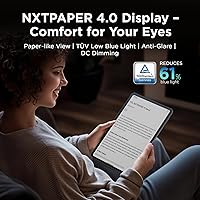
- Display Technology: NXTPAPER 4.0 includes TÜV-certified low blue light output, DC dimming for flicker-free operation, and an anti-glare coating that mimics the look of paper.
- Display Modes: Three VersaView modes — Regular, Ink Paper, and Color Paper — can be toggled in Settings to suit streaming, reading, or creative work respectively.
- Processor: The MediaTek Helio G80 octa-core processor handles everyday productivity, browsing, and light multitasking reliably, though it is a mid-tier chip not intended for demanding workloads.
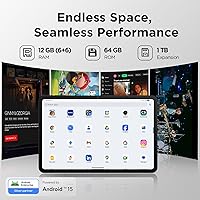
- RAM: The tablet ships with 6GB of physical RAM supplemented by 6GB of extended virtual RAM, totaling 12GB for improved app retention during multitasking.
- Storage: Internal storage is 64GB, with a microSD card slot supporting expansion up to 1TB for additional files, media, and downloaded content.
- Operating System: The device runs Android 15 out of the box, layered with TCL's custom UI that adds productivity features including floating windows, split-screen, and screen mirroring.
- Battery: An 8000mAh non-removable battery supports up to a full day of mixed use, with 18W PD fast charging and outbound reverse charging for powering other devices.
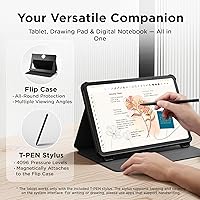
- Stylus: The included T-PEN stylus supports 4096 levels of pressure sensitivity, enabling natural variation in line weight for handwriting, sketching, and annotation.
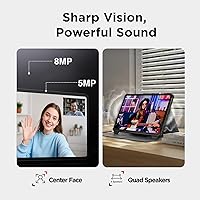
- Cameras: A 5MP fixed-focus front camera and an 8MP autofocus rear camera with flash support 1080p video recording for calls, classes, and document scanning.
- Audio: Dual stereo speakers with volume boost up to 200% and dual microphones provide clear audio output and voice capture for calls and media playback.
- Connectivity: Wi-Fi support covers 802.11a/b/g/n/ac/ax (Wi-Fi 6) for fast, stable wireless connections; Bluetooth is included but there is no LTE or cellular option.
- Dimensions: The tablet measures 9.98 x 6.51 x 0.29 inches and weighs approximately 1.14 lbs, making it one of the slimmer and lighter 11″ tablets available.
- Build Material: The chassis is constructed from metal, providing a more rigid and durable frame than the plastic bodies common at this price tier.
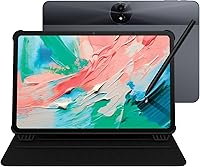
- Included Accessories: The retail box includes the T-PEN stylus and an adjustable flip cover that doubles as a kickstand, with no need to purchase either accessory separately.
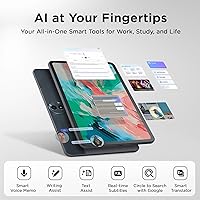
- AI Features: Built-in AI tools include smart voice memos, a real-time bilingual subtitle generator, a writing assistant, image-based translation, and Circle to Search with Google.
- Video Call Tech: CenterFace technology automatically keeps the user centered within the camera frame during video calls on platforms including Zoom, Google Meet, and Microsoft Teams.
- Charging Port: The tablet charges via USB-C with 18W Power Delivery support, and the same port enables reverse charging to power compatible external devices.
- Color Options: The device is available in Gray as the standard colorway, with the metal finish giving it a clean, understated look.
- Box Contents: The package includes the tablet, T-PEN stylus, adjustable flip case, USB-C charging cable, power adapter, and documentation.
Related Reviews
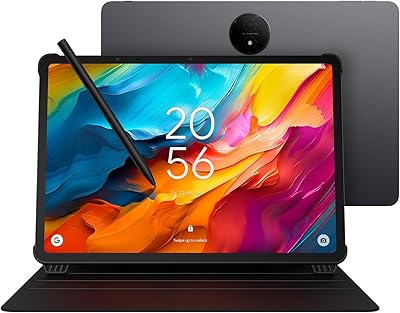
TCL NXTPAPER 14 256GB Android Tablet
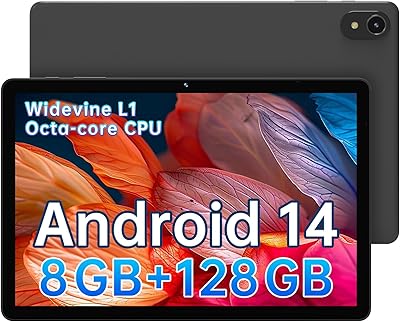
ApoloSign EP1095T 11-inch Android Tablet
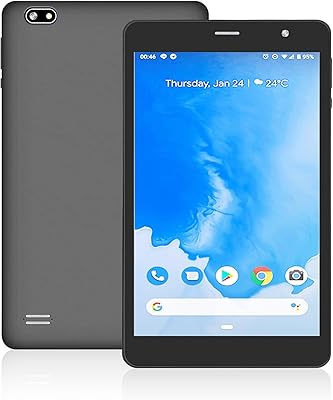
SZTPSLS SQ8 8-inch Android Tablet
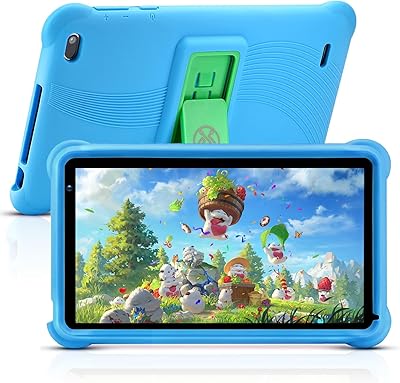
qunyiCO Y7 7-inch Kids Android Tablet
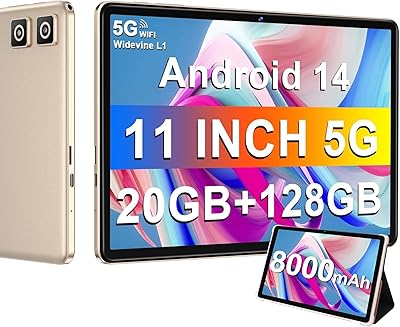
DMOAO D2 11-Inch 128GB Android Tablet
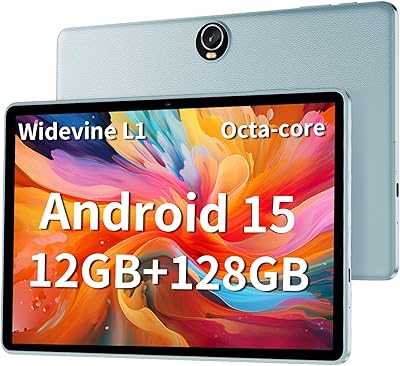
TUOHAITIME K10 11-inch Android Tablet
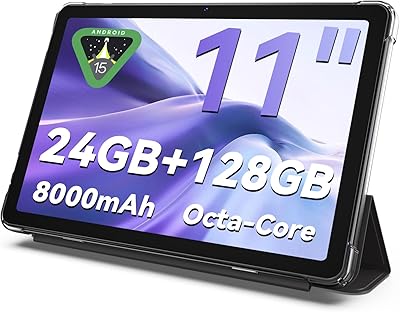
KELANYIS A5 11-inch Android Tablet
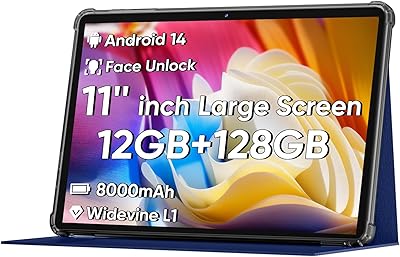
COLORROOM C5 11-inch 128GB Android Tablet
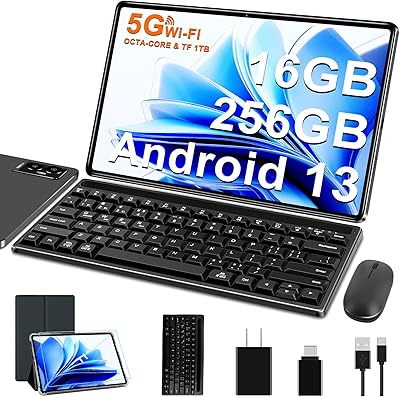
FACETEL Q7 11-inch 256GB Android Tablet