Overview

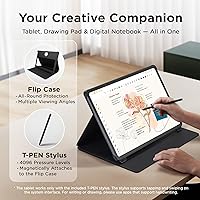
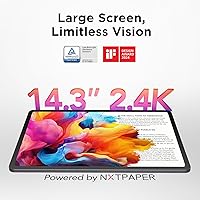
The TCL NXTPAPER 14 256GB Android Tablet sits in an interesting middle ground — large enough to replace a sketchbook or notebook, yet focused enough in its design philosophy to stand apart from generic Android slabs. The central draw is its 14.3-inch paper-like display, which uses NXTPAPER 3.0 technology to reduce glare and blue light in ways that actually matter during long reading or drawing sessions. This is not a device chasing raw processing records; it is thoughtfully built for creatives, students, and professionals who spend hours staring at a screen. The included flip case and stylus are not afterthoughts — they arrive ready to use, adding real value right out of the box.

Features & Benefits

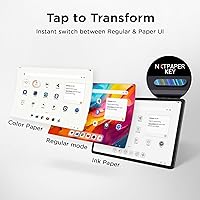
The star feature here is the three-mode display, toggled via a dedicated hardware key on the side. Regular Mode handles movies and video calls with vivid color; flip to Ink Paper Mode and the screen softens into a convincingly e-paper-like surface ideal for long reading sessions; Color Paper Mode splits the difference for digital art and comics. The included T-PEN stylus offers 4096 levels of pressure and feels responsive enough for note-taking and light illustration — palm rejection works reliably in the center of the screen. The MediaTek Helio G99 keeps daily multitasking fluid, the 10,000mAh battery genuinely lasts beyond a full day, and quad stereo speakers deliver surprisingly room-filling audio for a tablet at this tier.

Best For

This large-screen Android tablet earns its keep for a specific kind of user. Digital artists and illustrators who want a generous canvas without a flagship price tag will find the combination of stylus precision and display size genuinely useful. Students who read and annotate for hours benefit most from the paper-like modes that reduce the kind of eye fatigue a bright LCD would cause. Remote workers running split-screen presentations or video calls get a lot of real estate to work with. Even commuters will appreciate the exceptional battery stamina and the option to top up earbuds via reverse charging. If you want a vivid gaming display, look elsewhere — this tablet rewards patience and productivity over spectacle.

User Feedback

Owners of the TCL NXTPAPER 14 consistently highlight display comfort as the standout win — many report noticeably less eye strain compared to their previous tablets. Stylus responsiveness draws praise too, especially for note-taking, though a handful of users note that accuracy dips slightly at the screen edges. The battery life gets near-universal approval. On the critical side, some users find that larger Android apps do not always scale gracefully to a 14-inch canvas, leaving awkward letterboxing in places. A few mention that the Helio G99 shows its limits with demanding apps running simultaneously. Speaker quality, however, tends to surprise people — most expect average audio and come away impressed by the volume and stereo spread.

Pros

  • The paper-like display genuinely reduces eye strain during long reading or note-taking sessions.
  • A 4096-level pressure stylus is included in the box — no separate purchase required.
  • Three switchable display modes cover movies, reading, and digital art without compromise.
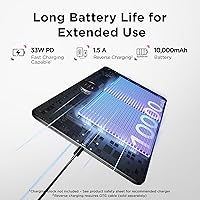
  • The 10,000mAh battery comfortably lasts a full day and then some under normal use.
  • Reverse charging lets you top up a phone or earbuds directly from the tablet.
  • Quad stereo speakers punch well above what you typically find in this price range.
  • 256GB of internal storage leaves plenty of room for apps, documents, and media.
  • The included flip case doubles as a stand, making hands-free use practical immediately.
  • The slim metal build feels sturdy without adding unnecessary bulk for a device this size.
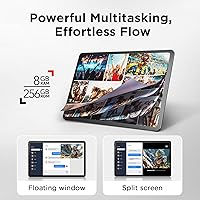
  • Split-screen and floating window support make real multitasking genuinely usable on a screen this large.

Cons

  • The Helio G99 processor struggles noticeably when several demanding apps run at the same time.
  • Many Android apps do not scale well to a 14-inch screen, leaving awkward borders or stretched layouts.
  • Stylus accuracy can drift slightly near the screen edges, which matters for precision illustration work.
  • The paper-like display modes produce muted, low-saturation colors that disappoint users expecting vivid visuals.
  • At 1.67 lbs, extended handheld use becomes tiring faster than with a smaller, lighter tablet.
  • No cellular connectivity option means you are entirely dependent on Wi-Fi for a data connection.
  • The 33W charger is not included in all regional packages, so fast charging may require a separate buy.
  • Software updates and long-term Android version support from TCL remain uncertain compared to larger brands.
  • The large footprint makes one-handed use impractical for most adults during casual browsing or reading.

Ratings

The scores below were generated by our AI system after analyzing thousands of verified global user reviews for the TCL NXTPAPER 14 256GB Android Tablet, with spam, bot activity, and incentivized feedback actively filtered out before any scoring was applied. Each category reflects real patterns — not averages padded by marketing noise — so both the genuine strengths and the recurring frustrations are represented honestly. Whether this large-screen Android tablet fits your workflow or falls short depends heavily on how you plan to use it, and these scores are designed to help you figure that out.

Display Comfort
91%
Users who spend long stretches reading, annotating PDFs, or sketching consistently report noticeably less eye fatigue compared to standard LCD tablets they previously owned. The anti-glare coating performs well in bright indoor environments, and the automatic brightness adjustment feature earns frequent praise from students pulling long study sessions.
A subset of buyers find the Ink Paper and Color Paper modes too dim for use in lower-light rooms, requiring manual brightness adjustments that partially undercut the eye-comfort benefits. The DC dimming, while effective, produces a slight flicker that is imperceptible to most but has been flagged by a small number of light-sensitive users.
Display Modes
84%
The dedicated hardware key for switching between Regular, Ink Paper, and Color Paper modes is one of the features users mention most positively — it makes mode transitions instant and intuitive without digging through settings menus. Digital artists in particular appreciate Color Paper Mode for reducing color overload during long illustration sessions.
Regular Mode, while vivid, does not reach the peak brightness or color saturation that comparable AMOLED tablets offer, which frustrates buyers who also want a great streaming experience. Some users feel three modes are not enough granularity, wanting finer control over saturation and warmth within each mode.
Stylus Performance
78%
22%
For note-taking and casual illustration, the included T-PEN stylus feels responsive and natural, with pressure sensitivity that holds up well in apps like Sketchbook and GoodNotes alternatives on Android. The fact that it requires no charging or pairing is a practical daily convenience that buyers consistently mention as a genuine quality-of-life win.
Precision illustrators and more demanding users notice accuracy degradation near the screen edges, which is a real limitation for full-canvas artwork. Palm rejection, while reliable in the central screen area, occasionally registers unintended marks when the hand rests close to the corners during extended drawing.
Battery Life
93%
The 10,000mAh battery is one of the most consistently praised aspects across all user segments — commuters, students, and remote workers alike regularly report getting through a full workday on a single charge with capacity to spare. Using the paper-like display modes further extends stamina, with some users reporting two full days of light use between charges.
The 33W fast charger is not universally included in all regional retail packages, leaving some buyers waiting longer for a full recharge than the advertised two-hour window. Heavy sustained use — such as continuous video streaming at full brightness with Bluetooth audio — drains the battery considerably faster than casual mixed-use scenarios suggest.
Performance
67%
33%
For the core use cases this tablet targets — document editing, video calls, multi-tab browsing, and split-screen note-taking — the Helio G99 chip keeps things moving without frustrating lag. App switching and everyday productivity tasks feel smooth enough that most buyers in the target audience never hit the chip's ceiling during normal use.
Users who push the processor with simultaneous demanding applications, large file exports, or graphically intensive games quickly encounter slowdowns and occasional thermal throttling. This is not a chip built for sustained heavy loads, and buyers expecting flagship-grade responsiveness across all tasks will be disappointed when the limits show up.
Build Quality
82%
18%
The metal chassis feels noticeably more solid than plastic-bodied tablets in the same price bracket, giving users genuine confidence when carrying it in a crowded backpack or placing it on a desk repeatedly throughout the day. Multiple reviewers compared the rigidity favorably to devices costing considerably more.
A few buyers have noted that the metal back picks up fingerprints and fine scratches more visibly than expected, requiring frequent wiping to maintain the polished appearance. The flip case, while included and functional, uses a hinge mechanism that some users find loses tension after several months of daily opening and closing.
Speaker Quality
79%
21%
The quad stereo speaker arrangement genuinely surprises most buyers — for a mid-range tablet, the volume output and stereo separation during movies and music playback are well above average. Educators and remote workers who use it for video presentations in small rooms report that it fills the space without needing an external speaker.
At very high volume levels, particularly in the upper range that the Smart PA amplification enables, some listeners detect a subtle compression and harshness in the high frequencies. Bass response remains thin, which is typical for slim tablet form factors but is noticeable when watching action-heavy content or listening to music with low-end depth.
Camera Quality
58%
42%
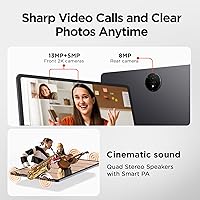
The dual front cameras handle standard video call scenarios competently — the 13MP main lens delivers a clear, well-exposed image in decent lighting, which is all most remote workers and online students actually need day to day. Auto-framing and focus adjustments during calls are responsive enough to avoid the awkward delays common in lower-end tablet cameras.
In low-light conditions, both front and rear cameras produce noticeably soft, noisy images that fall below even mid-range smartphone standards. Anyone hoping to use this tablet for content creation beyond basic video calls will find the camera system limiting, and the 8MP rear camera lacks the optical quality needed for anything beyond occasional document scanning.
App Compatibility
61%
39%
Core productivity and creativity apps on Android — note-taking tools, document editors, and drawing applications — work well and benefit from the large screen real estate in split-screen mode. Streaming apps like Netflix and YouTube fill the display properly and take reasonable advantage of the 14-inch canvas.
A meaningful number of Android apps are simply not optimized for a 14-inch display, resulting in stretched layouts, oversized UI elements, or persistent letterboxing that breaks immersion. This is partly an Android ecosystem limitation rather than a TCL-specific problem, but buyers expecting a seamless full-screen experience across all their apps will hit this wall regularly.
Portability
63%
37%
At 0.27 inches thin, the tablet slides into a backpack sleeve without adding noticeable bulk, and the slim profile genuinely makes it easier to carry alongside a laptop than comparable large tablets. The included flip case consolidates protection and a stand function into one accessory, reducing what users need to carry separately.
At 1.67 lbs, extended one-handed holding — reading on the couch, standing during a commute — becomes physically tiring faster than with smaller 10-inch tablets. Several buyers who expected a portable reading device found themselves propping it on a surface most of the time rather than holding it freely.
Value for Money
83%
The combination of a large 14-inch paper-like display, an included pressure-sensitive stylus, a flip case, a metal build, and a 10,000mAh battery at this price point represents a genuinely competitive package that buyers repeatedly describe as punching above its price tier. For students and creatives who would otherwise pay separately for each of these components, the bundled value is a significant draw.
Buyers who discover the processor and app-scaling limitations after purchase sometimes feel the value equation shifts once everyday frustrations surface. Compared to smaller but better-optimized tablets available at a similar or slightly higher price, some users conclude in retrospect that they paid for screen size they could not always put to full use.
Eye Care Features
88%
The Eye Care Assistant, which automatically adjusts brightness and color temperature based on ambient light and prompts users to take screen breaks, is a feature that long-session users genuinely rely on and often call out positively in reviews. Students studying for hours report it as one of the reasons they chose this tablet over conventional options.
The automatic break reminders, while thoughtful in concept, cannot be timed or fully customized to individual preferences in the base software experience, which frustrates users who want the eye-care monitoring without the interruptions at fixed intervals. A small group of buyers also find the automatic color temperature shifts too aggressive in transitional lighting environments.
Multitasking
74%
26%
Split-screen mode, floating windows, and the extended display support make the large canvas genuinely productive for users running two apps side by side — a note-taking app alongside a PDF, or a video call alongside a presentation. Remote workers and educators who specifically bought the tablet for this use case tend to be satisfied with how the feature set holds up day to day.
When multitasking involves three or more simultaneous apps, or when background processes accumulate over a long session, the performance headroom shrinks noticeably and occasional stutter creeps into transitions. The Android 14 UI layer is also inconsistent about how it handles app windows at 14-inch scale, with some apps refusing to resize properly.
Software Experience
66%
34%
Android 14 provides a solid base, and TCL's additions — particularly the NXTPAPER mode switching, screen mirroring, and Smart UI productivity shortcuts — add genuine utility without heavily cluttering the interface. Out-of-the-box setup is straightforward, and most users are up and running within minutes of opening the box.
TCL's long-term Android update track record is uncertain, which makes buyers with multi-year device plans nervous about security patches and OS version support down the line. Some pre-installed apps cannot be fully uninstalled, and occasional quirks in the custom UI layer — particularly around notification handling and display mode persistence — surface in longer-term user reviews.

Suitable for:

The TCL NXTPAPER 14 256GB Android Tablet was clearly designed with a specific type of user in mind, and if you fit that profile, it delivers genuine value. Students who spend long stretches reading PDFs, annotating lecture notes, or writing on-screen will appreciate how the paper-like display reduces the eye fatigue that conventional bright LCDs tend to cause over time. Hobbyist illustrators and digital artists get a 14.3-inch canvas paired with a pressure-sensitive stylus straight out of the box — no extra purchase needed. Remote workers and educators who rely on split-screen multitasking, video calls, or presenting slide decks will find the large display far more comfortable than anything under 11 inches. Travelers who need a tablet that lasts beyond a single workday without hunting for an outlet will also be well served by the massive battery and the handy reverse-charging feature for topping up earbuds or a phone on the go.

Not suitable for:

The TCL NXTPAPER 14 256GB Android Tablet is a deliberate, niche product, and buyers with different priorities will likely walk away frustrated. If vibrant, high-saturation color accuracy is important to you — for photo editing, color-critical design work, or simply watching HDR content at its best — the paper-like display modes will feel like a step backward, and even Regular Mode does not chase the kind of punchy visuals you get on an AMOLED panel. Mobile gamers should also look elsewhere: the Helio G99 chip handles casual titles without complaint, but it is not built for graphically intensive games, and the large form factor makes extended handheld gaming uncomfortable. Android power users who expect every app to fill a 14-inch screen perfectly will run into scaling quirks, since many apps are still optimized for phone-sized displays. Finally, anyone who needs a truly portable, one-hand-carry device should note that 1.67 lbs and a 14-inch footprint make this more of a desk or bag companion than something you casually hold for hours.

Specifications

  • Screen Size: The display measures 14.3 inches diagonally, making it one of the larger screens available in the mid-range Android tablet category.
  • Resolution: The panel renders at 2400 x 1600 pixels, delivering a 2.4K image with enough pixel density for sharp text and detailed illustrations.
  • Display Tech: NXTPAPER 3.0 technology combines an anti-glare coating, DC dimming, and blue light reduction to minimize eye fatigue during extended use.
  • Display Modes: A dedicated hardware key cycles between three modes: Regular for vivid color, Ink Paper for an e-paper-like reading surface, and Color Paper for soft-toned creative work.
  • Processor: The MediaTek Helio G99 octa-core chip handles productivity, multitasking, and everyday media consumption competently without targeting high-performance gaming workloads.
  • RAM: The tablet ships with 8GB of physical RAM and supports an additional 8GB of virtual RAM expansion drawn from internal storage.
  • Storage: Internal storage is 256GB, providing ample room for apps, documents, downloaded media, and large creative project files.
  • Battery: A 10,000mAh cell powers the device, with 33W fast charging capable of a full recharge in roughly two hours and reverse charging for powering other devices.
  • Stylus: The included T-PEN stylus supports 4096 levels of pressure sensitivity for fluid, accurate input across drawing, sketching, and handwriting tasks.
  • Cameras: Two front-facing cameras (13MP wide and 5MP) handle video calls and content creation, while an 8MP rear autofocus camera covers light photography needs.
  • Speakers: Four stereo speakers tuned with Smart PA amplification deliver up to 200% volume output, an uncommon configuration for tablets in this price range.
  • Operating System: The tablet runs Android 14 out of the box, with TCL's custom UI layer adding productivity features like floating windows and screen mirroring.
  • Wireless: Wi-Fi connectivity uses the 802.11ac (Wi-Fi 5) standard; there is no cellular or 5G option available for this model.
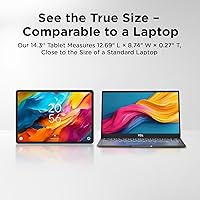
  • Dimensions: The chassis measures 8.74 x 12.69 x 0.27 inches, keeping the profile impressively slim for a tablet with a 14-inch display.
  • Weight: At 1.67 lbs, the tablet is relatively light for its size class, though extended handheld use may still cause fatigue over long periods.
  • In-Box Accessories: Every unit ships with the T-PEN stylus and an adjustable flip case that doubles as a stand, so no immediate accessory purchases are required.
  • Charging Port: The device charges via USB-C, supporting both the included 33W fast charger input and reverse power output to compatible accessories.
  • Build Material: The chassis uses a metal construction that adds structural rigidity and a premium feel while helping the device withstand routine everyday handling.

Related Reviews
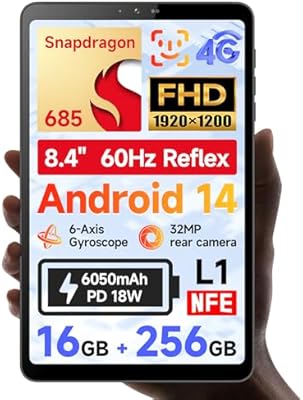
BNCF Bpad Mini 8.4″ 256GB Android Tablet
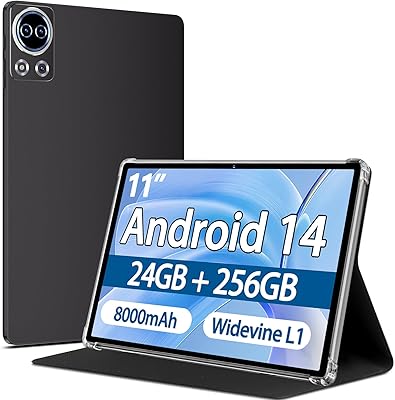
73%
82%
Display Quality
78%
Value for Money
67%
Performance & Speed
88%
Connectivity
84%
Streaming Experience
More
SKYEGG K15 11-Inch Android Tablet
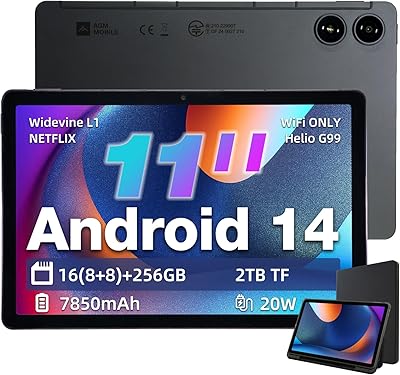
70%
83%
Value for Money
71%
Display Quality
81%
Battery Life
63%
Performance & Speed
86%
Streaming Capability
More
AGM PAD P2 11-inch Android Tablet
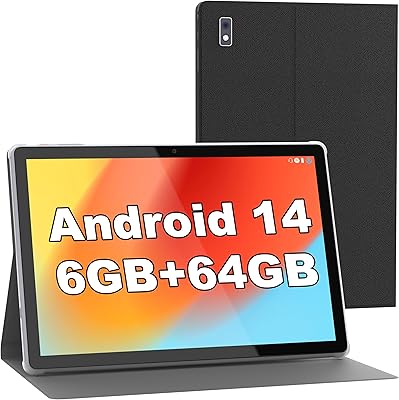
74%
83%
Display Quality
78%
Performance
91%
Streaming Experience
86%
Battery Life
57%
RAM & Memory Honesty
More
BYYBUO SmartPad A10 10.1-inch Tablet
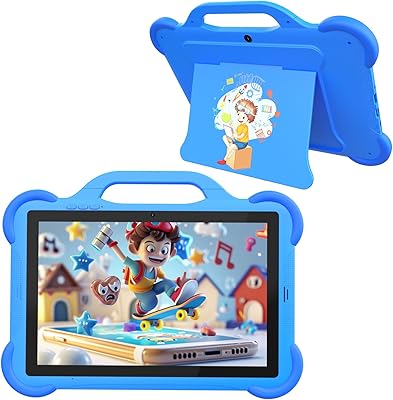
68%
83%
Value for Money
78%
Build Quality
81%
Battery Life
67%
Display Quality
54%
Performance & Speed
More
CUPEISI AT11K 10-inch Android 14 Kids Tablet
67%
81%
Value for Money
78%
Parental Controls
74%
Battery Life
58%
Performance & Speed
72%
Display Quality
More
Blackview Tab 9WiFi Android 15 Tablet 24GB+256GB
83%
88%
Performance & Multitasking
91%
Display Quality
83%
Battery Life
76%
Camera Performance
80%
Build Quality
More
HOTTABLET CP81S 8-inch Android 14 Tablet, 32GB
80%
92%
Value for Money
89%
Portability
84%
Display Quality
81%
Battery Life
78%
WiFi Performance
More
Topsand Android 14 Tablet 10-inch 10GB+32GB
84%
82%
Performance
88%
Build Quality & Durability
85%
Battery Life
70%
Display Quality
91%
Storage Capacity & Expandability
More
HAOVM G12PK14 10-inch Android 14 Tablet, 32GB
83%
91%
Value for Money
85%
Display Quality
88%
Battery Life
80%
Performance Speed
65%
Storage Capacity
More
DOOGEE T40 11-inch Android Tablet
75%
88%
Display Quality
91%
Battery Life
93%
Value for Money
76%
Performance & Speed
79%
Build Quality
More

FAQ

No, the included T-PEN stylus is passive, meaning it requires no battery and no Bluetooth pairing. You can take it out of the box and start writing or drawing immediately, which is one less thing to worry about on a daily basis.

Yes, the TCL NXTPAPER 14 supports microSD card expansion, so if 256GB starts to feel tight over time — say, after downloading a large library of offline content — you can slot in a card and extend your storage without much hassle.

You have full control. The dedicated NXTPAPER Key on the side lets you toggle between the paper-like modes and a standard vivid color mode instantly. If you want rich, saturated colors for streaming a show, just tap the key and the screen switches right away.

In practice, most users get through a full workday — around eight to ten hours of mixed reading, video calls, and note-taking — with battery to spare. The 10,000mAh cell is genuinely large, and the Ink Paper display mode draws less power than the Regular color mode, which helps stretch things further.

Both Procreate and Notability are iOS-exclusive, so they are not available here. Android alternatives like Sketchbook, Infinite Painter, and GoodNotes 5 all work on this tablet and support stylus pressure sensitivity, so creative and note-taking workflows are well covered — just through different apps.

That really depends on what you mean by comfortable. Propped on a surface or used with the included flip-case stand, it is excellent. Holding it with one hand for a long stretch is tiring because of its size and weight. Most users treat it more like a portable laptop replacement than a casual phone-sized tablet.

TCL does not bundle a keyboard with this model, but it supports Bluetooth keyboards from third-party brands, which pairs well with the split-screen multitasking features on Android 14. There is no proprietary keyboard connector, so you will need a wireless option.

Palm rejection works reliably across most of the screen, which makes writing and sketching feel natural without your hand accidentally triggering stray marks. A small number of users have noted that rejection is slightly less consistent at the very edges of the display, though this rarely affects everyday note-taking.

Yes, TCL's software supports screen mirroring and extended display output, so you can connect to a compatible monitor or TV for presentations or a larger workspace. You will need a USB-C to HDMI adapter or a wireless casting solution depending on your setup.

The metal chassis feels sturdy in hand and holds up well to the routine bumps and scrapes of daily commuting. The included flip case adds a meaningful layer of protection on the front. It is not a rugged tablet designed for outdoor construction sites, but it handles real-world bag life without issue for most users.