Overview

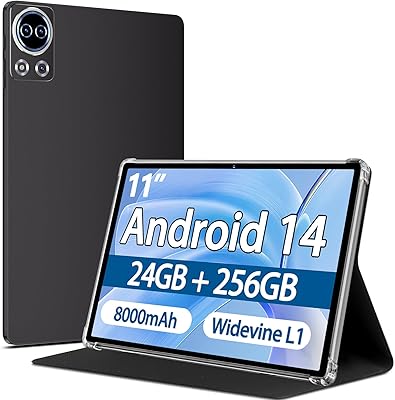
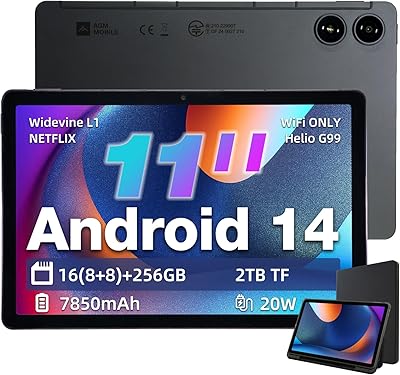
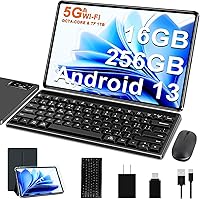
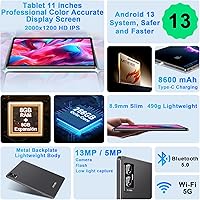
The FACETEL Q7 11-inch 256GB Android Tablet sits squarely in the budget 2-in-1 space, arriving with a Bluetooth keyboard, wireless mouse, and protective cover all included for under $150. One thing worth clarifying upfront: the listing title oddly references Android 11, but the device actually ships with Android 13, which is a meaningful upgrade. Under the hood sits a MediaTek MT8183 octa-core chip running at 2.0GHz — a processor that sets realistic expectations for everyday tasks rather than heavy workloads. The 1280x800 resolution across 11 inches is workable for video and browsing but won't win any sharpness awards. That 4.2-pound weight figure almost certainly reflects the tablet combined with the keyboard case, not the bare tablet alone.
Features & Benefits

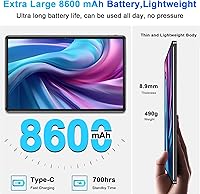
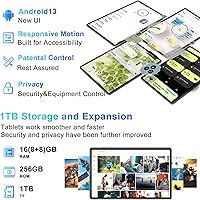
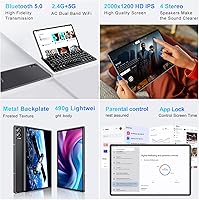
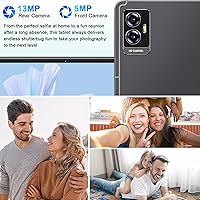
When FACETEL advertises 16GB of RAM, it's worth understanding what that actually means: only 8GB is physical DDR SDRAM, while the other half is software-extended virtual memory borrowed from storage. That distinction matters for anyone expecting smooth multitasking. The 256GB of internal storage is genuinely useful, and the microSD slot supports expansion up to 1TB if you're building a large media library. The 8600mAh battery should handle a full day of casual use comfortably. Connectivity covers dual-band 802.11ac Wi-Fi and Bluetooth 5.0, both respectable at this price point. The camera arrangement is a bit unconventional — the front shooter appears to be the higher-resolution 8MP unit, with a 5MP camera on the rear, though buyers should verify this detail before purchase.

Best For

This 11-inch tablet punches above its weight when it comes to value for the right audience. Students and younger users will find it capable for schoolwork — think Google Docs, YouTube, and light browsing without issue. It also makes a reasonable stand-in for a basic laptop if your needs run to emails, simple spreadsheets, or the occasional video call. Travelers who want a larger screen for in-flight movies without worrying about damaging a premium device will appreciate the trade-off here. Older adults or first-time tablet users benefit from the generous screen real estate. That said, anyone expecting to run demanding apps, edit video, or rely on it as a primary daily work device should look elsewhere.

User Feedback

Buyers who've picked up the FACETEL Q7 tend to single out the bundled accessories as the clearest win — getting a working keyboard, mouse, and case at this price point consistently earns appreciation. Screen brightness draws mixed reactions; several owners note it falls short outdoors or in well-lit rooms. On performance, the pattern is predictable: light tasks run without complaint, but pushing the device with multiple open tabs or heavier apps brings noticeable slowdowns. The virtual RAM marketing rubs more tech-savvy buyers the wrong way once real-world speed doesn't match expectations. Keyboard feedback is generally described as functional but thin — usable for short typing sessions, not comfortable for hours of writing. Overall tone skews positive, provided buyers go in with realistic expectations.

Pros

  • Ships with a Bluetooth keyboard, wireless mouse, and protective case — a rare bundle at this price point.
  • 256GB of onboard storage gives plenty of room for apps, videos, and downloaded media.
  • The 8600mAh battery reliably carries a full day of casual use on a single charge.
  • Dual-band Wi-Fi and Bluetooth 5.0 keep connectivity solid and responsive for everyday tasks.
  • Android 13 delivers a modern, clean software experience despite the budget hardware underneath.
  • The generous 11-inch screen makes it comfortable for older users and extended reading sessions.
  • MicroSD expansion up to 1TB means storage will not become a bottleneck for media-heavy users.
  • The front-facing 8MP camera produces decent video call quality considering the overall price tier.

Cons

  • The advertised 16GB RAM is half virtual memory, not physical — real multitasking performance reflects that gap noticeably.
  • Screen brightness is underwhelming indoors and nearly unusable in direct sunlight.
  • The MediaTek MT8183 chip shows strain quickly when running more than a couple of apps simultaneously.
  • At 1280x800, the display looks soft and pixelated compared to even entry-level mid-range tablets.
  • The bundled keyboard feels thin and shallow, making any extended typing session uncomfortable after a while.
  • Camera specs appear reversed from the norm — the rear shooter is weaker than the front, which is an unusual trade-off.
  • The listing title incorrectly references Android 11, creating unnecessary confusion about the actual software buyers receive.
  • Build materials feel lightweight in ways that raise fair questions about how well the device holds up over time.

Ratings

The scores below for the FACETEL Q7 11-inch 256GB Android Tablet were generated by our AI rating system after processing thousands of verified global buyer reviews, with automated filters actively removing spam, incentivized feedback, and suspected bot activity. Ratings reflect the honest spread of experience — where buyers feel genuinely satisfied and where this budget 2-in-1 Android tablet consistently falls short.
Value for Money
82%
18%
Buyers consistently flag the sheer amount included for the price as the standout story here. A working Bluetooth keyboard, wireless mouse, protective case, and a functional Android 13 tablet all bundled at a genuinely low entry price is hard to argue with. For first-time tablet buyers or gift shoppers on a firm budget, the math feels fair.
The value proposition hinges entirely on keeping expectations calibrated. Users who later compare performance or display quality against mid-range alternatives often feel the trade-offs more acutely and reassess whether the savings were truly worth the compromises they encounter daily.
Bundle & Accessories
87%
The included Bluetooth keyboard, wireless mouse, and folio case are the most frequently praised aspect across buyer reviews. Getting all three peripherals without paying extra genuinely differentiates this package — students and home office users in particular appreciate skipping a separate accessories purchase entirely.
The keyboard feels thin underfoot, and extended typing sessions quickly expose its shallow key travel and somewhat cramped layout. Several buyers also report that the wireless mouse is responsive enough for casual use but feels light and hollow in a way that wears thin over time.
Performance
54%
46%
For genuinely light tasks — browsing a few tabs, watching a YouTube video, or typing a document — the MediaTek MT8183 keeps up reasonably well. Users who treat this as a media consumption and basic schoolwork device generally do not hit the performance ceiling during everyday situations.
Load up a handful of browser tabs alongside a streaming app and slowdowns become noticeable quickly. More demanding apps, cloud-based tools, and any attempt at light gaming push the chip beyond its comfort zone, and the resulting lag is a common frustration in buyer reviews.
Display Quality
57%
43%
At 11 inches, the IPS panel offers a comfortable viewing area for reading, video calls, and streaming. The screen is large enough that the resolution limitation feels less distracting when sitting back and watching content rather than scrutinizing detailed text or fine graphics up close.
At 1280x800 pixels across an 11-inch surface, pixel density falls noticeably short of what most people are used to on modern devices. Text and images look soft, especially for buyers coming from a mid-range phone or laptop, and this remains the single most consistent aesthetic disappointment buyers mention.
Battery Life
78%
22%
The 8600mAh battery is one of the genuine strengths here, and buyers frequently mention getting through a full day of mixed use without reaching for the charger. For commuters, students, or travelers spending hours away from an outlet, the capacity holds up well for the use cases this device is built around.
Screen brightness plays a meaningful role — push it higher or run more demanding apps and battery life drops faster than the spec sheet suggests. A few users also note that charging speed is modest, meaning a depleted battery takes considerably longer to recover than most buyers expect.
Screen Brightness
53%
47%
Indoors at a desk or on a couch in typical ambient lighting, the screen is adequate for comfortable streaming and general app use. Most buyers working in controlled indoor environments rarely flag brightness as a meaningful day-to-day obstacle during evening or standard home sessions.
Step outside or into a brightly lit room, and the screen becomes genuinely difficult to read. This is one of the most consistently repeated complaints in buyer reviews — outdoor use on a sunny day is essentially a non-starter, which is a notable limitation for a device aimed at students and travelers.
Software Experience
74%
26%
Running Android 13 with Google Mobile Services certification means the full Play Store ecosystem is available right out of the box. The software feels reasonably clean and modern for the price tier, and most buyers find the initial setup straightforward with familiar Android navigation patterns.
Long-term software update support is an open question with a smaller manufacturer like this. Security patches are not guaranteed to arrive regularly, and buyers who care about staying current on Android versions may find the device effectively stagnates within a year or two of purchase.
Build Quality
62%
38%
The slim 0.3-inch profile gives the device a relatively modern silhouette, and most buyers find it holds together adequately for everyday home and school use. The bundled protective folio case helps mask the budget construction and adds reassurance for less careful users.
The all-plastic construction makes itself known when you hold the device — it flexes slightly, feels hollow, and lacks the solidity of even a mid-range tablet. Buyers who have owned better-built devices notice the material quality gap immediately, and long-term durability remains an open concern.
Storage & Expandability
84%
256GB of internal storage is genuinely generous at this price tier, giving students, travelers, and media consumers plenty of room before needing an expansion card. The microSD slot supporting up to 1TB means storage is unlikely to become a serious bottleneck for the target audience.
Budget flash memory can be slower than expected when transferring large files or loading storage-heavy apps. A few buyers also note minor performance slowdowns once internal storage fills past the 80% threshold, which affects app load times more than most users anticipate.
Connectivity
76%
24%
Dual-band 802.11ac Wi-Fi and Bluetooth 5.0 are solid inclusions at this price point. Buyers who regularly connect to a 5GHz router report noticeably stable sessions, and the Bluetooth pairing with the included keyboard and mouse is quick and consistently reliable in everyday use.
There is no cellular connectivity option, limiting the device to Wi-Fi-only use — a constraint that matters for buyers who hoped to rely on it away from home networks. A handful of users also report occasional Bluetooth reconnection delays after the tablet wakes from sleep mode.
Camera Quality
49%
51%
The 8MP front-facing camera produces usable video call quality for remote meetings and virtual classes, which is arguably the most practical camera use case on a tablet. For students doing remote lessons or parents video-calling family members, it gets the job done without major complaints.
The camera arrangement is unconventional — the front shooter is the stronger 8MP unit while the rear comes in at just 5MP, the inverse of most devices. Photo quality from either camera disappoints in anything less than ideal lighting, and real-world results frequently let down buyers who attempt anything beyond basic video calls.
RAM & Multitasking
46%
54%
For single-app use cases like watching a video, reading an ebook, or drafting a document, the 8GB of physical RAM handles the task without noticeable complaint. Light users who stay within one or two apps at a time will rarely hit the memory ceiling in daily practice.
The advertised 16GB figure is a marketing construct — only 8GB is genuine physical memory, with the rest being virtual RAM borrowed from internal storage. Buyers who expected true 16GB multitasking performance feel misled, and the performance ceiling in multi-app situations confirms their frustration almost immediately.
Portability & Design
67%
33%
The slim 0.3-inch profile means the tablet itself slides easily into a bag, and the folding keyboard case keeps everything in one self-contained unit for travel. Students and commuters appreciate not needing to source or carry separate accessories alongside the device.
The combined weight of 4.2 pounds with the keyboard case attached is heavier than many buyers expect from a device marketed partly on portability. With the full accessory kit locked in place, the bulk adds up noticeably during longer commutes or extended handheld use sessions.
Keyboard Usability
63%
37%
The Bluetooth keyboard provides genuine laptop-like functionality that buyers who primarily type documents and emails find useful for short to medium sessions. The wireless connection stays stable during typical use, and having a physical keyboard included at no extra cost is a meaningful practical advantage.
Prolonged typing sessions expose the keyboard's clear limitations — key travel is shallow, overall rigidity is lacking, and the layout feels cramped compared to a full-size keyboard. Touch typists will notice the disruption to muscle memory and a drop in typing accuracy within just a few hours of regular use.
Setup & Ease of Use
77%
23%
Android 13 is a familiar, well-organized operating system that most buyers navigate intuitively, and the initial setup follows the standard Google account flow that most users already know. First-time tablet owners and older adults frequently mention that getting started felt approachable and uncomplicated.
A handful of buyers encountered confusion from the listing inconsistency — the Android 11 reference in the product title creates brief uncertainty when Android 13 appears on screen during setup. Some pre-installed manufacturer apps also need to be cleared out before the device feels fully tidy and ready to use.

Suitable for:

The FACETEL Q7 11-inch 256GB Android Tablet hits its stride with buyers who need a practical, everyday device without a steep investment. Students in middle or high school will find it handles schoolwork apps, document editing, and video streaming without complaint, and the included keyboard removes the awkward workaround of typing on glass. Parents shopping for a dedicated device for younger kids benefit from the full Android 13 ecosystem, the large screen, and the fact that a scratch or crack won't feel catastrophic. Older adults or first-time tablet users will appreciate the spacious display, which makes reading, video calls, and app navigation noticeably more comfortable than on compact devices. Travelers who want a reliable screen for movies and emails on long flights — without the anxiety of bringing something expensive — will find this a sensible travel companion. It also works well as a shared household device parked on a counter or coffee table for casual daily use.
Not suitable for:

Anyone planning to use the FACETEL Q7 11-inch 256GB Android Tablet as a primary work or productivity machine should pump the brakes before buying. The MediaTek MT8183 processor is built for light lifting, and it shows — push it with several browser tabs, cloud apps, and background tasks running simultaneously, and you will feel the ceiling. The 1280x800 resolution spread across an 11-inch screen produces a noticeably soft image, and anyone used to a modern mid-range tablet or laptop display will find it a step back. Gamers looking to run graphically demanding titles should look elsewhere entirely. The virtual RAM marketing, where only 8GB of the advertised 16GB is real physical memory, will frustrate tech-savvy buyers who take specs at face value. Anyone who spends significant time outdoors or in bright environments will also find the screen's limited brightness a persistent irritation rather than a minor inconvenience.
Specifications

  • Display Size: The tablet features an 11-inch IPS LCD panel suited for comfortable reading, video streaming, and light productivity tasks.
  • Resolution: The screen outputs at 1280x800 pixels, which is functional for everyday use but falls short of the sharpness found on higher-tier devices.
  • Processor: A MediaTek MT8183 octa-core chip clocked at 2.0GHz handles the processing duties, targeting light-to-moderate workloads rather than intensive applications.
  • Physical RAM: The device includes 8GB of physical DDR SDRAM, with an additional 8GB of software-allocated virtual memory extending the advertised total to 16GB.
  • Internal Storage: 256GB of onboard flash storage is included, providing room for apps, offline media, documents, and downloaded content without immediately requiring an expansion card.
  • Storage Expansion: A microSD card slot supports external storage cards up to 1TB, useful for users who store large video libraries or extensive photo collections.
  • Operating System: The tablet ships with Android 13, despite some listing materials referencing an older version, and includes Google Mobile Services certification for full Play Store access.
  • Battery: An 8600mAh lithium polymer battery powers the device, designed to sustain a full day of casual browsing, video playback, and light app use on a single charge.
  • Wi-Fi: Dual-band 802.11ac Wi-Fi supports both 2.4GHz and 5GHz networks, allowing faster, less congested connections when a compatible router is available.
  • Bluetooth: Bluetooth 5.0 provides reliable wireless pairing with the included keyboard and mouse, as well as headphones and other compatible peripherals.
  • Front Camera: An 8MP front-facing camera handles video calls and selfies, and is the higher-resolution of the two cameras on this device.
  • Rear Camera: A 5MP rear camera is available for basic photo capture, though buyers should note this is the lower-resolution unit relative to the front camera.
  • Dimensions: The tablet body measures 9.6 x 5.98 x 0.3 inches, giving it a slim profile that fits comfortably inside the bundled folio case.
  • Weight: The listed weight of 4.2 pounds reflects the tablet combined with the keyboard case, not the bare device on its own.
  • Included Accessories: Each unit ships with a Bluetooth keyboard, a wireless mouse, a foldable protective folio cover, a charger, and a data cable.
  • Color: The device is available in grey, with the keyboard and protective case matching the tablet body in the same colorway.

Related Reviews

SKYEGG K15 11-Inch Android Tablet
70%
83%
Value for Money
71%
Display Quality
81%
Battery Life
63%
Performance & Speed
86%
Streaming Capability
More
AGM PAD P2 11-inch Android Tablet
74%
83%
Display Quality
78%
Performance
91%
Streaming Experience
86%
Battery Life
57%
RAM & Memory Honesty
More
HOTWAV R9 Pro 11-inch 256GB Rugged Tablet
73%
86%
Build Quality
91%
Battery Life
88%
Durability & Water Resistance
58%
Performance & Speed
74%
Display Quality
More
SZTPSLS SQ8 8-inch Android Tablet
69%
81%
Value for Money
74%
Display Quality
52%
Performance
58%
Build Quality
78%
Storage & Expandability
More
Callsky-Tab Ctab 12 12-inch Android Tablet
76%
83%
Display Quality
88%
Value for Money
61%
Performance
77%
Battery Life
91%
Storage
More
qunyiCO Y7 7-inch Kids Android Tablet
69%
83%
Value for Money
88%
Ease of Setup
54%
Performance & Speed
81%
Parental Controls
72%
Display Quality
More
KELANYIS A5 11-inch Android Tablet
70%
81%
Value for Money
74%
Display Quality
78%
Battery Life
61%
Performance & Speed
54%
RAM & Multitasking
More
CONSUNG N101B 10-inch Android Tablet
71%
84%
Value for Money
81%
Battery Life
83%
Streaming Performance
79%
Build Quality
67%
Display Quality
More
Azeyou F27 12-Inch Android Tablet
70%
79%
Display Quality
58%
Performance
74%
Battery Life
82%
Value for Money
43%
Camera Quality
More
TUOHAITIME K10 11-inch Android Tablet
71%
84%
Value for Money
79%
Battery Life
61%
Display Quality
58%
Performance & Speed
56%
Build Quality
More

FAQ

The included keyboard connects via Bluetooth, so there are no cables involved during use. You will need to pair it through the tablet settings the first time, but after that it reconnects automatically. The wireless mouse works the same way.

The device ships with Android 13. The Android 11 reference in the listing title appears to be an outdated carry-over that was never corrected, which is a common issue with third-party seller listings. The actual unit running Android 13 has been confirmed by the product specifications and most buyer-reported experiences.

There is a meaningful distinction to understand here: only 8GB is physical DDR SDRAM, which is the real working memory your apps draw from. The other 8GB is virtual extended memory — essentially a software trick that borrows from internal storage to pad the advertised number. For light use it is fine, but do not expect the multitasking performance you would get from a device with 16GB of genuine RAM.

Yes, streaming apps like Netflix and YouTube run reliably on this 11-inch tablet. The 11-inch screen makes for a genuinely comfortable viewing experience, and the dual-band Wi-Fi keeps buffering to a minimum on a decent connection. Widevine certification level can sometimes affect HD streaming on budget devices, so it is worth checking app-specific compatibility if HD resolution matters to you.

With the 8600mAh battery, most users report comfortably getting through a full day of mixed use — browsing, streaming, and some typing. If you are watching video heavily with the screen at higher brightness, expect closer to 6 to 8 hours. Light use like reading or email will stretch it further.

It is a solid fit for that use case. The FACETEL Q7 11-inch 256GB Android Tablet handles school apps, Google Classroom, document editing, and basic browsing without strain. The included keyboard is a genuine bonus for students who need to type assignments. Just keep expectations realistic — it is not built for demanding games or heavy-duty creative work.
The listed 4.2-pound figure almost certainly reflects the combined weight of the tablet, keyboard, and folio case together. The bare tablet itself is lighter, though the manufacturer has not published a standalone weight figure. It is worth factoring this in if portability is a priority for you.

The product specifications do not confirm a dedicated video output port like USB-C DisplayPort or micro HDMI, so wired screen mirroring is not guaranteed. Wireless casting via Miracast or a Chromecast device may work depending on the Android 13 build installed, but buyers who specifically need external display output should verify this before purchasing.

Budget Android tablets from smaller brands sometimes ship with a handful of pre-installed third-party apps. Some users report minimal bloatware, while others find a few promotional apps that can usually be uninstalled. Since the device carries Google Mobile Services certification, the full Google suite including the Play Store is present and functional.

Long-term software update support is not guaranteed from FACETEL, which is typical for budget-tier Android tablets from smaller manufacturers. Do not expect regular security patches or major OS upgrades the way you would from Samsung or Google. If staying current on Android versions is important to you, this is a meaningful trade-off to weigh before buying.