Overview

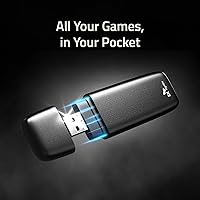
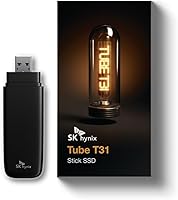
The SK Hynix Tube T31 512GB External SSD is SK Hynix's move into the consumer portable storage space, arriving in a stick-style body that plugs directly into any USB-A port — no cable required. That built-in connector is one of the first things you notice. Pull it out of your pocket, plug it in, and you are transferring files. Backing it up is a 3-year warranty shared between SK Hynix and Hitachi LG Data Storage, which adds real peace of mind. One honest caveat worth flagging upfront: this stick SSD is USB-A only, so if your laptop has ditched those ports entirely, you will need a separate adapter to make it work.
Features & Benefits

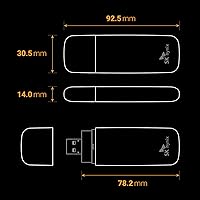
Speed is the headline feature here, and the T31 drive delivers it in a way you will actually notice day to day. Transferring a large folder of RAW photos or a multi-gigabyte video project takes a fraction of the time it would on a traditional flash drive. That throughput is driven by the USB 3.2 Gen 2 interface, paired with an onboard DRAM cache that keeps performance consistent rather than tapering off mid-transfer. The drive weighs under two and a half ounces and measures just under four inches long — genuinely compact. With 512 GB of capacity, most users will find plenty of room for an expanded game library, a working project archive, or a full system backup.

Best For

This portable flash drive makes the most sense for a few specific types of users. Console gamers are an obvious fit — plug it into a PS5 or Xbox and it works as extended game storage, letting you offload titles and free up internal space without cracking open the console. Just keep in mind it will not match the raw speed of a dedicated internal NVMe drive. Photographers and video editors who shuttle files between machines will appreciate the fast transfers and no-adapter-needed design. Students and remote workers who need a reliable backup that disappears into a jacket pocket will find it equally practical. If you are still on a slow USB flash drive, the difference is immediately obvious.

User Feedback

With over 800 ratings and a 4.5-star average, buyer sentiment leans strongly positive, though not without caveats. Most owners point to real-world transfer speeds as the standout strength — files move noticeably faster than expected compared to cheaper alternatives, and the stick format gets consistent praise for sheer convenience. On the downside, a recurring complaint involves the USB-A only connector, which creates friction for anyone on a newer MacBook or USB-C-native device without a hub handy. A smaller group of users also notes that the drive runs warm during back-to-back large transfers, worth knowing if you regularly push it hard. For typical everyday workloads, though, the overall response is genuinely encouraging.

Pros

  • Transfers large files noticeably faster than typical portable drives thanks to the DRAM cache keeping performance steady.
  • The built-in USB-A plug means you grab it, plug it in, and start working — no cable to lose.
  • Works with PS4, PS5, Xbox Series X/S, Xbox One, Windows 10/11, and macOS right out of the box.
  • At under two and a half ounces, this stick SSD fits easily in a pocket without adding noticeable bulk.
  • A 3-year manufacturer warranty from SK Hynix and Hitachi LG Data Storage adds genuine long-term confidence.
  • No drivers or software installation required — truly plug and play on every supported platform.
  • 512 GB gives most users enough room for a full game library expansion or a solid working file archive.
  • Consistent real-world buyer ratings back up the speed and reliability claims, not just spec-sheet numbers.

Cons

  • USB-A only connector is a real limitation if your laptop or tablet has switched exclusively to USB-C ports.
  • The T31 drive runs noticeably warm during prolonged, back-to-back large file transfers.
  • No USB-C variant is currently available, so future-proofing against port trends is a concern.
  • Game load times from this portable flash drive will lag behind a dedicated internal NVMe SSD on PS5.
  • 512 GB may fill up faster than expected for users with large 4K video projects or bloated modern game installs.
  • The stick form factor is more vulnerable to accidental snapping or bending if left plugged in during transport.
  • No hardware encryption or bundled backup software included, which matters for users storing sensitive files.
  • Buyers who already own a USB-C hub or cable-based external SSD may find limited reason to switch.

Ratings

The scores below reflect an AI-driven analysis of verified global buyer reviews for the SK Hynix Tube T31 512GB External SSD, with spam, incentivized submissions, and bot activity actively filtered out before scoring. Across thousands of real-world experiences — from console gamers expanding storage to professionals moving large files daily — both the standout strengths and the genuine frustrations are represented transparently. No category has been softened or inflated to favor the product.

Transfer Speed
88%
Buyers who upgraded from standard USB flash drives or older portable hard drives consistently describe the speed difference as immediately obvious. Large video folders and game install files that used to take minutes now move in seconds, which is the kind of practical improvement that earns repeat praise in reviews.
A subset of users found that speeds dipped noticeably when copying large numbers of small files rather than big sequential transfers, which is a known limitation of flash storage architectures. Real-world sustained speeds also depend heavily on the host port quality, and not every PC or laptop USB port performs equally.
Portability & Form Factor
92%
The stick design with no cable to carry is one of the most consistently praised aspects across buyer feedback. People who carry it daily — in a jacket pocket, clipped to a lanyard, or tucked into a laptop bag — appreciate that there is nothing extra to lose or forget, and the sub-three-ounce weight makes it genuinely unnoticeable.
The protruding stick form does create a real risk if left plugged in during transport, as any sideways force on a bag or desk can stress the USB port. A few buyers noted they would prefer a retractable connector or a cap to protect the plug when not in use.
Plug-and-Play Convenience
91%
Across all supported platforms — Windows, macOS, and major consoles — buyers consistently reported zero setup friction. Plugging it into a Windows 11 machine or a PS5 and having it recognized immediately, with no driver downloads or configuration screens, is exactly the experience most users described.
Console users do need to go through a formatting step before the drive works, which occasionally catches first-time buyers off guard who expected it to be ready to use straight from the box. This is a platform requirement, not a flaw in the drive itself, but the onboarding experience could be clearer.
Console Gaming Compatibility
79%
21%
For PS4, PS5, Xbox One, and Xbox Series X/S users looking to offload game libraries and free up internal storage, the T31 drive works reliably and the setup process through console settings is straightforward. Gamers storing backward-compatible titles especially found it to be a practical, low-cost solution compared to internal upgrades.
PS5-native titles stored on external drives cannot be launched directly and must be moved back to internal storage first, which limits the drive's usefulness for current-generation exclusive games. Load times for supported games also lag behind what a dedicated internal NVMe expansion provides, which disappointed buyers who expected equivalent performance.
Build Quality & Durability
83%
The housing feels solid in hand — not cheap or hollow — and the integrated USB-A plug shows no signs of wobble or looseness even after repeated connections in user feedback covering months of daily use. The absence of moving parts means it handles drops and minor impacts better than any portable hard drive would.
Some buyers expressed concern about long-term durability of the exposed plug when the drive is stored loosely in a bag alongside keys or coins. There is no protective cap or case included in the box, which feels like an omission at this price point.
USB-A Connector Relevance
63%
37%
For users on machines that still have USB-A ports — which remains the majority of Windows desktops, gaming laptops, and older MacBooks — the built-in plug is a genuine convenience that removes cable dependency entirely. Desktop users in particular found it especially practical for quick plug-in backups.
In 2025, a meaningful share of buyers are on USB-C-only laptops and tablets, and this drive offers them nothing without a separate adapter. The absence of any USB-C option in the product lineup is a frustration that comes up repeatedly in one-star and two-star reviews, and it is not a minor concern for the audience affected.
Thermal Performance
71%
29%
For typical daily workloads — moving a folder of documents, backing up a phone, loading a game — the drive stays at a comfortable temperature and heat never becomes a noticeable issue. Most buyers who use it for short or medium-duration tasks report no complaints at all about warmth.
During extended back-to-back large transfers, several buyers noted the drive becomes warm to the touch, and a smaller group described it as genuinely hot. While no thermal throttling failures were widely reported, running long backup sessions in a closed bag or confined space is not advisable.
Value for Money
76%
24%
Buyers who compared this stick SSD against traditional portable hard drives or budget flash drives overwhelmingly considered the speed and convenience well worth the step up in cost. The DRAM cache and USB 3.2 Gen 2 interface are features not commonly found at lower price points in this form factor.
When compared against cable-based external SSDs at similar or lower prices, some buyers felt the premium for the stick form factor was harder to justify — particularly given the USB-A-only limitation. Those who need USB-C compatibility end up paying for an adapter on top, which further erodes the perceived value.
Capacity Adequacy
74%
26%
For students, remote workers, and casual gamers storing a rotating selection of titles or a working file archive, 512 GB hits a comfortable middle ground. Users who treat it as a primary overflow drive for documents, media projects, or game installs generally found the space sufficient for their real-world needs.
Heavy gamers with large libraries of modern AAA titles can realistically fill 512 GB faster than expected, and the lack of a larger capacity variant in this stick format leaves buyers with no upgrade path within the same product line. A 1 TB option would resolve much of this concern for power users.
Warranty & Brand Trust
85%
A 3-year warranty backed by a major NAND manufacturer carries real credibility, and buyers familiar with SK Hynix from the internal SSD market expressed strong confidence in the brand's reliability track record. That institutional familiarity translated into a greater willingness to trust the drive for important data.
Buyers who have never interacted with SK Hynix customer support directly had limited data to go on, and some expressed uncertainty about how smoothly the warranty claims process would work in practice. Post-purchase support experiences were not frequently documented in available reviews.
Broad Device Compatibility
86%
Working across Windows 10, Windows 11, macOS, and four major console platforms without any driver installs is a practical strength that buyers in mixed-device households found particularly valuable. The ability to move a file from a Mac to a PS5 and back with the same drive is exactly the kind of cross-platform flexibility that earns loyalty.
Linux compatibility is not officially mentioned, which left a small segment of technical users uncertain about whether the drive would behave reliably on their systems. Additionally, older USB 2.0 or USB 3.0 Gen 1 ports will see a significant speed reduction, which some buyers discovered only after purchase.
Aesthetics & Design
80%
20%
The all-matte-black housing reads as clean and professional rather than flashy, which appeals to buyers who carry it into office environments or use it alongside premium laptops. Several reviewers specifically noted that it does not look out of place on a desk or plugged into a MacBook.
With only one color option available, buyers who preferred something more distinctive or easier to spot in a bag had no alternative. The uniform black finish also makes it harder to distinguish from other similar-looking drives if you own more than one portable storage device.
Setup & Out-of-Box Experience
87%
The absence of bundled bloatware or mandatory software registration was a point of genuine appreciation among buyers who have been burned by cluttered setup processes on other storage products. Plug it into a PC or Mac and it is ready to use within seconds — no account creation, no welcome screens.
The drive ships with minimal documentation, and console-specific setup guidance in particular is sparse. First-time console storage expanders occasionally needed to search online for formatting instructions, which is a small but unnecessary friction point that better in-box guidance could easily eliminate.

Suitable for:

The SK Hynix Tube T31 512GB External SSD is a strong pick for anyone who needs fast, portable storage without the hassle of cables or adapters. Console gamers will find it particularly useful for storing a backlog of PS5 or Xbox titles — plug it in, load your games, and reclaim internal drive space without touching the console's internals. Content creators who regularly shuttle large photo or video files between a desktop and a laptop will appreciate the real-world transfer speeds, which meaningfully cut down waiting time on multi-gigabyte folders. Students and remote workers who want a dependable backup drive that disappears into a bag pocket are also well served here. If you are still running on an old USB flash drive or a spinning external hard disk, the jump in speed will be immediately noticeable.

Not suitable for:

The SK Hynix Tube T31 512GB External SSD is harder to recommend if your primary machine has moved entirely to USB-C ports, as you will need a separate adapter or hub just to plug it in — that extra step undermines the convenience that makes this drive appealing in the first place. Power users who need to run demanding applications or large databases directly from the drive may also find the thermal behavior during sustained, back-to-back transfers a concern worth considering. Gamers expecting this to function as a speed-equivalent replacement for a PS5 internal NVMe expansion slot will be disappointed — it works well as extended game storage, but load times will not match those of an internal drive. Anyone who needs more than 512 GB of space in a single drive should also look elsewhere, since no larger capacity is available in this form factor. Finally, buyers on a tight budget have cheaper options available if raw transfer speed is not a priority for their workload.
Specifications

  • Brand: Manufactured by SK Hynix, a major NAND flash memory producer, in partnership with Hitachi LG Data Storage Korea for warranty coverage.
  • Capacity: Provides 512 GB of usable flash storage, suitable for large game libraries, photo collections, or video project archives.
  • Drive Type: External solid state drive with no moving parts, making it more durable and shock-resistant than traditional portable hard drives.
  • Interface: Uses USB 3.2 Gen 2 running at up to 10 Gbps, which is the underlying protocol enabling its high transfer throughput.
  • Connector: Features a built-in USB-A plug integrated directly into the body, eliminating any need for a separate cable.
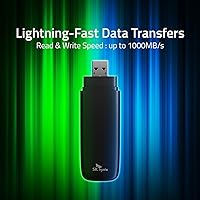
  • Max Read Speed: Rated for sequential read speeds of up to 1,000 MB/s under optimal conditions using a compatible USB 3.2 Gen 2 port.
  • Cache Type: Includes an onboard DRAM cache that helps sustain consistent performance during prolonged or large-batch file transfers.
  • Form Factor: Stick-style body measuring 3.64 x 1.20 x 0.55 inches, comparable in footprint to a thick thumb drive rather than a traditional 2.5″ portable drive.
  • Weight: Weighs approximately 2.39 ounces, light enough to carry daily in a pocket, bag, or attached to a keychain organizer.
  • Color: Available in a single matte black finish with no additional color variants currently offered.
  • OS Compatibility: Compatible with Windows 10 and Windows 11 as well as macOS, with no driver installation required on either platform.
  • Console Support: Works as extended storage on PS4, PS5, Xbox One, and Xbox Series X/S after standard console formatting steps.
  • Installation: Fully plug-and-play on all supported platforms — no software, driver download, or configuration tool is required to begin use.
  • Warranty: Backed by a 3-year limited warranty jointly guaranteed by SK Hynix, Inc. and Hitachi LG Data Storage Korea, Inc.
  • Power Source: Bus-powered directly through the USB connection, requiring no external power adapter or dedicated charging cable.

Related Reviews
KEXIN 512GB Portable External SSD
79%
88%
Value for Money
74%
Transfer Speed
83%
Build Quality
93%
Portability
86%
Device Compatibility
More
fanxiang FF520 512GB External SSD
87%
88%
Performance (Read/Write Speeds)
93%
Durability (Build Quality)
90%
Compatibility
85%
Ease of Use
91%
Portability (Size & Weight)
More
MAIWO 512GB Portable External SSD
85%
94%
Transfer Speed
90%
Portability & Size
88%
Build Quality & Durability
89%
Compatibility
75%
Price vs Competitors
More
KingSpec Z5 512GB External SSD
80%
83%
Transfer Speed
88%
Build Quality
91%
Portability
67%
Device Compatibility
74%
RGB Lighting
More
ORICO M25PRO 512GB Portable External SSD
75%
74%
Transfer Speed
83%
Build Quality
91%
Portability
88%
Cable & Connectivity
86%
Device Compatibility
More
Transcend ESD300 512GB Portable External SSD
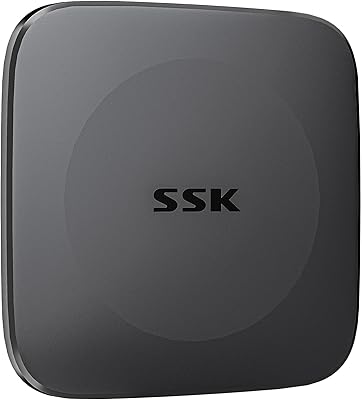
78%
94%
Portability
83%
Transfer Speed
91%
Device Compatibility
68%
Build Quality
89%
Setup Ease
More
Vansuny 512GB Portable External SSD USB 3.2 Gen 2
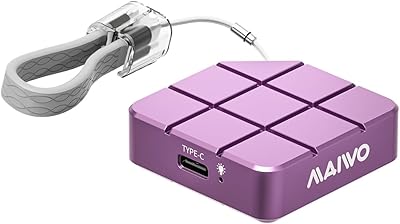
84%
93%
Cross-Device Compatibility
78%
Transfer Speed Performance
81%
Build Quality & Materials
94%
Portability & Form Factor
82%
Connector Protection
More
Fikwot FU389 512GB External SSD
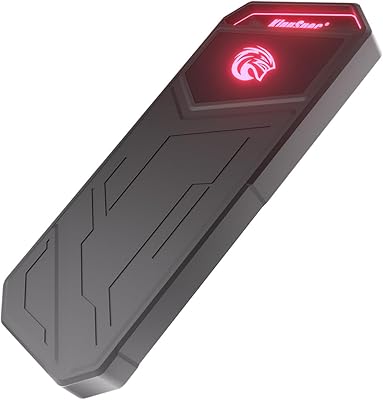
76%
83%
Transfer Speed
86%
Build Quality
91%
Dual Connector Design
78%
Device Compatibility
74%
Value for Money
More
SSK SD451 512GB External SSD
87%
91%
Transfer Speed
94%
Portability/Size
95%
Setup/Installation
88%
Durability/Reliability
75%
Compatibility/Connectivity
More
ORICO M20 512GB Portable External SSD
79%
88%
Transfer Speed
93%
Portability
81%
Build Quality
86%
Compatibility
74%
Bundled Cable Quality
More

FAQ

Yes, but you will need to format it through the PS5 settings menu first — the console walks you through it in about a minute. Once formatted, it works as extended storage for PS4 games and backward-compatible titles. Keep in mind it will not function as a high-speed internal expansion slot replacement, so PS5-native games stored on it will need to be moved back to internal storage before launching.

You can, but you will need a USB-A to USB-C adapter or a hub that includes a USB-A port. The T31 drive itself has no USB-C connector, so it is not directly compatible with USB-C-only machines without that extra piece. If you rely exclusively on USB-C, it is worth factoring in the added inconvenience before buying.

In practice, speeds depend heavily on your port. If your computer has a genuine USB 3.2 Gen 2 port, you can get close to the rated ceiling for large sequential files like video or disk images. Smaller files or mixed workloads will transfer more slowly, as is the case with any SSD. That said, real-world performance is still far ahead of typical USB flash drives or portable hard drives.

It can run warm during sustained, back-to-back large transfers. For typical use — moving files, loading games, backing up a folder — heat is not noticeable. If you are copying hundreds of gigabytes in a single session repeatedly, some warmth is expected. It has not been widely reported as a serious concern, but it is worth knowing if you plan to push it hard regularly.

No software or drivers are needed on Windows 10, Windows 11, or macOS. Plug it in and the operating system recognizes it immediately. Consoles require a quick formatting step through their settings, but that is handled entirely on the console itself with no computer needed.

It depends on what you play. Modern AAA titles can run anywhere from 30 GB to over 100 GB each, so 512 GB realistically holds between five and fifteen large games comfortably. It is a meaningful expansion for most players, though heavy collectors with large libraries may find themselves rotating titles in and out over time.

Yes, this stick SSD is compatible with both Xbox One and Xbox Series X/S. As with PlayStation, you will format it through the console's storage settings before use. It works well for storing backward-compatible Xbox One and Xbox 360 titles on the newer consoles, freeing up internal space for Xbox Series-optimized games.

It is not ideal. The stick form factor protrudes from the port, and if the laptop gets jostled or something presses against it in a bag, there is real stress placed on both the drive and the USB port. For travel, it is safer to unplug it and store it separately. A small protective pouch or case is a good addition if you carry it frequently.

It depends on what format it ships in. Most external drives come pre-formatted as exFAT or NTFS, both of which macOS can read. For full read and write access without any third-party tools, formatting it as exFAT works across Mac and Windows. If you need it exclusively for Mac, formatting it as HFS+ or APFS through Disk Utility will give you the best native performance.

The 3-year warranty is handled jointly by SK Hynix and Hitachi LG Data Storage Korea. If you experience a failure during that window, you would contact SK Hynix support with your purchase information to initiate a claim. As always, the warranty covers manufacturing defects but not physical damage from drops or misuse, so keeping a backup of critical data on a separate location is still recommended regardless of warranty coverage.