Overview

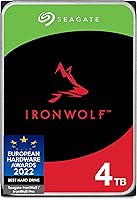
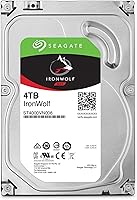
The Seagate IronWolf 4TB NAS Internal Hard Drive is built from the ground up for network-attached storage — not repurposed from a desktop line as an afterthought. At 4TB, it hits a practical sweet spot for home users and small offices who need real capacity without the cost jump of larger configurations. Unlike SMR-based alternatives, this IronWolf drive uses CMR recording technology, which delivers predictable write performance that RAID arrays depend on. Seagate has been refining this product line for years, and that experience shows in the design choices. At a mid-range price point, it sits comfortably below the IronWolf Pro without sacrificing the core reliability most NAS users actually need.
Features & Benefits

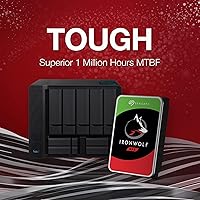
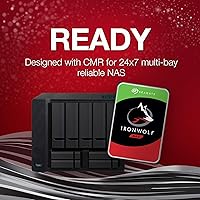
Running at 5900 RPM might sound underwhelming if you are used to 7200 RPM desktop drives, but for a NAS that runs around the clock, that lower speed translates to less heat and reduced vibration — both enemies of long-term drive health in a multi-bay enclosure. The 64MB cache buffer handles concurrent access requests well, which matters when multiple users hit the same share simultaneously. CMR recording keeps write behavior consistent, a must for stable RAID rebuilds. The integrated IronWolf Health Management system works with compatible NAS firmware to flag potential issues before they become failures. With a rated MTBF of one million hours, this Seagate NAS HDD is built for the long haul.

Best For

This IronWolf drive makes the most sense for home and SOHO users — particularly those running Synology, QNAP, or similar enclosures with up to eight bays. If you are building a RAID array for shared backups, a home media library, or a small surveillance setup, the 4TB NAS drive covers those workloads without overspending on the Pro variant. Users who want proactive drive health insights baked into their NAS dashboard will appreciate the IHM compatibility. It is also a solid pick for anyone who values a long warranty and bundled data recovery coverage over raw sequential speeds. If blazing throughput for video editing workstations is your priority, look elsewhere — but for reliable, always-on shared storage, this fits well.

User Feedback

With nearly 12,000 ratings averaging 4.7 stars, the reception for this Seagate NAS HDD is hard to argue with. Most buyers highlight quiet, stable operation and how naturally the drive integrates into Synology and QNAP setups — RAID builds are frequently described as trouble-free out of the box. On the less positive side, a small but notable portion of reviewers report early failures, including DOA units or drives that gave out within the first year. This is not unique to Seagate, but worth factoring in. The 5-year warranty and Rescue Data Recovery Services draw positive mentions, though some users clarify the recovery plan comes with conditions and is not an unlimited, unconditional safety net.

Pros

  • CMR recording technology ensures stable, predictable writes — critical for healthy RAID array rebuilds.
  • Runs quietly in a NAS enclosure, even over extended periods of continuous operation.
  • IronWolf Health Management gives compatible NAS systems real-time drive diagnostics without extra software.
  • The 5-year limited warranty is unusually generous for a mid-range internal hard drive.
  • 64MB cache handles multi-user file access well without becoming a bottleneck in typical NAS workloads.
  • At 4TB, this IronWolf drive offers a practical capacity that balances cost and usable storage for most home setups.
  • Lower RPM reduces heat output, which matters significantly in multi-bay enclosures running 24/7.
  • Integrates cleanly with Synology and QNAP systems — most users report a smooth setup experience.
  • The 3-year Rescue Data Recovery Services offer a real safety net for users storing important personal or business data.
  • Nearly 12,000 buyer ratings averaging 4.7 stars reflects a consistently solid ownership experience across a wide user base.

Cons

  • A small but documented percentage of buyers report DOA units or early failures within the first year.
  • The 3-year Rescue Data Recovery Services comes with conditions — it is not unconditional coverage for any data loss scenario.
  • 5900 RPM delivers noticeably slower sequential speeds compared to 7200 RPM alternatives when used outside a NAS context.
  • Vibration can be an issue in densely packed enclosures, based on a recurring pattern in negative user reviews.
  • The 4TB NAS drive is not cost-efficient as a single desktop storage drive — its value is tied to NAS use cases.
  • No onboard encryption or advanced security features, which may matter for compliance-conscious small business users.
  • IronWolf Health Management only works with select NAS firmware, limiting its usefulness outside compatible ecosystems.
  • Pricing sits above budget-tier NAS drives, which may be hard to justify for users with very light storage demands.
  • Warranty claims can be a frustrating process according to some users, with reported delays in replacement turnaround times.

Ratings

The scores below reflect our AI-driven analysis of thousands of verified global user reviews for the Seagate IronWolf 4TB NAS Internal Hard Drive, with spam, bot-submitted, and incentivized feedback actively filtered out before scoring. Each category is rated independently to give you an honest, granular picture of where this drive genuinely excels and where real buyers have run into friction. Both the strengths and the recurring pain points are transparently baked into every number you see here.

Reliability & Endurance
86%
For a drive that lives inside an always-on NAS enclosure, long-term dependability is everything — and most users report this IronWolf drive running without issue for years across home and small office setups. The 1,000,000-hour MTBF rating is not just a marketing number; it reflects a design philosophy tuned for continuous, uninterrupted operation rather than the burst-and-rest pattern of desktop drives.
A documented minority of buyers report early failures, including units that arrived dead or died within the first year of use. While statistically uncommon given the volume of reviews, it is enough of a pattern to be worth noting — particularly for users building multi-drive arrays where a single failure triggers a stressful rebuild process.
NAS Compatibility
93%
Integration with Synology and QNAP enclosures is consistently described as plug-and-play by a wide range of users, from first-time NAS builders to experienced sysadmins. The drive appears on compatibility lists for most major NAS brands, and real-world setup reports rarely surface firmware conflicts or detection problems in supported enclosures.
Outside of mainstream NAS brands, compatibility becomes less certain — a handful of users running less common or older enclosures report issues that required firmware updates or workarounds. Compatibility should always be verified against the specific NAS model before purchasing, especially for enclosures from smaller or budget-tier manufacturers.
RAID Performance
88%
CMR recording technology is the real differentiator here for RAID users. Array rebuilds proceed at consistent, predictable speeds without the dramatic slowdowns that SMR-based drives are notorious for, which translates to shorter rebuild windows and less anxiety when a drive in a multi-bay setup needs replacing.
Sequential throughput is constrained by the 5900 RPM spindle speed, which means raw transfer rates lag behind 7200 RPM alternatives during heavy sustained operations. For most home RAID setups this is barely noticeable, but users running write-heavy workloads — like frequent large file backups — may find the speed ceiling limiting over time.
Noise & Vibration
79%
21%
Under typical NAS workloads, this Seagate NAS HDD runs quietly enough to be housed in a home office or living space without becoming an irritant. Most users running two-to-four drive configurations describe the acoustic profile as unremarkable — exactly what you want from a drive you never want to think about.
In densely populated enclosures — particularly six-bay or eight-bay setups filled to capacity — some users report perceptible vibration resonance, especially during heavy write cycles. The issue is more pronounced when the NAS enclosure lacks proper vibration dampening trays, suggesting the drive itself is only part of the acoustic equation.
Heat Management
84%
The deliberately lower 5900 RPM spindle speed pays dividends in thermal performance, keeping operating temperatures manageable in enclosures with moderate airflow. Users monitoring drive temps through NAS dashboards frequently report stable readings well within safe operating ranges even during sustained backup jobs.
In poorly ventilated enclosures or during prolonged heavy workloads in warmer ambient environments, temperatures can creep upward more than expected. This is not unique to this drive, but it does reinforce the importance of ensuring your NAS enclosure has adequate cooling before filling all bays.
Health Monitoring
82%
18%
IronWolf Health Management is a genuinely useful feature for users running compatible Synology or QNAP systems, surfacing proactive alerts and drive diagnostics directly within the NAS management interface. It effectively removes the guesswork of knowing when a drive is starting to show stress, which can be the difference between a planned replacement and an unplanned outage.
IHM only works within supported NAS ecosystems — if your enclosure does not support it, you lose access to this layer of monitoring entirely and fall back on generic SMART data. Users who expected universal compatibility were occasionally disappointed to find the feature locked behind specific firmware versions or NAS platforms.
Value for Money
76%
24%
Stacked against the IronWolf Pro, the 4TB NAS drive represents a meaningful saving for users whose workloads do not justify the Pro tier premium. The five-year warranty and bundled Rescue Data Recovery Services add tangible value that most drives at this price range simply do not include.
Compared to budget NAS drives or repurposed desktop HDDs, the price is noticeably higher — and buyers with light storage demands may struggle to justify the cost difference. If your NAS sees infrequent use or light single-user traffic, cheaper alternatives might serve you equally well without the NAS-specific feature overhead.
Data Recovery Service
71%
29%
Having three years of Rescue Data Recovery Services included is a genuine differentiator, particularly for users storing irreplaceable personal files, family media libraries, or small business records. Knowing that a physical failure does not automatically mean permanent data loss adds a real layer of peace of mind that buyers consistently appreciate.
The service comes with terms and conditions that not every failure scenario falls under, and some users were caught off guard when their specific situation did not qualify for coverage. The plan should be understood as a conditional recovery option, not a blanket guarantee — reading the fine print before assuming full coverage is strongly advised.
Write Consistency
89%
Unlike SMR drives that stall and throttle during sustained write operations, this IronWolf drive maintains steady write speeds throughout long backup jobs or large file transfers to the NAS. Users running nightly full-system backups or moving large media archives report consistent completion times that do not degrade unpredictably over time.
Peak write speeds are modest by current standards, and the gap between this drive and higher-RPM alternatives becomes visible during large sequential write operations that saturate the cache. For most NAS use cases this is not a daily frustration, but it is a real ceiling for power users with demanding throughput requirements.
Warranty Coverage
91%
A five-year limited warranty is one of the most buyer-friendly coverage periods available on a mid-range internal hard drive, and it significantly reduces the financial risk of early drive failure over a long ownership period. The extended coverage is frequently called out as a meaningful purchase factor in positive reviews, especially for users investing in multi-drive NAS arrays.
While the warranty period is generous, the replacement process itself draws criticism from a subset of users who found turnaround times slow or the claims process more bureaucratic than expected. Warranty quality is ultimately defined by the support experience, and that has been inconsistent enough to warrant tempered expectations.
Setup Experience
88%
The physical installation into a standard 3.5-inch NAS bay is straightforward, and the drive is recognized immediately by major NAS operating systems without manual intervention in the vast majority of reported cases. First-time NAS builders consistently describe the drive-side experience as one of the least stressful parts of their initial setup.
A small number of users encountered firmware or detection issues on specific NAS models, particularly older hardware or non-mainstream enclosures. These cases appear to be edge scenarios rather than systemic problems, but they are a reminder that confirming compatibility before purchase remains a necessary step.
Multi-User Performance
81%
19%
For small teams or households with several devices hitting the NAS simultaneously — streaming media to one device while another runs a backup, for example — the 64MB cache and NAS-optimized firmware handle concurrent access without obvious bottlenecks in everyday use. Most users do not notice performance degradation during typical multi-user workloads.
Under heavier concurrent loads, such as multiple users simultaneously transferring large files, the performance ceiling becomes more apparent compared to the IronWolf Pro or faster enterprise-grade alternatives. This is largely a product of the drive class rather than a defect, but it is worth flagging for users expecting high-throughput multi-user environments.
Packaging & Arrival Condition
74%
26%
The frustration-free packaging format reduces unboxing waste and makes the drive easy to extract without fighting through excessive plastic. Most buyers report drives arriving in good physical condition with no visible transit damage, which matters when ordering a precision mechanical component.
A recurring theme in negative reviews is DOA units — drives that simply did not spin up on first use despite intact packaging. While the rate is low relative to total review volume, it is statistically consistent enough to suggest that incoming inspection upon installation is a good practice before committing the drive to a new array.

Suitable for:

The Seagate IronWolf 4TB NAS Internal Hard Drive is purpose-built for anyone running a dedicated NAS enclosure at home or in a small office environment. If you are setting up a Synology or QNAP box for shared file storage, automatic backups, or a personal media server, this drive is squarely in its element. It handles always-on workloads without complaint, making it a dependable choice for small teams where multiple users need to access files simultaneously throughout the day. Builders putting together a RAID 1 or RAID 5 array will benefit from the CMR recording technology, which ensures consistent and predictable write behavior during array rebuilds — something SMR drives cannot reliably offer. The bundled 3-year Rescue Data Recovery Services also add a meaningful layer of protection for users storing irreplaceable files, even if that plan does come with terms and conditions worth reading before assuming full coverage.
Not suitable for:

The Seagate IronWolf 4TB NAS Internal Hard Drive is not the right tool if your primary goal is raw speed for demanding workloads like 4K video editing directly off a drive or high-frequency database transactions. At 5900 RPM, it is intentionally slower than a 7200 RPM desktop drive, and users who need that extra throughput will feel the difference in sequential read and write intensive tasks. It is also not designed for use in a standard desktop PC as a primary or secondary drive — the NAS-optimized firmware and rotational profile are tuned for enclosure environments, not single-drive setups. Professionals running large-scale storage operations or multi-user creative workflows would be better served by the IronWolf Pro, which carries a higher workload rating and a more robust support tier. Finally, buyers who have experienced DOA or early-failure units in the past may want to factor in the reported — if minority — cases of units failing within the first year before committing to a multi-drive purchase.
Specifications

  • Capacity: This drive offers 4TB of usable storage, suitable for NAS-based backups, media libraries, and shared file environments.
  • Recording Technology: Uses CMR (Conventional Magnetic Recording), which provides consistent and predictable write performance essential for RAID configurations.
  • Form Factor: Standard 3.5-inch form factor compatible with most desktop NAS enclosures from major brands including Synology and QNAP.
  • Interface: Connects via SATA 6Gb/s, offering broad compatibility with current NAS enclosures and motherboards that support the SATA standard.
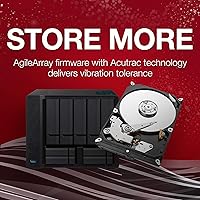
  • Rotational Speed: Spins at 5900 RPM, a deliberate choice to reduce heat generation and vibration during continuous 24/7 NAS operation.
  • Cache: Equipped with a 64MB cache buffer to support simultaneous multi-user access and reduce latency during concurrent file requests.
  • MTBF Rating: Rated at 1,000,000 hours Mean Time Between Failures, reflecting an endurance standard influenced by enterprise-grade design principles.
  • Max Bay Support: Officially supported in NAS enclosures with up to 8 bays, covering most home and small office multi-drive setups.
  • Warranty: Backed by a 5-year limited product warranty from Seagate, which is notably longer than the typical 2 to 3 years offered by competitors at this tier.
  • Data Recovery: Includes 3 years of Seagate Rescue Data Recovery Services, subject to terms and conditions outlined in the service agreement.
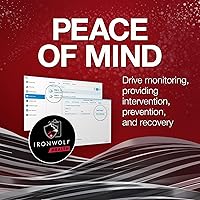
  • Health Monitoring: Supports IronWolf Health Management (IHM), which integrates with compatible NAS firmware to provide proactive drive diagnostics and alerts.
  • Workload Rating: Optimized for always-on NAS workloads, designed to handle the continuous read and write cycles typical of shared network storage environments.
  • Weight: Weighs 1.43 pounds, consistent with standard 3.5-inch mechanical hard drives intended for fixed enclosure installation.
  • Dimensions: Measures 5.79 x 4.01 x 1.03 inches, fitting standard 3.5-inch drive bays found in most NAS enclosures without modification.
  • Noise Profile: Engineered for low acoustic output during normal NAS operation, making it suitable for home or office environments where drive noise is a concern.

Related Reviews

Seagate IronWolf 8TB NAS Internal Hard Drive
88%
88%
Performance
92%
Reliability
85%
Ease of Setup
89%
Data Transfer Speed
94%
Noise Levels
More
Seagate IronWolf 12TB NAS Internal Hard Drive
82%
93%
NAS Compatibility
84%
Long-Term Reliability
91%
Data Integrity & CMR Technology
82%
Read/Write Performance
88%
Vibration & Noise Management
More
Seagate IronWolf 16TB NAS Hard Drive
80%
91%
RAID Compatibility
88%
NAS Enclosure Compatibility
83%
Sustained Read/Write Performance
74%
Long-Term Reliability
86%
Noise & Vibration
More
Seagate IronWolf 10TB NAS Internal Hard Drive
87%
89%
Performance & Speed
93%
Reliability & Durability
65%
Ease of Setup
88%
Noise & Vibration
91%
RAID & Multi-user Compatibility
More
Seagate IronWolf Pro 14TB NAS Internal Hard Drive
84%
94%
Performance under Load
91%
Reliability for 24/7 Operation
89%
Workload Durability
83%
Ease of Setup
80%
Compatibility with NAS Systems
More
Seagate IronWolf 6TB NAS Hard Drive
87%
89%
Performance
91%
Reliability
85%
Setup/Installation
87%
Build Quality
75%
Noise Level
More
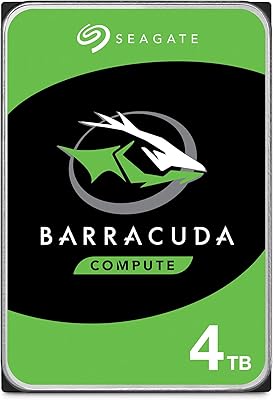
Seagate BarraCuda 4TB Internal Hard Drive
87%
86%
Performance
90%
Reliability
93%
Setup & Installation
95%
Storage Capacity
72%
Data Transfer Speed
More
Seagate IronWolf 3TB NAS Hard Drive
88%
91%
Performance in RAID Setups
87%
Reliability Over Time
85%
Ease of Setup
88%
Data Transfer Speed
84%
Noise and Vibration
More
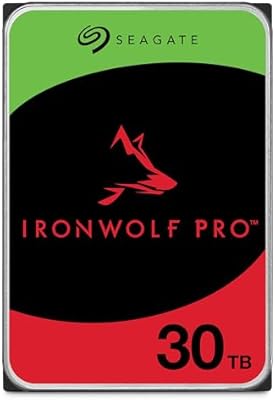
Seagate IronWolf Pro 30TB (ST30000NT011)
83%
98%
Storage Density
92%
Sustained Throughput
89%
Multi-Bay Stability
57%
Acoustic Profile
94%
Reliability & Support
More
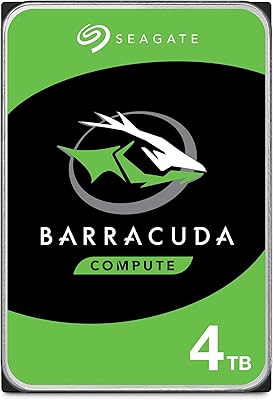
Seagate BarraCuda ST4000LM024 4TB Internal Hard Drive
70%
93%
Storage Density
84%
Value for Money
61%
Compatibility
67%
Sequential Read/Write Speed
48%
Random Access Performance
More
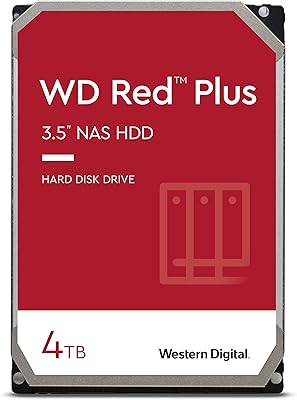
Western Digital 4TB WD Red Plus NAS Internal Hard Drive
89%
91%
Performance
94%
Reliability
88%
Energy Efficiency
85%
Noise Levels
89%
Workload Handling
More

FAQ

In most cases, yes. The Seagate IronWolf 4TB NAS Internal Hard Drive is widely used in Synology enclosures and is listed on Synology's compatibility database for many popular models. You should still verify your specific NAS model against Synology's HDD compatibility list before purchasing, but real-world experience from thousands of users suggests setup is generally straightforward.
For NAS use, CMR is the better choice. SMR drives write data in overlapping tracks, which causes them to slow down significantly during sustained writes or RAID rebuilds — sometimes taking hours longer than expected. CMR writes each track independently, so performance stays consistent. If you are building a RAID array, CMR is practically a requirement for reliable operation.

It comes down to the operating environment. A NAS runs continuously, often in an enclosed space with limited airflow. Higher RPM generates more heat and vibration, both of which wear drives down faster in that context. The lower RPM on this IronWolf drive keeps temperatures down and reduces mechanical stress, which is actually better for long-term reliability in an always-on enclosure.

Technically it will work, but it is not the ideal use case. The firmware is tuned for NAS workloads, and the 5900 RPM speed will feel noticeably slower compared to a typical 7200 RPM desktop drive. If you need a drive for a desktop system, a standard Seagate BarraCuda or similar desktop HDD will serve you better and likely cost less.

It is a data recovery service plan that covers physical drive failures — meaning Seagate's recovery team will attempt to retrieve your data if the drive stops functioning. However, it is not an unconditional guarantee. Coverage is subject to Seagate's terms, and not every failure scenario qualifies. Read the service agreement carefully before assuming it covers all possible data loss situations.

IHM is a monitoring layer that communicates between the drive and your NAS firmware. On compatible systems like those running Synology DSM or QNAP QTS, it can surface drive health data, flag anomalies, and suggest preventive actions through the NAS management interface. It does require a compatible NAS — it will not surface this data if you use the drive in a generic desktop or unsupported enclosure.

For most home users and small offices, the standard IronWolf drive is the more practical choice. The Pro variant carries a higher workload rating and is aimed at heavier professional environments — think medium-to-large businesses with constant heavy traffic. If you are running a personal media server, home backup solution, or small team file share, the standard 4TB NAS drive covers those needs without the added cost of the Pro tier.

This drive supports NAS enclosures with up to 8 bays, so you can build a RAID array with up to 8 of these drives depending on your enclosure. Common configurations like RAID 1, RAID 5, and RAID 6 all work well with CMR-based drives like this one, and the consistent write behavior of CMR keeps rebuild times and performance predictable.

A small number of users with high-density enclosures — typically 6-bay or 8-bay setups packed with drives — have reported minor vibration resonance. This is not unique to this drive; it is a physical reality with any spinning hard drive in a dense array. Enclosures from brands like Synology often include vibration dampening trays that mitigate this effectively, so the enclosure quality matters as much as the drive itself.

Contact Seagate directly to initiate a warranty replacement — the 5-year coverage applies from the date of purchase. Keep your receipt or order confirmation as proof of purchase. Some buyers have reported that the replacement process takes time, so if you are building a time-sensitive storage setup, it may be worth purchasing a spare or having a backup plan while a replacement is processed.