Overview

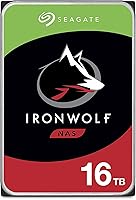
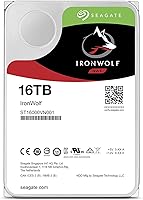
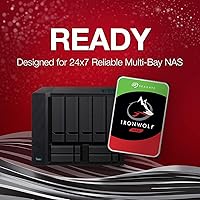
The Seagate IronWolf 16TB NAS Hard Drive is purpose-built for multi-user home and small office NAS environments where storage demands are serious and downtime isn't an option. It slots into standard 3.5-inch drive bays and supports enclosures with up to 8 bays, making it a practical choice for anyone building out a Synology, QNAP, or similar system. At this capacity and price tier, buyers reasonably expect more than a rebranded desktop drive — and this IronWolf drive largely delivers on that. It's been on the market since mid-2019 and has accumulated a modest but credible pool of real-world feedback.
Features & Benefits

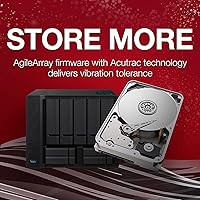
Spinning at 7200 RPM with a 256MB cache, this NAS hard drive handles sustained multi-user read/write workloads better than slower desktop alternatives. Crucially, it uses CMR — Conventional Magnetic Recording — rather than the SMR technology found in some budget drives. That distinction matters enormously for RAID arrays (where multiple drives work together for redundancy), since SMR can cause serious write performance degradation under those conditions. The IronWolf Health Management system integrates with compatible NAS firmware to monitor drive health proactively, and a 1-million-hour MTBF rating signals the drive is engineered for always-on operation. Rotational vibration compensation helps maintain stability in populated multi-drive enclosures.

Best For

The 16TB IronWolf fits best in home lab or SOHO setups used for media archiving, centralized backups, or shared file access across multiple users. Anyone building a RAID 5 or RAID 6 array should strongly favor CMR drives like this one — the write consistency is simply more dependable than SMR alternatives. The included three-year Rescue Data Recovery Service is a genuine safety net for anyone storing irreplaceable files, not just a marketing add-on. That said, this NAS hard drive isn't the right call for heavy transactional workloads or environments needing enterprise SAS connectivity — the IronWolf Pro line covers those use cases instead.

User Feedback

With around 149 ratings averaging 4.0 stars, this IronWolf drive has a smaller review base than its Pro sibling — which has thousands of ratings at a higher average — so treat the score as directionally useful rather than definitive. Owners frequently praise quiet operation and smooth integration into Synology and QNAP enclosures, with RAID arrays building cleanly and drive recognition being straightforward. On the downside, a recurring thread in negative reviews involves early failures or DOA units, which, while not unusual for mechanical drives at scale, is worth knowing before you buy. Several users specifically called out the Rescue Recovery Service as having saved them when a drive failed unexpectedly.

Pros

  • CMR recording ensures reliable, consistent write performance in RAID 5 and RAID 6 arrays.
  • IronWolf Health Management integrates directly with Synology and QNAP dashboards for proactive monitoring.
  • Three-year Rescue Data Recovery Service is a genuine, usable safety net — not just a marketing footnote.
  • 7200 RPM spindle speed and 256MB cache hold up well under simultaneous multi-user NAS access.
  • Rotational vibration compensation keeps the drive stable and quiet in populated multi-bay enclosures.
  • The 16TB capacity hits a practical sweet spot for home lab and SOHO storage consolidation.
  • 1-million-hour MTBF rating backs up the 24/7 always-on workload claims with a credible reliability benchmark.
  • Recognized cleanly by major NAS platforms, with minimal setup friction out of the box.

Cons

  • Early failure and DOA reports appear with enough frequency to suggest buying from a retailer with a solid return policy.
  • The three-year warranty trails competing NAS drives that offer five-year coverage at similar price points.
  • IronWolf Health Management is only fully functional on a limited list of supported NAS platforms.
  • The review pool is relatively small, making it harder to draw firm long-term reliability conclusions.
  • Price premium over desktop-grade drives is steep if your workload doesn't actually require NAS-class engineering.
  • Initializing a 16TB RAID volume takes hours — buyers new to NAS setups are often caught off guard by this.
  • Thermal output in compact or poorly ventilated enclosures can run higher than expected under sustained load.
  • Not suitable for very write-intensive workloads like multi-camera continuous surveillance recording.

Ratings

The Seagate IronWolf 16TB NAS Hard Drive has been scored by our AI after analyzing verified buyer reviews worldwide, with spam, bot-submitted, and incentivized feedback actively filtered out. Scores reflect the full picture — genuine strengths and recurring frustrations alike — so you can make an informed decision before committing to a high-capacity drive at this price tier.
RAID Compatibility
91%
Users building RAID 5 and RAID 6 arrays consistently report clean integration with minimal configuration headaches. The CMR recording technology is a key reason — it handles the random write patterns that RAID controllers generate without the slowdowns that plague SMR alternatives in the same workloads.
A small number of users reported that certain older NAS firmware versions didn't immediately recognize the drive at 16TB, requiring a firmware update before the full capacity appeared correctly. Not a dealbreaker, but worth checking compatibility before installation.
NAS Enclosure Compatibility
88%
The 16TB IronWolf slots reliably into popular enclosures from Synology, QNAP, and similar brands. Most users reported that the drive was recognized immediately upon insertion, and IronWolf Health Management data showed up in NAS dashboards without manual configuration on supported platforms.
Compatibility is strongest with modern, actively updated NAS firmware. Buyers using older or less mainstream enclosures occasionally noted that health management features were unavailable or incomplete, reducing some of the drive's diagnostic value in those setups.
Sustained Read/Write Performance
83%
At 7200 RPM with a 256MB cache buffer, this NAS hard drive holds up well during concurrent multi-user access — the kind of scenario where several people are streaming, uploading, or backing up simultaneously. Sequential transfer rates feel consistent rather than spiky, which matters for media-heavy NAS workloads.
Peak throughput is solid but not exceptional when compared to newer CMR NAS drives from competing brands. Users running very write-intensive workflows — like continuous surveillance footage ingestion from many cameras — noted the drive isn't tuned for that level of sustained write pressure over long periods.
Long-Term Reliability
74%
26%
The 1-million-hour MTBF rating reflects a drive engineered for always-on environments, and many users running the 16TB IronWolf in 24/7 NAS arrays report stable operation over multiple years. For home lab and SOHO use, it handles continuous uptime without the heat or noise issues some desktop drives exhibit under similar conditions.
The relatively modest review count makes it harder to draw firm long-term conclusions, and a visible thread of early failure reports — including DOA units out of the box — tempers confidence. These failures don't appear systemic, but they're frequent enough that buying from a seller with a clear return policy is a reasonable precaution.
Noise & Vibration
86%
Buyers who moved from older or non-NAS-rated drives frequently commented on how noticeably quieter this IronWolf drive runs in populated bays. The rotational vibration compensation does its job in multi-drive enclosures, keeping the overall noise floor low even when the array is under active load.
At 7200 RPM, there is still an audible hum during heavy sequential access — it's not silent. Users who keep their NAS in a bedroom or quiet workspace noted that while it's not loud, it's perceptible during late-night backup jobs.
IronWolf Health Management
79%
21%
For users on compatible Synology or QNAP systems, the integrated health monitoring is a practical tool — it surfaces early warning indicators before a drive reaches critical failure, giving you time to act rather than scrambling after data loss. Several buyers specifically credited it with helping them catch issues early.
The feature is effectively locked to a short list of NAS platforms with official IronWolf Health Management support. Users on less common or self-built NAS systems get standard SMART data only, which is useful but loses the additional predictive layer that makes this feature worth highlighting.
Rescue Data Recovery Service
84%
The three-year Rescue Data Recovery Service is one of the more tangible differentiators at this capacity level — it's a real service backed by Seagate's recovery labs, not a voucher or discount code. Users who actually had to use it reported a straightforward claims process and successful data retrieval in cases of physical drive failure.
The service covers hardware failure scenarios but has limitations around logical corruption and certain failure types. A few users felt the coverage terms were narrower than expected when they tried to make a claim, so reading the fine print before assuming full coverage is worth the five minutes.
Installation & Setup
89%
Physical installation is as straightforward as any 3.5-inch SATA drive — standard mounting holes, familiar connectors, no adapters needed. In multi-bay NAS enclosures, the drive slides in cleanly and initializes without requiring any special tools or preparation beyond what the NAS manufacturer recommends.
Setup is simple, but initializing a 16TB volume for the first time takes a significant amount of time depending on the NAS and RAID configuration chosen. First-time NAS builders sometimes underestimated this, expecting the array to be ready within minutes rather than hours.
Value for Money
67%
33%
Relative to buying a consumer desktop drive of similar capacity, the NAS-specific engineering — CMR recording, vibration compensation, health management, and three years of data recovery — adds up to a meaningful package for buyers who genuinely need those features in an always-on environment.
The price premium over desktop-grade drives is real and significant. Buyers who only need occasional-use storage or a single-drive backup destination often feel the cost isn't justified. For its intended multi-bay, multi-user NAS context the value case is reasonable; outside that context, it's a harder sell.
Thermal Management
77%
23%
Under typical NAS workloads the drive runs at moderate temperatures, and users in well-ventilated enclosures rarely reported thermal throttling or warnings. The 7200 RPM motor runs warm but within expected limits for this drive class during sustained sequential operations.
In compact or poorly ventilated NAS enclosures, users noted higher-than-expected operating temperatures during prolonged heavy use. Buyers planning to run this drive in a tight chassis with limited airflow should factor in additional cooling measures rather than relying on passive ventilation alone.
Multi-Bay Stability
82%
18%
Running two or more of these drives together in a populated NAS chassis is where the rotational vibration compensation earns its place. Users with four- and eight-bay setups noted that the drives stayed stable and read/write consistency was maintained even when all bays were active simultaneously.
A few users in densely populated eight-bay setups reported occasional vibration resonance between drives during heavy sequential reads, particularly in enclosures without rubber-dampened drive trays. It's an enclosure-side issue as much as a drive-side one, but it's worth noting for high-density builds.
Warranty Coverage
73%
27%
A three-year limited warranty is standard for NAS-class drives and covers manufacturing defects under normal operating conditions. Combined with the Rescue Service, the overall coverage window gives buyers a reasonable confidence buffer for the first few years of operation.
Three years is adequate but trails some competing NAS drives that offer five-year warranties at comparable price points. For a drive likely to sit in an always-on array for five or more years, the warranty timeline means buyers may be unprotected during the drive's middle operating years.
Firmware & Software Ecosystem
71%
29%
SeaTools and the IronWolf Health Management integration with major NAS platforms give technically inclined users access to meaningful diagnostics data. The ecosystem is mature enough that most compatibility questions have documented answers in Seagate's support resources.
Outside of Synology and QNAP, the software ecosystem thins out quickly. Users on other platforms or running Linux-based custom NAS builds found that accessing IronWolf-specific features required manual configuration or wasn't fully supported, reducing the practical utility of the health management system.

Suitable for:

The Seagate IronWolf 16TB NAS Hard Drive is the right call for home lab enthusiasts and small office users who are building or expanding a multi-bay NAS array and need storage that's genuinely engineered for that environment — not a desktop drive pressed into service. If you're running a Synology or QNAP enclosure for centralized media storage, team file sharing, or automated backups across multiple devices, the combination of CMR recording, 24/7 workload rating, and IronWolf Health Management integration makes this a well-matched choice. It's particularly well suited for anyone setting up a RAID 5 or RAID 6 configuration, where CMR's consistent write behavior is practically a requirement for stable array operation. Buyers storing irreplaceable files — family archives, client projects, years of photos — will also appreciate the three-year Rescue Data Recovery Service as a real fallback rather than a theoretical one. If your NAS runs around the clock and you want drives that were actually designed for that, this IronWolf drive fits the brief cleanly.
Not suitable for:

The Seagate IronWolf 16TB NAS Hard Drive is not the right fit for every high-capacity storage need, and being honest about that matters at this price point. If you're looking for a drive to plug into a desktop PC for personal use or occasional backups, you're paying a meaningful premium for NAS-specific features you simply won't use. Users running workloads that demand enterprise-level write endurance — think continuous video surveillance ingestion from dozens of cameras, or heavy database write cycles — will find that this IronWolf drive isn't rated for that intensity; the IronWolf Pro or enterprise-class options are better suited there. Anyone who needs SAS connectivity rather than SATA is immediately out of scope. And buyers hoping for a five-year warranty to match some competing NAS drives will find the three-year coverage here slightly short of the mark for a drive that may realistically run for much longer.
Specifications

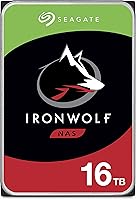
  • Capacity: The drive provides 16TB of formatted storage, making it practical for large media libraries, multi-user file sharing, and long-term backup retention in a NAS environment.
  • Recording Tech: Uses CMR (Conventional Magnetic Recording), which writes data to non-overlapping tracks and is the preferred technology for RAID arrays due to its predictable and consistent write behavior.
  • Form Factor: Standard 3.5-inch internal hard drive, compatible with the vast majority of desktop NAS enclosures and tower-style NAS chassis.
  • Interface: Connects via SATA 6Gb/s, the standard interface for NAS and desktop storage, ensuring broad compatibility with modern and older NAS platforms alike.
  • Spindle Speed: Spins at 7200 RPM, which supports stronger sustained throughput compared to 5400 RPM alternatives — an advantage in multi-user NAS scenarios with simultaneous read/write activity.
  • Cache: Equipped with a 256MB cache buffer that helps smooth out data transfers and reduces latency during mixed read/write workloads typical of always-on NAS use.
  • MTBF Rating: Rated at 1,000,000 hours Mean Time Between Failures, reflecting a design intent for continuous 24/7 operation rather than occasional desktop use.
  • Max NAS Bays: Officially supported in NAS enclosures with up to 8 bays, covering the full range of home lab and SOHO multi-drive configurations.
  • Vibration Comp.: Includes rotational vibration (RV) compensation sensors that help maintain stable performance when multiple drives are spinning simultaneously in a shared chassis.
  • Health Management: IronWolf Health Management is supported on drives 4TB and above, providing drive-level diagnostic data accessible through compatible Synology and QNAP NAS firmware.
  • Warranty: Covered by a 3-year limited warranty against manufacturing defects under normal operating conditions, which is standard for the NAS drive segment.
  • Recovery Service: Includes 3 years of Seagate Rescue Data Recovery Service, which provides professional data retrieval assistance in the event of physical drive failure.
  • Workload Rating: Optimized for NAS and 24/7 continuous operation, distinguishing it from desktop-class drives that are not rated for sustained always-on workloads.
  • Weight: Weighs 1.7 pounds, consistent with standard 3.5-inch mechanical hard drives and within the mounting tolerances of typical NAS enclosures.
  • Dimensions: Measures 5.79 x 4.01 x 1.03 inches, fitting standard 3.5-inch drive bays without requiring adapters or spacers in most NAS enclosures.
  • Amazon Rating: Holds a 4.0 out of 5 star average based on approximately 149 verified ratings, a smaller but meaningful sample reflecting real-world NAS deployments.

Related Reviews
Seagate IronWolf 3TB NAS Hard Drive
88%
91%
Performance in RAID Setups
87%
Reliability Over Time
85%
Ease of Setup
88%
Data Transfer Speed
84%
Noise and Vibration
More
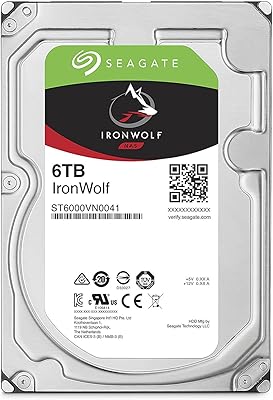
Seagate IronWolf 6TB NAS Hard Drive
87%
89%
Performance
91%
Reliability
85%
Setup/Installation
87%
Build Quality
75%
Noise Level
More
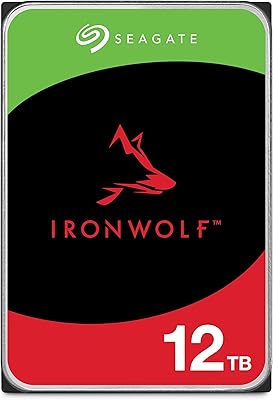
Seagate IronWolf 12TB NAS Internal Hard Drive
82%
93%
NAS Compatibility
84%
Long-Term Reliability
91%
Data Integrity & CMR Technology
82%
Read/Write Performance
88%
Vibration & Noise Management
More
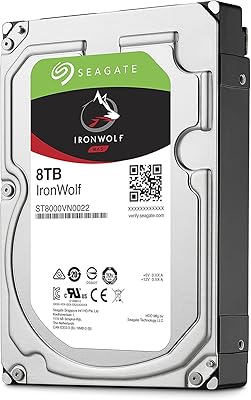
Seagate IronWolf 8TB NAS Internal Hard Drive
88%
88%
Performance
92%
Reliability
85%
Ease of Setup
89%
Data Transfer Speed
94%
Noise Levels
More
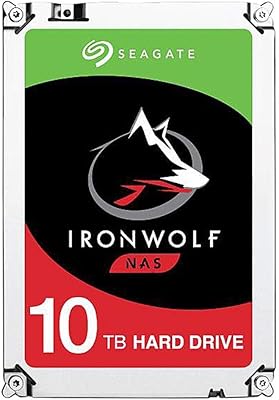
Seagate IronWolf 10TB NAS Internal Hard Drive
87%
89%
Performance & Speed
93%
Reliability & Durability
65%
Ease of Setup
88%
Noise & Vibration
91%
RAID & Multi-user Compatibility
More
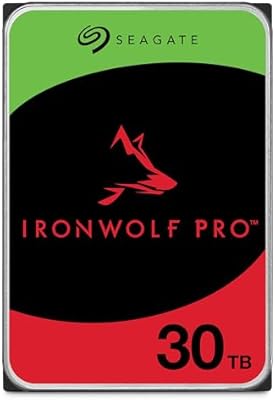
Seagate IronWolf Pro 30TB (ST30000NT011)
83%
98%
Storage Density
92%
Sustained Throughput
89%
Multi-Bay Stability
57%
Acoustic Profile
94%
Reliability & Support
More
Seagate IronWolf Pro 14TB NAS Internal Hard Drive
84%
94%
Performance under Load
91%
Reliability for 24/7 Operation
89%
Workload Durability
83%
Ease of Setup
80%
Compatibility with NAS Systems
More
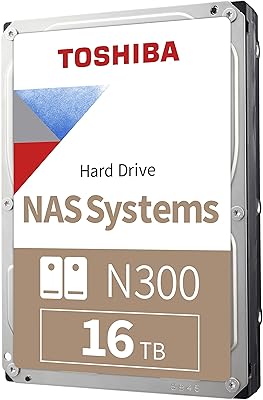
Toshiba N300 16TB NAS Hard Drive
80%
83%
Reliability & Longevity
91%
NAS Compatibility
78%
Read/Write Performance
82%
Noise & Vibration
81%
Thermal Management
More
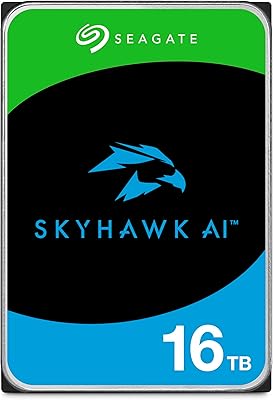
Seagate SkyHawk AI 16TB (ST16000VE004)
89%
98%
Recording Capacity
94%
Continuous Workload Endurance
93%
Frame Consistency
91%
AI Processing Support
87%
RAID Integration
More
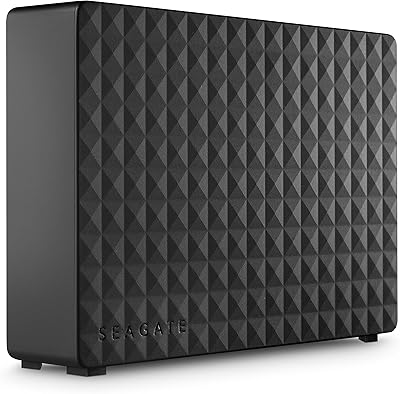
Seagate Expansion Desktop 16TB External Hard Drive
85%
94%
Capacity
92%
Ease of Use
90%
Setup/Installation
87%
Performance Speed
83%
Build Quality
More

FAQ

Yes, the 16TB IronWolf is widely compatible with both Synology and QNAP enclosures, and IronWolf Health Management data is accessible directly from those platforms' dashboards. It's worth checking your specific NAS model's compatibility list on the manufacturer's website before purchasing, especially if your firmware hasn't been updated recently.

It is, and CMR recording is a big reason why. Unlike SMR drives — which write data in overlapping tracks and can stall during the heavy random writes a RAID controller generates — CMR writes to discrete tracks and handles RAID rebuild operations cleanly. If RAID integrity matters to you, CMR is the right choice and this NAS hard drive delivers it.

It's a professional data recovery service backed by Seagate's own labs, included for three years from the date of purchase. If your drive physically fails and you can't access your data, you ship the drive to Seagate and their technicians attempt to recover it. It covers mechanical failures rather than every possible data loss scenario, so reading the full terms on Seagate's website is worthwhile before assuming blanket coverage.

The Pro version targets more demanding commercial and creative workloads — it carries a higher workload rate, a longer warranty (five years versus three), and has significantly more user reviews at a higher average rating. For most home lab and SOHO NAS users, the standard IronWolf is sufficient, but if you're running a heavier write workload or want the longer warranty peace of mind, the Pro is worth the additional investment.

Physically, yes — it's a standard SATA drive and will install in any desktop with a 3.5-inch bay. Practically though, you'd be paying a premium for NAS-specific features like vibration compensation, health management, and 24/7 workload rating that a desktop simply doesn't use. A desktop-class drive at this capacity would likely cost less and serve a non-NAS use case better.

Most users describe it as quiet during light to moderate use, with a low hum that becomes slightly more noticeable during heavy sequential reads or writes. At 7200 RPM it's not silent, but the rotational vibration compensation does help keep the acoustic profile manageable in multi-drive setups. If your NAS lives in a home office or living space, it shouldn't be disruptive under normal workloads.

Report it to your retailer immediately and use the standard return or replacement process — don't wait. DOA units, while not common, do appear in user feedback for this drive, so buying from a seller with a clear return window is a smart precaution. If you're past the return window but within the three-year warranty, Seagate's warranty process covers drive replacement for manufacturing defects.

Your NAS will typically handle that for you during the initial setup or when you add a drive to an existing volume. Most NAS operating systems like DiskStation Manager or QTS will detect the new drive and walk you through formatting and volume configuration. Expect the initialization process for a 16TB volume to take several hours depending on your RAID level and NAS model.

This IronWolf drive is rated for NAS enclosures with up to 8 bays, so a fully populated 8-bay unit would be well within its design parameters. If you're running a smaller 4-bay or 2-bay enclosure, it works there too — the bay count limit is a maximum, not a requirement.

For multi-drive NAS use it's genuinely important, not just marketing. SMR drives can experience significant write slowdowns during RAID rebuilds and under heavy concurrent write loads because of how they manage overlapping data tracks. CMR doesn't have that issue — writes go to dedicated tracks without the reorganization overhead. For a single-drive backup destination with light use, SMR might be fine, but in any RAID configuration or multi-user NAS environment, CMR is the safer and more reliable choice.

Where to Buy