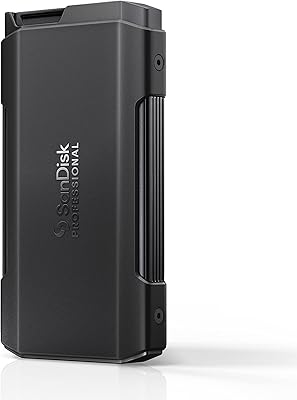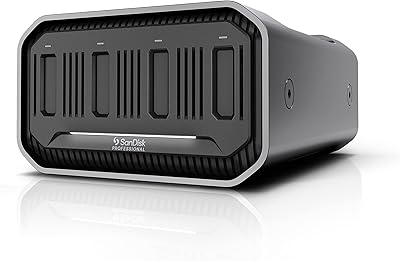
Overview

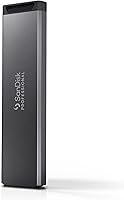
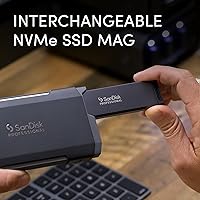
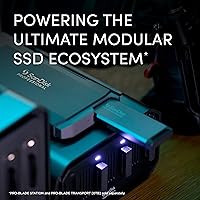
The SanDisk Professional 2TB PRO-BLADE SSD Mag isn't a standalone drive — it's a component in a larger modular storage ecosystem designed specifically for creative professionals. The PRO-BLADE system lets you swap, stack, and scale storage blades across different enclosures rather than buying entirely new drives as your needs grow. That modular approach sets it apart from every conventional portable SSD on the market. One critical thing to understand upfront: this blade cannot connect to your computer on its own. It requires a compatible PRO-BLADE enclosure, sold separately. If you buy this expecting a ready-to-use drive out of the box, you will be disappointed. Go in with the right expectations, though, and it is a genuinely clever piece of hardware.

Features & Benefits

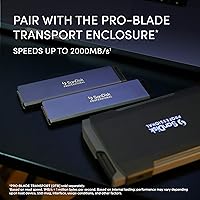
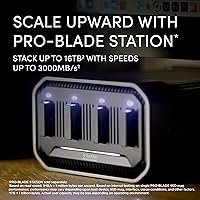
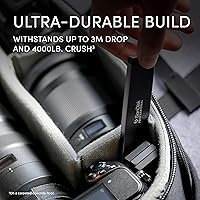
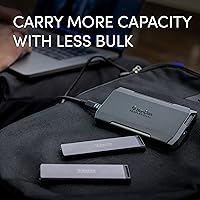
Running on an NVMe interface over PCIe, the PRO-BLADE SSD Mag can hit read speeds of up to 2000MB/s when paired with the PRO-BLADE TRANSPORT enclosure, and up to 3000MB/s through the desktop PRO-BLADE STATION — though real-world results will vary depending on your host machine and workload. Physically, this thing is remarkably compact: at 1.6 oz and roughly the footprint of a thick credit card, it slips into a camera bag pocket without a second thought. The chassis is rated for 3-meter drops and 4000 lb of crush force on carpeted concrete, which matters when you are moving fast on a shoot. Load multiple blades into the STATION and you can pool up to 16TB of capacity without buying new enclosures.

Best For

This modular drive makes the most sense if you are already committed to the PRO-BLADE ecosystem — or actively planning to be. Photographers and video editors who move frequently between field and studio get the most out of it: one set of blades that works equally well in a portable enclosure on location and a high-speed desktop dock back at the office. It also suits Mac and PC hybrid workflows well, since NVMe/PCIe support is broad across both platforms. What it is not suited for is casual or budget-conscious buyers who want a simple plug-and-go storage solution. The total cost of entry, once you factor in the enclosure, is significant — and that math only pays off if you are genuinely scaling capacity over time.

User Feedback

With a 4.1-star average across 192 ratings, the SSD blade earns mostly positive marks — but not without pointed criticism. Buyers who use it within a proper PRO-BLADE setup consistently praise the build quality and compact form factor; something this small surviving a rough shoot day is apparently reassuring. Speed satisfaction tracks closely with enclosure choice, as expected. The recurring complaint, though, is cost: many reviewers express frustration that the enclosure is not included, especially at this price point. A handful of users note that real-world transfer speeds fall short of advertised figures under certain host configurations. Long-term reliability reports trend positive overall, with relatively few mentions of failures or data issues over extended use.

Pros

  • Extremely compact and lightweight — at 1.6 oz, it barely registers in a camera bag.
  • Rugged enough to survive 3-meter drops and serious crush force, which matters on active shoots.
  • NVMe speeds up to 3000MB/s in the desktop station make large media transfers genuinely fast.
  • The modular design lets you scale storage capacity without buying new enclosures over time.
  • Works across Mac and PC without compatibility headaches.
  • Build quality consistently earns praise from buyers who use it in professional environments.
  • The blade form factor is thin enough to stack several without meaningful bulk.
  • Long-term reliability reports from real users trend positive with few failure incidents.

Cons

  • The blade is completely non-functional without a PRO-BLADE enclosure, which is sold separately.
  • Total ecosystem cost is high — the enclosure adds significant expense on top of the blade price.
  • Advertised transfer speeds require specific enclosures and capable host hardware to approach in practice.
  • Real-world speeds reported by some users fall noticeably short of the marketed maximums.
  • Vendor lock-in is real: these blades only work within the SanDisk PRO-BLADE ecosystem.
  • With only 192 ratings, the long-term reliability picture is still relatively limited.
  • No included cable or enclosure means additional purchases are required just to get started.
  • Buyers who misread the listing and expect a standalone drive frequently report frustration after purchase.

Ratings

The SanDisk Professional 2TB PRO-BLADE SSD Mag earns a nuanced scorecard: our AI has analyzed verified purchaser reviews from global marketplaces, actively filtering out incentivized, bot-generated, and low-signal feedback to surface what real professionals actually experience. The scores below reflect both where this modular drive genuinely delivers and where it creates friction — nothing is glossed over.

Transfer Speed
83%
Professionals pairing this blade with the PRO-BLADE STATION consistently report fast, responsive transfers when offloading large RAW batches or multi-gigabyte video files — the NVMe architecture makes a noticeable difference over USB-based portable SSDs in studio environments.
Speeds vary significantly based on host machine and enclosure choice, and several users report real-world figures falling meaningfully short of the advertised maximums on older or mid-range computers. The gap between the spec sheet and everyday results frustrates buyers who expected top-end performance unconditionally.
Build Quality
91%
The blade feels dense and purposeful in hand — nothing flexes, rattles, or feels hollow. Field photographers who carry it in kit bags alongside heavy gear report zero structural issues after months of regular use, and the industrial dark grey finish resists scuffs better than glossy competitors.
A small number of users note that the blade's edges can feel sharp when handled bare, and the absence of any soft-touch coating means fingerprints accumulate quickly. These are aesthetic rather than functional concerns, but worth noting for buyers who handle storage media frequently.
Durability
88%
The 3-meter drop rating and 4000 lb crush resistance are not just marketing claims — reviewers who have accidentally dropped the blade on hard floors report it surviving without data loss or visible damage. For location shoots where gear takes real punishment, this level of protection is genuinely reassuring.
Durability ratings apply to the blade inside a closed enclosure, so the protection you get in the field depends partly on how rugged your enclosure is. A handful of reviewers also note that the tested conditions — carpeted concrete — may not reflect every real-world impact scenario.
Value for Money
58%
42%
For professionals already committed to the PRO-BLADE ecosystem, adding a new blade is a more efficient upgrade path than buying an entirely new drive system. The modular architecture means your enclosure investment compounds over time as you add capacity.
The enclosure is sold separately, which means the true cost of entry is significantly higher than the blade price suggests — a point that generates consistent frustration in user reviews. Buyers comparing this against self-contained portable SSDs often feel the total ecosystem cost is hard to justify unless they need the scalability specifically.
Portability
93%
At 1.6 oz and roughly the footprint of a thick credit card, this blade disappears into any camera bag or jacket pocket without adding meaningful weight. Photographers covering multi-location events praise how many blades they can carry simultaneously without bulk becoming an issue.
The blade cannot be used standalone during transit, so portability is always tied to carrying the TRANSPORT enclosure as well — which adds weight and size back into the equation. For users who want one small device that does everything, that dependency undermines the compact form factor.
Ecosystem Compatibility
76%
24%
Within the PRO-BLADE family, the blade integrates cleanly across both the TRANSPORT and STATION enclosures, and swapping between them takes seconds. Mac and PC users both report solid recognition and consistent behavior across operating systems.
Compatibility is entirely limited to SanDisk PRO-BLADE enclosures — this blade will not work in any third-party housing or connect directly to a computer. That lock-in is a deliberate design choice, but it gives buyers little flexibility if enclosure pricing or availability becomes an issue in the future.
Setup & Ease of Use
69%
31%
Once you have the correct enclosure in hand, inserting the blade and getting it recognized takes under a minute on both Mac and PC — no drivers, no configuration, no formatting prompts for most users. The physical insertion mechanism is firm and clearly indexed.
First-time buyers who did not realize an enclosure was required describe a frustrating unboxing experience, and the product listing does not make the dependency obvious enough. The learning curve for the broader ecosystem — understanding which enclosure unlocks which speeds — adds friction that conventional portable drives simply do not have.
Read Speed Consistency
74%
26%
Users with modern Thunderbolt-equipped Macs and the STATION dock report consistently fast reads across sustained transfers, making it a reliable choice for editors pulling footage directly from the blade into a timeline.
Speed consistency degrades noticeably on machines with slower or older ports, and a portion of reviewers describe inconsistent burst performance during mixed read/write workloads. The drive performs best in controlled environments rather than as an all-purpose speed solution.
Write Speed
71%
29%
Write speeds are sufficient for ingesting large photo or video files in the field, and most professional photographers report that copying a full card to the blade in the TRANSPORT enclosure feels noticeably faster than their previous USB-C SSD experience.
Write speeds are considerably lower than read speeds, which is expected for NVMe flash at this tier, but some reviewers express disappointment that simultaneous multi-stream writes slow things down more than anticipated. This is worth factoring in for anyone planning intensive write-heavy workflows.
Scalability
89%
The ability to stack multiple blades into the PRO-BLADE STATION and reach up to 16TB of pooled capacity without buying new enclosures is a genuinely useful long-term feature. Studio operators and heavy shooters who plan capacity growth over years see real strategic value in this architecture.
Scalability only delivers value if you are prepared to keep investing in additional blades at a premium price point. Users who purchased one blade and do not plan to expand the ecosystem gain nothing from this feature, making the scalability argument irrelevant for a significant portion of buyers.
Long-Term Reliability
82%
18%
Across reviewers who have owned this SSD blade for a year or more, failure rates appear low and data integrity issues are rarely mentioned. That track record from a Western Digital-backed product line provides reasonable confidence for professional storage use.
The total review sample is still relatively modest at under 200 ratings, which limits how confidently any long-term reliability pattern can be established. A broader, longer-running dataset would give buyers more certainty on this front.
Thermal Management
77%
23%
During moderate workloads — typical for photo ingest and short video file transfers — the blade stays cool inside its enclosure without throttling. Most users working in normal room temperatures do not report any heat-related performance drops.
Under sustained heavy transfers in warm environments, some users notice the enclosure becoming noticeably warm, which can trigger minor throttling. This is not unique to this blade, but it is worth considering for anyone working in hot climates or poorly ventilated studio setups.
Listing Transparency
44%
56%
The product page does include specifications that indicate it is a blade module, and buyers who research the PRO-BLADE ecosystem thoroughly before purchasing understand what they are getting into without surprises.
A recurring theme across negative reviews is that the enclosure dependency is not communicated clearly enough at the point of purchase, leading to returns and frustration from buyers who expected a plug-and-play drive. This is one of the most consistent pain points across the entire review set and reflects poorly on the purchase experience.
Mac Workflow Integration
86%
Mac users with Thunderbolt 3 or 4 ports and a compatible enclosure report tight, reliable integration — the blade mounts instantly, formats cleanly in APFS or HFS+, and handles Finder transfers without hiccups. Final Cut Pro and Premiere users on Apple Silicon particularly praise the throughput.
Older Intel Macs with slower Thunderbolt implementations see a more modest speed advantage over conventional drives, narrowing the performance gap that justifies the premium. Some users also note that the enclosure occasionally requires a re-seat after sleep cycles on certain Mac models.

Suitable for:

The SanDisk Professional 2TB PRO-BLADE SSD Mag was built for a specific kind of buyer: creative professionals who treat storage as infrastructure, not an afterthought. If you are a video editor shuttling large RAW or ProRes files between a field enclosure and a desktop dock, this blade system genuinely changes how you work — one set of drives, two different speed environments, zero redundant hardware. Wedding and commercial photographers who shoot high-volume jobs and need rugged, pocketable storage that survives a day on location will find the durability specs reassuring and the compact form factor genuinely practical. Studio operators looking to scale capacity over time without replacing enclosures every year get real value from the stackable architecture, especially when multiple blades can pool up to 16TB in the desktop station. Mac and PC hybrid users are well covered, and the NVMe speeds — when paired with the right enclosure and a capable host machine — are among the fastest available in this physical footprint.

Not suitable for:

The SanDisk Professional 2TB PRO-BLADE SSD Mag is a poor fit for anyone who needs a ready-to-use portable drive out of the box, because this blade cannot connect to a computer without a separately purchased PRO-BLADE enclosure. Budget-conscious buyers should think carefully before committing: once you account for the enclosure cost, the total investment is substantially higher than a capable self-contained portable SSD that works the moment you plug it in. Casual users — students, home office workers, or anyone just backing up personal files — will find the modular format unnecessarily complex and hard to justify financially. If your workflow does not involve frequently moving large media files between field and studio environments, the speed and modularity benefits never really pay off in practice. Anyone prioritizing simplicity, immediate usability, or lower upfront cost should look at conventional portable SSDs instead.

Specifications

  • Storage Capacity: This blade module provides 2TB of usable NVMe flash storage for professional media workflows.
  • Interface: It uses an NVMe interface over PCIe, enabling the high-speed data transfers the PRO-BLADE ecosystem is built around.
  • Form Factor: The drive ships as a 2.5-inch blade module, designed exclusively for use inside compatible PRO-BLADE enclosures.
  • Dimensions: The blade measures 4.32 x 1.1 x 0.3 inches, making it thin enough to stack several without meaningful bulk.
  • Weight: At just 1.6 oz, this is one of the lightest 2TB NVMe storage options available for professional use.
  • Max Read Speed: Paired with the PRO-BLADE STATION desktop enclosure, read speeds can reach up to 3000MB/s under optimal conditions.
  • Portable Read Speed: When used with the PRO-BLADE TRANSPORT portable enclosure, read speeds reach up to 2000MB/s depending on host device and usage conditions.
  • Drop Resistance: The blade is rated to withstand drops from up to 3 meters onto a carpeted concrete surface without data loss.
  • Crush Resistance: It is tested to survive up to 4000 lb of crush force on a carpeted concrete floor, per SanDisk Professional internal testing.
  • Platform Support: The drive is compatible with both Mac and PC systems that support the PCIe/NVMe interface through the appropriate PRO-BLADE enclosure.
  • Compatible Enclosures: This blade is designed to work exclusively with the PRO-BLADE TRANSPORT portable enclosure and the PRO-BLADE STATION desktop dock.
  • Max Pooled Capacity: Up to 16TB of total storage capacity can be pooled when multiple blades are loaded simultaneously into the PRO-BLADE STATION.
  • Color: The blade ships in Dark Grey, consistent with the broader SanDisk Professional product line aesthetic.
  • Manufacturer: This product is designed and manufactured by Western Digital Technologies, Inc. under the SanDisk Professional brand.
  • Standalone Use: This blade cannot connect directly to a computer; a separately purchased PRO-BLADE enclosure is required for operation.

Related Reviews
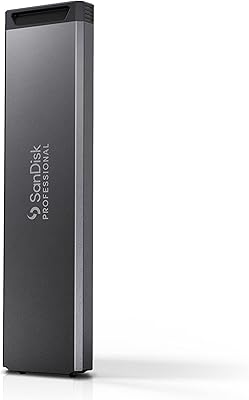
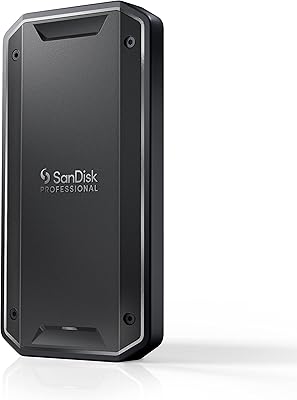
SanDisk Professional 4TB PRO-Blade SSD Mag
85%
94%
Performance
90%
Durability
88%
Portability
92%
Transfer Speed
85%
Ease of Use
More
SanDisk Professional PRO-G40 2TB SSD
89%
94%
Performance (Read/Write Speeds)
92%
Build Quality & Durability
88%
Portability & Size
85%
Ease of Setup & Use
90%
Connectivity & Compatibility
More
SanDisk Professional PRO-Blade Transport 4TB NVMe SSD
85%
92%
Performance
89%
Durability
90%
Modularity
88%
Portability
91%
Data Transfer Speed
More
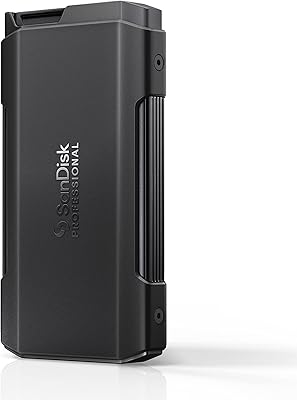
SanDisk Professional PRO-Blade Transport 1TB Portable SSD
80%
88%
Transfer Speed
74%
Sustained Performance
91%
Build Quality
86%
Durability & Ruggedness
79%
Modular Ecosystem
More
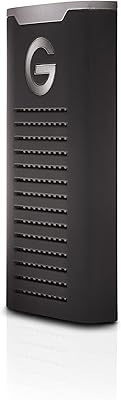
SanDisk Professional PRO-G40 4TB SSD
76%
93%
Transfer Speed (Thunderbolt 3)
89%
Build Quality & Durability
82%
Thermal Management
67%
USB-C Compatibility
61%
Value for Money
More
SanDisk Creator Pro 2TB Portable SSD
82%
88%
Transfer Speed
91%
Build Quality
86%
Weather & Dust Resistance
93%
Portability & Form Factor
63%
Heat Management
More
Lexar NM800 PRO 2TB M.2 NVMe SSD
78%
88%
Sequential Read Speed
84%
Sequential Write Speed
82%
Thermal Management
76%
PS5 Compatibility
81%
Value for Money
More
SanDisk 2TB Extreme PRO Portable SSD
87%
91%
Performance (Read Speeds)
94%
Build Quality & Durability
78%
Write Speeds
88%
Portability & Size
85%
Ease of Use & Setup
More
SanDisk Professional PRO-Blade Station 4-Bay SSD Enclosure
79%
91%
Transfer Speed Performance
88%
Build Quality & Materials
86%
Thermal Management
78%
Ecosystem Compatibility
62%
Value for Money
More
SanDisk Professional G-DRIVE SSD 2TB
88%
94%
Performance
91%
Durability
87%
Ease of Use
92%
Transfer Speed
86%
Compatibility
More

FAQ

You need a separate PRO-BLADE enclosure to use it — the blade itself has no USB or Thunderbolt port of its own. The SanDisk Professional 2TB PRO-BLADE SSD Mag is sold as a blade module only, so budget for either the PRO-BLADE TRANSPORT (for portable use) or the PRO-BLADE STATION (for desktop use) on top of the blade price.

The official figures are up to 2000MB/s read with the TRANSPORT enclosure and up to 3000MB/s with the desktop STATION, but those are best-case numbers based on internal testing. Real-world speeds depend on your enclosure, your computer's port capabilities, and your workload — some users report noticeably lower numbers, especially on older or less capable host machines.

Yes, as long as you are using it through a compatible PRO-BLADE enclosure connected to a Thunderbolt or USB port on your Mac. The blade itself does not require any special drivers on macOS, and most recent Mac models with fast Thunderbolt ports will give you the best transfer performance.

Yes, it works on Windows as well. The PRO-BLADE ecosystem supports both Mac and PC, and the NVMe interface is broadly compatible across modern Windows systems. Just make sure the enclosure you pair it with is connected to a high-speed port to avoid bottlenecking the drive.

It is genuinely well-built for field use. The blade is rated for drops up to 3 meters and crush resistance up to 4000 lb, which goes beyond what most portable SSDs claim. That said, the durability ratings apply to the blade inside a closed enclosure, so the enclosure's own build quality matters for real-world protection.

Yes, if you have the PRO-BLADE STATION desktop dock, you can load multiple blades at once and reach up to 16TB of total pooled capacity. That is one of the core advantages of the ecosystem — you buy additional blades as your storage needs grow, without replacing any hardware you already own.

SanDisk Professional offers the PRO-BLADE SSD Mag in multiple capacities, so 2TB is not your only choice. If your budget allows and you need more headroom, larger options are worth comparing — and if 2TB is more than you need right now, smaller blades are available at lower prices.

SanDisk Professional products typically include a limited warranty through Western Digital, which manufactures this line, but the specific terms and duration should be verified with the retailer or directly with Western Digital at the time of purchase, as warranty coverage can vary by region.

A standard portable SSD is simpler and cheaper to get started with — plug it in and it works, no ecosystem required. The PRO-BLADE SSD Mag makes more sense if you plan to scale your storage over time and want the flexibility of swapping blades between portable and desktop enclosures. If you only need one drive and want the lowest total cost, a conventional portable SSD is probably the smarter pick.

The PRO-BLADE SSD Mag is designed to work across the PRO-BLADE enclosure family, including both the TRANSPORT and STATION models. If you already own a PRO-BLADE enclosure, this blade should slot in and function as expected — though it is always worth confirming firmware is up to date on your existing hardware for the best compatibility.

Where to Buy