Overview

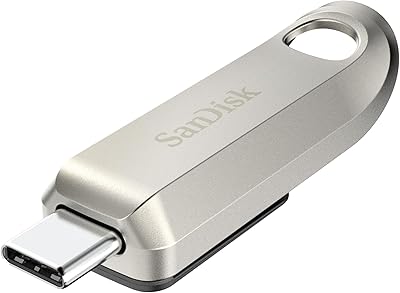
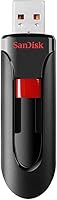
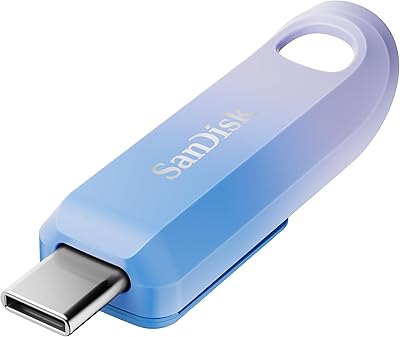
The SanDisk Cruzer Glide 256GB USB Flash Drive is a no-fuss, high-capacity storage option that punches well above its weight for everyday use. With 256GB on board, you can carry thousands of photos, hours of video, and years worth of documents without breaking a sweat. The retractable connector is a genuinely smart design choice — no cap to fumble with or lose in a bag. It works on both Windows and macOS right out of the box, which keeps things refreshingly simple. That said, this SanDisk drive runs on USB 2.0, so if raw transfer speed is your priority, know upfront this is a reliable everyday tool, not a performance-first device.

Features & Benefits

The Cruzer Glide 256GB includes SanDisk's optional SecureAccess software, which lets you create a password-protected vault on the drive itself. Files stored inside that vault are encrypted with 128-bit AES — solid protection for anything sensitive, think tax documents, client files, or personal records. Worth noting: the software is entirely optional. You can ignore it and use this flash drive as plain storage if you prefer. The retractable mechanism is sturdy and snaps in and out cleanly with each use. At just 0.16 ounces and a few inches long, it slips into a pocket or keyring loop without adding bulk to your daily carry.

Best For

This flash drive is a natural fit for students and office workers who regularly move files between computers and need something dependable that just works. Anyone tired of hunting for a lost drive cap will appreciate the retractable design immediately. It also suits people who want basic offline file encryption without relying on cloud services — handy for freelancers or anyone traveling with sensitive data. Where it falls short is for creative professionals needing fast write speeds for large raw photo or video files; USB 2.0 will bottleneck that workflow noticeably. For everyday backup and transfer, though, the Cruzer Glide 256GB covers the job without complaint.

User Feedback

Across its ratings, this SanDisk drive holds a strong 4.5-star average, and most buyers seem genuinely satisfied. The recurring themes in positive reviews are consistent reliability, the generous storage capacity relative to price, and how painlessly easy the drive is to set up and use. On the critical side, the most frequently noted issue is transfer speed — several users point out that copying large files takes noticeably longer than USB 3.0 alternatives, which is a fair and honest observation. A smaller number of reviewers found the SecureAccess software a bit unintuitive at first. Build quality feedback, however, is largely positive, with buyers reporting solid durability through regular daily use.

Pros

  • 256GB of storage is genuinely generous for everyday file hauling, backups, and media libraries.
  • The retractable connector is a smart, practical design — no cap means nothing to lose.
  • Optional 128-bit AES encryption lets you lock sensitive files behind a password without any cloud involvement.
  • Plug-and-play compatibility on both Windows and macOS makes setup completely painless.
  • Weighing just 0.16 ounces, this flash drive is light enough to forget it is even in your bag.
  • SanDisk has a long track record of reliable consumer storage, and this drive reflects that consistency.
  • A 4.5-star average from real buyers suggests strong real-world satisfaction for general use cases.
  • The compact form factor fits easily on a keychain or in any pocket without adding noticeable bulk.

Cons

  • USB 2.0 transfer speeds feel slow when moving large files — expect significant wait times compared to USB 3.0 drives.
  • The SecureAccess software can feel unintuitive for first-time users and lacks the polish of dedicated security tools.
  • No USB 3.0 or USB-C option means it is already behind the curve for modern high-speed devices.
  • Encryption protection is limited to the SecureAccess vault only — files stored outside it remain completely unprotected.
  • With only 60 ratings at the time of writing, the feedback pool is relatively small for confident trend analysis.
  • The drive is not ideal for running portable apps or OS boot environments due to its limited read/write performance.
  • No included physical storage case or lanyard attachment reduces protection during travel for some users.

Ratings

The scores below reflect AI-driven analysis of verified global buyer reviews for the SanDisk Cruzer Glide 256GB USB Flash Drive, with spam, bot-generated, and incentivized feedback actively filtered out to ensure accuracy. Each category is scored independently based on what real users praised and complained about most consistently, giving you an honest picture of where this drive excels and where it falls short.

Storage Capacity Value
91%
Buyers consistently single out the 256GB capacity as one of the drive's strongest selling points at its price tier. For students archiving semesters of coursework, or anyone consolidating a personal photo library, the sheer amount of space available without paying premium-brand prices landed as a genuine win.
A small number of users noted that the formatted usable capacity comes in somewhat below the advertised figure, which surprised a few buyers who were not familiar with how flash storage is measured versus what operating systems report.
Transfer Speed
54%
46%
For routine tasks like moving Word documents, PDFs, and smaller photo batches between computers, the USB 2.0 speeds are adequate and most casual users do not hit a wall during day-to-day use.
This is the most frequently raised complaint across reviews — copying large files, full HD video folders, or multi-gigabyte archives takes noticeably longer than on any USB 3.0 drive. Users upgrading from an older drive often do not notice, but anyone comparing this SanDisk drive directly to a modern USB 3.0 stick finds the speed gap hard to ignore.
Build Quality
83%
The housing feels solid for its weight class, and the retractable slider mechanism clicks in and out with satisfying firmness. Multiple reviewers who carry it daily in a crowded bag or clipped to a lanyard report no rattling, cracking, or loosening after extended use.
The plastic body does show minor scuff marks over time, and a handful of buyers noted the slider mechanism felt slightly stiff when brand new, though most reported it loosened naturally after the first few uses without any structural issues.
Retractable Design
88%
Buyers who switched from cap-style drives specifically praised this feature. Losing a USB cap is a universal annoyance, and the retractable connector eliminates that problem entirely — the connector retracts cleanly and stays protected whether the drive is bouncing around in a backpack or sitting in a desk drawer.
The retractable mechanism adds a very slight amount of bulk compared to the slimmest cap-style drives on the market. It is a negligible trade-off for most, but users wanting the absolute thinnest profile possible may notice it.
Encryption & Security
72%
28%
The optional SecureAccess software with 128-bit AES encryption is a meaningful addition for users who carry sensitive documents — contracts, personal IDs, financial records — without wanting to rely on cloud storage. Several reviewers in professional settings appreciated having offline password protection as a simple but functional safety net.
The SecureAccess software is not the most polished experience. Some buyers found the interface dated and slightly confusing to set up initially, and the fact that only files inside the vault are encrypted — not the full drive — caught a few security-conscious users off guard.
Ease of Use
93%
Plug it in and it works — on Windows or macOS — with zero setup required for basic storage tasks. This plug-and-play simplicity resonated strongly with less tech-savvy buyers who just want something that does not ask them to install drivers or configure anything before using it.
The only friction point some users encountered was with the SecureAccess software itself, which requires a manual download or setup step that was not immediately obvious to everyone. For users who ignore it entirely and just use the drive for storage, there are no friction points at all.
Portability
89%
At 0.16 ounces and under 2.5 inches long, the Cruzer Glide 256GB barely registers in a pocket or bag. Commuters and travelers who want to carry a large amount of data without adding any meaningful weight to their kit find this a natural fit.
The drive protrudes enough from a laptop USB port that it is not ideal to leave permanently plugged in during travel — it can snag on surfaces or be knocked sideways. It is better treated as something you plug in for transfers rather than a semi-permanent attachment.
Cross-Platform Compatibility
86%
The drive works cleanly across Windows and macOS without any driver installation, which reviewers in mixed-device households or shared office environments found particularly convenient. The default FAT32 formatting supports broad compatibility out of the box.
Users who reformatted the drive to NTFS for Windows-heavy environments later found it became read-only on macOS without third-party software. This is a user-initiated change rather than a product flaw, but it caught some buyers off guard.
Reliability & Longevity
84%
Across reviews, there are few reports of the drive failing unexpectedly or corrupting data under normal use conditions. Buyers who have used it consistently over a year or more generally report it holding up well, which aligns with SanDisk's broader track record in consumer flash storage.
The sample of long-term user reviews is still relatively small given the total review count, so durability conclusions are less definitive than for drives with thousands of ratings. A couple of users reported failure after exposure to moisture, which is not a product defect but worth noting for careless storage environments.
Value for Money
79%
21%
For buyers who prioritize capacity and brand trust over raw speed, the price-to-storage ratio holds up well. Getting 256GB from a recognizable manufacturer at a mid-range price point felt like a fair deal to the majority of buyers, especially those not in need of USB 3.0 performance.
USB 3.0 drives of similar or greater capacity have dropped significantly in price, which makes the value case for this USB 2.0 drive weaker than it was at launch. Informed buyers who shop around will find faster alternatives at comparable prices, which slightly undermines the overall value proposition.
Software Bundle
61%
39%
Having a basic encryption tool included at no additional cost adds a layer of utility that many comparable drives simply do not offer. For users who need only a simple password-protected folder rather than enterprise-grade full-disk encryption, SecureAccess covers the requirement adequately.
The software feels dated in both design and functionality, and several users found the learning curve steeper than expected for what is marketed as a simple security tool. There is no recovery option if a password is forgotten, which has frustrated users who lost access to their encrypted files permanently.
Physical Connector Quality
82%
18%
The USB Type-A connector fits snugly into ports without wobbling or requiring repeated insertion attempts, which sounds basic but is actually a point of failure on cheaper drives. Reviewers noted it maintains a firm connection throughout transfers without intermittent disconnects.
Being USB Type-A only means it is incompatible with newer laptops and tablets that have dropped traditional USB ports in favor of USB-C exclusively. Users with a modern MacBook or recent iPad will need an adapter, which adds inconvenience and an extra cost.

Suitable for:

The SanDisk Cruzer Glide 256GB USB Flash Drive is a strong match for students, office workers, and everyday users who need a dependable, high-capacity drive for moving files between computers without overthinking it. If you regularly shuttle presentations, spreadsheets, PDFs, or personal photo collections between home and work, 256GB gives you serious breathing room without the need to constantly manage what stays and what goes. The capless retractable design makes it especially practical for people who carry it loosely in a bag or pocket, since there is simply nothing to lose. Anyone who wants to keep a folder of sensitive documents — tax records, contracts, personal IDs — protected offline without depending on a cloud service will find the built-in encryption option genuinely useful. It also works cleanly on both Windows and macOS without any setup hassle, which makes it a convenient pick for households or offices where people use a mix of machines.

Not suitable for:

The SanDisk Cruzer Glide 256GB USB Flash Drive is not the right tool for anyone whose workflow depends on fast file transfers. Photographers shooting in RAW format, videographers moving large footage files, or anyone regularly copying gigabytes of data at a time will find USB 2.0 speeds a real bottleneck — the difference compared to a USB 3.0 or 3.1 drive is significant and noticeable in daily use. If speed matters to you even occasionally, it is worth spending a bit more for a modern USB 3.0 alternative. The SecureAccess encryption software, while functional, is not a polished enterprise-grade solution, so IT professionals or businesses with strict compliance requirements should look at dedicated encrypted drives instead. Power users who want to run portable applications or boot operating systems from a flash drive will also find the read and write performance here frustrating for those tasks.

Specifications

  • Storage Capacity: This flash drive offers 256GB of total storage space, suitable for carrying large libraries of photos, videos, documents, and music.
  • Interface: It uses a USB 2.0 interface, which is universally compatible but slower than modern USB 3.0 or 3.1 standards.
  • Connector Type: The drive features a USB Type-A connector, the standard rectangular plug found on virtually all laptops and desktop computers.
  • Form Factor: A capless retractable design protects the USB connector when not in use, eliminating the need for a removable cap.
  • Encryption: Optional 128-bit AES encryption is available through the bundled SanDisk SecureAccess software for protecting sensitive files within a password-locked vault.
  • Password Protection: Users can set a personal password through SecureAccess to restrict access to encrypted files stored on the drive.
  • Compatibility: The drive is plug-and-play compatible with both Windows and macOS operating systems, requiring no additional driver installation.
  • Weight: At just 0.16 ounces, this is an exceptionally lightweight drive designed for everyday portability.
  • Dimensions: The drive measures 2.4 x 0.8 x 0.4 inches, making it compact enough to fit in a pocket, bag, or attach to a keyring.
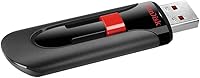
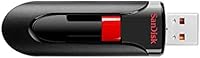
  • Color: The drive comes in a two-tone black and red finish, consistent with SanDisk's recognizable Cruzer series aesthetic.
  • Model Number: The official model designation for this variant is SDCZ60-256G-A46, which can be used to verify authenticity and compatibility.
  • Brand: Manufactured by SanDisk, a well-established name in consumer flash storage with decades of industry presence.
  • Platform Support: Officially supported on both PC and Mac platforms without requiring any additional software for basic storage functions.
  • Encryption Software: SanDisk SecureAccess is included software that creates an encrypted folder on the drive; files outside this folder remain unencrypted.
  • BSR Ranking: This drive holds a Best Sellers Rank of #1,741 in the USB Flash Drives category on Amazon at time of review.
  • Average Rating: The drive carries a 4.5 out of 5 star average rating based on buyer reviews collected on Amazon.

Related Reviews
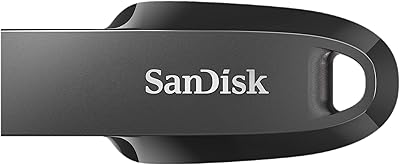
SanDisk 256GB Extreme Go USB 3.2 Flash Drive
85%
89%
Performance
92%
Transfer Speed
90%
Build Quality
88%
Portability
87%
Compatibility
More
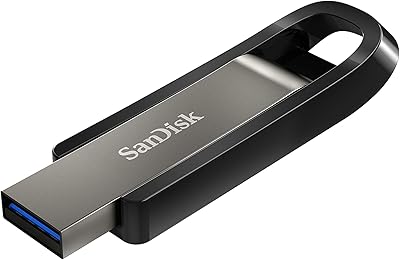
SanDisk Ultra Luxe 256GB USB-C Flash Drive
78%
88%
Read Speed Performance
54%
Write Speed Performance
93%
Build Quality
79%
Retractable Connector Mechanism
91%
Portability & Form Factor
More
SanDisk 256GB Ultra Curve USB 3.2 Flash Drive
87%
89%
Data Transfer Speed
94%
Portability and Size
85%
Build Quality
90%
Compatibility with Devices
88%
Durability of Retractable Connector
More
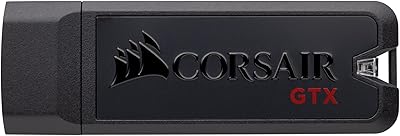
Corsair Flash Voyager 256GB USB 3.0 Flash Drive
89%
88%
Performance
93%
Durability
90%
Compatibility
72%
Speed (Write)
89%
Water Resistance
More
Corsair Flash Survivor Stealth 256GB USB Drive
82%
94%
Build Quality
91%
Waterproofing
89%
Durability Over Time
67%
Transfer Speed
88%
Storage Capacity
More
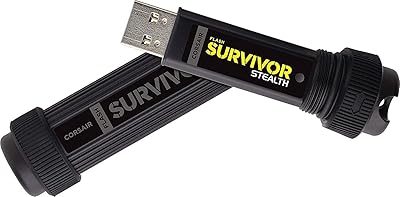
Corsair Flash Voyager GTX 256GB USB 3.1 Flash Drive
86%
91%
Performance
94%
Speed
89%
Durability
87%
Portability
88%
Compatibility
More
SSK 256GB USB Flash Drive
87%
93%
Transfer Speed
88%
Build Quality
91%
Durability
85%
Compatibility
89%
Portability
More
GARMESE 256GB Dual USB-C Flash Drive
78%
73%
Transfer Speed
91%
Dual Connector Design
84%
Build Quality
78%
Compatibility
76%
Value for Money
More
SanDisk Creator USB-C 1TB Flash Drive
83%
86%
Read Speed Performance
61%
Write Speed Performance
93%
Storage Capacity
71%
Value for Money
74%
Build Quality & Durability
More
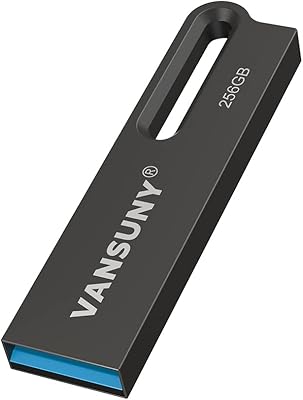
Vansuny 256GB USB 3.0 Flash Drive
77%
83%
Build Quality
91%
Portability
74%
Read Speed
61%
Write Speed
87%
Storage Capacity
More

FAQ

Yes, it does. The Cruzer Glide 256GB is plug-and-play on macOS — just insert it and it mounts on your desktop like any standard drive. You only need to install anything if you want to use the SecureAccess encryption feature, which is entirely optional.

Because this SanDisk drive uses USB 2.0, transfer speeds are noticeably slower than newer USB 3.0 or 3.1 drives. For everyday documents, photos, and casual file moves, the speed is perfectly acceptable. If you plan to regularly transfer large video files or multi-gigabyte archives, you will likely find the wait times frustrating compared to a USB 3.0 alternative.

SecureAccess creates a password-protected, encrypted vault folder on the drive where you can store sensitive files. Anything you place inside that vault is protected with 128-bit AES encryption. Files stored outside the vault are not encrypted at all — it is not a full-drive encryption solution, just a secured private folder within the drive.

Not at all. You can completely ignore it and use the drive as plain storage from day one. SecureAccess is entirely optional — it is there if you need it, but most buyers never touch it and just use the drive for straightforward file storage and transfers.

It depends on your TV. Many modern smart TVs and media players support playback directly from USB drives. If your TV has a USB Type-A port and supports the file formats you are using (MP4, MKV, etc.), the drive should work fine. Just bear in mind that USB 2.0 speeds are sufficient for standard HD playback, though very large 4K files may occasionally cause buffering on some devices.

Most users report the slide mechanism feels solid and does not loosen noticeably with regular daily use. Like any moving part, it is not indestructible, but for a standard office or school routine it holds up well. Avoid forcing it or exposing it to excessive pressure, and it should last through years of normal use.

In practice, the formatted usable capacity will be slightly less than 256GB — typically around 238 to 242GB — because of how storage manufacturers calculate gigabytes versus how operating systems report them. The SecureAccess software also takes up a small amount of space, but it is negligible.

Yes, but with one caveat: the drive ships formatted as FAT32, which is readable and writable on both Windows and macOS. If you reformat it to NTFS (common on Windows), Macs can read but not write to it without extra software. Keeping it in the default FAT32 or reformatting to exFAT is your best bet for smooth cross-platform use.

It is quite compact at 2.4 inches long, but it still protrudes a noticeable amount from a USB port. Leaving it permanently plugged into a laptop is not ideal — it could snag on something or get knocked. For periodic transfers it is great, but for a drive you want to leave semi-permanently attached, a nano-style flush USB drive would be a better fit.

Unfortunately, no. If you forget the password for the SecureAccess vault, there is no official recovery option — the encrypted files become inaccessible. SanDisk designed it this way intentionally to maintain security. The unencrypted files on the rest of the drive remain accessible, but anything inside the vault is locked permanently without the correct password. It is worth storing your password somewhere safe before using the encryption feature.

Where to Buy