


Overview

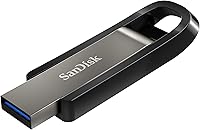
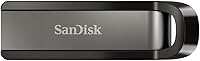
The SanDisk Extreme Go 256GB USB Flash Drive sits in a competitive sweet spot — fast enough to challenge serious portable storage options, compact enough to clip onto a keychain and forget about. In a market crowded with budget plastic sticks that throttle your workflow, this flash drive stands out with its premium metal casing and genuinely competitive transfer speeds. It's priced for professionals who need real performance, not casual users storing a few documents. Cross-platform support for both Mac and PC is expected at this level, and the Extreme Go delivers on that without any driver fuss.

Features & Benefits

The headline here is speed. This SanDisk drive's USB 3.2 interface means you can move a full HD movie in seconds or transfer a folder of RAW photos without watching a progress bar crawl. In practice, real-world speeds won't always match the spec sheet peaks, but the gap is manageable — expect fast, consistent performance rather than a laboratory number. The 256GB capacity comfortably holds tens of thousands of documents or several hours of high-resolution video. SanDisk's SecureAccess software adds 128-bit AES encryption for sensitive files, though it's limited to Windows and macOS — Linux users are out of luck. The capless retractable design is a small but genuinely useful touch.

Best For

The Extreme Go makes the most sense for people whose workflow actually demands fast transfers — video editors shuttling footage between machines, photographers moving large RAW files, or students who want a portable backup that won't make them wait. It's also a smart upgrade for anyone still stuck on a USB 2.0 drive, where the speed difference is immediately obvious. Frequent travelers will appreciate the solid metal shell that handles bag-tossing without complaint. If you need basic file-level encryption for sensitive work documents without buying a dedicated secure drive, this flash drive covers that case too — provided you're on a supported Windows or macOS system.

User Feedback

Across verified buyer reviews, the Extreme Go earns consistent praise for its build quality — the metal casing feels notably more substantial than cheaper alternatives — and for delivering noticeably quicker transfers than the drives it typically replaces. The compact size also gets frequent mentions as a plus. On the other side, some users report that the drive runs warm during long, sustained file transfers, and a few have noted that real-world speeds, while still impressive, don't always reach the advertised ceiling. The absence of a write-protect switch is a minor but recurring complaint. Long-term durability reports are largely positive, with several buyers noting the drive survived drops and daily bag wear without issues.

Pros

  • Transfers large video or photo files noticeably faster than standard USB 3.0 drives in everyday use.
  • The all-metal casing feels premium and holds up well to daily bag wear, drops, and rough handling.
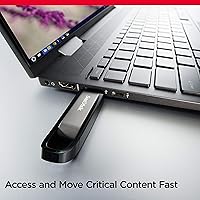
  • Compact enough to sit flush in a laptop port without sticking out awkwardly.
  • 256GB capacity comfortably fits large project folders, media libraries, or extensive document archives.
  • 128-bit AES encryption via SecureAccess adds meaningful file protection for sensitive documents.
  • Capless retractable design means no lost cover and one less thing to keep track of on the go.
  • Works across both Mac and PC without drivers or setup friction.
  • SanDisk's brand reliability and Western Digital backing give added confidence for long-term use.
  • At its price tier, build and performance put it ahead of most comparably priced plastic-bodied alternatives.

Cons

  • Real-world transfer speeds often fall short of the advertised peak figures, which can frustrate buyers expecting spec-sheet performance.
  • The drive heats up during long, sustained file transfers, which may be uncomfortable to touch or leave connected.
  • No physical write-protect switch, a missing feature that matters for archival use or shared environments.
  • SecureAccess encryption software is limited to Windows and macOS — Linux users get no encryption support at all.
  • Buyers with USB 2.0-only machines will see no speed benefit and are essentially overpaying for unused capability.
  • At this price point, cost-per-gigabyte is higher than slower budget drives, making it poor value if speed is not a priority.
  • The metallic bronze finish, while durable, shows fingerprints and light scuffs more than matte alternatives.
  • No included carrying case or lanyard loop, which is a minor but noticeable omission for frequent travelers.

Ratings

The scores below reflect an AI-driven analysis of thousands of verified global buyer reviews for the SanDisk Extreme Go 256GB USB Flash Drive, with spam, bot-generated, and incentivized feedback actively filtered out before scoring. Each category is assessed against real-world usage patterns — not just spec-sheet claims — so both the genuine strengths and the honest frustrations are reflected in every number.

Transfer Speed
83%
For everyday tasks like moving a folder of RAW photos or copying a large project archive, the Extreme Go consistently outpaces most drives in its class. Users coming from older USB 3.0 sticks regularly describe the speed jump as immediately noticeable and satisfying in a real workflow context.
Real-world read and write speeds reliably fall short of the advertised peak figures, which frustrates buyers who expected spec-sheet performance. The gap is wide enough that some users feel misled, particularly when transferring many small files rather than large single chunks.
Build Quality
91%
The metal casing earns consistent praise across buyer demographics — video editors, students, and frequent travelers alike describe it as feeling solid and premium in a way that plastic drives simply do not. Multiple users report it surviving drops onto hard floors and daily abuse inside crowded bags without any visible damage.
A few buyers note that the metallic finish picks up light scuffs and fingerprints more visibly than matte alternatives, which bothers those who keep their gear looking clean. The retractable mechanism has drawn rare complaints about feeling slightly loose after extended use.
Portability
94%
At under three inches long and weighing next to nothing, this flash drive disappears into a pocket or sits flush in a laptop USB port without sticking out awkwardly. Travelers and commuters specifically appreciate that it takes up essentially no bag space while still delivering serious storage capacity.
Because it sits so flush and feels so light, a handful of users have reported forgetting it in a port and walking away — not a design flaw exactly, but a real-world consequence of how unobtrusive it is. There is no lanyard loop or case included for those who prefer to carry it separately.
Thermal Management
58%
42%
Under light, intermittent use — saving documents, moving occasional files — the drive stays cool enough that most users never think about temperature at all. For typical day-to-day workloads, heat is not a practical concern.
During sustained, heavy transfers the casing becomes noticeably warm and sometimes uncomfortably hot to the touch, which is a recurring complaint in reviews involving large batch file operations. A few buyers expressed concern about data integrity during those prolonged high-temperature sessions, even if no actual failures were reported.
Storage Capacity
88%
256GB hits a practical sweet spot for professionals and students who need genuine working capacity — enough for a full video shoot, a semester of project files, or a large photo library — without paying for the jump to 512GB. Users frequently describe it as the right size for their workflow without feeling like overkill.
For buyers whose needs lean toward very large video production archives or long-term media backups, 256GB fills up faster than expected. Some users mention wishing the price gap to the 512GB variant were smaller, since it becomes a consideration once you start using the drive heavily.
Value for Money
72%
28%
For users who genuinely exploit the drive's speed — especially those replacing a slow USB 2.0 stick or a cheap USB 3.0 drive — the performance-per-dollar ratio feels justified. Creative professionals in particular tend to view it as a reasonable investment against the time saved on large transfers.
Buyers who primarily need storage rather than speed consistently question whether the premium over slower, cheaper drives is worth it for their use case. Cost-per-gigabyte is higher than budget alternatives, and if your computer only supports USB 2.0, you are paying a significant premium for performance you cannot actually use.
Software & Encryption
67%
33%
For Windows and macOS users who carry sensitive documents — contracts, client files, personal records — the included SecureAccess software provides a functional and genuinely useful layer of 128-bit AES password protection without needing to buy or configure anything extra.
The software's platform limitation is a hard stop for Linux users, who get no native encryption support whatsoever. Even among supported users, several reviews describe the SecureAccess interface as feeling dated and clunky compared to modern alternatives, and a subset of buyers were unaware of the OS restriction before purchasing.
Compatibility
86%
Plug-and-play behavior on both Mac and PC earns consistent praise — no drivers, no prompts, just immediate recognition and access. Users who alternate between operating systems in a mixed-platform environment find the cross-compatibility completely reliable.
The absence of USB-C connectivity is becoming a more relevant gap as newer laptops drop Type-A ports entirely, requiring an adapter that adds friction and a potential point of failure. A handful of buyers flagged this as a meaningful inconvenience they did not anticipate when purchasing.
Write Protection
31%
69%
For the majority of buyers using this drive for personal file transfers and portable storage, the lack of a write-protect switch is not something they ever think about or miss in day-to-day use.
The missing hardware write-protect switch is a recurring complaint from IT professionals, archivists, and users who work in shared or semi-public environments where accidental overwrites or malware write attempts are genuine risks. For that subset of buyers, this omission is significant enough to push them toward competing drives that include the feature.
Durability
89%
Long-term ownership reports are broadly positive — users describe the drive holding up well after a year or more of daily carry, repeated connections and disconnections, and the occasional accidental wash cycle. The metal shell clearly contributes to a longer usable lifespan compared to plastic-bodied alternatives at similar price points.
The retractable connector mechanism has drawn isolated reports of developing play or wobble over time, which raises some questions about long-term connector integrity under heavy daily use. These cases appear infrequent but are worth noting for buyers who plug and unplug multiple times per day.
Design & Aesthetics
78%
22%
The Metallic Bronze and Gloss Black finish reads as premium and professional, and buyers frequently mention that it looks noticeably better than typical budget drives. The capless retractable design is widely appreciated as a practical improvement over drives that require you to track a separate cap.
The gloss black portion of the casing attracts fingerprints and shows smudges readily, which bothers detail-oriented buyers who like their accessories looking clean. The color scheme is distinctive but divides opinion — some buyers would prefer a more neutral or understated look.
Setup & Ease of Use
92%
Out of the box, this SanDisk drive requires zero configuration for basic use — it shows up immediately on both Mac and PC, ready to drag and drop. Even less tech-savvy buyers consistently report having no trouble getting started within seconds of plugging it in.
Setting up the SecureAccess encryption software requires a download and some initial configuration, which trips up a small number of buyers who expected it to be pre-installed or more guided. The process is not difficult, but it is not as effortless as the plug-and-play experience for basic storage.
Advertised vs. Real Performance
61%
39%
When transferring large, contiguous files — like a single video export or a large compressed archive — the drive performs impressively and comes reasonably close to its rated speeds, which satisfies buyers with those specific use patterns.
For transfers involving many small files, speeds drop substantially and the gap from the advertised peak becomes hard to ignore. This is one of the most commonly cited frustrations in negative reviews, with buyers feeling the marketing sets expectations that real-world use does not consistently meet.

Suitable for:

The SanDisk Extreme Go 256GB USB Flash Drive is a strong match for anyone whose work regularly involves moving large files quickly — think video editors shuttling project folders between a studio desktop and a laptop, or photographers offloading a full day of RAW shoots without waiting around. Students who want a single portable drive to carry coursework, backups, and media will find the 256GB capacity hits a useful middle ground — enough room to be genuinely useful, not so much that you're paying for space you'll never touch. Remote workers who hop between machines and need a fast, reliable drive they can pocket will appreciate both the compact metal build and the cross-platform compatibility. If you travel frequently and have had cheaper drives crack, warp, or fail in a bag, the solid metal shell here is a meaningful upgrade. The built-in encryption software is also a practical bonus for anyone carrying sensitive client files or personal documents who wants basic protection without buying a separate secure drive — as long as you're working on Windows or macOS.

Not suitable for:

The SanDisk Extreme Go 256GB USB Flash Drive is not the right call for every buyer, and it's worth being clear about that. If you're a Linux user hoping to use the SecureAccess encryption software, you're out of luck — it simply doesn't support that platform. Buyers who transfer files for extended periods in one session should know the drive runs noticeably warm under sustained load, which may be a concern in sensitive environments. If your computer only has USB 2.0 ports and you have no plans to upgrade, you'll pay a premium for speed you can never actually use — the drive is backward compatible, but the fast transfer rates disappear entirely. Those who need a write-protect switch for data integrity or archival work will find its absence frustrating. And if raw storage capacity is the primary goal on a tight budget, there are slower drives offering the same or greater storage for less money — this flash drive earns its price through speed and build quality, not pure value-per-gigabyte.

Specifications

  • Brand: Manufactured by SanDisk, a subsidiary of Western Digital Technologies, Inc.
  • Model Number: The official model identifier for this drive is SDCZ810-256G-G46.
  • Capacity: Offers 256GB of total storage, suitable for large media libraries, project archives, or extensive document collections.
  • Interface: Uses a USB 3.2 Gen 1 Type-A connector for high-speed data transfer with modern computers.
  • Read Speed: Rated for read speeds of up to 400MB/s under optimal conditions with a compatible USB 3.2 port.
  • Write Speed: Rated for write speeds of up to 240MB/s, which is significantly faster than standard USB 3.0 flash drives.
  • Backward Compatibility: Fully compatible with USB 3.0 and USB 2.0 ports, though transfer speeds will be limited by the host port's maximum throughput.
  • Encryption: Includes SanDisk SecureAccess software providing 128-bit AES password-based encryption for protected file storage.
  • OS Compatibility: SecureAccess software is supported on Windows 8, Windows 10, and macOS v10.9 and later; Linux is not supported.
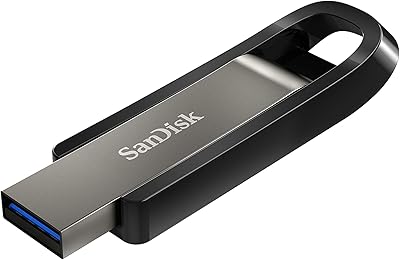
  • Casing Material: Built with a premium metal shell in a Metallic Bronze and Gloss Black finish, offering durability beyond standard plastic drives.
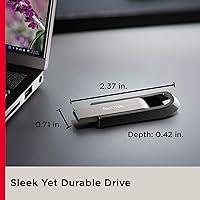
  • Dimensions: Measures 0.41 x 0.71 x 2.38 inches, making it compact enough for keychain carry or pocket storage.
  • Weight: Weighs 0.705 ounces, adding virtually no noticeable bulk to a bag or pocket.
  • Design Type: Features a capless retractable connector design, eliminating the need for a removable protective cap.
  • Platform Support: Compatible with both Mac and PC hardware platforms without requiring additional drivers for basic use.
  • Flash Memory Type: Uses CompactFlash-type NAND memory internally for fast and reliable data storage.
  • Availability Date: This drive has been available on the market since October 21, 2020, and is not discontinued by the manufacturer.
  • Market Ranking: Holds a Best Sellers Rank of approximately #346 in the USB Flash Drives category on Amazon.
  • User Rating: Carries an average rating of 4.4 out of 5 stars based on over 1,700 verified customer ratings.

Related Reviews
SanDisk Extreme Go 64GB USB Flash Drive
75%
83%
Transfer Speed
86%
Build Quality
81%
Value for Money
69%
Storage Capacity
67%
Speed Consistency
More
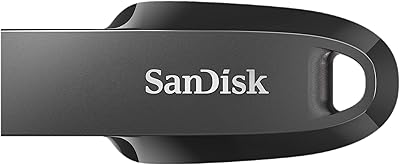
SanDisk Cruzer Glide 256GB USB Flash Drive
80%
91%
Storage Capacity Value
54%
Transfer Speed
83%
Build Quality
88%
Retractable Design
72%
Encryption & Security
More
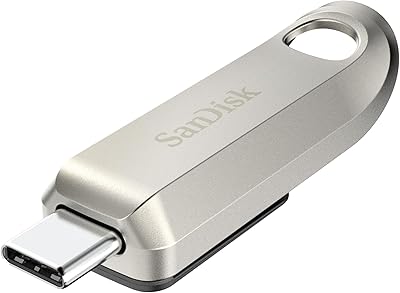
SanDisk Ultra Curve 256GB USB 3.2 Flash Drive
81%
83%
Read Speed Performance
61%
Write Speed Performance
78%
Build Quality
91%
Design & Form Factor
93%
Portability
More
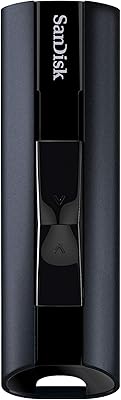
SanDisk Ultra Luxe 256GB USB-C Flash Drive
78%
88%
Read Speed Performance
54%
Write Speed Performance
93%
Build Quality
79%
Retractable Connector Mechanism
91%
Portability & Form Factor
More
SanDisk Extreme PRO USB 3.2 Solid State Flash Drive 512GB
85%
91%
Speed and Performance
89%
Build Quality and Durability
85%
Ease of Use and Setup
90%
Compatibility
88%
Data Security Features
More
SanDisk 128GB Extreme PRO USB 3.2 Solid State Flash Drive
88%
94%
Performance
92%
Speed
89%
Durability
90%
Portability
78%
Compatibility with Devices
More
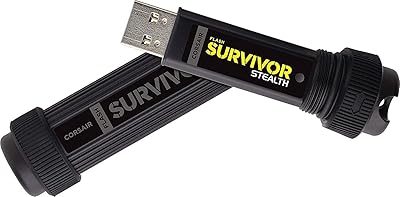
Corsair Flash Voyager 256GB USB 3.0 Flash Drive
89%
88%
Performance
93%
Durability
90%
Compatibility
72%
Speed (Write)
89%
Water Resistance
More
Corsair Flash Survivor Stealth 256GB USB Drive
82%
94%
Build Quality
91%
Waterproofing
89%
Durability Over Time
67%
Transfer Speed
88%
Storage Capacity
More
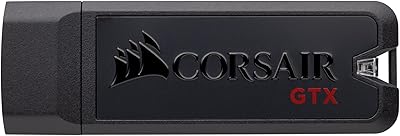
Corsair Flash Voyager GTX 256GB USB 3.1 Flash Drive
86%
91%
Performance
94%
Speed
89%
Durability
87%
Portability
88%
Compatibility
More
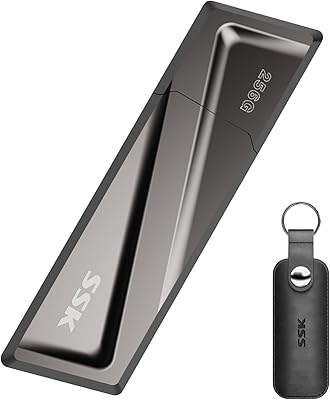
SSK SD300 256GB USB Flash Drive
82%
83%
Transfer Speed
88%
Build Quality
79%
Value for Money
72%
USB-C Compatibility
92%
Plug-and-Play Setup
More

FAQ

Yes, for basic file storage and transfer it works right out of the box on macOS with no extra drivers needed. If you want to use the SecureAccess encryption software, your Mac will need to be running macOS 10.9 or later.

Quite a lot, depending on what you're storing. You could fit roughly 50,000 high-resolution JPEG photos, several hours of 4K video footage, or tens of thousands of documents and PDFs with room to spare. It's a comfortable capacity for most professional or student workflows.

The drive itself will mount and work for basic file transfer on Linux without issue. However, the SecureAccess encryption software is not supported on Linux, so if file-level encryption is important to you, you would need to use a third-party encryption tool instead.

Probably not quite at the peak numbers, which is true of virtually every flash drive on the market. Those figures represent ideal lab conditions. In practice, you can still expect impressively fast transfers — noticeably quicker than most competitors — but real-world speeds depend on your computer's USB port, file sizes, and what else is running on your system.

It does run warm during sustained, heavy transfers — that's fairly common with high-speed flash drives. For typical use like copying files occasionally, it stays comfortable. If you're running a long batch transfer, you may notice it getting warm to the touch, but it won't damage your data under normal operating conditions.

No, this flash drive does not have a physical write-protect switch. If that feature is important to your workflow — for example, if you're using the drive in shared environments or for archival purposes — you may want to look at drives that include hardware write protection.

Yes, it's backward compatible with USB 2.0 ports. Just keep in mind that you'll be limited to USB 2.0 speeds, which means you won't get any of the performance benefits this drive is designed to deliver. It's still usable, but you'd essentially be overpaying for speed you can't access.

Very well, based on long-term user reports. The metal casing is significantly more resistant to cracking, warping, and general wear than plastic drives. Several buyers have reported it surviving drops, being tossed around in bags daily, and even going through a wash cycle and continuing to work fine.

Yes, the connector retracts into the body of the drive when not in use, so there's no separate cap to lose. It's a sliding or retractable mechanism that protects the USB connector without any removable parts — a genuinely convenient design for people who are always on the move.

It's competitive with options like the Samsung Bar Plus and Kingston DataTraveler Max in the same tier. The Extreme Go tends to score well on write speeds compared to some Samsung options, while Kingston's higher-end models may edge it out on raw throughput. SanDisk's brand reputation and the inclusion of encryption software make it a strong all-around choice rather than a pure speed specialist.

Where to Buy