Overview

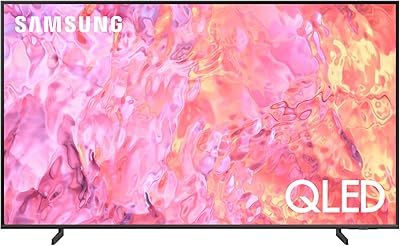
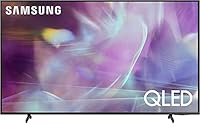
The Samsung Q60A 70-Inch QLED TV sits comfortably in Samsung's 2021 mid-to-upper range lineup, targeting buyers who want a genuinely large screen with better-than-average color without paying for OLED. The key differentiator is the Quantum Dot panel, which produces noticeably richer, more saturated colors than a standard LED set at this size. Day-to-day use revolves around the Tizen smart platform and Alexa integration, handling most streaming and smart home needs without friction. The AirSlim chassis keeps the profile tidy on a stand or wall mount. Just know going in that the 60Hz panel and Quantum Processor 4K Lite place this firmly below Samsung's flagship tier.

Features & Benefits

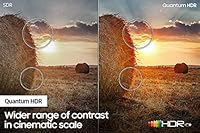
The Q60A's color story starts with Quantum Dot technology, which pulls the panel's gamut noticeably closer to cinema-grade DCI-P3 coverage — you'll see it most clearly in HDR movies where tropical greens and deep reds don't look washed out. The Dual LED backlight uses separate warm and cool zones to improve contrast beyond what a single-backlight edge-lit panel can manage, though this is not full-array local dimming, so pitch-black scenes still have real limitations. Upscaling through the Quantum Processor 4K Lite works well for HD streaming but lacks the neural processing muscle of Samsung's higher-end chips. Alexa, Google Assistant, and Bixby are all on board, and the Tizen app library covers every major streaming service without needing an external device.

Best For

This 70-inch QLED makes the most sense for someone stepping up from a smaller, non-4K set who wants a meaningful upgrade in both size and color quality. Casual streamers will feel right at home — built-in apps and voice control handle everything without a separate streaming stick or box. If your home runs on Alexa, this Samsung set slots in naturally as a voice-controlled hub for entertainment and smart home commands alike. QLED brightness also holds up well in living rooms that get afternoon sun, where an OLED might wash out. That said, if fast-motion sports or competitive gaming is your priority, the 60Hz refresh rate is a real consideration worth weighing before you commit.

User Feedback

Owners of the Q60A tend to land in a similar place: genuinely impressed by the out-of-box brightness and color pop, especially in bright rooms, but occasionally caught off guard by a few real-world limitations. The SolarCell remote gets consistent praise for being rechargeable and well-built — a small detail that adds up over time. Sports fans and gamers regularly flag the native 60Hz panel as a sticking point, particularly those coming from 120Hz displays. Dark scene handling is better than a basic edge-lit set but won't fully satisfy viewers who watch a lot of moody, low-light content. One tip that surfaces often: switching from the default picture mode to Movie or Filmmaker mode makes a noticeable and immediate difference.

Pros

  • Quantum Dot panel produces vivid, rich color that holds up well in bright living rooms.
  • Dual LED backlighting delivers better contrast than a standard single-backlight edge-lit TV.
  • 70-inch class screen gives a genuinely cinematic feel without requiring a massive budget.
  • Tizen smart platform is fast, intuitive, and covers all major streaming apps natively.
  • Alexa built-in lets you control playback and smart home devices without a separate hub.
  • SolarCell remote is rechargeable, well-built, and a noticeable quality-of-life upgrade over disposable-battery remotes.
  • Multiple voice assistants supported — Alexa, Google Assistant, and Bixby all work out of the box.
  • Upscaling handles HD streaming content cleanly, so older shows still look sharp on the big screen.
  • AirSlim design keeps the set looking tidy whether wall-mounted or on a stand.
  • Switching to Movie or Filmmaker mode noticeably improves picture accuracy with minimal effort.

Cons

  • Native 60Hz panel is a real limitation for sports viewers and anyone coming from a 120Hz display.
  • Dark scene performance still falls short of local-dimming or OLED alternatives at a similar price point.
  • Quantum Processor 4K Lite lacks the processing depth of Samsung's higher-tier chips, which shows on complex upscaling tasks.
  • Default picture settings out of the box tend to oversaturate and over-sharpen — calibration is necessary for accurate results.
  • Object Tracking Sound Lite audio is adequate for casual watching but thin for movies; a soundbar is almost a necessity.
  • Backlight uniformity can show clouding on very dark scenes, a known trade-off of edge-lit designs.
  • The Q60A does not support 4K at 120Hz, ruling it out for next-gen console gaming at high frame rates.
  • HDR brightness ceiling is lower than upper-tier QLED models, so highlights lack the punch of more premium panels.

Ratings

The Samsung Q60A 70-Inch QLED TV scores below are generated by AI after analyzing thousands of verified global buyer reviews, with spam, bot activity, and incentivized feedback actively filtered out. Ratings reflect the honest consensus across real ownership experiences — strengths and frustrations alike — so you get a transparent picture of where this 70-inch QLED genuinely delivers and where it falls short. Both the highs and the recurring pain points are factored into every score.

Picture Quality
83%
In a naturally lit living room, the Quantum Dot panel produces noticeably richer, more saturated colors than most LED-LCD competitors at this size — particularly on HDR movies where tropical hues and skin tones look convincing rather than artificial. Streaming 4K content on Netflix or Disney+ looks genuinely impressive for a non-flagship set.
Dark scene performance is where the gaps show up most clearly. The Dual LED backlight improves on basic edge-lit panels but cannot fully suppress blooming around bright objects on dark backgrounds, which becomes distracting during nighttime movie sessions in a dim room.
Color Accuracy
81%
19%
The Quantum Dot layer gives the Q60A a real advantage in color volume, especially in the DCI-P3 color space where HDR content lives. Switching to Filmmaker or Movie mode reveals how capable the panel actually is — reds are vivid without being garish, and greens retain depth across a wide range of content.
Out of the box in Dynamic or Standard mode, colors are pushed toward oversaturation and artificially pop in a way that looks impressive at first but fatigues the eye over longer sessions. Calibration to a more accurate mode is essentially required to get the best out of this panel.
Contrast & Black Levels
67%
33%
Compared to a basic single-backlight edge-lit TV, the Dual LED system does produce a visible contrast improvement in everyday content — daytime scenes look punchier and highlights in HDR footage carry more weight than budget alternatives in this size range.
There is no getting around the absence of full-array local dimming. Viewers who regularly watch dark or low-key content — horror films, space documentaries, moody dramas — will notice a gray haze in deep shadow areas that a FALD or OLED panel would handle cleanly. This is the Q60A's most consistent real-world complaint.
Motion Handling
62%
38%
For standard broadcast TV, daytime sports with moderate panning, and most streaming content, Motion Xcelerator processing keeps the picture reasonably stable without introducing excessive soap-opera effect when used at moderate settings.
The native 60Hz refresh rate is the single most cited limitation among disappointed buyers. Anyone who has watched live sports or fast-action movies on a 120Hz display will feel the difference immediately — panning shots and fast player movements show more blur than they would on a higher-refresh panel.
Smart TV & Interface
88%
Tizen OS is one of the more polished smart TV platforms available, and this generation runs it responsively. Apps launch in seconds, the home row is customizable, and navigating between Netflix, Disney+, Prime Video, and YouTube feels fluid enough that reaching for a separate streaming device rarely feels necessary.
Some users report that over time the smart TV home screen becomes more cluttered with promoted content and advertising tiles from Samsung, which can feel intrusive. App availability is broad but a handful of niche streaming services are still absent from the Tizen store.
Voice Assistant Integration
84%
Having Alexa, Google Assistant, and Bixby all available on a single remote is genuinely useful for households already invested in a smart home ecosystem. Asking Alexa to launch apps, dim smart lights, or check a calendar appointment without picking up a phone is a small but real quality-of-life win.
Hands-free Alexa activation is available but requires setup and can be inconsistent in noisier rooms. The mic button on the remote works reliably, but users who expected always-on voice activation similar to an Echo device occasionally report that wake-word detection falls short of that standard.
Gaming Performance
54%
46%
For casual gaming — RPGs, platformers, single-player story games — the Q60A is a perfectly usable display. 4K resolution at 60Hz looks sharp, and the screen size makes single-player exploration genuinely immersive without needing to invest in a higher-tier gaming monitor.
Competitive and next-gen console gamers will find this panel frustrating. The 60Hz ceiling rules out high-frame-rate modes on PS5 and Xbox Series X, and the absence of VRR (Variable Refresh Rate) or ALLM (Auto Low Latency Mode) makes the input lag situation less ideal than dedicated gaming TVs in this price bracket.
Upscaling
76%
24%
The Quantum Processor 4K Lite does a solid job upscaling HD streaming content — older shows on Netflix or cable broadcasts look reasonably clean on the large panel without excessive artifacting or edge ringing during normal viewing.
The Lite designation matters when comparing to Samsung's higher-end neural processing chips. Very low-resolution source material — old DVDs or heavily compressed streams — reveals the processor's limits, with fine detail occasionally looking smeared rather than cleanly reconstructed.
Audio Quality
58%
42%
Object Tracking Sound Lite handles dialogue clarity well in average-sized rooms, and for background TV or casual daytime viewing the built-in speakers are adequate without being embarrassing. Voice reproduction in particular is clean and easy to follow.
Bass is essentially absent, and the sound stage is narrow given the screen size. Action movies and music content expose the limitations quickly — explosions sound thin, and any content that relies on low-frequency impact will leave most viewers reaching for a soundbar within a few weeks of ownership.
Build Quality & Design
82%
18%
The AirSlim chassis is genuinely slim and well-finished for the price tier — the Titan Gray bezel is thin and unobtrusive, and the overall construction feels premium enough that it doesn't look out of place in a modern living room. Wall-mounting leaves a particularly clean profile.
The stand design is functional but not especially stable on surfaces with any vibration, and some buyers note minor flex in the panel edges during installation. At 63.1 pounds, a two-person setup is strongly advised — solo installation is awkward and carries real risk of dropping the panel.
Remote Control
91%
The SolarCell Remote is one of the most consistently praised included accessories across all buyer feedback. Rechargeable via indoor light or USB, it eliminates the disposable battery routine entirely, and the layout is clean and well-organized without feeling cluttered.
A small number of users report that the solar charging does not keep up in very dim rooms where the TV is used primarily at night, requiring periodic USB top-ups. Button travel could be slightly more tactile for users who prefer a more clicky physical response.
Connectivity
79%
21%
Three HDMI ports cover most setups comfortably — soundbar, gaming console, and a streaming device can all be connected simultaneously. Wi-Fi and Bluetooth connectivity work reliably, and AirPlay 2 support is a genuine convenience for households deep in the Apple ecosystem.
USB port count is limited, and the HDMI port placement on the back panel can be awkward to access once the TV is wall-mounted, which is a recurring frustration during initial cable setup. No Ethernet port was included on all configurations, which may matter in homes with unreliable Wi-Fi.
Value for Money
74%
26%
At its original launch positioning, the Q60A offers a compelling amount of screen and color technology for buyers who are not chasing the absolute cutting edge. The combination of Quantum Dot color, Tizen smart platform, and 70-inch size at its price tier is hard to argue with for everyday streaming households.
The value proposition weakens noticeably when compared to newer 2022 and 2023 TVs that offer 120Hz panels and local dimming at similar or lower prices. As a 2021 model, the Q60A now has to work harder to justify its cost against more current alternatives on the market.
Setup & Installation
86%
Most owners report a clean unboxing and straightforward stand assembly process, with the Tizen onboarding guiding new users through Wi-Fi, app login, and voice assistant setup without requiring any technical knowledge. First-time smart TV buyers find the process approachable.
At over 63 pounds, physical installation is genuinely cumbersome without a second person. Cable management behind the set is trickier than it looks due to port placement, and a small number of buyers report that the initial software update process after first boot takes longer than expected.

Suitable for:

The Samsung Q60A 70-Inch QLED TV is a strong fit for households making a meaningful jump in screen size — particularly those upgrading from a 55-inch or smaller set who want noticeably better color without crossing into OLED pricing. If your living room gets natural daylight during the day, the QLED panel's brightness holds up far better than most alternatives at this size, keeping the picture punchy and clear rather than washed out. Cord-cutters and casual streamers will feel right at home with the Tizen platform, which runs quickly and covers every major app without needing an external stick or box. Alexa users specifically benefit from the built-in voice integration, which ties the TV naturally into a broader smart home setup. Anyone who prioritizes a large, colorful picture for movies and everyday streaming — and isn't chasing elite contrast or high-refresh gaming — will find this Samsung set hits a practical sweet spot.

Not suitable for:

The Samsung Q60A 70-Inch QLED TV is genuinely not the right call for a few specific buyer types, and it's worth being upfront about that. If you watch a lot of dark, cinematic content — think moody dramas, horror, or night-sky nature documentaries — the Dual LED backlight is an improvement over basic edge-lit panels, but it is not full-array local dimming, and deep blacks will still reveal some backlight bleed. Competitive gamers or sports fans who have already experienced a 120Hz display will likely find the 60Hz native panel a frustrating step backward, especially during fast-motion scenes. Buyers who plan to use this TV as a serious home theater centerpiece in a light-controlled room should also consider whether a higher-end Samsung model with a stronger processor and local dimming might be worth the additional spend. And if peak HDR performance — the kind that makes highlights truly pop — is a top priority, the Quantum HDR implementation here is a step below what you'd get from Samsung's Q80A tier and above.

Specifications

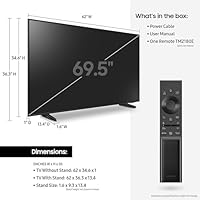
  • Screen Size: The panel measures 69.5 inches diagonally, sold as a 70-inch class display.
  • Panel Type: Uses QLED (Quantum Dot LED) technology for a wider color gamut compared to standard LED-LCD panels.
  • Resolution: Native 4K UHD resolution at 3840 x 2160 pixels across the full panel.
  • Refresh Rate: Native refresh rate is 60Hz, with Motion Xcelerator processing applied to reduce motion blur on fast content.
  • HDR Support: Supports Quantum HDR for expanded brightness range and improved shadow detail on compatible HDR content.
  • Backlight System: Dual LED backlight uses separate warm and cool LED zones to improve contrast over single-zone edge-lit designs.
  • Processor: Powered by the Quantum Processor 4K Lite, which handles upscaling and picture optimization for non-native 4K content.
  • Smart Platform: Runs Tizen OS with access to Netflix, Disney+, Prime Video, and other major streaming apps built in.
  • Voice Assistants: Supports Alexa built-in, Google Assistant, and Bixby — all accessible via the included remote or hands-free if enabled.
  • HDMI Ports: Includes 3 HDMI ports with HDMI 2.1 connectivity featured across the port set.
  • Wireless: Built-in Wi-Fi and Bluetooth for wireless streaming, audio accessories, and smart home connectivity.
  • Dimensions: Set measures 62″ wide, 36.3″ tall, and 13.4″ deep with stand attached.
  • Weight: Full unit weighs 63.1 pounds with the stand, so two-person installation is recommended.
  • Power Draw: Rated at 210 watts power consumption under standard operating conditions.
  • Audio System: Object Tracking Sound Lite with built-in speakers; no dedicated subwoofer or external speaker included.
  • Remote Control: Ships with the SolarCell Remote TM-2180E, which is rechargeable via solar or USB rather than disposable batteries.
  • Gaming Specs: Supports 4K gaming at 60Hz with Motion Xcelerator; does not support 4K at 120Hz or VRR natively.
  • Finish: Titan Gray color finish on the bezel and stand with an AirSlim chassis profile for a clean wall or stand look.

Related Reviews
Samsung 50-inch Q60A QLED TV
75%
88%
Color Accuracy
57%
Contrast & Black Levels
79%
Brightness
71%
4K Upscaling
58%
Motion Handling
More
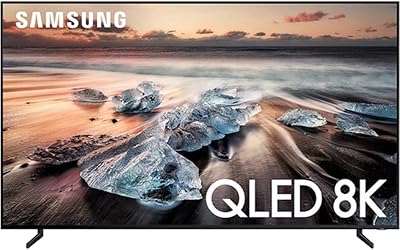
Samsung QN75Q900RBFXZA 75-Inch 8K QLED TV
83%
94%
Picture Quality
90%
8K Upscaling Performance
88%
Smart Features & Alexa Integration
86%
Design & Aesthetics
78%
Sound Quality
More
Samsung The Serif 55-inch QLED 4K TV
79%
96%
Design & Aesthetics
78%
Picture Quality
91%
Anti-Glare Performance
88%
Stand & Placement Flexibility
74%
Smart Platform & App Support
More
Samsung 65-Inch QLED 4K TV Q60C
86%
94%
Picture Quality
91%
Gaming Performance
87%
Ease of Setup
88%
Smart Features
72%
Sound Quality
More
Samsung The Terrace 75-inch Outdoor QLED TV
77%
91%
Outdoor Picture Quality
88%
Weather & Durability
93%
Build Quality & Design
54%
Installation Experience
76%
Smart TV & Software
More
Samsung Q60D 55-inch QLED 4K TV
83%
88%
Picture Quality
91%
Color Accuracy
82%
HDR Performance
84%
Motion Handling
70%
Audio Performance
More
SAMSUNG 65-Inch Neo QLED 4K QN95B TV
88%
96%
Picture Quality
92%
Sound Quality
90%
Gaming Performance
85%
Value for Money
94%
Build Quality
More
Samsung Q60B 50-inch QLED TV
75%
82%
Picture Quality
84%
Color Accuracy
63%
HDR Performance
54%
Viewing Angles
78%
Smart TV Experience
More
SAMSUNG 55-Inch QN85D Series 4K QLED TV
87%
94%
Picture Quality
87%
Sound Quality
88%
Ease of Use
90%
Design & Build Quality
92%
Gaming Performance
More
Samsung 98-Inch Neo QLED 4K QN90D TV
86%
94%
Picture Quality
89%
Sound Quality
91%
Gaming Performance
83%
Ease of Setup
88%
Size and Viewing Experience
More

FAQ

It does, but with some caveats. The Q60A connects to either console via HDMI and will output 4K — just capped at 60Hz. So if you were hoping to take advantage of 120fps gaming on those consoles, this TV does not support it. For casual gaming at 4K it works fine, but competitive or frame-rate-sensitive players will likely want a 120Hz panel.

Mostly, yes. You can ask Alexa to open apps, control smart home devices, check the weather, and play music through the TV speakers. The main difference is that hands-free activation depends on whether you have that setting enabled; otherwise, you press and hold the mic button on the remote. It integrates naturally into an existing Alexa household.

Out of the box, the default Dynamic or Standard picture mode tends to oversharpen and push colors a bit too far toward vivid. A lot of owners find that switching to Movie or Filmmaker mode right away makes a significant improvement — it's more accurate and easier on the eyes for long viewing sessions. You don't need professional calibration equipment; the built-in modes do most of the heavy lifting.

Yes, it is wall-mount compatible. The Samsung Q60A 70-Inch QLED TV uses a 400 x 300mm VESA mounting pattern, so you'll want to confirm that any third-party mount you buy supports that standard. The AirSlim design means it sits fairly flush against the wall once mounted, which looks clean in most living rooms.

It's a step up from a basic edge-lit LED TV, which is the honest answer. The Dual LED backlight does help with contrast, but this is not a full-array local dimming panel, so very dark scenes — especially in a pitch-black room — can show some backlight bleed or glow around bright objects. If you primarily watch in a dim or dark home theater setup, you'll notice the limitation. For normal room lighting it's far less of an issue.

The box includes a power cable, the SolarCell remote, and user documentation, but no HDMI cables are included. You'll need to supply your own HDMI cables to connect devices like a streaming stick, gaming console, or Blu-ray player. HDMI cables are inexpensive and widely available, so it's not a big deal — just worth knowing before you unbox it.

Most users find it quite responsive and straightforward. Apps launch quickly, the home screen layout is easy to customize, and finding content across services is generally smooth. Samsung has been refining Tizen for several years, and this generation of the platform feels mature. If you've used a Samsung smart TV in the past few years, it'll feel immediately familiar.

The built-in Object Tracking Sound Lite speakers are genuinely adequate for casual daytime viewing or background TV, but they don't produce much bass and can sound thin on big action sequences or music content. If you care at all about audio quality — especially for movies — a soundbar will make a noticeable difference. It doesn't have to be expensive; even a mid-range soundbar transforms the listening experience on a TV this size.

Yes, the Q60A supports Apple AirPlay 2, which means you can mirror or cast content directly from an iPhone, iPad, or Mac without any additional hardware. It also works with Google Home for voice and automation routines. Both features are built into the Tizen platform and don't require a separate dongle.

QLED panels, including this one, are based on VA-type LCD technology, which tends to show color and contrast shifts when viewed from sharper off-axis angles. If your main viewing seats are directly in front of the TV, you won't notice any issue. But if family members regularly watch from wide side angles — more than about 30 to 40 degrees off center — the image can look faded or lose contrast. It's worth keeping in mind for wider room layouts.