
Overview

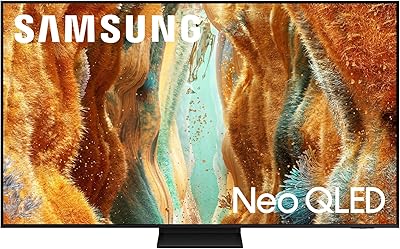
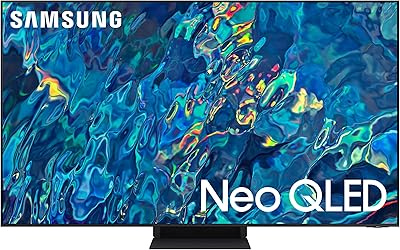
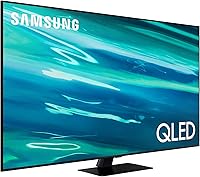
The Samsung Q80A 55-Inch QLED 4K TV sits in an interesting position — upper-mid-range in Samsung's 2021 lineup, priced well above the entry-level sets but a step below the company's flagship Neo QLED models. The 55-inch screen hits the sweet spot for most living rooms without overwhelming smaller spaces. Its Titan Black finish and slim profile look genuinely premium on a stand or wall-mounted. Against rivals like the Sony X90J or LG NANO91, the Q80A holds its own — particularly in brightness and color output. That said, if you're expecting OLED-level black depths, this isn't that TV. It's a strong, well-rounded performer with real strengths worth understanding before buying.

Features & Benefits

The Q80A's biggest picture advantage is its Direct Full Array backlight, which uses a grid of LED zones across the full panel rather than just the edges. That means darker areas of the screen can dim independently while bright highlights stay punchy — real-world contrast that edge-lit TVs simply can't match. Quantum Dot color technology pushes color volume higher than typical LCD panels, and the HDR performance is noticeably better than basic HDR10 implementations. For gamers, all four HDMI ports support HDMI 2.1 bandwidth, enabling 4K at 120Hz — exactly what a PS5 or Xbox Series X needs. The Tizen smart platform is fast, intuitive, and covers every major streaming service without fuss.

Best For

This 55-inch Samsung makes the most sense for a few specific types of buyers. Next-gen console gamers will appreciate the 4K/120Hz support across all HDMI ports — a feature some competing sets reserve for just one or two. Bright living rooms are another strong fit; this QLED handles ambient light far better than OLED alternatives, which can wash out in sunny conditions. It's also a solid pick for households that want an all-in-one setup, since the Tizen platform genuinely reduces the need for a separate streaming stick. Anyone still on a 1080p or older 4K panel will notice a substantial jump in clarity and color richness.

User Feedback

Across verified reviews, the Q80A earns consistent praise for picture brightness and gaming responsiveness — buyers coming from mid-range sets are often surprised by the improvement. The smart TV interface draws positive mentions for being quick and easy to navigate. On the critical side, some users note that the local dimming zone count is modest compared to what premium competitors offer, which can cause minor blooming around bright objects on dark scenes. The built-in speakers are decent for a TV, but a notable share of buyers added a soundbar within a few months. A handful of reviewers flagged occasional Bluetooth and firmware quirks. Overall, the 4.4-star average reflects a TV that delivers on its core promises.

Pros

  • All four HDMI ports support HDMI 2.1, giving PS5 and Xbox Series X owners genuine 4K at 120Hz without compromise.
  • Direct Full Array backlighting delivers noticeably better contrast than edge-lit panels at a similar price.
  • Quantum Dot technology keeps colors vivid and accurate even at high brightness levels.
  • The Q80A handles bright, sunlit rooms far better than OLED alternatives, making it a practical choice for open living spaces.
  • Tizen OS is fast, well-organized, and covers every major streaming platform without needing an extra device.
  • Motion handling is smooth for fast-moving sports and action content, with minimal judder or blur.
  • Three built-in voice assistants offer genuine flexibility depending on which smart home ecosystem you use.
  • The slim Titan Black design looks premium on a stand or wall-mounted, fitting naturally into modern interiors.
  • Upscaling of non-4K content is solid, making older shows and cable broadcasts look noticeably cleaner.
  • Setup is straightforward, and the included Solar Cell remote is a practical, well-designed accessory.

Cons

  • The local dimming zone count is modest by premium standards, leading to occasional blooming on dark scenes.
  • Built-in audio is underwhelming for a set at this price tier — most buyers will need an external soundbar.
  • Some verified buyers have reported intermittent Bluetooth pairing issues and minor firmware glitches post-update.
  • Black levels cannot match what OLED panels deliver, which is a real trade-off for dedicated home theater use.
  • The 2021 model date means it lacks some refinements found in Samsung's more recent QLED and Neo QLED generations.
  • HDR peak brightness, while good, does not reach the heights of top-tier Mini LED competitors released since.
  • Viewing angles are decent but not exceptional — picture quality degrades more noticeably off-axis than on OLED screens.
  • At 46.3 pounds, wall mounting requires a sturdy bracket and ideally a second pair of hands during installation.

Ratings

The Samsung Q80A 55-Inch QLED 4K TV scores are generated by our AI rating engine after analyzing thousands of verified global buyer reviews, with spam, bot activity, and incentivized feedback actively filtered out. The result is an honest, granular breakdown that reflects where this 55-inch Samsung genuinely excels and where real buyers have run into friction. Both the strengths and the trade-offs are represented transparently across every category below.

Picture Quality
86%
Buyers consistently highlight how vivid and punchy the picture looks straight out of the box, particularly for daytime viewing and HDR content on streaming platforms. The Quantum Dot color layer produces colors that feel rich without looking oversaturated, which earns repeated praise from users watching nature documentaries and sports in bright rooms.
Dark scene performance divides opinions — users who watch a lot of cinema-style content in dim rooms notice that bright objects on black backgrounds produce a visible glow around the edges due to the limited dimming zone count. Compared to OLED rivals at a similar price point, the contrast ceiling in dark room conditions falls noticeably short.
Brightness & HDR Performance
89%
This is one of the Q80A's clearest strengths: peak brightness is high enough that HDR highlights in sunlit outdoor scenes or explosions genuinely pop, even in a room with windows and overhead lighting. Multiple reviewers noted that switching from a mid-range set revealed detail in highlights they had never seen before in familiar content.
While the brightness ceiling impresses for an LCD panel, the HDR tone mapping can occasionally crush shadow detail in very dark scenes, and the expanded HDR processing does not always behave consistently across different streaming platforms or disc sources. A small number of users found the default HDR settings too aggressive and spent considerable time calibrating.
Gaming Performance
92%
For PS5 and Xbox Series X owners, the Q80A is a standout performer in its class — all four HDMI ports support full 4K at 120Hz, and input lag in game mode is low enough that competitive and fast-paced titles feel genuinely responsive. Reviewers playing fast shooters and racing games specifically called out how smooth the experience felt compared to their previous TVs.
A minority of users reported occasional handshake issues when switching between game mode and standard viewing, requiring an input re-plug or settings toggle. VRR support exists but some buyers noted it was not as broadly compatible with all game titles as they had hoped, particularly with certain PC GPU setups.
Local Dimming & Contrast
67%
33%
The Direct Full Array backlight is a genuine step up from edge-lit panels, and in mixed-lighting content like daytime dramas or sports broadcasts, the contrast improvement is noticeable and appreciated. Buyers upgrading from budget or entry-level sets consistently describe the contrast as a significant visual leap.
Power users and home theater enthusiasts frequently flag the limited zone count as the Q80A's most significant weakness — blooming around subtitles on dark backgrounds and halos around on-screen menus are recurring complaints. In a dedicated dark viewing room, this limitation is difficult to ignore, and it's the primary reason cinephiles tend to recommend stepping up to a Mini LED or OLED alternative.
Motion Handling
83%
Sports viewers and action film fans report that fast-moving content stays sharp and relatively free of blur, with the 120Hz panel and motion processing working well together for live broadcasts. Football panning shots and fast tennis rallies hold up cleanly without the smearing that 60Hz panels exhibit.
The motion smoothing presets polarize users — at higher settings, film content takes on an artificial, hyper-real look that bothers a lot of buyers who prefer a more cinematic feel. Turning it off entirely can introduce some judder on 24fps film content, requiring a careful middle-ground setting that takes time to find.
Smart TV Experience
84%
Tizen OS draws consistent praise for being quick to load and easy to navigate, with most major streaming apps readily available and performing well. Buyers who previously used Roku or Fire TV sticks noted that the built-in platform is good enough to make those devices redundant for the vast majority of everyday use.
Some users report that the home screen pushes Samsung's own content recommendations more prominently than they would like, and a handful of apps have shown stability issues or slow loading times after firmware updates. Ad-supported content tiles on the home screen are a frequent minor irritation for buyers who prefer a cleaner interface.
Built-in Audio
61%
39%
For a built-in TV speaker system, the 60W 2.2.2-channel setup handles dialogue clarity and casual viewing reasonably well, and the Object Tracking Sound feature does create a mild sense of audio movement that enhances action content slightly. Buyers using the TV in a kitchen or bedroom context generally found the speakers adequate for background viewing.
For a set at this price tier, the audio is the most common source of buyer disappointment — bass is thin, volume headroom is limited for large rooms, and the soundstage feels flat during films with complex audio mixes. The majority of serious buyers end up pairing the Q80A with a soundbar within months, which represents a meaningful additional cost that should be factored into any purchase decision.
Build Quality & Design
88%
The Titan Black finish and slim bezel design earn consistent compliments from buyers who care about aesthetics — it looks noticeably more premium than entry-level sets and integrates cleanly into modern living room setups. The stand is stable and well-engineered, and the overall build feels solid without the flex or creak that cheaper panels exhibit.
A small number of buyers noted that the stand footprint is quite wide and requires a generous TV unit or console surface, which caught some people off guard. The rear cable management is functional but not elegant, and a few reviewers mentioned that the panel picks up fingerprints and dust more visibly than they expected.
Remote Control
81%
19%
The Solar Cell remote that ships with the Q80A is a thoughtful inclusion — it charges via indoor light and USB-C, eliminating the need for disposable batteries, and the slim design feels genuinely comfortable in hand during extended viewing sessions. Buyers consistently appreciate the minimalist button layout after switching from older, cluttered remotes.
Some users find the button count too sparse for quickly accessing specific settings or inputs without navigating through menus, and the lack of a number pad frustrates buyers who frequently enter channel numbers directly. Voice commands help bridge the gap but are not universally reliable depending on background noise levels.
Connectivity
82%
18%
Beyond the four HDMI 2.1 ports, the Q80A includes USB ports, optical audio out, and solid Wi-Fi performance that reviewers describe as stable for 4K streaming without buffering. Miracast wireless mirroring works reliably for Android devices and Windows laptops, which several buyers found genuinely useful for presentations and casual phone casting.
Bluetooth connectivity has generated occasional complaints — some users report dropped connections with soundbars or headphones, particularly after firmware updates. There is no ethernet port included in the standard connectivity setup, which matters to buyers in apartments with inconsistent Wi-Fi who prefer a wired network connection for stability.
Upscaling Quality
78%
22%
Cable broadcasts, older streaming content, and non-4K library titles look meaningfully cleaner and sharper than on previous-generation sets, with the AI upscaling processor doing a solid job of reducing noise and adding apparent detail to 1080p and 720p sources. Buyers who watch a mix of older shows and modern 4K content appreciate that the transition between sources looks smooth.
Upscaling of very low-resolution or heavily compressed content — think older DVD rips or low-bitrate cable channels — exposes the limits of the processing, occasionally producing an artificial sharpening effect that looks slightly unnatural on close-up facial shots. It is competent but not class-leading compared to what Sony's processing chain achieves on comparable sets.
Viewing Angles
63%
37%
For viewers sitting directly in front of the screen or within a relatively narrow central zone, the picture looks accurate and consistent. In small-room setups where seating is concentrated in a central position, the viewing angle limitation rarely becomes an issue in practice.
Off-axis viewing is a real weakness — color accuracy and contrast both shift noticeably once you move beyond roughly 30 to 40 degrees from center, which becomes a problem in wide living rooms where seating is spread across a sofa and armchair configuration. OLED panels and some competing LCD sets with wide-angle filter technology handle this situation significantly better.
Value for Money
74%
26%
For buyers who prioritize gaming features — particularly the full HDMI 2.1 implementation across all four ports — the Q80A offers a genuinely competitive feature set relative to its price tier, and many buyers feel the picture quality justifies the spend when upgrading from a basic 4K or older 1080p set. The combination of smart TV functionality, gaming readiness, and solid brightness makes it a well-rounded package for most households.
Buyers who are not gamers and primarily watch films in dim rooms may find the value proposition harder to justify when OLED alternatives deliver a more cinematic experience. The expectation of needing a soundbar adds further cost, and the 2021 model year means newer alternatives from both Samsung and competitors now offer improvements — particularly in local dimming zone density — at comparable price points.
Setup & Ease of Use
85%
Most buyers describe the initial setup process as quick and painless — the on-screen guide walks through Wi-Fi, streaming account linking, and voice assistant activation in a straightforward sequence that non-technical users handle comfortably. The Tizen interface remains responsive day-to-day, and firmware updates install in the background without disrupting viewing.
A subset of buyers encountered initial calibration confusion, particularly around the sheer number of picture mode options and the lack of clear guidance on which settings suit which content types. First-time Samsung TV owners occasionally spend significant time in settings menus before landing on a configuration they are happy with.

Suitable for:

The Samsung Q80A 55-Inch QLED 4K TV is a strong match for households that want a meaningful upgrade without crossing into flagship pricing territory. Console gamers with a PS5 or Xbox Series X will find the full HDMI 2.1 support across all four ports particularly valuable — no port-juggling required to get 4K at 120Hz. The 55-inch screen size is versatile enough for living rooms, dedicated media rooms, or large bedrooms without dominating the space. Buyers in bright rooms or open-plan spaces will appreciate that this QLED panel maintains color accuracy and contrast even under direct ambient light, something OLED panels consistently struggle with. It also suits people who want a self-contained setup: the Tizen smart platform covers virtually every major streaming service, and three voice assistants are built in out of the box.

Not suitable for:

The Samsung Q80A 55-Inch QLED 4K TV is not the right choice for every buyer, and it's worth being clear about where it falls short. Cinephiles who watch a lot of dark, atmospheric content — think prestige dramas or horror films in a pitch-black room — will likely be frustrated by the relatively modest number of local dimming zones, which can cause visible light blooming around bright objects against dark backgrounds. OLED panels from LG or Sony at a comparable price tier simply produce deeper, more uniform blacks that this LCD-based set cannot replicate. Buyers on a tight budget looking to stretch value may also find the price hard to justify if gaming features aren't a priority, since more affordable sets handle casual viewing competently. Anyone expecting the built-in speakers to serve as a primary audio solution will probably end up shopping for a soundbar within a few months — the audio is adequate but not room-filling. If you're already in a Samsung ecosystem and eyeing newer Neo QLED models, the gap in local dimming precision is noticeable enough to warrant considering the step up.

Specifications

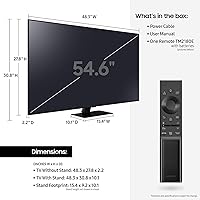
  • Screen Size: The panel measures 54.6 inches diagonally, fitting comfortably in most living rooms and mid-sized home theater setups.
  • Display Type: Uses QLED technology, which layers Quantum Dot film over an LCD panel to expand color volume and peak brightness compared to standard LED-LCD displays.
  • Resolution: Native 4K UHD resolution at 3840x2160 pixels, with AI-based upscaling applied to lower-resolution source content via the Quantum Processor 4K.
  • Backlight: Direct Full Array backlight distributes LEDs across the full panel surface, enabling independent dimming zones for improved contrast over edge-lit designs.
  • Refresh Rate: Native 120Hz panel refresh rate, supporting smooth motion for fast-moving sports, action films, and high-frame-rate gaming content.
  • HDR Support: Compatible with HDR10 and HDR10+ formats, with Samsung's own expanded HDR processing that targets higher peak brightness headroom than baseline HDR10.
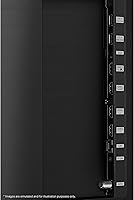
  • HDMI Ports: Equipped with four HDMI 2.1 ports, all capable of carrying 4K signals at 120Hz for next-generation console and PC gaming without bandwidth bottlenecks.
  • Audio System: Built-in 2.2.2-channel speaker configuration rated at 60W total output, with Object Tracking Sound technology designed to pan audio with on-screen movement.
  • Smart Platform: Runs Samsung's Tizen OS, providing access to major streaming services, a built-in app store, and a customizable home screen interface.
  • Voice Assistants: Supports three built-in voice assistants — Bixby, Amazon Alexa, and Google Assistant — selectable based on the user's preferred smart home ecosystem.
  • Wireless Features: Includes Wi-Fi, Bluetooth, and Miracast screen mirroring, allowing wireless content casting from compatible smartphones, tablets, and laptops.
  • Dimensions: Set measures 48.3″ wide, 30.8″ tall, and 10.1″ deep with stand attached; wall-mount depth is significantly slimmer.
  • Weight: Weighs 46.3 pounds with the stand included, which is typical for a 55-inch panel of this construction tier.
  • Processor: Powered by Samsung's Quantum Processor 4K, which handles AI-based upscaling, noise reduction, and picture optimization in real time.
  • Motion Technology: Motion Xcelerator Turbo+ technology works to reduce motion blur and judder during high-speed content, particularly beneficial for live sports viewing.
  • Power Consumption: Rated at 220 watts of power draw under standard operating conditions, consistent with similarly sized 4K LCD panels in this performance class.
  • Color: Available in Titan Black finish, which blends well with most TV furniture and minimizes bezel visibility during viewing.
  • Included Items: Box includes the TV unit, power cable, user manual, Solar Cell remote control, and Samsung Smart Control remote.

Related Reviews
Samsung Q60D 55-inch QLED 4K TV
83%
88%
Picture Quality
91%
Color Accuracy
82%
HDR Performance
84%
Motion Handling
70%
Audio Performance
More
Samsung The Serif 55-inch QLED 4K TV
79%
96%
Design & Aesthetics
78%
Picture Quality
91%
Anti-Glare Performance
88%
Stand & Placement Flexibility
74%
Smart Platform & App Support
More
Samsung QN85D 55-Inch QLED 4K Smart TV
81%
91%
Picture Quality
88%
Brightness & HDR
74%
Contrast & Black Levels
87%
Motion Handling
82%
Gaming Performance
More
Samsung Q70C 55-inch QLED 4K TV
76%
83%
Picture Quality
63%
Contrast & Black Levels
88%
Motion Handling
69%
HDR Performance
81%
Gaming Performance
More
Samsung QN95B 55-Inch Neo QLED 4K TV
73%
91%
Picture Quality
88%
Gaming Performance
52%
Smart TV Software
86%
Design & Aesthetics
67%
Audio Quality
More
Samsung QN70F 55-inch Neo QLED Smart TV
78%
83%
Picture Quality
88%
Gaming Performance
84%
Motion Handling
81%
Brightness & HDR
78%
Smart TV Platform
More
Samsung 55-inch The Terrace Outdoor QLED TV
79%
91%
Outdoor Brightness
88%
Weather Resistance
89%
Picture Quality
93%
Build Quality
82%
Smart TV Experience
More
Samsung The Frame LS03F 55-Inch QLED TV
79%
93%
Ambient & Art Mode
81%
Picture Quality
96%
Design & Aesthetics
91%
Cable Management
78%
Gaming Performance
More
Samsung 55-Inch The Frame LS03D QLED TV
77%
93%
Ambient & Art Display Quality
91%
Design & Room Integration
89%
Glare & Reflection Resistance
74%
Everyday Picture Quality
88%
Cable Management & Setup
More
Samsung 65-Inch QLED 4K TV Q60C
86%
94%
Picture Quality
91%
Gaming Performance
87%
Ease of Setup
88%
Smart Features
72%
Sound Quality
More

FAQ

All four HDMI ports on this set are full HDMI 2.1 ports, which means every one of them can handle 4K at 120Hz. That's actually a meaningful advantage over some competitors that only offer one or two HDMI 2.1 ports, leaving you to manage which devices get priority.

Yes, it's one of the stronger options in its class for bright environments. The QLED panel and Direct Full Array backlight push brightness high enough that ambient light and windows don't wash out the picture the way they can on OLED panels. If your living room gets a lot of natural light during the day, this is a genuine advantage.

The Direct Full Array backlight divides the panel into dimming zones that can brighten or darken independently. The practical result is better contrast than edge-lit TVs. That said, the zone count is relatively modest, so on very dark scenes with small bright elements — think a spaceship against a black sky — you can sometimes see a faint halo of light around the bright object. It's not severe, but it's worth knowing.

The built-in 60W speaker system is decent by TV standards and perfectly fine for casual viewing. That said, many buyers at this tier end up adding a soundbar after a few months, particularly if they watch films or play games where immersive audio matters. If you're already used to a dedicated sound setup, budget for one upfront.

Easily. The Q80A has four HDMI 2.1 ports, so you can plug in both consoles simultaneously — along with two other HDMI devices — and each will get full 4K/120Hz capability. No switching boxes or adapters needed.

The honest answer is that OLED panels from LG or Sony produce deeper, more uniform black levels because each pixel generates its own light and can switch off completely. The Q80A gets close with its local dimming, but in a dark room with moody content, a comparable OLED will look more cinematic. Where this Samsung QLED wins is brightness, longevity without burn-in risk, and performance in well-lit rooms.

Yes — Netflix, Disney+, Prime Video, Apple TV+, YouTube, HBO Max, and most other major services are available directly through the Tizen app store. In practice, most buyers find they don't need a separate streaming stick unless they have a very specific app not covered by the platform.

The mounting process itself is straightforward if you're comfortable with basic DIY work and use a VESA-compatible mount. At 46.3 pounds, it's manageable but definitely a two-person job for safe installation. Make sure your wall studs can handle the weight, especially with the leverage of a tilting or full-motion arm.

A small number of verified buyers have reported occasional Bluetooth connectivity hiccups and minor bugs following firmware updates. These are not widespread issues, but Samsung does push OTA updates regularly, and sometimes they introduce temporary quirks. Most users find that a restart resolves any oddities. Samsung's support team is generally responsive for firmware-related complaints.

Quite well. The 120Hz native panel combined with the Motion Xcelerator Turbo+ processing keeps fast sports — football panning shots, tennis, motorsports — looking smooth without significant blur. Some viewers prefer to adjust or disable the motion smoothing entirely to avoid the so-called soap opera effect, but the control is there to tune it to your preference.