Overview

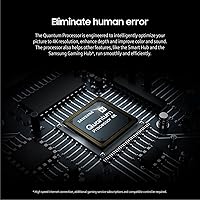
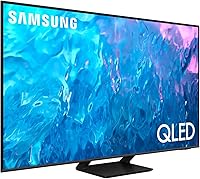
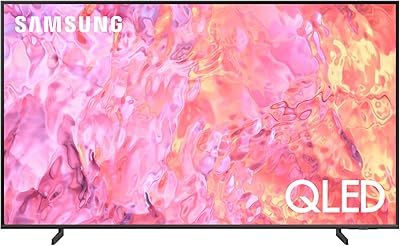
The Samsung Q70C 55-inch QLED 4K TV sits comfortably in the middle of Samsung's 2023 QLED lineup, slotting above the entry-level Q60C without pushing into the pricier Q80C territory. That positioning defines who it's really built for — people who want a genuine 4K picture upgrade without spending flagship money. Physically, it's a clean, living-room-friendly design with slim bezels and a stable stand. The Quantum Processor 4K is what separates it from cheaper LED panels, handling upscaling and image optimization in ways a basic LED set simply can't match. Just don't walk in expecting OLED-level contrast — this is a strong mid-range performer with clear, honest limitations.

Features & Benefits

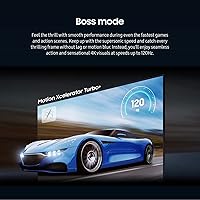
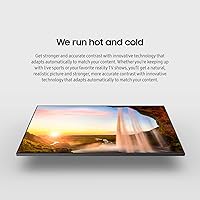
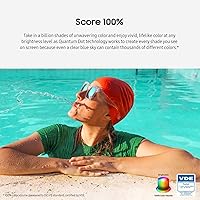
The Quantum Dot panel produces 100% color volume, which in practical terms means colors stay accurate and punchy whether you're watching a dark thriller or a sun-drenched nature documentary — brightness doesn't wash things out the way it does on standard LED sets. The 120Hz panel handles fast motion well; sports and action sequences stay sharp rather than smearing. The dual-zone backlight uses separate warm and cool LEDs to improve contrast over single-zone competitors, though it isn't full-array local dimming, so pinpoint black control is off the table. HDR support covers Samsung's own Quantum HDR standard, sitting closer to HDR10 than HDR10+ or Dolby Vision. The Gaming Hub and FreeSync Premium Pro add real console utility, while the 20W speakers are adequate but not a reason to skip a soundbar.

Best For

The Q70C makes the most sense for mixed-use households — families or roommates who split screen time between streaming, cable, and gaming rather than committing to one single use case. It's a particularly good fit for PS5 or Xbox Series X owners who want Auto Low Latency Mode and a high refresh rate without paying for a dedicated gaming monitor. If you're coming from an older 1080p set or an early 4K TV with a weak processor, the picture improvement will be obvious. Rooms with moderate ambient light are where this Samsung QLED genuinely outperforms OLED displays, which can struggle with glare. And if you're already invested in the Samsung ecosystem — SmartThings, Alexa, or Google Meet — the integration here is genuinely convenient.

User Feedback

Buyers consistently highlight color accuracy out of the box as a standout strength — most report not needing to adjust picture settings much after initial setup, which says something. Motion handling also earns regular praise. Where things get more nuanced is local dimming: several owners note that backlight zones aren't granular enough to prevent slight blooming around bright objects in dark scenes, especially compared to mini-LED sets at similar price points. Gamers appreciate the low input lag but have flagged that the HDMI ports don't deliver full 4K 120Hz bandwidth the way true HDMI 2.1 does. Tizen OS is considered responsive and easy to navigate, though a handful of users find the ad tiles on the home screen irritating. Setup is consistently reported as quick and painless, and the remote earns good marks.

Pros

  • Color accuracy is strong right out of the box — most buyers report minimal calibration needed.
  • The 120Hz panel keeps fast motion sharp, making sports and action films genuinely more enjoyable.
  • Quantum Dot technology maintains vivid, consistent color even at higher brightness levels.
  • Low input lag makes the Q70C a capable, responsive choice for console gaming sessions.
  • The built-in gaming dashboard is one of the more convenient ways to manage multiple gaming platforms on a single screen.
  • FreeSync Premium Pro eliminates screen tearing without requiring any extra hardware or configuration.
  • Tizen OS is responsive and straightforward — finding apps and adjusting settings rarely requires digging through menus.
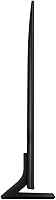
  • Slim bezels and a clean stand design fit naturally into most living room setups without dominating the space.
  • Available in four sizes, so buyers can scale up if the 55-inch footprint is too small for their room.
  • Setup is consistently reported as quick, and the remote layout earns high marks for usability.

Cons

  • Backlight blooming is noticeable in dark scenes — the dual-zone system is not a substitute for true local dimming.
  • Dolby Vision and HDR10+ are both absent, which limits HDR compatibility with certain streaming libraries.
  • The HDMI ports lack full HDMI 2.1 bandwidth, which matters for PC gamers pushing 4K at maximum frame rates.
  • Built-in 20W speakers are thin and flat — a soundbar is nearly essential for any serious audio experience.
  • Promotional tiles appear on the Tizen home screen by default and cannot be fully removed by all users.
  • Local dimming granularity falls short of mini-LED competitors available at a comparable price point.
  • The stand footprint is fairly wide, which can be a problem on smaller media consoles or shelving units.
  • This 55-inch panel does not support Filmmaker Mode at the level that preserves full director-intended frame rates across all content sources.

Ratings

The scores below reflect an AI-driven analysis of thousands of verified global user reviews for the Samsung Q70C 55-inch QLED 4K TV, with spam, bot-submitted, and incentivized feedback actively filtered out to preserve accuracy. Every category is scored against real ownership experiences — not manufacturer claims — so both the genuine strengths and the recurring frustrations are represented honestly. Whether this 55-inch panel earns a place in your living room or falls short of your specific needs, the breakdown below gives you a transparent, data-grounded answer.

Picture Quality
83%
Buyers consistently describe colors as vibrant and punchy straight out of the box, with minimal calibration needed for everyday streaming. Quantum Dot technology keeps the image looking rich even in brighter viewing environments, which is something a lot of competing panels at this price tier struggle with.
Dark scene performance exposes the limits of the dual-zone backlight — subtle shadow detail in night sequences or cinematic black bars can look murky or uneven. Users upgrading from premium mini-LED or OLED panels tend to notice the contrast ceiling relatively quickly.
Contrast & Black Levels
63%
37%
The dual-zone backlight does produce a meaningful improvement over single-zone LED sets when watching content with mixed bright and dark elements in the same frame. Daytime drama, sports broadcasts, and brightly lit streaming content all look well-balanced and controlled.
This is where the Q70C draws the most criticism from informed buyers: the backlight is not full-array local dimming, and the difference is visible during dark-room viewing. Blooming around subtitles and bright objects against black backgrounds is a recurring complaint that cannot be fully resolved through settings adjustments.
Motion Handling
88%
The 120Hz panel earns consistently strong marks from sports fans and action movie watchers who report that fast pans and quick cuts stay sharp and free from the smearing common on 60Hz budget displays. Live football, basketball, and motorsport content in particular benefit noticeably from the smoother frame delivery.
At higher motion interpolation settings, some buyers notice an artificial soap-opera effect that takes the cinematic quality out of films. Finding the right balance in the motion settings requires a bit of trial and error, and the default factory setting does not suit everyone.
HDR Performance
69%
31%
For HDR10 content — which covers the majority of 4K streaming from Netflix, Disney+, and Prime Video — the Q70C produces noticeably better highlight detail and color depth than a standard non-HDR display. Bright outdoor scenes and high-contrast cinematography benefit from the wider dynamic range this panel can render.
The absence of Dolby Vision and HDR10+ support is a real limitation that buyers who use Apple TV+ or Amazon Prime heavily will feel in practice. Samsung's proprietary HDR standard does not reach the peak brightness or tone-mapping precision that competing sets at similar price points offer.
Gaming Performance
81%
19%
Console gamers with a PS5 or Xbox Series X report genuinely low input lag and a responsive feel during fast-paced titles, with Auto Low Latency Mode switching the display into game mode automatically when a console is detected. FreeSync Premium Pro eliminates screen tearing across supported titles without any manual setup required.
The HDMI ports do not support full HDMI 2.1 bandwidth, which means simultaneous 4K at 120fps with VRR is not reliably achievable across all game titles the way it would be on a dedicated gaming TV. PC gamers with high-end graphics cards will bump into this ceiling faster than console users.
Smart TV Experience
77%
23%
Tizen OS is widely regarded as one of the more polished smart TV platforms available — apps load quickly, the layout is intuitive enough for non-technical users, and voice search via Alexa or Google Assistant works reliably for content discovery and basic smart home control.
A recurring irritant among owners is the presence of sponsored content tiles on the default home screen that cannot be fully removed. While not intrusive enough to ruin the experience, it is a noticeable commercial presence on a TV in this price range and stands out as a deliberate platform monetization choice.
Built-in Audio
54%
46%
For background TV watching, news, and casual daytime viewing, the built-in 20W speakers handle dialogue clarity well enough that most buyers do not feel the urgency to add a soundbar immediately. Object Tracking Sound Lite provides a basic sense of directional audio that adds a small layer of immersion.
Bass response is thin, and at higher volumes the speakers can sound strained and congested. Buyers who watch action films or listen to music through the TV consistently report that the audio experience significantly undersells the picture quality, and a soundbar is treated as a near-mandatory pairing by most enthusiast owners.
Build & Design
82%
18%
The slim bezel design looks genuinely premium in a living room setting, and the stand holds the panel securely without wobble even on hard flooring. Multiple buyers comment that the TV looks more expensive than it actually is, which matters for households where the set is a focal point of the room.
The stand footprint is fairly wide, which can create clearance issues on smaller media consoles or shelving units with limited width. The rear cable routing solution is functional but not as clean as what you get from higher-end Samsung models with dedicated cable management channels.
Setup & Installation
89%
Assembly feedback is overwhelmingly positive — the stand attaches with minimal tools required, and the on-screen setup wizard walks first-time users through input configuration, Wi-Fi, and app sign-ins at a comfortable pace. Most buyers report being up and watching content within 20 to 30 minutes of opening the box.
Wall mounting requires a separately purchased bracket, and at roughly 50 pounds the TV is heavy enough that a second person is strongly recommended for safe installation. A small number of buyers also report that the initial Tizen setup pushes Samsung account registration more aggressively than they would prefer.
Remote Control
84%
The Solar Cell Remote receives consistent praise for its clean button layout and the absence of unnecessary shortcut buttons cluttering the face. The solar charging feature is genuinely appreciated by owners who are tired of replacing batteries, and the remote feels well-balanced and comfortable in the hand.
Some buyers note that the TV inputs button requires more button presses than expected to switch sources efficiently. A handful of users also report occasional Bluetooth pairing inconsistencies between the remote and the TV after power cycling, though this appears to be resolved with a firmware update.
Brightness
78%
22%
The panel gets bright enough to hold its own in moderately lit living rooms and sun-facing spaces where competing OLED displays can look dim or washed out. For daytime sports viewing or bright ambient light environments, the luminance output is a genuine selling point of the QLED technology.
Peak brightness does not reach the levels of Samsung's higher-tier QLED or mini-LED models, meaning HDR highlights in a completely darkened room feel somewhat restrained rather than truly impactful. Buyers with dedicated dark home theater setups tend to find the brightness ceiling limiting for the full HDR experience.
Connectivity & Ports
74%
26%
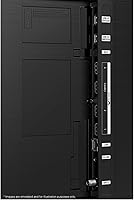
Three HDMI inputs, two USB ports, optical audio output, Ethernet, and both Wi-Fi and Bluetooth cover the connection needs of the vast majority of households. Buyers with soundbars, streaming sticks, game consoles, and cable boxes report having enough ports to avoid using a hub or switch in most setups.
The HDMI port specification is the most criticized aspect of connectivity — they are not full HDMI 2.1, which creates limitations for users trying to extract maximum performance from next-generation consoles or high-end PC graphics cards. Only two of the HDMI ports support the 4K at 120Hz signal path.
Value for Money
79%
21%
For buyers stepping up from an aging 1080p set or a no-name budget 4K display, the improvement in color richness, motion clarity, and smart platform quality feels very well justified at the mid-range price point. The overall feature set — 120Hz, gaming support, smart platform, and Quantum Dot color — is competitive within the category.
Buyers who have done their homework will notice that several competitors at a similar price now include full-array local dimming and broader HDR format support, making the value case for the Q70C less clear-cut than it was at launch. The dual-zone backlight limitation is where the value argument is most vulnerable to scrutiny.
Viewing Angles
61%
39%
Head-on and within a moderate seating arc, the picture remains accurate and color-stable, which suits most standard living room layouts where viewers sit roughly centered in front of the screen. For single-viewer or two-person setups on a couch directly facing the TV, the image holds up well.
Like most VA-adjacent QLED panels, colors shift and contrast drops off noticeably when viewers sit at wider angles — roughly beyond 30 to 40 degrees off-center. Large family viewing situations where people are spread across a wide sofa or seated at the sides of the room expose this limitation clearly.

Suitable for:

The Samsung Q70C 55-inch QLED 4K TV is an excellent fit for households that use their TV for everything — streaming services, live sports, casual gaming, and the occasional movie night — without wanting to manage separate devices or complicated setups. If you are upgrading from a 1080p set or an older entry-level 4K display, the jump in color richness and motion clarity will feel immediately worthwhile. Console gamers with a PS5 or Xbox Series X will appreciate the low input lag, Auto Low Latency Mode, and the built-in gaming dashboard that consolidates cloud and console libraries in one place. The panel's high brightness also makes it a practical choice for living rooms that get significant natural light during the day, where an OLED display would struggle with glare and reflections. Users already embedded in the Samsung ecosystem — running SmartThings devices, using Alexa routinely, or wanting Google Meet on their TV — will find the integration genuinely useful rather than gimmicky.

Not suitable for:

If pristine black levels and near-perfect contrast are your top priorities, the Samsung Q70C 55-inch QLED 4K TV will leave you wanting more. The dual-zone backlight is a step up from a basic single-zone LED, but it is not full-array local dimming, meaning you will notice some backlight blooming around bright objects set against dark backgrounds — particularly visible in space scenes or dark cinematic content. Dedicated home theater enthusiasts who have spent time with OLED or premium mini-LED panels will likely find the HDR performance underwhelming, since this set does not support Dolby Vision or HDR10+, stopping at Samsung's proprietary Quantum HDR standard. Hardcore PC gamers chasing true 4K at 120Hz should also be aware that the HDMI ports do not deliver the full bandwidth of HDMI 2.1, which can be a real constraint depending on your setup. And if you are sensitive to cluttered smart TV interfaces, the ad-supported tiles on the Tizen home screen may irritate you on a daily basis.

Specifications

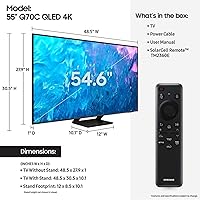
  • Screen Size: The viewable screen area measures 54.6 inches diagonally, housed in a 55-inch class panel.
  • Display Type: Quantum Dot LED (QLED) technology delivers 100% color volume by filtering light through a layer of nano-sized semiconductor crystals.
  • Resolution: Native 4K UHD resolution at 3840 x 2160 pixels, with onboard upscaling applied to lower-resolution source content.
  • Refresh Rate: The panel runs at a native 120Hz, enabling smooth rendering of fast motion in sports, gaming, and action content.
  • HDR Support: Compatible with Samsung's Quantum HDR standard, which is based on HDR10; Dolby Vision and HDR10+ are not supported.
  • Backlight: A dual-zone LED backlight uses separate warm and cool LED arrays to improve color temperature accuracy and contrast, though it is not full-array local dimming.
  • Processor: The Quantum Processor 4K handles real-time upscaling, noise reduction, and picture optimization for non-native 4K content.
  • Audio Output: Two built-in channel speakers deliver a combined output of 20 watts, with Object Tracking Sound Lite for basic directional audio.
  • Connectivity: Ports include three HDMI inputs, two USB ports, one optical audio output, one Ethernet (LAN) port, plus built-in Wi-Fi and Bluetooth.
  • Gaming Features: Supports AMD FreeSync Premium Pro for tear-free visuals, Auto Low Latency Mode (ALLM), and Samsung Gaming Hub for cloud and console game access.
  • Smart Platform: Runs Tizen OS with built-in Alexa and Google Assistant voice control, plus compatibility with SmartThings for connected home device management.
  • VESA Mounting: The rear panel follows a 200 x 200mm VESA hole pattern, compatible with most standard third-party wall mounts.
  • Dimensions: With the stand attached, the set measures 48.5″ wide, 30.5″ tall, and 10.1″ deep.
  • Weight: The TV weighs 50.8 pounds with the stand installed; wall-mount weight will differ slightly depending on bracket hardware.
  • Available Sizes: The Q70C lineup is offered in four screen sizes: 55″, 65″, 75″, and 85″.
  • Power Supply: The unit operates on 120 volts AC and ships with a standard power cable included in the box.
  • Included Items: The package includes the TV panel, stand legs, a power cable, a physical user manual, and an e-manual for digital reference.
  • Aspect Ratio: Standard 16:9 widescreen aspect ratio, consistent with modern broadcast, streaming, and gaming content formats.

Related Reviews
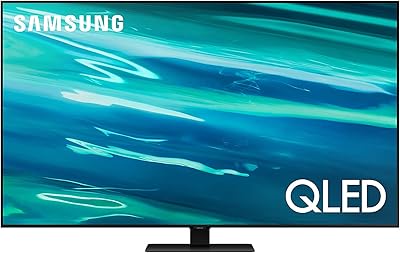
Samsung Q60D 55-inch QLED 4K TV
83%
88%
Picture Quality
91%
Color Accuracy
82%
HDR Performance
84%
Motion Handling
70%
Audio Performance
More
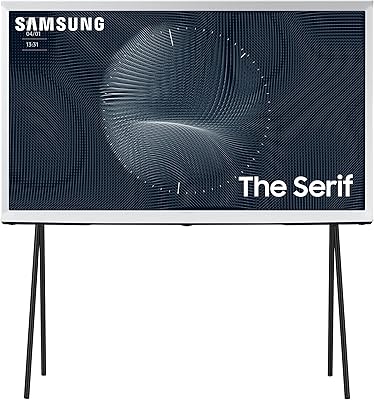
Samsung The Serif 55-inch QLED 4K TV
79%
96%
Design & Aesthetics
78%
Picture Quality
91%
Anti-Glare Performance
88%
Stand & Placement Flexibility
74%
Smart Platform & App Support
More
Samsung 55-Inch QLED 4K TV Q80A Series
86%
94%
Picture Quality
91%
Gaming Performance
88%
Smart Features and Usability
76%
Sound Quality
89%
Setup and Installation
More
SAMSUNG 55-Inch QN85D Series 4K QLED TV
87%
94%
Picture Quality
87%
Sound Quality
88%
Ease of Use
90%
Design & Build Quality
92%
Gaming Performance
More
Samsung QN95B 55-Inch Neo QLED 4K TV
73%
91%
Picture Quality
88%
Gaming Performance
52%
Smart TV Software
86%
Design & Aesthetics
67%
Audio Quality
More
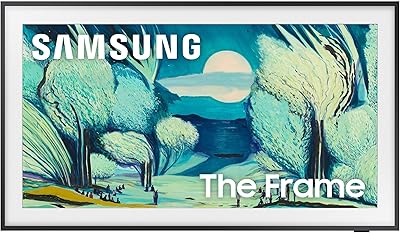
Samsung The Frame LS03F 55-Inch QLED TV
79%
93%
Ambient & Art Mode
81%
Picture Quality
96%
Design & Aesthetics
91%
Cable Management
78%
Gaming Performance
More
Samsung QN70F 55-inch Neo QLED Smart TV
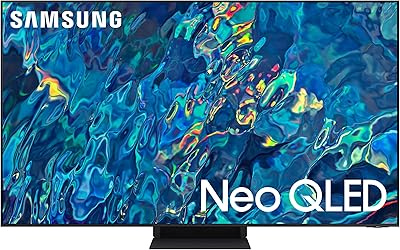
78%
83%
Picture Quality
88%
Gaming Performance
84%
Motion Handling
81%
Brightness & HDR
78%
Smart TV Platform
More
Samsung 55-inch The Terrace Outdoor QLED TV
79%
91%
Outdoor Brightness
88%
Weather Resistance
89%
Picture Quality
93%
Build Quality
82%
Smart TV Experience
More
Samsung 55-Inch The Frame LS03D QLED TV
77%
93%
Ambient & Art Display Quality
91%
Design & Room Integration
89%
Glare & Reflection Resistance
74%
Everyday Picture Quality
88%
Cable Management & Setup
More
Samsung 65-Inch QLED 4K TV Q60C
86%
94%
Picture Quality
91%
Gaming Performance
87%
Ease of Setup
88%
Smart Features
72%
Sound Quality
More

FAQ

No, it does not. The Samsung Q70C 55-inch QLED 4K TV supports Samsung's own Quantum HDR standard, which is built on the HDR10 baseline. If you rely heavily on Dolby Vision content from Apple TV+ or Netflix, this is a real gap worth considering before buying.

It handles console gaming well for most players. You get a 120Hz panel, Auto Low Latency Mode, and FreeSync Premium Pro, which together keep gameplay smooth and responsive. The one caveat is that the HDMI ports are not full HDMI 2.1, so if you need the maximum bandwidth for 4K at 120fps simultaneously, you may hit a ceiling. For the majority of console titles, though, it performs comfortably.

The Q80C steps up with a more capable local dimming system and generally better out-of-the-box brightness, which makes a noticeable difference in dark room viewing. The Q70C uses a simpler dual-zone backlight rather than full-array local dimming, so black uniformity and shadow detail are not as refined. If your room is well-lit most of the time, the Q70C holds its own; if you watch a lot of movies in a dark room, the Q80C is worth the extra cost.

The 20W speakers are passable for casual daytime viewing but lack bass depth and overall volume for larger rooms or movie watching. Most buyers who care about audio end up pairing the Q70C with a soundbar, and Samsung's Q-Symphony feature lets compatible Samsung soundbars work in tandem with the TV speakers rather than replacing them entirely.

QLED panels like this one handle ambient light noticeably better than OLED displays, which can appear washed out in sunlit rooms. The Q70C gets bright enough to maintain decent picture visibility in moderately lit spaces. Direct sunlight hitting the screen will still cause some glare, so positioning matters, but it is a solid choice for rooms that get regular daytime use.

Tizen OS is generally considered one of the cleaner smart TV platforms — apps load quickly, the menu layout is logical, and voice search works reliably. The main complaint from users is that the default home screen includes sponsored content tiles that cannot be fully hidden. It is not overwhelming, but if you prefer a clean interface, it is something to be aware of upfront.

The rear panel uses a standard 200 x 200mm VESA pattern, so any compatible mount in that size range will work. The TV itself weighs around 50 pounds, so you will want a second person to help lift it safely during installation. Samsung does not include a wall mount in the box, so budget for a separate bracket.

The onboard Quantum Processor handles upscaling in real time, and the results are generally quite good for a mid-range set. Broadcast TV and older Blu-ray content look noticeably sharper than on a standard LED panel. It is not a magic fix for very low-quality source material, but most streaming content at 1080p upscales to a pleasing result.

Yes, you can connect a PC via HDMI and use it as a large monitor. At native 4K, text clarity is reasonable from a normal viewing distance, though sitting close enough to use it like a desktop monitor may reveal some edge softness compared to a dedicated PC display. It works well for casual productivity or media playback from a laptop.

It has both Alexa and Google Assistant built in, so it integrates smoothly with most major smart home ecosystems. You can use voice commands to control compatible lights, thermostats, and other devices without a separate hub. SmartThings compatibility adds a layer of native Samsung device control, but it is not required for general smart home use.