Overview

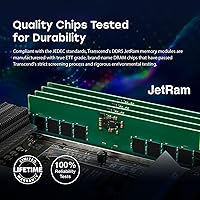
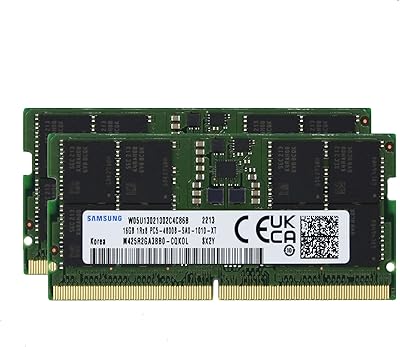
If your new laptop shipped with DDR5 and you're eyeing a memory bump, the Transcend 32GB DDR5 4800MHz SO-DIMM Laptop RAM is one of the more sensible options in the mid-range tier. Transcend has been making memory for decades, and this module reflects that — solid, no-frills, built to work rather than impress on a spec sheet. What genuinely stands out is how broad the compatibility list runs: HP, Lenovo, Dell, ASUS, and Acer systems are all covered. There's also on-die ECC baked in, a reliability feature you rarely see discussed in this price range. Don't expect overclocked performance here — this is a workhorse stick, and that's exactly the point.
Features & Benefits

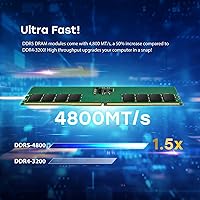
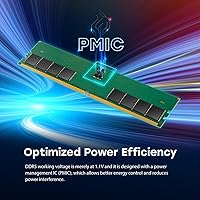
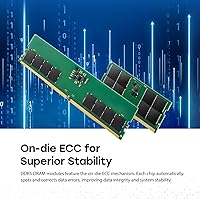
Running at DDR5-4800 with CL40 latency, this 32GB SO-DIMM stick won't set benchmark records, but it handles real-world multitasking — a dozen browser tabs, a spreadsheet, and a video call running in parallel — noticeably better than a maxed-out DDR4 setup. The dual-rank 2Rx8 configuration helps here, squeezing more usable bandwidth out of each clock cycle compared to single-rank alternatives. On-die ECC deserves a plain explanation: it silently catches and corrects single-bit memory errors in the background, no special software needed. For everyday users, that translates to fewer random crashes or unexplained data hiccups. At 1.1 volts, it runs at the DDR5 standard and won't strain compatible laptop motherboards.

Best For

This laptop memory upgrade is a strong fit for anyone moving to a new DDR5 machine and wanting a reliable, plug-and-play module without overthinking the decision. Students and remote workers juggling video calls, cloud apps, and documents will appreciate having 32GB to work with — it removes the bottleneck entirely. Light creative work like photo editing or occasional video exports also runs comfortably at this capacity. If you care more about data stability than chasing the highest possible clock speed, the on-die ECC is a genuinely useful feature in this context. It also sits at a sensible mid-range price point, making it approachable for users who don't need the priciest DDR5 kit available.

User Feedback

With a 4.5-star average across 88 ratings, this Transcend DDR5 module has earned real credibility in a category where buyers tend to be technically informed and less forgiving than average. The most consistent praise centers on installation: buyers report the stick is recognized by the BIOS immediately, no manual configuration required. Packaging arrives in solid condition, which matters when handling sensitive components. On the flip side, a handful of reviewers flag the importance of confirming socket compatibility with their specific laptop model before ordering — not a flaw in the module itself, but a genuine real-world consideration. No thermal complaints or stability issues surfaced during extended use, which is a reassuring signal for a daily-use machine.

Pros

  • Installs cleanly and is recognized by the BIOS immediately — no manual configuration or XMP setup needed.
  • On-die ECC silently corrects memory errors in the background, a reliability perk most modules at this tier skip.
  • Dual-rank 2Rx8 design squeezes more usable bandwidth out of each cycle compared to single-rank alternatives.
  • Verified compatibility across HP, Lenovo, Dell, ASUS, and Acer laptops covers a wide range of common machines.
  • Compact 1.18-inch PCB height fits slim-chassis notebooks where taller modules can cause clearance problems.
  • Runs at the standard 1.1V DDR5 voltage, so there is no added thermal stress on the motherboard.
  • 32GB capacity is enough headroom for demanding multitasking, light creative work, and future-proofing near-term.
  • Transcend is a well-established memory brand with a consistent track record, not a generic off-brand module.
  • Arrives well-packaged, with buyers consistently reporting components in good condition upon delivery.
  • Mid-range pricing makes it accessible without requiring a premium budget for a dependable DDR5 upgrade.

Cons

  • DDR5-4800 is the base DDR5 speed tier — faster kits exist that will outperform it in bandwidth-heavy tasks.
  • Only one capacity option; users who need 64GB in a single module will need to look elsewhere.
  • Compatibility should be verified per laptop model before buying — the OEM list is broad but not exhaustive.
  • No overclocking support or XMP profiles, which limits appeal for performance-tuning enthusiasts.
  • The rating pool of 88 reviews is relatively small, making it harder to judge long-term reliability trends.
  • Not suitable for desktops or full-size DIMM slots — strictly a notebook SO-DIMM form factor.
  • Buyers with soldered memory laptops cannot use this module regardless of the compatibility branding.
  • No heatspreader included, though passive cooling is standard for SO-DIMMs and rarely an issue in practice.

Ratings

The scores below were generated by our AI system after analyzing verified global buyer reviews for the Transcend 32GB DDR5 4800MHz SO-DIMM Laptop RAM, with spam, bot activity, and incentivized feedback actively filtered out. Each category reflects the honest consensus of real-world users across diverse laptop setups and use cases. Both the strengths that keep buyers satisfied and the friction points that led to deductions are transparently represented.

Installation Experience
93%
Buyers consistently describe the installation as one of the smoothest they have experienced with aftermarket RAM. The module seats cleanly, and laptops from HP, Lenovo, and Dell typically recognize it at full speed on the first boot without any BIOS intervention required.
A small number of users with less common laptop configurations reported having to manually confirm the speed in BIOS settings before the module ran at its rated 4800MHz. This is a minor inconvenience rather than a functional problem, but worth noting for first-time upgraders.
Compatibility Range
81%
19%
The verified support for major OEM brands — HP, Lenovo, Dell, ASUS, and Acer — covers a significant portion of the DDR5 laptop market, and most buyers working within those brands found compatibility straightforward. This breadth makes it a reliable pick for office-grade and consumer notebooks alike.
Users with laptops from brands outside the verified list, including certain MSI, Samsung, and Razer models, reported mixed results and had to do additional research before committing. The absence of a truly universal compatibility guarantee means this laptop memory upgrade requires homework for anyone outside the core OEM list.
System Stability
89%
Extended real-world use — multi-hour work sessions with heavy browser tabs, Office applications, and background syncing — produced no notable crashes or instability reports from the majority of buyers. The on-die ECC appears to contribute meaningfully to this, quietly handling low-level memory errors before they cause visible issues.
A handful of users running very specific laptop BIOS versions reported occasional POST delays on cold boots, which resolved after a BIOS update. These cases appear isolated rather than systemic, but users on older firmware should verify BIOS compatibility ahead of time.
Value for Money
78%
22%
For a 32GB DDR5 module from a well-established brand that includes on-die ECC, buyers in the mid-range tier generally felt the pricing was justified. Remote workers and students upgrading an otherwise capable laptop found the cost-per-gigabyte ratio reasonable compared to paying for a new machine.
Some technically informed buyers noted that anonymous-brand DDR5-4800 modules can be found at meaningfully lower prices, making the Transcend premium feel steep if reliability and brand trust are not priorities. Those purely chasing the lowest cost per gigabyte will likely find cheaper alternatives.
Real-World Performance
74%
26%
Day-to-day multitasking — juggling a video call, a large spreadsheet, and a browser with 20 or more tabs — runs noticeably more smoothly with 32GB versus a stock 8GB or 16GB configuration. Users doing light photo editing in Lightroom or Photoshop reported snappier file loading and fewer slowdowns when working with large RAW batches.
This is a base-spec DDR5-4800 module, and users who expected a dramatic speed boost over DDR4 in everyday tasks were sometimes underwhelmed. Memory-bandwidth-intensive workloads like 3D rendering or large dataset processing would benefit more from faster DDR5 kits running at 5600MHz or above.
Thermal Behavior
88%
Buyers running sustained workloads — extended video exports, overnight backups, and long gaming sessions — reported no heat-related complaints. The module operates within DDR5 standard thermal parameters and does not introduce noticeable warmth to the underside of tested notebooks.
Like all SO-DIMMs, this 32GB stick has no heatspreader, which is standard practice but can concern first-time RAM upgraders expecting more robust thermal management. In extremely cramped chassis with poor airflow, passive cooling has theoretical limits, though no buyers reported actual thermal throttling.
On-Die ECC Reliability
86%
Users who understood what on-die ECC does rated it as a genuine differentiator — particularly professionals handling client files or running overnight automated tasks where a silent memory error could corrupt output. The feature works entirely in the background, requiring no software, driver, or configuration.
Most casual buyers were unaware of on-die ECC at the time of purchase and therefore could not assess it experientially. Its benefits are also invisible by design, making it difficult to validate subjectively — the value is real but hard to feel directly.
Packaging & Delivery
84%
The module consistently arrives in protective anti-static packaging, and buyers across multiple regions reported receiving it in undamaged condition. For a sensitive component like RAM, the standard of packaging is a meaningful trust signal that Transcend takes fulfillment seriously.
A small number of buyers purchasing through third-party marketplace sellers mentioned receiving shipments with minimal outer packaging protection, though the inner anti-static sleeve remained intact in most cases. This is largely a logistics issue rather than a product defect.
Brand Trustworthiness
91%
Transcend's multi-decade track record in memory manufacturing gave buyers confidence when choosing this module over lesser-known alternatives. Repeat Transcend customers in particular cited consistent quality across previous purchases as a deciding factor, rather than relying solely on reviews.
Transcend does not carry the same enthusiast-community prestige as brands like Kingston's HyperX or Crucial's Ballistix lines, which can make it a harder sell to performance-oriented buyers even when the underlying quality is comparable. Brand perception lags behind actual product reliability for some buyer segments.
BIOS Recognition
87%
The vast majority of buyers reported zero-configuration BIOS recognition — power on, POST completes, and the system reads the full 32GB at 4800MHz without any manual profile selection. This matters most to non-technical users who feel uncomfortable navigating BIOS menus.
Laptops running older or manufacturer-customized BIOS builds occasionally displayed the memory at a lower speed until manually set. While this is a one-time fix, it can feel confusing and unsupported for buyers expecting a completely hands-off experience.
Form Factor Fit
92%
The 1.18-inch PCB height fits comfortably in slim-chassis notebooks where taller modules can physically foul against the bottom cover. Buyers with ultrabook-class machines — including select Lenovo ThinkPad and ASUS ZenBook models — confirmed clean fitment without clearance modifications.
The SO-DIMM format is inherently restrictive: it only works in laptops with a physically accessible, socketed memory slot. Buyers who discover their laptop uses soldered LPDDR5 after purchasing find themselves with no path to installation, which highlights the need for pre-purchase verification.
Multitasking Headroom
83%
Remote workers and students who pushed the module with simultaneous video conferencing, document editing, and active downloads noted that the system stayed responsive throughout without the memory-pressure warnings that were common at 8GB or 16GB. The 32GB capacity simply removed memory as a constraint.
For users whose workflows revolve entirely around simple tasks — email, light browsing, basic document work — the jump to 32GB delivers diminishing returns. Those buyers might achieve comparable day-to-day satisfaction from a less expensive 16GB DDR5 option.
Upgrade Simplicity
79%
21%
The physical installation process is well within reach of any buyer comfortable opening their laptop's back panel. No thermal paste, no adhesives, and no firmware flashing are involved — it is a pure mechanical swap that most buyers completed in under ten minutes following a video tutorial.
The upgrade experience is only as simple as the laptop allows. Some modern ultrabooks require significant disassembly to reach the memory slot, and a few buyers cited stripped screws or adhesive covers as friction points entirely unrelated to the module itself but frustrating nonetheless.
Documentation & Support
66%
34%
Transcend provides an online compatibility checker that covers a wide range of laptop models, and buyers who used it before purchasing reported accurate results. The tool is a practical resource that reduces pre-purchase uncertainty for cautious buyers.
In-box documentation is minimal — essentially a product label — with no quick-start guide or installation tips included. Buyers new to RAM upgrades who expected printed guidance had to rely entirely on external resources, and Transcend's direct customer support response times drew mixed feedback in post-purchase inquiries.

Suitable for:

The Transcend 32GB DDR5 4800MHz SO-DIMM Laptop RAM is a practical, well-matched choice for everyday laptop users who have recently moved to a DDR5-equipped machine and want to fill out that memory slot without overcomplicating the decision. Students and remote workers who keep a heavy browser load running alongside productivity apps will find that 32GB removes the sluggishness that comes with hitting a memory ceiling mid-workflow. Light creative users — think photographers culling large RAW batches or editors doing casual 1080p cuts — will also have enough headroom to work comfortably. The on-die ECC feature adds quiet, background error correction that productivity-focused users genuinely benefit from, even if they never notice it working. If your priority is a trusted brand, broad OEM compatibility, and a module that installs cleanly without any fuss, this stick delivers exactly that.
Not suitable for:

Buyers chasing peak DDR5 performance should know upfront that the Transcend 32GB DDR5 4800MHz SO-DIMM Laptop RAM runs at the base DDR5-4800 specification — higher-frequency kits at 5600MHz or beyond do exist and will outperform it in memory-intensive benchmarks. Gamers or power users who rely on memory overclocking or XMP tuning profiles will find little to work with here, as this is an unbuffered, standard-speed module not designed for that use case. It is also not a fit for workstation-class tasks like 3D rendering, large dataset processing, or professional video editing at 4K and above, where faster and higher-capacity configurations make a measurable difference. Anyone with a laptop that uses soldered or proprietary memory should confirm upgradeability before purchasing — this module cannot help if the slot simply isn't there. Finally, desktop users are out of scope entirely; this is strictly a notebook SO-DIMM.
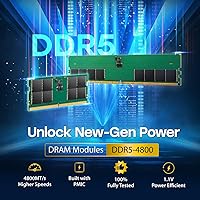
Specifications

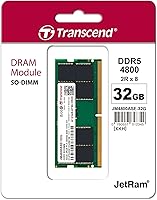
  • Capacity: This module provides 32GB of DDR5 SDRAM, sufficient for demanding multitasking, light creative work, and everyday productivity on modern laptops.
  • Memory Type: Uses DDR5 SDRAM technology, the current-generation standard offering improved bandwidth and power efficiency over DDR4.
  • Form Factor: Unbuffered SO-DIMM design with a 262-pin interface, built specifically for notebook and small-form-factor systems.
  • Speed: Operates at 4800MHz (PC5-38400), which is the baseline DDR5 frequency specification for broad laptop compatibility.
  • CAS Latency: Rated at CL40, which is standard for DDR5-4800 modules and consistent with typical laptop memory at this speed tier.
  • Rank Configuration: Dual-rank 2Rx8 layout, which generally enables better memory bandwidth utilization compared to single-rank alternatives at the same frequency.
  • Voltage: Operates at 1.1V, the standard DDR5 supply voltage, placing no additional electrical stress on compatible laptop motherboards.
  • PCB Height: Board height measures 1.18 inches, allowing it to fit inside slim-chassis and ultra-thin notebook designs without clearance issues.
  • Error Correction: Equipped with On-Die ECC (ODECC), which automatically detects and corrects single-bit memory errors in the background without user intervention.
  • Operating Temp: Rated for operation between 0°C and 85°C, covering standard notebook thermal environments including sustained workloads.
  • Weight: The module weighs 0.704 ounces, consistent with standard SO-DIMM hardware and negligible in terms of laptop weight impact.
  • Model Number: Official model identifier is JM4800ASE-32G, part of Transcend's JM4800 notebook memory series.
  • Compatible Brands: Verified compatibility includes laptops from HP, Lenovo, Dell, ASUS, and Acer; individual model confirmation is recommended before purchase.
  • Pin Count: Features 262 pins, the standard connector specification for DDR5 SO-DIMM modules used in current-generation laptops.
  • DRAM Configuration: Internal DRAM is organized as 2Gx8x16, reflecting the chip-level layout that underpins the module's dual-rank architecture.
  • Manufacturer: Produced by Transcend Information, a Taiwan-based memory manufacturer with over three decades of experience in DRAM and storage products.

Related Reviews
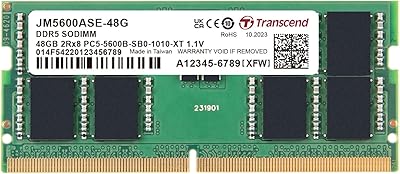
A-Tech 32GB DDR5 4800MHz Laptop RAM Kit
87%
92%
Performance Boost
95%
Ease of Installation
89%
Energy Efficiency
84%
Compatibility
91%
Value for Money
More
Transcend JM5600ASE-48G 48GB DDR5 SO-DIMM RAM
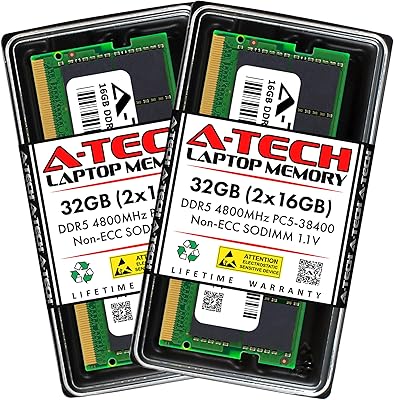
81%
88%
Installation Ease
91%
System Stability
83%
Performance Uplift
76%
Compatibility Range
67%
Value for Money
More
Samsung 32GB DDR5 4800MHz SODIMM Laptop RAM
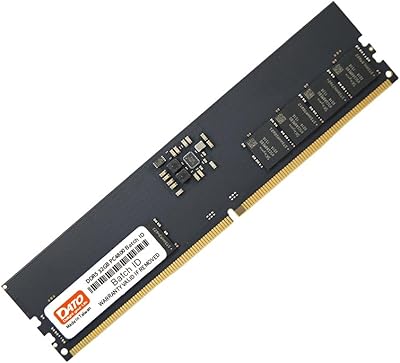
79%
71%
Platform Compatibility
84%
Installation Ease
88%
Performance Stability
76%
Speed & Bandwidth
79%
Brand Trust & Chip Authenticity
More
DATO 32GB DDR5 4800MHz Desktop RAM
71%
74%
Value for Money
88%
Installation Ease
79%
System Stability
71%
Memory Speed
63%
Latency Performance
More
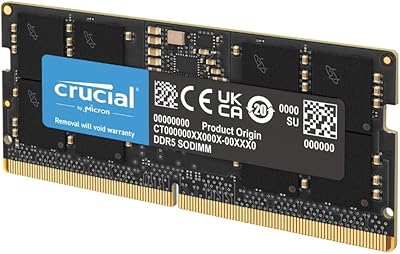
Crucial 16GB DDR5 4800MHz Laptop RAM
86%
89%
Performance Improvement
93%
Ease of Installation
88%
Multitasking Performance
91%
Compatibility with 12th Gen Intel & AMD Ryzen 7000
86%
Gaming Performance
More
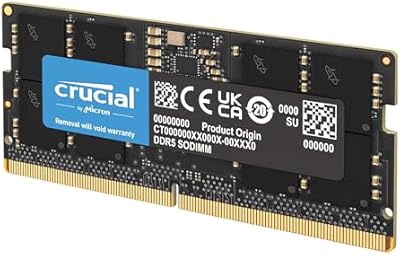
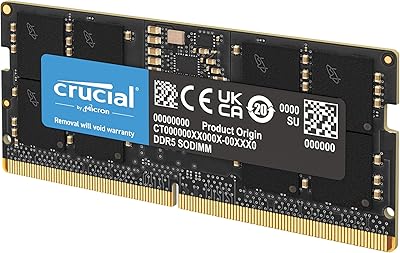
Crucial 32GB DDR5 SODIMM Laptop RAM
83%
88%
Platform Compatibility
91%
Installation Experience
71%
Real-World Performance Gains
83%
Value for Money
93%
Long-Term Reliability
More
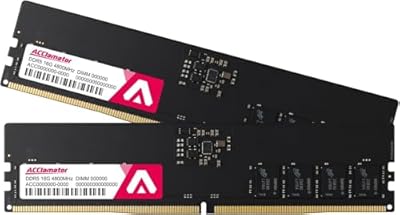
Acclamator DDR5 32GB 4800MHz Desktop RAM Kit
75%
88%
Value for Money
91%
Installation Ease
86%
System Stability
74%
Compatibility
41%
Overclocking Headroom
More
TEAMGROUP Elite Plus DDR5 32GB Desktop RAM
81%
91%
Platform Compatibility
93%
Installation Experience
84%
Value for Money
89%
System Stability
67%
Raw Performance
More
Crucial 8GB DDR5 4800MHz SODIMM Laptop RAM
89%
91%
Performance Boost
88%
Installation Ease
94%
Compatibility with Intel 12th Gen & AMD Ryzen 7000
85%
Power Efficiency
90%
Multitasking Support
More
A-Tech 64GB DDR5 SODIMM Laptop RAM Kit
79%
88%
Value for Money
71%
Compatibility
91%
Installation Experience
89%
System Stability
74%
Performance at 4800MHz
More

FAQ

The easiest way is to check your laptop's official product page or manual — it will list the supported memory type explicitly. You can also use Transcend's online compatibility tool by entering your laptop model number. DDR4 and DDR5 SO-DIMMs use different pin configurations, so a DDR5 module physically cannot seat in a DDR4 slot, which removes any risk of accidental damage from trying.

It works perfectly fine as a single module. Many laptops ship with one slot occupied and one empty, so dropping in this 32GB SO-DIMM stick on its own is a common and straightforward upgrade. If your laptop has two slots and you want dual-channel mode, you would need a matched pair, but single-channel with 32GB still handles most workloads well.

On-die ECC is a feature built into the memory chips themselves that detects and silently corrects single-bit errors as data passes through the module. For most people it runs completely invisibly, but it meaningfully reduces the chance of random application crashes or data corruption during long work sessions. It's particularly worth caring about if you keep your laptop running for hours on productivity tasks or handle important files regularly.

For everyday tasks like web browsing, office applications, and video calls, the practical difference is subtle — DDR4 at 3200MHz already handles those well. Where DDR5-4800 pulls ahead is in sustained multitasking with many applications open simultaneously and in tasks that are genuinely memory-bandwidth-bound, like photo editing with large files. The bigger real-world gain often comes from having 32GB total rather than from the raw speed increase alone.

No. SO-DIMM modules are designed exclusively for laptops and small-form-factor systems. Desktop motherboards use full-size DIMM slots, which are physically larger and use a different pin layout. You would need a standard desktop DDR5 DIMM instead.

Generally, no. Most users report that their laptop detects this 32GB SO-DIMM automatically at its rated 4800MHz speed without any manual BIOS adjustment. There are no XMP or EXPO profiles to enable since it runs at the standard DDR5 specification. Just install it, boot up, and your system should recognize it immediately.

DDR5 SO-DIMMs, including this one, are rated to operate up to 85°C and are designed without heatspreaders because they rely on passive airflow from the laptop chassis. In normal use, this module stays well within safe temperatures. No significant heat-related complaints have surfaced from buyers using it in everyday notebook environments.

The listed brands are the ones Transcend has explicitly verified, but that doesn't mean it won't work in other DDR5-equipped laptops. If your machine uses a standard DDR5 SO-DIMM slot at 4800MHz, this module will very likely function correctly. That said, always cross-reference with Transcend's compatibility tool or your laptop's memory support documentation to be sure before purchasing.

Transcend typically backs its memory products with a limited lifetime warranty, though exact warranty terms can vary by region and purchase channel. It's worth confirming the warranty details with the retailer at the time of purchase, particularly if you're buying through a third-party seller.

For most modern laptops, RAM installation involves removing a back panel with a few screws, locating the memory slot, angling the module in at roughly 30 degrees, and pressing it down until it clicks into the retaining clips. The whole process typically takes under ten minutes. A plastic spudger or the right screwdriver is usually all you need. If you're uncertain, a quick search for your specific laptop model's RAM upgrade tutorial will show you exactly what to expect.