Overview

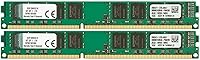
The Kingston ValueRAM 16GB DDR3 Desktop Memory Kit is exactly what it sounds like — a no-nonsense RAM upgrade built for older desktops that still have plenty of useful life left in them. Kingston's reputation in memory circles goes back decades, and this kit reflects that heritage: reliable, broadly compatible, and unpretentious. Two 8GB modules working together in dual-channel mode deliver real multitasking headroom that a single stick simply cannot match. Yes, DDR3 is a mature standard — but that's the point. If your motherboard cannot run DDR4, there's little reason to replace the whole platform just for more RAM. This ValueRAM upgrade is a pragmatic fix, not a flashy one.
Features & Benefits

Running at 1333MHz with CL9 latency, this dual-channel memory pair hits the standard DDR3 specification — nothing flashy, but stable and consistent for everyday computing. The two 8GB modules use a 240-pin unbuffered DIMM form factor, covering a wide range of desktop motherboards from the DDR3 era. A lesser-known detail: the CAS latency is programmable down to CL6 through your BIOS, offering a small tuning window if your board allows it. At 1.5V operating voltage, it stays within normal DDR3 power bounds. Pair that with a lifetime warranty and free technical support from Kingston, and this ValueRAM upgrade earns its place as a dependable, low-risk choice.

Best For

If you're running a Sandy Bridge or Ivy Bridge system — second or third-generation Intel Core territory — this Kingston DDR3 kit is aimed squarely at you. It's also a sensible pick for anyone repurposing an older desktop for home office work: document editing, video calls, and light multitasking all benefit noticeably from 16GB over a cramped 4GB baseline. That said, this isn't the right fit if you're overclocking aggressively or hunting for XMP profiles — there are faster DDR3 kits for that crowd. For stable, everyday productivity, this dual-channel memory pair handles the job cleanly without overcomplicating things.

User Feedback

Across 225 ratings, this Kingston DDR3 kit holds a 4.2-star average — a score that reflects genuine satisfaction rather than excitement. The most repeated praise centers on plug-and-play ease: buyers consistently report their boards recognized the modules instantly, without manual configuration. Most reviewers were coming from 4GB or 8GB single-channel setups, so the difference felt real in day-to-day use. On the critical side, a few users noted that DDR3-1600 alternatives exist at comparable prices with better bandwidth. A handful also flagged chipset-specific quirks and recommended checking your motherboard's QVL list before purchasing — sensible advice for any RAM buy.

Pros

  • Installs without drama — most motherboards recognize this dual-channel memory pair immediately on first boot.
  • The 2x8GB configuration unlocks native dual-channel bandwidth, a real-world multitasking improvement over a single-stick setup.
  • Kingston's lifetime warranty removes virtually all long-term financial risk from this purchase.
  • Free technical support from Kingston is a genuine differentiator for less experienced builders who may need guidance.
  • Broad 240-pin DIMM compatibility means this ValueRAM upgrade works across a wide range of DDR3-era desktop boards.
  • Standard 1.5V operation keeps things well within safe electrical tolerances for aging systems.
  • Programmable CAS latency gives BIOS-savvy users a small but real tuning option without extra cost.
  • Kingston's track record in memory manufacturing means consistent module quality and low defect rates.
  • Jumping to 16GB from a cramped 4GB baseline delivers a noticeable, day-one improvement in everyday responsiveness.

Cons

  • 1333MHz is the slower end of DDR3 — DDR3-1600 kits exist at comparable prices and offer better bandwidth.
  • No XMP profile support means enthusiasts cannot load optimized timings with a single BIOS toggle.
  • The value calculation weakens if DDR3-1600 or DDR3-1866 options are available for only a few dollars more.
  • Buyers must verify motherboard QVL compatibility manually — chipset quirks have caused recognition issues for some users.
  • DDR3 as a platform has a hard ceiling; this upgrade extends a system's life but does not future-proof it.
  • No heat spreader on the modules, which is a minor concern in poorly ventilated cases with heavy sustained loads.
  • Availability of DDR3 memory is shrinking industry-wide, so long-term replacement sourcing may become harder.
  • At 1333MHz, the kit may bottleneck integrated graphics workloads that depend on memory bandwidth more than CPU tasks do.

Ratings

The scores below were generated by our AI after analyzing verified buyer reviews for the Kingston ValueRAM 16GB DDR3 Desktop Memory Kit from across multiple global markets, with spam, bot activity, and incentivized feedback actively filtered out. Each category reflects an honest synthesis of what real users praised and where they ran into frustration. Both the strengths and the genuine trade-offs are represented here without bias.

Ease of Installation
93%
The overwhelming majority of buyers reported that both modules were recognized by their motherboards on the very first boot, with zero manual configuration needed. For users who hadn't opened a PC case in years, that kind of friction-free experience was frequently highlighted as the kit's single biggest practical strength.
A small but consistent group of reviewers encountered issues tied to specific chipsets — particularly some older AMD boards — where the system wouldn't POST until they cleared CMOS or manually set the memory speed in BIOS. These cases were rare but not isolated.
System Stability
89%
Users running this dual-channel memory pair in home office and productivity roles consistently reported rock-solid daily operation over extended periods — months or even years in some cases. No random reboots, no blue screens under normal workloads, which is exactly what this type of upgrade is supposed to deliver.
A handful of reviews flagged intermittent instability on heavily loaded systems, though many of those cases appeared linked to aging motherboards or power supplies rather than the memory itself. Isolating the root cause was frustrating for users who weren't experienced troubleshooters.
Compatibility Range
82%
18%
The 240-pin unbuffered DIMM form factor covers a genuinely wide swath of DDR3-era desktop motherboards, and Kingston's conservative 1333MHz speed rating actually helps here — nearly every DDR3 board ever made supports it. Users with Sandy Bridge and Ivy Bridge systems were particularly well served.
Compatibility is only as good as your research. Some buyers assumed universal DDR3 compatibility without checking their board's QVL, which led to avoidable headaches. A few specific chipset combinations — certain budget H61 and B75 boards — showed inconsistent behavior that required BIOS updates to resolve.
Value for Money
74%
26%
For buyers committed to extending the life of a DDR3 platform rather than migrating to a new system, this ValueRAM upgrade represents a defensible spend. Getting 16GB of dual-channel RAM with a lifetime warranty from a reputable brand, without paying a premium for speeds your old board can't fully exploit, is a reasonable trade-off.
The value case weakens noticeably when DDR3-1600 kits enter the picture at similar or only slightly higher price points. Buyers who discovered faster alternatives after purchasing this kit expressed mild regret, feeling they left performance on the table for no meaningful savings.
Memory Speed
61%
39%
At 1333MHz, this kit meets the baseline DDR3 specification reliably and without complaint. For productivity tasks — spreadsheets, document editing, web browsing — the speed is entirely adequate, and most users in those workflows never felt constrained by the bandwidth ceiling.
In more demanding scenarios, particularly those involving integrated graphics or memory-hungry applications, the 1333MHz ceiling becomes a tangible limitation. Reviewers who later upgraded to DDR3-1600 kits reported a perceptible difference, which makes the speed rating here a legitimate purchasing consideration rather than a spec-sheet footnote.
Dual-Channel Performance
84%
Users upgrading from a single-stick configuration noticed genuine improvements in multitasking fluidity after installing this matched pair. The dual-channel bandwidth increase is particularly meaningful for systems using integrated graphics, where memory bandwidth directly feeds rendering performance.
Realizing the dual-channel benefit requires correct slot placement, and not every buyer reads the motherboard manual before installing. A few reviewers reported running in single-channel mode for weeks before discovering they had the modules in the wrong slots — an easy fix, but an avoidable frustration.
Build & Module Quality
78%
22%
The PCB quality is consistent with what you'd expect from Kingston's manufacturing standards — clean traces, uniform chip placement, and no cosmetic defects out of the box in the vast majority of reported cases. The modules feel solid and seat firmly in DIMM slots.
There is no heat spreader on these modules, which draws occasional criticism in cases with poor airflow or when users are pushing the system hard for sustained periods. It's unlikely to cause issues under normal use, but the bare PCB aesthetic is a noticeable step down from even mid-range kits.
Warranty & Support
91%
Kingston's lifetime warranty is one of the most buyer-friendly policies in the memory industry, and the free technical support line is a genuine differentiator that users — especially those less comfortable with hardware — found reassuring. Several reviewers specifically mentioned support responsiveness as a reason they chose Kingston over lesser-known alternatives.
The warranty experience depends heavily on the RMA process, which some users described as slower than expected. A small number of reviewers wished Kingston had a more streamlined online replacement workflow rather than relying primarily on phone-based support interactions.
BIOS Tuning Headroom
58%
42%
The programmable CAS latency — adjustable from CL9 down to CL6 through compatible BIOS menus — gives technically inclined users a meaningful option to tighten timings without spending more. On boards that expose those controls, a few reviewers achieved modest but measurable latency improvements.
The tuning ceiling is low compared to any enthusiast-grade DDR3 kit. There is no XMP profile, so the process is entirely manual, and most consumer-tier DDR3 boards don't give you granular enough BIOS controls to make it worthwhile. For most buyers, stock settings are where this kit lives and stays.
Thermal Performance
72%
28%
Running at 1.5V within DDR3 standard spec, these modules generate minimal heat under typical productivity workloads. Users in well-ventilated mid-tower cases reported no thermal issues whatsoever, even during sustained use across workdays.
In compact or poorly ventilated cases, the lack of a heat spreader means there's no passive cooling surface to assist airflow across the chips. This isn't a dealbreaker for most setups, but users in small form factor builds or cases with restricted airflow flagged it as a minor concern.
Long-Term Availability
53%
47%
At the time of purchase, sourcing this kit or a direct replacement is still feasible through major retailers. Kingston continues to manufacture and support DDR3 products, and the part number makes it easy to locate an exact replacement if a module ever needs swapping under warranty.
DDR3 as a platform is in slow decline, and buyers investing in this upgrade for a long-horizon plan should factor in that sourcing will only get harder. A few forward-thinking reviewers explicitly noted this concern, pointing out that a platform migration might be the smarter five-year move even if it costs more upfront.
Packaging & Unboxing
76%
24%
The modules arrive in an anti-static clamshell that protects them adequately during shipping. Reviewers generally found the packaging practical and no-nonsense — which matches the product itself. Nothing was damaged on arrival in the vast majority of reported purchases.
There's no included documentation beyond the bare minimum, and some less experienced buyers mentioned wishing for even a basic installation guide. The packaging communicates function over experience, which is fine for a value-tier component but underwhelming for anyone expecting a more polished unboxing.
Platform Futureproofing
38%
62%
Within the DDR3 ecosystem, this kit maxes out what a dual-channel configuration can practically offer for everyday workloads. Users treating it as a terminal upgrade for an otherwise functional older system get fair utility from the purchase without overextending their budget.
DDR3 is a dead-end standard with no upgrade path to DDR4 or DDR5 without replacing the motherboard, CPU, and often the case and power supply too. Reviewers who later made that platform jump almost universally wished they had done it sooner rather than spending on interim DDR3 upgrades.

Suitable for:

The Kingston ValueRAM 16GB DDR3 Desktop Memory Kit is the right call for anyone nursing a capable older desktop back to full productivity rather than replacing it outright. If your system runs on a second or third-generation Intel Core processor — Sandy Bridge, Ivy Bridge, or comparable AMD platforms of that era — this dual-channel memory pair slots right in without any fuss. Home office users who rely on their aging tower for spreadsheets, video calls, and browser-heavy workflows will notice a real difference when jumping from 4GB or 8GB to a full 16GB dual-channel setup. It also makes good sense for small businesses or schools repurposing older hardware on a tight budget, where platform migration simply isn't cost-justified. If stability and compatibility matter more to you than chasing peak bandwidth, this ValueRAM upgrade delivers exactly what it promises.

Not suitable for:

The Kingston ValueRAM 16GB DDR3 Desktop Memory Kit is not the right fit for anyone building or upgrading a modern system — if your motherboard supports DDR4 or DDR5, this kit is simply incompatible and you should look elsewhere. Enthusiasts who want to push memory overclocks or take advantage of XMP profiles will find this ValueRAM upgrade frustrating; it runs at a conservative 1333MHz with no factory XMP support and limited headroom even with manual BIOS tuning. Buyers on DDR3 platforms who prioritize raw bandwidth should also explore DDR3-1600 or DDR3-1866 alternatives before committing here, since comparable kits at higher speeds sometimes land at similar price points. Laptop users need not apply either — this is strictly a 240-pin desktop DIMM. If your use case involves memory-intensive workloads like video rendering or large virtual machines, the speed ceiling here will likely become a bottleneck before the capacity does.

Specifications

  • Total Capacity: This kit provides 16GB of total memory across two 8GB unbuffered DIMM modules.
  • Memory Type: DDR3 SDRAM, the standard memory technology used in desktop platforms from roughly 2007 through 2014.
  • Speed Rating: Operates at 1333MHz (PC3-10600), which is the baseline DDR3 speed tier suited for broad motherboard compatibility.
  • CAS Latency: Default CAS latency is CL9, with programmable options down to CL6 adjustable through compatible BIOS settings.
  • Form Factor: 240-pin unbuffered DIMM designed exclusively for desktop motherboards; not compatible with laptop SO-DIMM slots.
  • Channel Support: Configured as a matched dual-channel kit, enabling higher memory bandwidth than a single module of equivalent capacity.
  • Operating Voltage: Runs at the standard DDR3 voltage of 1.5V, requiring no special power delivery or voltage modifications.
  • Module Dimensions: Each module measures 5.25 x 0.12 x 1.18 inches, fitting standard full-height DDR3 DIMM slots without clearance issues.
  • Kit Weight: The combined kit weighs approximately 0.353 ounces, making it among the lightest hardware upgrades you can install.
  • Model Number: The official Kingston part number for this kit is KVR13N9K2/16, useful for verifying QVL compatibility on motherboard manufacturer websites.
  • Manufacturer: Produced by Kingston Technology, one of the longest-established independent memory manufacturers in the industry.
  • Warranty: Covered by Kingston's lifetime limited warranty, which applies for as long as the original purchaser owns the product.
  • Technical Support: Kingston provides free technical support for this kit, accessible via phone or online through their official support channels.
  • Compatible Devices: Designed for desktop motherboards with DDR3 DIMM slots; incompatible with DDR4, DDR5, or any laptop memory slot.
  • ECC Support: This is a non-ECC (non-error-correcting) kit, intended for consumer desktops rather than server or workstation environments.
  • Buffer Type: Unbuffered (UDIMM) configuration, which is the correct type for standard consumer and home office desktop motherboards.
  • Release Date: This kit was first made available in May 2012, reflecting its design for the DDR3 platform generation of that era.

Related Reviews
Crucial 16GB DDR3 1600 MHz CL11 Desktop Memory Kit
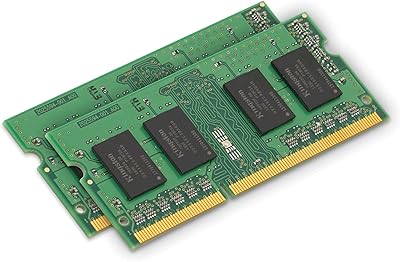
87%
94%
Performance
91%
Ease of Installation
89%
Compatibility
85%
Energy Efficiency
92%
Reliability
More
Kingston 16GB Kit (2 x 8GB) DDR3 1600MHz SODIMM Laptop Memory
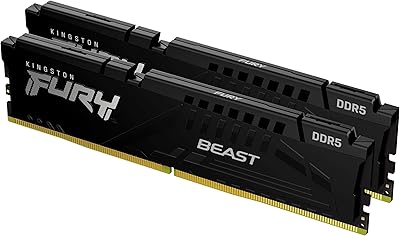
88%
88%
Performance Boost
91%
Ease of Installation
85%
Compatibility with Laptops
92%
Energy Efficiency
80%
Build Quality
More
Kingston Fury Beast 32GB DDR5 RAM Kit
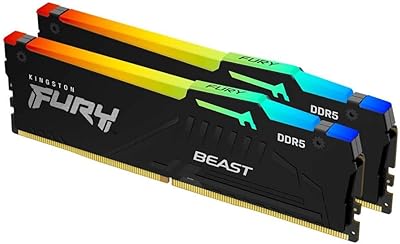
85%
91%
EXPO & XMP Activation
78%
Platform Compatibility
86%
Memory Performance
88%
Build Quality & Finish
84%
Thermal Management
More
Kingston FURY Beast 16GB DDR5 RAM Kit
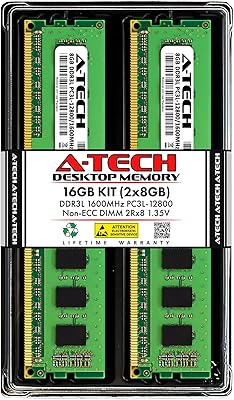
80%
93%
Out-of-Box Setup
88%
Platform Compatibility
84%
Memory Performance
91%
Stability & Reliability
79%
Value for Money
More
Timetec 16GB DDR3 1333MHz Desktop RAM Kit
83%
93%
Value for Money
88%
Compatibility
91%
Installation Ease
79%
Performance Improvement
84%
Reliability
More
A-Tech 16GB DDR3 1600MHz Desktop RAM
79%
93%
Value for Money
88%
Compatibility
91%
Installation Ease
86%
System Stability
82%
Performance Uplift
More
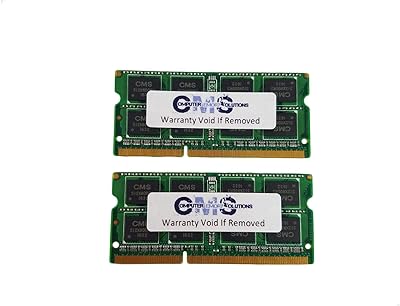
CMS 16GB DDR3 10600 1333MHz SODIMM Memory Kit
87%
88%
Performance Boost
92%
Ease of Installation
91%
Compatibility with Lenovo T420
90%
Value for Money
85%
System Stability
More
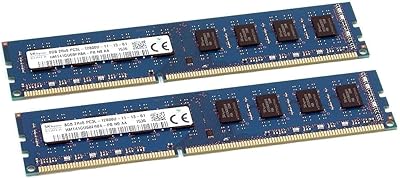
SK Hynix HMT41GU6BFR8A-PB 16GB DDR3 Desktop RAM
85%
88%
Compatibility
91%
Reliability & Stability
93%
Plug-and-Play Setup
84%
Value for Money
87%
Build & IC Quality
More
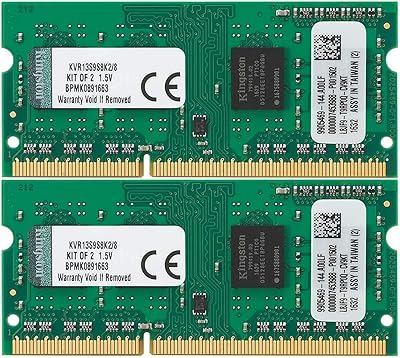
Kingston ValueRAM 8GB DDR3 1333MHz Laptop RAM
74%
58%
Compatibility
74%
Value for Money
81%
Installation Ease
69%
Performance Uplift
77%
Build & Module Quality
More
Kingston FURY Beast DDR5 16GB Desktop RAM
84%
83%
Value for Money
91%
Installation & Setup
88%
Performance at Rated Speed
92%
Stability & Reliability
86%
Thermal Management
More

FAQ

The safest approach is to look up your motherboard's model number on the manufacturer's website and check its QVL (Qualified Vendor List) for the part number KVR13N9K2/16. If you find it listed, you're good. If it's not listed, that doesn't necessarily mean it won't work — but it does mean Kingston and the board maker haven't formally tested the combination, so there's a small element of risk.

In most cases, no. The modules are plug-and-play and will run at 1333MHz automatically on any DDR3 board that supports that speed. If your board defaults to a lower speed like 1066MHz, you may want to manually set the XMP or memory profile in BIOS — though this kit doesn't include an XMP profile, you can still manually set the speed and timings.

Yes, slot placement matters for dual-channel operation. Most motherboards require you to install matched pairs in alternating slots — typically slots 1 and 3, or slots 2 and 4. Check your motherboard manual for the exact recommended slot configuration, as getting this wrong will result in single-channel operation instead.

Technically yes, as long as your motherboard has additional DDR3 slots and enough total capacity support. However, mixing memory kits can sometimes cause instability, especially if the additional modules run at different speeds or use different chips. If expandability matters to you, it's generally cleaner to buy the full amount you need upfront in a matched kit.

It depends on your expectations. For older games and general gameplay on a DDR3-era system, 16GB is plenty of headroom. However, if you're running a modern GPU and hoping to squeeze competitive performance out of an aging platform, the 1333MHz speed may become a minor limiting factor compared to faster DDR3-1600 or DDR3-1866 alternatives. For casual gaming on a legacy desktop, it does the job cleanly.

It works with AMD DDR3 platforms as well — AM3 and AM3+ boards that support DDR3 are generally compatible. Just verify the specific board's supported memory speeds and maximum capacity in its manual, since some older AMD boards cap out at lower total RAM than you might expect.

Honestly, yes — the bandwidth difference between single-channel and dual-channel is real, especially for tasks that push memory throughput like video playback, browser-heavy multitasking, or integrated graphics workloads. Replacing a single 8GB stick with this matched pair will give you both the capacity increase and the dual-channel bandwidth advantage at the same time.

You can, but only if your motherboard's BIOS allows manual memory timing adjustments. Not all consumer boards expose those controls. If yours does, you can experiment with tighter timings — but be aware that going too aggressive without also adjusting voltage or verifying stability can cause boot issues. CL9 at stock voltage is perfectly fine for everyday use and is where most people leave it.

Kingston's lifetime warranty covers manufacturing defects for the life of the product in the original purchaser's hands. If a module fails, you'd contact Kingston's support team directly, go through their diagnosis process, and they'll arrange a replacement if the failure qualifies. Their support line is free, which is a genuine convenience for users who aren't sure whether the issue is the RAM or something else in the system.

For now, DDR3 is still available from major retailers and memory manufacturers, including Kingston. That said, the DDR3 market is shrinking year over year as the installed base of those platforms ages out. It's a reasonable concern for long-term planning — if you're investing in keeping a DDR3 system alive for several more years, it's worth knowing that sourcing may become harder down the road, though it's not an immediate problem today.