Overview

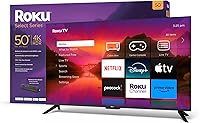
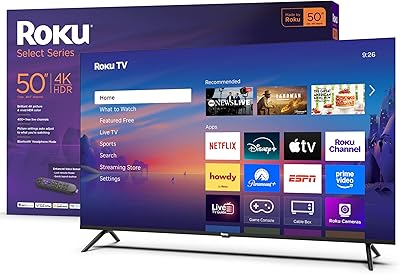
The Roku Select Series 50-inch 4K Smart TV marks Roku's most deliberate push into first-party television hardware — and it shows in how tightly the software and screen are integrated. Competing squarely against mid-range sets from TCL and Hisense, this streaming-first set lands at a price that makes it hard to dismiss. The pitch is simple: a clean, familiar Roku experience baked directly into a 50-inch 4K panel, with no third-party OS friction getting in the way. It launched in early 2024 as part of the Select lineup. Be clear going in — this is built for streaming-first households, not home-theater enthusiasts chasing the deepest blacks or smoothest motion.
Features & Benefits

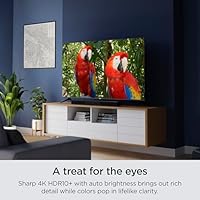
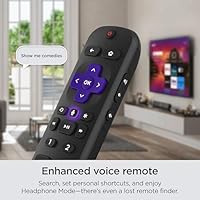
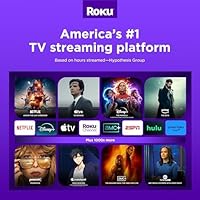
The panel runs at 4K with HDR10+ support, which sounds impressive — and for daytime Netflix or a casual movie night, it genuinely looks sharp. That said, the direct LED backlighting without local dimming means blacks can look more gray than deep in a dark room; OLED or full-array QLED this is not. The auto brightness sensor is a quietly practical feature — it tones down the screen in dim conditions without you touching a setting. Roku OS remains one of the cleanest smart TV platforms around: apps open quickly, the interface is clutter-free, and the app library is comprehensive. The enhanced voice remote adds real utility with its lost-remote finder and customizable shortcut buttons. Connectivity is also strong: three HDMI ports, eARC, USB, optical out, and both Wi-Fi 5 and Ethernet.

Best For

This Roku TV is a natural fit for cord-cutters who just want to plug in and start streaming without reading a manual. It also works well as a secondary room TV — bedroom, guest room, kitchen — where convenience matters more than cinematic precision. Families will appreciate the built-in parental controls and the fact that the Roku ecosystem keeps everything organized and easy to navigate. If you already own a Roku soundbar or use Roku streaming sticks elsewhere in your home, the continuity here is genuinely convenient. And if you're upgrading from an older 1080p set, the jump to 4K at 50 inches makes for a noticeable difference in everyday sharpness. Serious gamers or home-theater enthusiasts, though, will likely want to look at higher-spec options.

User Feedback

Owners consistently highlight the fast, painless setup and how approachable Roku OS is for non-tech-savvy users — that's a common thread across reviews. Picture quality earns solid marks for everyday streaming, though buyers who expected deep blacks are sometimes caught off guard by the panel's contrast limitations. The 60Hz refresh rate draws criticism from gamers who find motion handling underwhelming during fast-paced content. The remote gets real appreciation for its practical extras. On the downside, a number of users flag the Roku home screen ads as an annoyance — they're present by default and can't be fully disabled. Built-in audio is described as passable for news and casual TV, but most reviewers end up recommending a soundbar pairing for anything more demanding.

Pros

  • Roku OS is one of the cleanest, fastest smart TV platforms available — no bloatware, no steep learning curve.
  • 4K picture quality looks genuinely sharp for everyday streaming and casual movie watching.
  • Auto brightness adjustment works quietly in the background, reducing eye strain without manual fiddling.
  • The enhanced voice remote is practical and well-built, with a lost-remote finder that actually gets used.
  • Four HDMI ports including eARC give you solid flexibility for connecting consoles, soundbars, and other devices.
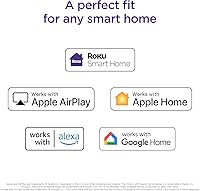
  • Apple AirPlay, HomeKit, Alexa, and Google Home support cover nearly every smart home setup without extra hardware.
  • Setup is fast — most buyers report being up and running within minutes of unboxing.
  • The Roku app ecosystem is broad, covering every major streaming service without notable gaps.
  • Wired Ethernet support is a welcome option for households where Wi-Fi reliability is a concern.
  • Strong value proposition for a 50-inch 4K screen in a crowded mid-range market.

Cons

  • The 60Hz refresh rate is a real drawback for gamers — fast motion looks noticeably less smooth than on higher-refresh panels.
  • No local dimming means dark scenes lack depth; black levels disappoint in dim viewing environments.
  • HDR performance has a clear ceiling — direct LED backlighting limits how impactful HDR10+ actually looks in practice.
  • Roku OS home screen displays ad banners by default, which many users find intrusive and cannot fully disable.
  • Built-in audio is thin for its size; a soundbar purchase starts to feel necessary rather than optional.
  • Long-term software update commitments from Roku on this hardware tier remain somewhat uncertain.
  • The stand design requires nearly the full width of the screen, limiting placement on narrower furniture.
  • No Dolby Vision support — HDR10+ is solid, but some streaming platforms default to Dolby Vision on competing sets.
  • Wi-Fi 5 is adequate but not future-proofed for households with demanding multi-device bandwidth needs.
  • At 28 pounds, wall-mounting is manageable, but the 400x300mm VESA pattern limits compatible mount options.

Ratings

The scores below reflect AI-driven analysis of thousands of verified global buyer reviews for the Roku Select Series 50-inch 4K Smart TV, with spam, bot activity, and incentivized feedback actively filtered out before any scoring was applied. This streaming-first set performs strongly in several areas while showing real limitations in others, and both are represented honestly here. The ratings capture what actual owners praised day-to-day alongside the frustrations that came up repeatedly after weeks of real use.

Picture Quality
73%
27%
For everyday streaming of Netflix, Disney+, or Hulu in a normally lit room, the 4K image looks sharp and colors read as vivid and natural. HDR10+ content shows noticeably more pop and contrast than standard HD, which is genuinely satisfying when watching nature documentaries or action films.
In darker rooms, the lack of local dimming becomes obvious — black areas in night scenes look more like dark gray, which pulls you out of the experience. This is a direct LED panel with real ceiling on its HDR performance, and buyers expecting QLED-level contrast will be disappointed.
Smart TV Interface
91%
Roku OS consistently earns high marks for being the most approachable smart TV platform available — apps load quickly, the home screen layout makes sense immediately, and there is no confusing menu structure to fight through. Users who previously struggled with Samsung or LG smart TV interfaces regularly single out Roku OS as a revelation.
The home screen displays promotional banner ads that Roku serves by default, and there is no official way to remove them entirely — a recurring frustration among users who feel that a paid product should not push advertising on them. A small number of users also report occasional sluggishness after extended uptime, requiring a reboot.
Streaming Performance
88%
Apps launch noticeably faster than on many competing smart TV platforms, and the broad Roku channel ecosystem means virtually every major and niche streaming service is available without workarounds. Users with a solid home Wi-Fi connection report smooth 4K playback with rare buffering.
Households on slower or congested Wi-Fi connections occasionally report stuttering, though the Ethernet port largely solves this for those who wire in. A small subset of users noted that certain less-popular channel apps can feel slower to load than the first-party big names.
Remote Control
86%
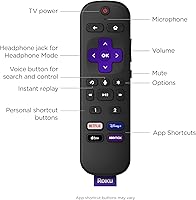
The enhanced voice remote stands out as a genuine quality upgrade over what budget TVs typically include — the push-to-talk voice search works reliably, the physical button layout feels logical, and the lost-remote finder with its audible alert has earned specific praise from families and older users. Personal shortcut buttons add a layer of convenience that people actually use once they configure them.
A handful of users report that the remote's IR range feels slightly shorter than expected, requiring a cleaner line of sight to the TV than they anticipated. The remote is not backlit, which is a minor but real inconvenience for late-night viewing in dark rooms.
Gaming Performance
47%
53%
For very casual gaming — retro titles, turn-based games, or light indie content — the input lag is acceptable and the 4K image looks fine. Users who connect older consoles or play slower-paced games report no notable frustration.
The 60Hz panel is the central problem here: fast-paced shooters, racing games, and sports titles on PS5 or Xbox Series X reveal obvious motion blur and missed frames that a 120Hz panel would handle cleanly. There is no VRR or ALLM support, making this a genuinely poor choice for anyone who games seriously.
Built-in Audio
58%
42%
For news programs, talk shows, dialogue-heavy dramas, and background TV watching, the built-in 2.1 speakers are clear enough and produce adequate volume for an average-sized room. Dolby Audio decoding gives speech a little more presence than basic stereo processing would.
Bass is thin, volume dynamics feel compressed on action content, and anyone watching a film with a proper soundtrack will feel the gap immediately. The overwhelming consensus among longer-term owners is that a soundbar or external speaker system is not optional if audio quality matters at all to you.
Setup & Installation
93%
Unboxing to active streaming in under 15 minutes is consistently reported across user reviews, with the on-screen setup wizard handling Wi-Fi connection, account login, and channel installation cleanly. Even buyers who describe themselves as not tech-savvy report completing setup without needing help.
A small number of users encountered issues when logging into older Roku accounts during initial setup, requiring a password reset before proceeding. Stand assembly is straightforward but the screws provided are small, and a few users recommend having a magnetic screwdriver on hand.
Connectivity & Ports
84%
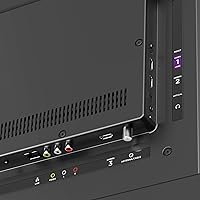
Four HDMI ports is a meaningful advantage over competitors in this price range, and having one of those as eARC makes soundbar integration genuinely simple. The addition of a coaxial antenna input, composite input, USB, optical out, and a headphone jack on the remote covers nearly every connectivity scenario a mainstream household might need.
The USB port is limited to media playback and does not support power delivery for connected devices, which is a minor but occasionally noted limitation. Port placement on the back panel is reasonably accessible but can be awkward once the TV is wall-mounted.
Smart Home Integration
82%
18%
Support for Apple AirPlay 2, HomeKit, Alexa, and Google Home in a single TV is a meaningful convenience for households that have already committed to one of these ecosystems. AirPlay casting from an iPhone is consistently described as fast and reliable, with no notable setup friction.
HomeKit integration works well for basic on/off and input switching but does not expose more granular TV controls to the Apple Home app. Users with complex multi-device smart home automations occasionally find the Roku implementation less feature-complete than they expected.
Auto Brightness
77%
23%
The ambient light sensor genuinely helps in mixed-lighting environments — users who watch TV across morning, afternoon, and evening without touching settings appreciate that the screen adapts without making the image look wrong. It is a small feature that reduces friction in daily use.
In some edge cases, the sensor reacts to lighting changes in ways that feel abrupt rather than gradual, particularly when a lamp is switched on or off nearby. A few users prefer to disable it and set brightness manually for a more consistent picture.
Build Quality & Design
74%
26%
The bezel-less front panel looks clean and modern, and the overall construction feels solid enough for a mid-range television. At 28 pounds, it is easy to move and position without help, which buyers furnishing secondary rooms find convenient.
The plastic casing and stand feel noticeably less premium than competing TVs at similar prices from Sony or Samsung, and the stand design spans almost the full TV width, limiting placement flexibility on narrower media consoles. It looks fine once placed, but does not inspire confidence when handling it.
Value for Money
83%
For a household whose primary use case is streaming, the combination of a 50-inch 4K panel and one of the best smart TV operating systems available represents a genuinely competitive package in the mid-range market. Buyers who compare total cost of ownership — no need for a separate streaming device — find the value proposition strong.
Buyers who prioritize gaming, cinema-quality contrast, or premium audio will find that the limitations push them toward alternatives that cost only marginally more but deliver meaningfully better performance in those specific areas. The value equation shifts depending on what you actually need from your TV.
App Ecosystem
89%
Roku's channel store is one of the most comprehensive in the smart TV space, covering every major streaming platform alongside hundreds of free ad-supported services and niche content providers. Users rarely encounter a situation where a service they want is unavailable on the platform.
A small number of apps — particularly certain sports league apps and some international streaming services — are absent from the Roku store or appear as inferior versions compared to their iOS or Android equivalents. Updates to third-party apps on Roku can also lag behind their mobile counterparts.
Long-term Reliability
69%
31%
Most users report consistent performance over the first year of ownership, with no widespread reports of hardware failure or catastrophic software issues. Roku does push software updates automatically, which keeps the OS current without user intervention.
There is genuine uncertainty among buyers about how long Roku will continue delivering meaningful OS updates to this specific hardware tier, and some longer-term Roku TV owners have reported that older models were deprioritized for feature updates over time. This is an open question rather than a confirmed problem, but it is a fair concern for buyers planning a five-year ownership horizon.

Suitable for:

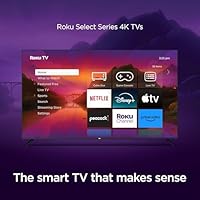
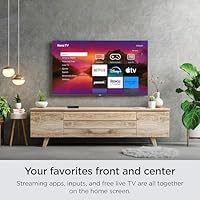
The Roku Select Series 50-inch 4K Smart TV is purpose-built for households where streaming is the primary activity and simplicity is the priority. Cord-cutters who have ditched cable will find the Roku OS genuinely intuitive — it surfaces the apps and inputs you actually use without burying them under layers of menus. Families benefit from straightforward parental controls and a platform that even less tech-savvy household members can navigate confidently from day one. It also fits naturally into a secondary room — a bedroom, a home office corner, or a guest space — where you want a capable, connected screen without overthinking the purchase. First-time 4K buyers upgrading from an older 1080p set will notice a real improvement in everyday sharpness, and anyone already using Roku soundbars or streaming devices elsewhere will appreciate how everything works together without additional configuration.
Not suitable for:

The Roku Select Series 50-inch 4K Smart TV has real limitations that make it a poor fit for certain buyers, and it is worth being direct about them. Console gamers will likely be frustrated by the 60Hz panel — fast-paced titles expose motion limitations that higher-refresh-rate TVs handle much more cleanly. The direct LED backlighting without local dimming also means that dark scenes in movies or prestige TV shows can look more washed-out than deep, which will disappoint anyone chasing cinema-quality contrast at home. Home-theater enthusiasts who care about black levels, HDR peak brightness, or color volume will find that OLED or full-array QLED sets at comparable price points deliver a noticeably better picture. The built-in speakers are workable but thin, so buyers who want decent audio without purchasing a soundbar separately may be underwhelmed. Finally, those who find ad banners on a TV home screen a dealbreaker should know this Roku TV displays promotional content on its interface by default, with no straightforward way to remove it entirely.
Specifications

  • Screen Size: The panel measures 50 inches diagonally (49.5 inches actual), suited for rooms where seating is roughly 6 to 10 feet from the display.
  • Resolution: 4K Ultra HD (3840 x 2160 pixels) delivers four times the pixel density of standard 1080p HD content.
  • Display Type: Direct LED backlighting provides even illumination across the panel without the zone-based control found in full-array local dimming sets.
  • HDR Support: Compatible with HDR10+ and HLG formats; Dolby Vision is not supported on this model.
  • Refresh Rate: Native 60Hz panel refresh rate handles standard film and TV content well, though it is not ideal for high-frame-rate gaming.
  • Auto Brightness: An ambient light sensor detects room lighting conditions and automatically adjusts screen brightness to reduce eye strain without manual input.
  • Audio: Built-in 2.1 stereo speaker system with Dolby Audio decoding; optical audio output is included for external speaker or soundbar connection.
  • HDMI Ports: Four HDMI ports total: three standard inputs and one HDMI eARC port for connecting ARC-compatible soundbars with a single cable.
  • Other Inputs: Includes one USB port, one composite input, and a coaxial cable/antenna jack for over-the-air broadcast reception.
  • Audio Outputs: 3.5mm headphone jack on the remote enables private listening; optical audio output on the TV allows connection to external audio equipment.
  • Wireless: Wi-Fi 5 (802.11ac dual-band) handles standard streaming loads; a wired Ethernet port is also available for a more stable network connection.
  • Smart Platform: Runs Roku OS with access to 500-plus streaming channels, a unified search function, and a customizable home screen layout.
  • Voice Remote: Included enhanced voice remote features push-to-talk voice search, a lost-remote finder with audio alert, headphone mode, and two personal shortcut buttons.
  • Smart Home: Compatible with Apple AirPlay 2, Apple HomeKit, Amazon Alexa, Google Home, and Roku Smart Home for voice and app-based control.
  • VESA Mount: Standard 400x300mm VESA hole pattern allows wall mounting with a compatible third-party bracket (not included).
  • Dimensions: With stand: 44″ wide x 28.3″ tall x 10.2″ deep; without stand: 44″ wide x 25.7″ tall x 3.2″ deep; stand width spans 43 inches.
  • Weight: The TV weighs 28 pounds with stand attached, which is manageable for one-person wall mounting with appropriate hardware.
  • Power: Rated at 120 watts power consumption under standard operating conditions.
  • Model Number: Official model identifier is 50R4A5R, useful for confirming compatibility with replacement parts, mounts, and warranty service requests.
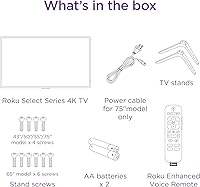
  • In The Box: Package includes the TV unit, stand hardware with screws, an enhanced voice remote with batteries pre-installed, and a printed quick-start guide.

Related Reviews
Roku Select Series 55-Inch 4K Smart TV
79%
93%
Smart TV Interface
91%
Setup Experience
74%
Picture Quality
88%
Remote Control
86%
Value for Money
More
Roku Select Series 50-Inch 4K Smart TV
78%
91%
Smart Platform Experience
78%
Picture Quality
88%
Value for Money
54%
Audio Performance
71%
Gaming Performance
More
Hisense 50-inch R6 4K Smart Roku TV
72%
78%
Picture Quality
74%
HDR Performance
51%
Refresh Rate & Motion Handling
91%
Smart Platform (Roku TV)
57%
Audio Performance
More
LG 50-Inch QNED85T Series 4K Smart TV
88%
94%
Picture Quality
92%
Color Accuracy
87%
Ease of Use (Magic Remote)
90%
120Hz Refresh Rate for Gaming
91%
AI Picture Processing
More
LG 50-Inch QNED80T 4K Smart TV
77%
83%
Picture Quality
81%
Color Accuracy
67%
Contrast & Black Levels
88%
Smart TV Experience
53%
Gaming Performance
More
Vizio M-Series 50″ 4K UHD Smart TV
69%
78%
Picture Quality
83%
Value for Money
54%
Smart Platform
71%
Motion & Refresh
46%
Audio Quality
More
Samsung 50-Inch QLED 4K Q80C Series Smart TV
84%
94%
Picture Quality
88%
Sound Quality
91%
Gaming Performance
89%
Value for Money
85%
Smart Features
More
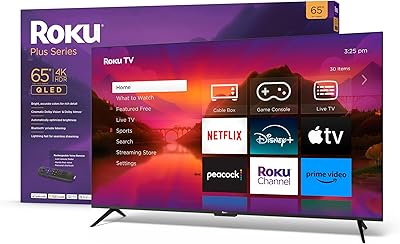
Roku Plus Series 65-Inch 4K QLED Smart TV
87%
94%
Picture Quality
89%
Ease of Setup
91%
Streaming Performance
88%
Design and Build
75%
Sound Quality
More
Hisense 50R7E 50-Inch 4K Roku Smart LED TV
84%
87%
Picture Quality
92%
Roku Streaming Performance
90%
Value for Money
65%
Sound Quality
70%
Brightness in Well-lit Rooms
More
Roku Select Series 32-inch 720p Smart TV
80%
88%
Value for Money
67%
Picture Quality
93%
Smart Platform & Interface
94%
Setup & Ease of Use
79%
Remote Control
More

FAQ

Most people are up and streaming within 10 to 15 minutes. You plug it in, attach the stand, power it on, connect to your Wi-Fi, and the Roku setup wizard walks you through the rest. If you have a Roku account already, logging in pulls your preferences and installed channels automatically.

Yes, absolutely. The Roku channel store includes a large number of free, ad-supported services like The Roku Channel, Tubi, Pluto TV, and Peacock Free, so you can watch a lot without paying for any subscription. You can also connect an antenna to the coaxial input and pull in free over-the-air local channels.

It works, but with some caveats worth knowing before you buy. The 60Hz refresh rate means you will not get the benefit of 120fps gaming that newer consoles support, and there is no VRR or ALLM for auto low-latency mode. For casual gaming it is fine, but competitive or fast-paced gamers will notice the limitations compared to a higher-spec gaming TV.

Roku OS does display promotional banner ads on the home screen, and there is no official setting to remove them entirely. You can reduce how prominent they feel by customizing which apps and inputs appear on your home screen, but the ads are a built-in part of how Roku monetizes the platform. It is worth knowing ahead of time if that kind of thing bothers you.

The auto brightness sensor actually helps a lot here — it pushes the backlight higher in bright conditions so the image stays visible and punchy. It is not going to match a high-brightness QLED in direct sunlight, but for a normally lit living room or bedroom it performs well. HDR content looks genuinely colorful and sharp in daytime viewing conditions.

Very likely yes. The TV includes an HDMI eARC port, an optical audio output, and a 3.5mm headphone jack, so it covers almost every connection type a soundbar might use. If your soundbar supports ARC or eARC over HDMI, a single cable handles both audio and control signals. Bluetooth soundbars are not directly paired through the TV, but Roku-branded wireless speakers connect natively through the platform.

Yes, AirPlay 2 is built in and works reliably for mirroring or casting from an iPhone, iPad, or Mac. You can also use it with Apple HomeKit to control the TV via the Home app or Siri voice commands. In practice it connects quickly and behaves the way you would expect from any AirPlay 2 device.

Standard definition and 1080p broadcast content looks decent, though the upscaling is not class-leading. The TV does process lower-resolution signals to fit the 4K screen, and while it is not distracting, it will not make an old antenna signal look dramatically sharper than it did on your previous TV. For HD broadcast channels, it looks clean and natural.

Yes, it supports the VESA 400x300mm standard, which is a common size that most mid-range TV wall mounts accommodate. A mount is not included in the box, so you will need to buy one separately. At 28 pounds, it is a manageable weight for a standard articulating or flat-plate bracket.

The enhanced voice remote included here is a genuine step above the basic remotes bundled with entry-level Roku sticks. It feels solid in hand, the voice button responds quickly, and the lost-remote finder is one of those features you do not realize you needed until you use it. The two personal shortcut buttons can be mapped to any app you choose, which is a small but useful convenience.