RGBlink mini-MX SDI Multi-Camera Video Switcher
Overview
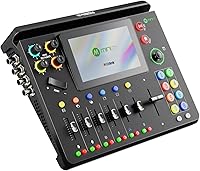
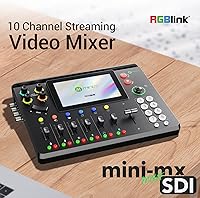
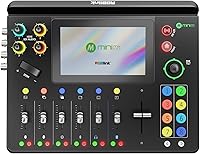
The RGBlink mini-MX SDI Multi-Camera Video Switcher is not aimed at weekend streamers — it's a compact, professional-grade switching console built for real live production environments. What sets the mini-MX SDI apart is its ability to bring SDI broadcast cameras and HDMI or NDI sources together under one roof, without a pile of adapters or a separate encoder. The built-in 5.5-inch touchscreen doubles as a control surface, which genuinely reduces desk clutter. That said, this broadcast switcher launched in May 2025, so firmware maturity is still catching up to its hardware ambitions. Before you do anything else out of the box, update the firmware — skipping that step causes real problems that color the first experience badly.
Features & Benefits
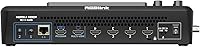
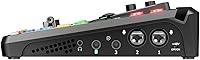
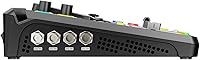
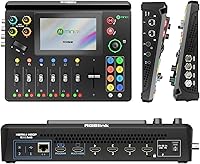
Eight video inputs — four 4K HDMI 2.0 ports and four 3G-SDI connections — means this broadcast switcher can handle virtually any professional camera without hunting for converters. NDI|HX2 and RTMP encoding is handled internally, so there is no need for a dedicated streaming appliance sitting alongside it. PTZ camera control runs directly from the front joystick or the touchscreen using VISCA or NDI protocol, and those positions lock into your saved scene presets. On the audio side, the dual XLR combo jacks include 48V phantom power on channel one, plus Bluetooth and Line-In for mixing music underneath a live feed. The USB 3.0 UVC output works as a plug-and-play webcam in OBS or Zoom, and the browser-based WebApp and TAO Cloud let a remote operator handle switching from anywhere with a network connection.
Best For
RGBlink's compact live production hub fits a fairly specific buyer profile. House-of-worship AV teams with SDI camera systems will appreciate that no encoder rack is needed alongside it — streaming goes out directly. Corporate AV departments running hybrid events can hand off production control remotely through a browser, which matters when the director is in a different building or city. Schools and campus broadcast programs running a mixed fleet of older SDI cameras and newer HDMI gear will find the input combination genuinely practical rather than a spec-sheet luxury. Event videographers wanting a switcher, encoder, and audio mixer in a 3-pound package should look closely here. The built-in PTZ control also saves the cost of a standalone camera controller, which helps justify the price for smaller production teams.
User Feedback
With a 3.9 out of 5 rating on a relatively thin pool of reviews — the product only launched in May 2025 — honest buyers should treat the overall score carefully. Users who praise the mini-MX SDI tend to focus on its input flexibility and the convenience of having a control surface built right into the unit, rather than bolted on as an afterthought. The audio section gets specific recognition from people coming from dedicated mixers, who appreciate that phantom power and audio follow video actually work as advertised. The recurring complaints center on setup complexity — NDI routing and PTZ configuration have a real learning wall — and the firmware-update-before-first-use requirement, which isn't prominently flagged on the packaging. Community resources for this unit are still thin, which means troubleshooting often falls back on the manual.
Pros
- Handles four 4K HDMI and four 3G-SDI inputs simultaneously, covering virtually every professional camera type without adapters.
- Built-in NDI|HX2 and RTMP(S) streaming eliminates the need for a separate hardware encoder entirely.
- PTZ camera control via VISCA or NDI runs directly from the front panel joystick, with no extra controller required.
- The 5.5-inch touchscreen functions as a real built-in control surface, reducing external hardware on a busy production desk.
- 48V phantom power on the first XLR channel makes it genuinely mic-ready without requiring an external preamp.
- USB 3.0 UVC output lets it appear as a plug-and-play webcam in OBS, Zoom, and Teams with zero driver setup.
- Browser-based WebApp and TAO Cloud allow full remote production control from any network-connected laptop or tablet.
- Weighing just over 3 pounds, this broadcast switcher is portable enough for carry-on travel to remote productions.
- Audio follow video, Bluetooth input, and adjustable delay give the built-in audio mixer a genuinely professional feature set.
- Up to 16 saveable scene presets make rapid switching between complex camera configurations practical during live events.
Cons
- A mandatory firmware update is required before first use — an unexpected hurdle that catches many buyers off guard at setup.
- NDI routing and PTZ preset configuration involve a steep learning curve that is not beginner-friendly.
- The review pool is still very small, with only a 3.9 out of 5 rating from a thin set of early buyers.
- Community tutorials, troubleshooting forums, and third-party guides are sparse given the May 2025 launch date.
- The 5.5-inch multiview display becomes genuinely cramped when monitoring six or more inputs during fast-paced live production.
- If your camera setup uses only HDMI sources, you're paying for SDI ports you will likely never use.
- Long-term reliability data simply does not exist yet — this is a brand-new product with no established track record.
- At this price point, buyers reasonably expect a more polished out-of-box experience and clearer initial documentation.
- HDMI output resolution tops out at 1080p — true 4K display output to an external monitor is not supported.
- USB-C power delivery requires 12V at 3.3A, a spec that rules out most standard USB-C PD chargers.
Ratings
The scores below for the RGBlink mini-MX SDI Multi-Camera Video Switcher were generated by AI after analyzing verified buyer feedback from global markets, with spam submissions, bot activity, and incentivized reviews actively identified and excluded from the dataset. This analysis surfaces both the capabilities that experienced AV operators genuinely rely on and the friction points that explain why the community rating sits below where a premium-priced professional unit might be expected to land. Every score reflects documented real-world experience from operators across church production, corporate AV, and event videography contexts — nothing is glossed over.
Input Flexibility
Built-in Streaming
Audio Quality
Ease of Setup
Touchscreen Usability
PTZ Camera Control
Remote Control
Video Latency
Portability
Value for Money
Firmware Maturity
Recording
Build Quality
UVC Integration
Documentation
Suitable for:
The RGBlink mini-MX SDI Multi-Camera Video Switcher is built for AV professionals who already operate in structured production environments and need a single portable unit to handle switching, encoding, and camera control without hauling a rack of separate devices. House-of-worship teams with existing SDI camera infrastructure will find the most immediate practical value — built-in RTMP and NDI streaming means no separate encoder is required on the equipment table. Corporate AV managers overseeing hybrid events get genuine utility from the browser-based remote control, allowing a director to manage the production from a completely different physical location. Campus and education broadcast programs running a mixed fleet of older SDI cameras alongside newer HDMI gear will appreciate that both input types are natively supported without adapters or workarounds. Event videographers and small production companies looking to consolidate a switcher, hardware encoder, audio mixer, and PTZ controller into a single 3-pound unit have a compelling case here. The key qualifier is experience level: buyers already comfortable with professional AV workflows who understand that proper configuration takes time will get the most out of this tool.
Not suitable for:
Buyers expecting an out-of-box streaming experience will find the RGBlink mini-MX SDI Multi-Camera Video Switcher genuinely frustrating at first, since a firmware update is required before the unit functions correctly and the initial setup process is not trivial. If your entire camera setup relies on HDMI sources only, you are paying a significant premium for eight input slots when a more focused HDMI-only switcher would handle your needs at lower cost. The 5.5-inch touchscreen, while functional, is simply too small for comfortable multiview monitoring during fast-paced events with many simultaneous feeds — operators used to dedicated multiview monitors will feel the constraint quickly. Anyone who depends on a strong community knowledge base, active forums, or abundant third-party tutorials should be cautious; this product only launched in May 2025 and those resources have not had time to develop. Budget-conscious buyers and anyone producing modest-scale content — basic webinars, simple single-camera streams — are better served by less complex and less expensive alternatives. This is a tool for professionals who know exactly what they need and are prepared to invest real time in learning it.
Specifications
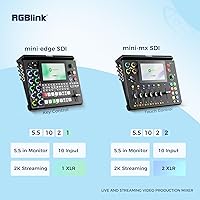
- Video Inputs: Accepts four HDMI 2.0 inputs at resolutions up to 4K and four 3G-SDI inputs, providing eight simultaneous video sources in total.
- Video Outputs: Delivers two HDMI outputs capped at 1080p and one USB-C port dedicated to recording; 4K pass-through to an external display is not supported.
- Streaming: Includes built-in RTMP(S) for direct platform streaming and NDI|HX2 for local network video distribution, both processed by the internal encoder.
- UVC Output: The USB 3.0 UVC output presents the unit as a plug-and-play webcam to any connected host computer without requiring proprietary drivers or additional software.
- Touchscreen: Equipped with a 5.5″ TFT touchscreen that displays a real-time multiview of all active inputs and provides direct touch access to switching, transitions, and audio controls.
- Audio Inputs: Features two XLR/TRS combo jacks (with 48V phantom power on channel one), one 6.35mm Line-In jack, and a Bluetooth audio input for wireless sources.
- Audio Outputs: Provides one 6.35mm TRS balanced output and one 3.5mm mini-jack for headphone monitoring or downstream audio routing.
- PTZ Control: Controls up to four PTZ cameras using VISCA or NDI protocol via the front-panel joystick or touchscreen, with camera positions saveable inside scene presets.
- Scene Presets: Stores up to 16 fully configurable scene presets, each capable of capturing video sources, transitions, PTZ positions, and audio settings for instant recall.
- Recording: Records to USB-C connected storage in MP4 format, supporting FAT32 drives up to 32GB and exFAT-formatted drives from 64GB up to 2TB.
- Remote Control: Supports a browser-based WebApp for local network control and TAO Cloud for remote production management from any internet-connected device.
- Video Latency: End-to-end video latency from input to output is rated at under four frames under standard operating conditions.
- Encoding: Uses H.265 compression conforming to the ITU-T H.265 / ISO/IEC 23008-2 standard for both streamed and locally recorded content.
- Power: Requires a USB-C Power Delivery 3.0 charger rated at 12V/3.3A input, with a maximum power draw of 40W, meaning standard lower-voltage USB-C PD chargers are not compatible.
- Dimensions: Measures 13.5 x 9.5 x 4.5 inches, fitting comfortably on a small production desk or inside a dedicated equipment bag.
- Weight: Weighs 3.04 pounds, making it light enough to transport as carry-on luggage for remote and travel-based productions.
- Network Port: Includes one RJ45 LAN port used for over-the-network firmware updates, browser-based remote control, and NDI video distribution.
Related Reviews
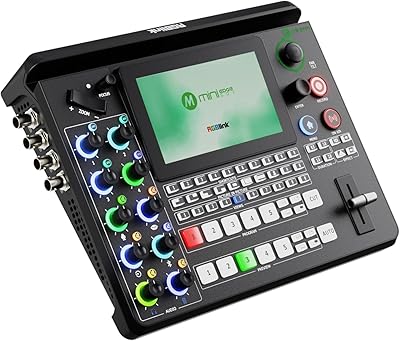
RGBlink mini-edge SDI Live Streaming Switcher
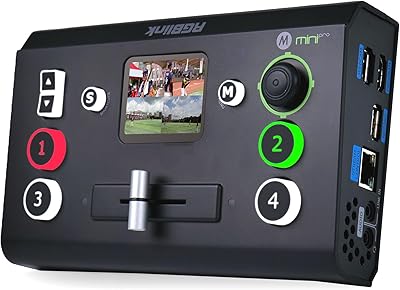
RGBlink Mini-Pro V3 4K Video Switcher
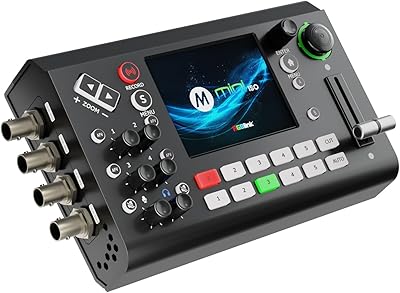
RGBlink mini-ISO Live Stream Video Switcher
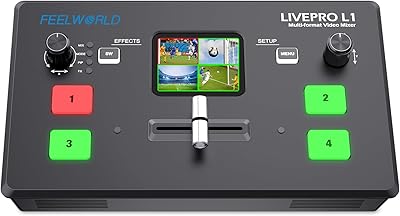
FEELWORLD LIVEPRO L1 V1 Multi Camera Video Mixer Switcher
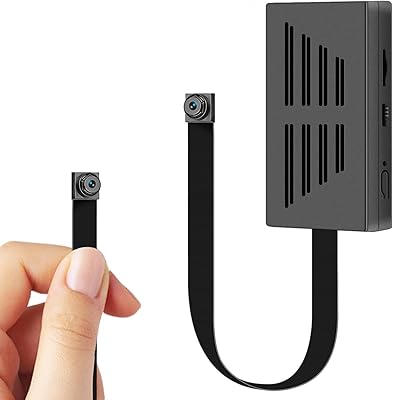
VHLTTYV DIY88 64GB Mini Hidden Camera
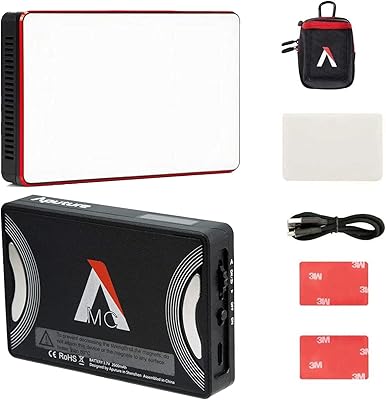
Aputure Amaran MC
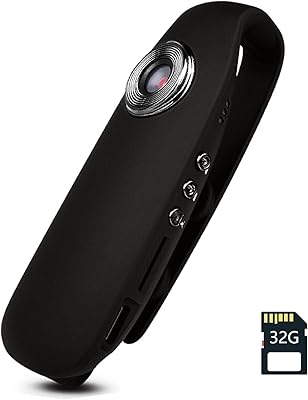
Tkiplay HM82S3 Mini Body Camera with Audio and Video Recording
Dienspeak DC23 64GB Mini Keychain Camera
Yatao YT01 64MP Digital Camera