Overview

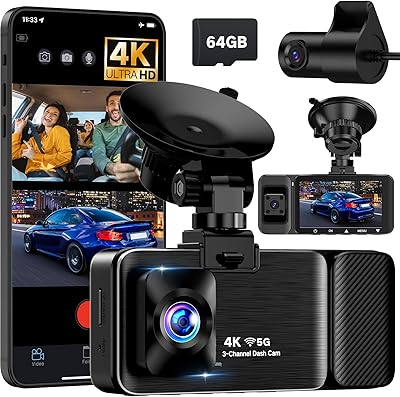
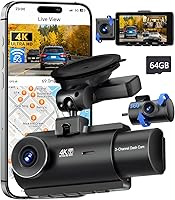
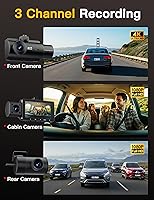
The QCONTROL J08 Pro 3-Channel Dash Cam arrived in mid-2025 as a genuinely capable option for drivers who want full vehicle coverage without juggling multiple systems. It records front, interior, and rear simultaneously — the front lens shoots in 4K, while the cabin and rear cameras each handle 1080P. Everything you need is included: a 64GB card, mounting hardware, and a full cable kit. The 3-inch onscreen display means you can adjust settings and review clips without reaching for your phone. At just over six ounces, it sits on the windshield without drawing much attention.
Features & Benefits

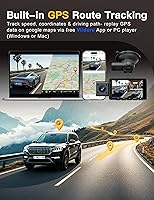
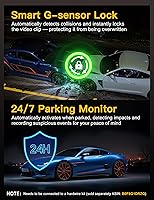
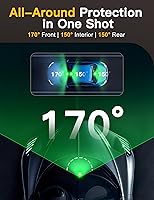
The J08 Pro packs a solid feature set into a compact body. The built-in 5G WiFi connects to the Viidure app on iOS or Android, letting you pull footage wirelessly — though it is worth checking recent app reviews, since Wi-Fi pairing has been inconsistent for some users. GPS continuously logs speed and route, displayed as a Google Maps overlay on saved clips, which is genuinely useful if you ever need to contest a traffic incident. The 170-degree front field of view captures wide intersections and adjacent lanes, while four IR lights keep cabin footage readable at night. The G-sensor automatically locks footage when it detects a hard impact.

Best For

This triple-channel dash cam is a natural fit for rideshare and delivery drivers who need documented proof of what happens inside the cabin. It also suits commuters who want GPS-backed evidence on hand if something goes wrong on the road. The all-in-one kit lowers the setup hurdle considerably for first-time buyers — no extra hardware shopping before you hit record. If you park in crowded lots or on city streets overnight, the parking monitor is a real draw, though keep in mind the hardwire kit is sold separately and is required to use that feature. Anyone upgrading from a single-camera setup will appreciate having three angles covered from one device.

User Feedback

Buyers tend to highlight the night vision clarity and the low-friction setup experience — most report being up and running within minutes. GPS logging and the wide front coverage also draw consistent praise. On the other side, some users have encountered trouble with the Viidure app, particularly around initial Wi-Fi pairing. A number of reviewers note that the rear and interior channels, while functional, do not quite match the front in demanding lighting conditions. The parking mode draws mixed reactions: it works as described, but the separate hardwire requirement surprises buyers who expect it to work straight out of the box. Customer support is generally described as responsive and helpful.

Pros

  • All three camera angles — front, interior, and rear — record simultaneously with no manual switching required.
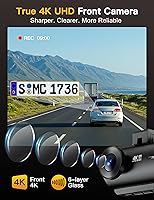
  • The 4K front lens captures road details, plates, and intersections with impressive clarity in daylight.
  • Built-in GPS logs speed and route data that syncs to a Google Maps overlay on every saved clip.
  • A 64GB card, mounting hardware, and cable management tools are all included in the box.
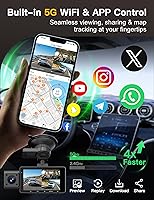
  • 5G WiFi transfers footage to your phone via the Viidure app without needing a card reader or laptop.
  • The G-sensor reliably locks collision footage before and after an impact, protecting it from being overwritten.
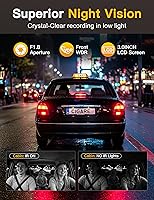
  • Four IR lights keep the cabin visible on camera during nighttime driving — a genuine asset for rideshare drivers.
  • The 3-inch display lets you review settings and footage directly on the device without touching your phone.
  • At its price point, covering three channels with GPS and WiFi built in represents strong value versus comparable setups.
  • Customer support is responsive and has resolved hardware issues for buyers without excessive back-and-forth.

Cons

  • The hardwire kit required for parking mode is not included and must be purchased separately, adding to the total cost.
  • Rear camera image quality drops noticeably at night, making plate identification unreliable in dark conditions.
  • The Viidure app has documented pairing and stability issues that have not been fully resolved for all devices.
  • GPS lock can take up to two minutes after cold starts, leaving early trip footage without location data.
  • The interior lens struggles with high contrast between a bright windshield and a dark cabin during daytime driving.
  • App-based G-sensor sensitivity adjustment is not available — changes require navigating the on-screen menu instead.
  • The rear camera cable connector has shown signs of signal loss in some units after extended months of use.
  • The suction cup mount can lose grip in extreme summer heat, requiring repositioning after hot parked days.
  • IR lights can reflect off tinted windows, reducing interior footage quality rather than improving it.
  • Loop recording file corruption has been reported by a small number of users as the memory card approaches full capacity.

Ratings

The QCONTROL J08 Pro 3-Channel Dash Cam scores below are generated by AI after analyzing verified global buyer reviews, with spam, bot-submitted, and incentivized feedback actively filtered out. This triple-channel camera lands in a competitive mid-range segment, and the scores reflect both where it genuinely delivers and where real-world users have run into friction. Strengths and pain points are represented equally — nothing is glossed over.
Front Video Quality
88%
Most buyers are genuinely impressed by the 4K front footage in daylight conditions. License plates, road signs, and intersection details come through with enough clarity to hold up as evidence in a dispute. Drivers on long highway runs especially appreciate how little detail is lost at higher speeds.
In heavy overcast or backlit conditions, the 4K label can set expectations slightly higher than reality delivers. A handful of reviewers noted that automatic exposure adjustments occasionally produce a brief overblown look when entering bright tunnels or driving directly into low afternoon sun.
Rear Camera Quality
74%
26%
The 1080P rear camera handles normal daytime driving well enough that most users feel covered from behind. For commuters who mainly want proof of rear-end incidents or tailgating, the footage is clear and usable without any post-processing.
Users who compared it directly to the front channel were often underwhelmed. In low ambient light — think underground parking exits or poorly lit residential streets at night — the rear image can look noticeably soft, which matters if you need to identify a plate after a parking lot incident.
Interior Camera Quality
71%
29%
Rideshare and delivery drivers are the biggest fans of the cabin lens. The four IR lights do a reasonable job illuminating the interior at night, and the wide angle captures both front and rear seat areas, which is genuinely useful for documenting passenger behavior or package deliveries.
The interior channel struggles when there is a strong contrast between a bright windshield and a dark cabin — a common scenario during daytime driving. Some users find the image grainy under those conditions, and a few noted that the IR lights can reflect off tinted windows, reducing clarity rather than improving it.
Night Vision Performance
79%
21%
The combination of IR illumination and WDR processing means the J08 Pro holds up better than many cameras at its price point in true low-light driving. Drivers who regularly commute on poorly lit suburban roads report being able to identify vehicles and road markings with confidence.
Night vision quality is noticeably uneven across the three lenses. The front handles darkness well, the interior is adequate with IR assist, but the rear camera at night is the clear weak link. Users expecting uniform performance across all channels at night tend to come away disappointed.
GPS Accuracy & Logging
83%
The built-in GPS is one of the more appreciated features among buyers who have actually used footage in insurance or legal contexts. Speed and route data sync accurately to a Google Maps overlay on saved clips, giving recordings a layer of credibility that standalone cameras cannot match.
A small segment of users reported a GPS lock delay of up to two minutes after cold starts, meaning the first few minutes of a trip occasionally lack location data. In dense urban areas with tall buildings, a few reviewers noted brief signal dropout periods.
WiFi & App Experience
61%
39%
When the 5G WiFi connection works well, transferring clips to a phone via the Viidure app is noticeably faster than older single-band systems. Buyers who successfully paired their devices on the first attempt were happy with the wireless workflow and appreciated not needing a card reader for quick clip reviews.
App reliability is the most divisive aspect of this camera. A recurring thread in user feedback involves pairing failures, app crashes during download, and inconsistent reconnection after the phone screen locks. Android users report slightly more friction than iOS users, and the app interface itself feels less polished than the hardware deserves.
Installation & Setup
86%
The included kit covers nearly everything needed for a clean install — cable clamps, a crowbar tool for tucking wires into the headliner, and a clear printed guide that most first-timers described as genuinely helpful. The majority of buyers had all three cameras mounted and recording within 30 to 45 minutes.
Routing the rear camera cable through the full length of the cabin is the step that slows people down, particularly in larger SUVs. A few users also found that the suction cup mount loses grip in extreme summer heat, requiring repositioning after particularly hot days parked in direct sun.
Parking Mode
58%
42%
When wired in properly, the motion and impact-triggered parking monitor works reliably and has helped several users document door dings and hit-and-run incidents. Drivers in dense urban areas who took the extra step of purchasing the hardwire kit are among the most satisfied buyers overall.
The hardwire kit is not in the box, which genuinely frustrates buyers who purchased this camera specifically for overnight protection. Without it, parking mode simply does not function. This is the single biggest source of negative reviews and it catches a meaningful number of buyers off guard at setup.
G-Sensor & Incident Detection
82%
18%
The G-sensor sensitivity feels well-calibrated for most driving conditions — it triggers reliably on genuine impacts without constantly locking files over speed bumps or rough roads. Buyers who have been rear-ended or clipped in parking lots consistently mention that the locked footage was exactly what they needed.
A small number of users in areas with particularly rough pavement reported occasional false triggers that filled their protected file storage over time. The sensitivity is not adjustable through the app, only through the on-screen menu, which adds a few extra steps for users who want to fine-tune it.
Build Quality & Durability
77%
23%
The camera body feels solid for the price tier — buttons have a positive click, and the housing does not rattle or creak when mounted. The mount mechanism locks with enough friction that the camera stays put on bumpy roads without constant readjustment.
The rear camera cable connector feels less robust than the main unit, and a handful of long-term users reported intermittent signal loss from that connection after several months of use. The plastic finish on the main unit also picks up fine scratches relatively quickly if you handle it frequently.
Onscreen Display & Controls
80%
20%
Having a 3-inch screen built in means you are never dependent on your phone to check settings or confirm recording status. The display is bright enough to read in daylight, and the menu layout is logical enough that most users navigate it without consulting the manual after the first session.
The touchscreen is not particularly responsive to light taps, and several users noted that operating it while the car is moving is impractical — though that is arguably how it should be. Text on the screen is small, which makes reviewing footage directly on the device less comfortable for extended viewing.
Value for Money
78%
22%
For a camera that includes GPS, 5G WiFi, a 64GB card, and three recording channels out of one box, the price sits at a point where most buyers feel they are getting a reasonable return. Comparable three-channel setups from established brands often cost considerably more without delivering a proportionally better image.
The parking mode limitation stings the value calculation for buyers who factor that feature into the purchase decision. Once you add the cost of the separately sold hardwire kit, the total spend is noticeably higher than the base price suggests, pushing it closer to premium territory.
Customer Support
76%
24%
QCONTROL's support reputation is better than average for a relatively new brand. Multiple buyers mentioned receiving helpful troubleshooting guidance within a day of reaching out, and a few reported replacement units being sent without excessive back-and-forth for hardware issues.
Support quality appears to vary depending on the complexity of the issue. App-related problems in particular seem to receive more generic responses, with users sometimes being directed to restart the device rather than receiving deeper technical assistance. Response times outside business hours are slower.
Loop Recording Reliability
84%
Continuous loop recording runs quietly in the background without interruption or noticeable performance dips. Buyers who have used the camera for extended road trips or full workday driving shifts report consistent, uninterrupted coverage with no corrupted files under normal conditions.
A small cluster of users reported occasional file corruption when the included 64GB card neared capacity, though it is unclear whether the issue was card-related or firmware-related. Using a higher-endurance card appears to reduce this risk, but that adds another cost consideration.

Suitable for:

The QCONTROL J08 Pro 3-Channel Dash Cam is a strong match for rideshare and delivery drivers who need documented proof of what happens inside their vehicle — the cabin lens and IR lighting make it a practical tool for anyone who regularly carries strangers or valuable cargo. Commuters who want GPS-stamped evidence on every trip will find the built-in location and speed logging genuinely useful, especially in disputes involving insurance claims or traffic incidents. New dash cam buyers benefit particularly from the all-in-one packaging: a 64GB card, full cable management kit, and a clear setup guide mean you are not hunting for accessories before your first recording. The 3-inch onscreen display also makes it approachable for drivers who prefer not to depend on a smartphone app for day-to-day operation. Anyone upgrading from a single-channel camera who wants front, rear, and interior coverage handled by one device — without paying flagship prices — will find the value proposition here difficult to dismiss.
Not suitable for:

Buyers who specifically want reliable 24-hour parking protection should know upfront that the QCONTROL J08 Pro 3-Channel Dash Cam does not include the hardwire kit needed to enable that feature — it is sold separately, and overlooking that detail is the most common source of post-purchase frustration. Drivers who demand uniform image quality across every lens will likely be disappointed: the rear and interior channels are 1080P and noticeably softer than the 4K front camera, particularly after dark or in high-contrast lighting. Anyone heavily reliant on a companion app for daily clip management should check recent Viidure app reviews before committing, as pairing reliability and app stability have been recurring complaints and the software experience does not yet match the hardware quality. If you plan to use this camera in a commercial fleet or as a professional-grade evidence device where every channel needs to perform equally under pressure, the inconsistency between the three lenses is a real limitation. Finally, buyers who want a set-it-and-forget-it app experience from a well-established brand with years of firmware polish may find this newer entrant still has some rough edges to work through.
Specifications

  • Front Resolution: The front camera records at 4K resolution, delivering sharp detail of road markings, license plates, and intersections under normal daylight conditions.
  • Rear Resolution: The rear-facing camera captures footage at 1080P, providing adequate coverage of vehicles approaching from behind.
  • Interior Resolution: The cabin-facing interior camera also records at 1080P, suited for documenting passenger activity and in-car events.
  • Field of View: The front lens covers a 170-degree horizontal field of view, while both the rear and interior lenses cover 150 degrees each.
  • IR Illumination: Four built-in infrared lights assist the interior camera in low-light and nighttime conditions, complemented by WDR image processing on all channels.
  • Display: A 3-inch built-in LCD screen allows direct on-device playback and menu navigation without requiring a connected smartphone.
  • GPS: An integrated GPS module continuously logs vehicle speed, heading, and route coordinates, which are embedded into recorded footage as metadata.
  • WiFi: Dual-band 5G WiFi enables wireless footage transfer and live preview via the Viidure app on iOS and Android devices.
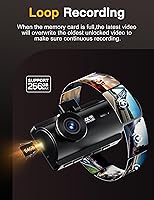
  • Storage: A 64GB microSD card is included and pre-installed; the camera supports loop recording that automatically overwrites the oldest unprotected files when storage is full.
  • G-Sensor: A built-in accelerometer detects sudden impacts or hard braking and automatically locks the relevant footage segment to prevent it from being overwritten.
  • Parking Mode: Motion and impact-triggered parking surveillance is supported, but requires a separately purchased hardwire kit to function when the vehicle ignition is off.
  • Mounting: The camera attaches to the windshield via a GPS-integrated suction cup mount, allowing quick removal and repositioning.
  • Dimensions: The main unit measures 3.8 x 1.4 x 2 inches, making it compact enough to sit behind the rearview mirror with minimal obstruction.
  • Weight: The main camera unit weighs 6.4 ounces, which is within the typical range for windshield-mounted triple-channel devices.
  • Power: The camera is powered via the included car charger adapter through a 12V or 24V vehicle socket; a lithium-ion backup battery is included for short-term buffer power.
  • Connectivity: The device connects externally via USB for firmware updates and direct file transfer, alongside its built-in WiFi for wireless access.
  • App Compatibility: The Viidure companion app supports both iOS and Android platforms and provides footage preview, download, GPS playback, and remote settings access.
  • Vehicle Compatibility: Designed for use in cars and minivans; the cable length and mount design are optimized for standard passenger vehicle windshields.
  • Included Accessories: The package includes the front dash cam, a rear camera with cable, a GPS suction cup mount, a car charger adapter, a 64GB card, an SD card reader, a crowbar tool, four cable clamps, a reset pin, and a printed user manual.
  • Hardwire Kit: The hardwire kit required for 24-hour parking mode is not included in the box and is sold separately under ASIN B0F8Q1DRZQ.

Related Reviews

LECTRUS K02 Pro 3-Channel Dash Cam
75%
88%
Front Camera Clarity
67%
Interior Camera Performance
54%
Parking Mode Usability
62%
App & WiFi Experience
71%
Night Vision
More
Zengest 3 Channel Dash Cam
86%
88%
Video Quality
85%
Ease of Installation
92%
Night Vision Performance
72%
App Control Experience
90%
Parking Mode Reliability
More
BAEASU J07 3-Channel Dash Cam
73%
83%
Video Clarity (Front Camera)
71%
Night Vision Performance
88%
Interior Cabin Recording
74%
Rear Camera Quality
86%
Ease of Installation
More
Icesky M4 3-Channel Dash Cam
85%
91%
Video Quality
87%
Ease of Use
83%
App Control
88%
Parking Mode Performance
75%
Wi-Fi Connectivity
More
AZDOME M580 3-Channel Dash Cam
85%
93%
Video Quality
88%
Ease of Setup
85%
GPS Tracking Accuracy
90%
Night Vision Performance
82%
Build Quality
More
iZEEKER iD230 3-Channel Dash Cam
83%
89%
Camera Performance
91%
Ease of Installation
85%
Night Vision
78%
Parking Mode Functionality
82%
Build Quality
More
Veqotya S16 3-Channel Dash Cam
82%
91%
Video Quality (Resolution)
89%
Field of View
88%
Night Vision Performance
85%
Ease of Use (App Connectivity)
80%
Installation Process
More
SUVCON J06 3-Channel Dash Cam
76%
89%
Value for Money
91%
Ease of Installation
74%
Video Quality (Daytime)
86%
Night Vision (Cabin Camera)
67%
Night Vision (Front & Rear Cameras)
More
Rexing M3 3-Channel Mirror Dash Cam
75%
83%
Video Clarity (Daytime)
61%
Night Vision Performance
88%
Screen Quality
58%
GPS Accuracy
86%
Cabin Camera Utility
More
WOLFBOX i07 3-Channel Dash Cam
75%
84%
Front Video Quality
71%
Interior Camera Quality
73%
Rear Camera Quality
66%
Night Vision Performance
88%
GPS Accuracy
More

FAQ

Unfortunately, no. Parking mode on the J08 Pro requires a hardwire kit that connects directly to your vehicle's fuse box, and that kit is sold separately. Without it, the camera shuts off when you turn off the ignition. It is worth factoring that extra purchase into your budget if overnight or parked surveillance is a priority for you.

The rear camera connects to the main unit via a physical cable. It is not wireless. The cable runs along your vehicle's headliner and down the A or C pillar, which most installers tuck neatly out of sight using the included cable clamps and crowbar tool. It takes some patience but looks clean when done properly.

Yes, all three lenses — front, interior, and rear — record simultaneously and continuously whenever the camera is powered. You do not need to switch between them manually, and all three feeds are saved to the same 64GB card.

Only the front camera records in 4K. The rear and interior cameras both record at 1080P. That is fairly standard for triple-channel cameras at this price, but it is worth knowing upfront if you assumed all three channels would be 4K.

No, you can transfer clips wirelessly using the Viidure app on iOS or Android over the camera's built-in 5G WiFi. That said, some users have reported inconsistent pairing and occasional app crashes, so it is a good idea to check recent app store reviews before relying on it as your primary method. The included SD card reader is a reliable fallback if the app gives you trouble.

For most climates it holds fine, but in regions with extreme summer temperatures — think a car parked in direct sun in the American Southwest or southern Europe — some users have reported the suction cup losing grip. Parking in shade when possible helps, and re-seating the mount takes only a few seconds if it does shift.

The QCONTROL J08 Pro 3-Channel Dash Cam supports higher-capacity microSD cards beyond the included 64GB, and using a higher-endurance card rated for continuous write cycles is actually recommended if you plan to record all day. Standard cards not designed for dash cam use can degrade more quickly under the heat and constant write load inside a vehicle.
Under open-sky driving conditions, the GPS is accurate and embeds clean speed and route data into your footage. After a cold start, there can be a lock delay of up to two minutes, so the very beginning of a trip may not have location metadata. In dense urban canyons with tall buildings, brief dropouts are possible but generally resolve quickly.

It is one of the more practical options in this category for rideshare use. The interior cabin camera with IR lighting means you have documented footage of your passengers and the in-car environment, which is genuinely useful in the event of a dispute or damage claim. GPS logging adds another layer of credibility to any incident report.

The camera uses automatic loop recording, so when the card is full it begins overwriting the oldest unprotected footage to make space. Any clips that were locked by the G-sensor during an impact are protected from being overwritten. You can also manually lock clips through the on-screen menu or the Viidure app. A small number of users have reported file corruption near full capacity, so periodically offloading important footage is a good habit.