Overview

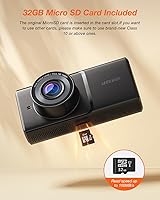
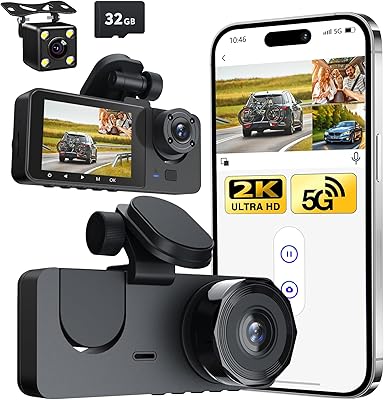
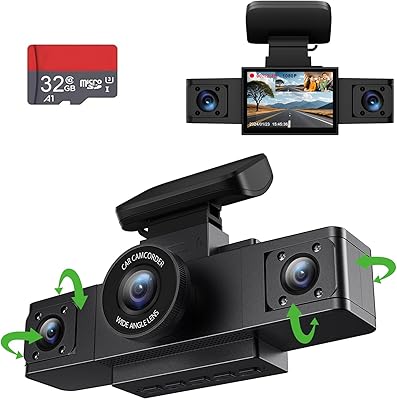
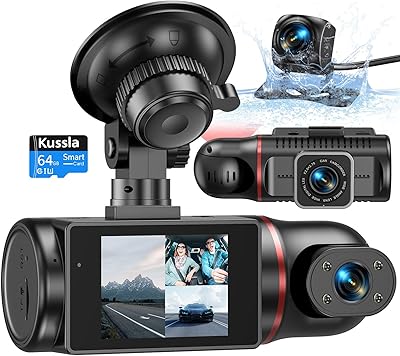
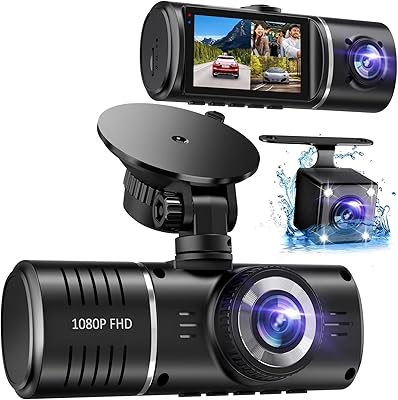
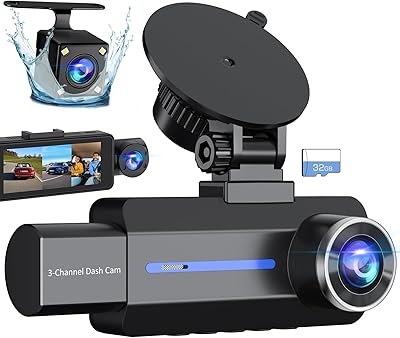
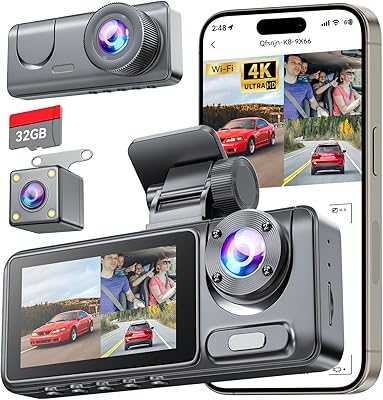
The iZEEKER iD230 3-Channel Dash Cam is built squarely for drivers who need eyes on the road, the rear, and the cabin all at once — without spending a lot. For rideshare and taxi drivers especially, having an interior-facing camera isn't optional; it's liability protection. This cabin-monitoring camera ships ready to go, with a 32GB microSD card already included so you're not scrambling for storage before your first shift. Setup is straightforward — plug in the car charger, mount it to the windshield, and you're recording. There's no app to pair, no Wi-Fi to configure, and a compact 2-inch IPS screen keeps the unit unobtrusive on your windshield.
Features & Benefits

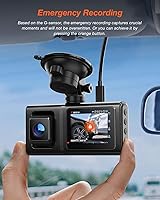
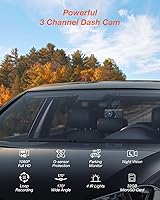
The front lens records at 1440P resolution across a 170-degree field of view — wide enough to pull in multiple lanes and road signs without heavy distortion. The cabin camera runs at 1080P and leans on four built-in infrared LEDs to light up the interior in complete darkness, capturing passengers clearly without any visible flash. The rear camera covers 150 degrees, though its actual output sits closer to 720P despite some listing ambiguity — workable for identifying tailgaters, not the crispest footage available. The G-sensor automatically locks clips during hard braking or a collision, and loop recording quietly overwrites the oldest unlocked files once storage fills, so you never have to think about it.

Best For

This three-channel dash cam is a natural fit for rideshare and taxi drivers who need documented proof of what happens inside their vehicle — something a front-only camera simply cannot provide. It also suits small fleet operators who want straightforward accident documentation without subscribing to a cloud platform or a proprietary app ecosystem. Drivers upgrading from a single-channel unit who want front, rear, and cabin coverage without a complicated install will find it a reasonable step up. That said, if you need cloud backup, live remote viewing, or wireless footage access, the app-free design will frustrate you — it is a deliberate trade-off for simplicity, not an oversight.

User Feedback

Buyers broadly appreciate the included microSD card — not having to source compatible storage before the first drive is a small but real convenience. The infrared cabin camera collects consistent praise for low-light performance, with most drivers finding it effective on genuinely dark nights. Where opinions split is the G-sensor; at default settings, rough pavement can trigger it too often, so adjusting sensitivity early is advisable. A recurring surprise in reviews is discovering that continuous parking mode requires a separately purchased hardwire kit — the internal battery only sustains about five minutes of recording, which catches some buyers off guard. Overall sentiment for the price tier is solidly positive.

Pros

  • All three camera angles — front, cabin, and rear — are covered by a single device with one cable run.
  • The 2K front camera captures road detail clearly enough to read license plates in good lighting conditions.
  • Four infrared LEDs in the cabin camera illuminate passengers effectively in complete darkness.
  • A 32GB microSD card is included, so the camera is genuinely ready to record straight out of the box.
  • Loop recording and G-sensor protection work automatically, requiring zero manual intervention during daily use.
  • The app-free, plug-in design means installation is straightforward and there is nothing to pair or configure on a phone.
  • The compact windshield mount and small 2-inch screen keep the unit low-profile and unobtrusive on the dash.
  • Parking mode activates on vibration without needing to leave the camera running continuously, helping preserve the car battery.
  • The 12-month warranty with stated 24-hour support adds a reasonable layer of purchase confidence at this price level.

Cons

  • No Wi-Fi or app support means footage can only be reviewed by physically removing the microSD card.
  • Continuous 24-hour parking surveillance requires a separately sold hardwire kit — this is not made obvious at the point of purchase.
  • The rear camera resolution is closer to 720P in practice, despite some ambiguity in the product listing.
  • The G-sensor can over-trigger on rough or uneven roads if left at its default sensitivity setting, locking clips unnecessarily.
  • The built-in battery sustains only around five minutes of recording, which limits standalone parking mode usefulness.
  • No cloud backup option means footage is permanently lost if the card is damaged, corrupted, or simply not retrieved in time.
  • The 2-inch screen is small enough that navigating settings menus while mounted can feel fiddly.
  • Buyers wanting to share or upload clips wirelessly after a shift will need to remove and re-insert the card every time.

Ratings

The scores below reflect an AI-driven analysis of verified global user reviews for the iZEEKER iD230 3-Channel Dash Cam, with spam, bot-generated, and incentivized feedback actively filtered out before scoring. Each category captures both what real buyers praised and what genuinely frustrated them — nothing has been softened to protect the product's image. The result is an honest, data-grounded picture of where this camera delivers and where it falls short.

Front Camera Quality
83%
Drivers consistently report that the 2K front footage is sharp enough to read license plates and road signs in good daylight, which is ultimately what most buyers need from a front lens. The 170-degree field of view captures wide road context without excessive fisheye distortion at the edges, something cheaper wide-angle cameras often struggle with.
Low-light front performance is adequate but not exceptional — footage in poorly lit urban streets or tunnels loses detail noticeably. Buyers comparing it to higher-end cameras at double the price point find the front image quality competent but not class-leading.
Cabin Night Vision
88%
The infrared cabin camera earns some of the strongest praise in user feedback, with rideshare drivers specifically calling out how clearly it captures passengers' faces even when the cabin is completely dark. The four IR LEDs provide even illumination across both front and rear seats, which matters enormously when a dispute needs to be documented.
The infrared lighting does create a slightly washed-out, monochrome appearance in very dark conditions, which some buyers find less convincing as evidence than color footage. A small number of users also noted minor glare on the windshield at night from the LEDs reflecting internally.
Rear Camera Quality
61%
39%
The rear camera covers a broad 150-degree angle and does the basic job of showing what's directly behind the vehicle — identifying tailgaters, reading nearby plates in good light, and capturing rear-end collisions. For the primary use case of accident documentation, it is functional.
Real-world output sits at 720P despite some listing language that implies higher resolution, and this gap in expectation versus reality is a recurring complaint. Detail clarity drops off significantly at distance or in dim conditions, making it the weakest link in the three-channel setup by a clear margin.
Ease of Installation
79%
21%
Most buyers describe installation as straightforward, particularly those who have mounted a dash cam before — the windshield clip, cable routing along the headliner, and rear camera placement are all manageable within 30 to 45 minutes without specialist tools. The included cable length is generally sufficient for most standard sedans and SUVs.
A subset of users found routing the rear camera cable to the back windshield time-consuming, especially in vehicles with complex headliner trim. The instructions included in the box are minimal and rely heavily on diagrams, which frustrated a few first-time installers.
G-Sensor Reliability
67%
33%
When properly calibrated, the G-sensor does its job — it automatically locks collision footage without any driver intervention, which is exactly what you need in a stressful post-accident moment. Buyers who took the time to lower the sensitivity setting early report a much more consistent and trustworthy experience.
Out of the box, the default G-sensor sensitivity is too high for rough roads, speed bumps, or aggressive gear changes, leading to frequent false triggers that lock unnecessary clips and can confuse the loop recording system. This is one of the most common setup complaints across buyer feedback and requires manual adjustment to resolve.
Parking Mode
58%
42%
The vibration-triggered parking mode works as designed for short-term protection — it catches a bump or knock, records a locked clip, and shuts down cleanly without draining the battery, which is a sensible approach for a camera without a dedicated capacitor or large internal battery.
The roughly 5-minute battery ceiling severely limits practical usefulness, and many buyers are genuinely surprised to discover that true 24-hour parking surveillance requires a separately purchased hardwire kit not included in the box. This feels like an important omission that the product listing does not communicate clearly enough upfront.
Loop Recording
86%
Loop recording works reliably and requires no user management whatsoever — the camera handles overwriting old footage automatically, which is exactly the kind of set-and-forget behavior that drivers want from a dashcam running all day. Buyers who've used cheaper cameras with unreliable loop recording specifically appreciate how consistently this function performs.
The only realistic complaint is that the lock system can accumulate too many G-sensor-triggered protected clips on the card over time, especially before sensitivity is dialed down, which can limit usable loop storage. Clearing protected files requires physically removing the card and managing files on a computer.
App-Free Operation
74%
26%
For drivers who want zero digital complexity — no pairing, no updates, no account creation — the completely standalone operation of the iD230 is a genuine selling point. Taxi and rideshare drivers with minimal tech interest consistently rate this simplicity highly.
The absence of any wireless connectivity means there is no way to pull footage to a phone after a shift without physically removing the microSD card, which some buyers find inconvenient enough to be a dealbreaker. Anyone who has used a Wi-Fi-enabled dashcam before will likely find reverting to card-swapping genuinely frustrating.
Included Accessories
81%
19%
The inclusion of a 32GB microSD card is a meaningful value addition that sets this camera apart from competitors who ship the unit bare — buyers can record immediately rather than waiting for a card to arrive separately. The detachable car charger and mounting hardware are also reported as solid and functional for day-to-day use.
The hardwire kit for continuous parking mode is absent despite parking mode being featured prominently in the marketing, which creates a mismatch between expectation and reality for a noticeable portion of buyers. A few users also reported that the adhesive mount backing on the rear camera loses grip in high-heat climates over extended periods.
Build & Form Factor
76%
24%
The camera body is compact enough that most drivers can tuck it behind the rearview mirror without it significantly obstructing the forward view, which is a real priority for commercial drivers already dealing with GPS mounts and other accessories. The overall plastic construction feels sturdy enough for daily use.
The unit does not feel premium to the touch, and a handful of buyers expressed concerns about long-term durability in high-temperature environments like cars parked in direct sun. The 2-inch screen, while usable, is small enough that adjusting settings while mounted in a real-world vehicle is a slightly fiddly experience.
Video Clarity at Night
69%
31%
Front camera night performance is decent for an entry-level 2K unit — streetlit roads and illuminated intersections are captured with enough detail for general accident documentation purposes. The auto-exposure handles transitions between lit and dark sections of road reasonably well during highway driving.
In genuine low-light scenarios — unlit rural roads, dark parking structures — the front footage degrades to the point where fine detail like distant plates or pedestrian faces becomes unreliable. This is not unusual at this price tier, but buyers expecting 2K to mean strong night performance may be disappointed.
Value for Money
84%
Considering that three-channel coverage, a 2K front camera, infrared cabin monitoring, an included microSD card, and a one-year warranty are bundled together at this price point, the overall value proposition is genuinely strong for the target audience. Rideshare drivers especially find it hard to justify spending significantly more for basic liability coverage.
If your priorities include wireless connectivity, superior rear camera resolution, or true all-night parking protection out of the box, the value calculation shifts — those features simply are not here, and the cost of the separately required hardwire kit narrows the price gap with more capable competitors.
Setup & User Interface
72%
28%
The on-device menu is simple enough that most users get through initial configuration — resolution, G-sensor level, loop interval — in a few minutes without needing to consult the manual extensively. The IPS screen displays menus clearly enough that basic adjustments can be made while the camera is mounted.
Navigation across the menu system using the small physical buttons is somewhat awkward, and the screen size makes reading longer menu labels a minor strain. The included manual is sparse on detail, which left some buyers guessing about less obvious settings like parking mode configuration.
Reliability Over Time
71%
29%
Most buyers who have used the camera for several months report consistent recording without major firmware issues, unexpected shutdowns, or card corruption — which is the baseline expectation for any dashcam and one that the iD230 largely meets. The 12-month warranty provides a reasonable safety net for early hardware failures.
A smaller but notable group of long-term users reported issues with the unit failing to power on after extended periods of high summer heat, suggesting thermal tolerance is limited. Card compatibility problems — the camera not recognizing certain aftermarket microSD cards — also appear with enough frequency to be worth flagging.

Suitable for:

The iZEEKER iD230 3-Channel Dash Cam is purpose-built for professional drivers — particularly rideshare, taxi, and gig economy workers — who need documented proof of what happens inside their vehicle on every trip. If a passenger dispute arises, having synchronized front, cabin, and rear footage is far more credible than a driver's word alone, and this camera delivers exactly that coverage in a single, compact unit. It also makes practical sense for small fleet operators who want a no-fuss accident record solution that doesn't require managing a subscription, an app, or a cloud account. Everyday commuters who want broader situational awareness beyond what a standard front-facing cam offers will find the all-in-one design genuinely useful. The included 32GB microSD card and plug-in charger mean anyone can have it recording within minutes of opening the box.
Not suitable for:

Drivers who expect modern connectivity features will quickly hit the ceiling with the iZEEKER iD230 3-Channel Dash Cam, as it offers no Wi-Fi, no Bluetooth, and no companion app whatsoever — there is no way to review footage remotely or receive notifications on your phone. Those who rely on true 24-hour parked-vehicle surveillance should know upfront that the built-in battery only sustains roughly five minutes of recording; continuous parking protection requires a separately purchased hardwire kit that does not come in the box. The rear camera's real-world output sits at around 720P, so buyers expecting consistent 1080P clarity across all three channels may be disappointed. Enthusiasts who prioritize the sharpest possible footage quality for dashcam content or detailed insurance documentation would be better served by a higher-tier unit. If you depend on wireless footage access — downloading clips to your phone after a shift, for example — this camera simply is not designed for that workflow.

Specifications

  • Front Resolution: The front camera records at 1440P (2K), delivering enough detail to capture road signage and license plates in good daylight conditions.
  • Cabin Resolution: The interior-facing cabin camera records at 1080P and is equipped with 4 infrared LEDs for clear passenger visibility in low-light or fully dark conditions.
  • Rear Resolution: The rear camera outputs at approximately 720P in practice, covering a 150-degree field of view to monitor trailing traffic.
  • Front Field of View: The front lens covers 170 degrees horizontally, capturing multiple lanes and wide roadway context without severe edge distortion.
  • Cabin Field of View: The cabin-facing lens covers 140 degrees, giving a broad view of the vehicle interior including driver and rear passenger seats.
  • Display: A 2.0-inch IPS screen is built into the unit, providing a reasonably bright and color-accurate view for playback and menu navigation.
  • Included Storage: A 32GB microSD card is included in the package and pre-inserted into the camera slot, allowing recording to begin immediately after installation.
  • Connectivity: The camera connects to vehicle power via USB only; there is no Wi-Fi, Bluetooth, or companion app of any kind.
  • Mounting Type: The unit attaches to the windshield via an included mount, positioning the camera behind the rearview mirror for a low-profile placement.
  • Parking Mode: Parking mode is vibration-triggered and uses the internal battery to record a 30–60 second locked clip before automatically powering down to protect the car battery.
  • Internal Battery: The built-in lithium-ion battery supports approximately 5 minutes of standalone recording, intended for short parking-mode clips rather than extended surveillance.
  • G-Sensor: A built-in G-sensor with adjustable sensitivity automatically locks the current clip upon detecting a collision or hard braking event.
  • Loop Recording: The camera continuously overwrites the oldest unlocked footage once the microSD card reaches capacity, requiring no manual file management.
  • Power Supply: The unit is powered by a detachable car charger; continuous 24-hour parking surveillance requires a separately purchased Type-C hardwire kit.
  • Dimensions: The camera body measures 1.66 x 2.6 x 2.94 inches, making it compact enough to sit discreetly behind most rearview mirrors.
  • Weight: The unit weighs 11.4 ounces, which is light enough that the standard windshield mount holds it securely without sagging over time.
  • Infrared LEDs: Four infrared LEDs are integrated into the cabin-facing camera to illuminate the vehicle interior in darkness without producing visible light that would distract the driver.
  • Warranty: The iD230 is backed by a 12-month full replacement warranty covering both the camera and included accessories.

Related Reviews

Zengest 3 Channel Dash Cam
86%
88%
Video Quality
85%
Ease of Installation
92%
Night Vision Performance
72%
App Control Experience
90%
Parking Mode Reliability
More
AZDOME M580 3-Channel Dash Cam
85%
93%
Video Quality
88%
Ease of Setup
85%
GPS Tracking Accuracy
90%
Night Vision Performance
82%
Build Quality
More
Kussla X30 3-Channel Dash Camera
67%
83%
Night Vision
81%
Front Camera Quality
62%
Rear & Interior Quality
74%
Ease of Installation
86%
Value for Money
More
SUVCON J06 3-Channel Dash Cam
76%
89%
Value for Money
91%
Ease of Installation
74%
Video Quality (Daytime)
86%
Night Vision (Cabin Camera)
67%
Night Vision (Front & Rear Cameras)
More
Vantrue N4 3-Channel Dash Cam
70%
88%
Video Quality
92%
Interior Night Vision
86%
Build & Durability
89%
Heat & Cold Resistance
74%
Parking Mode
More
ZKCAMSPY Triple Channel 1080P Dash Cam
72%
86%
Value for Money
88%
Multi-Channel Coverage
79%
Night Vision Performance
61%
Build Quality
57%
Parking Monitor
More
BAEASU J07 3-Channel Dash Cam
73%
83%
Video Clarity (Front Camera)
71%
Night Vision Performance
88%
Interior Cabin Recording
74%
Rear Camera Quality
86%
Ease of Installation
More
WOLFBOX i07 3-Channel Dash Cam
75%
84%
Front Video Quality
71%
Interior Camera Quality
73%
Rear Camera Quality
66%
Night Vision Performance
88%
GPS Accuracy
More
Icesky M4 Three-Channel Dash Cam
71%
83%
Daytime Video Clarity
67%
Night and Low-Light Performance
61%
App Experience
69%
Installation Process
72%
Build Quality
More
Vantrue N4S 3-Channel Dash Cam
77%
88%
Front Camera Video Quality
91%
Night Vision Performance
86%
Cabin IR Recording
83%
Rear Camera Quality & Weatherproofing
71%
Parking Mode Reliability
More

FAQ

No, and that is actually one of its more practical qualities. The iZEEKER iD230 3-Channel Dash Cam runs entirely on its own — you power it up, and it records. There is no app to install, no Wi-Fi to configure, and no account to create. If you want app-based remote viewing or wireless clip access, this camera is not built for that.

A 32GB microSD card is included and already inserted into the camera slot, so you can start recording as soon as the camera is mounted and powered. For most daily driving use, 32GB is sufficient, though drivers doing very long shifts may want to upgrade to a higher-capacity card eventually.

Yes, all three lenses — front, cabin, and rear — record simultaneously and continuously while the camera is powered. You don't need to choose between channels or manually switch between them.

Loop recording kicks in automatically and overwrites the oldest unlocked footage to make room for new clips. The only files that are protected from being overwritten are those locked by the G-sensor during a detected incident. You don't need to manually delete anything.

Parking mode activates when the camera detects a vibration or impact while the car is stationary. It records a short locked clip — roughly 30 to 60 seconds — then powers itself back down to avoid draining your battery. The built-in battery only supports about 5 minutes of recording on its own, so this is designed for brief incident capture, not continuous overnight surveillance. If you want true 24-hour monitoring, you'll need to purchase a compatible Type-C hardwire kit separately, which draws a trickle of power from the car's fuse box.

The four infrared LEDs built into the cabin camera do a solid job of illuminating the interior in genuine darkness without producing visible light. Most drivers find that faces and upper body detail are captured clearly enough to be useful. It's not the same as a dedicated security camera in a lit room, but for a dash cam at this price level, the night performance in the cabin is genuinely one of its stronger points.

It can, if you leave the sensitivity at its default setting. A common piece of advice from experienced users is to set the G-sensor to low sensitivity right after setup, especially if you drive on rough roads or highways with uneven surfaces. At low sensitivity it still catches real collisions, but it won't fill your protected storage with clips every time you drive over a speed bump.

The rear camera records at around 720P in practice. Some product listings describe it as 1080P, which has caused confusion. The footage is clear enough to identify vehicles directly behind you, but it is not on par with the 2K front camera. It's worth having realistic expectations before buying if rear footage quality is a priority for you.

Installation is straightforward for most vehicles. You mount the camera to the windshield, run the cable along the headliner and A-pillar down to a 12V outlet or USB power source, and position the rear camera cable along the roofline. The rear camera attaches to the back windshield with a suction mount. Most drivers with basic patience can complete the install in under 30 minutes without tools.

You'll need to remove the microSD card from the camera and insert it into a card reader connected to a computer, or use a card reader adapter for a smartphone if your phone supports it. It's a minor inconvenience compared to a Wi-Fi-enabled camera, but for drivers who only pull footage occasionally — say, after an incident — it's not a major hardship in practice.