
Overview

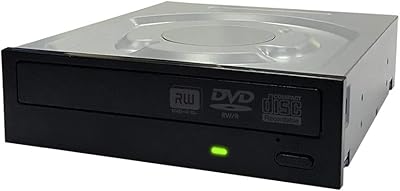
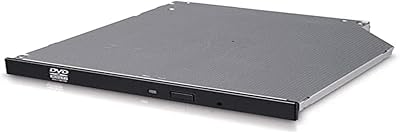
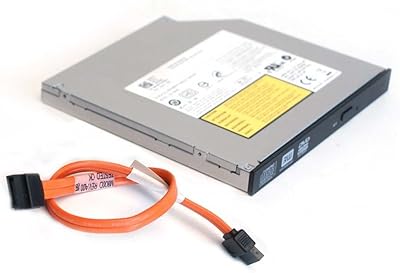
The Piodata DVR-S21DBK Internal DVD Burner sits in a practical middle ground — not a bargain-bin throwaway, but not an expensive enthusiast drive either. Yes, optical drives are niche in 2025, but there is a real audience still buying them: home archivists, desktop builders who want every bay filled with purpose, and people with physical disc collections they actually use. What separates this internal burner from the flood of generic alternatives is Piodata's claim of Japanese-engineered components — a meaningful distinction if accurate, and one that resonates with buyers tired of drives that quit after a year. The SATA interface and half-height form factor mean it slots into virtually any standard desktop tower without modification, and its broad format support covers everything from basic CD-R to M-DISC archival media.

Features & Benefits

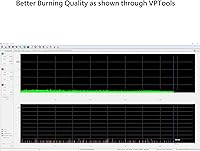
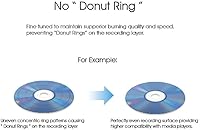
At 24X DVD-R write speed, the DVR-S21DBK is no slouch for day-to-day burning tasks. Whether you're archiving a folder of family photos or duplicating a batch of data discs, this optical drive moves through media at a pace that doesn't make you wait around. The M-DISC compatibility is worth spotlighting — M-DISC media is rated for centuries of storage, making it a legitimate archival tool for users who want something more durable than a standard pressed disc. Dual-layer DVD support adds further flexibility, handling both plus and minus format variants. Because it connects via SATA 3.0, installation is plug-and-play on any modern desktop motherboard. Piodata also emphasizes consistent burning as a core design goal, which in practice means fewer failed discs and more reliable playback on finished media.

Best For

This internal burner makes the most sense for a specific type of buyer. Home users archiving irreplaceable memories onto M-DISC or DVD-R discs will appreciate the reliability focus. DIY builders putting together a complete desktop rig on a sensible budget will find the half-height form factor and standard SATA connection make installation painless. Small offices that occasionally need to duplicate training materials or data discs will get consistent results without spending on a commercial duplicator. It's also a solid upgrade pick for anyone whose existing optical drive has started grinding, skipping, or failing burns. Legacy media collectors who regularly spin older CDs and DVDs round out the target audience. This is a workhorse utility drive, not a specialty showpiece.

User Feedback

With a 4.5-star average across nearly 370 ratings, buyer satisfaction runs noticeably higher than the category average. The most consistent praise centers on burn reliability — reviewers repeatedly note low coaster rates and solid playback on finished discs, which is exactly what you want from a drive in this role. A few buyers mention that running at full 24X speed introduces more noise than expected; dropping to a lower burn speed resolves this without real downside. The bulk packaging draws occasional grumbles — no bundled software, no retail box — though most buyers accept that trade-off at this tier. Long-term durability feedback is largely positive, with many users reporting years of regular use without failures. Those coming from premium-brand drives may notice no dramatic leap, but expectations are generally met.

Pros

  • M-DISC support makes this internal burner a legitimate long-term archival tool, not just a basic writer.
  • Consistent burn quality means low coaster rates — your finished discs actually play back reliably.
  • Covers an unusually wide range of formats, from basic CD-R all the way to dual-layer DVD+R DL.
  • SATA 3.0 interface ensures plug-and-play installation on virtually any modern desktop motherboard.
  • Half-height form factor slides into a standard 5.25-inch bay with zero modification or adapters needed.
  • Ranked in the top 10 of its category on Amazon with a 4.5-star average across nearly 370 ratings.
  • Japanese-sourced components offer a credible build-quality edge over the cheapest generic alternatives.
  • Operates reliably on Windows 7 through current Windows versions without driver headaches.
  • Solid long-term durability reported by buyers using it regularly over multiple years.

Cons

  • No bundled burning software included — you need to source your own disc authoring application separately.
  • Bulk packaging means no retail box, no printed manual, and a more utilitarian unboxing experience.
  • Running at maximum 24X write speed generates noticeable drive noise that some users find distracting.
  • No Blu-ray support at all, which limits usefulness if your media library has shifted toward BD discs.
  • Strictly internal only — not an option for anyone without an open desktop bay and SATA connection.
  • Piodata is a lesser-known brand, so warranty support and replacement parts availability may be uncertain.
  • Not suited for high-volume or production-level duplication tasks requiring sustained multi-hour operation.
  • Windows-centric compatibility listing may leave Linux users uncertain about out-of-the-box driver support.

Ratings

The scores below for the Piodata DVR-S21DBK Internal DVD Burner were generated by AI after systematically analyzing verified buyer reviews from multiple global markets, with spam, incentivized, and bot-flagged submissions actively filtered out. The result is an honest, data-driven picture of where this optical drive genuinely delivers and where it falls short. Both strengths and real frustrations are reflected transparently in every category.

Burn Reliability
91%
Consistent, low-coaster burning is the single most praised aspect across verified buyers. Users archiving family videos or backing up irreplaceable files specifically highlight that finished discs play back correctly the first time, which is precisely what matters most in a daily archival workflow.
A small number of reviewers report occasional failed burns at the maximum 24X speed, suggesting that media quality and speed settings interact. Dropping to a mid-range write speed resolves the issue for most, but it does require manual intervention in your burning software.
Build Quality
83%
The Japanese-component claim carries real weight with buyers who have used cheaper generic drives and experienced early failures. Several long-term users specifically note that the drive continues operating smoothly after years of regular home or small-office use, which is encouraging for a mid-range product.
The bulk packaging leaves no room for visual inspection before use, so buyers cannot assess assembly quality at purchase. A handful of reviews mention early unit failures, which, while a minority experience, suggests some production variance exists.
Format Compatibility
94%
Support for the full range of CD and DVD formats — including both plus and minus dual-layer variants and M-DISC archival media — makes this optical drive genuinely versatile. Users dealing with mixed disc collections or needing to produce specific disc types for professional purposes find they rarely hit a format wall.
There is no Blu-ray support whatsoever, which is a hard ceiling for buyers whose libraries have grown to include BD media. This is not a hidden limitation, but buyers who overlook it before purchasing report clear disappointment.
Installation Ease
89%
The SATA 3.0 interface and standard half-height form factor make installation as close to plug-and-play as an internal drive can get. DIY builders report sliding it into a 5.25-inch bay, connecting one SATA data cable and one power connector, and having the OS recognize it immediately without any driver downloads.
The absence of any printed quickstart guide in the bulk package can leave less experienced builders momentarily uncertain about which cable goes where. This is a minor hurdle, but first-time PC builders may need to consult a tutorial before proceeding confidently.
Read Speed & Performance
86%
At 24X read speed, this internal burner handles data retrieval and disc ripping at a pace that keeps up with typical home and office demands. Users ripping CD collections or pulling data from older archives report fast, error-free reads across both CD and DVD media.
At peak read speeds the drive audibly spins up, which some users in quiet home office environments find distracting. The noise is mechanical and expected, but it is noticeably louder than external USB drives that spread the sound inside a larger enclosure.
Noise Level
63%
37%
At lower write speeds — 12X or 16X — the drive operates at a volume that most buyers describe as perfectly tolerable during background tasks. Buyers burning the occasional disc while watching videos or working find the noise level at reduced speeds easy to ignore.
Running at full 24X speed produces a high-pitched spin noise that multiple reviewers specifically call out as their primary complaint. For users in shared workspaces or quiet home setups, the noise at maximum speed is a real consideration rather than a minor annoyance.
Value for Money
88%
Positioned as a mid-range internal option, the DVR-S21DBK delivers a feature set — M-DISC support, dual-layer burning, broad format coverage — that would cost noticeably more from a premium-brand alternative. Buyers comparing it to similarly priced drives consistently feel they are getting above-average capability for the spend.
Without bundled software, buyers need to factor in the cost or effort of sourcing a burning application separately, which slightly erodes the out-of-the-box value. Those who expected a complete solution in the box feel the effective value is slightly lower than the sticker price implies.
Software Inclusion
41%
59%
The hardware itself requires no proprietary software, meaning it pairs freely with any reputable third-party burning application the buyer already owns or prefers. Tech-savvy buyers who already use ImgBurn, CDBurnerXP, or Nero view the lack of bundled software as a non-issue.
The complete absence of any bundled disc authoring software is one of the most consistently mentioned disappointments in buyer feedback. Less experienced users who expected a ready-to-burn software suite out of the box feel genuinely underserved, particularly at this price tier.
Packaging & Unboxing
52%
48%
Buyers who understand that bulk packaging is a deliberate cost-reduction measure accept the bare-bones arrival without complaint. The drive itself arrives undamaged in the vast majority of cases, and the stripped-down packaging has no impact on the hardware inside.
For buyers expecting a retail experience — a printed box, foam cushioning, a quick-start guide — the bulk packaging feels underwhelming and occasionally raises concerns about whether the item is new or refurbished. This perception gap leads to a small but noticeable number of neutral or negative reviews.
Long-Term Durability
79%
21%
Multiple verified buyers report using this optical drive for two or more years of regular disc burning and reading without any decline in performance. For a mid-range internal burner, that kind of sustained reliability reassures buyers who are investing for the long haul rather than a one-off task.
There is a visible minority of reviews describing drive failures after moderate use periods, which introduces some uncertainty about unit-to-unit consistency. Whether this reflects the inevitable failure rate of any mechanical drive or a specific production issue is difficult to determine from user data alone.
OS & Driver Compatibility
87%
Windows 10 and Windows 11 users overwhelmingly report zero driver issues — the operating system identifies the drive automatically and it works immediately. This friction-free compatibility is particularly valued by users who have dealt with driver problems on older or cheaper optical drives.
Official Linux support is not listed, which leaves a segment of buyers in uncertainty. While many Linux users report success with common distributions, the lack of manufacturer confirmation means anyone running a non-Windows OS is taking a minor compatibility risk.
Disc Read Accuracy
85%
Buyers using this optical drive to recover data from scratched or older discs report better-than-expected read accuracy, with several noting it successfully read discs that a previous drive had rejected. This matters a great deal to anyone with legacy media collections they are trying to digitize.
A small number of reviews mention occasional read errors on severely damaged discs, which is expected behavior for any optical drive but can frustrate buyers who purchased specifically for data recovery purposes. Managing expectations around disc condition is important before purchase.
Heat Management
74%
26%
Under normal intermittent use — burning a disc here and there throughout a workday — the drive stays at an unremarkable temperature and causes no thermal concerns inside a well-ventilated case. Most home users will never encounter a heat-related issue under typical conditions.
Extended continuous use, such as burning multiple discs back-to-back in a production session, causes the drive to run noticeably warm. This is not unique to this model, but buyers planning high-volume duplication sessions should factor in cooling and rest periods.

Suitable for:

The Piodata DVR-S21DBK Internal DVD Burner is a strong fit for anyone who has a genuine, ongoing need for physical media in a desktop PC setup. Home users looking to archive irreplaceable files — family videos, scanned photos, important documents — onto M-DISC media will find the format support and burn reliability genuinely useful rather than just a checkbox feature. DIY desktop builders who want a complete, fully functional tower without paying flagship prices for an optical drive will appreciate how cleanly the SATA connection and half-height form factor integrate into a standard 5.25-inch bay. Small offices that periodically need to produce data or backup discs in modest quantities get a dependable workhorse without the overhead of commercial duplication equipment. Legacy media enthusiasts and anyone upgrading from a noisy, error-prone older drive will also find this optical drive a practical, low-friction solution.

Not suitable for:

The Piodata DVR-S21DBK Internal DVD Burner is not the right call for buyers who need a plug-and-play external solution — this is strictly an internal drive requiring a desktop tower with an open 5.25-inch bay and an available SATA port. Laptop users or anyone without a compatible desktop case should look elsewhere entirely. Those expecting bundled burning software out of the box will be disappointed; the bulk packaging ships bare, so you need to supply your own disc authoring software. High-volume professional duplicators running hundreds of discs per session may find this drive undersized for that workload, both in terms of thermal endurance and production throughput. Buyers primarily seeking Blu-ray playback or burning should also pass — this optical drive handles CDs and DVDs only, with no Blu-ray capability whatsoever.

Specifications

  • Brand: Manufactured by Piodata, a brand emphasizing Japanese-designed components and parts for optical storage drives.
  • Model: The specific model designation is DVR-S21DBK, a half-height internal Super Multi Drive.
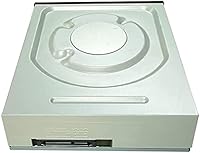
  • Form Factor: Half-height internal drive designed to fit standard 5.25-inch desktop PC drive bays without adapters.
  • Interface: Connects via SATA 3.0 Gb/s, compatible with virtually all modern desktop motherboards.
  • Write Speed: Maximum DVD-R write speed is 24X, enabling fast disc burning for both data and media files.
  • Read Speed: Maximum read speed is 24X for DVD and CD formats, suitable for quick data retrieval and playback.
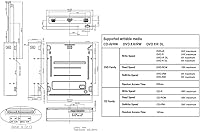
  • Supported Formats: Reads and writes CD-R, CD-RW, DVD-R, DVD-RW, DVD+R, DVD+RW, DVD+R DL, DVD-R DL, and M-DISC archival media.
  • M-DISC Support: Compatible with M-DISC media, which is rated for extremely long-term archival storage far exceeding standard optical discs.
  • Dimensions: Physical dimensions measure 6.7 x 5.75 x 1.63 inches, conforming to the standard half-height optical drive profile.
  • Weight: The drive weighs 1.2 pounds, typical for a half-height internal optical unit of this class.
  • OS Compatibility: Officially supports Windows 7 and all later Windows versions, including Windows 10 and Windows 11.
  • Hardware Platform: Designed exclusively for desktop PC use; not compatible with laptops or external enclosures by default.
  • Drive Bay: Requires an available 5.25-inch internal drive bay in the host desktop tower chassis.
  • Packaging: Sold in bulk packaging with no retail box, printed manual, or bundled disc burning software included.
  • Component Origin: Piodata states the drive is built using Japanese design specifications and sourced parts for improved reliability.
  • Best Sellers Rank: Ranked number 10 in the Internal CD and DVD Drives category on Amazon at time of review.
  • Availability: Listed as not discontinued by the manufacturer, meaning it remains an actively available product.
  • First Listed: This model was first made available for purchase in September 2017 and has maintained consistent availability since.

Related Reviews
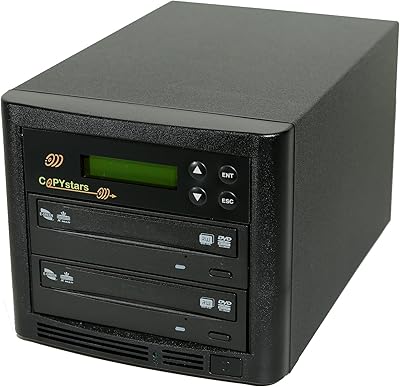
Copystars DVD Duplicator Sata CD-DVD Burner 24X 1 to 1 DVD Copier Duplicator Tower
82%
85%
Performance
92%
Ease of Use
88%
Writing Speed
90%
Compatibility
84%
Reliability
More
Vinpower Digital GH24NSD0D Internal DVD CD Burner
76%
91%
Burn Reliability
88%
Read Performance
84%
Installation Ease
31%
Software Inclusion
82%
M-DISC Support
More
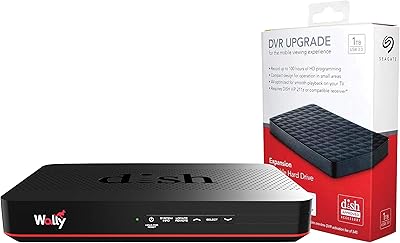
Pace International Wally DVR Bundle Satellite Receiver
72%
78%
Ease of Setup
63%
DVR Reliability
71%
Signal Reception
74%
Build Quality
69%
Value for Money
More
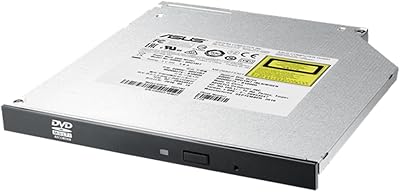
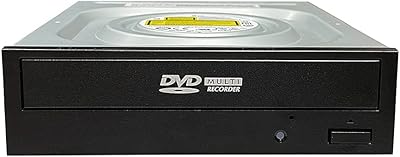
ASUS SDRW-08U1MT Ultra-Slim Internal DVD Writer
78%
93%
Fit & Form Factor
88%
Installation Experience
91%
M-DISC Archival Performance
86%
Noise Level
74%
Read & Write Speed
More
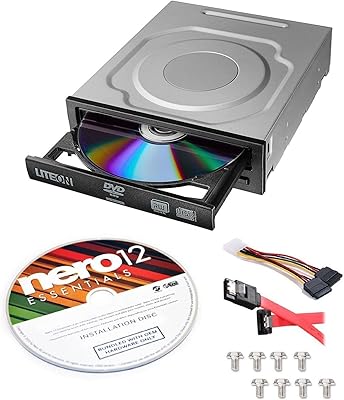
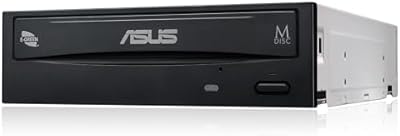
Lite-On IHAS124-14 Internal DVD Drive
80%
91%
Ease of Installation
86%
Burning Reliability
83%
Read Performance
58%
Noise Level
88%
Bundle Value
More
OSGEAR DVDRWSATA525 Internal DVD Drive
71%
88%
Ease of Installation
81%
Compatibility
74%
Read Performance
71%
Write Performance
62%
Build Quality
More
Hitachi-LG GUD1N Slim Internal Optical Drive
81%
91%
Ease of Installation
88%
Noise During Playback
93%
Disc Compatibility
84%
M-DISC Archival Performance
61%
macOS Compatibility
More
Optiarc AD-5290S Internal SATA DVD Burner
75%
88%
Burn Reliability
83%
Build Quality
91%
Ease of Installation
86%
Format Compatibility
78%
M-Disc Archival Support
More
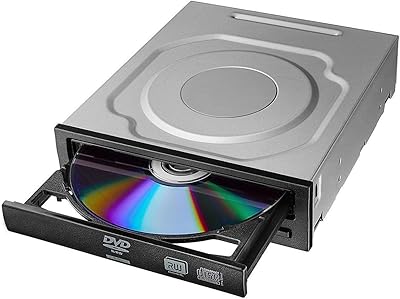
ASUS DRW-24D5MT Internal DVD Super Multi DL Drive
81%
93%
Ease of Installation
89%
Burn Reliability
84%
M-DISC Support
91%
Operating System Compatibility
88%
Disc Format Support
More
Dell Optiplex SFF Replacement CD DVD Burner Drive
79%
83%
Compatibility
88%
Ease of Installation
86%
Value for Money
67%
Build Quality
81%
Read Performance
More

FAQ

Yes, it does. The drive is listed as compatible with Windows 7 and later, which covers both Windows 10 and Windows 11. Most users report it installs and functions without needing any additional drivers — just plug in the SATA and power cables and the OS recognizes it automatically.

Since the bulk packaging comes without bundled software, you will need to supply your own. Free options like CDBurnerXP or ImgBurn work well for basic disc burning. If you want more features for authoring or video disc creation, commercial options like Nero or Ashampoo Burning Studio are worth considering.

Yes, the DVR-S21DBK explicitly supports M-DISC burning. M-DISC is a specialized archival format designed for extremely long-term storage, making it a great choice for preserving family photos, legal documents, or any files you cannot afford to lose. Just make sure you purchase genuine M-DISC branded discs to get the intended benefit.

As long as your desktop tower has an open 5.25-inch internal drive bay, it should fit without modification. The half-height form factor is the standard size used by virtually all internal optical drives sold in the past two decades, so compatibility with most mid-tower and full-tower cases is not an issue.

The manufacturer only officially lists Windows 7 and later as supported operating systems. That said, many Linux distributions include generic optical drive support built into the kernel, and users have reported success using it on Ubuntu and similar distros. If Linux compatibility is critical for your setup, it is worth checking community forums for your specific distribution before purchasing.

At its maximum 24X write speed, the drive does produce a noticeable spin-up noise, which is normal for optical drives running at high RPM. If noise is a concern, most burning software lets you manually set the write speed lower — burning at 12X or 16X significantly reduces the sound with minimal impact on total burn time for typical disc sizes.

Yes, this optical drive supports both DVD+R DL and DVD-R DL dual-layer formats, which allow you to store roughly twice the data of a standard single-layer DVD. This is useful if you are backing up large video files or data archives that exceed the capacity of a standard 4.7 GB disc.

This is an internal SATA drive, so it does not natively support external USB connection. However, you can purchase a third-party 5.25-inch external USB enclosure that accepts SATA optical drives and use it that way. The drive itself does not include or support external enclosure functionality out of the box.

Bulk packaging simply means the drive ships without a retail box, decorative insert, or printed documentation. The drive itself is identical in function to any retail-packaged version of the same model. The trade-off is a more utilitarian arrival experience in exchange for a typically lower price point — most buyers find this entirely acceptable.

Buyer feedback across nearly 370 ratings is notably positive on longevity, with multiple reviewers mentioning years of regular use without failure. Of course, individual results vary and no mechanical drive lasts forever, but this internal burner appears to hold up well under typical home and small-office workloads based on aggregated user experience.

Where to Buy