Overview

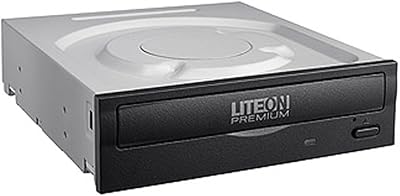
The ASUS DRW-24D5MT Internal DVD Super Multi DL Drive is a straightforward, no-nonsense internal optical drive built for desktop PC builders who still have a genuine need for physical media. It connects via a standard SATA interface, slots into a 5.25-inch bay, and works natively with Windows, macOS, and Linux without any driver headaches. ASUS has kept it in production since 2016, which speaks to its staying power in a market that has largely moved on from optical media. The feature that separates it from bare-bones competitors is M-DISC support. That said, this is a utility drive through and through — not a Blu-ray reader, not a high-end media center component.
Features & Benefits

At 24x DVD write speed, this ASUS optical drive handles most burning tasks quickly and without fuss. Bump up to CDs and it hits 48x, which is about as fast as consumer drives get. Dual Layer support means it works across a wide range of disc formats, not just standard single-layer DVDs. The standout feature remains M-DISC compatibility — a format designed for archival-grade storage with a lifespan measured in centuries, not years. One important caveat: M-DISC requires purpose-made M-DISC media, not everyday blank DVDs. The drive mounts horizontally or vertically, and the SATA connection keeps installation clean and uncomplicated for any standard desktop build.

Best For

If you are reading this, you already know you need an optical drive — so the real question is whether the DRW-24D5MT is the right pick. It is a strong fit for desktop PC builders adding optical capability to a new build, as well as anyone upgrading an older system on a tighter budget. Home users looking to archive irreplaceable photos or home videos to M-DISC will find it purpose-built for exactly that workflow. IT professionals burning batches of discs regularly will appreciate its consistent output. Linux users, in particular, often run into driver friction with optical drives — this internal disc burner works reliably across major distributions without extra configuration.

User Feedback

With over 10,000 ratings and a 4.6-star average accumulated over several years, the reception for this internal disc burner reflects genuine long-term satisfaction rather than a short burst of early hype. Buyers consistently highlight easy installation, quiet operation, and reliable burn quality across most disc brands. That said, recurring frustrations do surface. The bundled software — Nero, disc encryption, and 12 months of ASUS WebStorage — only ships with the color box version, leaving bare-drive buyers with nothing extra. Some users also find the disc tray feels a bit lightweight for the price point, and a handful have flagged inconsistent results with certain off-brand disc media.

Pros

  • Works natively on Windows, macOS, and Linux with no driver setup required.
  • M-DISC support makes this internal disc burner a serious option for long-term data archiving.
  • 24x DVD and 48x CD write speeds keep everyday burning tasks fast and efficient.
  • DVD Super Multi DL compatibility means it handles a wide range of disc formats without issue.
  • Mounts both horizontally and vertically, giving flexible placement options in most desktop cases.
  • SATA interface makes installation straightforward for anyone comfortable building a PC.
  • Over 10,000 reviews and a 4.6-star average reflect years of consistent real-world satisfaction.
  • Quiet operation during burns and reads is a commonly praised trait among long-term owners.
  • A well-established product since 2016, meaning firmware and compatibility issues are largely ironed out.

Cons

  • Bundled software is only included with the color box retail version, not the bare OEM drive.
  • No Blu-ray read or write support, which limits its usefulness for media enthusiasts.
  • The disc tray feels lightweight and plasticky relative to what some buyers expect at this price.
  • M-DISC archival feature requires purchasing separate M-DISC branded media, adding to overall cost.
  • Some users have reported inconsistent burn results with certain off-brand or budget disc media.
  • Not compatible with laptops or slim cases lacking a standard 5.25-inch internal bay.
  • Occasional reports of minor compatibility quirks on specific macOS versions or configurations.

Ratings

Our AI-generated scores for the ASUS DRW-24D5MT Internal DVD Super Multi DL Drive were built by analyzing thousands of verified global buyer reviews, actively filtering out incentivized, bot-generated, and duplicate feedback to surface what real users actually experienced. Both the strengths that earned this drive its loyal following and the frustrations that occasionally surface in long-term ownership are reflected transparently in the scores below. The result is an honest, balanced picture of where this internal disc burner genuinely delivers and where it falls short.
Ease of Installation
93%
Buyers across skill levels consistently describe the installation as one of the smoothest they have encountered with an internal component. The standard SATA data and power connections mean there is nothing proprietary or fiddly involved — slot it in, connect two cables, and it is ready to go in under five minutes.
A small number of users running older cases with non-standard 5.25-inch bay configurations reported minor fit issues around the bezel alignment. Nothing deal-breaking, but worth checking your case dimensions before ordering.
Burn Reliability
89%
Consistent, error-free burns are the most frequently praised aspect of this drive across the entire review base. IT professionals and home users alike report that disc coasters are rare, even when burning at full 24x DVD speed across extended sessions.
A recurring pattern in lower-rated reviews points to inconsistent results with certain no-name or ultra-budget disc media. Sticking to established brands like Verbatim or Taiyo Yuden effectively eliminates most of these issues, but it is a factor worth knowing.
M-DISC Support
84%
For anyone serious about long-term data preservation, M-DISC compatibility is a meaningful differentiator that most basic drives at this price do not offer. Users archiving irreplaceable family memories or business records find genuine peace of mind in the format, provided they invest in proper M-DISC branded media.
The feature is frequently misunderstood — several disappointed buyers expected standard blank DVDs to gain archival properties, which is not how M-DISC works. It requires dedicated M-DISC media, which adds per-disc cost and is not always easy to find locally.
Operating System Compatibility
91%
Windows, macOS, and Linux all recognize this internal disc burner without any driver installation, which is a genuine time-saver especially for Linux users who often encounter friction with optical drives. Multiple Ubuntu and Fedora users specifically called out how it just worked on first boot.
A handful of macOS users on more recent versions reported occasional disc recognition delays or inconsistent behavior with certain DVD-RW media. These issues appear isolated rather than widespread, but macOS-specific buyers should be aware.
Disc Format Support
88%
DVD Super Multi DL compatibility means this drive handles practically every consumer disc format you are likely to encounter, from standard DVD-R and DVD+R to Dual Layer discs and the full range of CD formats. For most real-world use cases, format compatibility is simply never a concern.
The notable omission is Blu-ray — this drive does not read or write Blu-ray in any form, which is a hard limitation for home theater builders or anyone working with BD media. For those users, it is simply the wrong tool.
Read Speed & Playback
82%
18%
At 16x DVD read speed, data retrieval and software installation from disc are handled quickly and without fuss. Users running legacy software from disc or ripping CD collections found the drive performed consistently and without unexpected slowdowns.
Some users noted that read speeds drop noticeably with older or lightly scratched discs, requiring additional retry passes. This is fairly standard optical drive behavior, but buyers expecting flawless reads on worn media may be occasionally frustrated.
Noise Level
81%
19%
Across a large review base, quiet operation stands out as a consistently appreciated trait. At lower speeds and during idle, the drive is nearly inaudible, and even peak burn sessions produce only a moderate, steady hum rather than the grinding noise associated with older or cheaper optical drives.
At maximum 24x DVD write speed or during fast CD reads, the drive does produce noticeable spindle noise that can be distracting in a quiet room or open-frame build. It is not unusually loud for its class, but silence seekers should note it.
Build Quality
67%
33%
The core mechanism performs well and has proven durable for most users across years of regular use, which matters more than aesthetics for a utility component. The internal components appear to be of solid quality given the drive's longevity in the market since 2016.
The disc tray is the most commonly criticized physical aspect — it feels lightweight and plasticky, and several buyers noted it lacks the satisfying solidity of older optical drives. For a component at this price point, the exterior finish feels like an area where corners were cut.
Software Bundle
48%
52%
The color box retail version includes a genuinely useful set of extras: Nero BackItUp for automated backups, disc encryption with password control, and 12 months of ASUS WebStorage cloud access, which together add real value for home users who want a complete archiving workflow.
The software is entirely absent from OEM or bare-drive versions, and the product listing does not always make this distinction clear upfront. Multiple buyers expressed frustration after discovering the bundle they expected was not included — it is a transparency issue that affects the perceived value of many purchases.
Value for Money
79%
21%
Relative to the feature set — particularly M-DISC support and broad OS compatibility — the price positions this ASUS optical drive competitively against its nearest rivals. Long-term owners who bought it years ago and are still using it reliably tend to rate the value highly in retrospect.
Buyers who receive the OEM version without software and then factor in the added cost of M-DISC media may feel the overall investment is less compelling than the headline price suggests. A few reviewers found similarly priced alternatives with sturdier trays.
Setup Experience
86%
Beyond the hardware installation, the out-of-box software experience on the retail version is straightforward, with Nero BackItUp walking new users through their first backup in minutes. Even without the bundle, the drive is detected instantly by the OS and ready to use with any third-party burning software.
Users who bought the OEM version and expected a guided setup were left entirely on their own, with no documentation or software to speak of. For less experienced buyers, that gap between retail and OEM versions creates a noticeably uneven first impression.
Long-Term Durability
83%
Given that this drive has been in continuous production and active use since 2016, the base of long-term owners is substantial. A meaningful portion of the review pool comes from buyers who have used the DRW-24D5MT for two or more years without mechanical failure, which is a credible durability signal.
Some users who pushed the drive through heavy daily workloads — burning dozens of discs per week in office environments — reported tray mechanism wear after 18 to 24 months. For occasional home use the longevity appears excellent, but high-volume professional environments may find it less resilient.
Mounting Flexibility
77%
23%
Supporting both horizontal and vertical installation orientations without any modification is a practical advantage for builders working with non-standard or boutique cases where bay layouts vary. Users with vertical mid-towers specifically appreciated not having to worry about orientation restrictions.
Despite the dual-orientation support, the bezel design does not include any slot-loading flexibility, and the tray mechanism on vertical mounts can feel slightly less secure during disc insertion compared to horizontal use. It works, but the tray alignment is clearly optimized for horizontal placement.

Suitable for:

The ASUS DRW-24D5MT Internal DVD Super Multi DL Drive is a practical choice for anyone building or upgrading a desktop PC who still has a genuine, recurring need for physical media. Home users who want to preserve irreplaceable family photos, home videos, or important documents on M-DISC archival media will find this drive purpose-built for exactly that task — just keep in mind that M-DISC requires its own branded media, not standard blank DVDs. IT professionals and small office environments that regularly burn data discs for distribution or backup will appreciate the consistent output and low setup friction. Linux users are a particularly good fit, since this internal disc burner works reliably across major distributions without requiring any manual driver configuration. Budget-conscious buyers adding optical capability to an older desktop will find it slots cleanly into any standard 5.25-inch bay over a SATA connection with minimal effort.

Not suitable for:

The ASUS DRW-24D5MT Internal DVD Super Multi DL Drive is not the right tool if your primary interest is Blu-ray — it reads and writes DVDs and CDs only, so anyone building a home theater PC or wanting to play Blu-ray discs will need to look elsewhere. Laptop users or anyone without a desktop tower are out of luck entirely, as this is strictly an internal drive requiring a 5.25-inch bay and a SATA connection. Buyers expecting bundled software out of the box should also be cautious: the Nero backup suite, disc encryption tools, and 12 months of ASUS WebStorage are only included with the retail color box version, not the bare OEM drive. If you are after a premium optical experience with a solid, high-quality tray mechanism, the build quality here may feel underwhelming at its price point. Anyone who only burns discs occasionally and does not need M-DISC archival capability might find a cheaper, more basic drive meets their needs just as well.

Specifications

  • Brand: This drive is manufactured by ASUS, a well-established Taiwanese electronics company with a long track record in PC components.
  • Model: The model number is DRW-24D5MT, part of ASUS's long-running internal optical drive lineup introduced in July 2016.
  • Drive Type: It is a DVD Super Multi DL drive, meaning it supports Dual Layer DVD writing as well as a broad range of CD and DVD formats.
  • DVD Write Speed: The drive writes standard DVDs at up to 24x speed, making most disc-burning jobs complete in a matter of minutes.
  • CD Write Speed: CD writing is supported at up to 48x speed, which is among the fastest available for consumer-grade internal optical drives.
  • DVD Read Speed: DVD read speed tops out at 16x, suitable for data retrieval, software installation, and general disc playback.
  • Interface: It connects to the motherboard and power supply via a standard Serial ATA (SATA) interface, compatible with virtually all modern desktop motherboards.
  • Form Factor: The drive fits a standard internal 5.25-inch bay, the same bay type used by most full-size and mid-tower desktop PC cases.
  • Mounting: It can be installed in both horizontal and vertical orientations, offering flexibility depending on the PC case layout.
  • M-DISC Support: The drive is compatible with M-DISC archival media, which is engineered for extremely long-term data preservation using inorganic recording layers.
  • OS Compatibility: It works natively with Windows, macOS, and Linux operating systems without requiring additional drivers for basic operation.
  • Color: The drive bezel is finished in black, making it a clean visual match for the majority of modern desktop PC cases.
  • Dimensions: Physical dimensions measure 5.75 x 6.69 x 1.61 inches (L x W x H), consistent with the standard 5.25-inch half-height optical drive form factor.
  • Weight: The unit weighs 1.43 pounds, which is typical and lightweight enough for easy single-handed installation.
  • Power Interface: It uses a standard SATA power connector, so no adapter is needed in any desktop build that already supports SATA storage devices.

Related Reviews
Piodata DVR-S21DBK Internal DVD Burner
78%
91%
Burn Reliability
83%
Build Quality
94%
Format Compatibility
89%
Installation Ease
86%
Read Speed & Performance
More
ASUS SDRW-08U1MT Ultra-Slim Internal DVD Writer
78%
93%
Fit & Form Factor
88%
Installation Experience
91%
M-DISC Archival Performance
86%
Noise Level
74%
Read & Write Speed
More
Vinpower Digital GH24NSD0D Internal DVD CD Burner
76%
91%
Burn Reliability
88%
Read Performance
84%
Installation Ease
31%
Software Inclusion
82%
M-DISC Support
More
OSGEAR DVDRWSATA525 Internal DVD Drive
71%
88%
Ease of Installation
81%
Compatibility
74%
Read Performance
71%
Write Performance
62%
Build Quality
More
Lite-On IHAS124-14 Internal DVD Drive
80%
91%
Ease of Installation
86%
Burning Reliability
83%
Read Performance
58%
Noise Level
88%
Bundle Value
More
Optiarc AD-5290S Internal SATA DVD Burner
75%
88%
Burn Reliability
83%
Build Quality
91%
Ease of Installation
86%
Format Compatibility
78%
M-Disc Archival Support
More
Hitachi-LG GUD1N Slim Internal Optical Drive
81%
91%
Ease of Installation
88%
Noise During Playback
93%
Disc Compatibility
84%
M-DISC Archival Performance
61%
macOS Compatibility
More
Lite-On DH-16AFSH Internal DVD Burner
82%
88%
Read & Write Reliability
91%
Installation Ease
86%
DVD Burn Speed
84%
CD Burn Speed
79%
Dual-Layer DVD Support
More
Panasonic DVD-S700 Region-Free DVD Player
78%
93%
Region-Free Playback
88%
PAL/NTSC Compatibility
91%
Setup & Ease of Use
72%
HDMI Upscaling Quality
84%
Format Compatibility
More
Kiehl's Super Multi-Corrective Cream 50mL
87%
88%
Effectiveness in Reducing Fine Lines
92%
Absorption and Finish
90%
Hydration and Moisturizing Power
85%
Skin Compatibility for Sensitive Skin
91%
Texture and Feel
More

FAQ

Yes, in most cases it works right out of the box on popular Linux distributions like Ubuntu, Fedora, and Mint. The kernel includes native support for SATA optical drives, so you generally do not need to install any additional drivers. Some burning software like Brasero or K3b will need to be installed separately, but that is a software choice rather than a hardware limitation.

No, this is strictly a DVD and CD drive. It does not support Blu-ray reading or writing in any capacity. If Blu-ray playback or burning is a requirement, you will need to look at a different product category entirely.

M-DISC is an archival disc format designed for extremely long-term storage, using a stone-like inorganic layer instead of the organic dyes found in standard recordable DVDs. The key thing to know is that you must buy M-DISC branded blank media separately — regular DVD-R or DVD+R discs burned in this drive do not gain any archival properties. If long-term preservation is your goal, budget for the M-DISC media alongside the drive itself.

No, and this is a genuinely important distinction. The Nero BackItUp suite, disc encryption tools, and 12 months of ASUS WebStorage are only bundled with the retail color box version of the drive. If you purchase a bare OEM unit, none of that software is included. Check the listing carefully before buying if the software matters to you.

Almost certainly yes. The ASUS DRW-24D5MT Internal DVD Super Multi DL Drive fits any standard 5.25-inch internal bay, which is the common optical drive bay found in the vast majority of mid-tower, full-tower, and many micro-ATX cases. If your case has an exposed 5.25-inch bay slot at the front, this drive will fit.

Most users describe it as reasonably quiet for an optical drive. At lower read speeds it is nearly silent, and even at full 24x DVD write speed the noise is modest — more of a steady hum than a disruptive whir. It is not silent, but it is unlikely to be distracting in a typical home or office environment.

No special cables are required. You need a standard SATA data cable (often included with your motherboard) and a SATA power cable from your power supply. Both are universal and extremely common in any desktop build made in the last decade or more.

Yes, the drive supports both horizontal and vertical mounting. This is useful for cases with a vertical drive bay layout, such as some slim or boutique designs. Just make sure your case's physical mounting points align with the drive's screw holes, which follow the standard optical drive pattern.

It should work fine. The drive uses a standard SATA interface and Windows 7 includes built-in support for optical drives. That said, some of the bundled software in the color box version may have updated system requirements, so check compatibility there if the software matters to you. The drive itself as a hardware device is not OS-version sensitive.

This internal disc burner supports a wide range of formats including DVD-R, DVD+R, DVD-RW, DVD+RW, DVD-R DL (Dual Layer), DVD+R DL, CD-R, and CD-RW. Essentially, if it is a standard writable DVD or CD format, this drive handles it. The Dual Layer support is particularly useful if you need to fit more data on a single disc without splitting across two.

Where to Buy