Overview

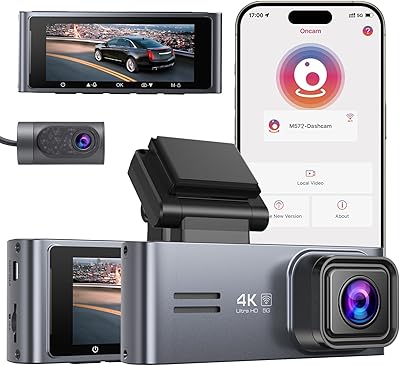
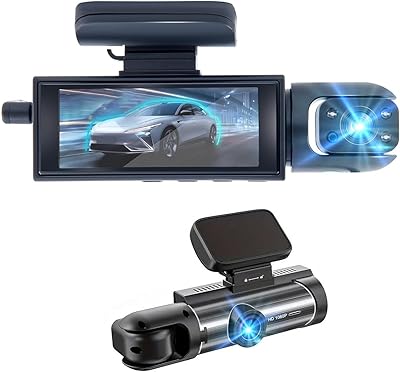
The Pelsee P1 Duo 4K Dual Dash Camera sits in a comfortable mid-range spot where genuine 4K front footage meets practical everyday usability without requiring a premium budget. It ships with a 64GB SD card pre-installed, so you can mount it and start recording the same day — no hunting for compatible storage. The front-and-rear setup gives drivers coverage on both ends of the car, which matters more than ever for insurance disputes and parking lot incidents. It is built with daily commuters, rideshare drivers, and road-trippers in mind. The video quality is strong for this price tier, though a couple of trade-offs are worth knowing before you buy.

Features & Benefits

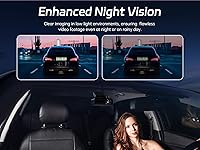
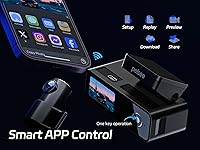
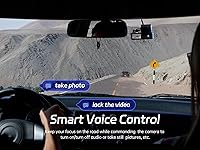
The front lens captures true 4K at 30fps with a 170-degree field of view — wide enough to catch lane markings, nearby vehicles, and street signs in a single frame. The rear camera records in 1080P across 150 degrees, which handles tailgating documentation and rear-end incidents well. Built-in Wi-Fi pairs with the Pelsee Cam app, letting you pull clips onto your phone without removing the SD card. Voice commands let you lock footage, snap a photo, or mute audio while keeping both hands on the wheel. Night performance is solid for this class — the F1.5 aperture handles dim highways reasonably well, though flagship-level low-light sharpness is not what you are getting here.

Best For

This front-and-rear camera makes the most sense for drivers who want solid dual-channel coverage without spending significantly more on a flagship brand. Rideshare and delivery drivers will appreciate the reliable loop recording and the ability to lock incident footage with a voice command rather than fumbling with buttons mid-route. If you prefer managing clips from your phone rather than plugging an SD card into a laptop, the app workflow suits that habit well. Drivers who park in busy urban areas will find the parking mode useful — just note that the hardwire kit is a separate purchase. GPS is not included, so if route logging matters to you, factor that in before deciding.

User Feedback

The P1 Duo holds a 4.4-star average, and the praise is consistent: buyers frequently call out daylight video clarity and how straightforward the Wi-Fi pairing process is right out of the box. The included SD card also gets positive mentions — people notice when a brand does not make you buy extras just to get started. On the critical side, the most repeated frustration is the parking mode situation: the feature exists, but requires a separate hardwire kit that does not come in the box, which catches some buyers off guard. A few reviewers find the 1.5-inch screen small for navigating settings. App reliability is generally positive, though occasional connectivity hiccups surface in longer reviews.

Pros

  • Ships with a 64GB SD card pre-installed — ready to record straight out of the box.
  • 4K front footage captures license plates and road signs with strong clarity in daylight conditions.
  • The 19.7-foot rear cable reaches far enough for trucks, SUVs, and larger vehicles without extensions.
  • Wi-Fi pairing with the Pelsee Cam app is quick and makes reviewing footage genuinely convenient.
  • Voice commands let you lock clips or mute audio without taking your hands off the wheel.
  • Loop recording manages storage automatically, requiring no manual intervention during long trips.
  • The wide 170-degree front field of view captures multiple lanes and roadside context simultaneously.
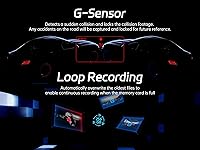
  • G-sensor automatically locks collision footage, protecting key clips from being overwritten.
  • Compatible with a broad range of vehicle types including RVs, minivans, buses, and trucks.
  • Supports SD cards up to 256GB for drivers who want extended recording capacity.

Cons

  • The hardwire kit required for parking mode is sold separately, which surprises many buyers post-purchase.
  • No GPS means no speed data or location stamps embedded in footage — a real gap for commercial drivers.
  • Rear camera footage quality drops noticeably in low-light or nighttime conditions.
  • The 1.5-inch screen is genuinely small for navigating settings menus, especially in bright sunlight.
  • Voice recognition can miss commands in noisy driving environments, reducing its hands-free reliability.
  • Some users report intermittent Wi-Fi drop-outs between the camera and phone that require a manual reconnect.
  • The adhesive mount has been reported to lose grip in high-heat climates over extended use.
  • G-sensor sensitivity on rough roads can trigger false clip locks, creating a backlog that needs manual clearing.

Ratings

The Pelsee P1 Duo 4K Dual Dash Camera earned a strong following among everyday drivers and rideshare operators, and our AI-driven scoring reflects that — built by processing verified global user reviews while actively filtering out incentivized, bot-generated, and spam submissions. Scores across all categories transparently capture both what this front-and-rear camera consistently delivers and where real buyers have run into friction.

Front Video Quality
88%
Daylight footage from the front lens consistently draws praise — license plates, road signs, and lane details come through clearly at 4K resolution. Drivers involved in insurance claims report the footage holding up well as evidence, which is ultimately the core job of any dash cam.
At night or in heavy rain, the sharpness drops noticeably compared to more expensive competitors. The 4K label sets high expectations, and while performance is solid for the price tier, users expecting flagship-grade low-light footage will find some disappointment.
Rear Camera Performance
74%
26%
The 1080P rear camera covers a wide angle and does its job reliably during daylight driving. Tailgating incidents and rear-end collisions are captured with enough detail to be useful, and the 19.7-foot cable gives enough reach for most vehicle types including SUVs and minivans.
In low-light conditions, the rear footage quality falls off more noticeably than the front. Several reviewers noted that nighttime rear clips lack the clarity needed to confidently read license plates from a following vehicle.
Wi-Fi & App Experience
79%
21%
The Pelsee Cam app makes pulling clips off the camera genuinely convenient — no need to remove the SD card or find a laptop. Initial pairing is straightforward, and most users get connected within a few minutes of mounting the camera.
Some users report occasional drop-outs where the Wi-Fi connection between the camera and phone requires a restart to re-establish. The app's editing tools are basic, and a small number of Android users have flagged stability issues after OS updates.
Parking Mode
58%
42%
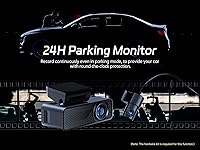
When properly set up with a hardwire kit, the time-lapse parking mode works as intended — capturing activity around a parked car without draining the battery. The G-sensor trigger for collision detection adds a useful layer of passive protection in tight parking situations.
The hardwire kit is not included, and this catches a meaningful number of buyers off guard. Without it, parking mode simply does not function, making this a feature that requires an additional purchase and some installation effort to actually use.
Night Vision
71%
29%
The F1.5 aperture and multi-layer lens optics do a respectable job handling highway driving after dark — oncoming headlight glare is managed better than many cameras at this price point. For suburban night driving, the footage is generally usable.
Dense urban environments with mixed artificial lighting expose the limits of the night vision system. Footage can appear washed out or slightly smeared in complex lighting, and it would be unrealistic to compare it to cameras with dedicated night vision sensors costing significantly more.
Voice Control
77%
23%
Being able to say a command and have the camera lock a clip or mute audio is genuinely useful during active driving. Rideshare drivers in particular appreciate not having to take their eyes off the road to interact with the camera after an incident.
Voice recognition accuracy is not perfect, especially in noisy vehicles or at highway speeds with windows open. A few users report having to repeat commands, which partially defeats the hands-free purpose in high-distraction situations.
Build Quality & Design
73%
27%
The camera feels solid enough for daily use and does not rattle loose from the windshield mount under normal driving conditions. The compact form factor keeps the windshield obstruction minimal, which is something drivers appreciate on longer trips.
The plastic housing does not feel particularly premium, and the 1.5-inch screen — while functional — is small enough that navigating settings menus requires patience. The overall build reads as mid-range, which aligns with the price but is noticeable next to higher-end alternatives.
Installation & Mounting
81%
19%
The windshield mount attaches securely, and the included installation tool helps tuck cables neatly along the headliner. Most users report getting the front camera up and running in under 20 minutes, with the rear camera taking a bit longer depending on vehicle layout.
Routing the rear camera cable cleanly through certain vehicle interiors — particularly sedans with tight door seals — takes more effort. A handful of reviewers noted the adhesive mount pad lost grip in very hot climates after a few weeks.
Included Accessories & Value
86%
Shipping with a 64GB SD card pre-installed is a genuine differentiator at this price. The 11.5-foot car charger cable and the rear camera cable at nearly 20 feet are long enough to work in trucks and larger vehicles without needing extensions.
The hardwire kit omission undercuts the overall value perception for buyers who intended to use parking mode. Beyond that, the box contents are functional but not exceptional — there is no second mounting option or extended warranty documentation included.
Loop Recording Reliability
84%
Loop recording runs quietly in the background without interrupting or requiring user intervention — the camera handles SD card management on its own. Long-haul drivers and rideshare operators report going weeks without needing to manually manage storage.
A small number of users have reported instances where the loop overwrite deleted footage they had not yet reviewed before locking it. This is a known limitation of all loop-based systems, but it catches some first-time dash cam owners by surprise.
GPS & Route Logging
41%
59%
For buyers who simply want incident footage and do not need GPS data embedded in clips, the absence of GPS is a complete non-issue. The core recording functions work independently of any location tracking.
There is no GPS built in, which means no speed data or location stamps on footage. For users who want verifiable speed records during an accident claim or route logging for commercial driving, this is a real gap that cannot be patched with the app.
Display & On-Device Controls
66%
34%
The IPS screen is readable enough to confirm recording status and make quick setting changes when the app is not convenient. The menu layout is logical for anyone who has used a dash cam before.
At 1.5 inches, the screen is genuinely small for navigating multi-level settings menus, especially while parked in bright sunlight where glare reduces visibility. Users with larger fingers or any visual impairment will find the physical interaction frustrating.
G-Sensor Sensitivity
72%
28%
The G-sensor does a reliable job locking clips during genuine impacts — rear-end collisions and hard braking events trigger it consistently, and the locked files are preserved through subsequent loop recording cycles.
Some drivers report false triggers on rough roads or aggressive speed bumps, which creates a small backlog of locked files that need manual review. The sensitivity adjustment in the settings helps, but finding the right calibration takes some trial and error.
Compatibility Across Vehicle Types
83%
The P1 Duo works across a wide range of vehicles, and the rear camera cable length makes it genuinely practical for RVs, trucks, and larger minivans where short cables fail. Multiple reviewers in commercial vehicle contexts report solid results.
In very low-profile vehicles or sports cars with steeply raked windshields, the mounting angle can introduce distortion at the edges of the wide-angle frame. It is a minor issue for most, but worth knowing for non-standard vehicle setups.

Suitable for:

The Pelsee P1 Duo 4K Dual Dash Camera is a strong match for drivers who want reliable front-and-rear incident coverage without the complexity or cost of a flagship system. Daily commuters who log significant highway miles will appreciate the 4K front clarity when it counts most — during insurance disputes or police interactions where plate numbers and road context need to be legible. Rideshare and delivery drivers are a particularly good fit, since loop recording runs continuously in the background and voice commands let them lock footage after an incident without pulling over. Anyone who prefers managing clips from a phone rather than handling an SD card will find the Wi-Fi app workflow genuinely practical. The long rear camera cable also makes this a realistic option for larger vehicles like trucks, SUVs, and minivans where shorter cables simply do not reach.
Not suitable for:

Drivers who need GPS-embedded footage — whether for speed verification in accident claims or route logging for commercial fleets — should look elsewhere, as the Pelsee P1 Duo 4K Dual Dash Camera does not include GPS and there is no add-on path to get it. Anyone counting on 24-hour parking surveillance should know upfront that the parking mode requires a separate hardwire kit that does not come in the box; if that feature is central to the purchase decision, budget for the extra accessory or consider a bundle that includes it. Night-heavy drivers, such as those doing late-night rideshare shifts on poorly lit streets, may find the low-light rear footage underwhelming compared to cameras built specifically for that use case. Tech-averse buyers who prefer simple physical button controls over app-based clip management may find the small 1.5-inch screen frustrating for routine settings adjustments.
Specifications

  • Front Resolution: The front camera records at 4K (3840x2160) at 30 frames per second, delivering detailed footage suitable for reading license plates and road signs in daylight.
  • Rear Resolution: The rear camera captures footage at 1080P full HD, providing solid coverage for rear-end incidents and tailgating documentation.
  • Front Field of View: A 170-degree wide-angle lens on the front camera covers multiple lanes and broad roadside context in a single frame.
  • Rear Field of View: The rear camera uses a 150-degree wide-angle lens, capturing a wide swath of the road behind the vehicle.
  • Front Aperture: The front lens features an F1.5 aperture combined with a 6-layer optical construction to improve light intake and reduce glare in low-light conditions.
  • Display: A 1.5″ IPS screen on the camera body shows recording status and provides access to settings menus directly on the device.
  • Connectivity: Built-in Wi-Fi allows wireless pairing with the Pelsee Cam app on both iOS and Android smartphones for clip access and download.
  • Included Storage: A 64GB SD card comes pre-installed in the camera, so the unit is ready to record immediately upon mounting without any additional purchase.
  • Max SD Support: The camera supports microSD cards up to 256GB, allowing significantly extended recording capacity for long trips or commercial use.
  • Parking Mode: Parking mode operates via time-lapse recording and G-sensor-triggered collision detection, but requires a separately purchased hardwire kit to function.
  • G-Sensor: An integrated G-sensor detects sudden impacts or hard braking and automatically locks the relevant footage to prevent it from being overwritten by loop recording.
  • Voice Control: Voice commands allow the driver to lock video clips, capture photos, and toggle audio recording without physically interacting with the camera.
  • Mounting Type: The camera attaches to the windshield via an adhesive mount, with an installation tool included in the box to assist with cable routing.
  • Power Cable: The included car charger cable measures 11.5 feet (approximately 3.5 meters), providing sufficient reach for most standard vehicle dashboards.
  • Rear Camera Cable: The rear camera connects via a 19.7-foot (6-meter) cable, long enough to route cleanly through larger vehicles including trucks, SUVs, and minivans.
  • GPS: No GPS module is included, meaning footage does not contain embedded speed data or location coordinates.
  • Loop Recording: The camera automatically overwrites the oldest unlocked footage once the SD card reaches capacity, ensuring continuous uninterrupted recording.
  • Compatible Vehicles: The P1 Duo is designed for use in cars, trucks, SUVs, minivans, RVs, and buses, with mounting hardware suitable for varied windshield angles.
  • Power Source: The camera is powered via the included car charger and requires one lithium-ion battery, which is included in the package.
  • In the Box: Package contents include the front dash cam unit with 64GB SD card, rear camera with 6-meter cable, 11.5-foot car charger, installation tool, and user manual.

Related Reviews
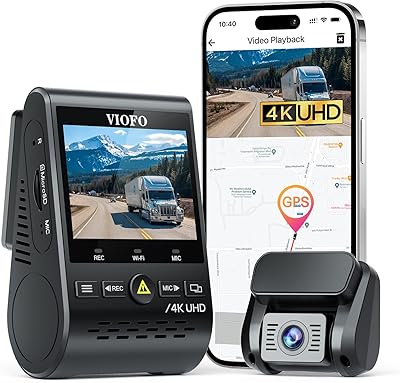
VIOFO A129 Pro Duo 4K Dual Dash Cam
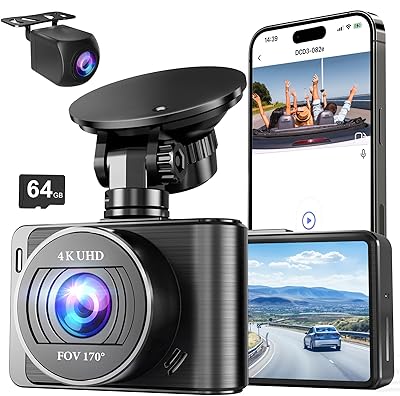
85%
94%
Video Quality (4K Front, 1080p Rear)
88%
Parking Mode Performance
81%
Wi-Fi Connectivity
89%
Night Vision and Low-Light Footage
91%
GPS Accuracy and Data Logging
More
Nezion D3 4K Dual Dash Cam
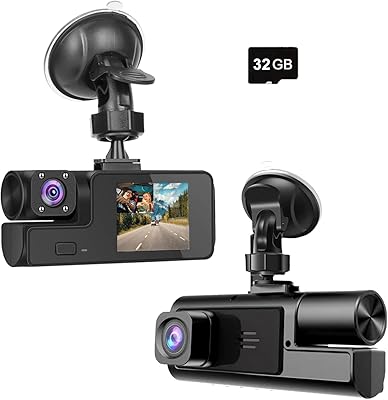
77%
83%
Video Quality (Front Camera)
71%
Video Quality (Rear Camera)
67%
Night Vision Performance
91%
Ease of Setup
88%
Value for Money
More
Meiqils Dual 1080P Front and Inside Dash Cam
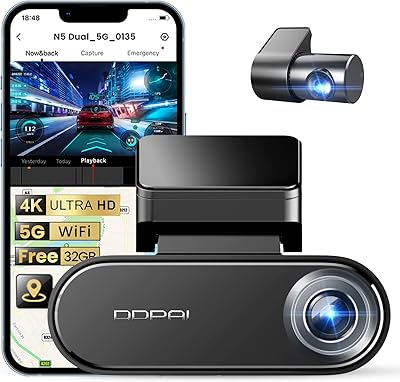
73%
91%
Value for Money
89%
Ease of Installation
82%
Video Quality (Daytime)
63%
Night Vision Performance
78%
G-Sensor Reliability
More
COOAU D20S 4K Dual Dash Cam
83%
91%
Video Quality (Daytime)
75%
Night Vision Performance
88%
Ease of Installation
82%
App Control and Software Experience
86%
GPS Accuracy and Tracking
More
SUVCON M02 4K/1080P Dual Dash Cam
77%
88%
Video Clarity (Daytime)
71%
Night & Low-Light Performance
74%
Rear Camera Quality
66%
App Experience (Viidure)
91%
Ease of Installation
More
Wkreuoar RM Front and Inside Dash Camera
70%
78%
Video Clarity (Daytime)
63%
Night Vision Performance
83%
Dual-Channel Coverage
86%
Ease of Installation
74%
G-Sensor & Incident Lock
More
Sarmert M572 4K Dual Dash Cam
85%
94%
Video Quality
89%
Ease of Installation
88%
Night Vision Performance
70%
Wi-Fi Connectivity
80%
App Experience
More
FocuWay D2 Duo Dual Dash Cam
77%
88%
Video Clarity (Front Camera)
84%
Night Vision Performance
73%
Rear Camera Quality
82%
GPS Accuracy & Route Logging
61%
Parking Mode Functionality
More
70mai 4K Omni X800 Dual Dash Cam
80%
91%
Night Vision Quality
93%
Video Clarity (Daytime)
88%
Rotating Camera Design
79%
4G LTE Remote Monitoring
67%
Parking Mode Usability
More
YEECORE D22 4K Dual Dash Cam
85%
91%
4K Video Quality
88%
Night Vision Performance
85%
Ease of Installation
80%
App Control & Wi-Fi Connectivity
87%
Camera Field of View
More

FAQ

You will need to purchase a hardwire kit separately before parking mode becomes functional. Without it, the camera relies on your car's 12V socket for power, which cuts off when the ignition is off. The hardwire kit connects directly to a fuse in your vehicle's fuse box to maintain low-power operation while parked. It is a known limitation worth budgeting for if parking surveillance is a priority.

For most daily drivers, yes — 64GB holds several hours of continuous 4K footage before loop recording starts overwriting the oldest clips. If you do long road trips or commercial driving with the camera running all day, upgrading to a larger card (the camera supports up to 256GB) gives you more breathing room before footage cycles out.

No mobile data is used. The camera creates its own local Wi-Fi hotspot, and your phone connects directly to it using the Pelsee Cam app. This means you can access and download footage anywhere, even in areas with no cellular signal. Just keep in mind that while connected to the camera's Wi-Fi, your phone will not have internet access through that connection.

The Pelsee Cam app works on both iOS and Android devices. iPhone users can download it from the App Store and connect to the camera's Wi-Fi hotspot the same way Android users do. Compatibility has been reliable across recent iOS versions, though it is always worth checking the app store listing for the most current supported OS versions.

You have a couple of options — you can say a voice command to lock the current clip without touching the camera, or you can tap the lock button on the device itself. The G-sensor will also trigger an automatic lock if it detects a sudden impact or hard braking. Locked files are stored separately and will not be overwritten by loop recording.

On well-lit streets or highways with ambient lighting, the front camera does a reasonable job capturing plates and road details. In genuinely dark conditions — unlit rural roads or dim parking lots — the footage is usable but not crisp enough to reliably read plates from a distance. It performs respectably for the price tier, but it is not in the same league as dash cams with dedicated low-light sensors.

It takes some patience, especially in cars with tight door seals or a long distance between the front headliner and the rear window. The 19.7-foot cable provides plenty of length, and the included installation tool helps tuck it behind trim panels. Most users get it done in 30 to 60 minutes. SUVs and hatchbacks with open cargo areas tend to be easier to work with than sedans.

Yes, it records cabin audio by default. You can turn this off either through the app, the on-device menu, or by using the voice command to toggle audio recording. For rideshare drivers operating in jurisdictions with two-party consent laws for audio recording, this is worth reviewing before your first trip.

Any footage that was actively recording at the moment of power loss may be partially incomplete, but previously completed loop files and any manually locked clips are stored on the SD card and will remain intact. This is standard behavior across most dash cams. Keeping the SD card in good condition and formatting it periodically through the camera's menu helps maintain file integrity over time.

Third-party cards work fine — the camera accepts any compatible microSD card up to 256GB. The main requirements are using a card rated at Class 10 or UHS-I speed or higher to handle continuous 4K recording without dropped frames. If you upgrade the card, format it in the camera before first use rather than on a computer, as this sets the correct file system structure for loop recording.

Where to Buy