
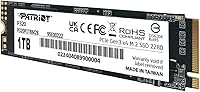
Overview

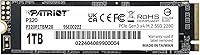
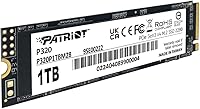
The Patriot Memory P320 1TB NVMe SSD enters a market packed with budget M.2 options, and it holds its ground with a PCIe Gen 3x4 interface that delivers real-world responsiveness without demanding a premium price. It won't compete with Gen 4 drives on raw throughput, and Patriot isn't pretending otherwise. What it offers is a practical 1TB of fast storage from a brand that has quietly served the value-focused PC community for years. Think of it as a dependable daily driver — boots your OS quickly, handles everyday file operations without hesitation, and does it all without the cost of flagship hardware.

Features & Benefits

At its core, the P320 1TB runs on the NVMe 1.3 protocol, which puts it well ahead of any SATA drive when it comes to latency — you feel that difference most during OS boot and application launches. Sequential reads approach 3,000 MB/s, meaning large file transfers finish without the usual thumb-twiddling. The standard M.2 2280 form factor slots into virtually any modern desktop motherboard without hunting for adapters. Backward compatibility with older Gen 3 platforms adds flexibility for users upgrading aging rigs, and Windows recognizes it immediately with no driver installation required.

Best For

This entry-level M.2 SSD makes the most sense for desktop builders replacing a spinning hard drive or an aging SATA SSD who want a tangible speed improvement without overspending. It also works well as a secondary storage drive in a system that already has a faster Gen 4 primary — giving you quick overflow storage at a fraction of the cost. Students and home office users will appreciate how much more responsive everyday computing feels. Worth noting: Patriot officially lists this for desktop use, so laptop compatibility is unverified and should be confirmed before purchasing.

User Feedback

With a 4.6-star average across nearly 1,000 ratings, this Patriot NVMe drive has clearly landed well with a broad range of buyers. The most consistent praise focuses on straightforward installation and a noticeable improvement over older storage solutions. Shoppers who compared it to pricier name-brand options generally felt they came out ahead on value. On the flip side, some users have flagged questions about thermal behavior under heavy sustained workloads and longer-term endurance — reasonable concerns worth weighing for demanding use cases. Outright failures are rarely reported; most complaints trace back to compatibility edge cases rather than anything drive-specific.

Pros

  • Noticeably faster boot times and application launches compared to any SATA or HDD setup.
  • 1TB capacity hits the sweet spot for most desktop users without paying for unnecessary headroom.
  • Fits standard M.2 2280 slots found on virtually all modern desktop motherboards — no adapters needed.
  • Windows recognizes it immediately out of the box, making installation genuinely straightforward.
  • Backward compatible with older PCIe Gen 3 platforms, so older rigs can benefit without a full upgrade.
  • Nearly 1,000 buyer ratings averaging 4.6 stars reflects consistent real-world satisfaction.
  • Extremely lightweight build is a minor but appreciated bonus in compact or small form factor cases.
  • Strong value-for-money positioning compared to name-brand alternatives at a similar capacity.
  • NVMe 1.3 protocol delivers meaningfully lower latency than SATA, which translates to a snappier daily experience.

Cons

  • PCIe Gen 3 interface is a step behind Gen 4 options, which matter on bandwidth-intensive workloads.
  • Official compatibility is listed for desktop only — laptop use is unverified and potentially risky.
  • Long-term endurance and thermal behavior under sustained heavy loads have not been widely tested by users.
  • No mention of a bundled cloning tool or migration software, which can be a hurdle for less technical users.
  • Patriot Memory carries less brand recognition than Samsung or WD, which may affect resale value perception.
  • Limited publicly available data on warranty support experience or RMA process speed.
  • Not ideal as the sole drive in a high-performance build where read and write ceilings genuinely matter.
  • Buyers in non-Windows environments should verify compatibility, as OS support beyond Windows is not confirmed.

Ratings

The scores below reflect our AI-driven analysis of verified global buyer reviews for the Patriot Memory P320 1TB NVMe SSD, with spam, incentivized, and bot-flagged feedback actively filtered out before scoring. Each category is weighted against real-world usage patterns reported by actual desktop users, not controlled lab benchmarks. Both the strengths that keep buyers satisfied and the friction points that surface over time are transparently reflected in every score.

Value for Money
91%
Buyers consistently call this one of the most cost-effective NVMe upgrades in the Gen 3 segment. Users who compared it to name-brand alternatives at similar capacities frequently noted they got comparable everyday performance for meaningfully less — a point that shows up repeatedly in satisfied reviews.
A small segment of buyers who later upgraded to Gen 4 platforms felt they could have spent slightly more upfront for a future-proof drive. For the strictest value calculators, the absence of bundled software or accessories feels like a minor gap at this price point.
Read/Write Performance
78%
22%
For a PCIe Gen 3 drive, the P320 1TB delivers real-world boot times and application load speeds that genuinely impress users coming from SATA SSDs or hard drives. Everyday tasks like launching browsers, loading large Excel files, or booting Windows feel noticeably snappier compared to older storage solutions.
Users who run sustained workloads — large video renders, multi-gigabyte database operations, or bulk file migrations — have noted that throughput under extended stress does not always hold to the rated ceiling. It is a Gen 3 drive, and that ceiling is real compared to modern Gen 4 competitors.
Installation Ease
93%
Nearly every buyer who mentioned setup described it as one of the smoothest hardware installations they have done. The standard M.2 2280 form factor slides into place without adapters, Windows picks it up immediately, and most users report going from unboxing to a formatted drive in under ten minutes.
A handful of buyers with older or less common motherboards ran into BIOS recognition issues that required a firmware update before the drive appeared. These cases are not common, but they do surface occasionally and can be frustrating for users who are less experienced with BIOS settings.
Compatibility
74%
26%
The backward compatibility with PCIe Gen 3 platforms is a genuine selling point — users with systems two to four years old can drop this in without worrying about slot mismatches. Most modern desktop motherboards accept it without any configuration changes.
Patriot officially supports this drive for desktop use only, and a segment of buyers attempting laptop installations reported inconsistent recognition. Non-Windows users have also noted that OS support outside of Windows is unconfirmed, which limits its appeal for Linux or macOS-based setups.
Thermal Management
61%
39%
For typical desktop usage — web browsing, office work, moderate gaming — most users report the drive runs without any noticeable heat-related throttling. Motherboards with built-in M.2 heatsinks handle thermal load well in these scenarios.
Buyers who pushed the drive through sustained heavy workloads flagged rising temperatures as a concern, particularly in cases without active airflow near the M.2 slot. Without a dedicated heatsink or motherboard thermal pad, temperatures under load can climb enough to affect sustained write performance over time.
Build Quality
82%
18%
The drive feels solid for its weight class, and buyers who have handled multiple M.2 SSDs note it is on par with competing budget options in terms of physical construction. Nothing flexes or feels cheaply assembled during installation.
There is no heatsink included, and the drive's outer casing offers minimal protection against physical stress during handling. For users who install and remove drives frequently, this is worth keeping in mind.
Long-term Reliability
67%
33%
The 4.6-star average across nearly 1,000 ratings suggests most buyers are not experiencing early failures — a good baseline signal for a budget-tier drive. For users running standard desktop workloads, the P320 1TB appears to hold up well over the first year of use.
Long-term endurance data from independent testing is limited for this specific model, and some buyers have raised questions about how the drive performs past the two-year mark under heavier use. The absence of publicly detailed TBW (terabytes written) ratings makes it harder to assess durability for write-intensive use cases.
Sequential Read Speed
81%
19%
Hitting close to 3,000 MB/s in sequential reads puts this entry-level M.2 SSD at the competitive upper end of the Gen 3 class. Users transferring large media files or loading game levels from storage notice a tangible improvement over SATA alternatives.
Sequential read performance is where this drive shines most, but random read performance at low queue depths — which is what most everyday desktop tasks actually stress — is less standout. Users running benchmarks beyond sequential tests will see scores that look more ordinary.
Sequential Write Speed
76%
24%
Sustained sequential writes up to 2,200 MB/s are strong enough for tasks like transferring large photo archives, copying game folders, or moving video project files between drives. Most desktop users will rarely push the drive hard enough to notice any ceiling.
Write speeds under sustained pressure over extended periods can dip as the SLC cache fills, a common behavior in budget NVMe drives. Users doing repeated large writes in quick succession may see performance drop to levels closer to what a high-end SATA drive would deliver.
Software & Ecosystem
49%
51%
Windows plug-and-play support is handled natively, so there is zero friction for standard desktop users who just need the drive to show up and work. No installation wizard means less clutter on a fresh Windows setup.
Patriot does not bundle any drive management, health monitoring, or cloning software with the P320 1TB, which is a noticeable gap compared to brands like Samsung or WD that include their own toolkits. Users who want SMART data monitoring or an easy migration path need to find and configure third-party tools on their own.
Form Factor Versatility
71%
29%
The M.2 2280 footprint is the most universally supported size in the desktop market, and buyers appreciate that no riser cards or brackets are needed. The drive's low profile and negligible weight also make it a natural fit inside compact mini-ITX builds.
Official support is limited to desktop platforms, which reduces the versatility argument for users who want one drive they can move between a desktop and a laptop. The 2280 length also rules out motherboards that only accommodate the shorter 2242 form factor.
Brand Reputation
69%
31%
Patriot Memory has a long enough track record in value PC components that most experienced builders recognize the name without hesitation. For buyers who have used Patriot RAM or earlier SSDs, there is a baseline level of trust built up over the years.
Compared to Samsung, WD, or Seagate, Patriot Memory carries significantly less brand equity among mainstream buyers — and that perception gap affects confidence for first-time SSD buyers. Resale value and perceived credibility in secondhand markets are both lower as a result.
Packaging & Unboxing
72%
28%
The packaging is minimal and functional — the drive arrives protected and ready to install. Buyers who have received damaged drives from other budget brands noted that Patriot's packaging held up well through shipping.
There are no extras in the box: no mounting screw, no thermal pad, no documentation beyond the basics. Buyers who need a mounting screw for their specific motherboard may need to source one separately, which is a minor but recurring friction point mentioned in reviews.

Suitable for:

The Patriot Memory P320 1TB NVMe SSD is a strong fit for desktop PC builders who want a meaningful storage upgrade without stretching their budget into premium territory. If you're still running a spinning hard drive or an older SATA SSD, swapping in this Patriot NVMe drive will produce a noticeable improvement in boot times and general system responsiveness that is hard to overstate. It's equally practical as a secondary drive in a machine that already has a faster Gen 4 primary — adding a full terabyte of quick overflow storage at a fraction of what you'd pay for a flagship unit. Students, home office users, and light creative workers who prioritize everyday snappiness over peak benchmark scores will find it more than adequate. The straightforward M.2 2280 form factor also makes it accessible for first-time builders who don't want to deal with compatibility headaches.

Not suitable for:

The Patriot Memory P320 1TB NVMe SSD is not the right call for users who need cutting-edge storage performance for demanding workloads like 4K video editing, large database operations, or heavy game asset streaming. This entry-level M.2 SSD uses a PCIe Gen 3 interface, which means it will be noticeably outpaced by Gen 4 drives in sustained transfer scenarios — if your motherboard supports Gen 4 and performance is a priority, spending more on a faster drive is justified. Enthusiast builders assembling a high-end system from scratch would likely find the P320 1TB underwhelming as a primary boot drive. Laptop users should also proceed with caution, as Patriot officially lists this drive for desktop use only, and compatibility in portable systems is not verified. Those who push storage hard over long periods may also want to look for a drive with more robust thermal and endurance ratings before committing.

Specifications

  • Brand: Manufactured by Patriot Memory, a value-focused storage and memory brand with a long presence in the consumer PC market.
  • Capacity: Provides 1TB of raw storage, offering ample space for an operating system, applications, and a large media or game library.
  • Interface: Uses a PCIe Gen 3x4 interface, delivering four lanes of third-generation bandwidth for strong NVMe performance without requiring a Gen 4 platform.
  • Protocol: Operates on the NVMe 1.3 protocol, which significantly reduces access latency compared to legacy AHCI-based SATA drives.
  • Form Factor: Built in the M.2 2280 form factor, measuring 80mm in length to fit the most widely available M.2 slot on desktop motherboards.
  • Sequential Read: Rated for sequential read speeds of up to 3,000 MB/s under controlled benchmark conditions using CrystalDiskMark methodology.
  • Sequential Write: Rated for sequential write speeds of up to 2,200 MB/s, suitable for large file transfers and general storage throughput tasks.
  • OS Support: Officially supported on Windows operating systems; compatibility with macOS or Linux has not been confirmed by Patriot Memory.
  • Device Support: Listed by Patriot Memory as compatible with desktop PCs; laptop compatibility is not officially verified and should be confirmed before purchase.
  • Installation: Designed for internal installation, inserting directly into an M.2 slot on the motherboard without requiring any additional power cables.
  • Backward Compat.: Backward compatible with PCIe Gen 3 platforms, making it a practical upgrade option for older desktop systems that lack Gen 4 support.
  • Weight: Weighs just 0.352 ounces, making it one of the lightest storage upgrades available and well-suited for compact or small form factor builds.
  • Dimensions: Physical dimensions measure 3.15 x 0.87 x 0.87 inches, consistent with the standard M.2 2280 specification.
  • Color: Ships in a black finish, which is the standard aesthetic for M.2 SSDs installed inside a PC chassis.
  • BSR Ranking: Holds a Best Sellers Rank of #50 in Internal Solid State Drives on Amazon, reflecting strong and consistent consumer demand.
  • User Rating: Carries an average rating of 4.6 out of 5 stars based on approximately 936 verified customer ratings at the time of review.
  • Date Available: First made available for purchase on May 21, 2024, placing it among more recent entries in the Gen 3 NVMe budget segment.
  • Driver Req.: Requires no additional driver installation on Windows systems, as the NVMe driver is included natively in modern Windows versions.

Related Reviews
Patriot Memory P320 256GB M.2 NVMe SSD
76%
92%
Value for Money
88%
Boot & Launch Speed
83%
Sequential Read Performance
57%
Sustained Write Performance
94%
Installation Experience
More
Patriot P300 1TB NVMe SSD
83%
88%
Performance
92%
Value for Money
85%
Read Speed
83%
Write Speed
86%
Durability
More
Patriot Memory P320 512GB M.2 NVMe SSD
82%
93%
Value for Money
84%
Read Performance
71%
Write Performance
96%
Installation Ease
88%
Compatibility
More
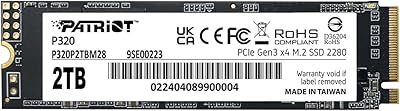
Patriot Memory P320 2TB NVMe M.2 SSD
77%
91%
Value for Money
78%
Read & Write Performance
93%
Installation Ease
88%
Compatibility
74%
Build & Reliability
More
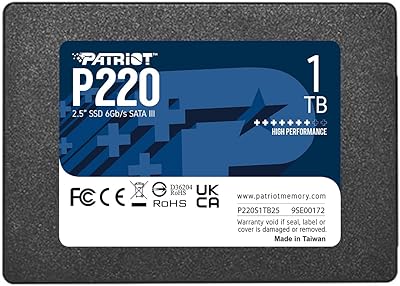
Patriot Memory P220 1TB Internal SATA SSD
78%
93%
Value for Money
74%
Read & Write Performance
94%
Installation Ease
71%
Build Quality
91%
Boot Time Improvement
More
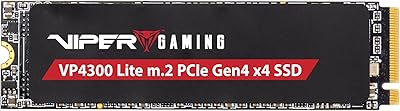
Patriot Viper VP4300 Lite 1TB M.2 SSD

82%
91%
Sequential Read Speed
83%
Sequential Write Speed
78%
PS5 Compatibility
88%
Value for Money
71%
Thermal Management
More
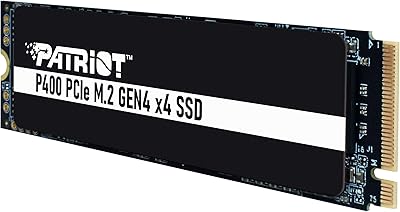
Patriot P400 1TB SSD
88%
95%
Read Speed
90%
Write Speed
78%
Thermal Management
88%
Installation Ease
91%
Reliability
More
RONGSHU RS001 1TB NVMe SSD
75%
91%
Value for Money
88%
Read/Write Speed
93%
PS5 Compatibility
53%
Brand Trustworthiness
71%
Thermal Management
More
GiGimundo G7400 1TB NVMe SSD
86%
92%
Performance
94%
Speed (Read/Write)
84%
Thermal Management
88%
Compatibility with Gaming PCs
72%
Compatibility with PS5
More
Addlink S91 1TB NVMe SSD
89%
94%
Performance & Speed
88%
Compatibility with Devices
85%
Ease of Installation
91%
Read Speed (Max)
85%
Write Speed (Max)
More

FAQ

Yes, and this is actually one of the stronger use cases for the P320 1TB. It is designed for PCIe Gen 3x4 and runs natively on Gen 3 platforms, so you will get full rated performance without any compatibility issues.

Patriot officially lists this drive for desktop use only, so laptop compatibility is not verified. While many M.2 2280 drives do physically fit laptop slots, performance and recognition can vary. It is worth checking your laptop's service manual or manufacturer support page before buying.

Yes, it will work in a Gen 4 slot, but it will run at Gen 3 speeds since the drive itself is a Gen 3 device. You won't damage anything, but you also won't unlock any additional performance beyond what the drive is rated for.

No. On Windows, the built-in NVMe driver handles this drive without any extra steps. You plug it in, boot up, and it shows up ready to format or clone to. It is about as straightforward as storage installation gets.

The difference is real and noticeable, particularly during boot and when launching applications. SATA SSDs typically top out around 550 MB/s sequential reads, while this Patriot NVMe drive operates at up to 3,000 MB/s. In day-to-day tasks, that translates to a snappier, more responsive system.

For most gamers, 1TB is a reasonable starting point, though modern AAA titles can consume 80 to 100GB each, so your library will fill up faster than you might expect. Many users pair this entry-level M.2 SSD with a larger secondary drive for game storage while using it as the primary boot drive.

Thermal management is worth considering if you plan on sustained heavy workloads like large file transfers or video rendering. The drive does not ship with a heatsink, so if your motherboard does not have an M.2 thermal pad or cover, you may want to monitor temperatures under load. For typical desktop use, most buyers report no issues.

Absolutely, and this is one of the smarter ways to deploy it. Running a Gen 4 drive as your boot and primary application drive, then using the P320 1TB for bulk storage, gives you a solid mix of speed and capacity without overspending on a second high-end drive.

Patriot does not bundle cloning software with this drive. If you are migrating from an existing drive, you will need a third-party tool. Macrium Reflect Free and Samsung Data Migration are both well-regarded free options that work with non-Samsung drives.

Patriot Memory typically backs its SSDs with a three-year limited warranty, though you should confirm the specific terms on Patriot's official website or through the seller at time of purchase, as warranty details can vary by region and product revision.