Overview

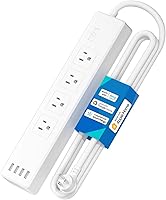
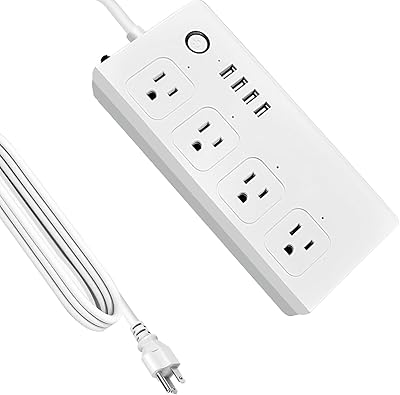
The meross Smart WiFi 4-Outlet Power Strip sits in a comfortable middle ground — capable enough for serious smart home users, approachable enough for anyone just getting started. What immediately stands out is the flat plug design, which tucks neatly behind furniture without blocking neighboring outlets on a crowded wall plate. It carries both ETL and FCC certifications, so safety is not an afterthought. For a strip at this price tier, the range of compatible ecosystems — HomeKit, Alexa, Google Assistant, SmartThings — is genuinely uncommon. Just keep expectations grounded: this is built for everyday home and office loads, not power-hungry equipment.
Features & Benefits

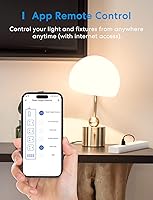
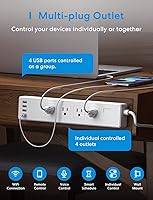
Each of the four AC outlets can be controlled independently, which means you can put your desk lamp on a sunset schedule while keeping your monitor on a completely different timer — that kind of granular control is what separates this from a basic smart plug. The four USB ports share a combined 4.0A output, handy for overnight charging, though they toggle as a group rather than individually. The six-foot cord offers real placement flexibility, and the surge protection with flame-retardant housing means safety is not being sacrificed. No hub required for most setups, which keeps the experience refreshingly simple.

Best For

This smart power strip earns its place in Apple households, where HomeKit compatibility at this price point remains relatively rare. Home office workers get the most mileage out of it — scheduling a monitor to cut power after hours, keeping a fan on a fixed morning routine, or charging devices overnight without a second thought. Renters and smart home newcomers will appreciate the plug-and-play nature; no hub is required as long as you are on a 2.4GHz or dual-band network. If you need one strip to handle both AC-powered devices and USB charging simultaneously, this Wi-Fi outlet extender covers both without forcing a compromise.

User Feedback

Across its reviews, the meross strip earns consistent praise for easy setup and dependable app performance day to day. HomeKit users specifically call it out as one of the better-value options in that ecosystem, which is high praise given how few affordable competitors support it natively. The recurring friction point is the USB ports — buyers who expected individual toggle control were caught off guard, so that limitation is worth knowing upfront. A smaller number of users encountered Wi-Fi pairing issues, typically on 5GHz-only networks, which this strip does not support. Importantly, most negative feedback traces back to setup misunderstandings rather than hardware failure.

Pros

  • Four AC outlets can each be controlled and scheduled completely independently — a real advantage over basic smart plugs.
  • Native Apple HomeKit support is rare at this price point and works reliably through the Home app.
  • Compatible with Alexa, Google Assistant, and SmartThings, so it fits into almost any existing smart home setup.
  • No dedicated hub is required for standard use — just a 2.4GHz Wi-Fi connection and the meross app.
  • Built-in surge protection and ETL/FCC certifications give peace of mind for everyday use.
  • The flat plug design prevents it from blocking adjacent outlets on a crowded wall plate.
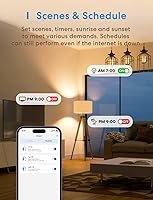
  • Sunrise and sunset scheduling options make lighting and device automations feel genuinely effortless.
  • The six-foot cord offers real placement flexibility for desks, entertainment centers, and nightstands.
  • Setup process earns consistent praise from buyers across the board — most are up and running quickly.
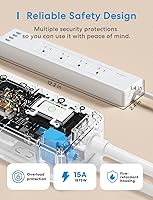
  • Flame-retardant PC housing adds a layer of passive safety that cheaper strips often skip.

Cons

  • USB ports cannot be toggled individually — all four switch on or off together, which limits their smart utility.
  • The total USB output of 4.0A is shared across all ports, so charging multiple tablets simultaneously will be slow.
  • 5GHz-only network users will hit a wall during setup; 2.4GHz support is required and non-negotiable.
  • Full HomeKit remote access from outside the home requires an Apple TV or iPad as a hub — not included and not obvious from the packaging.
  • Four AC outlets may feel limiting if you need to power a larger collection of devices from a single strip.
  • The meross app adds another platform to manage if you prefer keeping everything inside a single ecosystem like HomeKit.
  • Some users report occasional Wi-Fi drops that require re-pairing, particularly after router firmware updates.
  • Wall-mounting the strip requires additional hardware and effort — the out-of-box experience is tabletop or floor use.

Ratings

The meross Smart WiFi 4-Outlet Power Strip has been evaluated by our AI rating system after analyzing thousands of verified global buyer reviews, with spam, bot activity, and incentivized feedback actively filtered out to protect scoring integrity. The scores below reflect real-world patterns — not marketing claims — and candidly surface both what users love and where the strip falls short. Strengths and frustrations are weighted equally so you can make a fully informed decision.
Ecosystem Compatibility
93%
Support for Apple HomeKit, Alexa, Google Assistant, and SmartThings in a single device at this price tier is genuinely rare, and buyers across all four ecosystems consistently report that pairing works as advertised. HomeKit users in particular call this out as a standout — most competing strips at a similar price simply do not offer it.
A small number of SmartThings users reported occasional delay in state syncing after automations trigger, and the meross app adds yet another platform to manage for users who prefer keeping everything inside one native ecosystem like Apple Home.
Individual Outlet Control
88%
Being able to put each of the four AC outlets on a completely independent schedule is the feature buyers reference most positively — home office users especially appreciate powering down a monitor automatically at end of day while keeping a lamp or fan running on its own timer.
Some users noted that outlet state occasionally fails to sync visually in the app after a manual physical switch toggle, requiring a refresh to reflect the true status. It is a minor inconvenience but one that crops up often enough to mention.
Setup Experience
84%
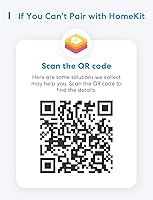
The large majority of buyers — including self-described non-technical users — report being fully set up and controlling outlets within five to ten minutes. The HomeKit pairing flow, in particular, is praised for being straightforward thanks to the printed pairing code on the device.
The most common source of negative reviews is setup failure tied to 5GHz-only network configurations, which the strip does not support. Users who did not realize their router needed to broadcast on 2.4GHz were left troubleshooting a problem that had nothing to do with the hardware itself.
App Performance
81%
19%
The meross app draws consistent praise for being clean and responsive during daily use — scheduling, toggling, and renaming outlets all work without noticeable lag. Sunrise and sunset automation setup is described as intuitive even by first-time smart home users.
Occasional reports surface of the app losing connection after router firmware updates, requiring a re-pair that some users found frustrating. The app also lacks a widget or lock-screen shortcut on iOS, which power users accustomed to faster access find limiting.
Value for Money
89%
At its price point, offering four individually controlled outlets, four USB ports, surge protection, and broad voice assistant compatibility — including HomeKit — delivers a combination that buyers consistently describe as punching above its weight. Many reviewers note they expected to pay significantly more for this feature set.
A segment of buyers who purchased hoping for individual USB port control felt the group-only limitation undercut the value proposition slightly, since the USB side of the strip functions more like a basic charger than a smart accessory.
USB Charging
62%
38%
Having four USB ports integrated into a smart strip is convenient for nightstand or desk setups where you want one device handling everything — phones, earbuds, and small tablets can all charge overnight without needing a separate charger block.
The shared 4.0A ceiling across all four ports means charging slows noticeably when multiple devices are connected simultaneously, and the inability to toggle individual USB ports independently limits their smart utility significantly. Users wanting fast daytime top-ups will likely be disappointed.
Build Quality
78%
22%
The flame-retardant PC housing feels solid and does not flex when plugging in heavier adapters, and the ETL and FCC certifications back up the impression of a product that passed real safety testing rather than cutting corners on materials.
A handful of buyers noted the white finish attracts dust and scuffs visibly over time, and the physical power button has a slightly hollow feel that does not inspire full confidence — though no widespread reports of mechanical failure back this up.
Flat Plug Design
86%
The flat plug is a meaningful practical improvement over bulky right-angle alternatives — buyers who place the strip behind furniture or beside a low-clearance outlet consistently cite it as one of the first things they notice and appreciate in daily use.
The flat plug does run warmer than some users expected during extended high-load use, which occasionally causes mild concern even though temperatures remain within safe operating limits based on reported feedback.
Scheduling & Automation
83%
Timer, countdown, and sunrise/sunset automations work reliably across reported use cases, and buyers who use the strip to automate home office shutdowns or bedroom lighting routines describe the scheduling interface as one of the more intuitive they have encountered in this product category.
Schedules occasionally fail to execute after a Wi-Fi disruption and do not always self-recover once connectivity is restored, which frustrates users who rely on strict daily automations and do not monitor the app regularly.
Wi-Fi Reliability
74%
26%
Under stable 2.4GHz network conditions, the strip maintains its connection reliably over extended periods, and most buyers report months of use without a single dropout once the initial pairing is complete.
A recurring pattern in negative reviews involves the strip dropping its connection after router reboots or ISP-level outages and requiring a manual re-pair — something a firmware update could likely address but has not been fully resolved as of recent buyer reports.
Voice Control Responsiveness
82%
18%
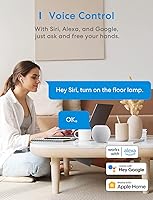
Commands through Alexa and Google Assistant execute quickly and accurately in real-world use, and Siri integration through HomeKit is praised for working natively without any third-party workarounds — a level of polish that buyers at this price do not always expect.
Voice control latency increases noticeably when the home network is under heavy load, and Siri remote control outside the home requires a properly configured Apple hub that not every buyer has in place, leading to confusion when it does not work as expected.
Physical Footprint
79%
21%
At just over a foot long and under 1.5 pounds, the strip sits unobtrusively on most desks and entertainment unit shelves, and the six-foot cord covers a meaningful distance without requiring an extension in most standard room layouts.
The 12.2-inch body length is longer than some buyers anticipated based on product images, and users with very compact desk setups or small nightstands occasionally find it takes up more surface space than they budgeted for.
HomeKit Remote Access
67%
33%
For buyers who already own an Apple TV or a dedicated iPad acting as a HomeKit hub, remote access works reliably and feels fully integrated — controlling the strip from anywhere feels as natural as any other HomeKit accessory.
The hub requirement is not prominently disclosed at the point of purchase, and a meaningful portion of HomeKit buyers discovered the limitation only after setup — those without a hub found remote access simply unavailable, which drove genuine frustration in reviews.
Safety & Certifications
91%
ETL certification and FCC compliance are not just stickers — they represent independent verification that the strip meets established safety thresholds, and buyers specifically mention feeling confident leaving it powered overnight or while away from home.
A very small number of users reported the strip feeling warm during sustained multi-device loads near the 15A ceiling, though no widespread incidents of failure or safety concern appear in the broader review pool.

Suitable for:

The meross Smart WiFi 4-Outlet Power Strip is a strong fit for anyone building out a smart home without wanting to spend a lot or wrestle with complicated hub setups. Apple ecosystem households will find particular value here — native HomeKit support at this price tier is genuinely hard to come by, and having four independently scheduled outlets inside the Home app is a meaningful upgrade from a single smart plug. Home office workers benefit from the ability to put different devices on completely separate automations: a monitor that cuts power at the end of the workday, a desk lamp tied to sunrise, a charging station that shuts off overnight. Renters and first-time smart home adopters will appreciate that setup is largely plug-and-play, requiring only a 2.4GHz or dual-band Wi-Fi connection and no dedicated hub for basic operation. If your goal is a single, tidy solution that handles both AC-powered devices and USB charging in one strip, this Wi-Fi outlet extender checks that box without overcomplicating things.
Not suitable for:

The meross Smart WiFi 4-Outlet Power Strip is not the right tool for everyone, and a few limitations are worth considering before buying. Users who want to control each USB port individually will be disappointed — the four ports share a combined 4.0A output and can only be switched on or off as a group, not one by one. Anyone on a 5GHz-only network will run into pairing problems, since the strip exclusively supports 2.4GHz connections; if your router does not broadcast on that band, setup simply will not work without changing your network settings. HomeKit users expecting full remote access from outside their home should know that an Apple TV 4K, Apple TV HD, or iPad acting as a home hub is required for that feature — it is not automatic. Heavy-duty users powering workshop equipment, space heaters, or other high-draw appliances should also look elsewhere, as this strip is designed for typical home and office loads rather than sustained high-amperage devices.
Specifications

  • Brand: Manufactured by meross, a company focused on smart home accessories with broad ecosystem compatibility.
  • AC Outlets: Includes 4 individually controllable AC outlets, each switchable and schedulable independently via app or voice.
  • USB Ports: Features 4 USB-A ports that share a combined maximum output of 4.0A and operate as a single group, not individually.
  • Max Load: Supports a maximum load of 15A across all four AC outlets combined, suitable for standard home and office devices.
  • Cord Length: Equipped with a 6-foot power cord, providing flexible placement distance from the wall outlet.
  • Dimensions: The strip body measures 12.2 x 2.4 x 1.4 inches, offering a compact footprint for desk or shelf use.
  • Weight: Weighs 1.3 pounds, light enough to sit stably on a surface or be wall-mounted without strain.
  • Wi-Fi Frequency: Connects via 2.4GHz Wi-Fi and is also compatible with dual-band routers broadcasting on both 2.4GHz and 5GHz bands.
  • Voice Assistants: Works with Apple Siri, Amazon Alexa, Google Assistant, and Samsung SmartThings for hands-free device control.
  • Companion App: Operates through both the meross app and Apple Home app, supporting remote control, scheduling, and automation setup.
  • HomeKit Hub: Remote HomeKit access outside the home requires an Apple TV 4K, Apple TV HD, or a dedicated iPad as a hub.
  • Surge Protection: Built-in surge protection guards connected devices against unexpected voltage spikes during everyday operation.
  • Housing Material: The enclosure is constructed from flame-retardant polycarbonate (PC) material to reduce fire risk in case of electrical faults.
  • Safety Certs: Certified by ETL and compliant with FCC standards, confirming it has passed independent safety and emissions testing.
  • Plug Type: Uses a flat plug design that lies flush against the wall, minimizing obstruction of adjacent outlets on a wall plate.
  • Special Features: Includes a physical on/off master switch, mountable design for wall or surface attachment, and sunrise/sunset scheduling support.
  • Voltage Rating: Rated for use at up to 240 volts, compatible with standard North American household electrical systems.
  • Scheduling: Supports timer-based scheduling, countdown functions, and location-based sunrise/sunset automations through the companion app.

Related Reviews
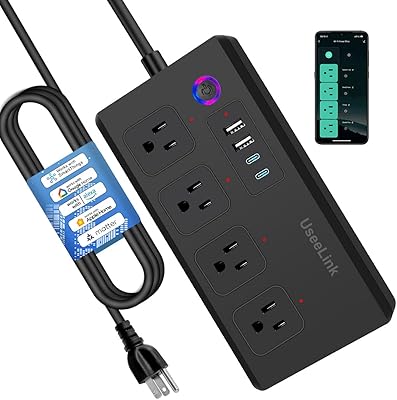
UseeLink Smart Power Strip with 4 Outlets and 4 USB Ports
86%
89%
Value for Money
90%
Ease of Setup
72%
App Experience
94%
Voice Control Integration
88%
Surge Protection Effectiveness
More
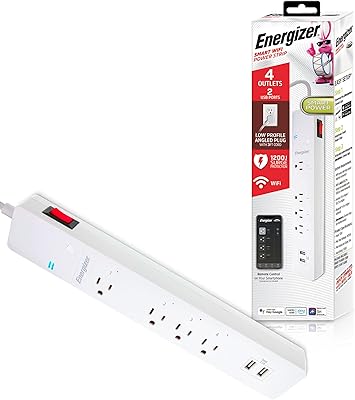
Energizer Smart Wi-Fi 4-Outlet Power Strip
73%
88%
Ease of Setup
67%
App Performance
84%
Voice Control Integration
62%
Outlet Spacing
71%
Surge Protection
More
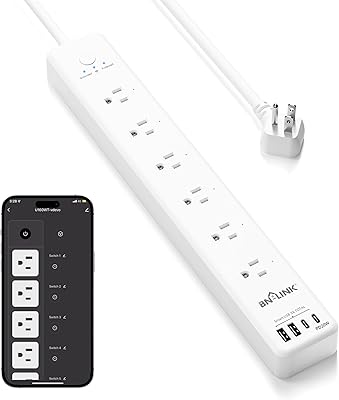
BN-LINK Smart Plug Power Strip with 6 Outlets and 4 USB Ports
85%
88%
Voice Control
90%
Surge Protection Performance
85%
USB Charging Speed
93%
Ease of Setup
72%
App Compatibility
More
Yozisital 2-Prong Smart Power Strip
75%
83%
Setup & Pairing
67%
App Reliability
88%
Outlet Versatility
91%
Flat Plug Design
61%
USB-C Charging Speed
More
Geeni Smart Plug Power Strip 6-Outlet with USB Ports
83%
88%
Wi-Fi Connectivity & Setup
91%
Surge Protection & Device Safety
85%
Ease of Use & Control
89%
Voice Assistant Integration
84%
Build Quality & Durability
More
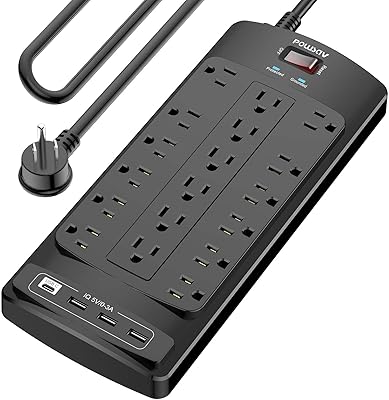
POWSAV NBW-903 18-Outlet Surge Protector Power Strip
81%
93%
Outlet Count & Spacing
78%
Surge Protection Reliability
91%
Flat Plug Design
54%
USB Charging Performance
88%
Cable Length & Management
More
Monoprice Heavy Duty Metal Surge Protector 4-Outlet Power Strip
86%
89%
Surge Protection Performance
91%
Build Quality
85%
Ease of Use
88%
Durability
92%
Value for Money
More
QINLIANF PW-902 24-Outlet Surge Protector
89%
96%
Outlet Density
93%
Surge Protection Reliability
89%
Build Quality and Durability
82%
USB Charging Convenience
91%
Plug and Cord Design
More
XENON ZigBee 4-Outlet Smart Power Strip
73%
83%
Hub Compatibility
86%
ZigBee Connectivity
91%
Per-Outlet Control
62%
Setup Experience
74%
Build Quality
More
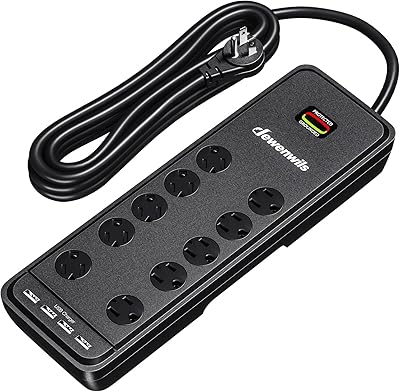
DEWENWILS 10-Outlet Surge Protector Power Strip with 4 USB Ports
86%
91%
Surge Protection Effectiveness
88%
Ease of Use
85%
Build Quality
78%
USB Charging Speed
94%
Cord Length
More

FAQ

For basic operation — controlling outlets through the meross app or voice assistants like Alexa or Google Assistant — no hub is required at all. You just need a 2.4GHz Wi-Fi connection. The one exception is Apple HomeKit remote access from outside your home, which does require an Apple TV 4K, Apple TV HD, or a dedicated iPad to act as a home hub.

The four AC outlets are fully independent — you can turn each one on or off individually, set different schedules for each, and assign them separate names in the app. The USB ports, however, are grouped together and cannot be controlled one by one.

Unfortunately, no. The meross strip only connects on the 2.4GHz band. If your router is 5GHz-only, you will need to enable the 2.4GHz band in your router settings before setup — otherwise the pairing process will not complete. Most modern dual-band routers broadcast both, so it is usually just a matter of checking your settings.

The four USB ports share a combined 4.0A output, so yes, you can charge multiple devices at once — but the amperage is divided between whatever is plugged in. Charging a tablet and a phone simultaneously will work, but both will charge more slowly than if they were the only device connected. It is best suited for overnight charging rather than fast top-ups.

It is designed for always-on use. The housing is made from flame-retardant polycarbonate, it has built-in surge protection, and it carries both ETL and FCC certifications — meaning it has passed independent safety testing. That said, like any powered device, it is worth keeping the area around it clear and not draping items over it.

Yes, sunrise and sunset scheduling is built into both the meross app and Apple Home. Once you grant location access, the strip adjusts its schedule automatically as daylight hours shift through the year — handy for outdoor lights or any device tied to natural light cycles.

The physical on/off switch on the strip acts as a master control, cutting power to all outlets simultaneously. It is useful in situations where you want a quick manual override without reaching for your phone — though individual outlet states in the app may not update automatically when you do this.

Setup is straightforward for most users. You download the meross app, plug in the strip, follow the in-app pairing steps, and you are typically connected within a few minutes. HomeKit pairing involves scanning a code on the device, which is equally simple. The majority of buyers who reported trouble were using 5GHz-only networks or had temporary router configuration issues — not problems with the hardware itself.

Yes, the design includes mounting capability, and the flat plug helps keep things tidy when wall-mounted. You will need to source appropriate screws or adhesive strips for your surface since mounting hardware is not included in the box, but the strip itself has the necessary slots or slots for it.

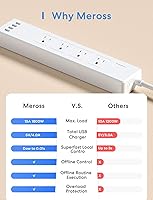
When your internet connection drops, remote app control and voice commands through cloud-dependent assistants will not function. However, any schedules already saved to the device should continue running locally, and the physical button on the strip will still work regardless of connectivity. For most everyday use, brief outages are unlikely to cause major disruption.