Overview

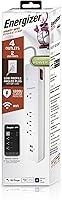
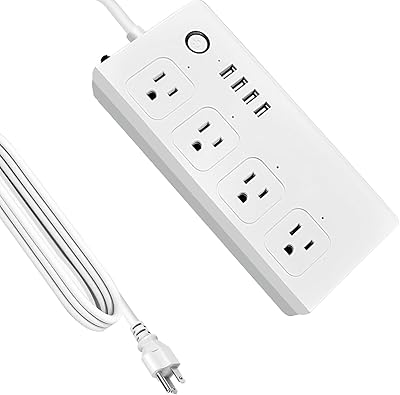
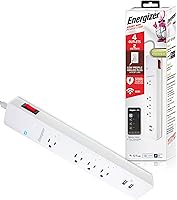
The Energizer Smart Wi-Fi 4-Outlet Power Strip sits in a practical middle ground — not a bare-bones surge protector, but not an overengineered smart home hub either. Energizer is a name most people associate with batteries, so seeing it on a connected-home device does carry some real-world credibility. This smart strip connects directly over 2.4 GHz Wi-Fi, skipping the need for a separate hub entirely, and pairs that convenience with app-based scheduling and full voice assistant support. It's compact enough to sit on a desk or nightstand without dominating the space. For everyday home and office use, it covers a lot of practical ground without asking much in return.
Features & Benefits

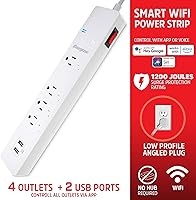
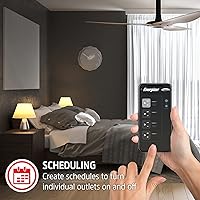
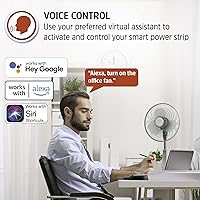
The four AC outlets can each be controlled independently, which proves genuinely useful when you want to cut power to a monitor without shutting down everything else on your desk. Two USB-A charging ports round out the hardware, though they're better suited for topping off phones overnight than fast-charging newer devices. The Energizer Connect app lets you build per-outlet schedules — a real help for trimming phantom energy draw from devices left on standby. Surge protection sits at 1,200 Joules, solid for typical household spikes but not in the same league as heavy-duty industrial-grade protectors. Voice commands through Alexa, Siri, or Google Assistant work without any extra hardware required.

Best For

This connected power strip makes the most sense for home office setups where scheduled shutdowns for monitors, chargers, or desk lamps would actually save you time and energy. It's also a reasonable entry point for anyone new to smart home devices — no hub to configure, and the app is approachable enough for non-technical users. Renters benefit particularly well since it requires zero installation or wall modifications. If you're already running Alexa or Google Home, it slots in without friction. One important note: the strip operates on 2.4 GHz only, so buyers with routers set exclusively to 5 GHz will need to dig into their network settings before purchasing.

User Feedback

Most buyers highlight quick, painless setup as the standout experience — getting connected through the app typically takes just a few minutes. Voice control integration earns consistent praise across all three supported ecosystems. On the downside, a recurring complaint involves occasional app disconnects and the need to re-pair after router changes, which suggests long-term connection stability isn't always guaranteed. The USB ports receive mild criticism for their modest output speeds. Several reviewers also flagged that bulky wall adapters can crowd out neighboring outlets depending on what's plugged in. Overall sentiment skews positive for the price tier, but buyers with strict reliability requirements should factor those app stability reports into their decision.

Pros

  • No smart hub required — just plug in, open the app, and connect within minutes.
  • Works natively with Alexa, Google Assistant, and Siri straight out of the box.
  • Each of the four outlets can be controlled independently via app or voice command.
  • Custom scheduling through the Energizer Connect app helps reduce unnecessary standby power draw.
  • Compact and lightweight enough to sit comfortably on a desk or nightstand.
  • 1,200-Joule surge protection offers reasonable coverage for everyday home and office electronics.
  • Two USB-A ports add charging convenience without requiring an extra wall adapter.
  • No permanent installation needed, making it ideal for renters or frequent movers.
  • Setup process is consistently described by users as fast and straightforward.
  • Competitive price point for a smart strip with multi-assistant voice control support.

Cons

  • Only compatible with 2.4 GHz Wi-Fi — a real obstacle for anyone with a 5 GHz-only network setup.
  • App connectivity can drop after router changes or firmware updates, requiring re-pairing.
  • USB-A ports deliver modest charging speeds that may frustrate users with newer high-watt devices.
  • Bulky wall adapters or wide AC plugs can physically block adjacent outlets on the strip.
  • Long-term app support and firmware update frequency from Energizer Connect is uncertain.
  • 1,200-Joule surge rating falls short for protecting sensitive or high-value electronics.
  • No individual outlet energy monitoring means you can't track per-device power consumption.
  • Limited to four outlets, which may not cover all devices in a fully loaded home office setup.

Ratings

The Energizer Smart Wi-Fi 4-Outlet Power Strip has been evaluated by our AI system after processing verified buyer reviews from global markets, with spam, bot-generated, and incentivized feedback actively filtered out. The scores below reflect an honest composite of real user experiences — covering everything from first-time setup to months of daily use. Both the strengths that make this connected power strip worth considering and the friction points that have frustrated real buyers are transparently represented.
Ease of Setup
88%
Most buyers get this smart strip connected and running within a single session. The Energizer Connect app walks users through pairing step by step, and as long as a 2.4 GHz network is available, the process rarely requires any technical troubleshooting. First-time smart home users consistently call it one of the smoothest setups they have experienced.
The 2.4 GHz-only requirement trips up a meaningful number of buyers who do not realize their router needs to broadcast on that band separately. Users who switched ISPs or upgraded their router also reported needing to fully re-pair the device, which is a minor but recurring frustration.
App Performance
67%
33%
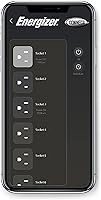
The Energizer Connect app handles the basics competently — turning outlets on and off remotely, setting schedules, and checking connection status all work as advertised under normal conditions. For users who set up a schedule once and rarely revisit the app, day-to-day friction is minimal.
A recurring complaint involves the app losing connection to the strip after router changes, firmware updates, or prolonged idle periods, requiring a fresh pairing cycle. Some users noted the app interface feels dated compared to more polished smart home ecosystems, and responsiveness can lag on older smartphones.
Voice Control Integration
84%
Compatibility with Alexa, Google Assistant, and Siri is a genuine highlight — once linked, voice commands respond reliably and feel natural for users already embedded in these ecosystems. Home office users especially appreciate being able to say a quick command to cut power to their monitor without touching a phone.
Initial linking to a voice assistant platform can require a few extra configuration steps beyond the basic app setup, which some buyers found confusing. Occasional de-linking after app or assistant firmware updates has been reported, requiring users to re-authorize the connection.
Outlet Spacing
62%
38%
For standard plugs and slim adapters, all four outlets are accessible simultaneously without any crowding. Users plugging in phone chargers, lamp cords, or small electronics rarely encounter any spacing issues in everyday desk use.
Bulky transformer-style wall adapters — common with older electronics, routers, and some smart home devices — frequently block the neighboring outlet, effectively reducing usable capacity to two or three plugs. This is one of the most consistent complaints across user reviews and a real-world limitation worth planning around.
Surge Protection
71%
29%
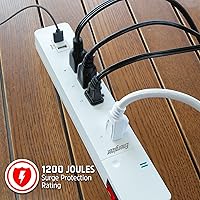
At 1,200 Joules, this connected power strip provides reliable protection against typical household voltage spikes, including brief power surges during storms or grid fluctuations. For desk lamps, phone chargers, and small office peripherals, the protection level is more than adequate.
Power users protecting expensive workstations, NAS drives, or high-end AV equipment will find the 1,200-Joule rating underwhelming compared to dedicated surge protectors that offer 2,000 Joules or more. It is a competent but not exceptional level of protection, and buyers should calibrate their expectations accordingly.
USB Charging Speed
58%
42%
The two built-in USB-A ports are genuinely convenient for overnight charging or topping off a device during a long work session. Users who keep smartphones or earbuds plugged in passively throughout the day find them perfectly sufficient for that low-demand use case.
Neither port supports fast charging protocols, which means charging a modern flagship smartphone from near-empty takes considerably longer than a dedicated charger would. Tablet users have reported the output is too slow to keep pace with active use, making the ports a supplementary option rather than a primary charging solution.
Schedule Reliability
73%
27%
When the app stays connected, custom schedules run consistently and make a noticeable difference for users who want devices to power down automatically at night or during off-hours. Home office setups especially benefit from set-and-forget scheduling for monitors and desk accessories.
Schedule execution is only as reliable as the app connection itself — when the strip drops off the network, scheduled events do not fire until reconnection is established. A handful of users reported schedules silently resetting after app updates, requiring them to rebuild their configurations from scratch.
Build Quality
74%
26%
The strip feels solid in hand, with a housing that does not flex or creak under normal handling. The outlet sockets have appropriate resistance, holding plugs securely without being overly difficult to insert or remove.
The plastic finish shows scuff marks and fingerprints more readily than expected for a desk-facing device. A few long-term users noted that the outer casing developed minor discoloration near the outlets after extended use, suggesting the material is functional but not particularly premium.
Connectivity Stability
66%
34%
Under stable home network conditions — consistent router, unchanged credentials, and moderate traffic — this smart strip maintains its connection reliably over weeks of use. For users with a straightforward home network setup, dropout events are infrequent enough to be a non-issue.
Network changes, router reboots, and ISP-side interruptions all seem to affect this strip more than competing products at a similar price point. Multiple reviews flagged that long-term stability beyond three to four months of use becomes less predictable, particularly in homes with busier or more complex Wi-Fi environments.
Value for Money
81%
19%
For what it delivers — four controllable outlets, voice assistant support, scheduling, surge protection, and USB ports in one compact unit — the price is genuinely fair. It undercuts several competing smart strips that offer similar feature sets, making it an accessible starting point.
The app reliability issues and limited USB output speeds do chip away at the overall value case, particularly for buyers who end up needing to supplement it with additional charging hardware. Buyers who later want individual outlet energy monitoring will find this strip does not offer that, and upgrading means starting over entirely.
Compatibility
82%
18%
Support for all three major voice ecosystems — Alexa, Google Assistant, and Siri — is a practical strength that sets this strip apart from single-ecosystem competitors. Most standard North American household devices plug in without issue, and no additional bridge hardware is needed.
The 2.4 GHz-only Wi-Fi requirement is a meaningful compatibility gap in an era where many modern routers default to 5 GHz or use band steering that can complicate pairing. Smart home users running platforms beyond the big three — such as Samsung SmartThings or Home Assistant — will find no native integration available.
Physical Design
77%
23%
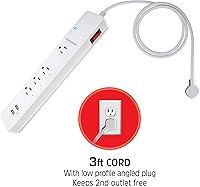
The compact footprint keeps the strip from dominating a desk surface or nightstand, and the cord length is adequate for most standard outlet placements. The layout is clean and functional with no unnecessary bulk.
The cord is not particularly long, which can be limiting for users who need to route it across a larger workspace or reach a wall outlet that is not directly behind their desk. There is also no right-angle plug option, which can make flush-wall placement awkward in tight corners.
Long-term Reliability
63%
37%
Many users report no hardware failures over the first six to twelve months of ownership, and the physical outlets and USB ports hold up well under regular daily use. For casual smart home use, the strip has proven durable enough for most buyers.
Reports of Wi-Fi module degradation and app disconnects becoming more frequent after the six-month mark suggest that long-term software and connectivity reliability is not as strong as the hardware itself. Buyers expecting a set-it-and-forget-it device for years may be disappointed without periodic re-pairing.

Suitable for:

The Energizer Smart Wi-Fi 4-Outlet Power Strip is a strong fit for home office workers who want to automate power schedules for monitors, desk lamps, or charging stations without investing in a full smart home ecosystem. Renters are particularly well-served here — there's nothing to install, nothing to hardwire, and it moves with you when you leave. If you're already using Alexa, Google Assistant, or Siri in your home, this smart strip slots into those routines with minimal friction. Smart home newcomers will appreciate that setup doesn't require a separate hub or any advanced networking knowledge. It's also a practical pick for anyone trying to cut down on standby energy waste by scheduling devices to power off automatically overnight or during work hours.
Not suitable for:

The Energizer Smart Wi-Fi 4-Outlet Power Strip is not the right call for anyone running a 5 GHz-only Wi-Fi network, since the strip communicates exclusively over 2.4 GHz and won't connect otherwise. Power users protecting high-value workstations, servers, or AV equipment should look at surge protectors with significantly higher Joule ratings, as 1,200 Joules is adequate for typical household use but not for heavy-duty protection scenarios. Those who rely heavily on bulky transformer-style wall adapters may find that two or three outlets get physically blocked at once, reducing the effective outlet count. If fast USB charging is a priority — particularly for tablets or newer smartphones that expect higher wattage — the USB-A ports here will feel limiting. Anyone who needs more than four outlets from a single strip will also need to look elsewhere, as expansion options are not built in.
Specifications

  • AC Outlets: The strip includes 4 individually controllable AC outlets rated at 125V for standard North American devices.
  • USB Ports: Two USB-A charging ports are built into the strip for powering compatible smartphones and small accessories.
  • Surge Protection: Surge protection is rated at 1,200 Joules, providing adequate coverage against common household voltage spikes.
  • Wi-Fi Band: The strip connects exclusively over 2.4 GHz Wi-Fi and does not support 5 GHz networks.
  • Hub Required: No smart home hub is required; the strip pairs directly with your home Wi-Fi router via the Energizer Connect app.
  • Voice Assistants: Native compatibility includes Amazon Alexa, Google Assistant, and Apple Siri for hands-free outlet control.
  • Companion App: The Energizer Connect app, available for iOS and Android, handles scheduling, on/off control, and device configuration.
  • Smart Scheduling: Users can create custom per-outlet on/off schedules through the app to manage energy use automatically.
  • Dimensions: The unit measures 15.24 x 4.17 x 2.28 inches, making it suitable for desk, shelf, or nightstand placement.
  • Weight: The strip weighs 1.21 pounds, keeping it light enough to stay in place without anchoring.
  • Voltage Rating: Designed for use at 125 Volts, compatible with standard North American household electrical systems.
  • Total Outlets: The strip provides 6 total connection points: 4 AC outlets and 2 USB-A ports.
  • Manufacturer: Produced by Energizer Connect and marketed under the XTREME brand name.
  • Availability: This product has been commercially available since December 2021.
  • Cord Type: The strip uses a standard three-prong grounded power cord typical of surge-protected power strips.

Related Reviews

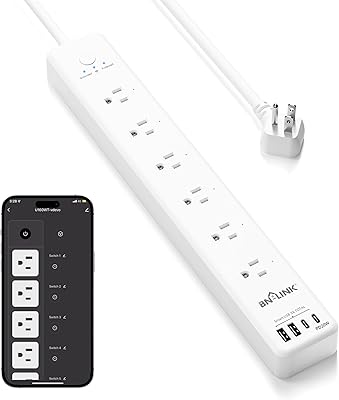
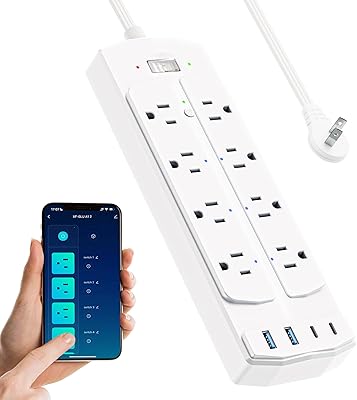
UseeLink Smart Power Strip with 4 Outlets and 4 USB Ports
86%
89%
Value for Money
90%
Ease of Setup
72%
App Experience
94%
Voice Control Integration
88%
Surge Protection Effectiveness
More
BN-LINK Smart Plug Power Strip with 6 Outlets and 4 USB Ports
85%
88%
Voice Control
90%
Surge Protection Performance
85%
USB Charging Speed
93%
Ease of Setup
72%
App Compatibility
More
Yozisital 2-Prong Smart Power Strip
75%
83%
Setup & Pairing
67%
App Reliability
88%
Outlet Versatility
91%
Flat Plug Design
61%
USB-C Charging Speed
More
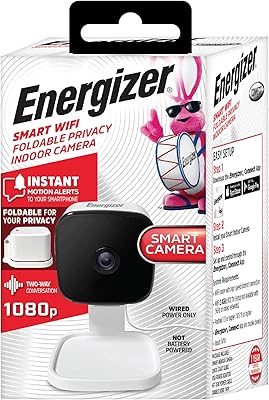
Energizer Smart Wi-Fi Indoor Security Camera
84%
91%
Value for Money
94%
Ease of Setup
88%
Video Quality
87%
Motion Detection Performance
85%
Audio Quality
More
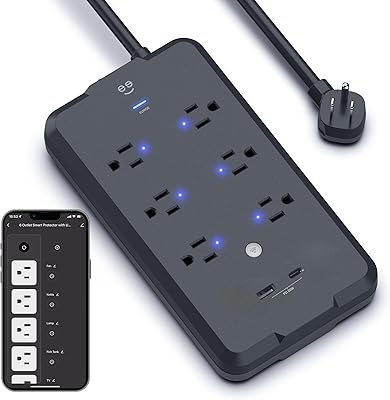
Geeni Smart Plug Power Strip 6-Outlet with USB Ports
83%
88%
Wi-Fi Connectivity & Setup
91%
Surge Protection & Device Safety
85%
Ease of Use & Control
89%
Voice Assistant Integration
84%
Build Quality & Durability
More
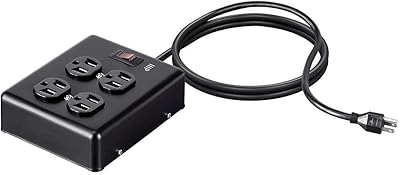
Monoprice Heavy Duty Metal Surge Protector 4-Outlet Power Strip
86%
89%
Surge Protection Performance
91%
Build Quality
85%
Ease of Use
88%
Durability
92%
Value for Money
More
QINLIANF PW-902 24-Outlet Surge Protector
89%
96%
Outlet Density
93%
Surge Protection Reliability
89%
Build Quality and Durability
82%
USB Charging Convenience
91%
Plug and Cord Design
More
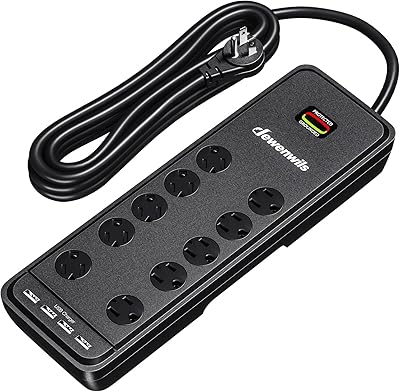
DEWENWILS 10-Outlet Surge Protector Power Strip with 4 USB Ports
86%
91%
Surge Protection Effectiveness
88%
Ease of Use
85%
Build Quality
78%
USB Charging Speed
94%
Cord Length
More
POWSAV NBW-903 18-Outlet Surge Protector Power Strip
81%
93%
Outlet Count & Spacing
78%
Surge Protection Reliability
91%
Flat Plug Design
54%
USB Charging Performance
88%
Cable Length & Management
More
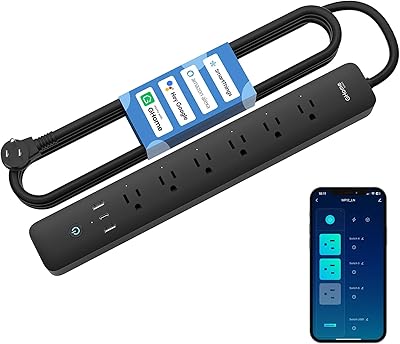
GHome Smart Plug Power Strip with 6 Outlets & 3 USB Ports
87%
92%
Value for Money
88%
Ease of Use
90%
Energy Monitoring
94%
Surge Protection
86%
USB Charging Speed
More

FAQ

Yes, the Energizer Smart Wi-Fi 4-Outlet Power Strip is fully compatible with Google Assistant. Once you link it through the Energizer Connect app, you can control individual outlets using standard voice commands through any Google Home device.
Unfortunately, no. This smart strip only supports 2.4 GHz Wi-Fi, so it will not connect to a 5 GHz network. If your router is dual-band, you can usually enable a separate 2.4 GHz network in your router settings and connect the strip to that. It is worth checking before you buy if your setup is 5 GHz only.

Each of the four AC outlets can be controlled independently through the app or by voice command. That means you can turn off your monitor while keeping your phone charger running, for example — no need to cut power to everything at once.

Most users find it pretty straightforward. You download the Energizer Connect app, create an account, plug in the strip, and follow the in-app pairing steps. The whole process usually takes under ten minutes as long as you have your 2.4 GHz Wi-Fi credentials handy.

Yes, the physical outlets continue to supply power even without a Wi-Fi connection. You just lose remote control and scheduling functionality until your network comes back online. It functions as a regular surge protector in the meantime.

They will charge your phone, but do not expect fast-charging speeds. The USB-A ports are better suited for overnight charging or topping up a device gradually. If you need to go from empty to full quickly, a dedicated fast charger wall adapter will serve you better.

It depends on the size and shape of the adapter. Some bulky transformer plugs can physically overlap and block the outlet next to them, which is a common complaint from users. If you regularly use large wall warts, it is worth factoring in that you may effectively lose one or two outlets to spacing issues.

No, the Energizer Connect app is free to download and use. There are no known subscription tiers or recurring fees required to access scheduling or remote control features.

It is a reasonable level of protection for everyday home electronics like lamps, phone chargers, and small appliances. That said, it sits on the lower end of the mid-range — if you are protecting a high-end PC, a large television, or audio equipment, you may want to consider a strip with a higher Joule rating for added peace of mind.

You will need to re-pair the strip to your network after any significant router change or password update. Some users have reported this process is occasionally finicky, so keep your app login details handy. It is a minor inconvenience but worth knowing about before committing to the purchase.