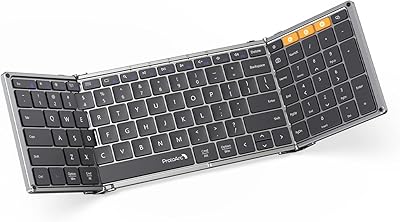
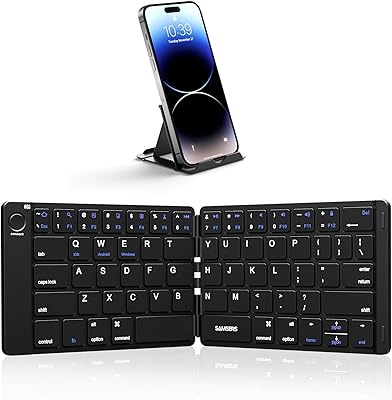
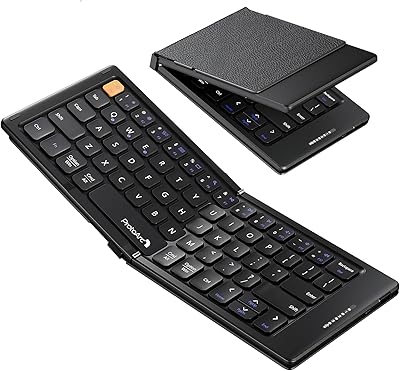
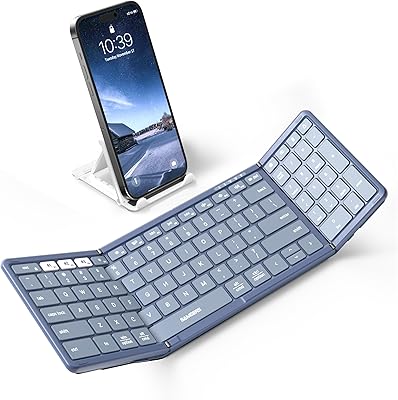
Overview

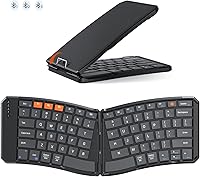
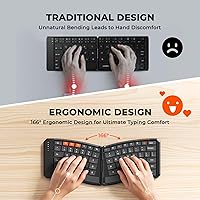
The MEETION K9880 Foldable Bluetooth Keyboard enters a crowded market with a genuinely useful pitch: a split ergonomic layout packed into a frame that folds down small enough to slip into a jacket pocket. Unlike most compact keyboards that simply shrink a standard layout, this folding keyboard separates the key clusters at a 166° angle, nudging your wrists into a more natural position. It's priced accessibly, which sets realistic expectations — this isn't a premium typing station, it's a capable travel tool. One thing worth knowing upfront: the K9880 is Bluetooth-only, so if you rely on a USB dongle for connectivity, this one simply isn't for you.
Features & Benefits

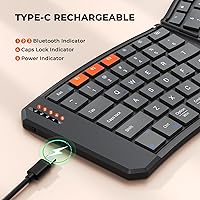
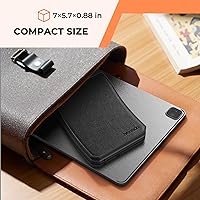
Folded down, the K9880 measures roughly 7 x 5.7 inches — small enough to sit flat in a laptop bag without taking up meaningful space. The magnetic closure keeps it shut in transit, which sounds minor until you've fished an accidentally opened keyboard out of a bag. Once unfolded, a rear metal support wire props the keyboard steady, even on uneven surfaces like your lap or a café table. The scissor-switch keys are genuinely quiet — noticeably so in shared spaces. You can pair it to three devices at once and hop between them with a function key combo, which works well once memorized. USB-C charging and a 60-hour standby round out a practical feature set.

Best For

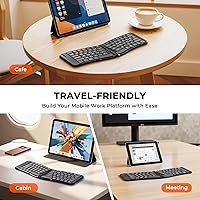
This travel keyboard makes the most sense for people who regularly type across two or three devices and hate carrying separate peripherals. Frequent business travelers will appreciate how little room it takes in a carry-on. Students switching between a phone and tablet throughout the day will find the multi-device pairing especially practical. It also suits anyone who wants to ease into ergonomic typing without committing to a full-size split keyboard — the 166° angle is noticeable but not extreme. That said, if you predominantly type at a desk and never leave the office, a standard keyboard will likely serve you better at this price point.

User Feedback

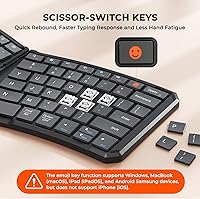
Early buyers rate this folding keyboard at 4.4 out of 5 stars across 93 reviews, which is a solid start. The most common praise centers on the PU leather exterior — people are genuinely surprised by how premium it feels given the price. The stabilizing wire on the back also draws consistent compliments for on-the-go use. On the flip side, several users mention needing a few days to adjust to the swapped Ctrl and Fn keys, and some note that key travel feels shallower than expected. One practical heads-up: the emoji shortcut does not function on iPhone — it works on Windows, macOS, iPadOS, and Samsung Android, but iOS users are left out on that feature.

Pros

  • Folds down to roughly 7 inches and weighs just over half a pound — genuinely pocketable.
  • Connects to three devices simultaneously, so one keyboard covers your laptop, tablet, and phone.
  • Scissor-switch keys are noticeably quieter than standard membrane keyboards in shared spaces.
  • PU leather exterior feels more premium than the price suggests, according to consistent buyer feedback.
  • USB-C charging means one fewer proprietary cable to carry on a trip.
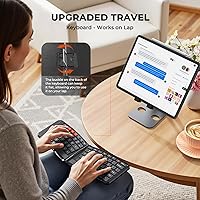
  • The rear metal support wire keeps the keyboard stable even on uneven surfaces like your lap or a train tray table.
  • Magnetic closure prevents accidental unfolding inside a bag — a small but practical detail.
  • The 6-row layout includes a full function row and media shortcuts, unlike many stripped-down compact keyboards.
  • Broad OS compatibility covers Windows, macOS, iOS, Android, and iPadOS with no driver installation required.
  • 60-hour standby is more than enough for a full week of moderate travel use on a single charge.

Cons

  • Key travel is shallow — extended typing sessions can feel fatiguing compared to full-travel keyboards.
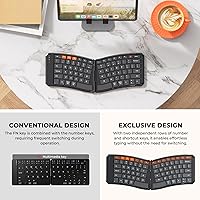
  • The swapped Ctrl and Fn key positions require a deliberate relearning period that trips up experienced typists.
  • No backlight makes typing in dim environments like hotel rooms or overnight flights noticeably harder.
  • The emoji shortcut key does not function on iPhone, which is easy to miss before purchasing.
  • No rubber feet on the underside means the keyboard slides on smooth surfaces during fast typing.
  • Battery level has no visible indicator, so the keyboard can die mid-session without warning.
  • Multi-device channel switching relies on a key combo that is not labeled on the keyboard itself.
  • No carrying pouch is included, leaving the PU exterior as the only protection against bag scuffs.
  • Bluetooth-only design means users with no Bluetooth device, or those in heavy RF interference environments, have no wired fallback.
  • The small 140mAh battery means heavy continuous users will charge more frequently than the standby figure implies.

Ratings

The MEETION K9880 Foldable Bluetooth Keyboard has been evaluated by our AI rating engine after analyzing verified global buyer reviews, with spam, bot-submitted, and incentivized feedback actively filtered out. The scores below reflect real-world usage patterns across travelers, students, and remote workers — balancing genuine strengths against recurring frustrations with equal weight.
Portability & Form Factor
93%
Buyers consistently describe this as one of the most packable keyboards they have owned. At just 0.55 lb and folding down to roughly 7 inches, it disappears into a laptop sleeve or coat pocket without any real sacrifice of screen real estate or bag organization.
A small number of users note the folded thickness is slightly bulkier than expected when layered with a tablet case. It is also worth noting that no carrying pouch is included, so the PU exterior is doing all the protective work on its own.
Typing Experience
71%
29%
The scissor-switch keys deliver a satisfying, laptop-like rebound that feels noticeably more controlled than the mushy membrane keyboards common at this price. In quiet environments like libraries or open-plan offices, the reduced click noise is a genuine quality-of-life improvement.
Key travel depth is shallower than what touch typists coming from a mechanical or full-travel keyboard will expect. Extended typing sessions — anything beyond an hour — reveal that the short actuation distance causes some fatigue, particularly on the bottom row keys.
Ergonomic Design
74%
26%
The 166° V-shaped split layout does place the hands in a more neutral position compared to a straight portable keyboard. Users who already practice ergonomic typing habits tend to adapt quickly and report reduced wrist tension during moderate daily use.
The learning curve is real — the swapped Ctrl and Fn key positions trip up experienced typists for days, sometimes weeks. New users should not expect immediate comfort gains; the ergonomic benefits only become apparent after a deliberate adaptation period.
Multi-Device Connectivity
88%
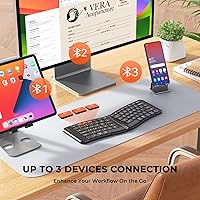
Pairing three devices and switching between them with a single function key combo works reliably in practice. Frequent travelers who toggle between a laptop, tablet, and phone throughout a workday find this feature alone justifies carrying the K9880 instead of multiple input devices.
Switching requires remembering the FN+Q/W/E/R key combo, which is not printed prominently on the keyboard. A few users also noted occasional re-pairing prompts after the keyboard wakes from sleep, though this appears to be intermittent rather than consistent.
Build Quality & Materials
82%
18%
The PU leather exterior consistently surprises buyers given the accessible price point — it feels more substantial in hand than the spec sheet suggests. The magnetic closure and rear metal support wire both function mechanically well, with no reported loosening after weeks of daily travel use.
The internal hinge mechanism, while sturdy initially, draws some skepticism about long-term durability from buyers who fold and unfold the keyboard multiple times per day. The ABS plastic key surface also shows fingerprint smudging more readily than matte alternatives.
Battery Life & Charging
76%
24%
A 60-hour standby claim translates practically to several days of moderate use on a single charge, which is plenty for a long-haul trip or a week of commuting. USB-C charging is a welcome choice, meaning one cable covers the keyboard alongside most modern devices.
The 140mAh battery capacity is small, and heavy users who keep Bluetooth active continuously will find the real-world endurance falls noticeably short of the theoretical maximum. The battery level has no visible indicator, so the keyboard can die without much warning.
Bluetooth Stability
79%
21%
Bluetooth 5.0 delivers a reliable initial connection experience across iOS, Android, Windows, and macOS devices. Most users report clean pairing on the first attempt with no driver installation needed, which matters when setting up at an airport or unfamiliar desk.
A subset of users experience minor input lag during the first few keystrokes after waking from sleep mode. While this resolves within seconds, it can cause missed characters when jumping back into a document quickly, which is mildly annoying in fast-paced work contexts.
Noise Level
86%
The scissor-switch mechanism is genuinely quiet by portable keyboard standards. Cafe workers and open-office users specifically call out the low clatter as a reason they chose this keyboard over clicky alternatives, making it a considerate choice in shared spaces.
It is not silent — there is still an audible tap at higher typing speeds, particularly on the spacebar and Enter key. In a completely silent room like a library study pod, enthusiastic typists will still generate some noise.
Key Layout & Shortcuts
69%
31%
The 6-row layout retains a full function row and media controls, which feels noticeably more complete than the cramped 5-row designs common in competing foldable keyboards. The dedicated emoji shortcut key is a thoughtful addition for messaging-heavy users on supported platforms.
The emoji key does not work on iPhone, which catches iOS-first users off guard. Beyond that, the non-standard placement of Ctrl and Fn keys requires conscious relearning and can introduce frustrating typos during the adjustment period for anyone with established muscle memory.
Device Compatibility
84%
The range of supported systems — Windows 10/11, macOS, iOS, Android, and iPadOS — covers virtually every device combination a modern mobile worker or student would carry. No app or driver installation is required on any platform, which keeps the setup friction low.
The USB dongle connection method is absent entirely; this is a Bluetooth-only keyboard. Users in environments with heavy wireless interference, or those whose devices lack Bluetooth, have no fallback wired option whatsoever.
Stability During Use
81%
19%
The rear metal support wire is a practical engineering choice that gets genuine praise from buyers who type on their lap during commutes or in airline seats. It keeps the keyboard from flexing or collapsing mid-session without adding meaningful weight.
On very smooth surfaces like glass desks or lacquered tables, the keyboard shifts slightly under fast typing because there are no rubber feet on the underside. This is not a dealbreaker, but it requires conscious placement on grippy surfaces for the best experience.
Value for Money
89%
At its price point, the combination of multi-device Bluetooth, a split ergonomic layout, scissor switches, and USB-C charging is difficult to match in the foldable keyboard category. Most buyers feel they received more than they paid for, particularly given the PU exterior quality.
Buyers expecting a premium typing experience equivalent to a high-end split keyboard will be disappointed — the K9880 punches above its weight but not above its category. The shallow key travel and small battery are direct reflections of the budget-conscious engineering.
Setup & Ease of Use
83%
Out of the box, pairing to a first device takes under a minute and works without any software. The side toggle power switch is intuitive, and the auto-sleep function runs quietly in the background so most users never have to think about managing battery mode manually.
The multi-device switching method — using function key combinations — is not immediately intuitive without reading the manual. New users occasionally report accidentally switching channels mid-session and spending time troubleshooting what they assume is a connectivity failure.
Aesthetic & Design Appeal
78%
22%
The contemporary black PU exterior with a slim profile reads more executive than gadget-like, which appeals to professionals who care about how their desk setup looks in a client meeting or video call. Folded, it passes for a small notebook or agenda.
The color and style options are limited — black is the primary available finish. The keyboard also lacks any backlighting, which makes late-night typing in dim environments like a hotel room or airplane cabin significantly harder without a nearby light source.

Suitable for:

The MEETION K9880 Foldable Bluetooth Keyboard was clearly designed with a specific type of user in mind, and it delivers most convincingly for people who are constantly moving between locations and devices. Frequent business travelers who bounce between a laptop, tablet, and phone throughout the day will find the three-device Bluetooth pairing genuinely useful — one keyboard handles the whole stack. Students who type in shared spaces like libraries or campus cafes will appreciate how quietly and compactly it operates, taking up almost no table space when unfolded and slipping into any bag without protest. Remote professionals who are just beginning to explore ergonomic typing will also find this travel keyboard a low-risk entry point — the split V-shaped layout introduces better wrist positioning without the steep commitment of a full-size ergonomic desk setup. iPad and Android tablet users who want a real physical keyboard experience without carrying a dedicated laptop bag will find this a particularly strong fit, especially given the broad OS compatibility and zero-driver setup process.
Not suitable for:

There are real scenarios where this folding keyboard simply is not the right tool, and it is worth being direct about them. If you primarily type at a fixed desk and rarely work on the move, the shallow key travel and compact layout offer no meaningful advantage over a standard wireless keyboard that costs a similar amount and types more comfortably over long sessions. Power typists with deeply ingrained muscle memory — particularly around Ctrl and Fn key placement — will find the K9880 frustrating to adapt to, and the productivity dip during the adjustment period can be significant. Anyone who needs a wired or USB dongle connection as a fallback should stop here, as this keyboard has no such option. iPhone users who were drawn by the emoji shortcut key should know that feature is non-functional on iOS, which is a quiet but real disappointment. Finally, if you type for four or more hours a day and need sustained ergonomic support, this keyboard's battery size and key travel depth are not engineered for that kind of workload — a proper full-size ergonomic keyboard would serve you better.

Specifications

  • Model Number: The keyboard is manufactured under model designation K9880 by Meetion Direct.
  • Open Dimensions: When fully unfolded, the keyboard measures 14.06 × 5.7 × 0.37 inches, providing a near full-width typing surface.
  • Folded Dimensions: Folded down for transport, the keyboard compresses to 7.03 × 5.7 × 0.74 inches, roughly the footprint of a large smartphone.
  • Weight: The keyboard weighs 0.55 lb (approximately 8.8 oz), making it one of the lighter options in the foldable Bluetooth keyboard category.
  • Key Switch Type: Keys use an X-shaped scissor-switch mechanism designed to deliver tactile rebound feedback with significantly reduced audible noise compared to standard membrane switches.
  • Key Layout: The keyboard features a 6-row split layout arranged in a V-shaped angle of 166°, promoting a more neutral wrist posture during extended typing.
  • Bluetooth Version: Connectivity runs on Bluetooth 5.0, offering a stable, low-latency wireless connection to paired devices.
  • Multi-Device Support: The keyboard supports simultaneous pairing with up to 3 devices across 3 independent Bluetooth channels, switchable via FN+Q, FN+W, FN+E, or FN+R.
  • Compatible Systems: Supported operating systems include Windows 10 and 11, macOS 10.12.4 and later, iOS 10 and later, Android 8.0 and later, and iPadOS 13 and later.
  • Battery Capacity: An internal 140mAh lithium battery powers the keyboard, rechargeable via USB-C cable (included).
  • Standby Time: Manufacturer-rated standby time reaches up to 60 hours on a full charge under typical Bluetooth-connected use conditions.
  • Auto Sleep: The keyboard automatically enters a low-power sleep mode after 20 minutes of inactivity and wakes instantly upon any key press.
  • Charging Port: Charging is handled via a USB-C port, allowing use of the same cable as most modern smartphones and tablets.
  • Closure Mechanism: A magnetic adsorption system holds the keyboard securely shut when folded, preventing accidental opening inside a bag.
  • Stabilizer: A rear-mounted metal support wire props the keyboard open and flat during use, providing stability on uneven surfaces including laps and armrests.
  • Exterior Material: The outer shell is wrapped in PU leather, which is scratch-resistant and can be wiped clean with a damp cloth.
  • Frame Material: The keyboard body is constructed from Acrylonitrile Butadiene Styrene (ABS) plastic, a common engineering-grade material used in consumer electronics.
  • Connection Type: This keyboard connects exclusively via Bluetooth; no USB receiver or wired connection mode is available.
  • Included Contents: The package includes the keyboard unit and a USB-C charging cable; no carrying pouch, stand, or USB receiver is included.
  • Emoji Key Support: The dedicated emoji shortcut key is functional on Windows, macOS, iPadOS, and Samsung Android devices, but is not supported on iPhone running iOS.

Related Reviews

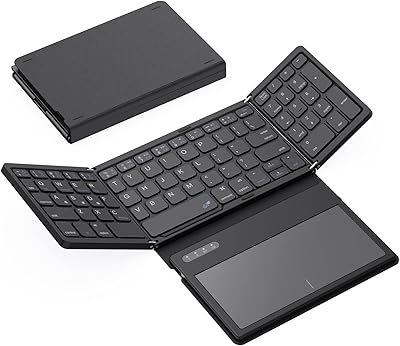
GEODMAER Foldable Bluetooth Keyboard
82%
93%
Portability
71%
Typing Experience
88%
Multi-Device Switching
63%
Touchpad Usability
91%
Battery Life
More
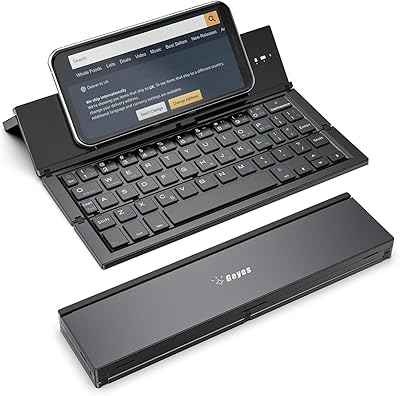
Geyes GK608 Foldable Bluetooth Keyboard
75%
93%
Portability
81%
Build Quality
58%
Typing Experience
77%
Dual Device Connectivity
84%
Value for Money
More
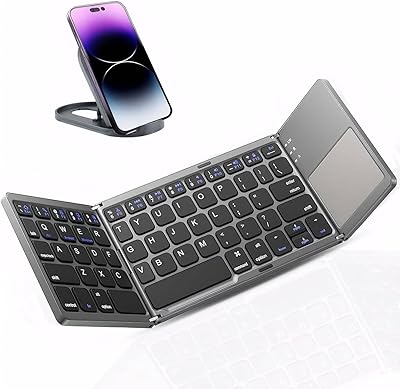
Kidopire Foldable Bluetooth Keyboard with Touchpad
86%
94%
Portability
89%
Multi-device Connectivity
90%
Battery Life
87%
Touchpad Performance
92%
Ease of Use
More
JPHTEK Foldable Bluetooth Keyboard with Touchpad
87%
92%
Portability & Design
87%
Typing Experience
90%
Battery Life
85%
Compatibility with Devices
88%
Ease of Setup
More
iClever BK18 Foldable Bluetooth Keyboard
84%
93%
Portability & Design
88%
Battery Life
90%
Multi-device Pairing
74%
Typing Comfort
92%
Compatibility
More
iClever BK08 Foldable Bluetooth Keyboard
77%
88%
Build Quality
93%
Portability & Form Factor
74%
Typing Experience
71%
Touchpad Performance
78%
Multi-Device Pairing
More
Samsers KF01 Foldable Bluetooth Keyboard
80%
93%
Portability & Form Factor
81%
Key Feel & Typing Comfort
63%
Build Quality & Durability
76%
Bluetooth Connectivity
89%
Battery Life
More
ProtoArc XK04 Foldable Bluetooth Keyboard
77%
94%
Portability
71%
Build Quality
58%
Key Size & Layout Comfort
83%
Bluetooth Connectivity
88%
Battery Life
More
Samsers KF06S Foldable Bluetooth Keyboard
88%
91%
Typing Comfort
88%
Key Responsiveness
95%
Portability
86%
Build Quality
92%
Battery Life
More
ProtoArc XK01 Foldable Bluetooth Keyboard
89%
91%
Typing Comfort
96%
Portability
88%
Connectivity Reliability
85%
Build Quality
93%
Durability of Hinges
More

FAQ

It pairs and types just fine on an iPhone running iOS 10 or later. The one caveat is that the dedicated emoji shortcut key does not function on iOS — that feature is limited to Windows, macOS, iPadOS, and Samsung Android. For everything else, it works normally.

Once you have paired devices to channels 1, 2, and 3, you switch between them using FN+Q, FN+W, or FN+E respectively. It is not printed on the keyboard face, so it is worth jotting that down the first time until it becomes second nature.

No — the MEETION K9880 Foldable Bluetooth Keyboard is Bluetooth-only and does not come with a USB receiver. If your device lacks built-in Bluetooth, you would need to add a separate Bluetooth adapter, or this keyboard is not the right fit for your setup.
The 60-hour figure is a standby estimate, meaning the keyboard is connected but not actively being typed on the whole time. In practice, users who type for a few hours daily tend to get several days to a week between charges, which is reasonable for a travel device.

Honestly, yes — there is a real adjustment period, especially if you are a fast typist with established habits. Most users report it takes anywhere from a few days to two weeks before the split angle feels natural. The swapped Ctrl and Fn key positions add a separate layer of relearning on top of that, so go in with patience.

The rear metal support wire does a good job of keeping the keyboard flat and open during use. However, there are no rubber feet on the underside, so on very smooth surfaces it can drift slightly during fast typing. On fabric surfaces like your lap or a soft bag, it stays put pretty well.

No, there is no backlight on this keyboard. Typing in a dim environment like a hotel room at night or an airplane cabin will require an external light source, which is a genuine limitation worth knowing about before buying.

Toggle the power switch on the side to turn it on, then hold FN+Q (or W or E) for about 3 seconds until the indicator light flashes rapidly — that puts the selected channel into pairing mode. Then search for the keyboard on your device's Bluetooth settings as you normally would. The whole process usually takes under a minute.

The hinge feels solid initially, and most buyers who have used it for weeks report no issues. That said, it is a mechanical joint on a budget-tier device, so extremely heavy daily folding and unfolding — multiple times per hour — is not what it was designed to withstand long-term. For normal travel use, most people find it holds up fine.

No carrying case or pouch is included in the box. The PU leather exterior provides some scratch resistance, but if you are tossing it loose into a crowded bag with keys and cables, a simple sleeve or zip pouch purchased separately would be a worthwhile addition to protect the surface.