Overview

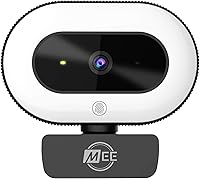
The MEE audio CL8A entered the webcam market in late 2020 targeting remote workers and streamers who needed better on-camera presence without a cluttered desk setup. The standout differentiator is its built-in ring light — a feature you rarely find at this price point without buying a separate accessory. It connects via plug-and-play USB and works immediately on Windows, macOS, and ChromeOS, with no driver installation required. For a mid-range webcam that has maintained a strong sales ranking in its category for years, it strikes a practical balance between affordability and capability that keeps buyers coming back.

Features & Benefits

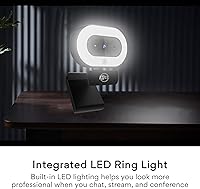
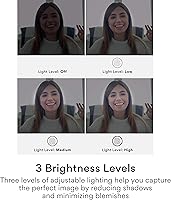
The headline feature is the three-level LED ring light, toggled via a touch panel on the front of the unit. In a dim office or poorly lit room, it visibly fills in shadows around your face — the kind of difference you notice immediately the first time you join a video call with it on. The camera shoots 1080p at 30fps with continuous autofocus that handles minor movement without hunting too aggressively. Automatic low light correction works in tandem with the ring light in trickier environments. The omnidirectional microphone covers basic call audio adequately, but keep expectations realistic — it's a convenience inclusion, not a quality mic. A 360-degree rotating clip with a standard 1/4-inch-20 thread adds flexible placement options, including mini tripod use.

Best For

This ring-light webcam is best suited to daily video call users — the remote professional who sits through multiple Zoom or Teams meetings a day and wants to look noticeably better without rearranging their whole workspace. It shines in home offices where light is uneven or comes from behind the monitor, situations where built-in laptop cameras genuinely struggle. Budget streamers who want a combined camera-and-light setup in a single device will find the value proposition strong. Anyone on Windows, macOS, or ChromeOS can use it without touching a settings menu. It's less compelling for buyers who already own studio lights or a quality USB microphone, since those accessories remove much of what makes the CL8A worth its price.

User Feedback

Buyers most frequently praise the ring light — many specifically cite it as the reason they chose this webcam over similarly priced alternatives, and satisfaction with that feature tends to be high. Easy setup is another consistent highlight. On the flip side, the 30fps ceiling draws real criticism from streamers, who note that 60fps is now standard for that use case. The microphone gets middling scores — fine for a Teams call, but thin and flat if you're recording anything you care about. Some users flag the autofocus struggling when the background and subject are similar in tone. Against the Logitech C920 or Razer Kiyo, most reviewers conclude the integrated lighting tips the balance in this webcam's favor for office scenarios.

Pros

  • The built-in ring light visibly improves how you look on video calls in dim or unevenly lit rooms.
  • Three adjustable brightness levels let you fine-tune the lighting without touching a separate device.
  • Plug-and-play USB setup works immediately on Windows, macOS, and ChromeOS — no drivers needed.
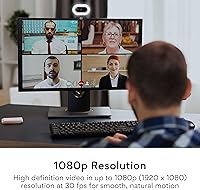
  • 1080p image quality is a clear, meaningful upgrade over most built-in laptop cameras.
  • The all-in-one design saves desk space compared to pairing a basic webcam with a separate ring light.
  • Autofocus performs reliably under normal office lighting with minimal hunting or refocusing during calls.
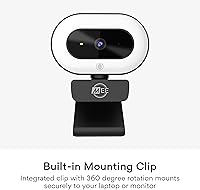
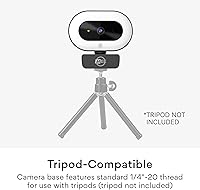
  • The 360-degree rotating clip and standard tripod thread give flexible mounting options beyond the monitor.
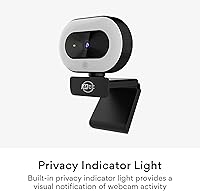
  • A privacy indicator light provides hardware-level confidence that the camera is or is not actively recording.
  • Available in both black and white to suit common desk and monitor setups.

Cons

  • The 30fps frame rate ceiling rules this webcam out for live streamers expecting smoother motion.
  • No companion software means zero manual control over exposure, white balance, or zoom.
  • The built-in microphone is thin and flat — background noise and room echo degrade call audio noticeably.
  • Autofocus can hunt and cycle in low-contrast scenes, such as a pale face against a light-colored wall.
  • No physical lens shutter or privacy cover included, which competitors at this price increasingly offer.
  • The ring light has no color temperature adjustment, so its cool tone may not flatter all users equally.
  • The clip mechanism has been reported to loosen over time with repeated repositioning.
  • Cable length limits how far from a USB port the camera can be placed when used on a tripod.
  • Dynamic range is limited in high-contrast or backlit environments, causing the image to look flat.

Ratings

The MEE audio CL8A scores below reflect AI-synthesized analysis of verified global buyer reviews, with spam, bot activity, and incentivized feedback actively filtered out. Ratings cover everything from image clarity to build durability, giving an honest picture of where this ring-light webcam genuinely delivers and where it falls short for real users.

Video Image Quality
74%
26%
For daily video calls on Zoom or Teams, the 1080p output is a clear and noticeable upgrade over the built-in cameras on most laptops. Colors look reasonably accurate under good lighting, and the image holds together well enough for professional meetings without any post-processing.
The 30fps cap becomes a real limitation for anyone doing live streaming, where 60fps is now an expected baseline. In high-contrast scenes or bright backlit windows, dynamic range compresses quickly and the image can look flat compared to pricier alternatives.
Ring Light Performance
83%
This is genuinely the CL8A's strongest card. The three brightness levels make a visible difference in a dim home office — faces look evenly lit rather than shadowy and undefined, which is exactly what most buyers are after. The touch control is responsive and easy to cycle through mid-call.
At maximum brightness the ring light can feel slightly harsh, especially in small rooms or for users who sit close to their monitor. There is no color temperature adjustment, so the light leans cool, which may not suit all skin tones equally well.
Low Light Performance
71%
29%
With the ring light active, the camera handles dim environments considerably better than most webcams at this price. The automatic low light correction adds useful brightness recovery for evening calls without creating a blotchy or overly noisy image.
Turn the ring light off and rely solely on the camera's low light correction in a poorly lit space, and the results get noticeably grainy. It manages, but it is clearly leaning on the ring light as a crutch rather than having exceptional sensor sensitivity on its own.
Autofocus Reliability
67%
33%
Under normal office conditions — a person seated at a desk with a reasonably distinct background — the autofocus locks on quickly and stays steady. For straightforward video calls it performs reliably and does not require any manual adjustment.
Users report hunting and refocusing when the background and subject share similar tones or textures, such as a light-colored wall behind a light-skinned face. In those situations the lens can cycle in and out of focus intermittently, which is distracting on a live call.
Built-in Microphone Quality
58%
42%
The omnidirectional microphone picks up voice clearly enough for a standard video call without any setup required. For quick check-ins or informal meetings it removes the need to reach for a separate device, which is a genuine convenience in a pinch.
The audio is noticeably thin and flat compared to even a budget USB microphone. Background noise handling is weak, and in open-plan spaces or rooms with echo, call quality degrades fast. Anyone who records video, podcasts, or streams should treat this mic as a temporary fallback only.
Ease of Setup
91%
Plug-and-play works exactly as described. On Windows, macOS, and ChromeOS the camera is recognized immediately without driver installation or software setup. Multiple reviewers specifically praised getting it running in under a minute on their first use.
There is no companion software for adjusting exposure, white balance, or field of view, which means users who want manual control are entirely locked out. If the automatic settings do not suit your room, there is no built-in way to override them.
Mount & Positioning Flexibility
78%
22%
The 360-degree rotating clip handles most laptop lids and desktop monitors securely, and the standard 1/4-inch-20 tripod thread adds real versatility for users who want to position the camera away from their screen entirely. Build stability on the clip is solid under normal use.
On very thin or unusually shaped monitor bezels the clip can feel less confident, with occasional minor wobble reported. The cable is not particularly long, which limits how far from a USB port you can realistically position the camera on a tripod.
Build Quality & Durability
69%
31%
The overall construction feels appropriate for a mid-range device — it does not flex or creak during adjustment, and the rotating mechanism holds its set angle without sagging under normal desktop conditions. The matte finish on both color options resists fingerprint buildup reasonably well.
The housing is plastic throughout, which reads as slightly budget in hand. A handful of long-term users have flagged that the clip mechanism loosens with repeated repositioning over many months, eventually holding less firmly than it did when new.
Privacy & Security Features
77%
23%
The built-in privacy indicator light is a small but appreciated feature among security-conscious remote workers. Knowing there is a hardware-level visual cue when the camera is active adds a layer of confidence that software alone cannot fully replicate for cautious users.
There is no physical privacy shutter or lens cover included, which is an increasingly standard feature on competing webcams at this price. Users who want a hard physical block when the camera is not in use will need to buy a separate cover.
Software & Driver Compatibility
84%
Works natively with Zoom, Google Meet, Microsoft Teams, Skype, and other popular platforms without any configuration. ChromeOS compatibility in particular is called out positively by buyers who struggle to find well-supported webcams for that OS.
The complete absence of any optional control software is the only real gap. Competitors at similar price points often offer at least a basic utility for tuning the image, so the CL8A's hands-off approach will frustrate users who like to dial things in themselves.
Value for Money
76%
24%
For buyers who need both a webcam and supplemental lighting, the all-in-one nature of the CL8A represents genuine savings compared to buying a simpler webcam plus a standalone ring light. The ring light alone justifies the price difference for many buyers in dimly lit setups.
For users who already own good lighting or primarily need streaming performance, the value case weakens quickly. The Logitech C920 and Razer Kiyo occupy similar territory, and depending on sale pricing, they can offer comparable or better image performance for close to the same cost.
Frame Rate & Streaming Suitability
53%
47%
At 30fps the video is smooth enough for standard video conferencing and looks natural in a meeting context. For the core use case of daily calls, the frame rate is rarely a complaint among office users who are not comparing it against higher-spec cameras.
The 30fps ceiling is a hard barrier for live streaming audiences who expect 60fps as standard. This is consistently the most cited technical disappointment in reviews from content creators, and it is an honest reason to look elsewhere if smooth streaming motion matters to you.
Aesthetic & Desk Integration
72%
28%
The clean, compact form factor fits neatly on a monitor without looking bulky or out of place. The availability in both black and white makes it easier to match common monitor and desk setups, which is a detail buyers notice more than manufacturers sometimes expect.
The ring light visible on the front of the unit is a distinctive look that not everyone likes when the camera is mounted in a shared or formal office setting. Some users find it draws visual attention to the camera in a way a plain webcam would not.

Suitable for:

The MEE audio CL8A is a strong practical choice for remote workers who spend a significant chunk of their day on video calls and want to look noticeably better on screen without rearranging their workspace or buying separate lighting gear. If your home office sits in a room with inconsistent natural light — a north-facing room, a basement setup, or a desk tucked away from windows — the built-in ring light alone addresses the single most common reason people look terrible on video calls. It is equally well suited to budget-conscious content creators who need a combined camera and lighting solution in one compact device rather than managing multiple accessories. ChromeOS users, who often find quality webcam support surprisingly thin, will appreciate the completely driverless setup that works immediately out of the box. Anyone upgrading from a built-in laptop camera will find the jump in image clarity and lighting control genuinely satisfying for everyday use.

Not suitable for:

The MEE audio CL8A is not the right tool for live streamers or video creators for whom 60fps is a baseline requirement — the 30fps cap is a hard technical ceiling with no workaround, and it will frustrate anyone comparing the output against modern streaming standards. Serious podcasters or creators who care about audio quality should also look elsewhere; the built-in microphone handles a casual call but is not a credible recording option, and relying on it for anything that gets published would be a mistake. Users who already own a quality ring light or studio lighting setup will find they are paying for a feature they do not need, which shifts the value calculation considerably. Anyone wanting manual control over exposure, white balance, or field of view will hit a wall quickly, as there is no companion software and no in-camera adjustments available. If your primary concern is image fidelity above all else, competing cameras at a similar price point with better sensors and 60fps support are worth the comparison before committing.

Specifications

  • Resolution: Captures video at 1080p (1920x1080) resolution at 30 frames per second for smooth, clear video call output.
  • Sensor: Uses a CMOS image sensor with a 5mm maximum focal length for standard desktop shooting distances.
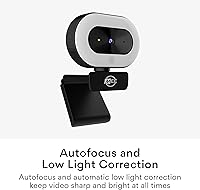
  • Autofocus: Real-time continuous autofocus adjusts automatically to keep the subject sharp without any manual intervention.
  • Low Light: Automatic low light correction processing works alongside the built-in ring light to maintain usable image quality in dim environments.
  • Ring Light: Integrated LED ring light offers three brightness levels, toggled via a touch control panel on the front of the unit.
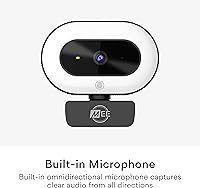
  • Microphone: Built-in omnidirectional microphone captures audio from all directions for hands-free use during video calls.
  • Connectivity: Connects via USB with full plug-and-play support — no drivers or software installation required on supported operating systems.
  • OS Compatibility: Natively compatible with Windows, macOS, and ChromeOS without additional configuration.
  • Mount Type: Integrated clip rotates a full 360 degrees, allowing the camera angle to be adjusted independently of the monitor or laptop screen position.
  • Tripod Thread: Clip features a standard 1/4-inch-20 threaded socket for use with compatible mini tripods (tripod not included).
  • Privacy Indicator: A built-in status light illuminates whenever the camera is actively capturing video, providing a clear hardware-level privacy signal.
  • Weight: The unit weighs 10.8 ounces, making it light enough to clip onto a standard laptop lid without straining the hinge.
  • Package Dimensions: Retail packaging measures 7.8 x 6.18 x 2.64 inches, compact enough for easy storage or transport.
  • Color Options: Available in two color variants — Black and White — to suit different desk and monitor aesthetics.
  • Software Support: Compatible with major video conferencing platforms including Zoom, Google Meet, Microsoft Teams, Skype, and Google Hangouts out of the box.
  • Video Format: Records and streams video in MP4 format with support for MP3, WAV, and AAC audio formats.

Related Reviews
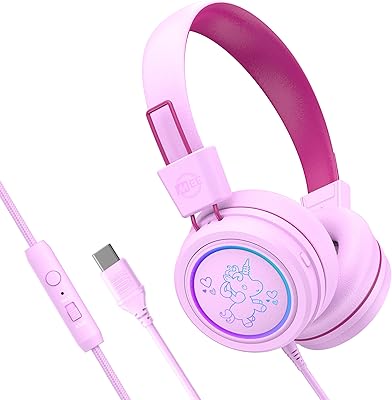
MEE audio KidJamz KJ55 Headphones
84%
89%
Value for Money
92%
Volume Limiting Feature
85%
Comfort and Fit
63%
Microphone Quality
90%
Ease of Use
More
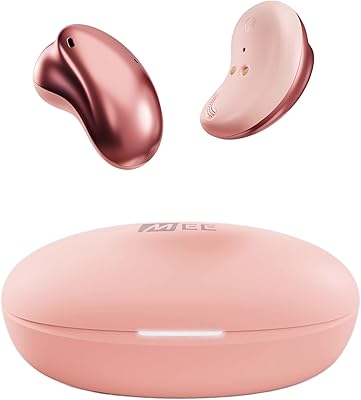
MEE audio Pebbles True Wireless Earbuds

85%
87%
Sound Quality
92%
Battery Life
90%
Comfort & Fit
88%
Connectivity & Bluetooth Stability
84%
Build Quality
More
MEE audio KidJamz KJ45BT Bluetooth Wireless Headphones
84%
92%
Volume Limiting Effectiveness
88%
Comfort & Fit
85%
Build Quality & Durability
90%
Battery Life
81%
Ease of Use & Setup
More
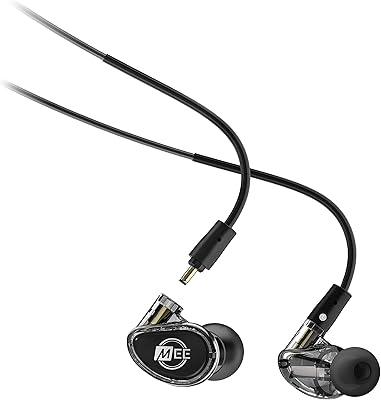
MEE audio MX2 PRO Dual-Driver Hybrid IEM
85%
91%
Sound Quality
94%
Bass Performance
86%
Fit and Comfort
89%
Build Quality
88%
Noise Isolation
More
MEE audio MX3 PRO Triple-Driver Hybrid In-Ear Monitors
87%
91%
Sound Quality
89%
Comfort & Fit
88%
Build Quality
85%
Noise Isolation
90%
Value for Money
More
MEE Audio M6 PRO Gen 2
78%
78%
Sound Quality
82%
Build Quality
84%
Fit & Comfort
81%
Noise Isolation
76%
Cable System & Replaceability
More
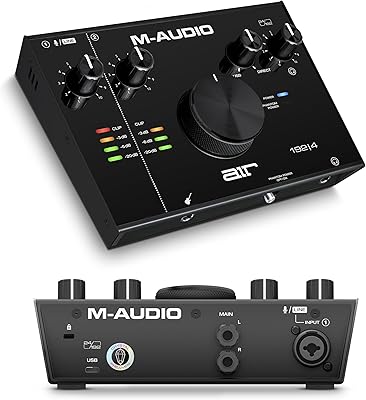
M-Audio AIR 192|4
M-Audio AIR 192|4
85%
93%
Build Durability
91%
Tactile Control Experience
88%
Preamplifier Transparency
87%
Recording Latency
86%
Software Bundle Value
More
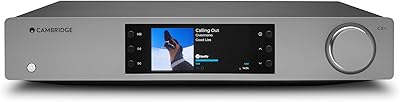
Cambridge Audio CXN100 Network Audio Player
86%
94%
Sound Quality
88%
Multiroom Compatibility
85%
Ease of Use
90%
Connectivity Options
92%
Build Quality
More
Planet Audio P350MB Car Audio Stereo System
83%
91%
Value for Money
88%
Bluetooth Performance
92%
Ease of Use
84%
Sound Quality
86%
Installation Ease
More
Fosi Audio TDA7498E
Fosi Audio TDA7498E
83%
88%
Sound Quality
93%
Value for Money
71%
Build Quality
74%
Power Output & Headroom
66%
Noise Floor & Background Hiss
More

FAQ

No, the MEE audio CL8A is fully plug-and-play. Just connect it via USB and your computer — whether running Windows, macOS, or ChromeOS — will recognize it automatically. There is no software to install and no account to create.

Yes, the ring light operates independently and can be toggled on or off using the touch panel on the front of the unit regardless of whether the camera is in use. This makes it handy as a basic desk light even when you are not on a call.

It works with all of the major platforms — Zoom, Google Meet, Microsoft Teams, Skype, and Google Hangouts are all supported out of the box. As a standard USB webcam, it is recognized by virtually any conferencing software that can select an external camera source.

For casual video calls it gets the job done — your voice will come through clearly enough in a quiet room. That said, it is an omnidirectional mic built into a compact webcam, so it will pick up ambient noise and lacks the warmth or clarity of a dedicated USB microphone. If audio quality matters to you for recording or streaming, a separate mic is worth the investment.

LED ring lights in general produce very little heat compared to older bulb types, and this webcam is no exception. Extended use during long meetings or streaming sessions does not cause the unit to become uncomfortably warm under normal conditions.

Yes, the clip includes a standard 1/4-inch-20 threaded socket, which is the same thread used by most mini tripods and camera mounts. Keep in mind that a tripod is not included in the box, so you would need to source one separately.

Under typical conditions it is stable and adjusts smoothly when you lean in or shift position. The main scenario where it struggles is when your background and clothing or skin tone are very similar in color — in those cases it can occasionally hunt for focus. Most users in standard office setups do not run into this regularly.

At moderate brightness levels the ring light creates a natural, soft illumination that looks professional on camera. You may get a faint circular catchlight in your eyes, which actually tends to read as polished and intentional rather than distracting. At the highest brightness level it can feel slightly harsh if you sit very close to your screen.

There is no built-in optical zoom or adjustable field of view on this webcam, and no companion software is available to enable digital zoom. The field of view is fixed, so your seating position relative to the camera determines how much of your surroundings is visible on screen.

The clip is padded and designed to grip without scratching, and most users report no marks or damage under normal use. That said, if you have a very thin bezel or a premium laptop with a delicate finish, it is worth checking the fit carefully before clamping it down firmly.