Overview

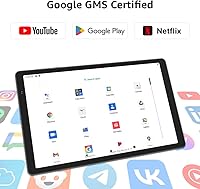
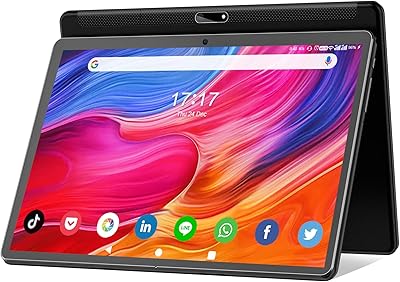
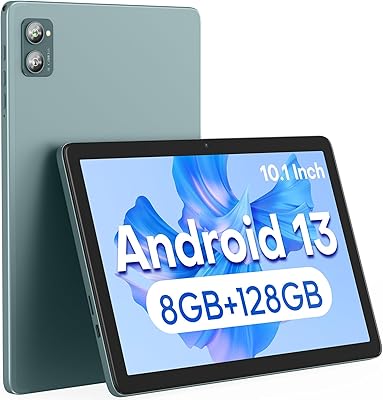
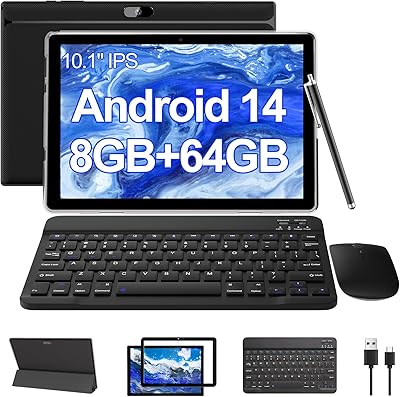
The Maxsignage EP103A 10.1-inch Android Tablet is a budget-oriented device that warrants a closer look before you hand over your money. Maxsignage isn't a household name, and that matters — after-sales support and software update frequency are legitimate unknowns going in. That said, the hardware lineup is reasonable for the price: an octa-core ARM processor, 8GB of RAM, and Android 14 out of the box. It's impressively thin at 0.39 inches and weighs just over two pounds, making it comfortable to hold for reading or browsing sessions. Google GMS certification ensures the full Play Store works properly, so app compatibility is one less thing to worry about.
Features & Benefits

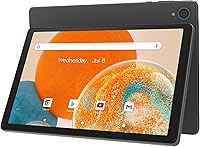
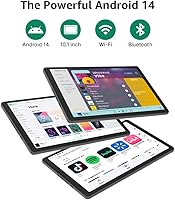
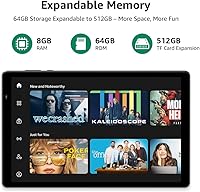
One spec that genuinely stands out on the EP103A is WiFi 6 support — 802.11ax connectivity is rare at this price and delivers faster, more reliable connections if your router supports it. Bluetooth 5 handles accessory pairing cleanly, whether you're connecting a keyboard or wireless earbuds. Storage starts at 64GB and expands up to 512GB via microSD, which is genuinely useful for media-heavy users. The 1280x800 display is decent for YouTube or casual reading, though colors won't pop like a pricier panel. The 13MP rear and 5MP front cameras cover basic video calls and snapshots, but don't expect sharp detail. Built-in GNSS support also means this tablet can handle light navigation without a dedicated app.

Best For

This budget Android tablet makes the most sense for students, kids, and first-time tablet owners who just need the basics covered. Think YouTube, school apps, light document editing, or reading — tasks where the hardware doesn't need to be exceptional. Seniors who want a simple Android experience without navigating a complicated setup will find Android 14 approachable. It also works well as a shared household device that doesn't stress you out if it gets bumped or scratched. Travelers wanting a lightweight secondary screen for streaming or maps on the go will appreciate the expandable storage and WiFi 6 — assuming compatible router hardware at your destination.

User Feedback

Buyers tend to appreciate this Maxsignage tablet for offering more screen real estate and connectivity than expected at this price point. The WiFi 6 inclusion draws positive comments from users with modern home routers. On the downside, battery life complaints are common — many users report falling well short of the 6-hour estimate during anything beyond light browsing. Build quality raises concerns too: the plastic chassis feels light and flexes under pressure, which worries buyers thinking long-term. Some mention pre-installed bloatware slowing things down initially. Camera quality gets mixed reactions — acceptable for video calls, but photos lack sharpness and color accuracy. Software update frequency from Maxsignage remains an open question.

Pros

  • WiFi 6 support is a rare and genuinely useful inclusion at this price tier.
  • Android 14 with Google GMS certification means the full Play Store works right out of the box.
  • 8GB of RAM keeps basic multitasking manageable for everyday apps and browsing.
  • MicroSD expansion up to 512GB gives users real flexibility for storing media and offline content.
  • At under 0.4 inches thick, this budget Android tablet is impressively slim for its class.
  • Bluetooth 5 pairs reliably with keyboards, speakers, and earbuds without connection headaches.
  • The 10.1-inch screen size hits a sweet spot for reading, video, and casual use.
  • GNSS navigation support means the EP103A can handle light map and location-based app use.
  • Built-in G-Sensor supports auto-rotation and adds motion functionality for compatible games.
  • Google GMS certification removes a common compatibility headache seen on some no-name Android devices.

Cons

  • Battery life in real-world use tends to fall noticeably short of the 6-hour rated estimate.
  • The plastic build feels lightweight in a way that raises questions about long-term durability.
  • Camera output is mediocre in practice — the specs do not reflect actual photo quality.
  • Maxsignage has no clear history of providing regular software or security updates.
  • Pre-installed bloatware has been flagged by buyers as a minor but irritating out-of-box issue.
  • WiFi 6 benefits are irrelevant unless the user already has a compatible router at home.
  • The display resolution is adequate but looks soft compared to tablets even slightly above this price range.
  • After-sales support from an obscure brand is an unknown risk if hardware issues arise later.
  • Multitasking with more than two or three apps open can produce noticeable slowdowns.
  • Heavy video playback or gaming sessions will drain the battery faster than casual users might expect.

Ratings

The scores below for the Maxsignage EP103A 10.1-inch Android Tablet were generated by AI after analyzing verified buyer reviews from multiple global markets, with spam, bot-submitted, and incentivized feedback actively filtered out. Each category reflects the honest distribution of real user experiences — strengths and frustrations alike — so you get a transparent picture before making your decision.
Value for Money
81%
19%
Most buyers feel they got more than they paid for, especially when factoring in WiFi 6, 8GB RAM, and a large screen at this budget tier. For students or households needing a secondary device, the price-to-utility ratio consistently draws positive reactions.
A small but vocal group feels the value equation weakens once they factor in the uncertain brand longevity and lack of guaranteed updates. If the device degrades within a year, the savings start to look less impressive.
Performance
67%
33%
For light tasks — browsing, YouTube, reading, and basic apps — the octa-core processor and 8GB RAM handle things without constant frustration. Users doing schoolwork or video calls rarely report serious slowdowns during those specific activities.
Multitasking with more than two or three apps open tends to introduce stuttering, and gaming beyond casual titles pushes the hardware noticeably. Users expecting mid-range fluidity will be disappointed by occasional lag during heavier sessions.
Battery Life
58%
42%
Under genuinely light use — reading ebooks, listening to music, or quick browsing sessions — some users do approach the 5 to 6 hour range, which is acceptable for a device in this class.
Streaming video or gaming drains the 5000mAh cell faster than the rated estimate suggests, with many users reporting closer to 3.5 to 4.5 hours in practice. This becomes a real inconvenience during travel or all-day use away from an outlet.
Display Quality
63%
37%
The 10.1-inch screen at 1280x800 is comfortable for reading and standard-definition streaming, and the size alone earns goodwill from users coming from smaller budget devices. Brightness holds up reasonably well indoors for most everyday tasks.
Anyone who has used a mid-range tablet will immediately notice the softness and muted color reproduction on this panel. Direct sunlight makes the screen difficult to read, and fine text at small sizes looks noticeably blurry.
Build Quality
54%
46%
The slim 0.39-inch profile genuinely impresses users who expect a chunky, cheap feel, and the overall dimensions make it comfortable to hold one-handed for short periods.
The plastic chassis flexes under moderate hand pressure, and the finish picks up scratches quickly without a case. Several buyers described a hollow, lightweight feel that made them less confident about the device surviving daily drops or rough handling.
WiFi & Connectivity
83%
WiFi 6 support is the standout connectivity feature here, and users with compatible routers report faster downloads and noticeably more stable connections compared to older budget tablets they replaced. Bluetooth 5 pairing with keyboards and earbuds works reliably with minimal dropout complaints.
The WiFi 6 advantage is entirely dependent on router compatibility, and users on older home networks see no practical benefit. A small number of users also reported the tablet occasionally dropping WiFi connections during sleep mode.
Camera Quality
44%
56%
The 5MP front camera holds up well enough for Zoom and Google Meet calls in decent lighting, and most users doing video chats report that their image looks acceptable to the person on the other end.
The rear camera disappoints nearly everyone who tries to use it for anything beyond document scanning. Photos taken in anything less than bright outdoor light come out grainy and flat, and the 13MP spec does not reflect the actual image quality delivered by the sensor and lens combination.
Software Experience
61%
39%
Android 14 runs as expected with full Google Play access, and the initial setup process is familiar to anyone who has used an Android phone. GMS certification removes the app compatibility headaches common on some cheaper no-name imports.
Pre-installed bloatware frustrates a meaningful number of buyers who have to spend time uninstalling or disabling unwanted apps right out of the box. There is also no clear update cadence from Maxsignage, leaving users uncertain about future security patches.
Storage & Expandability
79%
21%
The combination of 64GB built-in storage and microSD expansion up to 512GB gives users genuine flexibility, and those who load up offline movies for travel especially appreciate having the option. Setup is straightforward with no unusual formatting requirements reported.
The 64GB base storage fills up faster than expected once apps, updates, and cached media accumulate, pushing users toward buying a microSD card sooner than anticipated. Some apps also cannot be moved to external storage, which limits how much the expansion card helps with app-heavy use.
Screen Size & Portability
76%
24%
The 10.1-inch display hits a practical sweet spot for users who want more room than a phone but still need something portable enough for a bag. At 2.07 pounds and a slim profile, it handles commutes and travel without feeling burdensome.
For users who want a true compact tablet for one-handed use in tight spaces, the 10.1-inch form factor is on the larger side. The lightweight plastic construction also means it can feel precarious to use without a case in crowded environments.
Audio Quality
57%
43%
Dual speakers provide a wider stereo spread than single-speaker budget tablets, and for casual YouTube or podcast listening in a quiet room, the volume level is adequate.
The speakers sound thin and tinny at higher volumes, with very little bass presence. Users watching movies or listening to music with any expectation of immersive audio will want to reach for Bluetooth headphones quickly.
Setup & Ease of Use
74%
26%
First-time Android users and seniors consistently report a smooth initial setup experience, aided by Android 14's clean onboarding flow and familiar Google account integration. The large screen makes text and icons easy to find and tap without precision.
A few users encountered confusion during the initial app removal process due to bloatware populating the home screen. Customer support documentation from Maxsignage is thin, so troubleshooting anything beyond the basics requires hunting online independently.
Brand Trust & Support
41%
59%
The device does arrive as described and functions as a basic Android tablet out of the box, and a portion of buyers report no issues requiring support contact within the first few months of ownership.
Maxsignage has almost no public-facing reputation for after-sales service, and finding verified warranty claim experiences is difficult. Buyers who encounter hardware defects after the return window closes have limited recourse, which is a meaningful long-term risk for a lesser-known brand.

Suitable for:

The Maxsignage EP103A 10.1-inch Android Tablet is a practical pick for buyers who need a functional, no-frills device without stretching their budget. Students can use it comfortably for schoolwork, note-taking apps, and YouTube without worrying too much about wear and tear. Parents looking for a first tablet for younger kids will appreciate the full Play Store access and the manageable physical size. Seniors or first-time Android users will find the large 10.1-inch screen easy to read and Android 14 reasonably approachable out of the box. Households that need a shared secondary screen for browsing, streaming, or casual reading in different rooms will get solid value here. Travelers who want a lightweight device for maps, entertainment, and video calls on the road will also find the EP103A a reasonable companion, particularly if they have a WiFi 6 router at home or access modern hotspots.
Not suitable for:

The Maxsignage EP103A 10.1-inch Android Tablet is not the right tool for buyers who depend on their tablet for demanding tasks or professional use. Anyone expecting smooth multitasking with heavy apps, console-quality gaming, or creative work like photo editing will run into frustrating limitations with this hardware. The 1280x800 display, while usable, will disappoint anyone coming from a mid-range or premium tablet where sharper panels are the norm. The cameras look decent on paper, but real-world photo and video quality rarely lives up to the spec sheet on budget devices — this is not a tablet for content creators or anyone who cares about image fidelity. Long-term reliability is also a concern: Maxsignage is an obscure brand with no clear track record on software updates or post-purchase customer support, which is a genuine risk if something goes wrong after the return window closes. Power users or professionals who need a dependable daily driver should look at more established brands.
Specifications

  • Screen Size: The display measures 10.1 inches diagonally, offering a comfortable viewing area for reading, browsing, and streaming.
  • Resolution: The screen renders at 1280x800 pixels, which delivers acceptable clarity for HD video and everyday content consumption.
  • Operating System: The tablet ships with Android 14, the latest major Android release, and carries Google GMS certification for full Play Store access.
  • Processor: An octa-core ARM processor handles the computational workload, targeting smooth performance across everyday tasks and light multitasking.
  • RAM: 8GB of RAM is included, providing enough headroom for running multiple apps simultaneously without constant reloading.
  • Internal Storage: Built-in storage is 64GB, which covers a reasonable library of apps, documents, and media files before expansion is needed.
  • Storage Expansion: A microSD card slot supports expansion up to 512GB, allowing users to store large video libraries or offline content with ease.
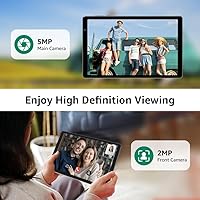
  • Rear Camera: The rear-facing camera is rated at 13MP, suitable for casual snapshots and scanning documents, though real-world output quality is modest.
  • Front Camera: A 5MP front-facing camera handles video calls and selfies at acceptable quality for everyday communication purposes.
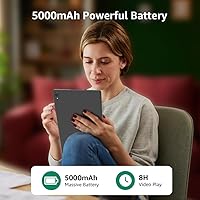
  • Battery: The 5000mAh lithium polymer battery is rated for approximately 6 hours of use under moderate conditions.
  • WiFi: WiFi 6 (802.11ax) connectivity is supported, enabling faster and more stable wireless performance on compatible routers.
  • Bluetooth: Bluetooth 5.0 is built in, providing reliable and energy-efficient pairing with keyboards, earbuds, and other accessories.
  • Dimensions: The tablet measures 9.6 x 6 x 0.39 inches, making it notably slim relative to most devices in its price category.
  • Weight: At 2.07 pounds, the device is light enough for extended handheld use during reading or casual browsing sessions.
  • Sensors: A G-Sensor is included for automatic screen rotation and motion-based interactions in supported apps and games.
  • Navigation: GNSS support is built in, allowing the tablet to handle location-based apps and light navigation tasks without a cellular connection.
  • Color Options: The EP103A is available in Gray as the standard color option listed at launch.
  • In Box: The package includes one lithium polymer battery pre-installed; a charging cable and adapter are expected in the box per standard practice.

Related Reviews

ITMEIPC T-10 Android Tablet 10.1-inch, 6GB RAM, 64GB Storage
80%
91%
Value for Money
85%
Display Quality
74%
Battery Life
78%
Build Quality
88%
Performance for Light Use
More
FEONAL K118 10.1-inch Android Tablet
68%
83%
Display Quality
67%
Performance & Speed
78%
Battery Life
44%
Camera Quality
81%
Value for Money
More
XINHENGTAI M10 Android 13 Tablet, 128GB, 10.1-inch
83%
92%
Value for Money
88%
Performance
91%
Battery Life
84%
Camera Quality
72%
Display Quality
More
ANTEMPER 10.1-inch Android Tablet, 128GB Storage, 16GB RAM
84%
89%
Value for Money
85%
Multitasking Performance
82%
Battery Life
71%
Display Quality
88%
Build Quality
More
YACXBTK J10 10.1-inch Kids Tablet
70%
84%
Battery Life
81%
Value for Money
78%
Parental Controls
62%
Performance
67%
Display Quality
More
Xiskt A5505 Android 13 Tablet 10.1-inch 128GB Storage
80%
83%
Performance
88%
Value for Money
72%
Battery Life
80%
Display Quality
65%
Camera Quality
More
CONSUNG N101B 10.1-inch Android 13 Tablet, 256GB Storage
83%
89%
Value for Money
84%
Performance
91%
Battery Life
72%
Display Quality
87%
Storage Capacity
More
FACETEL Q6 10.1-inch Android Tablet, 12GB RAM, 128GB Storage
83%
92%
Value for Money
89%
Performance
77%
Battery Life
80%
Display Quality
85%
Multitasking Capability
More
BYANDBY BYCP10-PRO 10.1-inch Android 14 Tablet, 64GB Storage
80%
92%
Value for Money
89%
Battery Life
78%
Performance
87%
Portability/Size/Weight
76%
Build Quality/Durability
More
Jeazans KT1016 10-inch Kids Android Tablet
70%
84%
Value for Money
62%
Performance & Speed
74%
Display Quality
67%
Battery Life
78%
Build & Durability
More

FAQ

Yes, it does. The EP103A carries Google GMS certification, which means the Play Store is fully functional and you can download apps just like you would on any mainstream Android device. This is worth confirming on budget tablets, so it is a genuine plus here.

It is genuinely useful, but only if your home router supports WiFi 6 as well. If you are still on an older WiFi 5 router, you will not notice any difference. For those with a modern router, you should get faster downloads and a more stable connection, especially in busy households with lots of connected devices.

The official figure is around 6 hours, but take that with some skepticism. Users doing light tasks like reading or casual browsing might get close to that number, but streaming video or gaming will drain it faster. Expect somewhere between 4 and 6 hours depending on what you are doing.

Absolutely. The tablet has a microSD card slot that supports cards up to 512GB. That is more than enough room for a large collection of downloaded movies, music, and apps, so storage running out should not be a long-term issue.

For everyday video calls on Zoom, Google Meet, or WhatsApp, the 5MP front camera gets the job done. Do not expect crisp, detailed images for photos though — budget tablet cameras rarely deliver on their spec numbers, and the same applies here.

It holds up reasonably well for typical kid use like YouTube, educational apps, and light gaming. The build is plastic and feels a little light, so a protective case is a smart investment from day one. It is not rugged, but for supervised use it should manage daily wear without issue.

It can be a solid fit. Android 14 is relatively approachable, and the 10.1-inch screen is large enough to read comfortably. Setting it up with a simple launcher app can make the interface even easier to navigate for someone who finds smartphones or tablets intimidating.

Yes. With Bluetooth 5.0, pairing a wireless keyboard and mouse is straightforward and the connection stays stable. This setup works nicely if you want to use this Maxsignage tablet for light document work or typing longer messages.

That is a fair concern. Maxsignage is not a widely established brand, and there is limited public information about how consistently they push security patches or OS updates. If long-term software support is a priority for you, this uncertainty is worth factoring into your decision before buying.

The tablet uses a standard USB charging connection, but the exact charging speed is not officially published. Budget tablets in this category typically take between 3 and 4 hours to reach a full charge from near-empty. Check the included accessories in the box, as third-party fast chargers may or may not be compatible.