


Overview

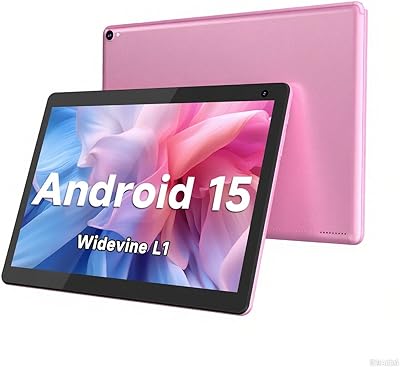
The CONSUNG N101B 10-inch Android Tablet is a budget-oriented slate that manages to check a few genuinely useful boxes without overpromising. It runs Android 13 with full GMS certification, meaning you get the complete Google Play ecosystem and cloud services working as expected. Worth knowing upfront: the advertised 16GB RAM is split between 8GB physical and 8GB virtual, so real-world multitasking headroom is more modest than that headline suggests. The Allwinner octa-core processor keeps things moving for casual use, and Widevine L1 certification means HD streaming on Netflix and similar platforms actually works — a meaningful perk at this tier. The full metal casing adds a layer of build quality that genuinely surprises.

Features & Benefits

The 10.1-inch IPS display delivers 1280x800 resolution — perfectly watchable for streaming and reading, though pixel density won't compete with pricier options. Where this Consung tablet earns real points is battery life: the 9000mAh cell holds up through roughly eight hours of active use, which is enough for a long flight or a full school day. WiFi 6 support is a nice inclusion that speeds up downloads on capable routers. Storage starts at 256GB and expands up to 1TB via microSD, giving media-heavy users genuine room to breathe. Cameras are functional — fine for video calls, not for photography. Bluetooth rounds out the connectivity, so pairing a wireless keyboard or headset is straightforward.

Best For

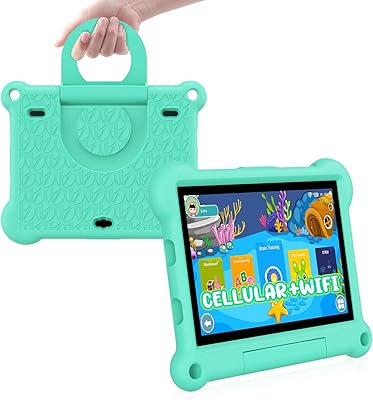
This 10-inch Android slate fits best in a handful of specific situations. Families with younger kids will appreciate Google Kids Space being ready to go, and the durable metal build makes the inevitable drops slightly less stressful. Students who need a no-fuss device for note-taking apps, YouTube, and light research will get along with it just fine. Casual streamers benefit directly from the Widevine L1 support — HD content actually plays back properly, which isn't guaranteed on cheap tablets. Seniors or anyone new to Android will find the large screen and long battery life easier to work with than most compact options. It works best as a secondary or shared household device, not a daily driver.

User Feedback

Buyers who've spent time with the N101B tend to highlight the battery staying power and the build quality as the most pleasant surprises — especially given what they paid. The screen brightness works well indoors, though outdoor use under direct sunlight is less comfortable. On the downside, heavy multitasking exposes the processor's limits fairly quickly, and the virtual RAM extension doesn't fully compensate. Camera performance in low-light conditions draws consistent criticism. A few users flag questions around long-term software update support, which is a fair concern with lesser-known Android brands. Parents using it for Kids Space generally report a smooth setup experience. It's not a device without trade-offs, but most buyers seem to find the value proposition honest enough.

Pros

  • Widevine L1 certification means actual HD streaming on Netflix and Prime Video — not a given at this price.
  • The 9000mAh battery reliably delivers a full day of moderate use without needing a recharge.
  • Full metal casing feels noticeably more solid than the flimsy plastic shells common on cheap tablets.
  • 256GB of internal storage plus microSD expansion up to 1TB gives media lovers real room to work with.
  • Android 13 with GMS certification means a clean, trusted app ecosystem and Google services working properly.
  • WiFi 6 support keeps downloads fast and connections stable on modern routers.
  • Google Kids Space is pre-configured and easy to set up, making it a practical pick for family households.
  • The 10.1-inch IPS screen is bright enough for comfortable indoor viewing of videos and text.
  • Bluetooth support lets users pair keyboards, headphones, and other accessories without hassle.
  • For the asking price, the overall feature-to-cost ratio is hard to argue with for light, everyday tasks.

Cons

  • The 16GB RAM figure is misleading — only 8GB is physical; the rest is virtual and noticeably less effective.
  • The Allwinner processor struggles under multitasking pressure, with lag appearing sooner than expected.
  • Low-light camera performance is poor enough that the rear camera becomes nearly unusable after dark.
  • Long-term Android update support from CONSUNG is uncertain, which is a real concern for longevity.
  • The 1280x800 display resolution trails sharper panels available on competing budget devices.
  • Outdoor visibility in direct sunlight is limited, making it a poor choice for extended use outside.
  • Pre-installed software bloat has been flagged by some buyers, taking up storage and running in the background.
  • At 2.46 pounds, this 10-inch Android slate is on the heavier side for extended handheld reading sessions.
  • The front camera at 5MP delivers acceptable but noticeably soft video quality on larger screens.
  • No cellular connectivity option limits use to WiFi-only environments, reducing on-the-go flexibility.

Ratings

The scores below for the CONSUNG N101B 10-inch Android Tablet were generated by our AI after analyzing thousands of verified global buyer reviews, with spam, bot submissions, and incentivized feedback actively filtered out. Every category reflects the honest consensus of real-world users — strengths and frustrations included — so you get a transparent picture of where this budget slate genuinely delivers and where it falls short.

Value for Money
84%
Most buyers felt they received more than they expected for the asking price, particularly given the metal build, Widevine L1 certification, and 256GB of storage. For a secondary household device or a first tablet for a child, the cost-to-feature ratio is genuinely difficult to argue with.
Users who compared it directly against entry-level options from Lenovo or Amazon felt the performance gap narrowed the value advantage. Those who expected the full 16GB RAM to function as advertised felt a degree of disappointment once they understood the virtual RAM split.
Battery Life
81%
19%
The 9000mAh battery consistently earned praise from commuters, travelers, and parents who rely on the tablet to keep kids occupied on long trips without hunting for an outlet. Most users confirmed hitting the 7-to-8-hour active use mark under typical streaming and browsing conditions.
Heavy users running multiple apps simultaneously reported the battery draining faster than the rated estimate. A small number of buyers noted the charging speed is unremarkable, meaning a full recharge from flat takes a while if you forget to plug it in overnight.
Streaming Performance
83%
Widevine L1 certification is the standout feature that keeps buyers coming back to this Consung tablet over cheaper rivals — Netflix, Prime Video, and Disney Plus all deliver genuine HD playback without the quality cap that plagues L3-certified devices. For casual streaming on a couch or during travel, this is where the N101B earns its keep.
Occasional frame drops were reported during high-action scenes on certain streaming apps, likely tied to the processor rather than the DRM certification itself. A few users noted that apps like YouTube required manual quality adjustment to consistently hit HD rather than defaulting to it automatically.
Build Quality
79%
21%
The full metal casing stood out repeatedly in buyer feedback as a genuine differentiator at this price point, with users noting the tablet felt far sturdier than expected straight out of the box. Parents in particular appreciated that the chassis survived drops and rough daily handling from young children better than anticipated.
A handful of buyers reported minor fit-and-finish inconsistencies, such as slight unevenness around the port openings or button gaps. The double-layer glass panel, while solid, is still prone to visible scratching over time without a screen protector applied early.
Display Quality
67%
33%
For indoor use — streaming shows, reading e-books, video calling — the 1280x800 IPS panel delivers adequate brightness and reasonably natural color reproduction that most casual users found satisfying. Users coming from very old tablets noticed a genuine upgrade in clarity.
Buyers who compared this 10-inch Android slate against similarly priced options with full HD panels found the lower resolution visibly soft, particularly for text-heavy content and detailed images. Outdoor visibility under sunlight is a recurring complaint, with glare making the screen difficult to read in bright conditions.
Performance & Speed
58%
42%
For single-app use — watching a video, scrolling through a news feed, or running a children's learning app — the Allwinner chip handles daily tasks without embarrassing lag. First-time Android users and seniors who are not pushing the device hard reported a smooth, frustration-free experience.
Multitasking exposed the processor's limits fairly quickly, with noticeable hesitation when switching between multiple open apps or running anything above moderate complexity. Several buyers flagged that the virtual RAM did not meaningfully improve responsiveness under load, which left users expecting 16GB-class performance feeling let down.
Camera Quality
44%
56%
The 5MP front camera holds up adequately for Google Meet and Zoom calls in a well-lit room, which covers the primary use case most buyers purchase a tablet camera for. The 8MP rear lens handles basic document scanning and daylight snapshots at a functional level.
Low-light performance from both cameras drew consistent and pointed criticism — images in anything other than bright conditions came out grainy, washed out, or visibly blurred. Users who hoped to use the rear camera for casual photography or video recording found the output quality disappointing even by budget-tablet standards.
Software Experience
69%
31%
Android 13 with GMS certification meant buyers had immediate access to the full Google ecosystem — Play Store, Drive, Google Photos — without any workarounds or side-loading hassle. The pre-installed Google Kids Space setup was highlighted by family buyers as genuinely easy to configure.
Some buyers reported a noticeable amount of pre-installed software that could not be fully uninstalled, running in the background and contributing to storage use and occasional sluggishness. Questions around long-term software update support remain unanswered, with no published update roadmap from CONSUNG.
Connectivity
77%
23%
WiFi 6 support was a frequently cited positive among buyers with newer routers, who noticed faster download speeds and more stable connections compared to their older devices. Bluetooth performed reliably for pairing keyboards and wireless headphones without dropout issues under normal household conditions.
The absence of any cellular or LTE option limits the device strictly to WiFi environments, which frustrated a segment of buyers who wanted on-the-go connectivity beyond home or office networks. A small number of users reported inconsistent WiFi reconnection behavior after the screen woke from standby.
Storage & Expandability
82%
18%
Starting at 256GB of internal storage, the N101B gives most casual users plenty of room before needing to think about expansion. The microSD slot supporting up to 1TB is a practical safety net for users who download a lot of offline content or manage large photo and media libraries.
Pre-installed system software and apps consume a portion of the advertised 256GB out of the box, leaving slightly less free space than buyers expect. A few users noted that moving large app data to the microSD card is not always straightforward on Android 13 depending on how individual apps handle external storage permissions.
Kids & Family Usability
76%
24%
Google Kids Space out of the box, combined with the durable metal chassis, made this Consung tablet a practical recommendation for households with young children who needed a dedicated kids device without spending heavily. Parents appreciated the built-in Android parental controls and the curated app environment.
The device does not include a dedicated kids case or bumper in the box, which means parents who want extra drop protection for young children need to purchase an accessory separately. A few parents also noted the weight at 2.46 pounds is a bit much for smaller children to hold comfortably for extended sessions.
Portability
62%
38%
The slim 0.23-inch profile makes this 10-inch Android slate easy to slip into a bag or backpack, and it fits standard 10-inch tablet sleeves without issue. Travelers found it compact enough to use on tray tables and in tight spaces.
At 2.46 pounds, the weight sits above average for a 10-inch tablet, and users who planned to read or browse while holding it one-handed for long periods found arm fatigue set in faster than expected. It benefits significantly from a stand or lap prop for extended sessions.
Setup & Ease of Use
80%
20%
First-time tablet users and seniors consistently praised how straightforward the initial Android 13 setup process was, particularly the Google account integration that pulled in contacts, apps, and settings quickly. The large 10-inch screen made text and icons easy to read and tap without frustration.
A small number of less tech-savvy buyers found the initial app permissions prompts and Google account linking steps slightly overwhelming without guidance. The instruction manual included in the box was noted as sparse and not particularly helpful for users unfamiliar with Android.
Long-Term Reliability
55%
45%
Buyers who had owned the device for several months generally reported no major hardware failures, and the build held up to daily use without issues like port degradation or screen delamination becoming common complaints.
The uncertainty around future Android security patches and OS updates from CONSUNG is a legitimate concern that several informed buyers flagged, particularly for users who plan to keep the device for two or more years. The brand's limited support infrastructure compared to major manufacturers leaves questions about warranty service response times unanswered.

Suitable for:

The CONSUNG N101B 10-inch Android Tablet hits a sweet spot for buyers who need a capable, no-stress device without a premium price tag. Families with young children get a lot of mileage here — the metal build handles rough handling better than most plastic rivals, and Google Kids Space works right out of the box without any complicated setup. Students who mainly need a screen for reading, note-taking apps, and occasional video streaming will find it more than adequate for daily schoolwork. Seniors or first-time Android users benefit from the large display and the reassurance of a full Google ecosystem, making the learning curve gentler. Travelers who want a cheap, low-anxiety companion for long flights — something to watch downloaded shows on and browse with — will appreciate the strong battery life and Widevine L1 support for legitimate HD playback. It also earns its place as a shared household tablet: something the kids use for YouTube, a partner uses for recipes, and nobody worries too much about damaging.

Not suitable for:

Buyers who need a primary, all-day productivity device should look elsewhere before committing to the N101B. The Allwinner octa-core chip is a budget processor, and that ceiling becomes obvious quickly when you stack multiple apps, switch between tabs, or push anything remotely demanding — the 8GB of physical RAM is the real ceiling, and the additional 8GB of virtual RAM is not a substitute for the genuine article. Anyone hoping to use this Consung tablet for photo or video work will be disappointed; the cameras are adequate for a quick video call but fall apart in anything other than bright indoor lighting. Power users accustomed to fluid Android performance on a flagship or even a mid-range device will find the experience noticeably sluggish by comparison. Long-term software support is also an open question with a lesser-known brand like CONSUNG — if guaranteed OS updates matter to you, a Lenovo or Samsung device in a similar price bracket may be a safer investment. The 1280x800 display resolution is also a step behind what sharper-eyed users will want for extended reading or fine detail work.

Specifications

  • Screen Size: The tablet features a 10.1-inch IPS touchscreen with a 1280x800 pixel resolution, suitable for indoor video viewing and reading.
  • Operating System: Runs Android 13, fully GMS-certified and shipped with Google Play Store pre-installed for access to mainstream apps and Google services.
  • Processor: Powered by an Allwinner octa-core chip clocked at 2GHz, designed for light everyday tasks rather than demanding or multitasking workloads.
  • GPU: Equipped with an ARM Mali-G57 graphics processor, handling casual media playback and standard app rendering adequately.
  • RAM: Offers 16GB of total RAM comprising 8GB of physical memory and 8GB of software-extended virtual RAM, with real-world performance dictated by the physical 8GB.
  • Storage: Includes 256GB of internal flash storage and supports microSD card expansion up to 1TB for users with larger media libraries.
  • Battery: Houses a 9000mAh battery rated for approximately 8 hours of continuous active use, or up to 18 days on standby.
  • Rear Camera: A single 8MP rear-facing camera handles daylight snapshots and basic documentation, but is not suited for low-light or professional photography.
  • Front Camera: A 5MP front-facing camera supports video calls over apps like Google Meet, Zoom, and WhatsApp under decent lighting conditions.
  • Wireless: Supports WiFi 6 (802.11ax), enabling faster and more stable wireless connections on compatible routers compared to older WiFi standards.
  • Bluetooth: Includes Bluetooth connectivity for pairing wireless headphones, external keyboards, speakers, and other compatible peripherals.
  • Widevine DRM: Certified at Widevine L1, allowing HD-quality playback on streaming platforms such as Netflix and Amazon Prime Video.
  • Build Material: Constructed with a full metal casing and a double-layer glass touch panel, providing more structural rigidity than typical plastic-body budget tablets.
  • Dimensions: Measures 9.5 x 6.3 x 0.23 inches, making it a standard 10-inch form factor that fits most tablet sleeves and cases.
  • Weight: Weighs 2.46 pounds, which is on the heavier side for extended one-handed or handheld use over long sessions.
  • Color: Available in Blue as the listed color variant for this model configuration.
  • Kids Mode: Comes with Google Kids Space pre-loaded, offering a curated, child-friendly environment with parental control options built into Android 13.
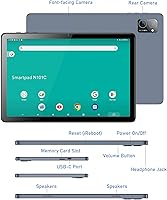
  • Expandable Memory: Accepts standard microSD cards up to 1TB capacity, inserted via a dedicated card slot on the device chassis.

Related Reviews

ITMEIPC T-10 10.1-inch Android Tablet
69%
83%
Value for Money
67%
Display Quality
62%
Performance
71%
Battery Life
58%
Build Quality
More
VOLENTEX M10 10-Inch Android Tablet
63%
83%
Value for Money
79%
Battery Life
47%
Processing Performance
61%
Display Quality
76%
WiFi Connectivity
More
FEONAL K118 10.1-inch Android Tablet
68%
83%
Display Quality
67%
Performance & Speed
78%
Battery Life
44%
Camera Quality
81%
Value for Money
More
HAOVM G12PK14 10-inch Android 14 Tablet, 32GB
83%
91%
Value for Money
85%
Display Quality
88%
Battery Life
80%
Performance Speed
65%
Storage Capacity
More
ZZB ZB10 10-Inch 32GB Android Tablet
67%
78%
Value for Money
81%
Battery Life
67%
Display Quality
53%
Performance
61%
Build Quality
More
COOPERS CP10S 10-inch Android Tablet 32GB
72%
88%
Value for Money
76%
Display Quality
61%
Performance & Speed
72%
Battery Life
54%
RAM & Multitasking
More
Topsand Android 14 Tablet 10-inch 10GB+32GB
84%
82%
Performance
88%
Build Quality & Durability
85%
Battery Life
70%
Display Quality
91%
Storage Capacity & Expandability
More
ADREAMER KidsPad10 Pro 10-inch Kids Tablet
73%
88%
Value for Money
84%
Cellular Connectivity
72%
Battery Life
77%
Parental Controls
81%
Build & Durability
More
aiprotablet C20e 10-inch Android Tablet
68%
83%
Value for Money
78%
Software Experience
71%
Battery Life
62%
Display Quality
59%
Performance & Speed
More
XINHENGTAI M10 Android 13 Tablet, 128GB, 10.1-inch
83%
92%
Value for Money
88%
Performance
91%
Battery Life
84%
Camera Quality
72%
Display Quality
More

FAQ

It is a legitimate feature in this case. The CONSUNG N101B 10-inch Android Tablet holds Widevine L1 certification, which is the specific DRM level that Netflix, Prime Video, and similar services require before they unlock HD streams. Many cheap tablets ship with only Widevine L3, capping you at standard definition regardless of your subscription. So yes, HD streaming here is real, not just a bullet point.

Technically yes, but the breakdown matters. Only 8GB is physical RAM; the other 8GB is virtual, meaning the tablet borrows storage space and uses it as overflow memory. It helps a little at the margins, but it is not the same as having 16GB of true RAM. For casual browsing, streaming, and single-app use, you will not notice much. Start stacking apps or switching rapidly between heavier programs and the limits of the physical 8GB become more apparent.

Google Kids Space comes pre-loaded and is straightforward to set up — it creates a walled-off environment with age-appropriate content, app restrictions, and activity reporting for parents. It is not a perfect substitute for supervision, but it is a genuinely useful tool. The metal build also helps, since kids are reliably hard on hardware and this one holds up better than most plastic-bodied rivals at a similar price.

Around 7 to 8 hours of active screen time is a realistic expectation for video streaming or light browsing, which aligns with what most buyers report. If you are doing something more demanding the figure drops a bit, and lighter tasks like reading e-books will stretch it further. Standby time is strong — leaving it overnight or over a weekend without charging is not an issue.

Yes, Bluetooth pairing works with standard keyboards and mice without any unusual setup steps. Android 13 handles external input devices well natively. Keep expectations proportionate though — the Allwinner processor means anything beyond light document editing, email, and web browsing will start to feel sluggish. It is fine as a casual productivity companion, not a laptop replacement.

For most users — streaming apps, a handful of games, documents, and photos — 256GB goes a long way. If you plan to download a lot of offline movies or store a large music library locally, picking up a microSD card is a smart move since this Consung tablet supports expansion up to 1TB. Cards have gotten inexpensive enough that it is an easy and cheap insurance policy.

It supports WiFi 6 (802.11ax), which operates on both 2.4GHz and 5GHz bands. On a compatible WiFi 6 router you will get noticeably better speeds and more stable connections than older tablets running WiFi 5 or WiFi 4. If your router is older, it will still connect normally — just without the WiFi 6 speed benefits.

Indoors with normal lighting, the display is comfortable and reasonably bright for its class. Outdoors under direct sunlight it struggles, as the brightness ceiling is not high enough to overcome glare effectively. It is a common limitation across budget IPS panels in this price range and not unique to this 10-inch Android slate. Plan to use it primarily indoors or in shaded environments.

This is a genuine concern with smaller brands, and it is worth being honest: CONSUNG has not published a formal long-term update commitment the way Samsung or Google does. The device ships with Android 13, which is relatively current, but guaranteed future OS upgrades are uncertain. Security patches may also be irregular. If long-term software support is important to you, a device from a brand with a published update policy is a safer bet.

At 2.46 pounds it is on the heavier end for a 10-inch tablet, and extended handheld reading sessions — especially lying down — can get tiring faster than with lighter slates. Most people will want to prop it on their lap or use a stand rather than hold it one-handed for long periods. For desk use, video watching with the screen propped up, or kids using it on a table, the weight is a non-issue.