Overview

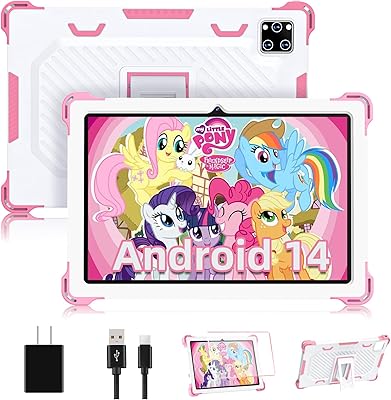
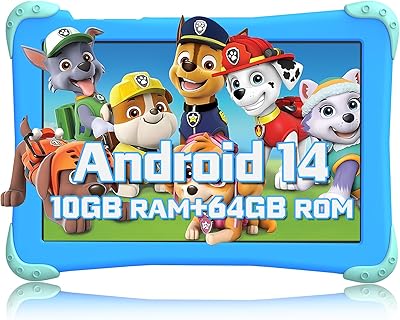
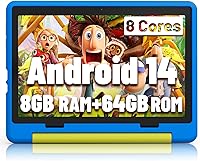
The Jeazans KT1016 10-inch Kids Android Tablet is a budget-friendly option that quietly holds its own against more established names like Amazon's Fire HD Kids lineup. What makes it stand out at this price point is the Android 14 operating system — something you don't always see on entry-level kids hardware. Designed for children roughly aged 2 to 10, it comes ready to go with a protective silicone case and parental controls already built in. Honest expectation-setting matters here: this is capable, entry-level hardware, not a powerhouse. But for everyday learning apps, YouTube Kids, and light games, it covers the basics without demanding a premium price.
Features & Benefits

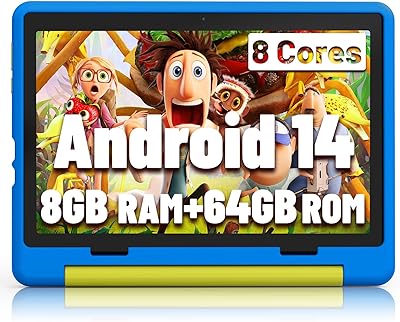
Under the hood, this kids tablet runs on an Allwinner octa-core chip — a budget processor brand that handles kids apps and streaming video just fine, though don't expect flagship-level snappiness. The 8GB of RAM keeps things moving reasonably during multitasking. Storage starts at 64GB and can expand via microSD, which is genuinely useful for loading offline videos before a long trip. Google Play access is a real advantage here, letting parents install school platforms that simply aren't available on Amazon's walled-garden ecosystem. The 10-inch IPS display includes a low blue light mode — thoughtful for kids with longer screen sessions. Battery life lands around six hours, and USB-C fast charging gets it back up in roughly 90 minutes.

Best For

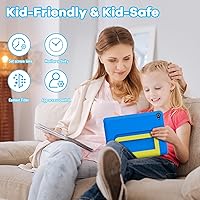
This Android tablet for kids is a solid pick for families who want a real Android experience rather than a curated, locked-down kids ecosystem. If your child needs access to Google Play — for a school app, a learning platform, or just their favorite game that isn't on Amazon — this delivers that full Android flexibility without a steep price tag. It's also a smart choice for parents of younger children in the 2-to-10 age range who need something drop-resistant and durable for daily use. The expandable storage makes it particularly well-suited for road trips or long flights where offline content matters. Gift buyers will appreciate getting a protective case included — that's one less accessory to hunt down.

User Feedback

Buyers who've picked up the Jeazans tablet tend to highlight value for money as the standout strength — they're genuinely surprised by how capable the screen and touch response feel at this price. The silicone case gets consistent praise for absorbing drops without drama. On the flip side, the brand's relative obscurity does give some parents pause. Questions around long-term software updates and after-sale support are fair concerns, and Jeazans hasn't yet built the reputation to fully ease them. Parental control setup gets mixed reviews — most find it manageable, but a few note it's not as polished or intuitive as Amazon's Kids+ system. Camera quality comes up occasionally, and expectations should stay modest — it's functional for video calls but not much more.

Pros

  • Full Google Play access opens up far more educational and entertainment apps than locked-down alternatives.
  • Android 14 is a meaningfully modern OS for a kids tablet at this price point.
  • Generous base storage with microSD expansion covers years of growing media libraries.
  • The included silicone case with a stand adds real-world drop protection at no extra cost.
  • USB-C fast charging is a practical convenience most parents will appreciate daily.
  • Low blue light display mode is a thoughtful addition for kids who use screens for extended stretches.
  • Parental controls and age-filtering cover the basics well enough for most families.
  • At its price, the 10-inch screen size offers noticeably more viewing room than smaller budget competitors.
  • Buyers consistently report that the touch response feels more responsive than expected at this price.
  • The one-year warranty provides at least a baseline level of purchase confidence for a lesser-known brand.

Cons

  • Allwinner is a budget processor brand — expect occasional lag with heavier apps or multitasking.
  • Long-term software update support from Jeazans is uncertain and unproven.
  • Parental controls lack the depth and polish of dedicated platforms like Amazon Kids+.
  • Brand obscurity makes it harder to find reliable third-party repair options or accessories.
  • Camera quality is mediocre — suitable for basic video calls but not much else.
  • Battery life may fall noticeably short of the advertised six hours under heavier use conditions.
  • No established community or user base makes troubleshooting issues harder to research.
  • The warranty covers only one year, which is shorter than what some competing kids tablets offer.

Ratings

The scores below for the Jeazans KT1016 10-inch Kids Android Tablet were generated by our AI system after analyzing verified purchase reviews from buyers worldwide, with spam, bot-submitted, and incentivized feedback actively filtered out. The result is a balanced, honest picture of where this tablet genuinely delivers and where real parents have run into frustration. Both the standout strengths and the recurring pain points are reflected transparently in every category score.
Value for Money
84%
Parents consistently report being surprised by how much tablet they get for the price. Full Android 14, a bundled case, and Google Play access at this price point is a combination that is hard to beat in the budget kids tablet category, and most buyers feel the purchase was worth it.
A few buyers note that the overall experience starts to feel more limited after the first few months, particularly as kids demand more from the hardware. At this price the value is real, but it does come with performance ceilings that eventually become noticeable.
Performance & Speed
62%
38%
For the core use cases most young kids actually need — YouTube Kids, simple educational apps, light games, and ebooks — the tablet handles day-to-day tasks without constant frustration. Parents of younger children in the 2 to 7 age range tend to have the fewest complaints about responsiveness.
The Allwinner processor is a budget chip, and it shows when kids try to run more demanding apps or switch between several things at once. Older children or those expecting smooth gaming performance are likely to encounter lag and occasional stuttering that can become a real irritation.
Display Quality
74%
26%
The 10-inch IPS screen offers solid color reproduction and wide enough viewing angles that kids can watch comfortably from the side, which matters during family car trips. At this size and price, the display genuinely punches above expectations for cartoons and educational video content.
The 1280x800 resolution is noticeable if your child has ever used a sharper screen — fine details in apps can look slightly soft, and the display does not get especially bright, which can make it harder to see clearly in outdoor or sunlit settings.
Battery Life
67%
33%
Under light to moderate use — reading apps, occasional video, and some browsing — the battery holds up reasonably well through a school day or a long car journey without needing a charge. Parents doing road trips with downloaded content report it lasting comfortably if screen brightness is kept in check.
The six-hour advertised figure is optimistic for real-world mixed use. Several buyers report closer to four to five hours when streaming video with Wi-Fi active or running interactive apps, and the battery can drain notably faster if brightness is turned up.
Build & Durability
78%
22%
The included silicone case genuinely absorbs everyday drops and knocks, and most parents report it surviving the usual rough handling from young children without cracking or breaking. The tablet itself feels reasonably solid in hand, not flimsy or cheap despite the budget price.
The silicone case is protective but not in the same league as purpose-built rugged cases on premium kids tablets. For a child who is especially hard on devices — regular drops onto tile or hardwood — the protection level may feel insufficient over time.
Parental Controls
59%
41%
The built-in age-filtering and password protection covers the basics that most parents need to feel comfortable handing the tablet to a young child. Setting up age-based profiles is manageable for most parents without technical expertise, and blocking unwanted apps works reliably.
Compared to platforms like Amazon Kids+, the parental control system feels noticeably less refined. Parents who want detailed screen time scheduling, per-app time limits, or content reporting will find the tools here fairly shallow, and some settings require more manual configuration than expected.
Setup & Ease of Use
76%
24%
Getting this Android tablet for kids up and running is a straightforward process for anyone familiar with Android — sign in with a Google account, configure basic parental settings, and install apps from the Play Store within about 20 minutes. Most parents find it ready for their child on the same day it arrives.
Parents who are less comfortable with Android may find the initial configuration of parental controls less guided than on tablets designed specifically for kids. Unlike more curated platforms, there is no hand-holding wizard that walks you through the full setup process step by step.
Camera Quality
47%
53%
The camera is functional enough for the main use case most kids have — video calls with family members and scanning QR codes for school activities. It gets the job done when the lighting is good and the subject is reasonably still.
Image quality is genuinely modest, and parents should not expect photos that are worth keeping. Low-light performance is poor, video recording is mediocre, and the camera noticeably lags behind what kids experience on most smartphones, which can lead to disappointment if they want to take real photos.
Storage & Expandability
88%
The combination of solid base storage and microSD expandability up to 1TB is one of the most practically useful features on this kids tablet. Families who load up offline videos, audiobooks, and downloaded apps for travel will genuinely appreciate having room to grow without buying a new device.
The microSD card itself is not included, which is a minor but real extra cost buyers need to factor in. A small number of buyers have also reported that certain apps do not move cleanly to the SD card, keeping more data on internal storage than expected.
Software & App Access
83%
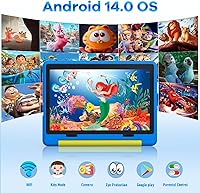
Having the full Google Play Store on a budget kids tablet is a meaningful advantage, especially for families whose children need access to school platforms, Google Classroom, or apps that Amazon's ecosystem simply does not carry. The Android 14 OS also means the software foundation is more current than many competitors at this price.
Because this is a more open Android environment rather than a kids-first platform, parents need to actively configure what their children can access rather than starting from a safely locked-down baseline. There is also no guarantee of regular OS updates from Jeazans going forward.
Portability
81%
19%
At just over half an inch thick and fitting easily into a standard backpack pocket, this Android tablet for kids travels well. Parents taking it on flights, long drives, or school commutes appreciate that it does not add significant bulk to a bag.
At 2.55 pounds with the case on, it is not the lightest option for younger toddlers to hold independently for extended periods. Some parents note that kids under four tend to rest it on a surface rather than hold it, which is worth keeping in mind for the youngest end of the target age range.
Brand Trust & Support
43%
57%
Jeazans does provide a one-year warranty and has a reachable customer support channel, which gives buyers at least a basic safety net. Purchasing through Amazon also adds a layer of buyer protection if a product dispute arises within the return window.
Jeazans is a lesser-known brand with a limited track record, and that creates real uncertainty about long-term reliability and ongoing support. Parents looking for the peace of mind that comes with an established brand name — and the ecosystem support that goes with it — will not find that confidence here.
Screen Time Safety Features
63%
37%
The low blue light reading mode is a thoughtful inclusion for a budget kids tablet, and parents who have children who read on screen for homework or bedtime stories will appreciate being able to activate it easily with a single button. It makes extended use feel a bit less worrying.
Beyond the blue light mode, the screen time safety toolkit is fairly thin. There is no automatic bedtime shutoff, no usage reports for parents to review, and no reminders built in for the child, which means parents have to manage time limits manually through other means.
Wi-Fi Connectivity
77%
23%
The 802.11ac Wi-Fi handles everyday streaming and app downloads reliably on a standard home network. Most buyers report no unusual connection drops or pairing issues, and 5GHz band support helps in households with congested 2.4GHz networks.
A handful of buyers mention that Wi-Fi signal strength feels weaker than other devices at the same distance from a router, which can occasionally affect streaming quality in rooms further from the access point. It is not a widespread complaint but worth noting in larger homes.

Suitable for:

The Jeazans KT1016 10-inch Kids Android Tablet is a genuinely practical pick for parents who want their child to have access to the full Google Play ecosystem rather than being confined to a curated app store. It fits particularly well in households where kids need specific school or learning apps that simply aren't available on Amazon's platform. The durable silicone case and built-in parental controls make it a reasonable daily driver for children between roughly 2 and 10, especially for families who don't want to pay a premium for a brand-name alternative. It also works well as a travel companion — the ability to load up offline media via an expanded microSD card is a real convenience on long trips. Budget-conscious gift buyers will find solid value here, getting a case and usable parental tools included without hunting for add-ons separately.
Not suitable for:

The Jeazans KT1016 10-inch Kids Android Tablet is not the right choice for parents who prioritize long-term software support and brand accountability. Jeazans is a lesser-known manufacturer, and there are no strong guarantees around ongoing Android updates or responsive customer service if something goes wrong after the one-year warranty lapses. Families who rely heavily on Amazon's Kids+ subscription content or its deeply integrated parental dashboard will find this tablet's controls noticeably less polished by comparison. It's also not well-suited for older children or tweens who expect faster, more fluid performance from heavier games or creative apps — the budget-tier processor shows its limits under more demanding workloads. If you're buying for a child who tends to be rough on tech, the included case helps, but it isn't the same level of rugged protection purpose-built kids tablets from established brands offer.

Specifications

  • Operating System: Runs Android 14, one of the more current OS versions available on a kids tablet at this price tier.
  • Processor: Powered by an Allwinner Octa-Core chip clocked at 2.0 GHz, a budget-tier processor suited for everyday kids apps and media playback.
  • RAM: Equipped with 8GB of RAM, which helps the tablet handle app switching and light multitasking without frequent slowdowns.
  • Internal Storage: Comes with 64GB of onboard storage, providing room for a solid library of apps, downloaded videos, and school materials.
  • Storage Expansion: Supports microSD cards up to 1TB, allowing families to significantly expand storage for offline content without replacing the device.
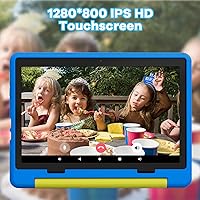
  • Display: Features a 10-inch IPS panel with a 1280x800 resolution, delivering decent color and viewing angles for a budget screen.
  • Blue Light Mode: Includes a dedicated reading mode that reduces screen flicker and blue light output, designed to be easier on young eyes during longer sessions.
  • Battery Life: Rated for up to 6 hours of mixed use including browsing, video, and apps on a full charge.
  • Charging: Charges via USB Type-C with fast-charge support, reaching a full charge in approximately 1.5 hours.
  • Rear Camera: Includes an 8MP rear camera suitable for basic photos and video calls, though image quality is modest by modern standards.
  • Wi-Fi: Supports 802.11ac Wi-Fi, providing reliable connectivity on both 2.4GHz and 5GHz home networks.
  • Weight: Weighs 2.55 pounds, which is manageable for older kids but may feel slightly heavy for younger toddlers to hold for extended periods.
  • Dimensions: Measures 9.64 x 6.42 x 0.31 inches, making it slim enough to fit in most backpack pockets or kids' travel bags.
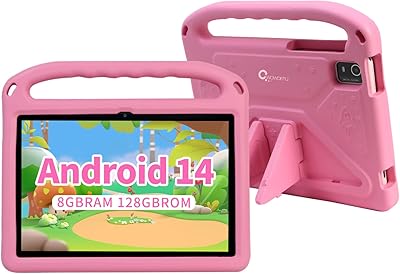
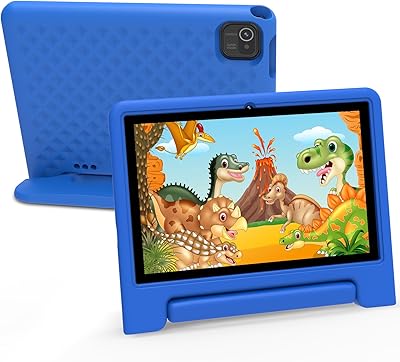
  • Included Case: Ships with a food-grade silicone protective case that includes an adjustable stand for hands-free viewing at multiple angles.
  • Parental Controls: Offers built-in age-filtering and password-protection tools, allowing parents to manage app access and content visibility by age profile.
  • App Store: Provides full access to the Google Play Store, enabling installation of a wide range of educational, entertainment, and school-specific apps.
  • Target Age: Designed for children aged 2 to 10 years, with parental control features scaling appropriately across that age range.
  • Warranty: Backed by a 1-year manufacturer warranty covering defects, with customer support available through the Jeazans team directly.

Related Reviews

Jeazans KT1016 10-inch Kids Tablet
70%
83%
Value for Money
77%
Build Quality
62%
Performance
66%
Battery Life
74%
Display Quality
More
YACXBTK J10 10.1-inch Kids Tablet
70%
84%
Battery Life
81%
Value for Money
78%
Parental Controls
62%
Performance
67%
Display Quality
More
ZOFYWNAS 10-Inch Android 14 Kids Tablet
70%
83%
Value for Money
61%
Performance
67%
Display Quality
74%
Build Quality
77%
Parental Controls
More
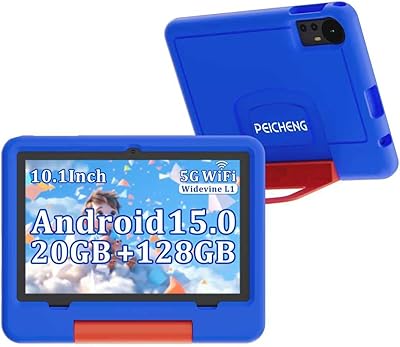
PEICHENG 10.1-inch Kids Tablet, 128GB Storage, Android 15.0
85%
93%
Durability & Build Quality
90%
Parental Control Features
76%
Battery Life
82%
Display Quality
88%
Ease of Use
More
Aheadthink AHYQ10K Kids Tablet 10 Inch Android 12 4GB RAM 64GB ROM
82%
92%
Parental Controls
88%
Durability
85%
Battery Life
81%
Display Quality
79%
Storage Capacity
More
YATIOM SS-35 10-inch Kids Tablet
70%
84%
Value for Money
61%
Performance & Speed
73%
Build Quality & Durability
78%
Parental Controls
69%
Battery Life
More
Fivahiva FF-35 Kids Tablet 10-inch, 10GB RAM, 64GB Storage, Android 14
85%
91%
Performance
88%
Parental Controls
86%
Durability & Build Quality
83%
Battery Life
74%
Display Quality
More
ITMEIPC T-10 Android Tablet 10.1-inch, 6GB RAM, 64GB Storage
80%
91%
Value for Money
85%
Display Quality
74%
Battery Life
78%
Build Quality
88%
Performance for Light Use
More
CWOWDEFU 10-inch Kids Tablet 128GB
86%
87%
Performance
92%
Battery Life
88%
Build Quality
82%
Display Quality
91%
Ease of Use
More
TWTNVOF Kids Tablet 10 inch, 32GB
86%
89%
Educational Features
94%
Parental Controls
90%
Durability & Build Quality
82%
Battery Life
85%
Performance (Processor Speed)
More

FAQ

Yes, it runs full Android 14 with genuine Google Play access, so you can install apps the same way you would on any standard Android device. This is one of its real advantages over tablets that lock kids into a smaller, curated app ecosystem.

The Jeazans KT1016 10-inch Kids Android Tablet includes age-filtering and a password-protection system that lets parents control which apps are accessible by profile. It covers the basics well, but it is not as polished or feature-rich as Amazon's Kids+ platform, so parents who want granular screen time scheduling should double-check the settings meet their expectations before relying on it fully.

The bundled silicone case adds a meaningful layer of drop protection for everyday bumps and falls, and most parents report it holds up well to the usual chaos of young kids. That said, it is not a heavy-duty rugged case, so if your child has a habit of serious drops onto hard floors, you may want to consider an additional case.

The six-hour estimate is reasonable for light to moderate use like reading apps or watching videos at moderate brightness. Under heavier use — brighter screen, demanding games, or streaming with Wi-Fi active — some buyers report it runs closer to four to five hours, so charging overnight is a safe habit to build.

Yes, the tablet has a microSD card slot that supports cards up to 1TB, though you can use a more affordable smaller card if you just need extra room for videos and apps. The card is not included, so you will need to pick one up separately.

Because it runs full Android with Google Play, it can install Google Classroom, Khan Academy Kids, and most other educational platforms without issue. This is actually one of the main reasons parents choose this over Amazon Fire tablets, where some school apps are unavailable.

The 10-inch IPS screen produces solid colors and decent viewing angles, and for kids apps and streaming video it looks perfectly fine. It is not a premium display, but at this price point it is sharper and more vibrant than many competing budget tablets.

Jeazans is a smaller, lesser-known manufacturer and that is a fair concern. They do offer a one-year warranty and have a customer support team, but their long-term reputation for after-sale service is still being established. Buying through Amazon does give you some additional buyer protection if a dispute arises.

The front and rear cameras are functional for video calls on apps like Google Meet or WhatsApp, and the quality is adequate for that purpose. Do not expect great photo quality though — the cameras are firmly in the basic-but-usable category.

Setup is fairly straightforward — you sign in with a Google account, install the apps you want, and configure the parental control profiles through the built-in settings. Most parents find the initial setup manageable within 15 to 20 minutes, though it does take a little more hands-on effort than a plug-and-play kids tablet from a brand like Amazon.