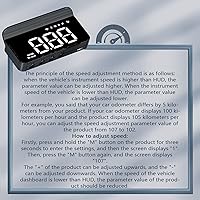
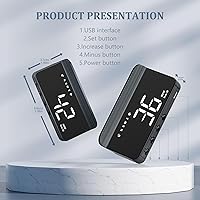
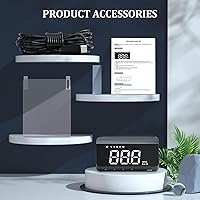
Overview

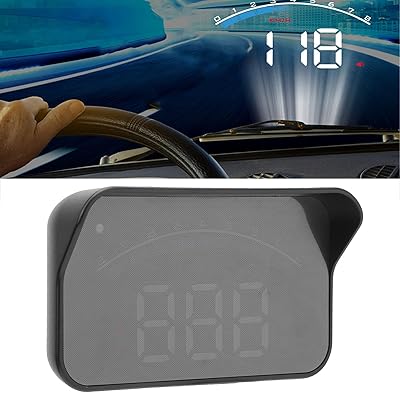
The Liiiyuan M1 GPS Heads Up Display takes a refreshingly no-fuss approach to in-car speed monitoring — no OBD2 port, no complicated wiring, just a USB cable and you're good to go. This windshield HUD sits firmly at the entry-level end of the market, which is precisely its appeal. It's compact and lightweight, projecting a simple white speed readout directly onto your windshield without cluttering your field of vision. Liiiyuan is a relatively new brand, but they back this unit with a one-year warranty and responsive after-sales support, which at least signals some accountability behind the price tag.

Features & Benefits

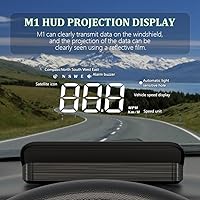
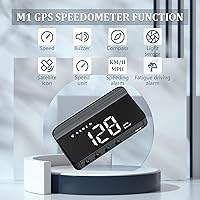
Speed is shown in either MPH or KM/H — switchable via a simple settings button — which makes this GPS speedometer display genuinely useful if you drive an imported car or travel internationally. A basic compass shows your cardinal direction, handy at a glance without pulling up a full nav app. The overspeed alarm is more practical than it sounds: set your limit, and a beep fires when you drift past it on a long highway stretch. The fatigue alert works similarly — after extended continuous driving, it nudges you audibly to consider a rest stop. Brightness adjusts automatically day or night, with a manual override if needed.

Best For

This windshield HUD makes the most sense for a pretty specific type of buyer. If your older car's speedometer is unreliable — or just absent — it fills that gap without any vehicle-specific adapter. Rideshare drivers and road-trippers doing back-to-back long hauls will find the fatigue and speed alerts genuinely useful, not gimmicky. It's also a low-risk entry point if you've been curious about HUD tech but don't want to commit to a pricier OBD2-based system. And because it runs off GPS with just a USB connection, you can easily move it between vehicles with zero reconfiguration.

User Feedback

With a 3.8-star average, the M1 HUD lands in an honest middle ground — people like it, with real caveats. The easy setup and clean projection win consistent praise, and most casual users are happy having a speed check at eye level. Where things get trickier: satellite lock time can be noticeably slow starting up in a parking garage or dense urban area, and a handful of buyers note the display can wash out in intense direct sunlight. Some also feel the feature set is thin compared to OBD2 rivals that show voltage and engine data. Solid for casual use; less so for data-hungry drivers.

Pros

  • Works with any vehicle out of the box — no OBD2 port or adapter needed
  • Setup takes under two minutes: plug in the USB cable and you are done
  • Switchable MPH and KM/H readout is genuinely useful for imported or multi-region vehicles
  • The overspeed beep is a low-key but effective reminder on long highway drives
  • Fatigue alert adds real value for rideshare drivers grinding through back-to-back shifts
  • Auto-brightness adjustment means you rarely need to touch the settings after initial setup
  • Compact and lightweight enough to move between vehicles without leaving a permanent mark
  • The windshield projection is simple and uncluttered, keeping your eyes on the road
  • One-year warranty from the manufacturer provides at least a basic safety net
  • Entry-level price makes it a sensible first HUD for curious but budget-conscious buyers

Cons

  • GPS speed can lag slightly behind real-time velocity, so it should not be treated as a precision instrument
  • Satellite lock takes noticeably longer in urban canyons, garages, and areas with dense overhead cover
  • Display can wash out in intense direct sunlight, reducing legibility at the worst possible moments
  • No vehicle data beyond speed and direction — voltage, RPM, and engine info are entirely absent
  • The plastic build feels lightweight in a way that raises questions about long-term durability
  • Audible alarms, while functional, cannot be customized in tone or volume beyond basic settings
  • GPS drift can occasionally cause minor speed or direction inaccuracies without any warning to the driver
  • Brand is relatively new and has limited independent track record compared to established HUD makers
  • No companion app or firmware update path means you get exactly what ships in the box, nothing more

Ratings

The scores below for the Liiiyuan M1 GPS Heads Up Display were generated by AI after systematically analyzing verified buyer reviews from global markets, with spam, bot-submitted, and incentivized feedback actively filtered out. Every category reflects the full picture — what real drivers genuinely appreciate and where the unit falls short in day-to-day use. Strengths and pain points are weighted equally, so you can make a confident, informed call before buying.

Ease of Setup
93%
Buyers consistently describe the installation as one of the most painless they've experienced with any car accessory — plug in the USB cable, position the unit on the dash, and it's ready to go. There's no app to download, no pairing process, and no vehicle-specific configuration required, which makes it genuinely stress-free even for non-technical users.
A small number of users noted that finding the ideal placement angle on their specific dashboard took a few tries to get the projection sitting correctly on the windshield. The included instructions, while in English, are fairly minimal and leave some guesswork around optimal positioning.
GPS Accuracy
67%
33%
For casual speed monitoring on open roads, the GPS readout is reliable enough that most drivers quickly trust it as a useful reference. Switching between MPH and KM/H is simple, and the compass direction display is a handy addition that works consistently in good satellite conditions.
GPS-based speed has an inherent lag compared to real-time velocity, which is noticeable when accelerating or braking quickly. In dense urban areas, tunnels, or under overpasses, satellite acquisition slows significantly or drops entirely, leaving the display blank at precisely the moments some drivers need it most.
Display Visibility
62%
38%
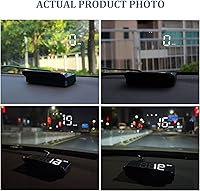
In typical daytime and nighttime driving conditions, the white windshield projection is clean and easy to read at a glance without pulling focus from the road. The auto-brightness sensor does a reasonable job of adjusting the display intensity as ambient light changes throughout the day.
Under intense direct sunlight — particularly during early morning or late afternoon drives when the sun hits the windshield at low angles — the projection can wash out considerably. Several buyers in consistently sunny climates flagged this as a recurring frustration that the auto-brightness feature alone cannot fully resolve.
Satellite Lock Speed
58%
42%
In open suburban or rural environments with an unobstructed sky view, the unit typically acquires a satellite signal within a couple of minutes of starting the engine, which is acceptable for most everyday commutes. Users who primarily drive on highways or in open areas rarely reported significant lock delays.
Cold starts in urban environments, underground parking structures, and areas surrounded by tall buildings routinely produce lock times that stretch to five minutes or longer. The flashing indicator that signals the device is still searching provides no estimated time to lock, which some drivers find frustrating during short trips.
Overspeed Alarm
78%
22%
The audible speed alert earns genuine appreciation from highway commuters who find it useful as a passive reminder when they drift above their set limit during long, monotonous stretches of driving. It works without any visual distraction, which fits well with the device's philosophy of keeping things simple and eyes-forward.
The alarm tone itself cannot be adjusted in volume or pitch, which means in a loud cabin — with music playing or passengers talking — it can be easy to miss. Some users also wished the threshold-setting process were more intuitive, as it requires cycling through button presses without a clearly labeled interface.
Fatigue Alert
71%
29%
Rideshare drivers and long-haul commuters tend to rate this feature positively, particularly because it requires zero setup — it simply activates after extended continuous driving and prompts a rest without any manual input. As a low-friction safety nudge for solo drivers on long interstate drives, it serves its purpose adequately.
The alert is time-based only, with no actual driver monitoring, so it triggers even when a driver feels perfectly alert — which can feel arbitrary on a two-hour highway trip. There is also no way to customize the trigger duration, meaning it uses a fixed threshold that may not suit every driver's routine.
Build Quality
61%
39%
The compact plastic housing keeps the unit light and unobtrusive on the dash, and for the price bracket it occupies, the fit and finish are at least adequate. Most users report that with careful handling it holds up fine through routine daily use.
The plastic construction feels noticeably lightweight in hand — thin enough that some buyers question its long-term durability, especially under the thermal stress of a car interior in summer heat. There is no rubberized grip or premium feel to the housing, which reinforces the sense that this is an entry-level device.
Brightness Adjustment
74%
26%
The built-in light sensor handles the day-to-night transition automatically and works reliably in most standard driving environments, meaning the majority of users never need to manually intervene. The manual override option is a welcome addition for those who prefer a specific brightness regardless of conditions.
The auto-brightness range has a ceiling that falls short in extreme sunlight scenarios, and the manual adjustment steps are coarse rather than fine-grained, making it hard to dial in exactly the brightness level you want. A handful of users found the nighttime auto-dim setting slightly too faint on certain windshields.
Value for Money
84%
Measured against what it actually delivers — a working GPS speed display, a compass, and two safety alerts with zero installation complexity — this windshield HUD delivers solid utility for its price point. First-time HUD buyers and owners of older vehicles with broken speedometers consistently rate the value favorably when expectations are appropriately calibrated.
Buyers who compare it against OBD2-based HUDs at similar or slightly higher price points quickly notice how much more data those alternatives provide — voltage, RPM, engine temperature — making the M1 HUD feel limited in scope. If your needs extend beyond basic speed awareness, the value proposition weakens noticeably.
Universal Compatibility
91%
The GPS-only architecture means this GPS speedometer display works identically in a 2003 sedan, a 2024 pickup, or a rental van — no exceptions, no adapters, no compatibility research needed before buying. Buyers who share vehicles or regularly switch between cars particularly appreciate how frictionless the transfer process is.
While compatibility is near-universal for standard road vehicles, the unit is not designed for motorcycles or open-air applications where weather exposure is a factor. Users who have metallic window tinting should also be aware that it can meaningfully slow satellite acquisition, which is a compatibility caveat the product literature buries.
Compass Usefulness
69%
31%
For drivers navigating unfamiliar areas without a full GPS navigation system active, the cardinal direction display provides a helpful orienting reference — particularly useful on straight highway drives where turn-by-turn navigation feels like overkill. It updates smoothly under good satellite conditions.
The compass shows direction only and offers no integration with mapping or routing, so it cannot replace even a basic navigation app. In GPS-challenged environments where the unit struggles to lock satellites, the compass becomes equally unreliable, limiting its utility in exactly the urban environments where orientation help matters most.
Noise & Alert Tone
55%
45%
The alert tones are audible enough in a quiet cabin to serve their purpose as reminders, and the fact that they activate without requiring any visual attention from the driver is a reasonable design choice for a distraction-minimizing device.
The beep tone is described by multiple users as generic and somewhat grating, with no option to select a softer or more pleasant alert sound. In vehicles with road noise, a decent audio system, or multiple passengers, the alarm volume is frequently insufficient to reliably get the driver's attention.
After-Sales Support
72%
28%
Liiiyuan offers a one-year warranty and has been responsive to direct email inquiries according to a meaningful portion of buyers who needed to reach out. For a newer brand, that level of accessibility provides at least a basic confidence floor for buyers nervous about purchasing from an unfamiliar manufacturer.
Support is limited to email contact, with no phone line or live chat option, and response times can vary depending on time zone differences. Some users reported that warranty resolution required back-and-forth communication that stretched over several days, which is less than ideal when a daily driver accessory stops working.

Suitable for:

The Liiiyuan M1 GPS Heads Up Display is a practical pick for drivers who want basic speed awareness without any technical setup headaches. It works particularly well for owners of older or classic vehicles where the factory speedometer is unreliable, broken, or simply missing — just plug it into a USB port and you have a working speed readout within minutes. Rideshare drivers and long-haul commuters are another natural fit, since the fatigue alert and overspeed beep add a layer of passive safety awareness on monotonous stretches of road without demanding attention. Because it runs purely on GPS with no vehicle-specific adapter required, it can move freely between a personal car, a work van, or a rental with zero friction. First-time HUD buyers will also appreciate the low stakes here — it's an affordable way to try windshield projection tech before committing to a more complex OBD2-based system.

Not suitable for:

Drivers who need rich, real-time vehicle data — engine diagnostics, battery voltage, RPM, coolant temperature — should look elsewhere, because the Liiiyuan M1 GPS Heads Up Display simply does not offer any of that. Its GPS-only architecture also means speed readings can lag by a second or two compared to your actual velocity, which may frustrate anyone who needs pinpoint accuracy. The white windshield projection, while clean and unobtrusive in most conditions, can be difficult to read under harsh direct sunlight, making it a questionable choice for convertible drivers or those in consistently sunny climates. Urban commuters who spend significant time in tunnels, multi-story parking structures, or dense downtown corridors will frequently deal with slow or lost satellite lock, which undermines the core function. Power users who already own an OBD2 scanner or a premium HUD will find this unit's feature set underwhelming by comparison.

Specifications

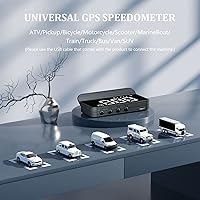
  • System: The unit operates exclusively on GPS satellite positioning and does not require an OBD2 port or any vehicle-specific adapter.
  • Dimensions: The device measures 3.38 x 0.63 x 1.46 inches, making it compact enough to sit unobtrusively on most dashboards.
  • Weight: The unit weighs approximately 1.28 ounces (around 36g), light enough to avoid any meaningful strain on a dashboard mount.
  • Power Source: Powered via the included USB cable, which connects to any standard USB port or car USB charger.
  • Speed Units: Speed can be displayed in either MPH or KM/H, switchable through the onboard settings button.
  • Display Type: Speed and directional data are projected as a white overlay directly onto the lower windshield glass.
  • Brightness Control: An embedded light-sensitive element automatically adjusts display brightness based on ambient light, with a manual override option also available.
  • Overspeed Alarm: An audible beep triggers when the vehicle exceeds a user-configured speed threshold, acting as a passive alert without visual distraction.
  • Fatigue Alert: The device monitors continuous driving duration and emits an alert tone after an extended period to prompt the driver to take a break.
  • Compass: A GPS-derived compass displays the cardinal driving direction in real time alongside the speed readout.
  • Compatibility: Compatible with all vehicle types regardless of make, model, or year, since it draws no data from the vehicle itself.
  • Material: The housing is constructed from plastic, keeping the unit lightweight and the overall cost accessible.
  • Satellite System: Connectivity relies on standard GPS satellite signals; performance may be reduced inside structures, tunnels, or areas with heavy overhead obstruction.
  • Manual Language: The included instruction manual is written in English.
  • Warranty: Liiiyuan provides a one-year after-sales warranty, with direct email support available for unresolved product issues.

Related Reviews
KingNeed C90 GPS HUD Speedometer
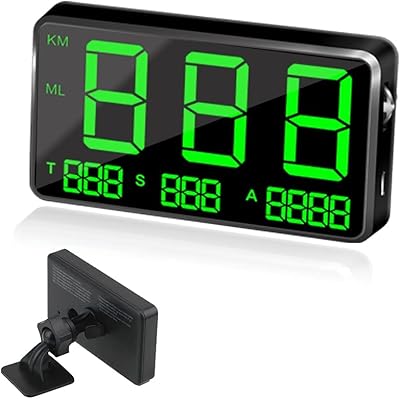
70%
91%
Ease of Setup
62%
GPS Speed Accuracy
78%
Screen Visibility
58%
Mount & Stability
63%
GPS Signal Lock Speed
More
Kingneed C60S GPS HUD Speedometer
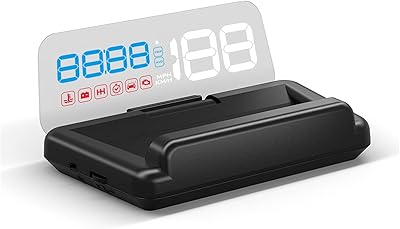
75%
93%
Ease of Setup
67%
GPS Speed Accuracy
54%
Daytime Visibility
84%
Nighttime Visibility
58%
Build Quality
More
KAOLALI A401 GPS+OBD2 Car Head-Up Display
72%
91%
Ease of Installation
67%
GPS Mode Accuracy
83%
OBD2 Data Accuracy
71%
Display Readability
58%
Build Quality
More
Wiiyii C500 OBD2 Car HUD Speedometer
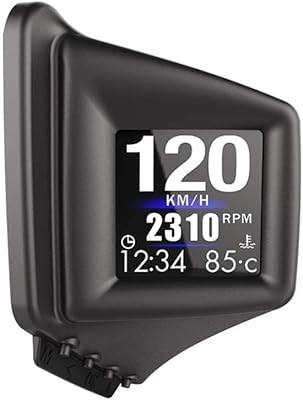
79%
93%
Ease of Installation
74%
Display Clarity
88%
Data Range
81%
Alert System
57%
Build Quality
More
Toothbace 3.5-Inch OBD2 Car HUD Display
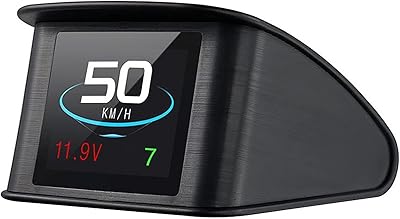
70%
91%
Ease of Installation
67%
Display Clarity
72%
Data Accuracy
88%
Value for Money
61%
Build Quality
More
VGEBY A8 Car HUD Display
74%
83%
Value for Money
51%
Compatibility Coverage
88%
Ease of Installation
62%
Daytime Visibility
79%
Display Accuracy
More
TIMPROVE T600 GPS Car HUD Speedometer
73%
93%
Universal Compatibility
91%
Ease of Setup
67%
GPS Signal Reliability
71%
Display Readability
69%
Speed Accuracy
More
Amcrest GL300 4G LTE Portable GPS Tracker
77%
88%
Ease of Setup
74%
GPS Accuracy
69%
Battery Life
81%
App Experience
91%
Magnetic Mount Strength
More
Garmin GPS 73
Garmin GPS 73
80%
93%
Battery Life
88%
SailAssist Features
91%
Build Quality & Durability
54%
Display Quality
82%
Ease of Use
More
Eumos Mannequin Head with Hair, 29″ Training Head
84%
89%
Realism of Hair Texture
87%
Durability of Synthetic Hair
92%
Stability During Use (Clamp)
84%
Ease of Use for Beginners
90%
Suitability for Professional Training
More

FAQ

No, the M1 HUD has nothing to do with your OBD2 port. It pulls all its data from GPS satellites, so you just connect it to a USB power source and place it on the dash. That also means it works with any car, regardless of age or make.

In an open area with a clear sky view, lock usually happens within a minute or two. In dense urban environments, underground garages, or near overpasses, it can take noticeably longer — sometimes several minutes. The display icon will flash while it's still searching, so you'll know when it's ready.

It's close, but GPS-based speed has an inherent lag of a second or so compared to your actual velocity. For everyday awareness it's perfectly fine, but don't treat it as a precision instrument if exact real-time accuracy matters to you.

Auto-brightness helps, and the display is readable in most daytime conditions. That said, in very intense direct sunlight — particularly if the sun is low and hitting the windshield at an angle — the projection can wash out and become hard to see. It's one of the more common complaints from buyers in sunny regions.

Yes, that's actually one of the stronger practical arguments for this GPS speedometer display. Since it doesn't tap into any vehicle system, you just unplug it, place it in the next car, connect to a USB port, and you're done. No pairing, no reconfiguration needed.

After you've been driving continuously for an extended period, the unit emits a beeping sound to suggest you take a rest. It's a simple, passive reminder — think of it as a basic nudge rather than a sophisticated drowsiness detection system. For long highway drives or rideshare shifts, it can still be a useful prompt.

Because it runs on GPS and draws power from a USB source, it can technically work in any vehicle that has a USB port or charger — including trucks and larger vehicles. Motorcycles are trickier since exposure to weather and vibration could be an issue, and the unit isn't rated for outdoor mounting.

You can set the speed threshold yourself, so if you push it high enough for your normal driving conditions, you effectively neutralize the alarm in practice. There isn't a dedicated off toggle for the alarm specifically, so working around it via the threshold setting is the practical solution.

The projection is designed with a fixed orientation intended for standard windshield placement. It isn't designed to be flipped or rotated, so mounting position matters — follow the included instructions for the recommended placement to get a properly oriented readout on the glass.

Running two GPS devices simultaneously in a confined space can interfere with satellite acquisition for both units, slowing down or disrupting the lock. The manufacturer specifically flags this — if you use a standalone GPS navigator or another tracker, try to keep the two units physically separated as much as possible to minimize interference.