Overview

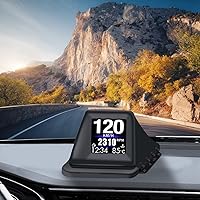
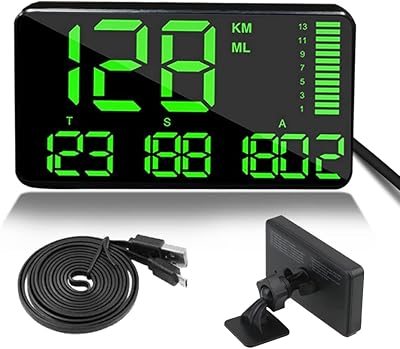
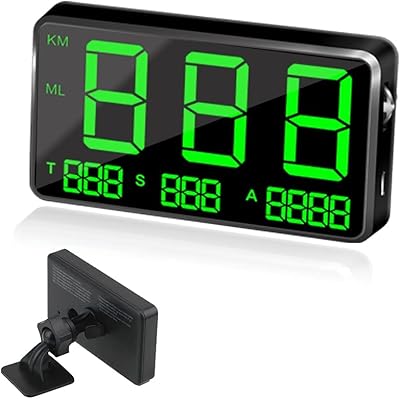
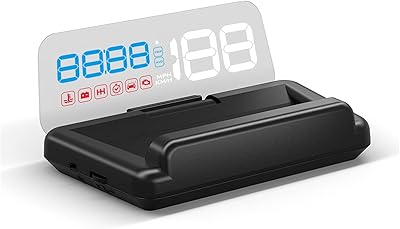
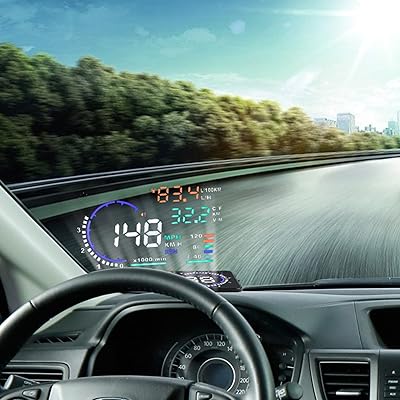
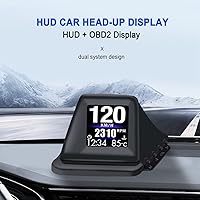
The KAOLALI A401 GPS+OBD2 Car Head-Up Display solves a straightforward problem: too many drivers look down at their dash more than they should. This HUD unit stands out by offering dual operating modes — OBD2 for live engine data and GPS for cars that predate or lack a compatible port entirely. It weighs barely over an ounce, sits on the center console, or adheres with included tape. There is no app to pair, no account to create. Setup is genuinely plug and play, which matters when you just want useful information in your line of sight without turning installation into a weekend project.
Features & Benefits

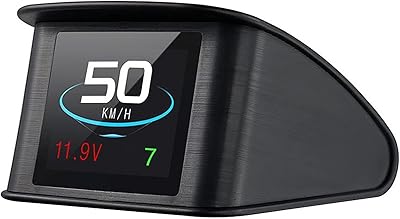
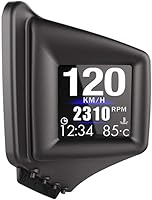
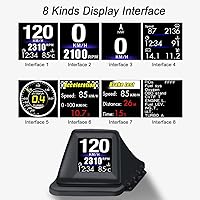
Switch between eight display interfaces depending on what you need at any given moment — a clean speed readout, a full OBD data grid, or even acceleration and brake test screens. In OBD2 mode, the KAOLALI heads-up display pulls live data including RPM, water temperature, voltage, fuel consumption, and oil temperature. GPS mode trades raw engine detail for broad compatibility, delivering a reliable speed figure when OBD is not an option. The brightness adapts automatically to sunlight or night conditions, though you can override it manually. Practical safety alerts — overspeed, engine fault, and a fatigue driving reminder — round out a feature set that punches well above its price tier.

Best For

This dash-mounted speedometer is a natural fit for anyone driving an older vehicle that lacks a standard OBD port — the GPS fallback makes compatibility essentially universal. Daily commuters who want a glanceable speed display without replacing their head unit will find it gets the job done. Rideshare and delivery drivers get a practical bonus in trip distance and time tracking, cutting down on manual logging. It also works well as a first look at live engine data for drivers who are curious but not ready to spend on a dedicated scanner. Budget-conscious buyers testing the HUD category will find this a low-risk entry point.

User Feedback

Buyers consistently praise how quickly this HUD unit gets running — the OBD cable takes minutes, and that ease of setup earns reliable goodwill. On the critical side, some users report screen glare issues in harsh afternoon sunlight even with brightness adjusted, a real limitation at this build level. The eight interface modes get mixed reactions: some find the variety handy, others feel overwhelmed and settle on one view permanently. The overspeed alarm divides opinion — appreciated on open highways, reportedly grating in stop-and-go commutes. Long-term durability concerns surface occasionally, particularly around the adhesive tape losing grip in summer heat.

Pros

  • Works in virtually any vehicle, including older models without a compatible OBD port, thanks to the GPS fallback mode.
  • Setup takes minutes — plug in the OBD cable and the unit is ready to go, no app or account needed.
  • Eight switchable display interfaces let you choose exactly how much information you want on screen at once.
  • Live OBD2 data includes water temperature, voltage, and fuel consumption — genuinely useful for monitoring engine health.
  • The overspeed alarm provides a practical nudge on open roads without requiring any manual input.
  • Built-in trip distance and time tracking is a quiet but real benefit for delivery drivers or fuel-economy watchers.
  • Auto-brightness adjustment means you are not constantly fiddling with settings when moving between daylight and night driving.
  • Fault code reading via OBD2 gives you a basic heads-up on engine warnings before committing to a mechanic visit.
  • Compact and lightweight enough that it does not clutter the dash or block sightlines.
  • At its price point, the breadth of features offered by this HUD unit is genuinely hard to argue with.

Cons

  • GPS speed readings carry satellite lag and are less precise than OBD2 data, especially at lower speeds or in urban canyons.
  • Screen glare in harsh afternoon sunlight can make the display difficult to read, even with brightness turned up.
  • The adhesive tape mounting tends to lose grip in high summer heat, which may require frequent repositioning.
  • Eight interface modes sounds useful in theory, but many users settle on one and find the rest more confusing than helpful.
  • The overspeed alarm, while practical on highways, becomes irritating in stop-and-go city traffic where speeds fluctuate constantly.
  • ABS plastic construction feels lightweight in a way that raises questions about how well it holds up over years of daily use.
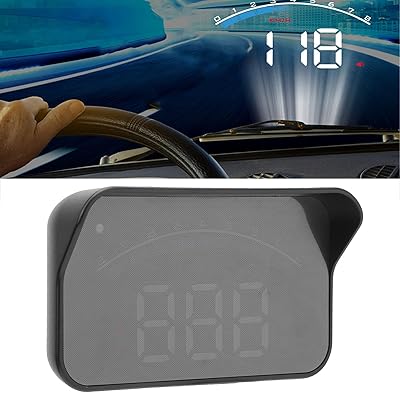
  • The unit displays on its own screen rather than projecting onto the windshield, which may disappoint buyers expecting a true HUD reflection.
  • There is no wireless connectivity, so data is limited to what the OBD cable and GPS module can provide directly.
  • Turbine pressure and oil temperature readings are only available in OBD2 mode, leaving GPS-only users with a stripped-down experience.

Ratings

The scores below reflect an AI-driven analysis of verified global buyer reviews for the KAOLALI A401 GPS+OBD2 Car Head-Up Display, with spam, bot-generated, and incentivized submissions actively filtered out before scoring. Each category captures both what real drivers genuinely appreciated and where they ran into friction in everyday use. Nothing has been softened — the strengths and the shortcomings are weighted equally.

Ease of Installation
91%
Buyers across vehicle types consistently praised how little effort the setup required. Plugging in the OBD2 cable and having the unit power on with the ignition — no apps, no pairing, no configuration wizard — was a recurring highlight, especially for drivers who are not technically inclined.
A small subset of users with older or non-standard OBD port placements found the cable routing awkward, leaving the wire visible or stretched. Dashboard placement without adhesive can also shift during hard braking if the surface is slightly curved or textured.
GPS Mode Accuracy
67%
33%
For drivers with vehicles that lack OBD2 compatibility, GPS mode made this HUD unit usable where nothing else in the price range would work at all. Commuters reported that speed readings were close enough for general awareness, particularly on open roads and highways where satellite lock is stable.
GPS speed carries inherent lag and tends to round readings, which becomes noticeable at city speeds or when decelerating quickly. Several users noted a 2–4 mph discrepancy compared to their vehicle's native speedometer, which is not a dealbreaker but is worth knowing upfront.
OBD2 Data Accuracy
83%
In OBD2 mode, drivers found the speed and RPM readings closely matched their dashboard gauges, building genuine confidence in the data. Water temperature and voltage monitoring were called out specifically as useful early-warning tools by users who had caught minor issues before they escalated.
Fuel consumption figures drew some skepticism, with a handful of users noting that the readouts did not always align with their manual calculations. Turbine pressure readings, while present, are difficult to validate without reference equipment, so their reliability at this price point is hard to confirm independently.
Display Readability
71%
29%
Under typical driving conditions — overcast skies, dawn, dusk, or night — the screen was clear and easy to glance at. The auto-brightness feature handled transitions between tunnels and open roads reasonably well, and drivers appreciated not having to manually adjust settings mid-commute.
Harsh direct sunlight, particularly in afternoon hours with a low sun angle, was the most common complaint in user feedback. Even at maximum brightness, glare and washed-out colors made the display genuinely hard to read in those conditions, which is a real limitation for drivers in sun-heavy climates.
Build Quality
58%
42%
The compact ABS housing feels solid enough for daily dashboard use, and the unit's light weight means it does not put stress on adhesive mounts or shift around with normal vibration. For a budget-tier device, it does not feel overtly cheap in hand.
Long-term durability raised questions among users who had owned the unit for six months or more, with some reporting connector looseness and surface scuffing on the housing. The overall construction does not inspire confidence for buyers expecting a multi-year lifespan without any maintenance.
Adhesive Mount Reliability
54%
46%
In mild climates with moderate temperatures, the included tape held the unit firmly in place for months without repositioning. Drivers who park in garages or shaded areas reported no issues with mount stability over extended periods.
Hot climates and direct sun exposure were cited repeatedly as the primary cause of mount failure, with dashboards reaching temperatures that soften the adhesive significantly. Several users resorted to third-party mounting solutions within weeks of purchase, which suggests the included tape is better suited for occasional rather than permanent fixture.
Overspeed Alarm Usefulness
63%
37%
On highway and rural road driving, the overspeed alert was appreciated as a passive safety nudge that required no screen interaction. Drivers who set a conservative threshold reported it helped them maintain speed discipline on longer trips without constant speedometer checks.
In stop-and-go urban commuting, the alarm triggered frequently enough to become genuinely annoying, with some users disabling it entirely within the first week. The threshold setting process was also described as fiddly by users who preferred more granular control over alert sensitivity.
Interface Variety
69%
31%
The eight switchable layouts gave drivers genuine flexibility to configure the display around their priorities — whether that was a minimal speed-and-clock view or a denser OBD data grid. Delivery and rideshare drivers in particular found the multi-data views helpful for monitoring several metrics at a glance.
A notable portion of buyers felt the number of interfaces was more overwhelming than empowering, with the navigation between modes feeling unintuitive on first use. Most users settled permanently on one or two layouts, making the remaining options feel like unused complexity rather than genuine versatility.
Trip Tracking
76%
24%
The per-trip distance and time logging was a quiet but genuinely useful feature for delivery drivers and anyone tracking fuel economy manually. Having that data on-screen without a separate app was cited as a convenience that added real value to daily use.
The trip data resets between sessions, which means there is no cumulative history or export function — drivers who needed multi-day mileage records still had to log figures manually. For casual commuters this is fine, but it limits the feature's utility for anyone with more structured tracking needs.
Fatigue Driving Reminder
61%
39%
The continuous-drive reminder added a thoughtful safety layer that some long-haul drivers genuinely appreciated, particularly on overnight or extended highway trips where alertness naturally dips. It required no user input and triggered automatically based on elapsed drive time.
The reminder logic does not account for stops, breaks, or ignition cycles in a nuanced way, which led to some users reporting alerts that fired at inappropriate times — such as shortly after a rest stop. The feature works better as a general nudge than a reliable fatigue management tool.
Fault Code Function
78%
22%
The ability to read and clear OBD2 fault codes without a separate scanner was a genuine surprise for buyers who had not expected it at this price point. Several users described using it to identify minor sensor issues before deciding whether a mechanic visit was warranted.
The fault code display shows the raw code rather than a plain-language description, meaning users still need to look up what a code means externally. Clearing codes without addressing the underlying cause is also a risk for less experienced drivers who may interpret a cleared warning as a resolved problem.
Brightness Adjustment
74%
26%
The automatic brightness mode worked reliably in most real-world lighting transitions, and having a manual override gave drivers the flexibility to fine-tune visibility without navigating deep into menus. Night driving readability was consistently rated positively across user feedback.
The auto mode occasionally reacted too slowly to sudden light changes, such as emerging from a tunnel into bright sunlight, leaving the display briefly hard to read during the transition. A few users also found the maximum brightness level insufficient for the brightest daytime conditions even in manual mode.
Value for Money
86%
At its price point, the breadth of features this HUD unit offers — dual GPS and OBD2 modes, eight display interfaces, safety alerts, and fault code reading — is genuinely difficult to match with alternatives. Budget-conscious buyers exploring the HUD category for the first time consistently rated it as a smart, low-risk starting point.
Buyers who pushed it as a long-term primary tool rather than an entry-level experiment found the value proposition weakened over time as durability limitations surfaced. The unit earns its price on day one, but the cost-of-ownership calculus shifts if adhesives, connectors, or the housing require replacement within a year.

Suitable for:

The KAOLALI A401 GPS+OBD2 Car Head-Up Display is a strong match for drivers who want practical, eyes-forward information without spending much or tearing apart their dashboard. It works especially well for owners of older or non-standard vehicles where OBD2 compatibility is uncertain, since the GPS fallback means the unit will function in virtually any car. Daily commuters who just want a visible speed readout and clock — without the complexity of a full infotainment upgrade — will find it more than sufficient. Rideshare and delivery drivers get a bonus in built-in trip tracking, which reduces the need for separate mileage logging. It also suits curious drivers who want a first look at live engine diagnostics like water temperature or voltage without committing to a standalone OBD scanner. If your goal is simple, affordable, and functional, this HUD unit delivers on all three counts.
Not suitable for:

The KAOLALI A401 GPS+OBD2 Car Head-Up Display is not the right pick for drivers who expect precision-grade data or a polished, premium build. Enthusiasts who want highly accurate engine telemetry or track-day metrics will find the OBD2 data adequate at best, and the GPS speed readout carries the typical lag and rounding limitations of any satellite-based system. The ABS plastic housing and adhesive tape mounting method are honest reflections of the price tier — do not expect the kind of fit and finish you would find on a unit costing three or four times as much. Drivers who frequently commute in intense direct sunlight may struggle with screen glare that even the auto-brightness feature cannot fully resolve. Anyone looking for a HUD that projects a reflection onto the windshield itself, rather than displaying on a physical screen, should look at a different product category entirely. If long-term durability and build quality are your top priorities, this dash-mounted speedometer is likely to leave you wanting more.
Specifications

  • Model Number: This unit is manufactured by KAOLALI under the model designation A401.
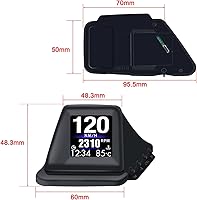
  • Dimensions: The device measures 1.9″ x 1.9″ x 2.36″, making it compact enough to sit on most dashboards without obstructing the driver's forward view.
  • Weight: At 40 grams (1.41 oz), the unit is light enough that the included adhesive tape can support it without additional mounting hardware.
  • Material: The housing is constructed from ABS (Acrylonitrile Butadiene Styrene) plastic, a common choice for consumer electronics at this price tier.
  • Operating Modes: The device supports two independent operating modes: OBD2 for live vehicle data and GPS for satellite-based speed readings in cars without a compatible OBD port.
  • Display Interfaces: Users can cycle through 8 switchable display layouts, including speed-only, full-function, OBD data grid, and acceleration and brake test screens.
  • OBD2 Data Points: In OBD2 mode, the unit reads and displays speed, RPM, water temperature, voltage, fuel consumption, oil temperature, and turbine pressure.
  • Safety Alerts: Active alerts include an overspeed alarm, engine fault warning, water temperature alarm, voltage alarm, and a fatigue driving reminder based on continuous drive time.
  • Trip Tracking: The unit logs single-trip distance and single-trip time, which resets between journeys and is useful for mileage or fuel logging.
  • Brightness Control: Screen brightness can be set to automatic adjustment based on ambient light, or overridden manually by the user.
  • Connectivity: The unit connects to the vehicle via a physical OBD2 cable; no Bluetooth, Wi-Fi, or smartphone pairing is required or supported.
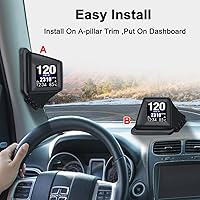
  • Installation Method: Two mounting options are included: flat placement on the center console or dashboard, and adhesive tape attachment for a more fixed position.
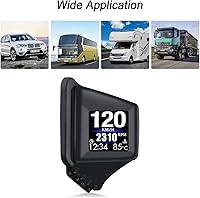
  • Compatibility: OBD2 mode is compatible with most vehicles produced after 1996; GPS mode extends usability to older or non-standard vehicles with no OBD port.
  • Fault Code Function: Via OBD2, the unit can read active engine fault codes and also clear them directly from the display without a separate scanner tool.
  • Power Source: The device draws power directly through the OBD2 port connection and does not require a separate USB cable, battery, or 12V adapter.
  • Unit Display: Speed can be displayed in either miles per hour (MPH) or kilometers per hour (KPH), switchable from within the device menu.
  • Screen Type: The unit uses its own physical screen to display data rather than projecting a reflection onto the windshield glass.
  • Brand: Manufactured and sold under the KAOLALI brand, which produces budget-oriented automotive accessories.

Related Reviews

Toothbace 3.5-Inch OBD2 Car HUD Display
70%
91%
Ease of Installation
67%
Display Clarity
72%
Data Accuracy
88%
Value for Money
61%
Build Quality
More
KingNeed C90 GPS HUD Speedometer
70%
91%
Ease of Setup
62%
GPS Speed Accuracy
78%
Screen Visibility
58%
Mount & Stability
63%
GPS Signal Lock Speed
More
TIMPROVE T600 GPS Car HUD Speedometer
73%
93%
Universal Compatibility
91%
Ease of Setup
67%
GPS Signal Reliability
71%
Display Readability
69%
Speed Accuracy
More
Kingneed C60S GPS HUD Speedometer
75%
93%
Ease of Setup
67%
GPS Speed Accuracy
54%
Daytime Visibility
84%
Nighttime Visibility
58%
Build Quality
More
Wiiyii C500 OBD2 Car HUD Speedometer
79%
93%
Ease of Installation
74%
Display Clarity
88%
Data Range
81%
Alert System
57%
Build Quality
More
LONGRUF 710 7-Inch Car GPS Navigator
72%
81%
Value for Money
84%
Ease of Setup
61%
Screen Quality
67%
Map Accuracy
79%
Voice Guidance
More
Liontru 7-Inch Truck GPS Navigator
70%
74%
Truck Routing Accuracy
67%
Map Coverage & Accuracy
78%
Lifetime Map Updates
83%
Screen Size & Readability
61%
Satellite Signal & Lock Time
More
TriPole DC201 Dual-Head USB Car Fan
75%
78%
Airflow Performance
86%
Dual-Head Independent Control
82%
Ease of Installation
71%
USB Power Compatibility
63%
Noise Level
More
VGEBY A8 Car HUD Display
74%
83%
Value for Money
51%
Compatibility Coverage
88%
Ease of Installation
62%
Daytime Visibility
79%
Display Accuracy
More
Brickhouse Security Spark Nano 7
76%
88%
Battery Life
93%
Ease of Installation
74%
GPS Tracking Accuracy
57%
Subscription Value
68%
App Experience
More

FAQ

Yes, and that is actually one of the main reasons this unit exists. If your vehicle does not have a compatible OBD2 port, you can switch the device to GPS mode, which pulls speed data from satellite signals instead. You will lose access to engine data like RPM and water temperature in that mode, but the core speedometer and clock functions will work fine.

It has its own physical screen — it does not project a reflection onto the windshield glass the way a true optical HUD does. The display sits on your dashboard and you glance down at it rather than seeing data floating on the glass. If windshield projection is what you are after, you would need to look at a different product category entirely.

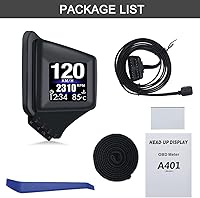
Setup is straightforward. You plug the included OBD2 cable into the port under your dash, connect the other end to the device, and it powers on with the ignition. There is no app to install, no Bluetooth pairing, and no account required. Most people have it running within a few minutes.

Not quite. GPS speed relies on satellite positioning and introduces a small amount of lag and rounding, especially at lower speeds or in dense urban environments where satellite signal can be inconsistent. OBD2 mode reads speed directly from your vehicle's systems, so it tends to be more responsive and precise. GPS mode is perfectly usable for everyday driving awareness, but OBD2 is the more accurate option when both are available.

Yes, the KAOLALI A401 GPS+OBD2 Car Head-Up Display can read and clear OBD2 fault codes directly through the device menu. Keep in mind that clearing a code does not fix the underlying issue — if the problem persists, the warning light will come back. Think of this as a helpful diagnostic tool, not a substitute for a full repair.
You set a speed threshold in the device settings, and an alarm sounds if you exceed it. It is handy on highway stretches where you want a passive reminder to stay under a set limit. That said, a number of users find it distracting in city driving where speeds fluctuate constantly. You can adjust the threshold or disable the alarm through the settings menu.

In moderate climates, the tape tends to hold reliably for months. The issue some users run into is extreme summer heat — dashboards can get very hot when a car sits in direct sun, and that can soften the adhesive over time. If you park in a hot climate regularly, it is worth checking the mount occasionally and replacing the tape if needed.

It updates continuously while you drive — that is the whole point of having it. Speed, RPM, temperature, and other readings refresh in real time so you always have a current snapshot of what your vehicle is doing. The display is meant to be glanced at while driving, not consulted only when parked.

Yes, the unit supports both miles per hour and kilometers per hour, and you can toggle between them in the settings. This is useful if you drive across borders or simply prefer one unit over the other.

It depends on whether your diesel vehicle uses a standard OBD2 protocol, which most diesel passenger cars and light trucks sold after 1996 in North America and after 2004 in Europe do. If your vehicle is OBD2 compliant, the unit should connect and display data normally. If compatibility is uncertain, the GPS mode acts as a reliable fallback for basic speed and time display.