Overview

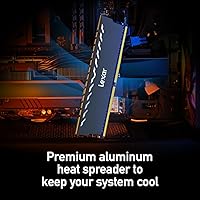
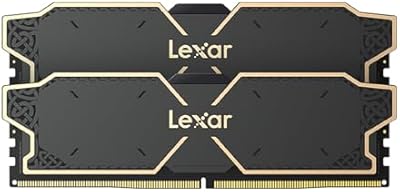
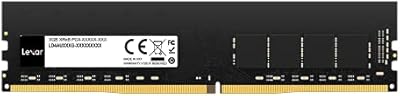
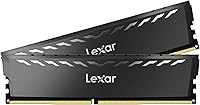
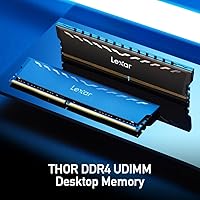
The Lexar THOR DDR4 32GB Desktop RAM enters the market as a no-nonsense dual-channel kit aimed at desktop builders who want a meaningful memory upgrade without overspending. Running at 3200MT/s, it sits comfortably in DDR4's performance sweet spot — fast enough for real productivity gains, without the premium price of higher-speed kits. Lexar has historically been known for flash storage, but this DDR4 kit shows the brand is taking desktop memory seriously. The black aluminum heatsink keeps things looking clean inside a windowed case without demanding attention. If you need extreme overclocking headroom, look elsewhere — but for most everyday desktop builds, this 32GB desktop upgrade covers the bases well.
Features & Benefits

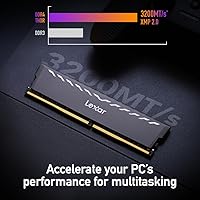
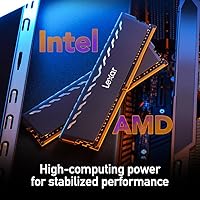
The dual-channel configuration is more than a packaging choice — running two sticks in tandem nearly doubles memory bandwidth compared to a single 32GB module, which translates to noticeably smoother multitasking and faster data throughput under load. On Intel systems, enabling XMP 2.0 in BIOS gets you to 3200MT/s in seconds; AMD users should look for DOCP or EXPO options in their board settings — it's the same idea, just a different label. The CL16 latency means the memory responds quickly to requests, which matters more for productivity apps than raw clock speed alone. Operating at just 1.35V, it runs cool and plays nicely with standard motherboards. The lifetime limited warranty adds genuine long-term peace of mind.

Best For

This 32GB desktop upgrade is an easy recommendation for anyone jumping from 8GB or 16GB who wants the process to be straightforward. AMD Ryzen 5000-series users will find 3200MT/s aligns well with the platform's memory controller, making it a particularly sensible pick for that crowd. Content creators doing photo editing or juggling a heavy browser workload will feel the difference immediately. The non-RGB heatsink keeps the aesthetic clean without clashing with existing build themes, and the compact profile means clearance issues with large CPU coolers are unlikely. Anyone who values plug-and-play simplicity over chasing every last megahertz will feel right at home with this DDR4 kit.

User Feedback

With a 4.8-star average across nearly 400 ratings, the THOR memory module has earned credible community approval — and the reviews back it up. Buyers regularly highlight trouble-free installation, with XMP locking in on the first boot across a range of Intel and AMD boards. The heatsink's finish draws consistent praise too, with users noting it looks and feels solid relative to the price tier. On the critical side, a handful of buyers report needing to manually enable XMP in BIOS rather than having it auto-detected — worth knowing before assuming it's running at full speed out of the box. Occasional clearance concerns near VRM heatsinks have surfaced, though it remains a minor edge case rather than a recurring issue.

Pros

  • The dual-channel 2x16GB setup delivers nearly twice the memory bandwidth of a single-stick alternative.
  • XMP 2.0 makes hitting 3200MT/s on Intel platforms as simple as toggling one BIOS setting.
  • AMD Ryzen users can enable DOCP or EXPO on compatible boards with equal ease.
  • At 1.35V, this DDR4 kit runs efficiently and stays well within the thermal comfort zone of standard motherboards.
  • The aluminum heatsink does real cooling work while keeping the build looking sharp without any RGB clutter.
  • A lifetime limited warranty is a genuinely rare inclusion at this price point and adds lasting confidence.
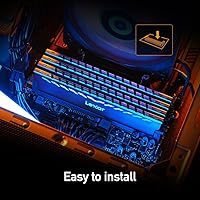
  • Installation is straightforward — no software, no drivers, no complicated setup required.
  • Nearly 400 ratings averaging 4.8 stars points to consistent real-world reliability across diverse system configurations.
  • The black, low-profile design slots cleanly into both windowed and closed-panel builds without visual conflict.
  • Broad compatibility across popular Intel and AMD motherboard brands reduces the guesswork during purchase.

Cons

  • XMP or DOCP must be manually enabled in BIOS — the THOR memory module will default to slower JEDEC speeds otherwise.
  • No speeds above 3200MT/s are available in this kit, limiting appeal for buyers who want headroom to push further.
  • Taller VRM heatsinks on some motherboards can create tight clearance near the first DIMM slot.
  • Lexar lacks the established desktop RAM reputation of brands like G.Skill or Corsair, which may give some buyers pause.
  • This 32GB desktop upgrade offers no RGB lighting option, which may disappoint builders with themed illuminated setups.
  • The kit is desktop-only; there is no SO-DIMM variant for laptop or NUC upgrades.
  • Users on DDR5-capable platforms may find investing in this DDR4 kit limits their future upgrade flexibility.
  • No official support or testing documentation is provided for niche or budget-tier motherboards, so compatibility edge cases exist.

Ratings

The scores below were generated by AI after systematically analyzing verified global user reviews for the Lexar THOR DDR4 32GB Desktop RAM, with spam, bot activity, and incentivized feedback actively filtered out. Each category reflects genuine buyer experiences — the kind that surface only after real-world installation and daily use across diverse system configurations. Both consistent strengths and recurring pain points are represented transparently so you can make a fully informed decision.

Value for Money
91%
Buyers consistently describe this DDR4 kit as punching above its weight for the price tier it occupies. The combination of a dual-channel configuration, aluminum heatsink, and lifetime warranty at a mid-range price point is something reviewers frequently compare favorably against better-known brands charging noticeably more for equivalent specs.
A small segment of buyers who later discovered similarly priced kits from competing brands with tighter timings felt the value edge was narrower than expected. The price can also fluctuate, and at higher price points the value case weakens considerably against alternatives.
Installation Ease
94%
Almost universally praised as one of the smoothest installs buyers have experienced, even among first-timers. The sticks seat firmly without excessive force, the retention clips engage cleanly, and the system typically posts on the first boot without any drama — a reassuring experience for anyone upgrading their desktop for the first time.
The one consistent friction point is the BIOS step required to enable XMP or DOCP — new builders occasionally assume the kit is already running at 3200MT/s when it is silently defaulting to a lower JEDEC speed. This is not a hardware fault, but it catches enough people off guard to be worth flagging.
XMP Profile Stability
88%
Once XMP 2.0 is enabled, the THOR memory module holds its 3200MT/s profile with impressive consistency across a wide range of Intel and AMD boards. Users running memory-intensive workloads like large Lightroom catalogs or multi-tab browsing sessions report no unexpected crashes or speed throttling under sustained load.
A handful of reviewers on older B450 AMD motherboards noted that DOCP did not activate cleanly on the first attempt and required a BIOS update before the profile locked in stably. This is an edge case tied to board firmware rather than the kit itself, but it adds a step for some users.
Platform Compatibility
86%
Coverage across mainstream Intel and AMD platforms is broad and well-documented by real buyers. Reviewers using ASUS, MSI, Gigabyte, and ASRock boards across multiple chipset generations consistently report clean compatibility, which reduces the pre-purchase anxiety that often comes with memory selection.
Compatibility with budget-tier or niche OEM motherboards is less tested and less reported in user feedback. A few buyers on very tight micro-ATX boards noted that the heatsink height created minor physical tension near the first slot when paired with certain CPU cooler configurations.
Dual-Channel Performance
85%
Users who upgraded from a single-stick setup noticed real differences in multitasking fluidity — browser sessions with many tabs, background app behavior, and photo editing responsiveness all improved in ways that felt tangible rather than merely theoretical. Running dual 16GB sticks rather than a single 32GB module is the right call for bandwidth-sensitive tasks.
For workloads that are not memory-bandwidth-sensitive — such as basic office tasks or casual media consumption — the dual-channel advantage is harder to perceive in everyday use. Buyers expecting dramatic gaming frame rate gains specifically may be underwhelmed if that was their primary motivation.
Thermal Performance
83%
The aluminum heat-spreader keeps module temperatures in a comfortable range during sustained workloads, and users in mid-tower builds with reasonable airflow report no thermal throttling even during long encoding or compilation sessions. The 1.35V operation contributes meaningfully here — lower voltage means less heat generated at the source.
In compact cases with poor airflow or systems where the memory slots sit directly behind obstructed intake areas, a few users noted slightly elevated temperatures during very extended heavy workloads. This is more a case placement issue than a heatsink deficiency, but it is worth noting for small form factor builders.
Build Quality
87%
The heatsink feels solid and well-attached — buyers who have handled multiple RAM kits describe the fit and finish as genuinely premium relative to what the price suggests. The matte black finish resists fingerprints during installation and retains its appearance well over months of use inside a case.
A small number of long-term reviewers mentioned minor inconsistencies in heatsink adhesion on one stick from their kit, though this did not affect performance. It is an infrequent quality control note rather than a systemic issue, but worth acknowledging in the interest of completeness.
Heatsink Aesthetics
76%
24%
Builders who prefer a clean, understated look consistently appreciate the absence of RGB and the angular black aluminum profile. It fits naturally in dark-themed builds and does not clash visually with other components — an increasingly valued quality in builds that prioritize subtlety over spectacle.
Buyers who specifically wanted RGB to match an illuminated build were disappointed by the lack of any lighting option. There is no variant of this kit with LED support, so it is effectively a non-starter for anyone building around a synchronized light theme.
Overclocking Headroom
52%
48%
The kit runs reliably and stably at its rated 3200MT/s XMP speed, which for most users is all the performance they will ever need from this memory tier. Buyers who were not interested in overclocking at all are fully satisfied staying at spec.
Enthusiasts who attempted to push timings below CL16 or raise speeds beyond 3200MT/s reported inconsistent results — some instability at 3600MT/s and difficulty tightening sub-timings without hitting stability walls. This kit was clearly not engineered with overclocking ambition in mind, and the user feedback reflects that ceiling clearly.
Long-Term Reliability
89%
Buyers who have been running this 32GB desktop upgrade for six months or more report no degradation in stability, no POST failures, and no unexpected errors in memory diagnostics. The consistent performance over time gives reviewers genuine confidence in the kit's build longevity, which the lifetime warranty reinforces.
The sample of very long-term reviewers — those past the one-year mark — is still relatively limited given the kit's September 2023 release date. The reliability picture is encouraging, but a larger multi-year dataset would make this score even more defensible.
Warranty & Support
81%
19%
The lifetime limited warranty is frequently cited as a meaningful differentiator, particularly by buyers who have dealt with shorter warranty windows on other memory brands. Knowing that a manufacturing defect is covered indefinitely for the original purchaser adds a layer of confidence that resonates well with cautious upgraders.
A few buyers who contacted Lexar support for pre-purchase compatibility questions described the response time as slower than expected, and the RMA documentation process was seen as more involved than competitors like G.Skill or Corsair. The warranty itself is solid, but the support experience behind it is uneven.
Out-of-Box Experience
78%
22%
Packaging is protective and practical, with each module secured properly for transit. Buyers appreciate receiving exactly what they ordered without unnecessary bundled software, driver discs, or confusing documentation — the kit arrives ready to install with no friction in the unboxing process.
The lack of any printed quick-start guide or QR code linking to XMP setup instructions is a minor but real miss for first-time builders. Several reviewers mentioned they had to search online to learn they needed to enable XMP in BIOS — a simple included card would have prevented that confusion entirely.
Slot Clearance Margin
69%
31%
For the majority of standard mid-tower and full-tower builds using tower air coolers with standard footprints, clearance is not an issue and the modules install without any adjustment to the cooler. Users on open test benches or cases with generous internal spacing reported zero friction during installation.
Boards pairing oversized VRM heatsinks with first-slot overhang from large CPU coolers — a fairly common combination in compact high-performance builds — produced a noticeable number of clearance complaints. It is not a dealbreaker for most, but it is the single most common physical installation concern across the review pool.
Documentation Quality
66%
34%
The product page and Lexar's website provide the essential specification data buyers need to verify compatibility — speed, voltage, timings, and supported platforms are all accurately listed and easy to find for buyers who know where to look.
In-box documentation is minimal, and there is no detailed guidance on enabling XMP versus DOCP depending on platform — information that would meaningfully help the target audience of first-time upgraders. Compared to brands that include illustrated BIOS setup guides, the documentation experience feels underdeveloped for a kit marketed at newcomers.

Suitable for:

The Lexar THOR DDR4 32GB Desktop RAM is a strong fit for anyone upgrading a mainstream desktop that's been limping along on 8GB or 16GB — the jump to dual-channel 32GB is one of the most tangible improvements you can make without touching your CPU or GPU. AMD Ryzen 5000-series owners in particular will appreciate how closely 3200MT/s aligns with their platform's memory controller sweet spot, delivering real-world responsiveness without needing to dig into advanced BIOS settings. Content creators handling photo editing, multi-tab browsing, or light video work will notice the headroom immediately, especially when running several applications side by side. The clean black heatsink also makes it a natural choice for mid-tower or compact builds where a low-key aesthetic matters and RGB lighting would feel out of place. If you value a straightforward install experience backed by a lifetime warranty, this DDR4 kit is hard to argue against at its price tier.
Not suitable for:

Buyers chasing the absolute ceiling of DDR4 performance — whether for competitive overclocking, heavy 3D rendering, or memory-intensive simulation workloads — will find the Lexar THOR DDR4 32GB Desktop RAM too conservative for their needs, as it is not designed to push beyond its rated 3200MT/s XMP profile. Those building on a platform that already supports DDR5 should weigh whether investing in a DDR4 kit still makes sense for their specific board and long-term upgrade path, since DDR5 headroom is meaningfully wider for future-focused builds. Users running workstation-class tasks like large-dataset machine learning, 4K video encoding at scale, or RAM-heavy virtual machines would likely benefit more from a higher-capacity 64GB kit than from this 32GB configuration. Anyone expecting the kit to auto-run at 3200MT/s without a quick BIOS visit to enable XMP or DOCP may be briefly caught off guard, as it defaults to JEDEC speeds straight out of the box. Finally, buyers with very tight clearance around the first DIMM slot due to oversized CPU coolers should double-check physical compatibility before purchasing.
Specifications

  • Total Capacity: This kit provides 32GB of total memory delivered as two 16GB modules in a dual-channel configuration.
  • Memory Type: Uses DDR4 SDRAM technology, which is widely supported across mainstream desktop platforms released between 2014 and 2024.
  • Rated Speed: Operates at 3200MT/s when the XMP 2.0 or DOCP profile is enabled in the system BIOS.
  • Latency Timings: Factory timings are set at CL16-20-20-40, representing a balanced latency profile suited to everyday productivity and moderate gaming.
  • Operating Voltage: Runs at 1.35V, which is within the low-voltage DDR4 standard and compatible with the vast majority of mainstream desktop motherboards.
  • XMP Version: Supports Intel XMP 2.0 for automatic speed profile activation; AMD Ryzen boards can use the equivalent DOCP or EXPO setting.
  • Form Factor: Standard full-size DIMM form factor designed exclusively for desktop motherboards; not compatible with laptops or SO-DIMM slots.
  • Heatsink Material: Each module is fitted with an aluminum heat-spreader that aids thermal dissipation and contributes a clean, finished appearance.
  • Lighting: No RGB or LED lighting is included; the heatsink finish is a solid matte black throughout.
  • Platform Support: Compatible with Intel platforms supporting XMP 2.0 and AMD Ryzen platforms supporting DOCP or EXPO memory profiles.
  • Module Count: The kit ships as two individual 16GB sticks intended to be installed together in matching dual-channel slots.
  • Warranty: Covered by Lexar's lifetime limited warranty, which applies to manufacturing defects for the original purchaser.
  • Model Number: The official model identifier for this kit is LD4U16G32C16LG-RUD, used for warranty registration and compatibility cross-referencing.
  • Packaged Weight: The complete retail package weighs approximately 5.9 oz, reflecting standard dual-stick memory packaging.
  • Availability Date: This kit was first made available for purchase in September 2023.

Related Reviews

A-Tech 32GB DDR4 2133MHz Desktop RAM
79%
88%
Value for Money
94%
Installation Ease
69%
Compatibility
86%
Stability & Reliability
61%
Memory Speed
More
D DUOMEIQI 32GB Kit DDR4 3200MHz Desktop RAM
87%
91%
Performance for Gaming
88%
Ease of Installation
85%
System Compatibility
92%
Value for Money
87%
Multitasking & Productivity Performance
More
Lexar THOR OC 32GB DDR5 Desktop RAM
82%
91%
Raw Performance
88%
Ease of Setup
83%
Compatibility
79%
Thermal Management
86%
Build Quality
More
A-Tech 32GB DDR4 2666MHz Desktop RAM Kit
81%
88%
Value for Money
71%
Compatibility
93%
Ease of Installation
82%
Performance Improvement
84%
Build Quality
More
A-Tech 32GB DDR4 3200MHz Desktop RAM
81%
91%
Installation Ease
74%
System Compatibility
83%
Performance at Rated Speed
86%
Value for Money
82%
Long-term Reliability
More
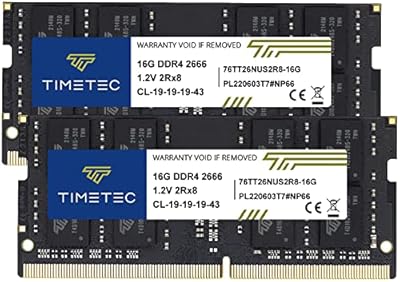
Timetec 32GB Kit (2x16GB) DDR4 2666MHz SODIMM
83%
91%
Value for Money
78%
Compatibility
93%
Installation Experience
82%
Performance Impact
87%
Long-Term Reliability
More
Crucial 16GB DDR4 3200MHz Desktop RAM
78%
93%
Ease of Installation
88%
Compatibility Range
79%
Real-World Performance
91%
Long-Term Reliability
74%
Value for Money
More
Wlizedle DDR4 3200MHz 32GB Desktop RAM Kit
79%
91%
Value for Money
88%
Installation Ease
74%
XMP & BIOS Compatibility
83%
System Performance Impact
81%
Thermal Performance
More
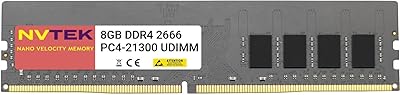
NVTEK 8GB DDR4 2666MHz Desktop RAM
71%
83%
Value for Money
78%
Compatibility
88%
Ease of Installation
71%
Reliability & Stability
74%
Performance at Rated Speed
More
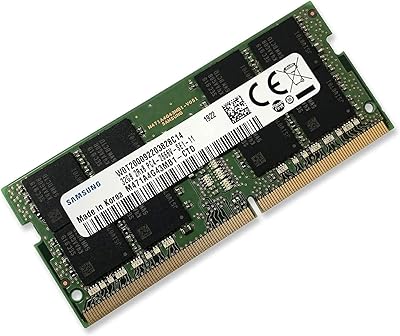
Samsung M471A4G43MB1 32GB DDR4 Laptop RAM
80%
94%
Reliability & Longevity
96%
Installation Ease
81%
Compatibility Range
72%
Value for Money
83%
Performance at Rated Speed
More

FAQ

Yes, and this trips up a lot of first-time builders. By default, most motherboards will run any DDR4 kit at a slower base JEDEC speed — usually 2133 or 2400MT/s — until you manually enable the XMP or DOCP profile. On Intel boards, look for XMP in your BIOS memory settings and switch it on. AMD Ryzen users should look for DOCP or EXPO depending on the board brand. It takes about 30 seconds and the difference in responsiveness is noticeable.

Yes, it's actually one of the better fits for that platform. Ryzen 5000-series CPUs have a memory controller that performs very well at 3200MT/s, and the THOR memory module slots right into that range. Just enable DOCP in your BIOS and you're set. It's compatible with all major AMD AM4 motherboard brands including ASUS, MSI, Gigabyte, and ASRock.

It's generally not recommended. Mixing different RAM kits — even ones with identical specs on paper — can cause instability, XMP conflicts, or force the system to default to lower speeds. For the best experience, use both sticks from this kit together in the correct paired DIMM slots as specified in your motherboard manual.

No, there's no RGB or LED on this kit at all. The heatsink is a clean matte black aluminum finish. For some builders that's actually the selling point — it doesn't compete visually with other components and works well in builds without a lighting theme.

For most people, absolutely yes. DDR5 commands a significant price premium and only matters if you're on a platform that supports it — and even then, the real-world gains for everyday tasks are modest. If your current desktop runs a DDR4 motherboard, upgrading the Lexar THOR DDR4 32GB Desktop RAM is a far more cost-effective move than replacing your board, CPU, and memory all at once just to get DDR5.
CL16 refers to CAS latency, which is essentially how many clock cycles the memory needs before it can respond to a data request. Lower is faster, and CL16 at 3200MT/s is a solid, responsive pairing for this speed tier. Unless you're doing very latency-sensitive workloads like competitive gaming at extremely high frame rates or specialized scientific computing, CL16 at this speed will feel perfectly snappy in day-to-day use.

It's one of the easier hardware upgrades you can make. You just open your case, locate the DIMM slots on your motherboard, press the sticks firmly into the correct paired slots until the retention clips snap into place, and boot up. No tools beyond a basic screwdriver for the case panel are needed. The whole process takes under ten minutes for most people.

It's possible on some builds, particularly if you have a large tower cooler that overhangs the first DIMM slot. The heatsink on this 32GB desktop upgrade has a moderate profile — it's not a razor-thin low-profile stick, but it's also not an oversized fin array. If your cooler manual lists DIMM clearance specs, it's worth a quick check before buying. Most mid-range air coolers and all-in-one liquid coolers should clear it without issue.

Lexar's lifetime limited warranty covers defects in materials and workmanship for the original purchaser for the life of the product. It does not cover physical damage, misuse, or modifications. If a stick fails under normal operating conditions, Lexar will replace it. Keep your proof of purchase and check Lexar's support site for the RMA process if you ever need to use it.

For most creative workflows, 32GB is the current sweet spot. Adobe Lightroom, Photoshop, and even Premiere Pro handle typical projects — high-resolution photo libraries, 1080p to 4K timelines with moderate effects — very comfortably at 32GB. Where you might feel pressure is if you're cutting complex multi-stream 6K or 8K footage with heavy color grading, running multiple Adobe apps simultaneously, or working with very large 3D assets. For those edge cases, 64GB starts to make more sense.

Where to Buy