Overview

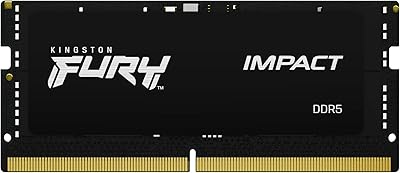
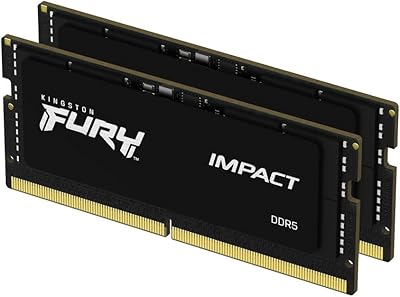
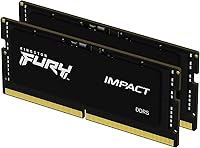
The Kingston FURY Impact 64GB DDR5 Laptop RAM is a high-capacity SODIMM kit built for laptop users who genuinely push their machines hard. Running in a dual-channel 2x32GB configuration, it gives your system two memory pathways to work with simultaneously — which matters when you're juggling large video timelines, virtual machines, or dozens of browser tabs alongside heavier apps. DDR5 itself is a meaningful step beyond DDR4: broader internal bandwidth, lower operating voltage, and on-die error correction baked in from the start. This kit arrived in early 2023, right as DDR5 laptop platforms hit mainstream adoption. It sits firmly at the premium end of the market, and the price reflects that — this is not an impulse buy.
Features & Benefits

At 5600MT/s with CL40 latency, this DDR5 SODIMM kit moves data fast enough that memory rarely becomes the bottleneck in real-world tasks — opening large Premiere Pro projects, compiling code, or running analytical workloads all feel noticeably more fluid. Intel XMP 3.0 support means compatible laptops can hit rated speeds automatically at boot, no manual tuning required. The 1.1V operating voltage is worth calling out for laptop users specifically: less heat generated means better sustained performance under load and a modest but real improvement in battery draw. On-Die ECC quietly corrects single-bit memory errors in the background, adding a layer of reliability you rarely think about until it matters.

Best For

This laptop memory kit makes the most sense for professionals whose work genuinely demands headroom — video editors handling 4K or multi-cam footage, developers running containerized environments, or anyone doing data-heavy work where running out of RAM means hitting a hard wall. Laptop gamers who want enough memory left over for streaming, Discord, and background processes without compromise will find the capacity useful too. The ideal buyer is on an Intel 12th Gen platform or newer with XMP 3.0 support to unlock full rated speed. Before purchasing, verify your specific laptop model has two accessible DDR5 SODIMM slots — not all thin-and-light designs do.

User Feedback

Across over 1,600 ratings, the Kingston FURY Impact upgrade holds a 4.8-star average — unusually consistent for a premium memory kit. Buyers frequently highlight straightforward installation and immediate system recognition without any BIOS adjustments needed. Content creators in particular mention noticeably snappier project handling after stepping up from 16GB or 32GB configurations. The recurring concern, predictably, is cost: several reviewers acknowledge strong performance but debate whether the premium over slower DDR5 options justifies itself for everyday use. A handful of buyers also flag compatibility questions with specific laptop models, reinforcing the need to verify your platform before ordering. Kingston's warranty support earns mostly positive mentions when it comes up.

Pros

  • 64GB dual-channel capacity removes memory as a bottleneck for professional creative and development workloads.
  • XMP 3.0 auto-configures to rated 5600MT/s speed on compatible Intel platforms with zero manual setup.
  • On-die ECC silently corrects memory errors in the background, adding meaningful long-term reliability.
  • Operating at 1.1V, this DDR5 SODIMM kit runs cooler and draws less power than typical DDR4 upgrades.
  • Kingston's long-standing reputation in memory manufacturing gives buyers confidence in build consistency.
  • Installation is straightforward — most users report immediate system recognition at first boot.
  • The 2x32GB dual-channel configuration maximizes memory controller efficiency, not just raw capacity.
  • A 4.8-star average across over 1,600 verified ratings reflects unusually strong real-world buyer satisfaction.
  • Long-term stability reports from professional users running sustained workloads are consistently positive.
  • Ranked among the top-selling laptop memory kits, with broad availability and strong warranty backing.

Cons

  • The price premium over competing 64GB DDR5 kits is a recurring frustration among cost-conscious buyers.
  • XMP 3.0 benefits are locked to Intel platforms — AMD users may not reach rated speeds without manual workarounds.
  • Some laptops have OEM-locked BIOS settings that prevent XMP activation entirely, capping real-world performance.
  • Buyers who do not verify their specific model's slot accessibility risk purchasing a kit their machine cannot accept.
  • Sparse included documentation leaves users troubleshooting platform-specific speed issues on their own.
  • At 64GB total, this laptop memory kit is significant overkill for anyone not running genuinely memory-saturating workloads.
  • A small number of users reported needing firmware updates before the system achieved full stability.
  • International buyers have occasionally flagged slower-than-expected warranty response times from Kingston support.

Ratings

The Kingston FURY Impact 64GB DDR5 Laptop RAM earns some of the strongest consensus scores we've tracked in the laptop memory category — but not without a few genuine caveats worth knowing before you buy. The scores below were generated by AI after analyzing verified purchase reviews from buyers worldwide, with spam, bot-submitted, and incentivized feedback actively filtered out. Both the standout strengths and the recurring frustrations are reflected honestly here.
Raw Performance
93%
Buyers running 4K video timelines, large Lightroom catalogs, and multi-instance development environments consistently report that memory bottlenecks essentially disappear after installing this DDR5 SODIMM kit. The 5600MT/s throughput shows up in real tasks — not just benchmarks — with noticeably faster project load times and smoother context switching between heavy apps.
A small number of users on older or budget DDR5 platforms report the kit defaulting to lower JEDEC speeds rather than rated 5600MT/s, which requires manual XMP activation if the laptop BIOS exposes that option. Without XMP enabled, the performance gap over cheaper DDR5 kits narrows considerably.
Installation Experience
91%
The plug-and-play experience is about as frictionless as laptop RAM upgrades get — most buyers report the kit was recognized immediately at boot with no BIOS intervention needed on compatible Intel platforms. Non-technical users specifically appreciate not having to dig through BIOS menus to get full functionality.
A handful of reviewers ran into situations where their laptop's bottom panel was difficult to remove, which is a chassis issue rather than a memory one, but it colored their overall install experience. A small subset on non-Intel platforms also noted the kit required manual speed configuration to perform at spec.
Compatibility Range
74%
26%
On Intel 12th and 13th Gen DDR5 laptop platforms, compatibility is broadly excellent — the vast majority of buyers report zero issues across a wide range of OEM machines from major brands. The standard SODIMM form factor means it physically fits any laptop with accessible DDR5 memory slots.
Compatibility gets murkier outside the Intel DDR5 ecosystem. Some AMD platform users have flagged mixed results with XMP profiles, and the kit does not support older DDR4-only laptops at all. Buyers who did not verify their specific model's slot accessibility before purchasing occasionally found their machine had soldered RAM.
Thermal Behavior
88%
The 1.1V operating voltage keeps heat generation low relative to DDR4 kits, which matters in thin-and-light laptops where thermal headroom is already tight. Several buyers doing sustained workloads — long rendering sessions, overnight data processing — noted their system thermals stayed stable throughout.
A few users in particularly cramped chassis designs reported the surrounding area getting warm under extended heavy loads, though it is difficult to isolate how much of that is attributable to the RAM versus the CPU and surrounding components. No widespread heat-related failures were reported.
Value for Money
62%
38%
For professional users who genuinely max out 32GB regularly — video editors cutting 6K footage, developers running multiple VMs, researchers working with large in-memory datasets — the upgrade cost is easier to justify because the productivity return is tangible and immediate.
The price premium over comparable 64GB DDR5 kits from competing brands is a recurring complaint across reviews. Casual users or those upgrading from 16GB who rarely saturate memory will find the cost harder to rationalize, and several buyers explicitly suggest waiting for DDR5 pricing to normalize before pulling the trigger.
Reliability & Stability
94%
Long-term reliability is where this kit consistently earns its strongest praise — buyers who have run it for over a year under daily professional workloads report zero crashes, no correctable memory errors surfacing, and consistent performance without degradation. The on-die ECC likely contributes to the clean long-term stability record.
Edge cases exist, as they do with any memory kit: a small number of buyers reported initial instability that was resolved by updating their laptop firmware rather than replacing the RAM itself. The failure rate appears genuinely low, but Kingston's warranty process is what reviewers rely on when issues do arise.
XMP 3.0 Functionality
86%
On supported Intel platforms, XMP 3.0 auto-configuration works exactly as advertised — the system reads the kit's profile and runs at 5600MT/s from first boot. Users who previously dealt with manual DDR4 overclocking appreciate having the process fully automated without sacrificing speed.
XMP 3.0 is Intel-centric by design, and buyers on AMD or mixed platforms cannot take full advantage of the feature. Some laptops with locked BIOS implementations from OEMs also prevent access to XMP settings entirely, effectively capping the kit at base JEDEC speeds regardless of what the memory is capable of.
Capacity Headroom
96%
Sixty-four gigabytes in a laptop is genuinely transformative for users who previously watched their RAM utilization hit 90% under normal workloads. The dual-channel 2x32GB configuration also means the memory controller is working efficiently, not just providing raw capacity from a single stick.
For most general-purpose users, 64GB is significant overkill — light multitaskers, students, and standard office users are paying for headroom they will realistically never use. The capacity argument is compelling only for a specific type of buyer, which the premium price makes even more important to evaluate honestly.
Low-Power Efficiency
89%
Several laptop users doing untethered work — traveling with a content-creation machine, running sessions away from a desk — noticed a modest but real battery life improvement compared to their previous DDR4 kits. At 1.1V, the kit draws meaningfully less power during idle and light-load states.
The efficiency gains are incremental rather than dramatic — this is not a reason to buy the kit on its own, and buyers expecting a significant battery life transformation will be mildly disappointed. The benefit is most noticeable in cumulative daily use rather than any single measurable session.
On-Die ECC
83%
Professional users handling sensitive data pipelines, financial modeling, or scientific computation appreciate that on-die ECC is correcting single-bit errors silently in the background without requiring an enterprise platform. It is a reliability feature that most consumer RAM skips entirely.
On-die ECC is invisible in day-to-day use by design, which means most buyers will never directly notice it working. It does not replace platform-level ECC for truly mission-critical applications, and some technically oriented buyers feel it is occasionally overstated in the marketing relative to what it practically delivers.
Brand Reputation & Warranty
87%
Kingston has decades of credibility in the memory market, and buyers regularly cite confidence in the brand as part of their purchase decision. When warranty claims do arise, the resolution process is described as relatively straightforward compared to lesser-known DDR5 competitors.
Kingston's warranty support is generally solid but not universally praised — a subset of buyers experienced slower response times than expected, particularly for international orders. The brand's reputation is an asset, but it does not fully insulate against the occasional support frustration.
Physical Build & Form Factor
91%
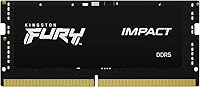
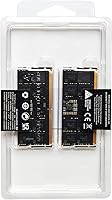
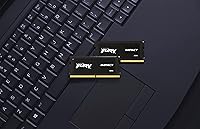
The SODIMM stick itself is precisely manufactured, fits snugly without resistance, and the black PCB finish has a clean, understated look for buyers who care about aesthetics when their laptop is open. No reports of physical defects or bent pins across the reviewed pool.
The compact SODIMM form factor means there is no room for a heatspreader, which is standard for this memory class — buyers expecting the aggressive styling of desktop FURY kits will find this predictably minimal. Aesthetics are a non-factor in practice, but worth noting for those who assumed otherwise.
Documentation & Setup Guidance
71%
29%
Plug-and-play functionality means most users never need the documentation at all, which is the best-case outcome. Buyers on straightforward Intel platforms typically have the kit running within minutes of physical installation without consulting any guide.
Kingston's included documentation is sparse, and buyers who run into platform-specific compatibility nuances — particularly around enabling XMP manually or diagnosing why their laptop is running below rated speed — are largely left to community forums and third-party guides to troubleshoot.

Suitable for:

The Kingston FURY Impact 64GB DDR5 Laptop RAM is purpose-built for laptop users whose work genuinely consumes memory at scale — think video editors cutting multi-camera 4K footage, developers spinning up several Docker containers simultaneously, or researchers loading large datasets into memory for analysis. If you regularly watch your RAM utilization climb past 80% and feel your current kit becoming the ceiling rather than the floor, this DDR5 SODIMM kit directly addresses that wall. It is also a strong fit for power users on Intel 12th or 13th Gen platforms who want XMP 3.0 to handle speed configuration automatically without touching BIOS settings. Laptop gamers who stream, run voice chat, and keep background applications running alongside modern titles will find the headroom genuinely useful rather than theoretical. Anyone consolidating from a mismatched pair of sticks or upgrading a high-performance thin-and-light with accessible DDR5 slots will also get immediate, tangible returns from this upgrade.
Not suitable for:

The Kingston FURY Impact 64GB DDR5 Laptop RAM is a poor fit for anyone whose laptop does not have two accessible, user-upgradeable DDR5 SODIMM slots — and that category is larger than many buyers assume, since a growing number of thin-and-light designs solder RAM directly to the motherboard. Budget-conscious buyers who are upgrading from 16GB primarily for everyday tasks like web browsing, document editing, and light media consumption will find the price premium difficult to justify against what their actual workload demands. Users on AMD Ryzen DDR5 platforms should also approach with caution: XMP 3.0 is Intel-centric, and hitting rated speeds on AMD may require manual configuration or may not be fully supported depending on the laptop model. Owners of DDR4-only machines cannot use this kit at all, regardless of form factor. If DDR5 laptop RAM pricing in general feels steep right now and your workloads do not regularly push past 32GB, waiting for the market to mature further is a legitimate and reasonable choice.
Specifications

  • Total Capacity: This kit provides 64GB of total memory across two matched 32GB SODIMM sticks running in dual-channel configuration.
  • Memory Type: DDR5 SDRAM SODIMM — a laptop-specific form factor incompatible with desktop DIMM slots or older DDR4 systems.
  • Speed: Rated at 5600MT/s (megatransfers per second), delivering significantly higher data throughput than standard DDR4 laptop memory.
  • Latency: CL40 primary latency; while the absolute CAS number is higher than DDR4, DDR5's narrower internal banks keep real-world response times competitive.
  • Operating Voltage: Runs at 1.1V, which is lower than most DDR4 laptop kits and contributes to reduced heat output and improved power efficiency.
  • XMP Support: Certified for Intel XMP 3.0, allowing supported Intel-platform laptops to automatically apply the 5600MT/s speed profile at boot.
  • On-Die ECC: Integrated on-die error-correcting code (ECC) detects and corrects single-bit memory errors internally, independent of platform-level ECC support.
  • Kit Configuration: Sold as a matched pair of two 32GB sticks specifically validated and binned together for dual-channel operation.
  • Form Factor: Standard SODIMM form factor measuring 2.74 x 0.15 x 1.18 inches, designed for laptops and compact systems with accessible memory slots.
  • Model Number: Official Kingston model identifier is KF556S40IBK2-64, which can be used to verify compatibility via Kingston's online tool.
  • Series: Part of Kingston's FURY Impact line, which targets performance laptop users rather than the workstation or server memory segments.
  • Color: Black PCB with no heatspreader, consistent with the compact thermal constraints of the SODIMM form factor.
  • Item Weight: The kit weighs approximately 0.537 ounces total, making it negligible in terms of impact on laptop carry weight.
  • Date Available: First listed for sale in January 2023, coinciding with broader mainstream availability of DDR5 laptop platforms.
  • Warranty: Kingston provides a limited lifetime warranty on FURY Impact memory, with support handled directly through Kingston's customer service channels.
  • Best Sellers Rank: Ranked #54 in Computer Memory on Amazon at time of review, indicating sustained commercial popularity within a competitive category.
  • Buyer Rating: Holds a 4.8 out of 5 star average based on over 1,636 verified ratings, reflecting unusually strong buyer satisfaction for a premium memory kit.

Related Reviews
Kingston Fury Beast 64GB (2x32GB) DDR5 6400MT/s RAM
88%
91%
Performance
95%
Ease of Installation
88%
Overclocking Potential
82%
RGB Aesthetics
89%
Stability During Gaming
More
A-Tech 64GB DDR5 4800MHz Laptop RAM Kit
89%
92%
Performance in Gaming
89%
Installation Ease
90%
Multitasking Performance
94%
Compatibility with Laptops
88%
Reliability and Durability
More
Kingston Fury Impact 32GB DDR5 4800MHz SODIMM Memory
87%
94%
Performance
89%
Installation Ease
90%
Stability
68%
Compatibility with Older Models
86%
Power Efficiency
More
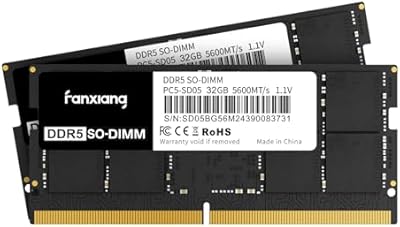
fanxiang DDR5 5600MHz 64GB (2 x 32GB) SODIMM Laptop RAM
84%
92%
Performance Boost
74%
Installation Ease
89%
Gaming Experience
85%
Multitasking Efficiency
91%
System Stability
More
Kingston FURY Impact 32GB 6400MT/s DDR5 SODIMM KF564S38IBK2-32
88%
93%
Performance
90%
Installation Ease
88%
Speed Improvement
92%
Compatibility
91%
Reliability
More
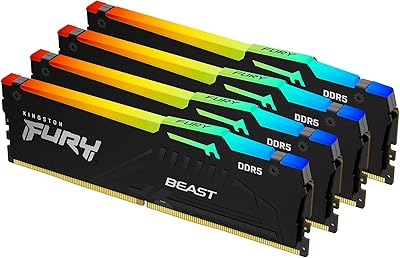
Kingston FURY Beast RGB 64GB (4x16GB) 5600MT/s DDR5 Memory Kit
87%
92%
Performance
88%
Ease of Installation
91%
RGB Lighting
87%
Thermal Management
89%
Overclocking Stability
More
Crucial 32GB DDR5 5200MHz Laptop RAM
89%
93%
Performance Boost
88%
Installation Ease
91%
Gaming Performance
89%
Multitasking Efficiency
85%
Overclocking Capability
More
Crucial 16GB DDR5 4800MHz Laptop RAM
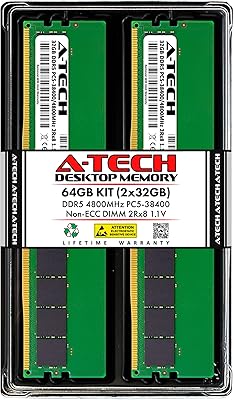
86%
89%
Performance Improvement
93%
Ease of Installation
88%
Multitasking Performance
91%
Compatibility with 12th Gen Intel & AMD Ryzen 7000
86%
Gaming Performance
More
Crucial 64GB DDR5 5600MHz SODIMM Laptop Memory Kit (CT2K32G56C46S5)
89%
94%
System Responsiveness
97%
Multitasking Capacity
91%
Installation Ease
86%
Thermal Management
78%
Value for Money
More
A-Tech 64GB DDR5 4800MHz Desktop RAM Kit
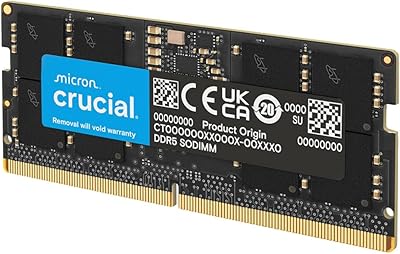
74%
83%
Value for Money
88%
Installation Ease
74%
Compatibility
91%
System Stability
78%
Performance at Rated Speed
More

FAQ

It will physically fit any DDR5 SODIMM slot, but XMP 3.0 is an Intel-specific standard. AMD platforms use EXPO or manual speed settings instead. The kit may default to a lower JEDEC speed on AMD laptops, so you would need to check whether your specific laptop's BIOS allows manual configuration to reach 5600MT/s.

Start by checking your laptop's official spec sheet or the manufacturer's product page — it will confirm whether the system uses DDR5 and whether the slots are user-accessible. Many modern thin-and-light laptops have RAM soldered directly to the motherboard, which means no upgrade is possible regardless of the memory type. Kingston also offers a free compatibility tool on their website where you can enter your laptop model to verify.

On most Intel 12th and 13th Gen DDR5 laptops, nothing is required — XMP 3.0 handles speed configuration automatically at first boot. If your system posts at a lower speed than 5600MT/s, you can manually enable the XMP profile in the BIOS if your laptop exposes that option. Some OEM laptops lock BIOS access, in which case you may be limited to the default JEDEC speed.

No. DDR5 and DDR4 use different physical slot keying and electrical specifications — they are entirely incompatible. If your laptop uses DDR4, this kit will not fit and cannot be made to work. Always confirm your platform's memory generation before purchasing.

Technically it may function, but it is not recommended. Mixing sticks from different manufacturers or speed bins can cause the system to drop to the slower kit's speed and may introduce instability. For the best results — and to actually use dual-channel mode — install both matched sticks from this kit together.

On-die ECC quietly monitors memory operations and corrects single-bit errors before they can cause a crash or data corruption, all without requiring any special platform support. In day-to-day use you will never notice it working — which is exactly the point. It is particularly reassuring for long unattended workloads like overnight renders or extended data processing sessions.

RAM is rarely the primary heat source in a laptop — the CPU and GPU account for the vast majority of thermal output. At 1.1V, this DDR5 SODIMM kit actually runs cooler than most DDR4 alternatives. If you are experiencing thermal issues under load, the more likely culprits are your cooling system, thermal paste condition, or CPU power limits.

For most gaming alone, 64GB is more than you will realistically use — modern titles rarely push past 24GB even with aggressive texture settings. Where the capacity earns its keep for gamers is when streaming, running OBS, keeping Discord and a browser open, and gaming simultaneously without any of those processes throttling each other. If you game exclusively without background workloads, a 32GB kit would likely serve you just as well for less money.

Kingston covers this kit under a limited lifetime warranty, which means they will replace defective modules without a fixed expiration date. If you encounter an issue, you initiate a claim directly through Kingston's support site. The process is generally described as straightforward, though international buyers have occasionally noted longer turnaround times than domestic customers.

That depends entirely on your laptop brand and region. In many countries, user-serviceable components like RAM can be upgraded without voiding the system warranty — the EU and US have relatively consumer-friendly rules here. However, some OEM warranties, particularly from certain Asian manufacturers, take a stricter stance. It is worth checking your laptop's warranty documentation or contacting the manufacturer directly before opening the chassis.

Where to Buy