Overview

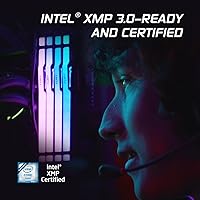
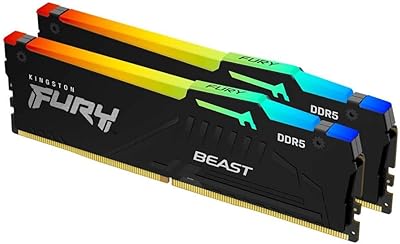
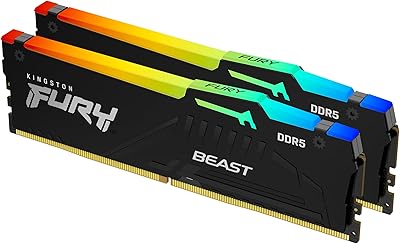
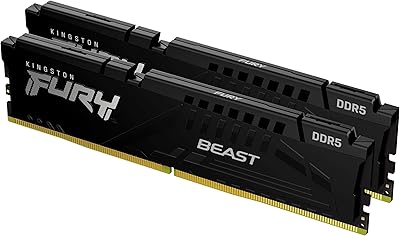
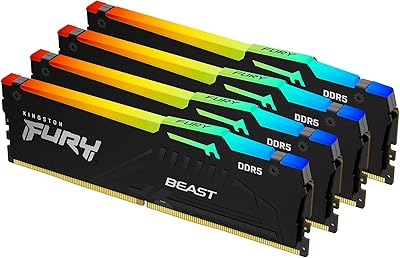
The Kingston Fury Beast RGB 32GB DDR5 Desktop RAM enters the enthusiast memory space as a dual-channel kit built for builders who want real performance without spending hours in the BIOS. Running at 6000MT/s with CL30 latency, it hits a speed tier where the gains in gaming frame rates and creative workloads are genuinely noticeable rather than theoretical. What sets this DDR5 kit apart from many competitors is its support for both AMD EXPO and Intel XMP 3.0, meaning it plays nicely across current Ryzen and Intel Core platforms. The revised heat spreader adds a clean, premium look without pushing the stick height to a point where cooler clearance becomes a concern.
Features & Benefits

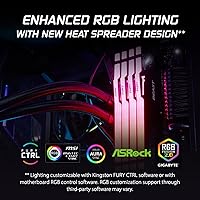
One of the more practical advantages of the FURY Beast RGB is how little effort it takes to get running at rated speed. Drop it in, enable EXPO or XMP 3.0 in the BIOS with a single toggle, and you are at 6000MT/s without touching any manual timings. At CL30, that bandwidth translates into faster texture loading in demanding games and snappier response in memory-intensive applications like video editing. Kingston's Infrared Sync handles RGB coordination between the two sticks without any physical sync connector, which keeps cable routing clean. Operating at 1.35V, the kit avoids the power overhead of some competing high-speed DDR5 options. At just 1.66 inches tall, cooler compatibility is rarely an issue.

Best For

This memory upgrade is a natural fit for a few distinct builder types. If you are on a Ryzen 7000 platform, the AMD EXPO profile makes hitting 6000MT/s as straightforward as it gets — no manual subtiming adjustments required. Intel builders on Z790 or B760 boards get the same convenience through XMP 3.0. Gamers and content creators who have been holding off on a DDR5 move will find 32GB of headroom comfortable for both heavy multitasking and running large project files without constant page file access. RGB enthusiasts get reliable lighting sync without installing extra software. And for anyone transitioning from DDR4, sticking with a trusted Kingston brand backed by a solid warranty reduces the risk that usually comes with a platform jump.

User Feedback

Across verified buyer reviews, the pattern is largely positive. Most users report that the kit posts at 6000MT/s on the first boot after enabling the relevant profile, with no memory training loops or stability issues out of the box. The Infrared Sync RGB works as advertised — buyers specifically call out that it syncs without extra connectors, which is a small but appreciated detail in a tidy build. The honest caveat worth mentioning: a portion of users on older X670 or Z790 boards needed a BIOS update first before achieving stable operation at rated speed. A handful also noted the sticks run noticeably warm in cases with poor airflow, though none reported crashes or errors. Overall buyer satisfaction is high, with many returning to Kingston for subsequent builds.

Pros

  • One-click EXPO or XMP 3.0 activation gets you to 6000MT/s without touching a single manual timing.
  • Dual-platform compatibility means this DDR5 kit works across both major CPU ecosystems without buying separate kits.
  • 32GB of capacity handles heavy multitasking, large game installs, and creative project files without breaking a sweat.
  • Infrared Sync RGB coordinates lighting between both sticks reliably, no physical connector or extra cable needed.
  • At 1.66 inches tall, the sticks clear virtually all mainstream air coolers without a clearance headache.
  • 1.35V operating voltage is reasonable for this speed tier, avoiding excess strain on your power delivery.
  • The revised heat spreader feels and looks premium, with build quality that outpunches similarly priced alternatives.
  • Kingston's warranty and brand reputation reduce the risk for buyers making their first DDR5 platform jump.
  • Verified buyers consistently report stable first-boot behavior when the appropriate profile is enabled.

Cons

  • Some older X670 and Z790 motherboards require a BIOS update before this memory upgrade runs stably at rated speed.
  • No non-RGB version is available in this exact kit, so buyers paying for aesthetics they do not want have limited alternatives here.
  • The sticks run noticeably warm in compact cases with restricted airflow, which may concern small form factor builders.
  • Manual subtiming adjustments beyond the default EXPO profile are limited for advanced overclockers chasing record-level latency.
  • At the premium DDR5 price tier, value-focused buyers can find slower but cheaper kits that serve everyday tasks adequately.
  • RGB synchronization depends on Kingston FURY CTRL software for full color customization, adding a software dependency some users prefer to avoid.
  • Desktop-only designation means anyone who mistakenly purchases this for a laptop or workstation will need to return it.

Ratings

Our AI-generated scores for the Kingston Fury Beast RGB 32GB DDR5 Desktop RAM are built by analyzing verified buyer reviews from multiple global markets, with spam, bot-submitted, and incentivized feedback actively filtered out. The result is an honest snapshot of real-world ownership — strengths and frustrations included — so you can make a well-informed decision before buying. Every category below reflects patterns we identified across hundreds of confirmed purchases, not a manufacturer's marketing claims.
Ease of Setup
91%
Most buyers report a near-frictionless install experience. Enabling the EXPO or XMP 3.0 profile in the BIOS is a single toggle, and the kit reliably posts at 6000MT/s on the first boot across the majority of current AMD and Intel platforms — a genuine relief for builders who dread memory configuration.
A meaningful subset of users on older X670 or Z790 boards ran into instability until they updated their motherboard firmware first. It is not a dealbreaker, but it adds an unexpected step for builders who assumed they could skip straight to gaming.
Performance at Rated Speed
88%
At 6000MT/s with CL30 latency, this DDR5 kit delivers bandwidth gains that are genuinely noticeable in CPU-bound gaming scenarios, particularly on Ryzen 7000 where memory speed has a direct impact on frame rates. Content creators encoding video or working in large Premiere Pro timelines also report snappier responsiveness compared to slower DDR5 tiers.
The performance advantage over a 5600MT/s kit narrows considerably in everyday productivity tasks. Buyers expecting a dramatic transformation in non-memory-intensive workloads may find the real-world difference harder to justify at this price tier.
Platform Compatibility
86%
Supporting both AMD EXPO and Intel XMP 3.0 in a single kit is a practical advantage that experienced builders genuinely appreciate. Whether you are on a Ryzen 7000 or an Intel Core 13th gen board, this memory upgrade covers both without requiring any manual timing configuration.
The kit is strictly desktop DDR5, which rules out a wider audience than Kingston probably acknowledges in its marketing. Buyers who did not carefully check the product type before purchasing have occasionally noted frustration upon discovering it does not fit laptop slots.
RGB Lighting Quality
83%
The Infrared Sync Technology between the two sticks works reliably in practice — a detail that users specifically call out because cable-free synchronization keeps builds clean. The lighting is bright and consistent across both modules, integrating well with other ARGB components.
Full color customization requires the FURY CTRL software, which adds another background application to manage. A handful of users also noted that without software intervention, the default lighting effects are limited, which may disappoint those who want deep per-key-style control.
Build Quality & Design
89%
The redesigned aluminum heat spreader is repeatedly described by buyers as feeling premium and well-machined, especially relative to other kits in the same price range. The overall fit and finish suggests Kingston invested meaningfully in this generation's physical presentation.
The aesthetic is fairly aggressive and angular, which fits most gaming-oriented builds but can feel out of place in workstation or home-theater PC setups aiming for a subdued look. There is no non-RGB variant of this exact kit for buyers who prefer a cleaner appearance.
Thermal Performance
74%
26%
Under normal desktop airflow conditions, the heat spreader does its job well enough to keep the modules stable through extended gaming and rendering sessions. Most users in mid-tower cases with front intake fans report no thermal concerns whatsoever.
In compact ITX cases or systems with restricted airflow, these sticks run noticeably warm. No crashes or errors were attributed directly to heat, but the margin for error is tighter, and buyers building in small enclosures should plan their airflow carefully before committing.
Value for Money
77%
23%
For a dual-platform EXPO and XMP 3.0 compatible 32GB DDR5 kit with RGB and a lifetime warranty, the overall package is competitive within the premium DDR5 tier. Buyers who need cross-platform flexibility get genuine utility from a single purchase rather than hunting for separate AMD or Intel-optimized kits.
Budget-conscious builders can find 32GB DDR5 kits at slower speeds for noticeably less money, and in workloads that are not memory-bandwidth sensitive, those cheaper options perform similarly. The premium here is partly for the RGB and brand name, which not every buyer values equally.
Out-of-Box Stability
87%
The overwhelming majority of verified buyers describe a stable, no-drama first boot after enabling their chosen profile. There are very few reports of persistent instability on supported platforms, which builds confidence for first-time DDR5 adopters who worry about compatibility surprises.
The cases where instability did occur were almost exclusively tied to outdated BIOS versions rather than faulty hardware, but the distinction is cold comfort when your system fails to post on build day. Checking firmware before installing would prevent most of these experiences.
Cooler Clearance
92%
At 1.66 inches tall, this DDR5 kit clears virtually every mainstream and high-end air cooler without requiring any offset mounting or bracket adjustments. Builders using large tower coolers like the Noctua NH-D15 or be quiet! Dark Rock Pro have reported zero fitment issues.
The clearance advantage is less relevant for builders using AIO liquid coolers, where DIMM height rarely matters anyway. It is a genuine plus, but it is also table stakes for any competently designed DDR5 kit, so it does not meaningfully differentiate this product.
RGB Sync Reliability
84%
The infrared synchronization between the two sticks consistently works without requiring manual intervention or re-pairing after reboots, which is more than can be said for some competing kits that rely on physical connectors prone to accidental disconnection during cable management.
Integration with third-party RGB ecosystems like ASUS Aura or MSI Mystic Light requires the FURY CTRL software acting as a bridge, and a small number of users have reported occasional sync drops after sleep or hibernation cycles that require a system restart to resolve.
Software Experience
68%
32%
For users who only want the default RGB behavior, no software is ever needed — the lights just work. Those who do install FURY CTRL generally find it functional and straightforward enough to navigate without a steep learning curve.
FURY CTRL is not as polished or feature-rich as the software ecosystems offered by some competing memory brands. Users who want deep effect customization or tight integration with a wider lighting ecosystem may find the app underwhelming compared to alternatives.
Brand Trust & Warranty
93%
Kingston's lifetime warranty on FURY products is one of the stronger buyer protections in the consumer memory market, and the brand's long track record in the memory space gives first-time DDR5 buyers genuine peace of mind. Replacement processes through Kingston support are generally described as smooth and low-friction.
Kingston does not offer as public-facing a suite of performance validation tools or overclocking community resources as some competitors, which can leave more technically ambitious users feeling underserved when they want to push beyond the default EXPO or XMP profiles.
Packaging & Delivery Condition
81%
19%
The kit arrives in sturdy retail packaging with the two sticks secured individually, and the vast majority of buyers report receiving units in perfect physical condition. The unboxing experience feels consistent with a premium product tier.
A small number of buyers noted minor cosmetic scuffs on the heat spreader finish upon arrival, suggesting that transit handling is occasionally rough. It is infrequent enough not to represent a pattern, but it is worth inspecting the sticks carefully before installing them.

Suitable for:

The Kingston Fury Beast RGB 32GB DDR5 Desktop RAM is a strong pick for anyone building or upgrading a modern desktop around AMD Ryzen 7000 series or Intel Core 13th and 14th gen processors. The dual AMD EXPO and Intel XMP 3.0 profile support means you are not locked into a single platform, which is genuinely useful if you are the type who rebuilds every two or three years and might switch camps. Gamers who play memory-bandwidth-sensitive titles will notice real differences at 6000MT/s versus slower DDR5 kits, and creative professionals working in video editing or 3D rendering will appreciate having 32GB of fast memory to keep large assets in active use. It also suits PC builders who care about aesthetics — the Infrared Sync RGB works reliably without extra cables or mandatory software, so it fits into a clean build without adding complexity. First-time DDR5 buyers who want a reputable brand with a solid warranty will find this a low-stress entry point into the standard.
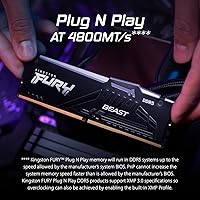
Not suitable for:

Buyers on older DDR4 platforms simply cannot use this kit — it is DDR5 only and strictly desktop-oriented, so laptop upgraders or anyone on a pre-Ryzen 7000 or pre-12th Gen Intel system should look elsewhere. If you are building on a budget-tier B650 or H770 board and have not checked whether your specific board fully supports 6000MT/s EXPO or XMP profiles, do your homework first, because not every affordable motherboard handles this speed tier without a BIOS update or manual tuning. Users in small form factor or mini-ITX cases with limited airflow should note that the sticks run on the warmer side; they remain stable, but thermal headroom is tighter in cramped enclosures. Those who genuinely have no interest in RGB lighting are essentially paying for a feature they will never use, and there are comparable DDR5 kits without lighting that may offer slightly better value in that scenario. Finally, anyone chasing the absolute lowest possible latency for competitive overclocking should know that the Kingston Fury Beast RGB 32GB DDR5 Desktop RAM targets the mainstream enthusiast sweet spot rather than the extreme edge of DDR5 tuning.

Specifications

  • Capacity: This kit includes two 16GB DDR5 modules for a total of 32GB in dual-channel configuration.
  • Memory Type: The modules use DDR5 SDRAM technology, the current-generation standard for modern desktop platforms.
  • Speed: The kit is rated at 6000MT/s, delivering strong memory bandwidth for gaming and content creation workloads.
  • Latency: CL30 primary latency provides a well-balanced response time at the 6000MT/s speed tier.
  • Voltage: Operating voltage is 1.35V, keeping power consumption and heat output at a reasonable level for high-speed DDR5.
  • Profile Support: Both AMD EXPO and Intel XMP 3.0 one-click overclock profiles are supported for broad platform compatibility.
  • RGB Lighting: Each stick features built-in RGB LEDs synchronized via Kingston's patented Infrared Sync Technology, requiring no physical sync connector between modules.
  • Heat Spreader: A redesigned aluminum heat spreader covers each module to aid thermal dissipation during sustained workloads.
  • Stick Dimensions: Each module measures 5.25 x 0.26 x 1.66 inches, keeping the height low enough to clear most mainstream air coolers.
  • Kit Weight: The total kit weight is 1.31 ounces, consistent with standard full-length DDR5 dual-stick packages.
  • Platform: These modules are designed exclusively for desktop motherboards and are not compatible with laptops or workstations using SO-DIMM slots.
  • Module Count: The kit ships as two individual sticks intended to be installed together in the correct dual-channel slots on your motherboard.
  • Model Number: The official Kingston model number for this kit is KF560C30BBEAK2-32, useful for cross-referencing motherboard QVL lists.
  • Release Date: This specific kit was first made available in March 2024, placing it among the more refined second-wave DDR5 product launches.
  • Brand Series: This kit belongs to the Kingston FURY Beast DDR5 RGB family, Kingston's mainstream enthusiast memory line.
  • Warranty: Kingston backs this kit with a lifetime warranty, which is standard across the FURY product lineup and reflects confidence in long-term reliability.

Related Reviews
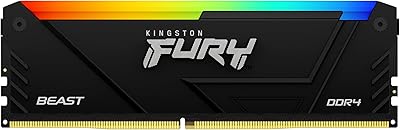
Kingston FURY Beast 32GB 3600MT/s DDR4 RGB Desktop Memory
87%
88%
Performance
93%
RGB Lighting Customization
91%
Ease of Installation
85%
Compatibility with AMD Ryzen
86%
Overclocking Potential (Intel XMP)
More
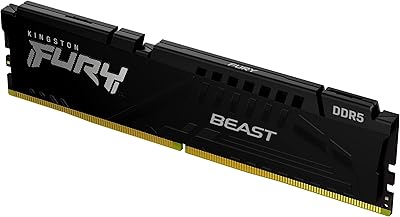
Kingston FURY Beast 16GB DDR5 RAM Kit
80%
93%
Out-of-Box Setup
88%
Platform Compatibility
84%
Memory Performance
91%
Stability & Reliability
79%
Value for Money
More
Kingston FURY Beast 32GB (2x16GB) DDR5 5200MT/s
87%
92%
Performance
88%
Ease of Installation
84%
Overclocking Potential
73%
Thermal Management
91%
Gaming Performance
More
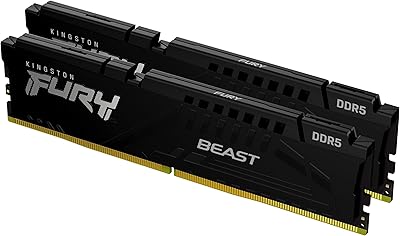
Kingston FURY Beast 32GB 5600MT/s DDR5 Memory
89%
89%
Performance for Gaming
93%
Ease of Installation
85%
Thermal Management
91%
Overclocking Support
87%
Compatibility with Desktop Systems
More
Kingston Fury Beast 64GB (2x32GB) DDR5 6400MT/s RAM
88%
91%
Performance
95%
Ease of Installation
88%
Overclocking Potential
82%
RGB Aesthetics
89%
Stability During Gaming
More
Kingston FURY Beast DDR5 16GB Desktop RAM
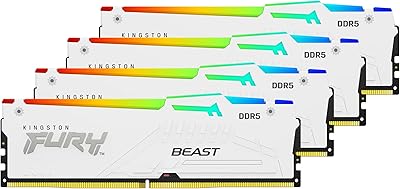
84%
83%
Value for Money
91%
Installation & Setup
88%
Performance at Rated Speed
92%
Stability & Reliability
86%
Thermal Management
More
Kingston FURY Beast 128GB DDR5 5600MT/s RGB Memory Kit
87%
96%
Performance for Gaming
92%
Overclocking Stability
88%
RGB Lighting Customization
94%
Ease of Installation
62%
Compatibility with Older Systems
More
Kingston FURY Beast RGB White 128GB (4x32GB) 5200MT/s CL40 DDR5
85%
93%
Performance & Speed
88%
Ease of Installation
91%
RGB Lighting
90%
Overclocking Support
85%
Build Quality & Durability
More
Kingston FURY Beast RGB 64GB (4x16GB) 5600MT/s DDR5 Memory Kit
87%
92%
Performance
88%
Ease of Installation
91%
RGB Lighting
87%
Thermal Management
89%
Overclocking Stability
More
Kingston Fury Beast 32GB DDR5 RAM Kit
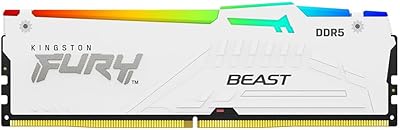
85%
91%
EXPO & XMP Activation
78%
Platform Compatibility
86%
Memory Performance
88%
Build Quality & Finish
84%
Thermal Management
More

FAQ

Yes, but it is straightforward. After installing the sticks, enter your BIOS and enable either the EXPO profile (for AMD platforms) or XMP 3.0 (for Intel). One toggle is all it takes. The kit will otherwise default to a slower JEDEC speed until you activate the profile.

In most cases, yes. The EXPO profile is specifically designed for Ryzen 7000 series boards, and the vast majority of users report stable operation right after enabling it. That said, if your X670 or B650 board has older firmware, a BIOS update before installing the kit can save you some troubleshooting time.

Yes, the kit supports Intel XMP 3.0, which is the standard overclock profile for Z790 and B760 boards. You enable it the same way you would any XMP profile, and it should post at 6000MT/s without manual tuning.

Kingston uses its own Infrared Sync Technology, which communicates between the modules using an infrared signal rather than a physical cable. In practice, the two sticks stay in sync reliably, and most users report it just works out of the box without any additional setup.

Basic synced lighting works without any software. If you want to customize colors or effects beyond the defaults, Kingston offers the FURY CTRL application. It is optional, not mandatory, which is a plus if you prefer a clean software install.

At 1.66 inches tall, the modules are on the lower side for DDR5 RGB kits. The majority of popular air coolers, including large tower designs, will clear these without any issue. If you are using an exceptionally wide cooler that overhangs the first DIMM slot, check your cooler manufacturer's compatibility list to be sure.

It depends on what you are doing. For gaming, the jump from 5600MT/s to 6000MT/s is measurable in CPU-bound scenarios, particularly on AMD Ryzen platforms where memory speed has a more direct impact on frame rates. For general productivity, the difference is smaller. If your motherboard supports 6000MT/s natively via EXPO or XMP, this kit is a reasonable choice over a slower alternative at this tier.

Technically yes, but running a single stick means losing dual-channel mode, which noticeably reduces memory bandwidth — especially on AMD Ryzen. These kits are tested and validated as a pair, so for best results, install both sticks together from the start.

A few users in compact or poorly ventilated cases have noted that the sticks run on the warmer side. That said, no reported cases of thermal throttling or crashes have been attributed to heat alone. If you are building in a tight case, make sure you have at least basic front-to-back airflow, and you should be fine.

Always check your motherboard manual, but for most modern AMD and Intel boards with four DIMM slots, the recommended dual-channel configuration uses slots 2 and 4 (counting from the CPU side). Installing in the wrong slots will still work, but you may lose dual-channel mode or face instability at rated speeds.