Overview

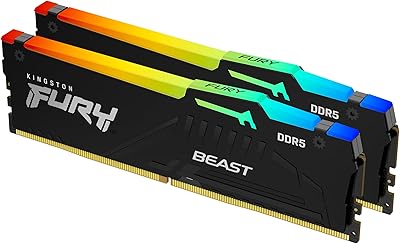
The Kingston FURY Beast 32GB DDR4 Desktop RAM is a single-module kit built for desktop builders who want substantial capacity now and room to expand later. It sits in the upper tier of Kingston's FURY Beast lineup, running at 3600MT/s — a meaningful step above the 2133–2400MT/s speeds most DDR4 boards default to. Drop it in without touching the BIOS and it runs at a safe Plug N Play 2666MT/s, keeping things accessible for builders who aren't comfortable tweaking settings. One thing worth stating plainly: this is a DDR4 module, so if you're on a newer AM5 or recent Intel platform, confirm your board's compatibility before buying.
Features & Benefits

Enabling XMP in your BIOS is how this Kingston DDR4 stick actually reaches its rated 3600MT/s — skip that step and you're leaving speed on the table. AMD Ryzen users get similar treatment through EXPO support, and both profiles are stable without manual timing adjustments. The Infrared Sync Technology handles RGB coordination across multiple sticks passively, so there's no software to install or cables to manage — a quiet convenience most people only appreciate once they've dealt with the alternative. Running at 1.35 volts, it draws less power than older DDR4 modules, and the low-profile design clears most CPU coolers without clearance headaches. CL18 at 3600MT/s is a reasonable timing trade-off for this speed tier.

Best For

This 32GB memory kit makes the most sense in a few specific situations. If you have one open DIMM slot and want to maximize total RAM before adding another stick later, a single 32GB module is a practical path forward. AMD Ryzen platform users tend to see the strongest gains from faster DDR4, so the 3600MT/s rating is well-matched there. It also suits anyone who wants RGB without downloading yet another system tray application. That said, if you're starting fresh with two slots available, a dual-channel 2x16GB setup will typically outperform this in memory-intensive workloads — worth knowing before you commit. DDR5 platform owners should look elsewhere entirely.

User Feedback

With over a thousand ratings and a score sitting comfortably above 4.5 out of 5, this FURY Beast module has a strong track record among real buyers. The most consistent praise centers on hassle-free installation — people report XMP enabling cleanly on the first try, with no stability issues after sustained use. The RGB lighting draws positive mentions, though most treat it as a bonus rather than a purchase driver. Where buyers push back is predictable: some feel that dual-channel configurations at the same total capacity would have served their workloads better, especially for video editing or heavy multitasking. A handful flag the price against competitors, but outright compatibility complaints remain rare.

Pros

  • A single 32GB module gives you serious capacity while keeping one slot free for a future upgrade.
  • XMP and AMD Ryzen EXPO profiles load reliably with a single BIOS toggle — no manual tuning needed.
  • Plug N Play at 2666MT/s means it works straight out of the box even if you never touch the BIOS.
  • Infrared RGB sync works across sticks without cables, software installs, or system tray clutter.
  • The low-profile heatspreader clears most aftermarket CPU coolers without any repositioning.
  • Running at 1.35V, this Kingston DDR4 stick draws noticeably less power than older DDR4 modules rated at 1.5V.
  • Over a thousand verified buyers and a rating above 4.5 out of 5 points to consistent real-world reliability.
  • AMD Ryzen platform users in particular report stable operation at the full 3600MT/s rated speed.
  • The black heatspreader design is understated enough to blend into most builds that are not aggressively themed.

Cons

  • A matched dual-channel 2x16GB setup at the same capacity will generally outperform this single module in bandwidth-heavy workloads.
  • CL18 latency is acceptable but not competitive with tighter-timed kits available at similar speeds.
  • DDR4 is a maturing standard — buyers on newer platforms may find this 32GB memory kit incompatible entirely.
  • The pricing puts it at a slight premium over no-frills 32GB DDR4 alternatives that skip RGB entirely.
  • RGB synchronization only works with other FURY Beast RGB modules using Infrared Sync — cross-brand lighting coordination is not supported.
  • Single-module configurations can create bottlenecks in memory-intensive applications that lean heavily on dual-channel throughput.
  • No included software utility for RGB customization — color options depend on what your motherboard's own ecosystem supports.
  • Availability of a matching second module at the exact same firmware revision is not guaranteed, which can complicate future channel pairing.

Ratings

The scores below reflect our AI-driven analysis of thousands of verified global purchases of the Kingston FURY Beast 32GB DDR4 Desktop RAM, with automated filters applied to remove incentivized, duplicate, and bot-generated submissions. We weighed both the enthusiastic praise and the recurring frustrations equally, so what you see here is an honest picture of where this module delivers and where it falls short for real builders.

Installation Ease
93%
Buyers consistently describe the installation experience as one of the smoothest they have had with any RAM upgrade. The Plug N Play default at 2666MT/s means the system posts correctly on the first boot without touching the BIOS, which is a genuine relief for builders who are less comfortable with firmware settings.
A small number of users on older boards reported needing a BIOS update before the module was detected correctly at full speed. This is more of a motherboard firmware issue than a fault with the stick itself, but it did catch a handful of buyers off guard.
XMP Profile Stability
89%
The vast majority of Intel platform users report that enabling XMP locks in 3600MT/s without any additional tuning, and the system stays stable under sustained gaming and multitasking loads. For builders who want rated performance without touching individual timing values, the built-in profile delivers exactly that.
A subset of users on budget Z490 and B450 boards noted occasional boot loops when first enabling XMP, requiring a CMOS reset before the profile stabilized. This is not universal, but it is worth knowing if your board sits at the lower end of XMP certification support.
AMD Ryzen Compatibility
86%
Ryzen 5000 series users in particular speak highly of how this Kingston DDR4 stick behaves on AM4 boards, with many reporting clean XMP or DOCP enablement and immediate recognition at 3600MT/s. The bandwidth gains on Ryzen are tangible in real workloads, especially in games that are sensitive to memory speed.
A handful of Ryzen 3000 users on older 300-series boards found compatibility more finicky, and not all AM4 boards officially support memory above 3200MT/s without manual intervention. Checking your specific board's QVL before buying remains important.
Single vs Dual Channel Trade-off
61%
39%
For users upgrading a system with one occupied slot, dropping in a single 32GB module is a practical and low-disruption path to higher total capacity. Several reviewers appreciated being able to reach 48GB or 64GB without discarding their existing RAM, which made the single-module format genuinely useful in those scenarios.
Performance-focused buyers who benchmarked this 32GB memory kit against a matched 2x16GB dual-channel setup consistently found the single-module configuration trailing in memory-bandwidth tasks like video export and large asset loading in creative software. This is a structural limitation of running a single channel, not a defect, but it is the most common source of buyer disappointment.
Value for Money
74%
26%
Buyers who needed a high-capacity single module with RGB and XMP support generally felt the pricing was fair given the feature set and Kingston's reputation for reliability. The FURY Beast branding carries real weight in this segment, and most feel the quality justifies the cost over cheaper no-name alternatives.
A recurring theme in critical reviews is that competing 32GB DDR4 single sticks — some from G.Skill and Corsair — offer tighter CL16 timings at similar or lower price points. Buyers who prioritize raw performance over brand trust sometimes feel this module is priced slightly above what the latency spec warrants.
Memory Speed Performance
82%
18%
At 3600MT/s with XMP enabled, this FURY Beast module sits in a sweet spot that meaningfully outpaces default DDR4 speeds without pushing into the instability territory that higher-binned 4000MT/s+ kits sometimes encounter. Gamers on Ryzen platforms report noticeably smoother frame pacing in CPU-limited scenarios.
The CL18 latency at 3600MT/s is on the looser end for this frequency, and users running latency-sensitive workloads like competitive gaming or real-time audio production may find that tighter-timed alternatives at the same speed offer a more responsive feel in practice.
Build Quality & Heatspreader
88%
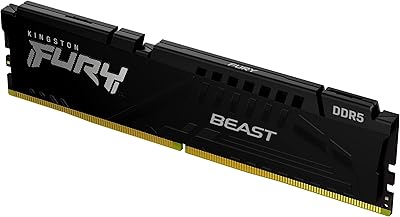
The aluminum heatspreader feels solid and well-fitted, with no flex or rattling reported even after repeated handling during test bench swaps. The matte black finish resists fingerprints better than glossy alternatives, and the overall construction feels appropriately premium for a module in this price range.
The heatspreader does not come with any thermal pad between it and the DRAM chips on some production runs, which a few technically minded buyers noted after disassembly. For typical desktop use this is inconsequential, but it is a minor corner cut compared to some enthusiast-tier competitors.
RGB Lighting Quality
79%
21%
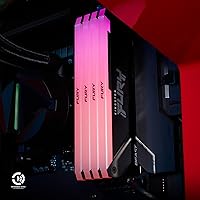
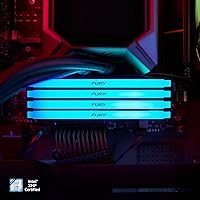
The RGB diffusion is smooth and even across the top of the module, with no obvious hot spots or dim zones that can plague cheaper implementations. For buyers who use multiple FURY Beast sticks, the Infrared Sync keeps lighting coordinated without any cables or software, which reviewers consistently describe as a clean and fuss-free experience.
RGB customization is limited to what your motherboard's software ecosystem supports — there is no standalone Kingston application, so users on boards with basic or poorly designed RGB utilities have limited control. A few buyers also noted that the default lighting patterns cycle in ways they found distracting without a way to set a static color easily.
Cooler Clearance
91%
The low-profile heatspreader clears virtually every mainstream tower cooler and AIO radiator bracket without any repositioning. Builders using large air coolers like the Noctua NH-D15 or be quiet! Dark Rock Pro have specifically called out the lack of clearance issues as a welcome relief compared to taller RAM alternatives.
Extreme cases involving coolers with very wide bases that physically overhang the first DIMM slot — a design choice on certain older Noctua and Thermalright models — can still create issues. This affects a small minority of builds, but it is worth measuring before assuming all clearance problems are solved.
Power Efficiency
84%
The 1.35V operating voltage is a genuine step down from the 1.5V that older DDR4 modules required, and builders running small form factor or passively cooled systems appreciate the lower heat output. Under sustained workloads, the module stays cool to the touch without needing additional airflow directed at it.
The efficiency gains are modest enough that most users in standard mid-tower builds will not notice a difference in system temperatures or power draw in practice. It is a nice specification to have, but it is unlikely to be a deciding factor for most buyers outside of very thermally constrained environments.
Long-Term Reliability
87%
Kingston's lifetime warranty provides meaningful long-term assurance, and the brand's track record in the memory market — spanning decades — gives buyers reasonable confidence that support will be available if something goes wrong. Very few reviews report failure after extended use.
Some buyers noted that Kingston's warranty claim process requires proof of purchase and can involve a wait period for replacement, which is frustrating when a failed stick leaves a system non-functional. This is not unusual in the industry, but it is worth keeping receipts and documenting your purchase date.
Platform Versatility
67%
33%
On supported DDR4 platforms — which still represent a large installed base of Intel LGA1151, LGA1200, and AMD AM4 boards — this module covers a wide range of use cases from budget gaming rigs to professional workstations. The Plug N Play default makes it broadly accessible across that entire range.
The module is entirely locked out of DDR5 platforms, which is a hard stop for anyone building on Intel Core Ultra or AMD AM5. As DDR5 adoption accelerates, the long-term relevance of this 32GB memory kit narrows, and buyers considering a platform upgrade in the near future should factor that into their decision.
Packaging & Presentation
77%
23%
The retail packaging is sturdy, with the module seated in a protective plastic clamshell that prevents any contact damage during shipping. Buyers report that the product consistently arrives in good cosmetic condition, which matters for gift purchases and builds where presentation is part of the experience.
There are no accessories included — no installation guide specific to this module, no cable ties, and no extras of any kind. Most experienced builders will not miss this, but newer builders assembling their first system sometimes wished for at least a brief setup reference card in the box.

Suitable for:

The Kingston FURY Beast 32GB DDR4 Desktop RAM is a strong fit for desktop builders who are working within existing DDR4 platforms — particularly those running AMD Ryzen processors, which historically extract the most bandwidth benefit from faster DDR4 speeds. If you currently have one DIMM slot occupied and one free, installing a single 32GB module is a smart way to reach a total of 48GB or 64GB without pulling out what's already there. It also works well for builders starting fresh who want maximum capacity in a single slot, leaving the second slot open for a future upgrade rather than committing to a fixed dual-stick configuration now. Hobbyists who want RGB lighting that coordinates across modules without installing extra software will find the Infrared Sync approach refreshingly low-maintenance. Mid-range to enthusiast builds running Intel LGA1200, AM4, or similar DDR4-native boards are the sweet spot for this module.
Not suitable for:

Buyers building on newer platforms — Intel Core Ultra, AMD AM5, or anything DDR5-native — should stop here and confirm their board's memory standard before considering this module, because the Kingston FURY Beast 32GB DDR4 Desktop RAM simply will not work in a DDR5 slot. Even on compatible DDR4 boards, users who are performance-focused and have two open DIMM slots will typically get better real-world results from a matched dual-channel 2x16GB kit at the same total capacity, since dual-channel memory access tends to outperform a single large module in memory-bandwidth-sensitive workloads like video editing, 3D rendering, and some competitive games. This is also not the right pick for laptop users or small form factor builders using SO-DIMM slots, as it is a full-size desktop DIMM. Buyers expecting the absolute lowest latency should note that CL18 at 3600MT/s, while respectable, is not a tight-timing configuration — there are competing kits at similar speeds with CL16 if raw latency is a priority.
Specifications

  • Capacity: This module provides 32GB of memory in a single DIMM, making it one of the largest single-stick DDR4 options available for desktop builds.
  • Memory Type: It uses DDR4 SDRAM technology, which is compatible with a wide range of Intel and AMD desktop platforms released between 2016 and 2023.
  • Rated Speed: The module is rated at 3600MT/s when XMP or AMD EXPO profiles are enabled in the system BIOS.
  • Plug N Play Speed: Without any BIOS configuration, the stick defaults to a stable 2666MT/s for out-of-the-box compatibility with any DDR4-capable motherboard.
  • CAS Latency: The module runs at CL18 at its rated 3600MT/s speed, which is a standard latency trade-off for this frequency tier.
  • Voltage: Operating voltage is 1.35V, which is lower than the 1.5V rating common in older DDR4 modules and contributes to slightly reduced power draw.
  • XMP Support: Intel XMP profiles are built in, allowing compatible Intel platform users to reach rated speeds with a single BIOS toggle.
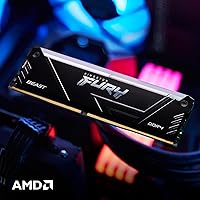
  • AMD Compatibility: The module is validated for AMD Ryzen platforms and supports AMD-specific memory profiles for straightforward speed configuration.
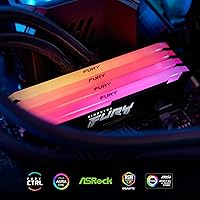
  • RGB Lighting: RGB illumination is powered by Kingston's patented Infrared Sync Technology, which coordinates lighting across multiple FURY Beast modules without cables or dedicated software.
  • Form Factor: The module is a standard full-size desktop DIMM and is not compatible with laptop SO-DIMM slots or small form factor SO-DIMM boards.
  • Dimensions: Physical dimensions are 5.25 x 0.32 x 1.69 inches, reflecting a low-profile heatspreader design that provides clearance for most aftermarket CPU coolers.
  • Weight: The module weighs 1.37 ounces, consistent with a standard aluminum heatspreader construction.
  • Color: The heatspreader finish is black, offering a neutral aesthetic that suits both RGB-focused and understated build themes.
  • Series: This stick belongs to the FURY Beast DDR4 RGB series, which sits in the mid-to-upper tier of Kingston's consumer memory lineup.
  • Model Number: The official model identifier is KF436C18BB2A/32, which can be used to verify exact specifications and cross-reference compatibility lists.

Related Reviews
Kingston Fury Renegade 32GB DDR4 RAM Kit
82%
91%
XMP Setup Experience
88%
Speed Performance
86%
Stability & Reliability
63%
Value for Money
67%
AMD Compatibility
More
Kingston FURY Beast 64GB DDR4 Desktop RAM
85%
93%
Out-of-Box Compatibility
91%
Installation Ease
94%
Stability & Reliability
88%
XMP Profile Accuracy
58%
Overclocking Headroom
More
Kingston FURY Beast 128GB (4x32GB) 3600MT/s DDR4 Desktop Memory Kit
87%
94%
Performance
90%
Ease of Installation
92%
Compatibility with Intel and AMD Systems
75%
RGB Syncing
88%
Build Quality
More
Kingston FURY Beast 16GB 3200MHz DDR4
85%
88%
Performance
92%
Value for Money
90%
Ease of Installation
85%
Compatibility with Intel Systems
87%
Compatibility with AMD Systems
More
A-Tech 32GB DDR4 2133MHz Desktop RAM
79%
88%
Value for Money
94%
Installation Ease
69%
Compatibility
86%
Stability & Reliability
61%
Memory Speed
More
D DUOMEIQI 32GB Kit DDR4 3200MHz Desktop RAM
87%
91%
Performance for Gaming
88%
Ease of Installation
85%
System Compatibility
92%
Value for Money
87%
Multitasking & Productivity Performance
More
Kingston FURY Beast 32GB 5600MT/s DDR5 Memory
89%
89%
Performance for Gaming
93%
Ease of Installation
85%
Thermal Management
91%
Overclocking Support
87%
Compatibility with Desktop Systems
More
Kingston FURY Renegade RGB 32GB DDR4 RAM
82%
93%
Stability & Reliability
84%
Speed Performance
91%
XMP Setup Ease
78%
Single-Stick Flexibility
82%
RGB Lighting Quality
More
Kingston Fury Beast RGB 32GB DDR5 Desktop RAM
84%
91%
Ease of Setup
88%
Performance at Rated Speed
86%
Platform Compatibility
83%
RGB Lighting Quality
89%
Build Quality & Design
More
Kingston FURY Beast 32GB DDR5 Memory Kit
86%
88%
Real-World Performance
91%
Installation & Setup
74%
Platform Compatibility
93%
Stability & Reliability
83%
Value for Money
More

FAQ

Yes, you do. The module ships running at 2666MT/s by default — to hit 3600MT/s, you need to go into your BIOS and enable XMP (on Intel boards) or the equivalent AMD memory profile. It is usually a single toggle in the memory or overclocking section, and the profile loads the correct timings automatically. No manual number-crunching required.

It should work well. Kingston explicitly validates this FURY Beast module for AMD Ryzen platforms, and AMD boards that support memory profiles will let you enable the faster speed without fuss. Ryzen CPUs also tend to be particularly responsive to faster DDR4 memory, so you may notice a tangible difference after enabling the profile.

Technically you can mix modules, but it is not ideal. When you pair mismatched sticks, the system often defaults to the lowest common denominator in speed and timings, and you may lose dual-channel operation if the sticks are not matched. For the best results, check your motherboard's QVL (qualified vendor list) and ideally pair this with an identical stick.

It depends on your situation. A matched dual-channel 2x16GB kit at the same total capacity will usually outperform a single 32GB module in memory-bandwidth-sensitive tasks like video editing or 3D rendering, because dual-channel effectively doubles the memory bus width. That said, a single module makes sense if you want to leave a slot free for a future upgrade or if you already have RAM installed and need to add capacity without replacing everything.

No. This is a full-size desktop DIMM, and it will not physically fit in a laptop's SO-DIMM slot. If you need RAM for a laptop, you will want to look for a SO-DIMM DDR4 module instead.

Each module has an infrared receiver and emitter built in. When multiple FURY Beast RGB sticks are installed side by side, they communicate lighting data between each other passively using infrared signals — similar in concept to a TV remote. The practical benefit is that you get synchronized lighting without running extra cables between sticks or installing Kingston's software. Your motherboard's RGB utility can still control the lighting if you prefer that route.

No, it is not. DDR4 and DDR5 modules are physically incompatible — the notch positions differ, so a DDR4 stick literally cannot be inserted into a DDR5 slot. If your board is DDR5-only (such as those built for Intel Core Ultra or AMD AM5), you will need a DDR5 module instead.

Absolutely. Without XMP enabled, this 32GB memory kit defaults to 2666MT/s, which is a standard, stable DDR4 speed. Your system will boot and run normally — you just will not be getting the full 3600MT/s performance you paid for. If you are not comfortable in the BIOS, the Plug N Play fallback means the module is still functional right out of the box.

It is unlikely to be a problem for most builds. The low-profile design keeps the module height modest, and it clears the vast majority of aftermarket tower coolers and all-in-one liquid coolers without issue. If you have an unusually wide air cooler whose heatsink overhangs the first DIMM slot, it is worth double-checking your cooler's specifications against the module's 1.69-inch height.

Kingston backs its FURY Beast memory with a limited lifetime warranty, which covers defects in materials and workmanship for the life of the product. If a module fails under normal use conditions, Kingston's support team will generally arrange a replacement. It is worth registering your purchase and keeping your receipt handy in case you ever need to make a claim.