Overview

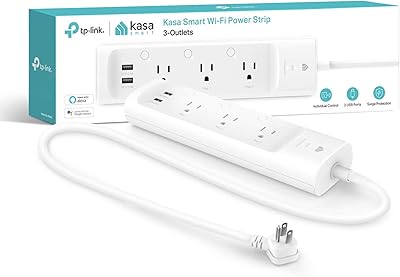
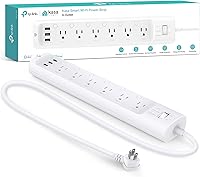
The Kasa HS300 Smart Power Strip sits in a practical middle ground — capable enough to meaningfully upgrade how you manage power at home, without demanding a hub or a complicated setup. It comes from TP-Link's Kasa line and combines individual outlet control with built-in surge protection, two things that rarely come together at this price point. Basic smart plugs give you on/off control for one device; whole-home systems cost considerably more and require extra hardware. This Wi-Fi power strip requires neither. It connects directly to your router, making it a solid pick for home offices, entertainment centers, and anyone who wants to start managing their devices more intentionally.
Features & Benefits

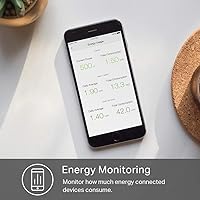
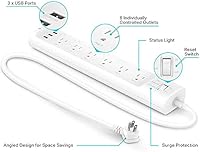
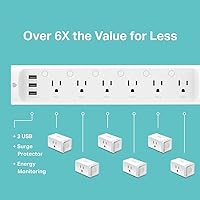
Each of the six outlets on this smart power strip can be switched on or off independently — handy when you want to cut power to a desktop PC without disturbing a nearby lamp or monitor. The ETL-certified surge protection is a real feature, not a checkbox; it guards against voltage spikes that can quietly damage electronics over time. Where this strip earns points is the per-outlet energy monitoring. Leave a gaming PC running overnight and by morning you have actual watt data showing what it consumed — useful for identifying energy waste you never noticed before. The three USB ports handle everyday charging without burning through AC outlets, and voice control via Alexa or Google Assistant works reliably without any additional hub.

Best For

This Wi-Fi power strip makes the most sense in a home office where you are juggling a monitor, speakers, a desk lamp, and a printer — devices you would want to control individually or on a schedule. It is also a natural fit for entertainment centers where cutting standby power on seldom-used components actually matters. Smart home newcomers will appreciate that there is no bridge or hub to configure; just plug it in, connect to the app, and go. If you are already using Kasa devices elsewhere, adding this strip keeps your setup consistent. One honest caveat: at just over 14 inches long, it is larger than expected, so tight desks or cramped media consoles may need some rearranging before it fits comfortably.

User Feedback

Buyers consistently point to app reliability and stable Wi-Fi performance as standout positives, especially across extended daily use. The energy monitoring tends to surprise people — many say they did not expect to care about it but ended up checking it regularly once they saw how much certain devices were pulling. On the critical side, a handful of users report connectivity hiccups after changing routers or pushing firmware updates, which usually resolves with a quick reconnect but is worth knowing upfront. The USB ports draw a note or two about speed — they charge fine but will not satisfy anyone who needs fast charging. Long-term build quality holds up well, with no reports of outlets loosening or becoming unreliable over time.

Pros

  • Each of the six outlets can be switched independently, giving you granular control that a basic smart plug simply cannot match.
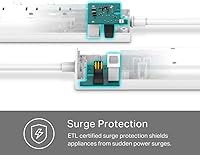
  • ETL-certified surge protection shields connected electronics from voltage spikes without any extra hardware.
  • Per-outlet energy monitoring turns invisible electricity usage into concrete, actionable data.
  • No hub required — just plug in, connect to your Wi-Fi, and the Kasa app handles the rest.
  • Scheduling works reliably, letting you automate daily routines without relying on third-party platforms.
  • Voice control through Alexa and Google Assistant functions consistently and feels genuinely hands-free.
  • Long-term owners report solid build quality with outlets that stay firm and secure over time.
  • Three built-in USB ports reduce adapter clutter on desks and nightstands without sacrificing AC outlets.
  • The Kasa app is intuitive enough that most users are fully set up within a few minutes of unboxing.
  • This Wi-Fi power strip offers a strong combination of features for a mid-range price point compared to buying equivalent functionality separately.

Cons

  • USB ports max out at standard 5V/2.4A — no fast charging support for modern phones or tablets.
  • Reconnecting after a router change or firmware update can be frustrating and is not always self-resolving.
  • At over 14 inches long and nearly 1.6 pounds, the strip is bulkier than most buyers expect before it arrives.
  • Outlet spacing can make it difficult to fit multiple large wall adapters without blocking adjacent sockets.
  • Energy monitoring data lacks historical depth — consumption figures are useful but trend analysis is limited.
  • Cortana integration exists on paper but feels underpolished compared to the Alexa and Google implementations.
  • Deep third-party automation support is limited; advanced Home Assistant or IFTTT workflows hit a ceiling quickly.
  • Setup requires a 2.4GHz network, which occasionally trips up users on 5GHz-only or auto-switching routers.

Ratings

The Kasa HS300 Smart Power Strip scores below are generated by AI after analyzing thousands of verified global user reviews, with spam, bot activity, and incentivized feedback actively filtered out. Both the strengths buyers consistently praise and the friction points they repeatedly flag are reflected transparently in every score. The result is an honest, balanced snapshot of how this Wi-Fi power strip performs in real homes and offices — not just on a spec sheet.
Individual Outlet Control
91%
Users who set up home offices or entertainment centers consistently single this out as the feature that sold them on the upgrade. Being able to cut power to a single device — say, a printer or gaming console — without touching anything else nearby is something buyers say they use almost daily once they get used to it.
A small number of users note that the outlet spacing makes it tricky to plug in larger wall adapters side by side without blocking adjacent sockets. It is not a dealbreaker, but it is worth knowing if your setup relies heavily on bulky transformer plugs.
App Experience
83%
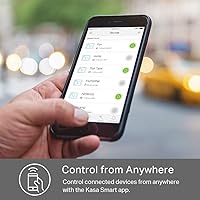
The Kasa app draws steady praise for being intuitive enough that most users are up and running within minutes of unboxing. Scheduling, remote control, and energy data are all accessible from a clean interface, and the app rarely requires troubleshooting under normal conditions.
A recurring frustration surfaces after router upgrades or network changes — the strip occasionally loses its connection and requires a manual reconnect through the app. It is not a frequent issue for most, but when it happens it can feel disproportionately annoying given how simple the device otherwise is.
Energy Monitoring
88%
This is the feature that surprises buyers most after purchase. Seeing per-outlet watt data in real time — and discovering that a desktop left in sleep mode was drawing far more power than expected — turns abstract electricity costs into something concrete and actionable. Many users say it changed how they think about standby power.
The monitoring data is useful but not deeply granular; you get consumption figures rather than historical trend graphs with much analytical depth. Users who want detailed power usage breakdowns over time may find the reporting a bit thin compared to dedicated energy monitoring hardware.
Surge Protection
86%
The ETL certification carries real weight here — buyers replacing older unprotected power strips appreciate knowing their monitors, NAS drives, and AV equipment have a credible safety buffer against voltage spikes. Several users specifically mention peace of mind during storm season as a reason they chose this over a generic smart strip.
The surge protection rating, while solid, is not in the same tier as premium whole-home suppressors. Users with exceptionally sensitive or high-value equipment may want to supplement with additional protection rather than relying solely on this strip as their last line of defense.
Voice Assistant Integration
89%
Alexa and Google Assistant integration works reliably and without the need for any bridge hardware, which users consistently highlight as a genuine convenience. Telling a voice assistant to turn off the desk setup or cut power to the living room strip mid-movie is the kind of frictionless interaction that makes the smart home concept feel worthwhile.
Microsoft Cortana is listed as supported but buyers report that it receives far less polish and is noticeably less responsive than the Alexa or Google Home implementations. If Cortana is your primary assistant, this strip may feel like a secondary priority in TP-Link's development roadmap.
Build Quality
84%
Long-term owners are notably positive here. The outlets maintain a firm, secure grip after months of repeated plug-and-unplug cycles, and the plastic housing shows no discoloration or warping under normal use conditions. For a mid-range power management device, the construction feels more durable than the price might suggest.
The strip is noticeably heavier and bulkier than a standard power strip — over 14 inches long and close to 1.6 pounds — which can make cable management a bit awkward in tighter desk setups. A few buyers wished the cord were longer to allow more flexible placement.
USB Charging Ports
67%
33%
Having three USB ports built in is genuinely useful for reducing adapter clutter on a desk. Phones and tablets charge without issue, and the ports work reliably day to day without interfering with the AC outlets. For straightforward overnight or background charging, they do the job.
The ports top out at 5V/2.4A, which means anything that supports fast charging — newer Android phones, iPads, or USB-C devices expecting higher wattage — will charge at standard speed only. Users who expect quick top-ups between meetings may find this a meaningful limitation.
Setup & Installation
87%
No hub, no bridge, no complicated pairing process. Most buyers report completing setup in under five minutes: plug in, open the Kasa app, connect to Wi-Fi, done. The straightforward onboarding is a strong point for anyone who has wrestled with finicky smart home hardware in the past.
The setup process assumes a 2.4GHz Wi-Fi network, which trips up a minority of users on routers set to 5GHz-only or running automatic band-steering. It is a one-time configuration issue but it can generate confusion if the instructions do not address it explicitly upfront.
Physical Size & Form Factor
62%
38%
The elongated layout does spread outlets generously, which reduces adapter-crowding frustration compared to clustered designs. Users with dedicated desk setups or media consoles where space is planned in advance tend to accommodate it without complaint.
At over 14 inches long, this is meaningfully larger than a conventional six-outlet strip. Buyers who assumed standard dimensions and placed it behind furniture or in narrow cable management channels have reported it simply does not fit. Checking the dimensions before purchase is more important than it might seem.
Scheduling & Automation
81%
19%
The scheduling functionality within the Kasa app is flexible and straightforward. Setting up timed routines — cutting power to a home office at a set hour, or turning on lights at sunset — works consistently and does not require any third-party automation platform to function.
Power users who rely heavily on platforms like Home Assistant or IFTTT may find the native scheduling somewhat limited in terms of conditional logic. The strip works well within the Kasa ecosystem but does not offer deep integration options for more advanced automation workflows.
Wi-Fi Connectivity Stability
76%
24%
Under normal, unchanged network conditions, the strip maintains a solid and dependable connection. Users who set it up once and leave their network configuration untouched report months of consistent performance without manual intervention.
Network changes — a new router, an ISP switch, or even a firmware update — can knock the strip offline and require re-pairing. This is not unique to this device, but buyers who upgrade their home network regularly should expect an occasional reconnect process.
Value for Money
79%
21%
Relative to buying multiple individual smart plugs and a separate surge protector, this Wi-Fi power strip consolidates a lot of functionality into a single purchase. For home office users or anyone building out a modest smart home on a practical budget, the per-feature cost compares favorably.
Buyers primarily replacing a basic surge protector — without particular interest in app control or energy monitoring — may feel the price is harder to justify. The value proposition depends heavily on how many of the smart features you will actually use day to day.
Ecosystem Compatibility
82%
18%
The strip slots neatly into both the broader Kasa lineup and the major voice assistant platforms, which makes it a natural addition for anyone already using Kasa plugs or switches. There is no learning curve if the app is already on your phone.
Outside the Kasa and TP-Link ecosystem, deeper integrations are limited. Users who have invested in competing platforms or who want native Matter or Thread support will find this strip does not fit as naturally into a mixed smart home environment.

Suitable for:

The Kasa HS300 Smart Power Strip is a genuinely practical pick for anyone who wants more control over their devices without overcomplicating their home setup. Home office workers will get the most out of it — being able to schedule a monitor, cut power to a printer remotely, or track exactly how much energy a workstation is consuming adds real utility to a desk that is already full of plugged-in hardware. Entertainment center builds benefit too, since independently switching components on and off through an app or a voice command is far more convenient than reaching behind a TV stand. Smart home beginners will appreciate that there is no hub to buy or configure; a 2.4GHz Wi-Fi network and the free Kasa app are all it takes to get started. It also makes strong sense for anyone already using Kasa or TP-Link devices, since it slots into an existing setup without adding a new app or ecosystem to manage.
Not suitable for:

The Kasa HS300 Smart Power Strip is a poor fit for buyers who just need a reliable surge protector and have no interest in app control, scheduling, or energy monitoring — in that case, a conventional ETL-certified strip does the same core job for less. The USB ports are standard-speed only, so if fast charging is a priority for your workflow, those three ports will consistently underdeliver for modern smartphones and tablets. Users who frequently update or change their home network should know that re-pairing after a router swap is an occasional but real inconvenience. Power users looking for deep third-party automation support — Home Assistant triggers, complex IFTTT chains, or Matter compatibility — will run into the limits of what the Kasa ecosystem currently supports. The physical size is also worth flagging seriously: at over 14 inches long, it does not fit discreetly behind furniture or inside most cable management systems designed for standard strips.
Specifications

  • Model Number: The official model designation for this device is HS300, manufactured by TP-Link under the Kasa Smart brand.
  • Dimensions: The strip measures 14.17″ long by 2.49″ wide by 1.48″ tall, making it noticeably longer than a standard six-outlet power strip.
  • Weight: The unit weighs 1.55 pounds, which is heavier than a basic power strip due to its internal surge protection and smart circuitry.
  • AC Outlets: Six individually controllable AC outlets are built in, each independently switchable via the app, voice commands, or scheduled automation.
  • USB Ports: Three USB-A ports provide 5V at 2.4A each, suitable for standard charging of phones and tablets but without fast-charge protocol support.
  • Max Load: The total maximum load across all outlets is 15A at 1,875W, which covers typical home office or entertainment center device combinations.
  • Input Voltage: The strip accepts input of 100–125V at 60Hz on a standard 15A circuit, compatible with North American residential and office outlets.
  • Surge Protection: ETL-certified surge protection is built in with a 500V suppression rating across line-to-neutral, line-to-ground, and neutral-to-ground configurations (Type 3 SPD).
  • Connectivity: The strip connects directly over 2.4GHz Wi-Fi and requires no hub, bridge, or additional smart home controller to operate.
  • Voice Assistants: Native compatibility is included for Amazon Alexa, Google Assistant, and Microsoft Cortana, enabling hands-free outlet control without extra configuration steps.
  • App Compatibility: The Kasa Smart app supports both iOS and Android devices and provides remote control, scheduling, and per-outlet energy monitoring from anywhere.
  • Energy Monitoring: Each individual outlet reports real-time and cumulative energy consumption data through the Kasa app, allowing users to identify high-draw devices.
  • Plug Type: The strip uses a standard 3-prong grounded plug, compatible with any standard North American wall outlet or in-wall receptacle.
  • Materials: The housing is constructed from plastic with copper internal wiring, consistent with standard mid-range surge-protected power strip construction.
  • Cord Length: The power cord is approximately 6 feet long, providing reasonable reach from a wall outlet to a desk or media console.
  • Certification: The unit carries ETL certification, confirming it has been independently tested and verified against applicable North American electrical safety standards.
  • Manufacturer: This Wi-Fi power strip is designed and sold by TP-Link, a global networking hardware company headquartered in Shenzhen, China.
  • Availability Date: The HS300 model was first made available for purchase in September 2018 and remains in active production as of the latest available data.

Related Reviews

Kasa KP303 Smart Power Strip
86%
92%
Setup & Installation
94%
App Usability
89%
Wi-Fi Stability
96%
Surge Protection & Safety
61%
USB Functionality
More
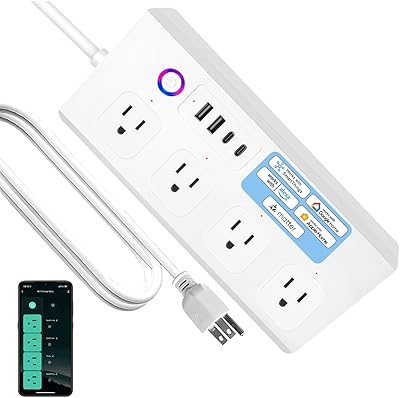
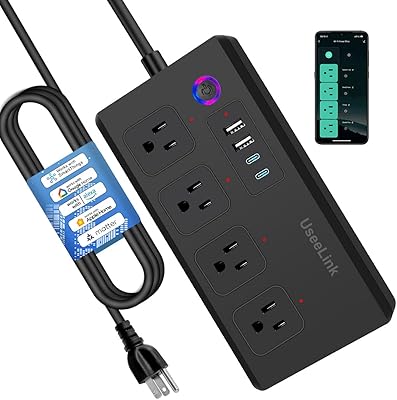
UseeLink Matter Smart Power Strip
80%
91%
Matter Protocol Integration
88%
Individual Outlet Control
67%
App & Setup Experience
83%
Build Quality & Form Factor
79%
USB-C Fast Charging
More
meross Smart WiFi 4-Outlet Power Strip
81%
93%
Ecosystem Compatibility
88%
Individual Outlet Control
84%
Setup Experience
81%
App Performance
89%
Value for Money
More
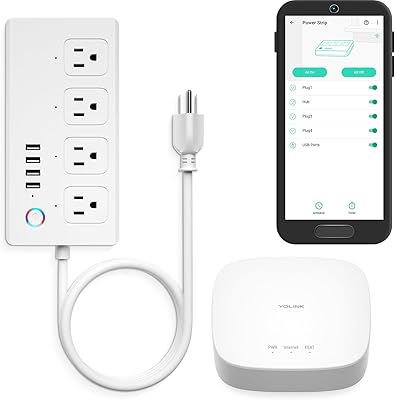
YoLink YS6801-UC Smart Power Strip with Hub
80%
93%
Wireless Range
89%
Reliability & Uptime
78%
Value for Money
71%
Setup & Onboarding
74%
App Experience
More
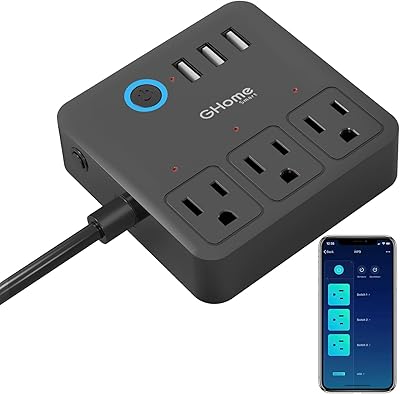
GHome Smart WP9-BK WiFi Smart Power Strip
81%
88%
Ease of Setup
79%
App Experience
83%
Voice Control Reliability
86%
Individual Outlet Control
74%
Build Quality
More
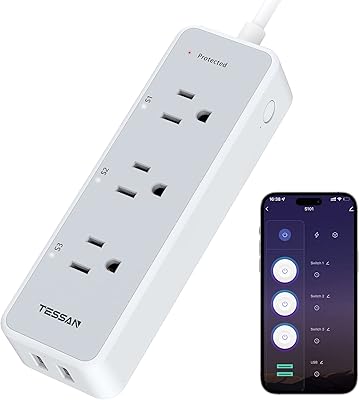
TESSAN TS-S101 Smart Wi-Fi Power Strip
75%
88%
Ease of Setup
54%
Wi-Fi Compatibility
83%
Individual Outlet Control
86%
Scheduling & Automation
81%
Voice Assistant Integration
More
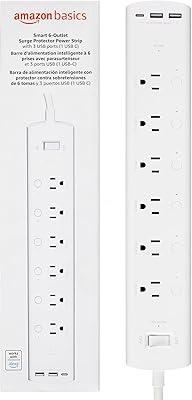
Amazon Basics Smart Plug Power Strip WP25S
84%
91%
Setup & Installation
96%
Alexa Integration
88%
Surge Protection
78%
USB Charging Options
89%
Outlets Flexibility
More
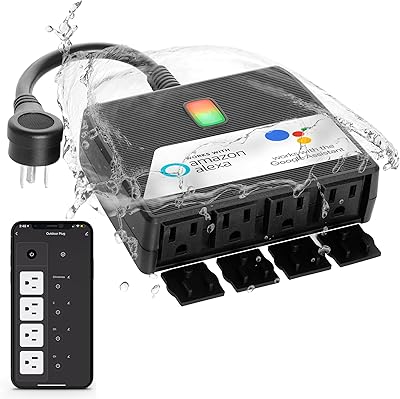
Snap Invent 4-Outlet Outdoor WiFi Power Strip
70%
61%
WiFi Connectivity
74%
App Experience
78%
Weather Resistance
83%
Scheduling & Timer
79%
Voice Assistant Integration
More
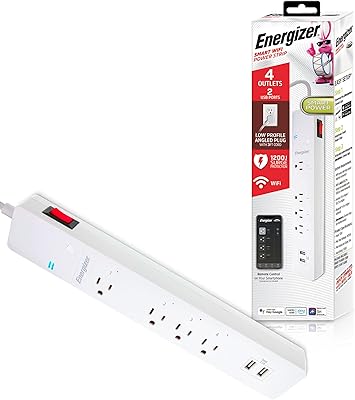
Energizer Smart Wi-Fi 4-Outlet Power Strip
73%
88%
Ease of Setup
67%
App Performance
84%
Voice Control Integration
62%
Outlet Spacing
71%
Surge Protection
More
Geeni Smart Plug Power Strip 6-Outlet with USB Ports
83%
88%
Wi-Fi Connectivity & Setup
91%
Surge Protection & Device Safety
85%
Ease of Use & Control
89%
Voice Assistant Integration
84%
Build Quality & Durability
More

FAQ

No hub is required at all. The Kasa HS300 Smart Power Strip connects directly to your home Wi-Fi network on the 2.4GHz band, and you control everything through the free Kasa app on your phone. It is one of the simpler smart home devices to get running.
Each of the six outlets is fully independent — you can turn any single one on or off without affecting the others. This is one of the main reasons people choose this strip over a basic smart plug; you can cut power to your printer while leaving your monitor and desk lamp completely unaffected.

Yes, both are supported natively without any extra steps beyond the initial Kasa app setup. Once linked, you can use voice commands to control individual outlets or groups of outlets by name, which works reliably in practice.

Unfortunately, no. If you change your router, switch ISPs, or significantly modify your network settings, you will likely need to go through the pairing process again in the Kasa app. It only takes a few minutes, but it is a known inconvenience that comes up fairly often in user feedback. Keeping your network name and password the same during a router swap can sometimes avoid this.

No, this Wi-Fi power strip only supports the 2.4GHz band. If your router is set to broadcast 5GHz only, or uses automatic band-steering without a separate 2.4GHz network name, you may run into setup issues. Most modern routers allow you to split the two bands with separate names, which resolves this cleanly.

The monitoring is genuinely useful for everyday awareness, not just a novelty feature. You can see in real time how many watts each connected device is drawing, which makes it easy to spot things like a gaming PC left running overnight or a device that never fully powers down in standby. It is not laboratory-grade measurement, but it is accurate enough to inform real decisions about energy use.

Not at the speed you might be expecting. The three USB-A ports output 5V at 2.4A each, which is standard charging speed. Phones that support Qualcomm Quick Charge, USB Power Delivery, or similar fast-charge standards will charge, but at their base rate rather than their top speed. For overnight charging it is perfectly fine; for a quick top-up before a meeting, it will feel slow.

It can be. The strip is just over 14 inches long, which is meaningfully larger than a conventional six-outlet strip. If you are planning to tuck it behind a desk drawer unit, run it inside a cable management box, or position it in a narrow media console, measure first. Several buyers have been caught off guard by the size after assuming it would be roughly standard dimensions.

Your schedules and automation settings are stored in the Kasa cloud and in the app, so they are not lost during a power outage. Once power is restored and the strip reconnects to Wi-Fi, everything resumes as configured. The outlets themselves do not retain a memory of their last state by default, but you can configure behavior for power restoration within the app settings.

Yes, the ETL-certified surge protection with a 500V suppression rating makes it a reasonable choice for protecting moderately sensitive equipment. That said, users with very high-value or particularly sensitive electronics — audio equipment, professional workstations, medical devices — may want to consider whether a dedicated power conditioner or a higher-rated UPS offers more appropriate protection for their specific setup.

Where to Buy

Newegg.com
In stock $69.99
Full Compass Systems
In stock $59.54
RGE Smart Solutions
In stock $44.99
SMUD Energy Store
In stock $49.99
multilink.us
In stock $49.99
Duke SC Res DEC Marketplace
In stock $57.99