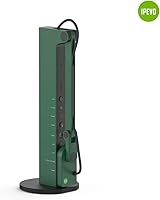
Overview
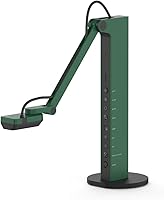
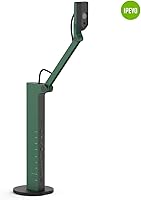
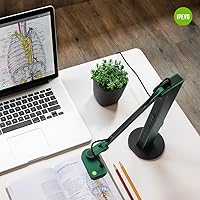
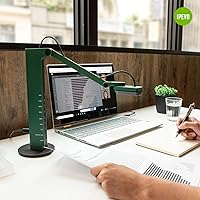
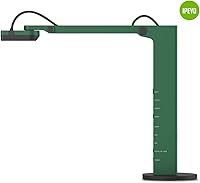
Finding a balance between high-end performance and desk space can be tricky, but the IPEVO VZ-R handles it with a slim, vertical design. This document camera stands out primarily for its dual-mode flexibility, allowing you to switch between a standard USB computer connection and a direct HDMI hookup to a monitor or projector. Setting it up on Windows, Mac, or even a Chromebook is refreshingly simple, usually requiring nothing more than plugging it in. The build quality feels substantial despite its minimalist footprint, making it a reliable fixture in a professional office or a busy classroom. Its sleek, green finish offers a modern aesthetic that looks far more intentional than the typical bulky plastic visualizers found in older lecture halls.
Features & Benefits
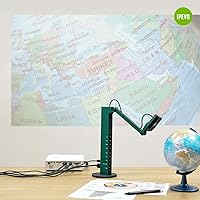
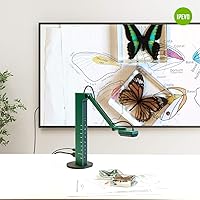
At the heart of the visualizer is a crisp 8MP Sony sensor that captures fine text and intricate textures with impressive clarity. Unlike software-heavy alternatives, this HDMI-capable camera features physical buttons directly on the unit. You can adjust exposure, zoom, and focus instantly without fumbling for a mouse during a presentation. The multi-jointed stand and swiveling head make it easy to transition from a top-down document view to a face-on webcam angle in seconds. If you are working in a dimly lit room, the built-in LED light provides just enough fill to keep the image clear. Perhaps most importantly, the direct HDMI output means you can project live video with virtually no lag, even if you do not have a computer nearby.
Best For
This document camera is a natural fit for hybrid classrooms where teachers need to show physical worksheets to both in-person and remote students simultaneously. It also serves creative professionals exceptionally well, particularly those who film unboxing videos or live art demonstrations. Legal teams will appreciate how quickly they can digitize and display evidence or contracts during a meeting. Additionally, webinar hosts who need a dedicated secondary camera for showing hands-on tasks will find the stability of the stand much better than a standard webcam on a tripod. It simplifies the workflow for anyone who needs to bridge the gap between physical objects and digital screens without technical headaches.
User Feedback
Most users are quick to praise the driver-free setup, noting that it works immediately with apps like Zoom or Google Meet. There is a general consensus that the stand durability is excellent, thanks to the glass fiber reinforcement that prevents the arm from drooping over time. While the autofocus speed is usually snappy, some people mention it can occasionally hunt for focus if the lighting is extremely flat. A common point of advice among long-term owners is to remember that an HDMI cable and wall power adapter are not included in the box. Despite these minor logistical hurdles, the overwhelming sentiment is that this HDMI-capable camera offers a reliable, professional-grade experience that justifies the investment for serious presenters.
Pros
- The 8MP Sony sensor provides exceptional clarity for reading fine text and seeing intricate details.
- Direct HDMI output allows for lag-free projection to a monitor without needing a computer nearby.
- Physical buttons on the unit offer immediate control over exposure and focus during live presentations.
- The glass fiber reinforced stand is remarkably stable and prevents the camera head from drooping.
- Plug-and-play USB connectivity works immediately across Windows, Mac, and Chromebooks without driver issues.
- A multi-jointed arm and swiveling head make it easy to switch from overhead views to face-on angles.
- Built-in LED lighting helps maintain image quality when working in dimly lit environments.
- The IPEVO VZ-R features a small desktop footprint that saves valuable workspace in crowded classrooms.
Cons
- The package does not include an HDMI cable or a wall power adapter, necessitating separate purchases.
- The autofocus system can occasionally struggle to lock onto subjects when working in very low light.
- Because the stand is tall and rigid, it is less convenient for fitting into shallow laptop bags.
- Maximum 4K resolution in USB mode can result in a slightly lower frame rate compared to 1080p.
- Adjusting the stiff joints can sometimes require two hands to keep the base from shifting.
- The green plastic finish can be prone to showing scuffs and fingerprints over long-term use.
- The physical buttons have a somewhat loud, clicky feel that might be picked up by nearby microphones.
- Firmware updates and advanced settings can be difficult to locate without visiting the manufacturer's website.
Ratings
Our specialized AI analyzed thousands of global verified reviews for the IPEVO VZ-R, stripping away marketing hype and incentivized feedback to reveal how this visualizer performs in the field. The following scores reflect a transparent look at real-world reliability, image precision, and day-to-day usability across professional and educational settings.
Image Clarity
Physical Build Quality
HDMI Connectivity
Ease of Setup
Onboard Controls
Versatility of Angles
Low-Light Performance
Autofocus Speed
Software Compatibility
Portability
Frame Rate Consistency
Value for Money
Suitable for:
The IPEVO VZ-R is a highly reliable choice for educators and professional presenters who need to project physical documents or live demonstrations without the lag sometimes found in software-only solutions. Its direct HDMI mode is particularly beneficial for those working in lecture halls or conference rooms where a quick connection to a TV or projector is preferred over fumbling with computer drivers. Creative professionals filming unboxing videos or art tutorials will also find the flexible jointed stand and high-resolution Sony sensor ideal for capturing fine details from multiple angles. It serves anyone who requires a secondary, high-quality camera feed that remains stable and professional-looking during lengthy webinars or hybrid classroom sessions.
Not suitable for:
Casual home users who only need a basic webcam for occasional video calls may find the IPEVO VZ-R to be more hardware than they actually require. If your primary goal is portability for travel, the tall, rigid stand does not fold down into a particularly compact shape, making it bulkier than standard clip-on webcams. Those on a strict budget who do not specifically need the computer-free HDMI functionality might find better value in simpler, USB-only visualizers that offer comparable image quality for a lower price. Furthermore, users who expect a complete out-of-the-box setup should be aware that they will need to source their own HDMI cable and wall adapter separately.
Specifications
- Image Sensor: Equipped with an 8 Megapixel Sony CMOS sensor for high-resolution image capture.
- Connectivity: Supports dual-mode output via USB and HDMI for flexible connection options.
- USB Resolution: Delivers a maximum resolution of 3264 x 2448 when connected to a computer.
- HDMI Resolution: Provides high-definition output up to 1080p for direct projector or TV connections.
- Stand Material: Constructed with GVX-5H glass fiber reinforced material for enhanced durability.
- Dimensions: The unit measures approximately 4.56 x 4.25 x 11.85 inches when folded.
- Weight: The total unit weight is 2.2 lbs, providing a stable desktop presence.
- Lighting: Includes a built-in LED light to assist in low-light environments.
- Focus System: Features a fast autofocus system powered by an Ambarella system-on-a-chip (SoC).
- Software Support: Fully compatible with major conferencing apps including Zoom, Teams, and Google Meet.
- Manual Controls: Physical tactile buttons on the body allow for real-time adjustments of exposure and focus.
- OS Compatibility: Works across macOS 10.10, Windows 7, and ChromeOS without needing custom drivers.
Related Reviews

Undefined Beauty R&R Day Serum 30ml

R&R Collective Frankincense Tallow Face Moisturizer 2oz

Undefined Beauty R&R Sun Serum SPF 50 PA++++ Tinted Mineral Sunscreen (Medium Tint)

Undefined Beauty R&R Sun Elixir Glow Oil
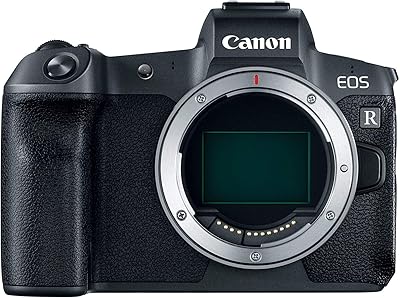
Canon EOS R Full-Frame Mirrorless Camera
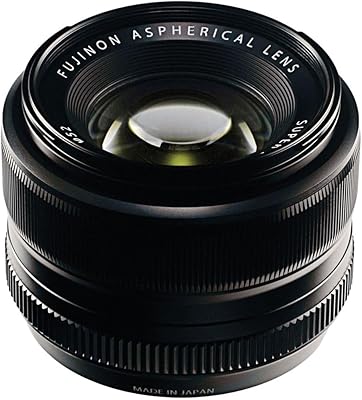
Fujifilm XF 35mm F1.4 R Prime Lens
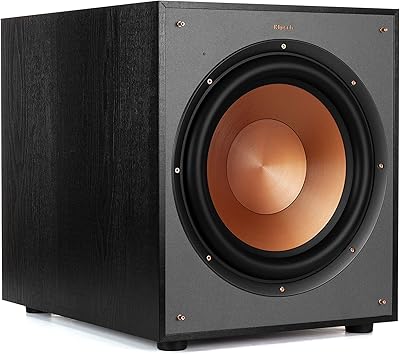
Klipsch R-120SW Subwoofer
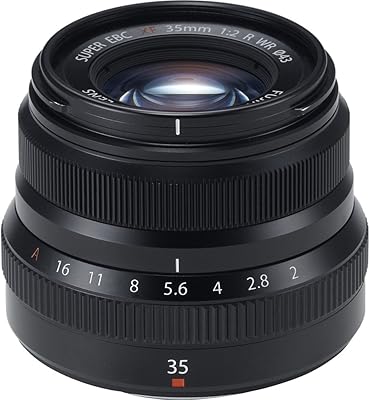
Fujifilm XF35mmF2 R WR Prime Lens
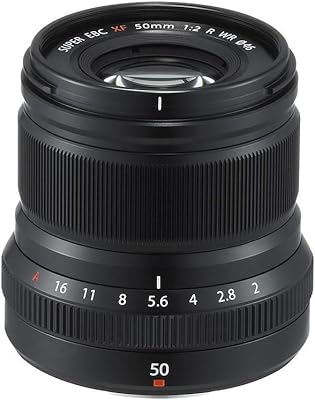
Fujifilm XF 50mm F2 R WR Mirrorless Lens