
Overview

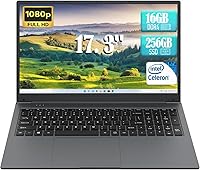
The IJKKJI 1732N 17.3-inch Windows Laptop entered the budget market in late 2024, targeting students and home users who want a large screen without a large price tag. IJKKJI isn't a household name, which is worth acknowledging upfront — but that's not unusual in this crowded, value-driven segment. What stands out immediately is the 17.3-inch display, genuinely rare at this price point. The trade-off is the Intel Celeron N95 processor, a chip that handles light tasks reasonably well but has a clear performance ceiling. Manage your expectations accordingly, and this machine starts to make real sense.

Features & Benefits

The anti-glare FHD panel is genuinely comfortable for extended reading or video calls — a real advantage for anyone who spends hours at a desk. Paired with 8GB of DDR4 RAM, the Celeron N95 handles browser tabs, office documents, and streaming without obvious struggle, though stacking too many apps at once will show its limits. The 256GB SSD keeps boot times short and file access snappy compared to HDD-based rivals at this tier. Port selection is practical: two USB 3.0 ports, HDMI, SD card slot, Type-C, and a headphone jack. The 6000mAh battery aims for around 8 hours, which is ambitious under real mixed-use conditions.

Best For

This budget laptop makes the most sense for students and light users — think note-taking, online research, spreadsheets, and video calls. It also works well as a secondary machine for a household that just needs a functional Windows setup for day-to-day tasks. Older adults or anyone upgrading from a smaller screen will likely appreciate the jump in display size. Remote workers with minimal processing demands can get by just fine. That said, anyone planning to run resource-heavy software, edit video, or play modern games should look elsewhere — the Celeron N95 simply isn't built for that, and pushing it hard will lead to frustration quickly.

User Feedback

Owners of this large-screen Windows notebook tend to split along predictable lines. The screen size and value draw consistent praise — buyers are genuinely pleased with how much display they get for the money. Build quality lands in mixed territory; the chassis feels functional rather than sturdy, and a few users note the keyboard could use more resistance. Battery longevity is a recurring friction point — real-world use typically falls noticeably short of the claimed 8-hour mark. Some report slowdowns during Windows 11 background updates, which is not surprising given the processor. IJKKJI's 1-year warranty and fast-response support claim are encouraging for an unfamiliar brand, though actual service experiences appear to vary among buyers.

Pros

  • The 17.3-inch FHD anti-glare display is a genuine standout at this price tier — larger screens are hard to find here.
  • Boot times and file access are noticeably quick thanks to the SSD, making daily startup painless.
  • 8GB of DDR4 RAM handles light multitasking — email, documents, and streaming — without obvious lag.
  • Port selection is unusually complete: USB 3.0 x2, HDMI, SD card, Type-C, and a headphone jack all included.
  • At 4.43 lbs and under an inch thick, this budget laptop is reasonably portable for its screen size class.
  • Windows 11 comes pre-installed, so there is no extra OS cost or complicated setup out of the box.
  • The 1-year warranty with a promised 12-hour support response offers a reasonable safety net for an entry-level purchase.
  • A solid secondary or backup machine — practical, affordable, and easy to hand off to another household member.

Cons

  • The Celeron N95 processor struggles visibly when Windows 11 runs background updates during active use.
  • Real-world battery life consistently falls short of the advertised 8-hour estimate under mixed workloads.
  • Build quality is functional at best — the chassis and keyboard feel noticeably cost-cut under regular use.
  • 256GB of storage fills up faster than expected, especially once Windows updates and apps accumulate.
  • IJKKJI is an unfamiliar brand with limited long-term reliability data and inconsistent user support experiences.
  • Wi-Fi is limited to 802.11n, which may feel slow on modern networks compared to newer wireless standards.
  • Integrated graphics mean no meaningful visual output beyond basic display tasks — not even casual older games run well.
  • The keyboard lacks tactile feedback that touch-typists tend to expect for extended writing sessions.

Ratings

The scores below for the IJKKJI 1732N 17.3-inch Windows Laptop were generated by our AI rating engine after processing verified buyer reviews from multiple global markets, with spam, bot activity, and incentivized feedback actively filtered out. The result is an honest, balanced snapshot that reflects both what real users genuinely appreciated and the friction points that came up repeatedly. Nothing has been softened — the strengths and the limitations are represented as buyers actually experienced them.

Value for Money
73%
27%
For buyers on a tight budget who need a functional Windows 11 machine with a large screen, the price-to-screen-size ratio is hard to argue with. Most users who kept expectations realistic felt they got a fair deal, particularly compared to similarly priced laptops with smaller displays.
A few buyers who compared it against refurbished mid-range laptops in a similar price range felt the performance gap was difficult to justify. If you stretch the budget slightly, you can find machines with meaningfully better processors.
Display Quality
71%
29%
The 17.3-inch anti-glare FHD panel earns genuine appreciation from users who spend hours reading documents, attending video lectures, or watching streamed content. The screen size alone makes day-to-day work noticeably more comfortable compared to 14 or 15-inch budget alternatives.
Color accuracy and contrast are average at best — users doing anything visually critical found the panel underwhelming. Brightness in well-lit rooms can also feel insufficient, and viewing angles narrow noticeably toward the edges.
Performance
54%
46%
For basic, single-focus tasks like writing a document, browsing a handful of tabs, or attending a video call, the Celeron N95 with 8GB RAM keeps things moving without obvious stalling. Users with genuinely light workloads reported day-to-day usability that met their needs.
The moment multitasking increases or Windows 11 decides to run background updates, performance degrades noticeably. Users who tried running more than a few applications simultaneously, or who work with moderately complex spreadsheets, frequently reported frustrating slowdowns.
Battery Life
58%
42%
The 6000mAh battery is physically larger than what many competitors include at this price, and users doing light tasks with the screen at moderate brightness reported getting through a reasonable portion of a school or work day without reaching for the charger.
The advertised 8-hour runtime is widely considered optimistic by actual buyers. Real-world mixed use — Wi-Fi on, occasional video, background processes running — typically lands in the 5 to 6-hour range, which requires carrying a charger for any full-day outing.
Build Quality
52%
48%
The chassis is slim for its screen class and feels manageable to carry around campus or between rooms. Some users noted that the overall form factor looks more presentable than expected for a machine at this price point.
The plastic construction flexes more than most users are comfortable with, and the lid in particular draws consistent criticism for feeling fragile. Long-term durability concerns surface regularly in user feedback, especially among buyers who travel with it frequently.
Keyboard & Typing Experience
55%
45%
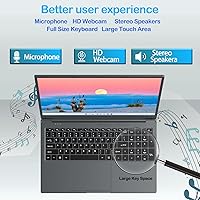
For casual typing — sending emails, filling in forms, taking short notes — the keyboard is usable and the key layout is standard enough that most users adjust quickly. The larger chassis does allow for a full-size key spread without cramping.
Key travel is shallow and tactile feedback is weak, which becomes noticeable during extended writing sessions. Touch-typists and students who write long papers regularly flagged the keyboard as one of the more disappointing aspects of the overall package.
Portability
67%
33%
At 4.43 lbs and under 0.8 inches thick, this large-screen Windows notebook is more portable than its screen size might suggest. Users commuting to class or moving it between a desk and a couch found the weight acceptable for occasional transport.
It is still a 17-inch machine, which means it does not fit comfortably in most standard backpacks and takes up considerable bag space. Users who carry their laptop daily found the size more burdensome than the weight alone implies.
Port Selection
81%
19%
The combination of dual USB 3.0, HDMI, SD card slot, Type-C, and a headphone jack covers the needs of most everyday users without requiring a separate hub. Students and home office workers found it refreshingly complete for a budget machine.
The Wi-Fi is capped at 802.11n, which is a noticeable omission when faster 802.11ac or Wi-Fi 6 connections are the norm. There is no Ethernet port, which can be inconvenient for users in environments where wired connections are preferred.
Software & OS Experience
61%
39%
Windows 11 arrives pre-installed and ready to use out of the box, which casual users appreciated — no technical setup required. Basic productivity apps and browser-based tools work without issue under normal, low-demand conditions.
Windows 11 is a relatively demanding operating system for the Celeron N95, and background system updates are a recurring frustration. Several users noted that the laptop becomes temporarily unresponsive during update cycles, which is a predictable but irritating trade-off.
Connectivity & Wireless
59%
41%
Wi-Fi connectivity worked reliably for standard home and office networks, and users in typical environments reported stable connections for video calls and streaming. Setup was straightforward with no driver issues reported during initial configuration.
The 802.11n Wi-Fi ceiling is a real limitation — users on faster networks will not get full speed through this adapter. There is no Bluetooth specification mentioned, which is an uncertainty that matters for users who rely on wireless peripherals.
Storage Adequacy
62%
38%
The 256GB SSD is fast enough for quick boot times and snappy application launches, which is a genuine daily-use advantage over HDD-based competitors. For users who rely primarily on cloud storage and streaming, the capacity holds up reasonably well.
256GB fills up faster than most users anticipate once Windows updates, applications, and personal files accumulate. Users who store media locally or install multiple software packages found themselves managing storage space within a few months of purchase.
Brand Trust & Support
49%
51%
IJKKJI offers a 1-year warranty and promotes a 12-hour support response window, which is a reasonable commitment for a lesser-known brand. A portion of users who contacted support reported getting functional assistance within a reasonable timeframe.
IJKKJI carries little brand recognition or established reputation, which makes long-term support an open question. User experiences with warranty claims and technical support appear inconsistent, and the absence of a well-documented service network is a real concern for buyers prioritizing after-sales reliability.
Setup & Ease of Use
77%
23%
The out-of-box experience is straightforward — Windows 11 is pre-loaded and the machine is ready to use quickly without technical knowledge. Seniors and first-time laptop buyers specifically noted how uncomplicated the initial setup felt.
Some users encountered the standard Windows 11 first-run bloatware and account prompts, which can feel overwhelming for less tech-savvy buyers. A few users also noted that finding optimal display brightness and power settings required some trial and error.

Suitable for:

The IJKKJI 1732N 17.3-inch Windows Laptop is a practical pick for anyone whose computing needs are straightforward and whose budget is firm. Students who spend most of their screen time in a browser, a word processor, or a video call platform will find it more than adequate for daily coursework. It also makes a solid choice for seniors or casual home users who want a larger display for easier reading without navigating complicated setup processes — Windows 11 is familiar enough, and the screen size genuinely reduces eye fatigue over long sessions. Remote workers whose heaviest task is toggling between spreadsheets and a video meeting will get by comfortably. This budget laptop also works well as a dedicated secondary machine — a reliable option to keep around the house when the main computer is occupied or in for repair.

Not suitable for:

Anyone expecting fluid performance across demanding applications should look elsewhere before buying this large-screen Windows notebook. The Intel Celeron N95 is built for efficiency, not power, and it will stall noticeably if pushed into video editing, photo batch processing, gaming, or even running several memory-hungry browser tabs alongside a video call. Windows 11 itself can feel heavier than expected on this hardware, particularly during background system updates, which tend to slow things down at inconvenient moments. The 256GB SSD, while functional, will fill up faster than people anticipate — anyone with a large media library or multiple software installations may feel the pinch within months. Buyers who prioritize build quality and keyboard feel may also be underwhelmed; this is a machine built to hit a price point, and the physical construction reflects that honestly.

Specifications

  • Screen Size: The display measures 17.3 inches diagonally with a 1920x1080 FHD resolution and an anti-glare coating to reduce reflections during extended use.
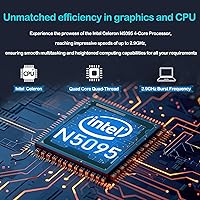
  • Processor: An Intel Celeron N95 quad-core chip handles processing duties, reaching a maximum clock speed of 2.9GHz under load.
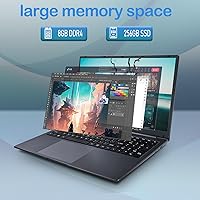
  • RAM: The system ships with 8GB of DDR4 SDRAM, which is sufficient for basic multitasking across office and browsing applications.
  • Storage: A 256GB SSD provides the primary storage, connected via USB 3.0 interface, offering faster read and write speeds than a traditional spinning hard drive.
  • Operating System: Windows 11 comes pre-installed from the factory, requiring no additional OS purchase or setup from the buyer.
  • Battery: A built-in 6000mAh battery powers the machine, with a manufacturer-rated runtime of approximately 8 hours under typical conditions.
  • Dimensions: The chassis measures 15.7 x 10 x 0.78 inches, keeping the profile relatively slim for a laptop in the 17-inch screen class.
  • Weight: The unit weighs 4.43 lbs, which is reasonable portability for a laptop with a 17.3-inch display footprint.
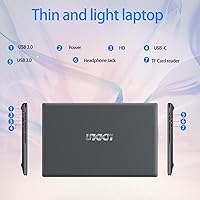
  • Ports: Connectivity includes two USB 3.0 ports, one HDMI output, one SD card slot, one 3.5mm headphone jack, and one Type-C port.
  • Wireless: The built-in Wi-Fi adapter supports 802.11a/b/g/n standards, providing standard wireless network compatibility.
  • Graphics: Graphics output is handled entirely by the Intel integrated GPU built into the Celeron N95 processor, with no discrete graphics card present.
  • Display Type: The screen uses an anti-glare finish intended to reduce eye strain during prolonged sessions in mixed or bright lighting environments.
  • Color: The chassis is finished in grey, which is the only color option listed for this model.
  • Warranty: IJKKJI includes a 1-year manufacturer warranty and claims technical support responses within 12 hours of contact.
  • Power Supply: The laptop requires a 12V battery pack for operation, which is included in the box at the time of purchase.

Related Reviews
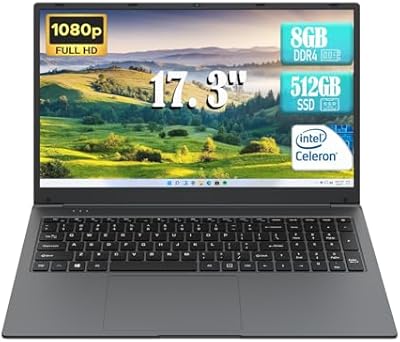
IJKKJI MTL1732 17.3-inch Laptop, Celeron N5095, 8GB RAM, 512GB SSD
80%
91%
Value for Money
88%
Screen Size & Display
90%
Battery Life
80%
Performance for Everyday Tasks
85%
Portability & Weight
More
HP 17 Essential 17.3-inch Laptop, Core i7, 64GB RAM, 1TB SSD
83%
92%
Performance
88%
Display Quality
80%
Battery Life
65%
Portability
95%
Multitasking Ability
More
HP Laptop 17-cp2199nr
70%
83%
Value for Money
61%
Display Quality
78%
Performance & Speed
87%
Storage Performance
84%
RAM & Multitasking
More
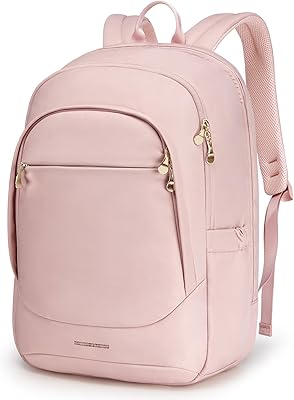
Tangcorle 17.3-inch 26L Travel Laptop Backpack
78%
91%
Value for Money
88%
Organizational Layout
86%
Laptop Protection
84%
Carry-On Compliance
67%
Build Quality
More
LIGSAN Rolling Backpack 17.3-inch Laptop
87%
86%
Overall Durability
88%
Ease of Use
83%
Comfort & Ergonomics
90%
Storage Capacity
87%
Build Quality
More
MOLNIA Expandable Laptop Backpack 17.3-inch
86%
88%
Value for Money
92%
Durability
85%
Expandability
90%
Comfort and Ergonomics
89%
Storage and Organization
More
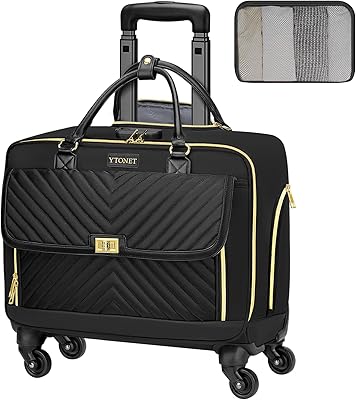
Ytonet Rolling Laptop Bag 17.3 Inch
87%
88%
Portability
90%
Durability
85%
Storage Capacity
92%
Ease of Use
91%
Security Features
More
LOVEVOOK 17.3″ Women's Laptop Backpack
78%
93%
Storage & Organization
88%
Laptop Protection
66%
Build Quality
81%
Comfort & Ergonomics
89%
Value for Money
More
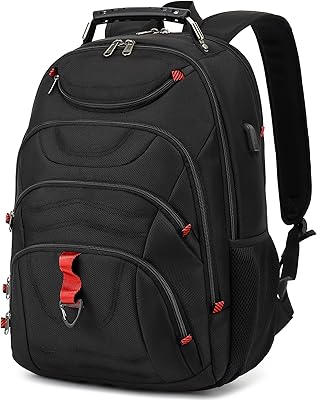
LIGHT FLIGHT 17.3-inch Laptop Backpack
86%
91%
Value for Money
88%
Build Quality
85%
Comfort & Ergonomics
93%
Storage Capacity
80%
Water Resistance
More
Tzowla Canvas Laptop Backpack 17.3 Inch
83%
89%
Durability
87%
Comfort
92%
Storage Space & Organization
85%
USB Charging & Connectivity
45%
Water Resistance
More
Boavan Laptop Backpack for Men 17.3-inch
87%
89%
Build Quality
92%
Portability/Weight
88%
Comfort/Ergonomics
85%
Water-Resistance
90%
USB Charging Port
More

FAQ

For most standard student tasks — writing papers, attending video lectures, browsing research sources, and using cloud-based tools — this budget laptop handles things well enough. Just do not expect it to run demanding software like video editing suites or engineering applications without significant slowdown.

The FHD 1920x1080 resolution is sharp enough for comfortable everyday use, and the anti-glare coating is a genuine plus for working near windows or under bright lights. That said, the panel is budget-grade, so color accuracy and contrast are modest — it is perfectly fine for documents and video calls, but not something a photographer or designer would be happy with.

Yes, video calls are generally within its comfort zone, especially if you are not running a lot of other apps at the same time. Keeping the number of open browser tabs low during a call will help things run more smoothly.

No, Microsoft Office is not bundled with this laptop. Windows 11 includes a free version of Microsoft 365 apps online, but a full local Office installation requires a separate purchase or subscription.

This is not officially confirmed by the manufacturer, and budget laptops at this tier often have soldered RAM that cannot be replaced. The SSD situation is similarly unclear — do not count on easy upgrades, and factor the 256GB storage into your buying decision upfront.

The 8-hour claim is optimistic. In real mixed-use conditions — browser tabs open, occasional video, Wi-Fi connected — most users report something closer to 5 to 6 hours. It is still a solid runtime for a full school or work day with moderate use, but bring the charger if you have back-to-back sessions.

It is functional for occasional use, but touch-typists or anyone doing heavy writing work may find the key travel and feedback a bit shallow. It gets the job done for emails and notes, but it is not a standout feature of this machine.

Yes, the HDMI port lets you connect to an external display or TV directly, which is handy for presentations or watching content on a larger screen. The Type-C port may also support display output depending on the connected device, though this is worth confirming before relying on it.

IJKKJI is a smaller, relatively unknown label in the budget laptop space — that is worth being honest about. The 1-year warranty and stated 12-hour support response are reasonable commitments on paper, but user experiences with their after-sales service appear to vary. If brand reputation and long-term support matter a lot to you, that is a fair consideration to weigh.

Anything that leans hard on the CPU or GPU will expose the Celeron N95 quickly — think video editing, gaming, running virtual machines, or heavy photo work. Windows 11 background updates can also cause noticeable slowdowns at inconvenient times. If your workload stays within email, documents, and light media, you are unlikely to hit a wall.