
Overview

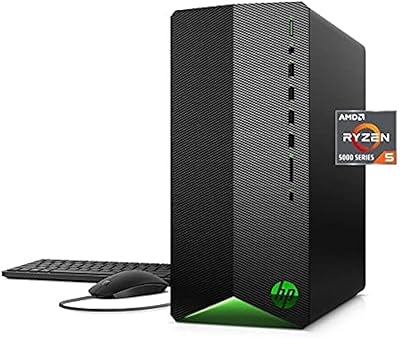
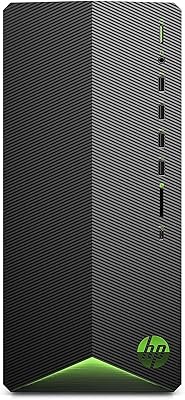
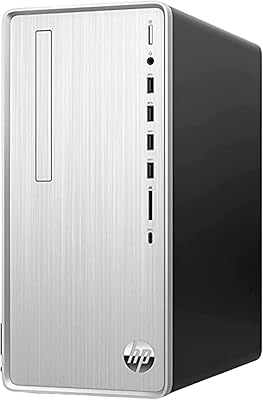
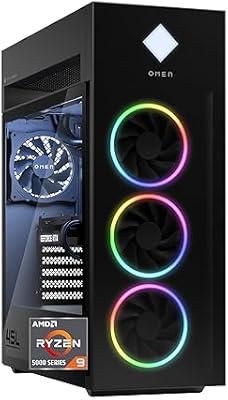
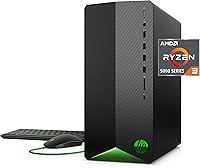
The HP Pavilion TG01-2022 Gaming Desktop is built for the buyer who wants to get into PC gaming without the headache of sourcing parts or reading build guides. It occupies a sensible mid-range price bracket — not a throwaway machine, but not a powerhouse either. The compact tower form factor fits comfortably on or under most desks, which makes it a practical choice for dorm rooms or smaller apartments. HP ships it fully ready to plug in and play, and that convenience genuinely matters if you're coming from a console background and have no interest in spending a weekend with a screwdriver.

Features & Benefits

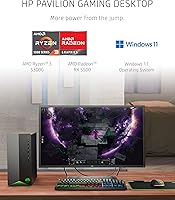
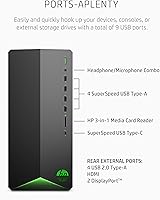
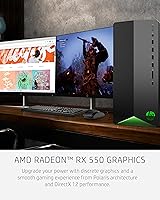
The Ryzen 3 5300G handles everyday tasks without complaint — browsing, streaming, and light productivity all run smoothly. Gaming performance at 1080p is solid on popular titles like Fortnite, Valorant, or Rocket League, where the AMD Radeon RX 5500 with 4 GB of dedicated VRAM keeps frame rates comfortable at medium-to-high settings. More demanding modern releases will ask you to dial things back. The NVMe SSD is a genuine highlight — Windows boots fast, games load quickly, and the difference versus an old spinning hard drive is immediately noticeable. Nine USB ports, built-in Wi-Fi 5, and Bluetooth round out a well-connected package.

Best For

This HP gaming tower makes the most sense for someone stepping up from a console or an aging laptop with integrated graphics. Students who need a capable study machine that doubles as a gaming rig on weekends will find it strikes that balance reasonably well. It also suits buyers who want a brand-name pre-built with a warranty rather than gambling on a DIY build. One honest note: if you plan to run modern titles competitively or multitask heavily, budget for a RAM upgrade soon. The chassis is accessible enough that adding an extra memory stick is not an intimidating task for a first-timer.

User Feedback

Owners consistently praise how fast this pre-built gaming PC gets up and running — most report being fully set up within 30 minutes of opening the box. The SSD speed draws frequent compliments, and build quality earns positive remarks relative to the price. The most consistent criticism centers on the 8 GB of RAM, which shows its limits when background apps run alongside modern games. A fair number of buyers note the bundled keyboard and mouse are functional but nothing special — fine for getting started, but likely replaced quickly. Overall sentiment leans positive among casual users who go in with realistic expectations.

Pros

  • Fast NVMe SSD means Windows and games load noticeably quicker than budget HDD-based machines.
  • Setup is genuinely plug-and-play — most buyers are up and running within half an hour.
  • The compact tower fits easily on a desk or shelf without dominating the room.
  • Nine USB ports give you plenty of room for peripherals without needing a hub.
  • Built-in Wi-Fi 5 and Bluetooth mean no extra adapters or dongles on day one.
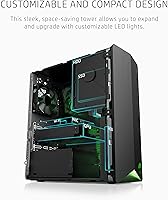
  • The chassis is tool-friendly and accessible, making future RAM or storage upgrades straightforward.
  • Dual-display support is available out of the box via the dedicated GPU outputs.
  • HP's 1-year limited warranty provides real peace of mind that a self-built rig cannot match.
  • Ryzen 3 5300G handles everyday productivity tasks and light multitasking without slowdowns.
  • Customizable LED lighting lets you personalize the look without any extra hardware purchases.

Cons

  • 8 GB of RAM is a real constraint in modern games and will likely require an upgrade soon.
  • The RX 5500 struggles with demanding AAA titles at anything above medium settings.
  • Bundled keyboard and mouse are basic at best — most users will want to replace them quickly.
  • 512 GB of storage fills up faster than expected once a few large games are installed.
  • No Ethernet port upgrade path is built in; heavy online gamers may want a wired connection option.
  • Wi-Fi 5 rather than Wi-Fi 6 puts it slightly behind current wireless standards.
  • The Ryzen 3 chip has only four cores, which limits performance headroom for multitasking-heavy workflows.
  • Resale value tends to drop faster on pre-built entry-level desktops compared to self-built machines.
  • Power supply wattage constraints may limit which GPU upgrades are compatible down the road.

Ratings

Our AI-generated scores for the HP Pavilion TG01-2022 Gaming Desktop are derived from analyzing thousands of verified global buyer reviews, with spam, incentivized, and bot-generated feedback actively filtered out before scoring. Each category reflects the honest distribution of real user sentiment — strengths are credited where earned, and recurring pain points are scored accordingly without being softened. The result is a transparent, balanced snapshot of how this pre-built gaming PC actually performs in everyday hands.

Gaming Performance
63%
37%
For casual and competitive online titles — Fortnite, Valorant, Apex Legends — users consistently report smooth 1080p gameplay at medium-to-high settings without major drops. The dedicated RX 5500 GPU makes an immediately noticeable difference coming from integrated graphics machines or older consoles.
Demanding modern AAA titles expose the GPU's limits quickly, often requiring settings drops to low or medium just to stay above 30 fps. Users who bought this expecting high-fidelity play on newer releases frequently report disappointment, and the 4 GB VRAM ceiling is increasingly a bottleneck.
Value for Money
71%
29%
Buyers who factor in the included peripherals, Windows 11 license, and brand-name warranty tend to feel the price is defensible for a hassle-free first gaming PC. The NVMe SSD alone adds meaningful perceived value compared to cheaper HDD-equipped alternatives in this bracket.
Informed buyers doing component math note that a self-built machine at the same price could yield noticeably better GPU or RAM configurations. The 8 GB RAM limitation is the most cited reason users feel the out-of-box value is undercut, since an upgrade is often needed within months of purchase.
RAM Adequacy
47%
53%
For very light multitasking — a browser tab open alongside a less demanding game — the 8 GB DDR4 holds together reasonably well. Users running older or less memory-hungry titles report no immediate issues in their first weeks of use.
This is the single most consistent complaint across user feedback. Modern games increasingly require 16 GB to run without background stuttering, and users who run Discord, a browser, and a mid-weight game simultaneously notice slowdowns and frame dips. Most experienced buyers treat a RAM upgrade as mandatory, not optional.
Setup & Out-of-Box Experience
88%
Users across skill levels consistently praise how quickly this tower is ready to use — most report being fully set up in under 30 minutes from unboxing. Everything needed to get started is in the box, and Windows 11 is pre-activated with no complicated licensing steps.
A handful of users flagged pre-installed HP bloatware as a minor annoyance that adds a cleanup step before the machine feels truly fresh. A small number of buyers also reported needing to manually update GPU drivers before gaming performance felt optimal.
Storage Speed
84%
The PCIe NVMe M.2 SSD earns consistent praise from users upgrading from HDD-based systems, with boot times and in-game load screens dramatically faster than what they were used to. Even less technical buyers noticed the speed difference immediately and called it out as a highlight.
512 GB fills up faster than many buyers anticipate once a few large game installs stack up — titles like Call of Duty or Forza Horizon can individually consume 80 to 150 GB. Users who game heavily report needing a secondary drive within the first few months.
Build Quality
78%
22%
The chassis feels solid for its weight class, and most users are pleasantly surprised by the fit and finish compared to cheaper off-brand pre-builts. HP's reputation for quality control is reflected in feedback, with very few reports of loose panels or visible assembly defects.
The overall aesthetic is functional rather than premium, and some buyers note the plastic side panels feel lighter than expected. A small number of users reported minor rattling under sustained fan load, though this does not appear to affect reliability.
Upgrade Friendliness
76%
24%
The tool-friendly chassis design is a genuine advantage for buyers who plan to add RAM or storage down the road — opening the case is straightforward and does not require special equipment. Multiple users document successful RAM upgrades as their first-ever PC modification with no issues.
The factory power supply's wattage ceiling is a real constraint for GPU upgrades, meaning a meaningful graphics improvement may require replacing the PSU too. This effectively makes a GPU swap a more complex and costlier project than buyers initially assume.
Connectivity
82%
18%
Nine total USB ports — including front-facing SuperSpeed Type-A and Type-C — give users plenty of room for peripherals, external drives, and accessories without reaching for the back panel constantly. Built-in Wi-Fi and Bluetooth mean day-one wireless connectivity with nothing extra to buy.
Wi-Fi 5 rather than Wi-Fi 6 puts it one generation behind current wireless standards, which most home users will not notice but some buyers on congested networks or long distances from their router may experience.
Included Peripherals
54%
46%
The bundled keyboard and mouse are functional enough to get started immediately, which matters for true first-time buyers who have nothing on hand. They work reliably for basic desktop navigation and light use without any setup required.
The quality of the included peripherals is a frequent complaint — the keyboard and mouse feel cheap, with shallow key travel and imprecise mouse tracking compared to even budget aftermarket options. Most users replace them within weeks, which reduces the perceived value of the bundle.
Noise & Thermals
72%
28%
Under light-to-moderate loads the machine runs quietly, and users who game in shared spaces like dorm rooms report it does not create a distracting hum during casual sessions. The relatively low thermal output of the RX 5500 keeps sustained fan noise more manageable than higher-wattage GPUs would.
During extended gaming sessions, fan spin-up becomes audible, particularly in quiet environments. A handful of users in warmer climates or poorly ventilated spaces report higher-than-expected temperatures, suggesting airflow placement matters for this compact chassis.
Software & OS Experience
75%
25%
Windows 11 Home comes pre-activated and fully functional, removing any licensing friction from the setup process. Most users find the operating system transition smooth, particularly those coming from Windows 10 on older machines.
Pre-installed HP software adds bloat that some users find intrusive, and removing it requires a manual cleanup pass. A few users also noted that the HP Support Assistant software prompted frequent update pop-ups in the first weeks of use.
Dual Display Support
79%
21%
The dedicated GPU enabling dual-display output out of the box is a feature that students and remote workers highlight as unexpectedly useful — being able to run a second monitor for productivity while gaming on the primary screen adds real daily value.
Display output options are limited to what the RX 5500 provides, and users with older monitors relying on VGA connections will need an adapter. Port availability on the GPU itself is not always immediately obvious to less experienced buyers during setup.
Processor Everyday Performance
77%
23%
For everything outside of gaming — web browsing, video calls, document editing, and streaming — the Ryzen 3 5300G handles the workload without hesitation. Remote workers who use this tower as a daily driver alongside gaming report it keeps up reliably during normal business hours.
The four-core configuration shows strain when multiple demanding applications run simultaneously, particularly when streaming software, a game, and a browser with multiple tabs are all active at once. Content creators who need sustained multi-threaded performance will feel the CPU ceiling relatively quickly.

Suitable for:

The HP Pavilion TG01-2022 Gaming Desktop is a strong fit for first-time PC gamers who want a ready-to-go machine without the research burden of a DIY build. If you're coming from a console and want to try PC gaming without committing to a complex setup, this tower gets you there quickly and reliably. Students who need a single machine that handles coursework, video calls, and casual gaming on weekends will find it covers those bases without taking up much desk space. Remote workers who occasionally game will also appreciate that it doesn't feel like a compromise in either direction. Buyers who specifically want a brand-name machine with a real warranty and accessible customer support will feel more comfortable here than with a budget white-label build. If you're planning to eventually add more RAM or a second storage drive, the accessible chassis means those upgrades won't require professional help.

Not suitable for:

Serious or competitive gamers who play demanding AAA titles at high or ultra settings will likely find this pre-built gaming PC underwhelming fairly quickly. The RX 5500 is an entry-level GPU by today's standards, and titles like Cyberpunk 2077, Alan Wake 2, or Microsoft Flight Simulator will push it past its comfortable limits. The 8 GB of RAM is genuinely restrictive for modern gaming workloads, and buyers who don't want to invest in upgrades shortly after purchase may feel frustrated. Content creators who need to run video editing, 3D rendering, or streaming software alongside games should look at a higher-tier machine with more CPU cores and VRAM headroom. Anyone expecting the bundled keyboard and mouse to be long-term peripherals may be disappointed — they are functional starters, not quality tools. If raw gaming performance per dollar is your only metric, purpose-built gaming desktops at a similar price point from other vendors may offer better GPU configurations.

Specifications

  • Processor: The system runs on an AMD Ryzen 3 5300G quad-core processor with a boost clock of up to 4 GHz.
  • Graphics Card: A dedicated AMD Radeon RX 5500 GPU with 4 GB of GDDR5 VRAM handles display output and gaming workloads.
  • RAM: 8 GB of DDR4 SDRAM is installed at the time of purchase, with room to expand via available slots.
  • Storage: A 512 GB PCIe NVMe M.2 SSD serves as the primary drive, offering significantly faster read and write speeds than traditional hard drives.
  • Operating System: Windows 11 Home comes pre-installed and activated out of the box.
  • USB Ports: Nine USB ports are included: four SuperSpeed USB 3.0 Type-A and one USB 3.0 Type-C on the front panel, plus four USB 2.0 Type-A ports on the rear.
  • Wireless: Wi-Fi 5 (802.11a/b/g/n/ac) and Bluetooth are built into the motherboard, requiring no external adapter.
  • Form Factor: The machine uses a compact tower design measuring 12.09 x 6.12 x 13.28 inches and weighing approximately 13.14 lbs.
  • Display Support: The dedicated GPU supports dual-display output, allowing a second monitor to be connected without additional hardware.
  • Included Peripherals: A wired keyboard and mouse combo is included in the box to get the user started immediately.
  • Warranty: HP covers this desktop with a 1-year limited hardware warranty from the date of purchase.
  • Lighting: Customizable LED lighting is built into the chassis exterior for basic personalization without third-party accessories.
  • Color: The unit ships in Shadow Black, a matte-finish dark colorway suited to most desk setups.
  • Chipset: The system is built on an AMD chipset platform designed to complement the Ryzen 3 5300G processor.
  • Memory Type: The installed RAM uses the DDR4 SDRAM standard, which is the current mainstream specification for this class of desktop.

Related Reviews
HP Pavilion Gaming Desktop TG01-1020, Intel Core i5-10400F, 8GB RAM, 256GB SSD, NVIDIA GTX 1650
84%
85%
Gaming Performance
92%
Value for Money
87%
Build Quality
90%
Ease of Setup
80%
Customization Options
More
HP Pavilion Gaming Desktop, Ryzen 5 5600G, 8GB RAM, 256GB SSD, AMD Radeon RX5500
85%
85%
Gaming Performance
92%
Value for Money
88%
Setup and Installation
81%
Graphics Quality
83%
Build Quality
More
HP Pavilion Gaming Desktop 2021, AMD Ryzen 5 3500, 8GB RAM, 256GB SSD, GTX 1650 Super
79%
83%
Performance for Gaming
89%
Value for Money
78%
Build Quality
85%
Connectivity Options
90%
Ease of Setup
More
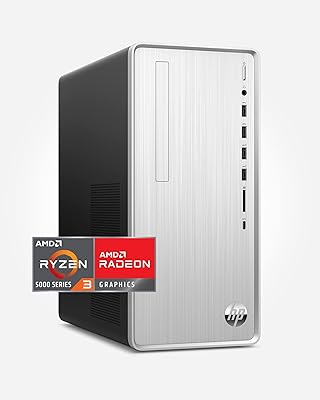
HP Pavilion Tower Desktop, Ryzen 5 5600G, 32GB RAM, 1TB SSD
85%
88%
Performance
91%
Multitasking Capability
80%
Build Quality
85%
Ease of Setup
92%
Value for Money
More
HP Pavilion Desktop TP01-2032, Ryzen 3 5300G, 4GB RAM, 256GB SSD
82%
92%
Value for Money
89%
Performance for Everyday Use
73%
Gaming Performance
85%
Connectivity Options
80%
Build Quality
More
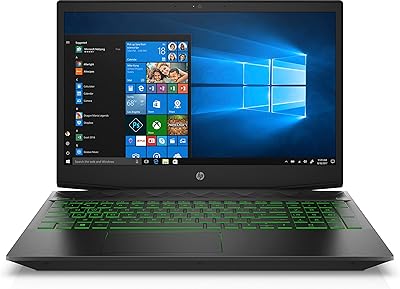
HP Pavilion Gaming Laptop 15.6″ Core i5-8300H 8GB RAM 1TB HDD
78%
83%
Gaming Performance
92%
Value for Money
88%
Display Quality
74%
Battery Life
80%
Build Quality
More
HP Pavilion Desktop TP01-2040, AMD Ryzen 5 5600G, 12GB RAM, 512GB SSD
84%
88%
Performance
92%
Value for Money
85%
Build Quality
89%
Design & Aesthetics
74%
Gaming Performance
More
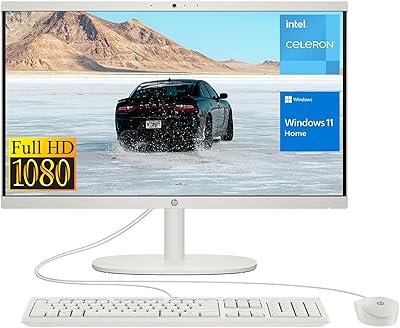
HP 22-df0224 All-in-One 21.5″
78%
88%
Value for Money
83%
Display Quality
94%
Setup Experience
47%
Processing Power
89%
Boot Speed
More
HP OMEN 45L Gaming Desktop
78%
88%
Gaming Performance
91%
Processor Performance
86%
Build Quality
77%
Thermal Management
83%
Upgradeability
More
Skytech Gaming Azure Gaming PC Desktop
83%
89%
Value for Money
85%
Gaming Performance
92%
Setup and Ease of Use
84%
Build Quality
80%
Cooling and Thermals
More

FAQ

It depends heavily on which games you have in mind. The HP Pavilion TG01-2022 Gaming Desktop handles popular competitive and mid-weight titles like Fortnite, Valorant, Apex Legends, and Rocket League at medium-to-high settings without much trouble. More graphically demanding games like Cyberpunk 2077 or Hogwarts Legacy will require lowering settings to get playable frame rates. It is an entry-level machine, so going in with realistic expectations matters a lot here.

It is enough to get started, but many users find it limiting within a few months of regular gaming. Modern games often recommend 16 GB, and when you have a browser, Discord, and a game running simultaneously, 8 GB starts to feel tight. Upgrading to 16 GB is relatively affordable and straightforward on this machine, so it is worth planning for if your budget allows.

Not difficult at all for most people. The chassis is designed with accessibility in mind, and opening it up does not require special tools. Adding a RAM stick or a secondary SSD is a realistic weekend project even for someone who has never opened a desktop before — there are plenty of tutorial videos for this specific model online.

It ships with a keyboard, mouse, and power cable, so you can be up and running as soon as you connect a monitor. The bundled peripherals are functional but basic, so if you already have a preferred keyboard or mouse, you will likely swap them out quickly. A monitor and any headset or speakers are not included.

Yes, there is a standard ethernet port on the rear panel. While the machine has built-in Wi-Fi 5, wired connections are always more stable for online gaming, so it is good to have the option available without any adapters.

Yes, the dedicated AMD Radeon RX 5500 GPU supports dual-display output. You can connect a second screen for a wider workspace or to use one monitor for gaming and one for browsing or streaming. Just make sure you are using the ports on the GPU itself, not any rear panel integrated outputs.

Fan noise is moderate during gaming — noticeable but not distracting for most users. It is quieter than many gaming desktops at this price point because the RX 5500 runs at lower wattage and heat output than higher-end GPUs. In a quiet room you will hear it spin up, but with headphones on most people report it is a non-issue.

This is worth checking carefully before committing to a GPU upgrade. The factory power supply is sized for the current components, and a more powerful GPU will likely demand more wattage than it can reliably provide. Before buying an upgraded card, look up its TDP and compare it against the installed PSU's rated output — you may need to replace the PSU as part of the upgrade.

Like most HP consumer desktops, it does ship with some pre-installed HP software and third-party trial apps. None of it prevents normal use, but many users prefer to do a clean sweep shortly after setup. Running a quick uninstall through Windows Settings takes about 15 minutes and leaves the system feeling cleaner.

HP includes a 1-year limited warranty covering hardware defects, and their support line can walk you through troubleshooting or arrange a repair. For returns, that depends on where you purchased — retailer return windows vary, so check the specific policy at checkout. The warranty does not cover accidental damage or user-caused issues like failed overclocking attempts.